2012 Hyundai H-100 Truck ESP
[x] Cancel search: ESPPage 2 of 217
F2
RESPONSIBILITY FOR MAINTENANCE
The maintenance requirements for your new Hyundai are found in Section 5. As the owner, it is your responsibility to see that all maintenance operations specified by themanufacturer are carried out at the appropriate intervals. When the vehicle is used in severe driving conditions, more frequent maintenance is required for some operations. Maintenance requirements for severe operating conditions are also included in Section 5.
A020A01A-AAT
Page 86 of 217

1FEATURES OF YOUR HYUNDAI
74
K220B01HR-GAT
1. POWER ON-OFF/VOLUMEControl Knob
The radio unit may be operated when the ignition key is in the "ACC" or "ON"position. Rotate the knob clockwise to switch the radio unit on and to increase the volume.The LCD shows the radio frequency in the radio mode. Turn the knob counter- clockwise to reduce the volume and toswitch the radio unit off. BAL (Balance) Control Knob Pull and turn the control knob clockwise to emphasize right speaker sound (left speaker sound will be attenuated). When the control knob is turned counterclock-wise, left speaker sound will be empha- sized (right speaker sound will be at- tenuated).After adjusting the balance, push the knob again to use the other function. SCAN Knob When the scan knob is pressed, the frequency will increase and the receiv-able stations will be tuned in one after another, receiving each station for 5 seconds. To stop scanning, press thescan knob again.
2. TUNE (manual) Select Button Press the ( ) side or ( ) side to increase or to decrease the frequency. With the button held down for 1 secondor more, the stop signal (broadcasting radio wave) is ignored and channel selection continues. SEEK Operation (Automatic Channel Selection) Press the TUNE select button for 1 second or more. When the ( ) side ispressed, the unit will automatically tune to the next higher frequency and when the ( ) side is pressed, it will automati-cally tune to the next lower frequency. 3. BAND Selector Pressing the button changes the AM, FM1 and FM2 bands. The modeselected is displayed on LCD. Each press of the button changes the display as follows;
FM1 FM2 AM FM1
4. BASS Control Knob Press to pop the knob out and turn to the left or right for the desired bass tone. TREBLE Control Knob Pull the bass control knob further out. Turn to the left or right for the desiredtreble tone.
5. PRESET STATION Select But- tons
Six (6) stations for AM, FM1 and FM2 respectively can be preset in the elec- tronic memory circuit on this unit.
FM AM
Page 91 of 217
1
FEATURES OF YOUR HYUNDAI
79
FM/AM
K240B01HR-GAT
1. POWER ON-OFF Control
Knob
The radio unit may be operated when the ignition key is in the "ACC" or "ON"position. Press the knob to switch the power on. The LCD shows the radio frequency in the radio mode or the tapedirection indicator in the tape mode. To switch the power off, press the knob again. VOLUME Control Rotate the knob clockwise to increase the volume and turn the knob counter-clockwise to reduce the volume. 2. BAND Selector Pressing the button changes the AM, FM1 and FM2 bands. The mode selected is displayed on LCD.Each press of button changes the dis- play as follows; FM1 FM2 AM FM1 3. LCD LCD shows the following informations; Band of FM1/FM2/AM frequency, pre-set channel number, ST in case of FM stereo. 4. TREB (Treble) Control Knob Press to pop the knob out and turn to the left or right for the desired trebletone. 5. TUNE (Manual) Select Button Press the ( ) side or ( ) side to increase or to decrease the frequency. Press either button and hold down to continu- ously scroll. Release button once thedesired station is reached. SEEK Operation (Automatic Channel Selection) Press the TUNE select button 0.5 sec or more. Releasing it will automatically tune to the next available station with a beep sound. When the ( ) side is pressed longer than0.5 second, releasing will automaticallytune to the next higher frequency and when the ( ) side is pressed longer than 0.5 second and releasing will automati-cally tune to the next lower frequency.
6. PRESET STATION Select But-
tons
Six (6) stations for AM, FM1 and FM2 respectively can be preset in the elec- tronic memory circuit on this unit. HOW TO PRESET STATIONS Six AM and twelve FM stations may be programmed into the memory of the radio. Then, by simply pressing theband select button and/or one of the six station select buttons, you may recall any of these stations instantly. To pro-gram the stations, follow these steps:
o Press band selector to set the band for AM, FM1, or FM2.
o Select the desired station to be stored
by seek or manual tuning.
o Determine the preset station select button you wish to use to access that station.
Page 99 of 217
2
DRIVING YOUR HYUNDAI
3
!
BEFORE STARTING THE EN- GINE
C020A02A-AAT Before you start the engine, you should always:
1. Look around the vehicle to be sure
there are no flat tires, puddles of oil, water or other indications of pos- sible trouble.
2. After entering the car, check to be sure the parking brake is engaged.
3. Check that all windows, and lights are clean.
4. Check that the interior and exterior
mirrors are clean and in position.
5. Check your seat, seatback and headrest to be sure they are in theirproper positions.
6. Lock all the doors.
7. Fasten your seat belt and be sure
that all other occupants have fas- tened theirs.
8. Turn off all lights and accessories
that are not needed.
9. When you turn the ignition switch to "ON", check that all appropriatewarning lights are operating andthat you have sufficient fuel.
10.Check the operation of warning
lights and all bulbs when key is inthe "ON" position.
!WARNING:
To ensure that sufficient vacuum exists within the brake system dur-ing cold weather start-up condi- tions, it is necessary to run the engine at idle for several secondsafter starting the engine.
WARNING:
Always wear appropriate shoes when operating your vehicle. Unsuitable shoes (high heels, ski boots,etc.)may interfere with your ability to use the brake and accelerator pedal, and the clutch (if installed).!WARNING:
Driving while distracted can result in a loss of vehicle control, that may lead to an accident, severe personal
injury, and death. The driver’s pri-mary responsibility is in the safe and legal operation of a vehicle, and use of any handheld devices, otherequipment, or vehicle systems which take the driver’s eyes, attention and focus away from the safe operationof a vehicle or which are not permis- sible by law should never be used during operation of the vehicle.
Page 100 of 217
2 DRIVING YOUR HYUNDAI
4
!
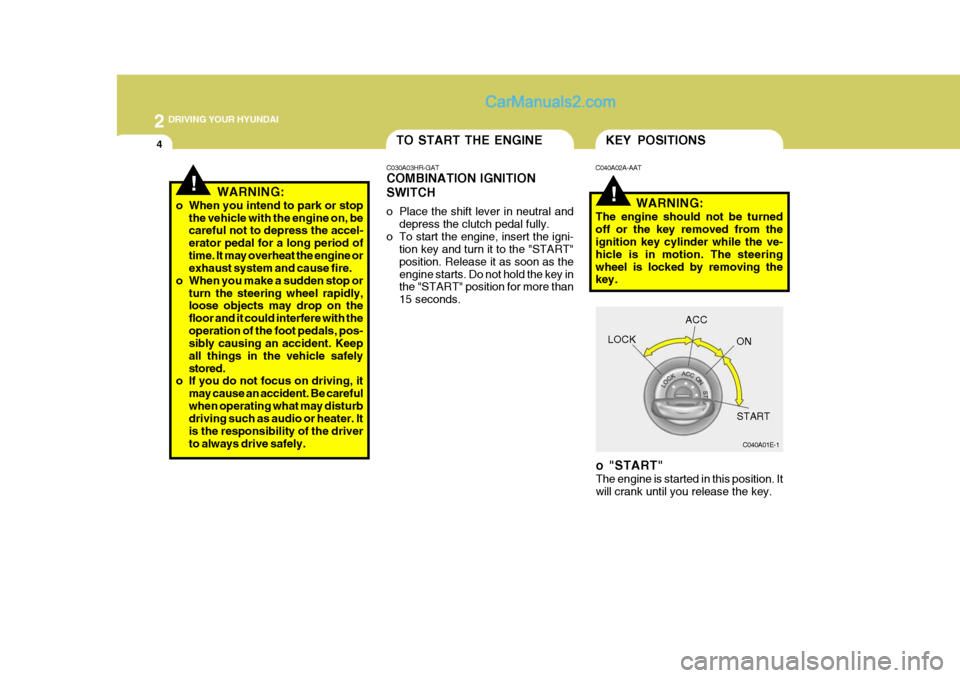
KEY POSITIONS
C040A01E-1
LOCK
ACC
ON
START
o "START" The engine is started in this position. It will crank until you release the key.
C040A02A-AAT
WARNING:
The engine should not be turned off or the key removed from the ignition key cylinder while the ve- hicle is in motion. The steeringwheel is locked by removing the key.
!WARNING:
o When you intend to park or stop the vehicle with the engine on, be careful not to depress the accel- erator pedal for a long period oftime. It may overheat the engine or exhaust system and cause fire.
o When you make a sudden stop or
turn the steering wheel rapidly,loose objects may drop on the floor and it could interfere with theoperation of the foot pedals, pos- sibly causing an accident. Keep all things in the vehicle safelystored.
o If you do not focus on driving, it
may cause an accident. Be carefulwhen operating what may disturb driving such as audio or heater. It is the responsibility of the driverto always drive safely.
TO START THE ENGINE
C030A03HR-GAT COMBINATION IGNITION SWITCH
o Place the shift lever in neutral and depress the clutch pedal fully.
o To start the engine, insert the igni- tion key and turn it to the "START" position. Release it as soon as theengine starts. Do not hold the key in the "START" position for more than 15 seconds.
Page 102 of 217
2 DRIVING YOUR HYUNDAI
6
!
C055B01HR-GAT STARTING AND STOPPING THE ENGINE FOR TURBO CHARGERINTERCOOLER (Diesel Engine)
(1) Do not race, accelerate suddenly,
or accelerate immediately the en- gine after starting it. If the engine iscold, allow the engine to idle for several seconds before it is driven to ensure sufficient lubrication ofthe turbo charger unit. WARNING:
Be sure that the clutch is fully de- pressed when starting a manual transmission vehicle. Otherwisethere is the potential to cause dam- age to the vehicle or injury to some- one inside or outside the vehicle asa result of the forward or backward movement of the vehicle that will occur if the clutch is not depressedwhen the vehicle is started.
5. Turn the ignition key to the "START" position and release it when the engine starts.
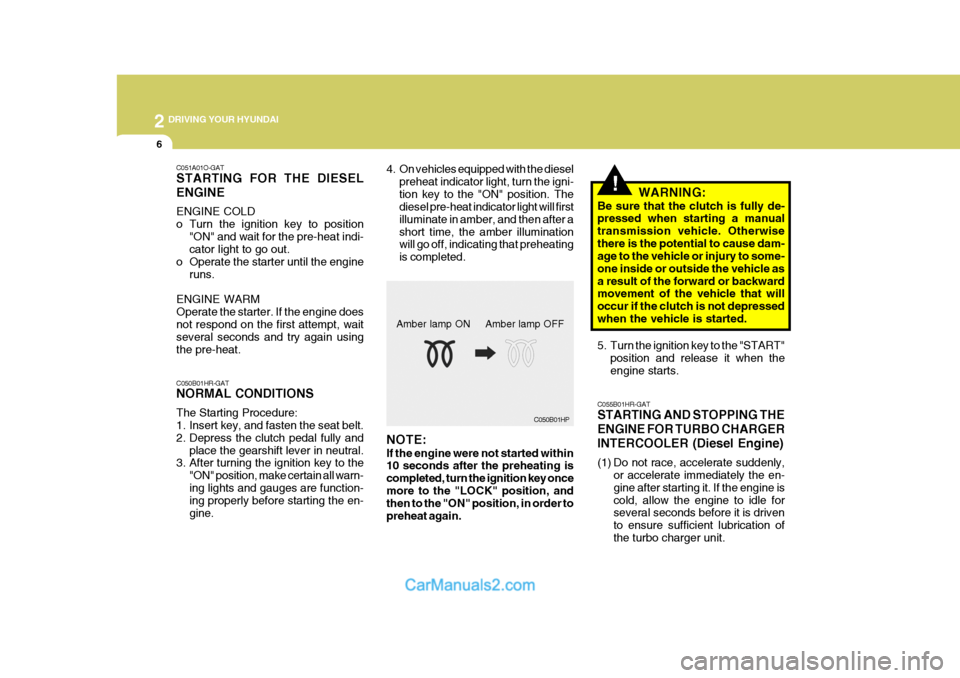
C050B01HP
NOTE: If the engine were not started within 10 seconds after the preheating is completed, turn the ignition key oncemore to the "LOCK" position, and then to the "ON" position, in order to preheat again. Amber lamp ON Amber lamp OFF
C051A01O-GAT STARTING FOR THE DIESEL ENGINE ENGINE COLD
o Turn the ignition key to position
"ON" and wait for the pre-heat indi- cator light to go out.
o Operate the starter until the engine
runs.
ENGINE WARM Operate the starter. If the engine does not respond on the first attempt, wait several seconds and try again usingthe pre-heat. C050B01HR-GAT NORMAL CONDITIONS The Starting Procedure:
1. Insert key, and fasten the seat belt.
2. Depress the clutch pedal fully and place the gearshift lever in neutral.
3. After turning the ignition key to the
"ON" position, make certain all warn-ing lights and gauges are function- ing properly before starting the en- gine. 4. On vehicles equipped with the diesel
preheat indicator light, turn the igni-tion key to the "ON" position. The diesel pre-heat indicator light will first illuminate in amber, and then after ashort time, the amber illumination will go off, indicating that preheating is completed.
Page 104 of 217
2 DRIVING YOUR HYUNDAI
8
C070D02O-AAT Good Driving Practices
o Never take the car out of gear andcoast down a hill. This is extremely hazardous. Always leave the car in gear.
o Don't "ride" the brakes. This can cause them to overheat and mal-function. Instead, when you are driv- ing down a long hill, slow down andshift to a lower gear. When you do this, engine braking will help slow the car.
o Slow down before shifting to a lower gear. This will help avoid over-rev-ving the engine, which can causedamage.
o Slow down when you encounter
cross winds. This gives you muchbetter control of your car.
o Be sure the car is completely stopped
before you attempt to shift into re-verse. The transmission can be dam- aged if you do not. To shift into reverse, depress the clutch, movethe shift lever to neutral, wait three seconds, then shift to the reverse position.
o Exercise extreme caution when driv- ing on a slippery surface. Be espe-
C070E03A-GAT RECOMMENDED SHIFT POINTS
Shift
from-to Recommended
The shift points as shown above are recommended for optimum fuel economy and performance. 20 km/h (15 mph) 40 km/h (25 mph)55 km/h (35 mph)75 km/h (45 mph)
1-22-33-44-5
C070B01A-AAT Using the Clutch The clutch should be pressed all the way to the floor before shifting, then released slowly. If your vehicle isequipped with an ignition lock switch, the engine will not start when starting the engine without depressing the clutchpedal. (if equipped) The clutch pedal should always be used after fully return- ing to the original position. Do not restyour foot on the clutch pedal while driving. This can cause unnecessary wear. Do not partially engage the clutchto hold the car on an incline. This causes unnecessary wear. Use the parking brake to hold the car on anincline. Do not operate the clutch pedal rapidly and repeatedly.
CAUTION:
When downshifting from fifth gear to fourth gear, caution should be taken not to inadvertently press the gear lever sideways in such a man-ner that second gear is engaged. Such a drastic downshift may cause the engine speed to increase to thepoint that the tachometer will enter the red-zone. Such over-revving of the engine may possibly cause en-gine damage.
!
!WARNING:
If your vehicle has a manual trans- mission not equipped with a ignition lock switch, it may move and causea serious accident when starting the engine without depressing the clutch pedal while the parking brake is re-leased and the shift lever not in the N (Neutral) position.
Page 107 of 217
2
DRIVING YOUR HYUNDAI
11
turn the front wheels away from the curb to help keep the car from roll-ing. If there is no curb or if it is required by other conditions to keep the carfrom rolling, block the wheels.
o Under some conditions your park-
ing brake can freeze in the engagedposition. This is most likely to hap- pen when there is an accumulation of snow or ice around or near therear brakes or if the brakes are wet. If there is a risk that the parking brake may freeze, apply it only tem-porarily while you put the gear se- lector lever in first or reverse gear and block the rear wheels so the carcannot roll. Then release the park- ing brake.
o Do not hold the vehicle on the up- grade with the accelerator pedal.This can cause the transmission to overheat. Always use the brakepedal or parking brake.DRIVING FOR ECONOMY
C140A01A-GAT You can save fuel and get more kilo- meters from your car if you follow these suggestions:
o Drive smoothly. Accelerate at a moderate rate. Don't make "jack- rabbit" starts or full-throttle shiftsand maintain a steady cruising speed. Don't race between stop- lights. Try to adjust your speed tothat of the other traffic so you don't have to change speeds unneces- sarily. Avoid heavy traffic wheneverpossible. Always maintain a safe distance from other vehicles so you can avoidunnecessary braking. This also re- duces brake wear.
o Drive at a moderate speed. The faster you drive, the more fuel yourcar uses. Driving at a moderate speed, especially on the highway, isone of the most effective ways to reduce fuel consumption.
o Don't "ride" the brake or clutch pedal. This can increase fuel consumptionand also increase wear on these components. In addition, driving withyour foot resting on the brake pedal may cause the brakes to overheat,
!WARNING:
Always, confirm the position of the brake and accelerator pedal before driving. If you don’t check the posi-tion of the accelerator and brake pedal before driving, you may de- press the accelerator instead of thebrake pedal. It may cause a serious accident.
CAUTION:
Do not operate the parking brakewhile the vehicle is moving except in an emergency situation. It could dam-age the vehicle system and make endanger driving safety.
!