Page 105 of 380
Phone Settings
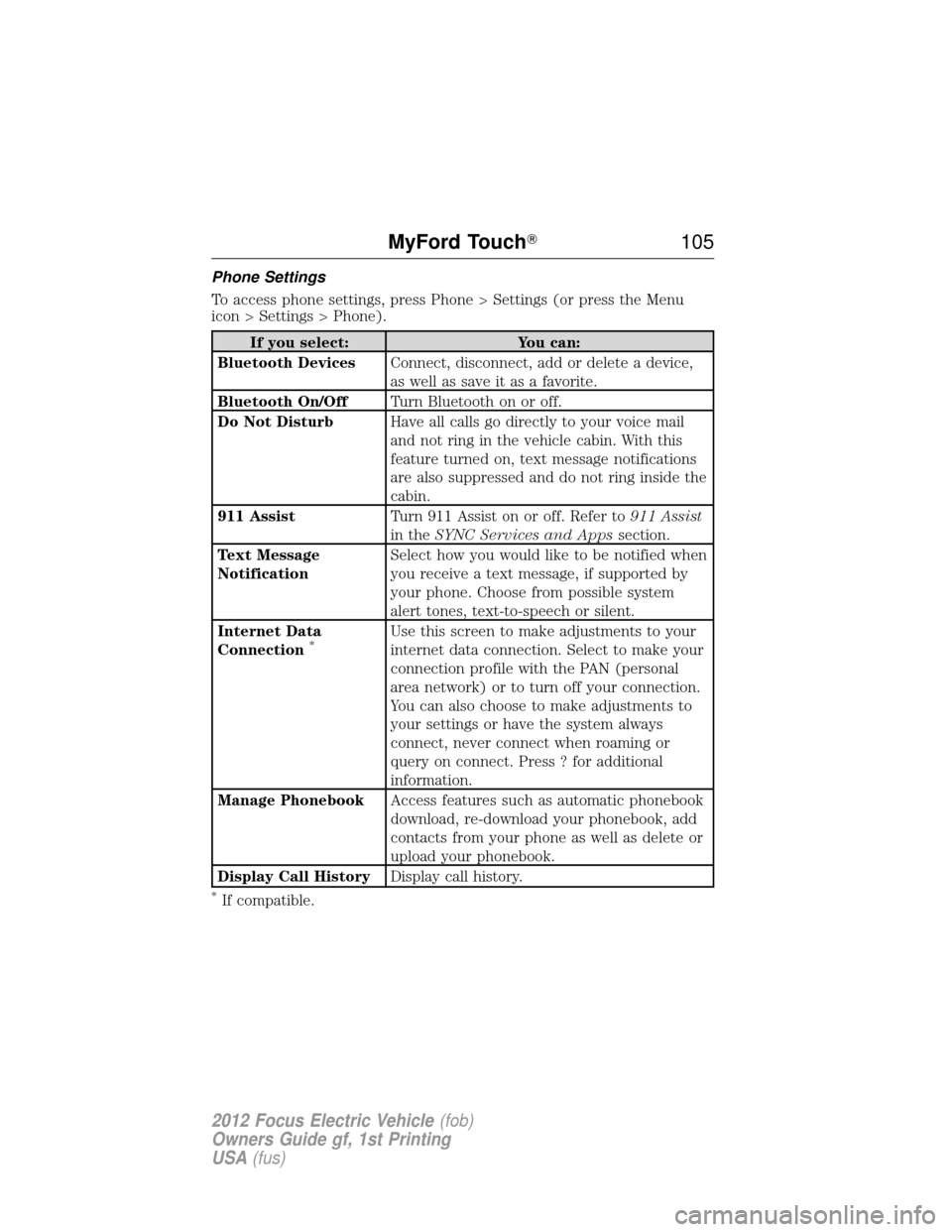
To access phone settings, press Phone > Settings (or press the Menu
icon > Settings > Phone).
If you select:You can:
Bluetooth Devices Connect, disconnect, add or delete a device,
as well as save it as a favorite.
Bluetooth On/Off Turn Bluetooth on or off.
Do Not Disturb Have all calls go directly to your voice mail
and not ring in the vehicle cabin. With this
feature turned on, text message notifications
are also suppressed and do not ring inside the
cabin.
911 Assist Turn 911 Assist on or off. Refer to 911 Assist
in the SYNC Services and Apps section.
Text Message
Notification Select how you would like to be notified when
you receive a text message, if supported by
your phone. Choose from possible system
alert tones, text-to-speech or silent.
Internet Data
Connection
*Use this screen to make adjustments to your
internet data connection. Select to make your
connection profile with the PAN (personal
area network) or to turn off your connection.
You can also choose to make adjustments to
your settings or have the system always
connect, never connect when roaming or
query on connect. Press ? for additional
information.
Manage Phonebook Access features such as automatic phonebook
download, re-download your phonebook, add
contacts from your phone as well as delete or
upload your phonebook.
Display Call History Display call history.
*If compatible.
MyFord Touch� 105
2012 Focus Electric Vehicle(fob)
Owners Guide gf, 1st Printing
USA (fus)
Page 114 of 380
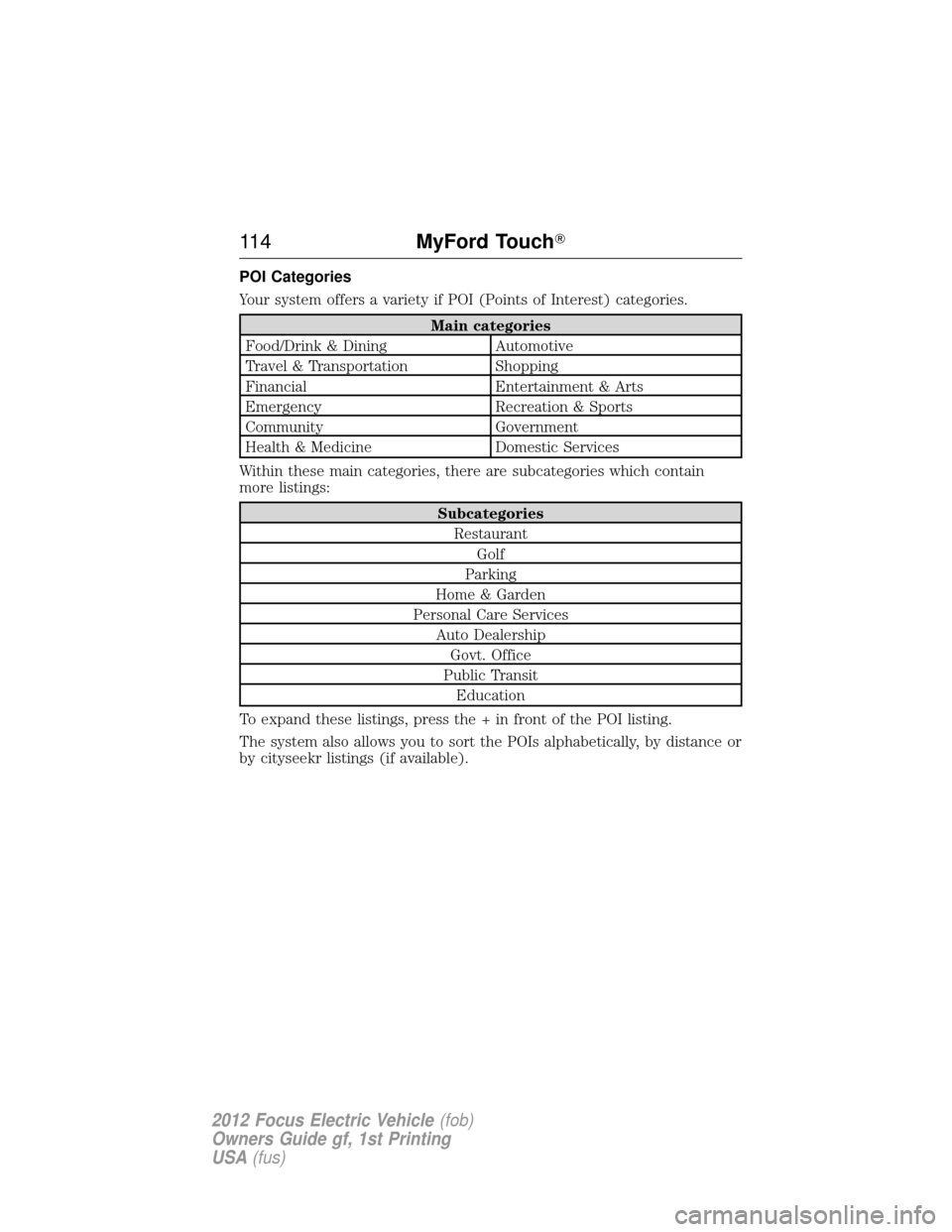
POI Categories
Your system offers a variety if POI (Points of Interest) categories.
Main categories
Food/Drink & Dining Automotive
Travel & Transportation Shopping
Financial Entertainment & Arts
Emergency Recreation & Sports
Community Government
Health & Medicine Domestic Services
Within these main categories, there are subcategories which contain
more listings:
Subcategories Restaurant Golf
Parking
Home & Garden
Personal Care Services Auto DealershipGovt. Office
Public Transit Education
To expand these listings, press the + in front of the POI listing.
The system also allows you to sort the POIs alphabetically, by distance or
by cityseekr listings (if available).
11 4 MyFord Touch�
2012 Focus Electric Vehicle (fob)
Owners Guide gf, 1st Printing
USA (fus)
Page 115 of 380
cityseekr (If Available)
Note:cityseekr point of interest (POI) information is limited to
approximately 154 cities (132 in the U.S., 13 in Canada and 9 in Mexico).
cityseekr is a service which provides
additional information about certain POIs
such as restaurants, hotels and
attractions.
When you have selected a POI, the
location and information appear, such as
address and phone number. If the POI is
listed with cityseekr, you also see
information such as a brief description, check-in and check-out times,
when the restaurant is open, etc.
Press More Information for a longer review, a list of services and
facilities, the average room or meal price as well as the website.
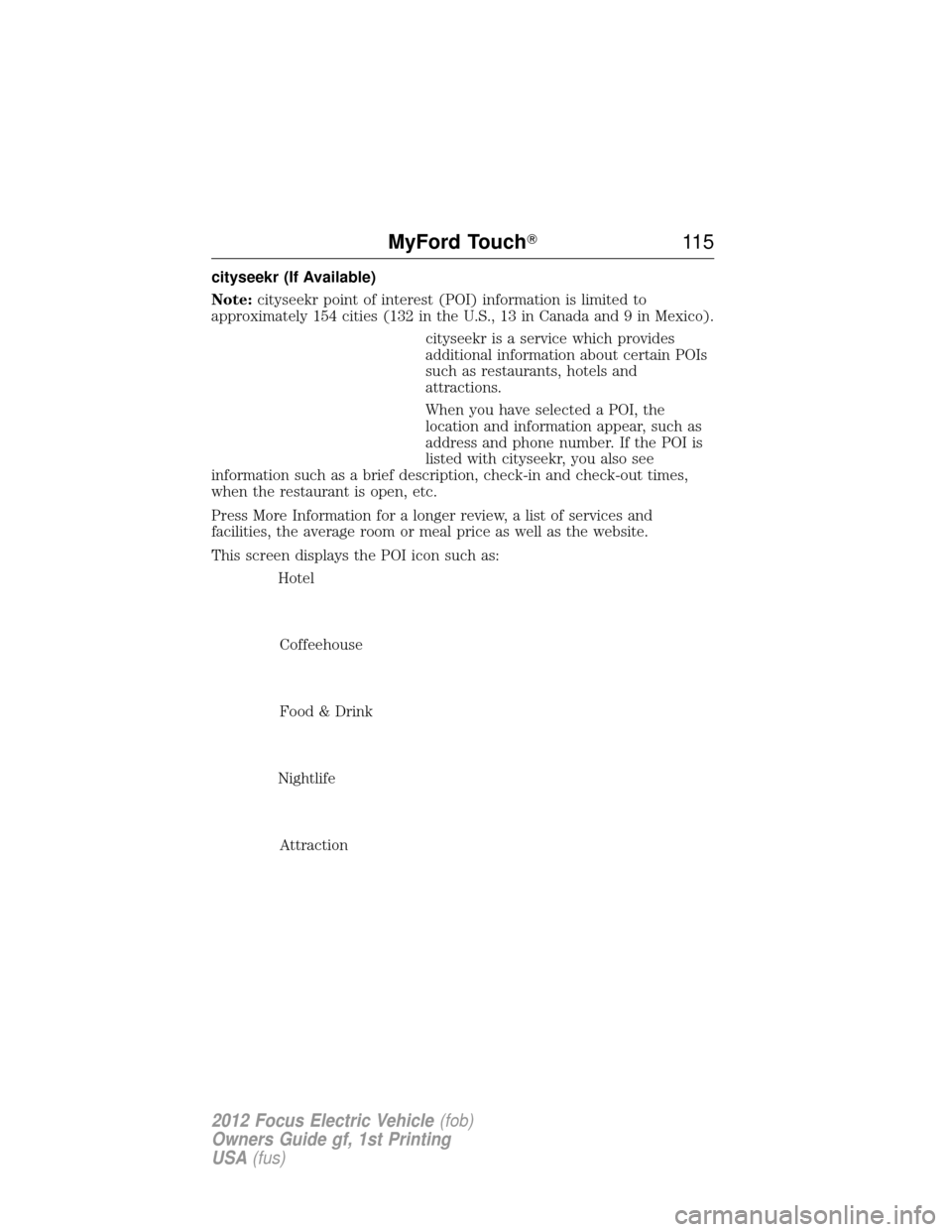
This screen displays the POI icon such as:
Hotel
Coffeehouse
Food & Drink
Nightlife Attraction
MyFord Touch� 11 5
2012 Focus Electric Vehicle(fob)
Owners Guide gf, 1st Printing
USA (fus)
Page 116 of 380
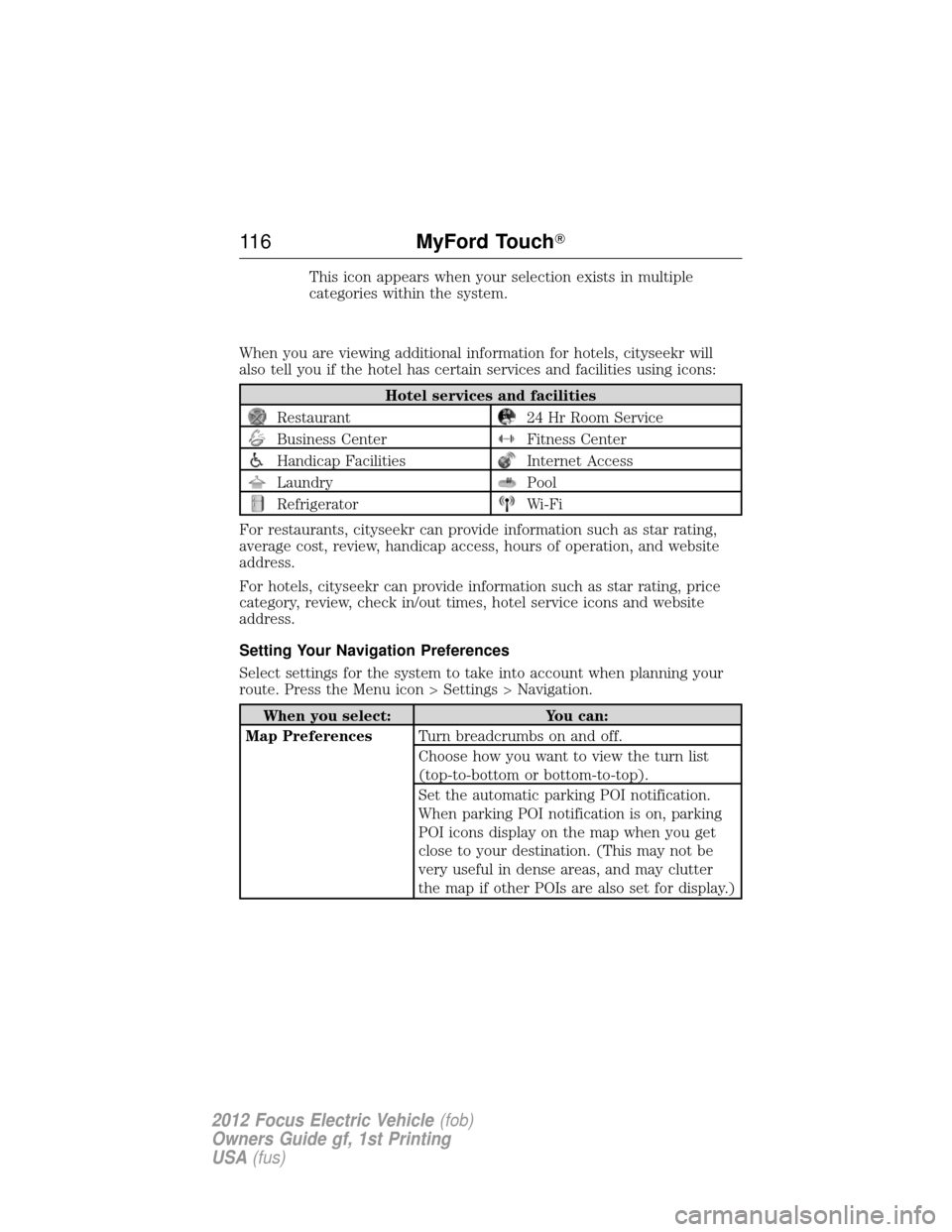
This icon appears when your selection exists in multiple
categories within the system.
When you are viewing additional information for hotels, cityseekr will
also tell you if the hotel has certain services and facilities using icons:
Hotel services and facilities
Restaurant24 Hr Room Service
Business CenterFitness Center
Handicap FacilitiesInternet Access
LaundryPool
RefrigeratorWi-Fi
For restaurants, cityseekr can provide information such as star rating,
average cost, review, handicap access, hours of operation, and website
address.
For hotels, cityseekr can provide information such as star rating, price
category, review, check in/out times, hotel service icons and website
address.
Setting Your Navigation Preferences
Select settings for the system to take into account when planning your
route. Press the Menu icon > Settings > Navigation.
When you select: You can:
Map Preferences Turn breadcrumbs on and off.
Choose how you want to view the turn list
(top-to-bottom or bottom-to-top).
Set the automatic parking POI notification.
When parking POI notification is on, parking
POI icons display on the map when you get
close to your destination. (This may not be
very useful in dense areas, and may clutter
the map if other POIs are also set for display.)
11 6MyFord Touch�
2012 Focus Electric Vehicle (fob)
Owners Guide gf, 1st Printing
USA (fus)
Page 134 of 380
BULB REPLACEMENT
Lamp assembly condensation
Exterior lamps are vented to accommodate normal changes in pressure.
Condensation can be a natural by-product of this design. When moist air
enters the lamp assembly through the vents, there is a possibility that
condensation can occur when the temperature is cold. When normal
condensation occurs, a thin film of mist can form on the interior of the
lens. The thin mist eventually clears and exits through the vents during
normal operation. Clearing time may take as long as 48 hours under dry
weather conditions.
Examples of acceptable condensation are:
•Presence of thin mist (no streaks, drip marks or droplets)
• Fine mist covers less than 50% of the lens
Examples of unacceptable moisture (usually caused by a lamp water
leak) are:
• Water puddle inside the lamp
• Large water droplets, drip marks or streaks present on the interior of
the lens
Take your vehicle to a dealer for service if any of the above conditions of
unacceptable moisture are present.
Using the right bulbs
Replacement bulbs are specified in the chart below. Headlamp bulbs
must be marked with an authorized “D.O.T.” for North America to ensure
lamp performance, light brightness and pattern and safe visibility. The
correct bulbs will not damage the lamp assembly or void the lamp
assembly warranty and will provide quality bulb burn time.
Function Trade number
Headlamps high beam H1
* Headlamp low beam (HID) D8S
Parking lamp/turn signal lamp (front) W21W
* Side marker lamp (front) LED
Brake lamp 3157K
Tail lamp 3157K
Turn lamp 3757AK
Reverse lamp 921
134Lighting
2012 Focus Electric Vehicle (fob)
Owners Guide gf, 1st Printing
USA (fus)
Page 135 of 380
FunctionTrade number
* License plate lamp LED
* High-mount brake lamp LED
* To replace these lamps - see your authorized dealer.
To replace all instrument panel lights - see your authorized dealer
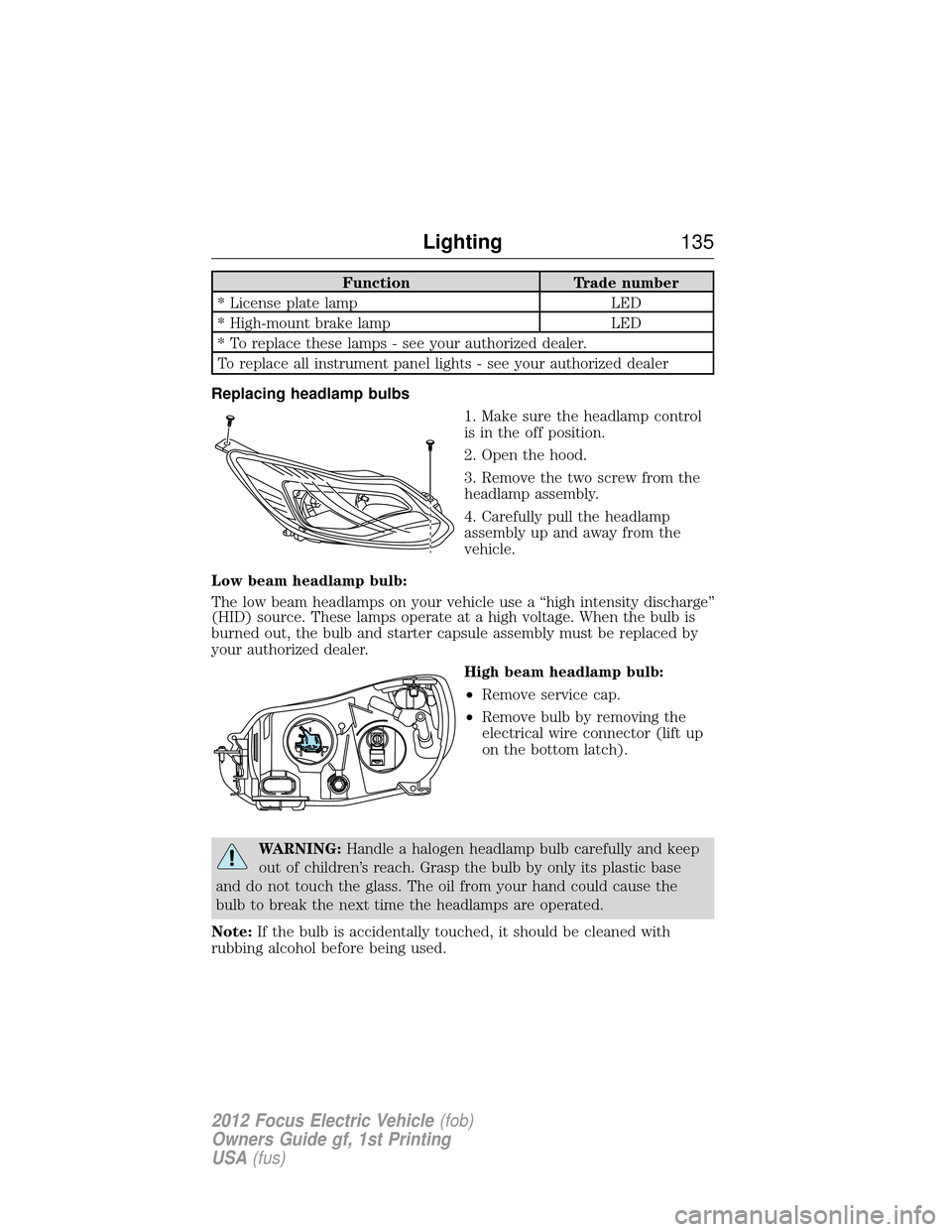
Replacing headlamp bulbs 1. Make sure the headlamp control
is in the off position.
2. Open the hood.
3. Remove the two screw from the
headlamp assembly.
4. Carefully pull the headlamp
assembly up and away from the
vehicle.
Low beam headlamp bulb:
The low beam headlamps on your vehicle use a “high intensity discharge”
(HID) source. These lamps operate at a high voltage. When the bulb is
burned out, the bulb and starter capsule assembly must be replaced by
your authorized dealer. High beam headlamp bulb:
•Remove service cap.
• Remove bulb by removing the
electrical wire connector (lift up
on the bottom latch).
WARNING: Handle a halogen headlamp bulb carefully and keep
out of children’s reach. Grasp the bulb by only its plastic base
and do not touch the glass. The oil from your hand could cause the
bulb to break the next time the headlamps are operated.
Note: If the bulb is accidentally touched, it should be cleaned with
rubbing alcohol before being used.
Lighting 135
2012 Focus Electric Vehicle (fob)
Owners Guide gf, 1st Printing
USA (fus)
Page 136 of 380
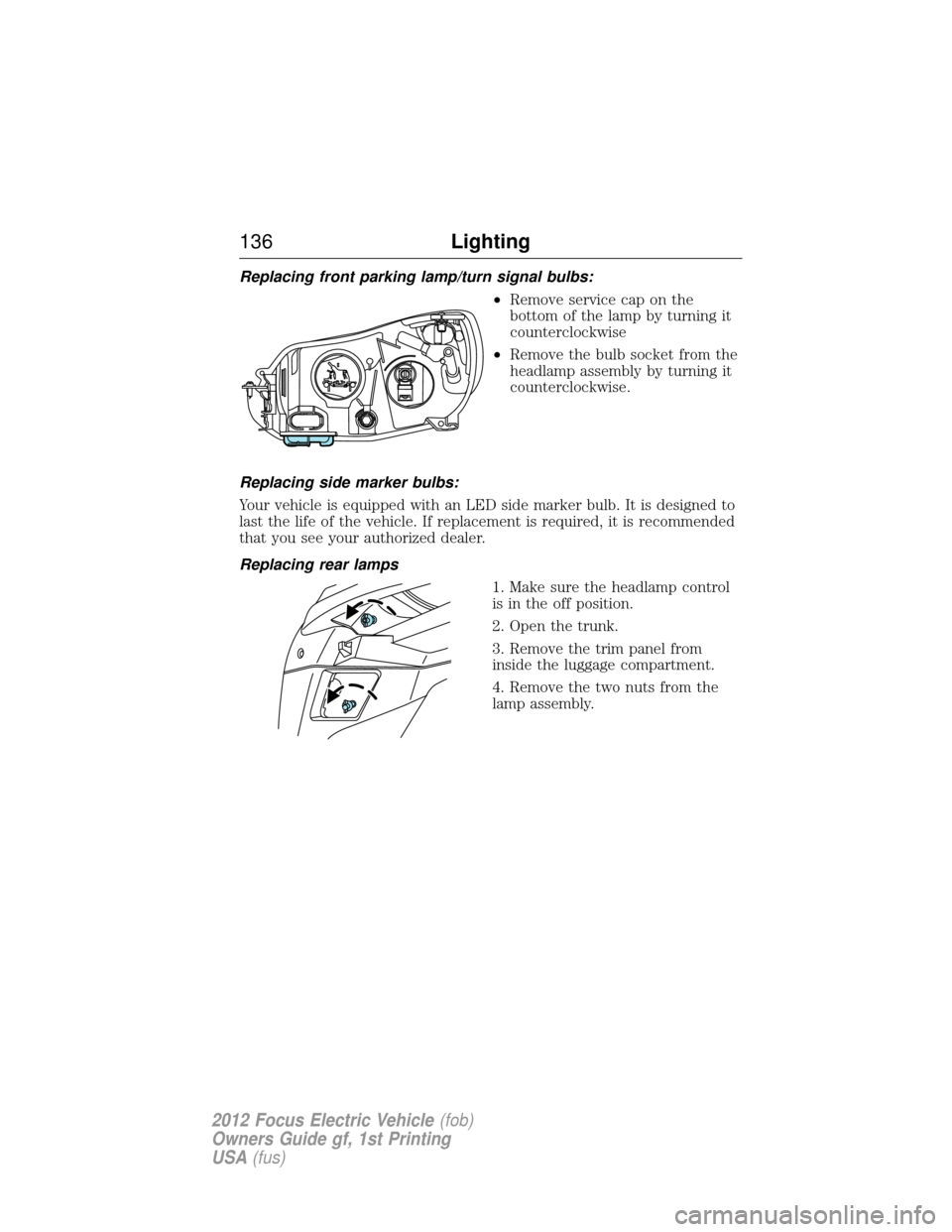
Replacing front parking lamp/turn signal bulbs:•Remove service cap on the
bottom of the lamp by turning it
counterclockwise
• Remove the bulb socket from the
headlamp assembly by turning it
counterclockwise.
Replacing side marker bulbs:
Your vehicle is equipped with an LED side marker bulb. It is designed to
last the life of the vehicle. If replacement is required, it is recommended
that you see your authorized dealer.
Replacing rear lamps 1. Make sure the headlamp control
is in the off position.
2. Open the trunk.
3. Remove the trim panel from
inside the luggage compartment.
4. Remove the two nuts from the
lamp assembly.
136Lighting
2012 Focus Electric Vehicle (fob)
Owners Guide gf, 1st Printing
USA (fus)
Page 184 of 380
Front safety belt usage sensors
The front safety belt usage sensors detect whether or not the driver and
front outboard passenger safety belts are fastened. This information
allows your Personal Safety System to tailor the airbag deployment and
safety belt pretensioner activation depending upon safety belt usage.
Front outboard safety belt pretensioners
The safety belt pretensioners at the front outboard seating positions are
designed to tighten the safety belts firmly against the occupant’s body
during frontal collisions, and in side collisions when the side air curtain
system activates. This helps increase the effectiveness of the safety belts.
In frontal collisions, the safety belt pretensioners can be activated alone
or, if the collision is of sufficient severity, together with the front airbags.
Front outboard safety belt energy management retractors
The front safety belt energy management retractors allow webbing to be
pulled out of the retractor in a gradual and controlled manner in
response to the occupant’s forward momentum. This helps reduce the
risk of force-related injuries to the occupant’s chest by limiting the load
on the occupant.
Determining if the Personal Safety System is operational
The Personal Safety System uses a warning light in the instrument
cluster, a warning message, or a backup tone to indicate the condition of
the system. Refer to theWarning lights and indicators section in the
Instrument Cluster chapter. Routine maintenance of the Personal Safety
System is not required.
The Restraints Control Module (RCM) monitors its own internal circuits
and the circuits for the airbag supplemental restraints, crash sensor(s),
safety belt pretensioners, front safety belt buckle sensors, front
passenger sensing system, and the driver seat position sensor. In
addition, the RCM also monitors the restraints warning light in the
instrument cluster. A difficulty with the system is indicated by one or
more of the following.
• The warning light will either flash or stay lit.
• The warning light will not illuminate immediately after ignition is
turned on.
• A warning message will appear until the problem and warning light are
repaired.
If any of these things happen, even intermittently, have the Personal Safety
System serviced at an authorized dealer immediately. Unless serviced, the
system may not function properly in the event of a collision.
184 Seating and Safety Restraints
2012 Focus Electric Vehicle (fob)
Owners Guide gf, 1st Printing
USA (fus)