Page 173 of 557
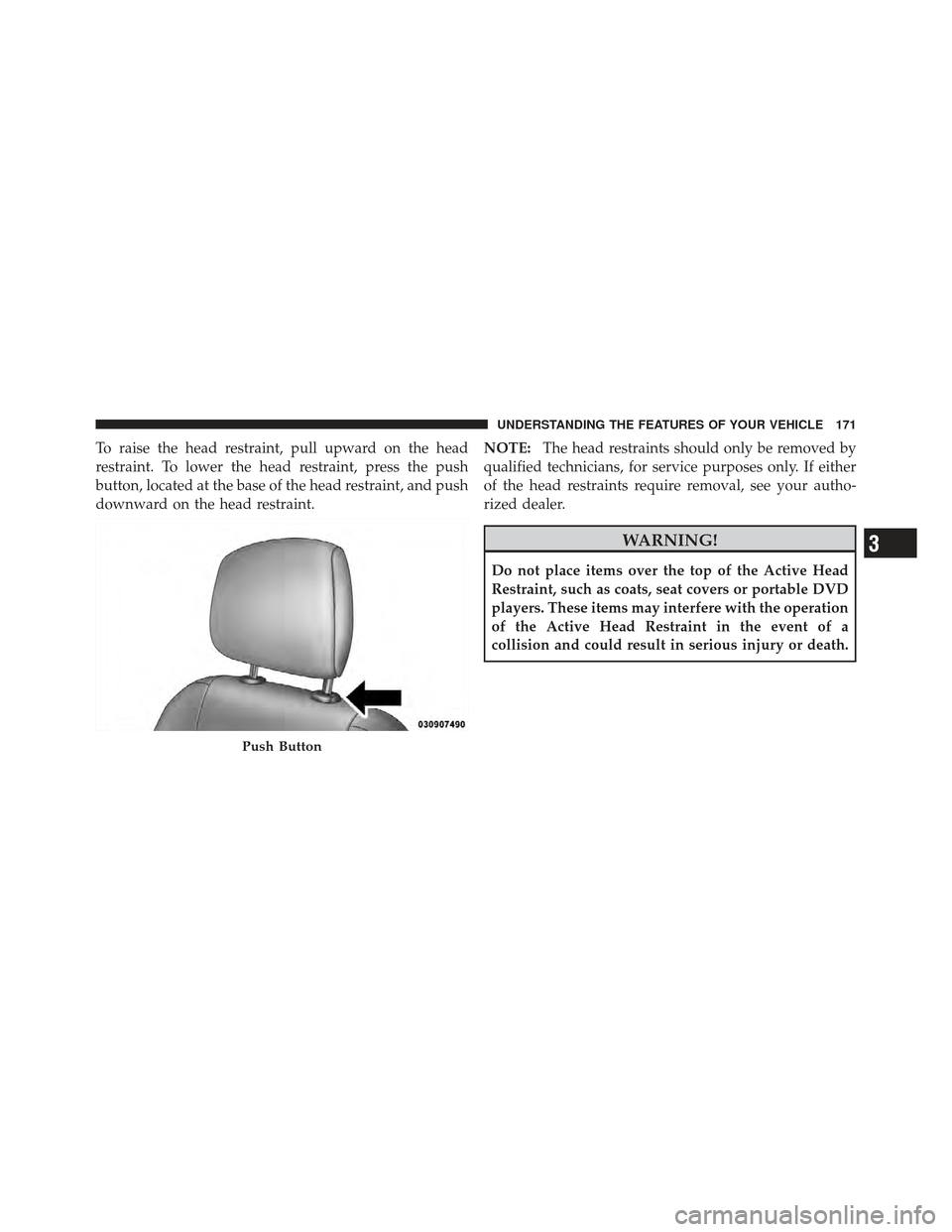
To raise the head restraint, pull upward on the head
restraint. To lower the head restraint, press the push
button, located at the base of the head restraint, and push
downward on the head restraint.NOTE:
The head restraints should only be removed by
qualified technicians, for service purposes only. If either
of the head restraints require removal, see your autho-
rized dealer.
WARNING!
Do not place items over the top of the Active Head
Restraint, such as coats, seat covers or portable DVD
players. These items may interfere with the operation
of the Active Head Restraint in the event of a
collision and could result in serious injury or death.
Push Button
3
UNDERSTANDING THE FEATURES OF YOUR VEHICLE 171
Page 174 of 557
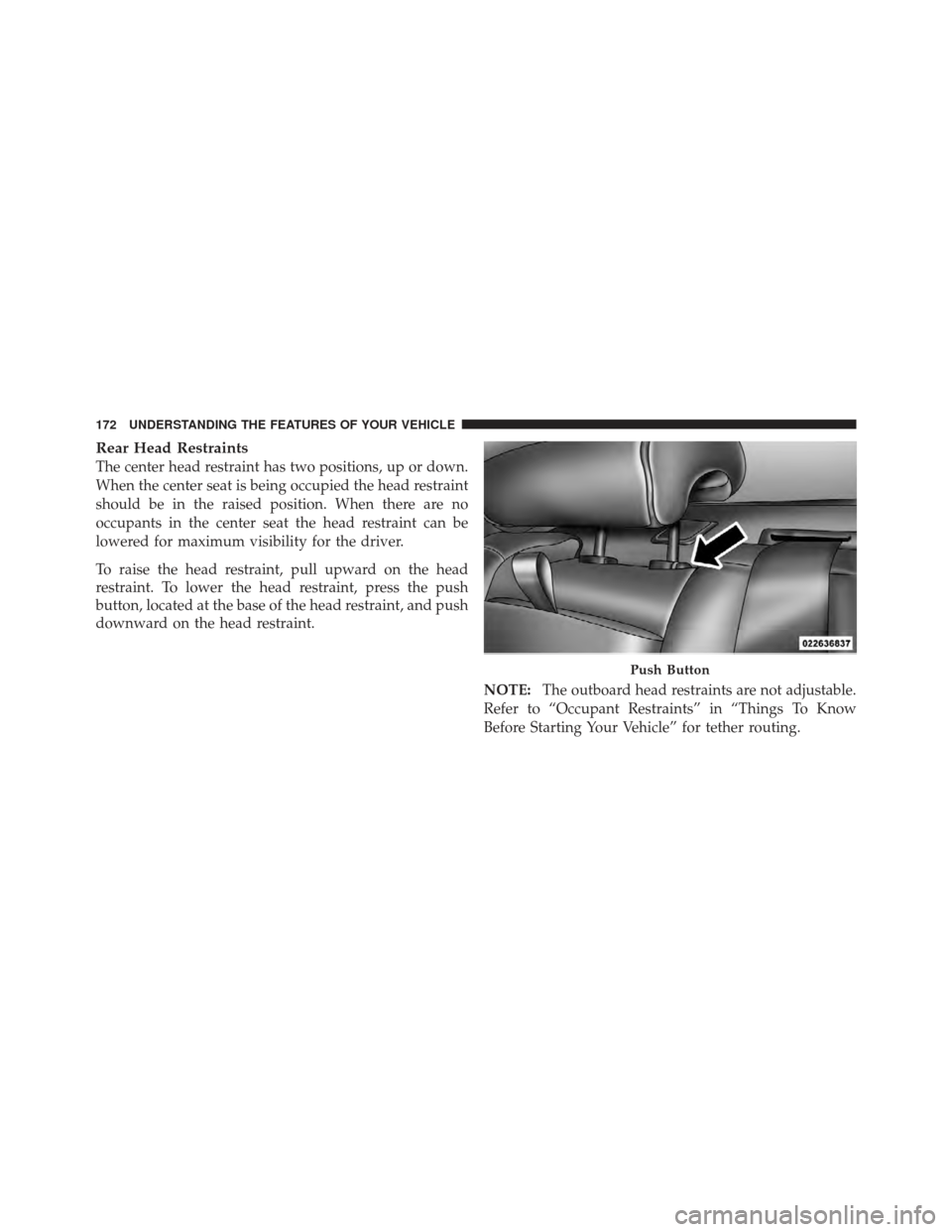
Rear Head Restraints
The center head restraint has two positions, up or down.
When the center seat is being occupied the head restraint
should be in the raised position. When there are no
occupants in the center seat the head restraint can be
lowered for maximum visibility for the driver.
To raise the head restraint, pull upward on the head
restraint. To lower the head restraint, press the push
button, located at the base of the head restraint, and push
downward on the head restraint.NOTE:The outboard head restraints are not adjustable.
Refer to “Occupant Restraints” in “Things To Know
Before Starting Your Vehicle” for tether routing.
Push Button
172 UNDERSTANDING THE FEATURES OF YOUR VEHICLE
Page 176 of 557
WARNING!
•Be certain that the seatback is securely locked into
position. If the seatback is not securely locked into
position, the seat will not provide the proper
stability for child seats and/or passengers. An
improperly latched seat could cause serious injury.
•The cargo area in the rear of the vehicle (with the
rear seatbacks in the locked-up or folded down
position) should not be used as a play area by
children when the vehicle is in motion. They could
be seriously injured in a collision. Children
should be seated and using the proper restraint
system.
DRIVER MEMORY SEAT — IF EQUIPPED
This feature allows the driver to store up to two different
memory profiles for easy recall through a memory
switch. Each memory profile contains desired position
settings for the driver seat, side mirrors, adjustable
pedals (if equipped), and power tilt and telescopic steer-
ing column (if equipped) and a set of desired radio
station presets. Your Remote Keyless Entry (RKE) trans-
mitter can also be programmed to recall the same posi-
tions when the UNLOCK button is pressed.
NOTE:
•Only one RKE transmitter can be linked to each of the
memory positions.
•Passive Entry door handles cannot be linked to the
memory function. Use either the memory recall switch
or the RKE transmitter (if linked to the memory
feature) to recall memory positions 1 or 2.
174 UNDERSTANDING THE FEATURES OF YOUR VEHICLE
Page 177 of 557
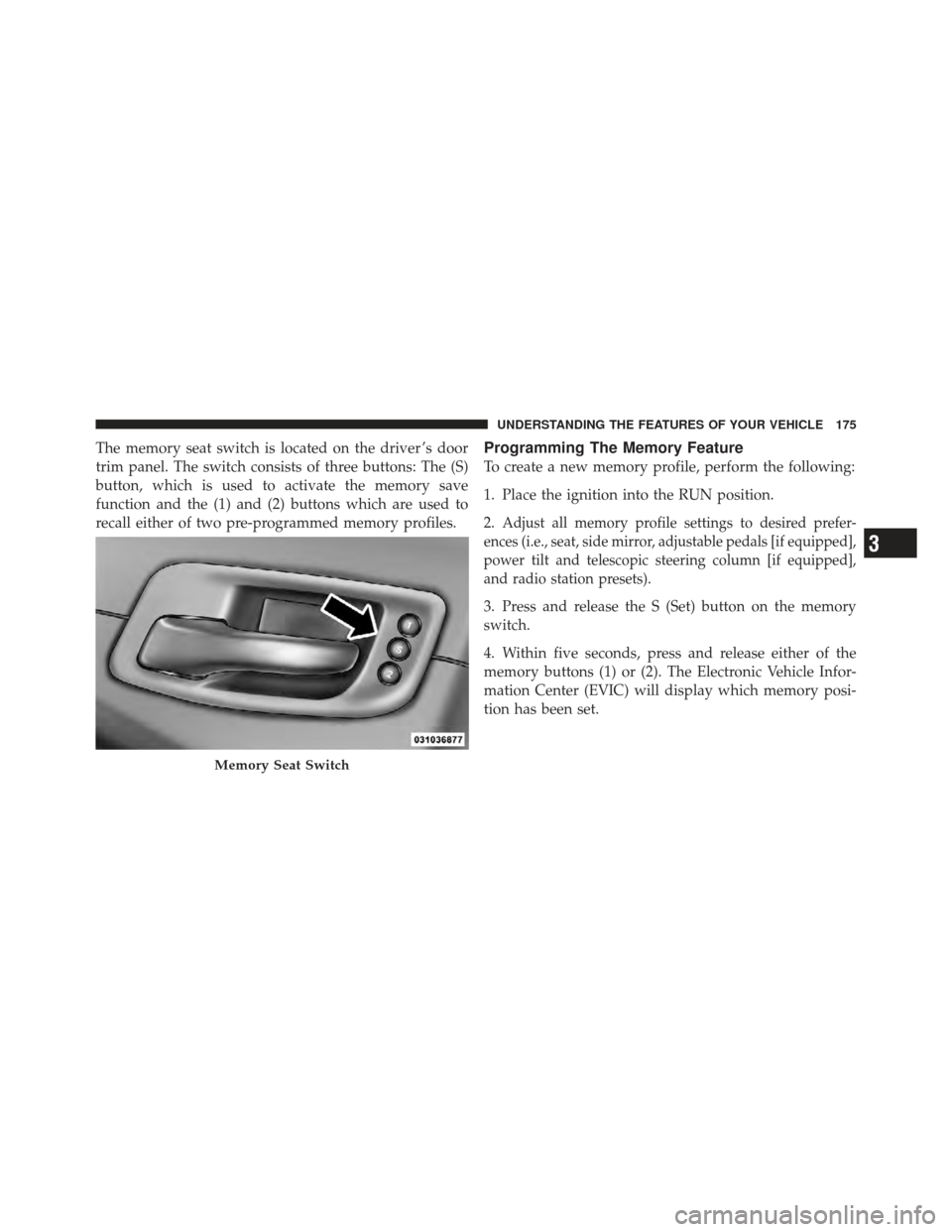
The memory seat switch is located on the driver ’s door
trim panel. The switch consists of three buttons: The (S)
button, which is used to activate the memory save
function and the (1) and (2) buttons which are used to
recall either of two pre-programmed memory profiles.Programming The Memory Feature
To create a new memory profile, perform the following:
1. Place the ignition into the RUN position.
2.
Adjust all memory profile settings to desired prefer-
ences (i.e., seat, side mirror, adjustable pedals [if equipped],
power tilt and telescopic steering column [if equipped],
and radio station presets).
3. Press and release the S (Set) button on the memory
switch.
4. Within five seconds, press and release either of the
memory buttons (1) or (2). The Electronic Vehicle Infor-
mation Center (EVIC) will display which memory posi-
tion has been set.
Memory Seat Switch
3
UNDERSTANDING THE FEATURES OF YOUR VEHICLE 175
Page 178 of 557
NOTE:
•Memory profiles can be set without the vehicle in
PARK, but the vehicle must be in PARK to recall a
memory profile.
•The Recall Memory with Remote Key Unlock feature
can be enabled through the Uconnect Touch™ System,
refer to “Uconnect Touch™ Settings” in “Understand-
ing Your Instrument Panel” for further information.
Linking And Unlinking The Remote Keyless Entry
Transmitter To Memory
Your RKE transmitters can be programmed to recall one
of two pre-programmed memory profiles by pressing the
UNLOCK button on the RKE transmitter.
To program your RKE transmitters, perform the following:
1. Remove the Key Fob from the ignition (or change the
ignition to OFF, for vehicles equipped with Keyless
Enter-N-Go).
2. Select desired memory profile (1) or (2).
3. Once the profile has been recalled, press and release
the SET (S) button on the memory switch, then press and
release button (1) or (2) accordingly. “Memory Profile
Set” (1 or 2) will display in the instrument cluster on
vehicles equipped with the EVIC.
4. Press and release the LOCK button on the RKE
transmitter within 10 seconds.
176 UNDERSTANDING THE FEATURES OF YOUR VEHICLE
Page 179 of 557
NOTE:Your RKE transmitters can be unlinked to your
memory settings by pressing the SET (S) button followed
by the UNLOCK button on the RKE transmitter in Step 4
above.
Memory Position Recall
NOTE: The vehicle must be in PARK to recall memory
positions. If a recall is attempted when the vehicle is not
in PARK, a message will display in the EVIC (if
equipped).
To recall the memory settings for driver one, press
MEMORY button number (1) on the driver’s door or the
UNLOCK button on the RKE transmitter linked to
memory position 1. To recall the memory setting for driver two, press
MEMORY button number (2) on the driver’s door or the
UNLOCK button on the RKE transmitter linked to
memory position 2.
A recall can be cancelled by pressing any of the
MEMORY buttons (S, 1, or 2) on the driver’s door during
a recall. When a recall is cancelled, the driver seat, side
mirror, adjustable pedals (if equipped), and power tilt
and telescopic steering column (if equipped) stop mov-
ing. A delay of one second will occur before another recall
can be selected.
Easy Entry/Exit Seat (Available With Memory Seat
Only)
This feature provides automatic driver seat positioning to
enhance driver mobility when entering and exiting the
vehicle.
3
UNDERSTANDING THE FEATURES OF YOUR VEHICLE 177
Page 189 of 557
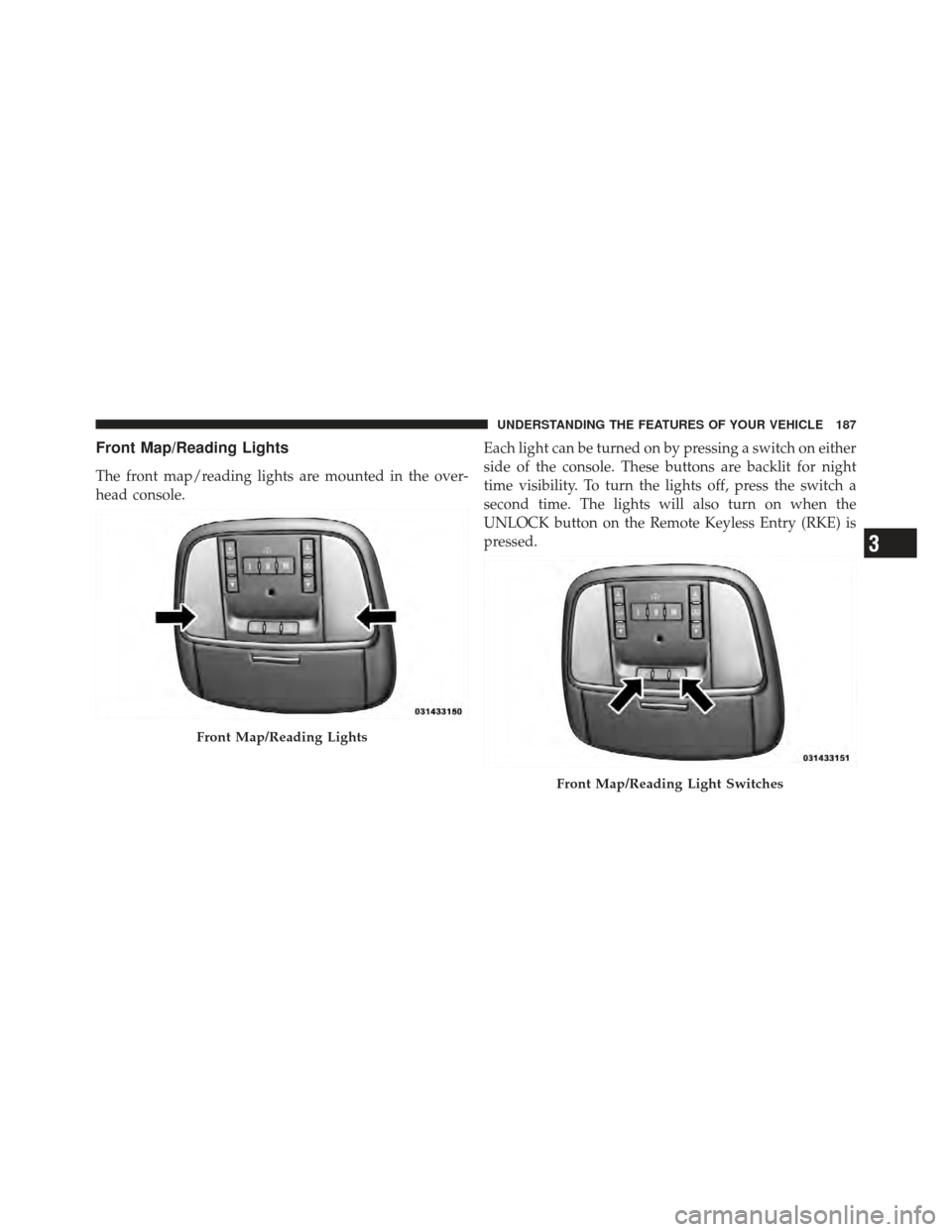
Front Map/Reading Lights
The front map/reading lights are mounted in the over-
head console.Each light can be turned on by pressing a switch on either
side of the console. These buttons are backlit for night
time visibility. To turn the lights off, press the switch a
second time. The lights will also turn on when the
UNLOCK button on the Remote Keyless Entry (RKE) is
pressed.
Front Map/Reading Lights
Front Map/Reading Light Switches
3
UNDERSTANDING THE FEATURES OF YOUR VEHICLE 187
Page 204 of 557
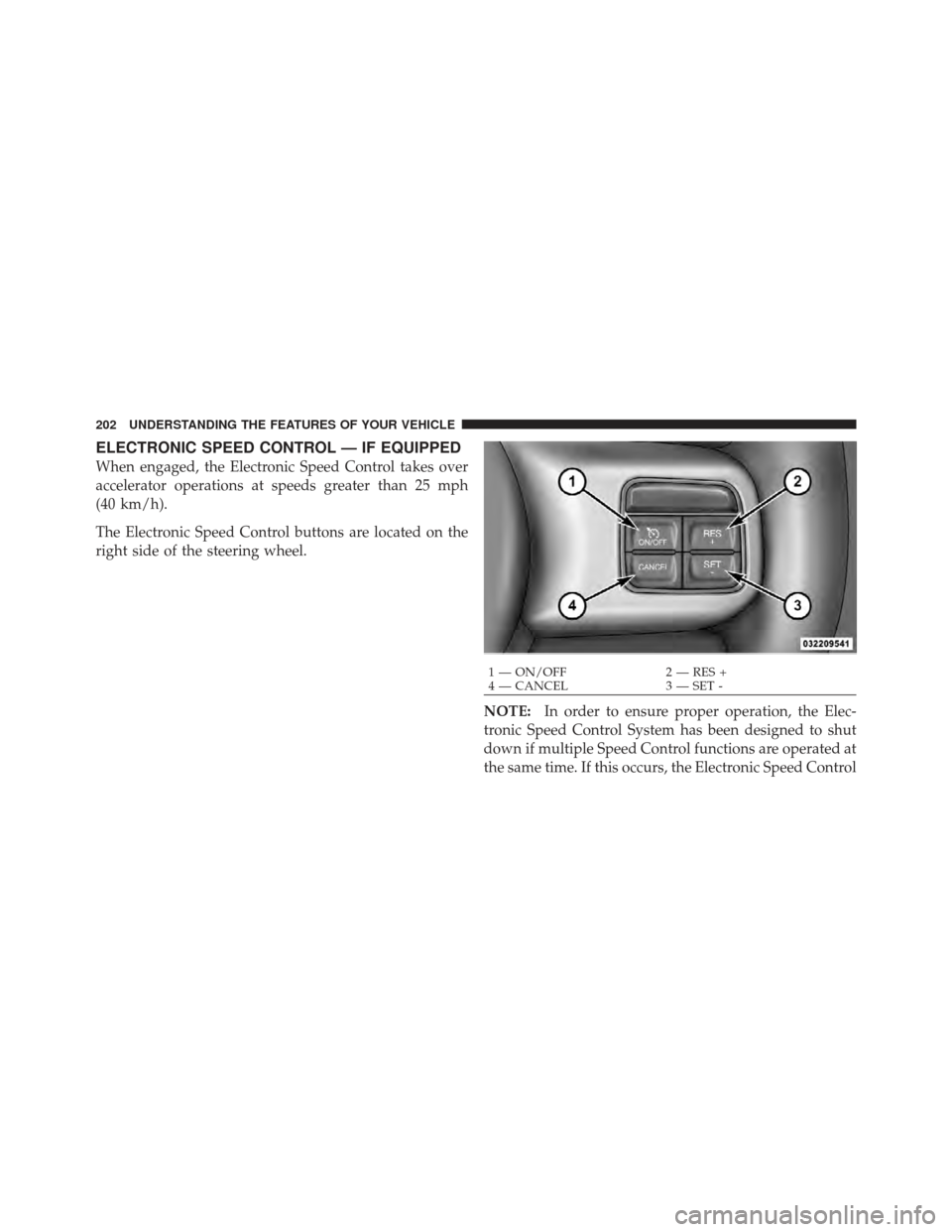
ELECTRONIC SPEED CONTROL — IF EQUIPPED
When engaged, the Electronic Speed Control takes over
accelerator operations at speeds greater than 25 mph
(40 km/h).
The Electronic Speed Control buttons are located on the
right side of the steering wheel.NOTE:In order to ensure proper operation, the Elec-
tronic Speed Control System has been designed to shut
down if multiple Speed Control functions are operated at
the same time. If this occurs, the Electronic Speed Control
1 — ON/OFF 2 — RES +
4 — CANCEL 3 — SET -
202 UNDERSTANDING THE FEATURES OF YOUR VEHICLE