Page 155 of 564
155 2-1. Driving procedures
2
When driving
AVALON_U (OM41428U)
CAUTION
■When starting the engine
Always start the engine while sitting in the driver’s seat. Do not press the
accelerator pedal while starting the engine under any circumstances.
Doing so may cause an accident resulting in death or serious injury.
■While driving
Do not turn the engine switch to the “LOCK” position.
If in an emergency, you must turn the engine off while the vehicle is moving,
turn the key only to the “ACC” position.
NOTICE
■To prevent battery discharge
Do not leave the key in the “ACC” or “ON” position for long periods without
the engine running.
■When starting the engine
●Do not crank for more than 30 seconds at a time. This may overheat the
starter and wiring systems.
●Do not race the cold engine.
●If the engine becomes difficult to start or stalls frequently, have the engine
checked immediately.
Page 156 of 564
156
2-1. Driving procedures
AVALON_U (OM41428U)
Automatic transmission
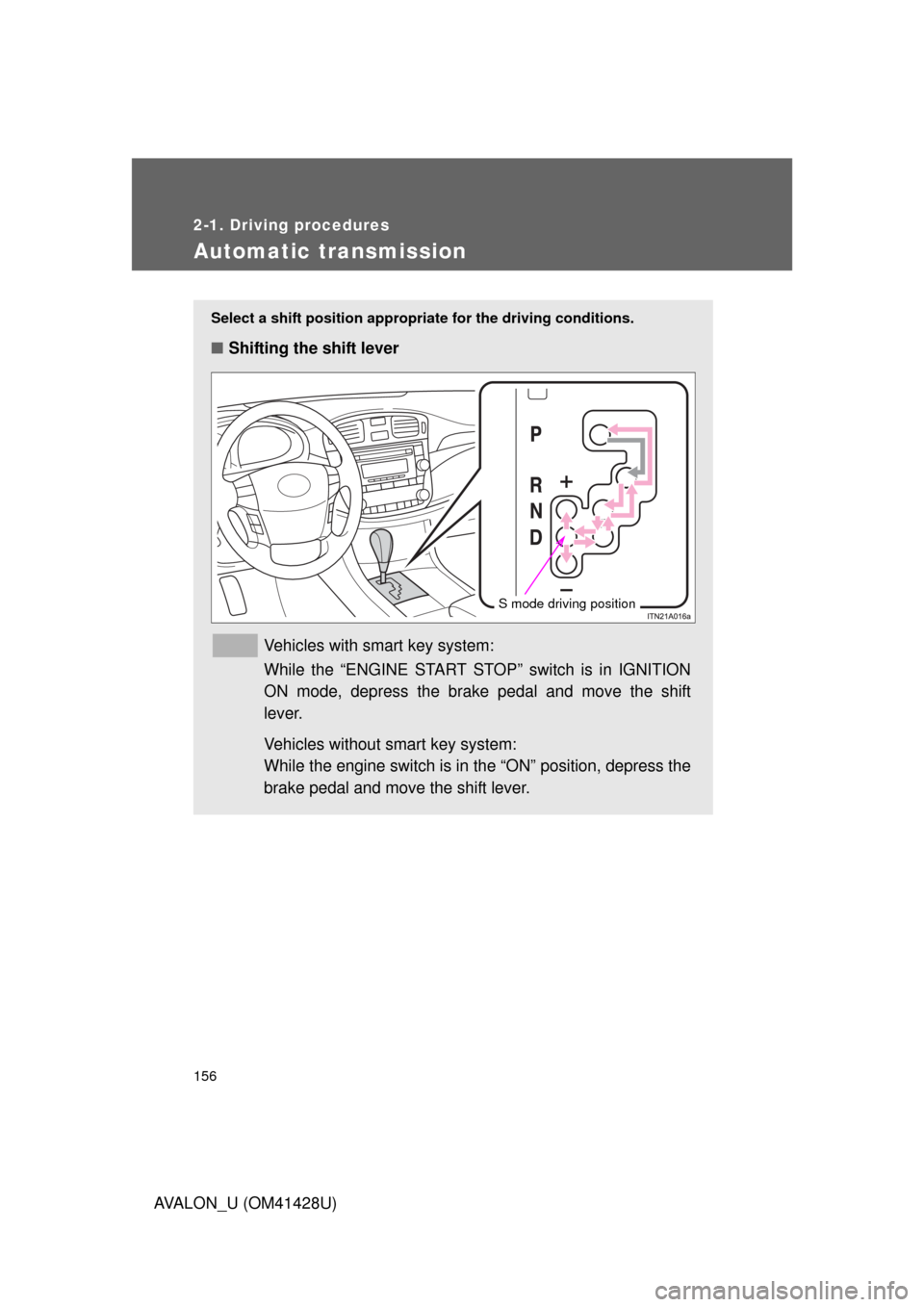
Select a shift position appropriate for the driving conditions.
■Shifting the shift lever
Vehicles with smart key system:
While the “ENGINE START STOP” switch is in IGNITION
ON mode, depress the brake pedal and move the shift
lever.
Vehicles without smart key system:
While the engine switch is in the “ON” position, depress the
brake pedal and move the shift lever.
S mode driving position
Page 161 of 564
161
2-1. Driving procedures
2
When driving
AVALON_U (OM41428U)
Tur n signal lever
■Turn signals can be operated when
Vehicles with smart key system
The “ENGINE START STOP” switch is in IGNITION ON mode.
Vehicles without smart key system
The engine switch is in the “ON” position.
■If the indicators flash faster than usual
Check that a light bulb in the front or rear turn signal lights has not burned
out.
Right turn
Left turn
Move and hold the lever
partway to signal a lane
change
The right hand signal will flash
until you release the lever.
Move and hold the lever
partway to signal a lane
change
The left hand signal will flash
until you release the lever.
Page 165 of 564
165 2-2. Instrument cluster
2
When driving
AVALON_U (OM41428U)
Odometer and trip meter display button
Vehicles with smart key system
Pressing this button switches among odometer and trip meter when
the “ENGINE START STOP” switch is IGNITION ON mode.
Vehicles without smart key system
Pressing this button switches among odometer and trip meter when
the engine switch is in the “ON” position.
Odometer
Trip meter A
Trip meter B
Pushing and holding the button
will reset the trip meter.
Odometer/Trip meter display
Odometer
Displays the total distance the vehicle has been driven.
Trip meter
Displays the distance the vehicle has been driven since the meter
was last reset. Trip meters A and B can be used to record and dis-
play different distances independently.
Multi-information display
P. 170
Page 168 of 564

168 2-2. Instrument cluster
AVALON_U (OM41428U)
■Indicators
The indicators inform the driver of the operating state of the
vehicle’s various systems.
*1: These lights turn on when the “ENGINE START STOP” switch is
turned to IGNITION ON mode (vehicles with smart key system) or
the engine switch is turned to the “ON” position (vehicles without
smart key system) to indicate that a system check is being per-
formed. They will turn off after the engine is started, or after a few
seconds. There may be a malfunction in a system if the lights do not
come on, or turn off. Have the vehicle inspected by your Toyota
dealer.
*2: The light flashes to indicate that the system is operating.
Turn signal indicator
(P. 161)Cruise control indicator
(P. 182)
Headlight high beam
indicator (P. 174)Slip indicator (P. 195)
(U.S.A.)
Headlight indicator
(P. 173)VSC OFF indicator
(P. 195)
(Canada)
Tail light indicator
(P. 173)
(U.S.A.)
TRAC OFF indicator
(P. 196)
Security indicator
(P. 91, 94)
(Canada)
TRC OFF indicator
(P. 196)
Shift position and shift
range indicators
(P. 156)
SRS airbag on-off
indicator (P. 114)
“SET” indicator
(P. 182)
*1, 2
*1
*1
Page 169 of 564
169 2-2. Instrument cluster
2
When driving
AVALON_U (OM41428U)
CAUTION
■If a safety system warning light does not come on
Should a safety system light such as ABS and the SRS airbag warning light
not come on when you start the engine, this could mean that these systems
are not available to help protect you in an accident, which could result in
death or serious injury. Have the vehicle inspected by your Toyota dealer
immediately if this occurs.
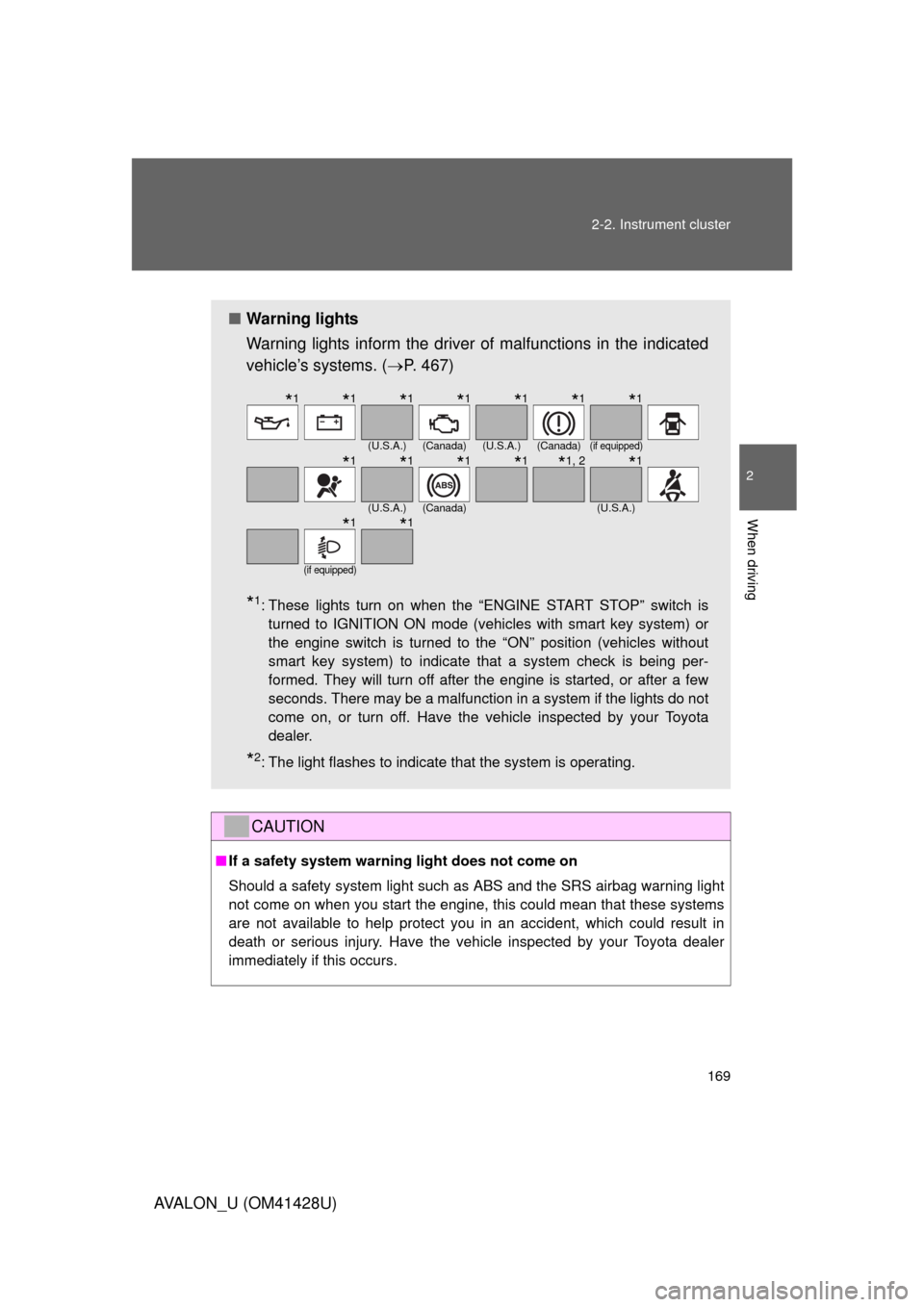
■Warning lights
Warning lights inform the driver of malfunctions in the indicated
vehicle’s systems. (P. 467)
*1: These lights turn on when the “ENGINE START STOP” switch is
turned to IGNITION ON mode (vehicles with smart key system) or
the engine switch is turned to the “ON” position (vehicles without
smart key system) to indicate that a system check is being per-
formed. They will turn off after the engine is started, or after a few
seconds. There may be a malfunction in a system if the lights do not
come on, or turn off. Have the vehicle inspected by your Toyota
dealer.
*2: The light flashes to indicate that the system is operating.
(U.S.A.)(Canada)(U.S.A.)(Canada)(if equipped)
(U.S.A.)(Canada)(U.S.A.)
(if equipped)
*1*1*1*1*1*1*1
*1*1*1*1*1, 2*1
*1*1
Page 173 of 564
173
2
When driving
AVALON_U (OM41428U)
2-3. Operating the lights and windshield wipers
Headlight switch
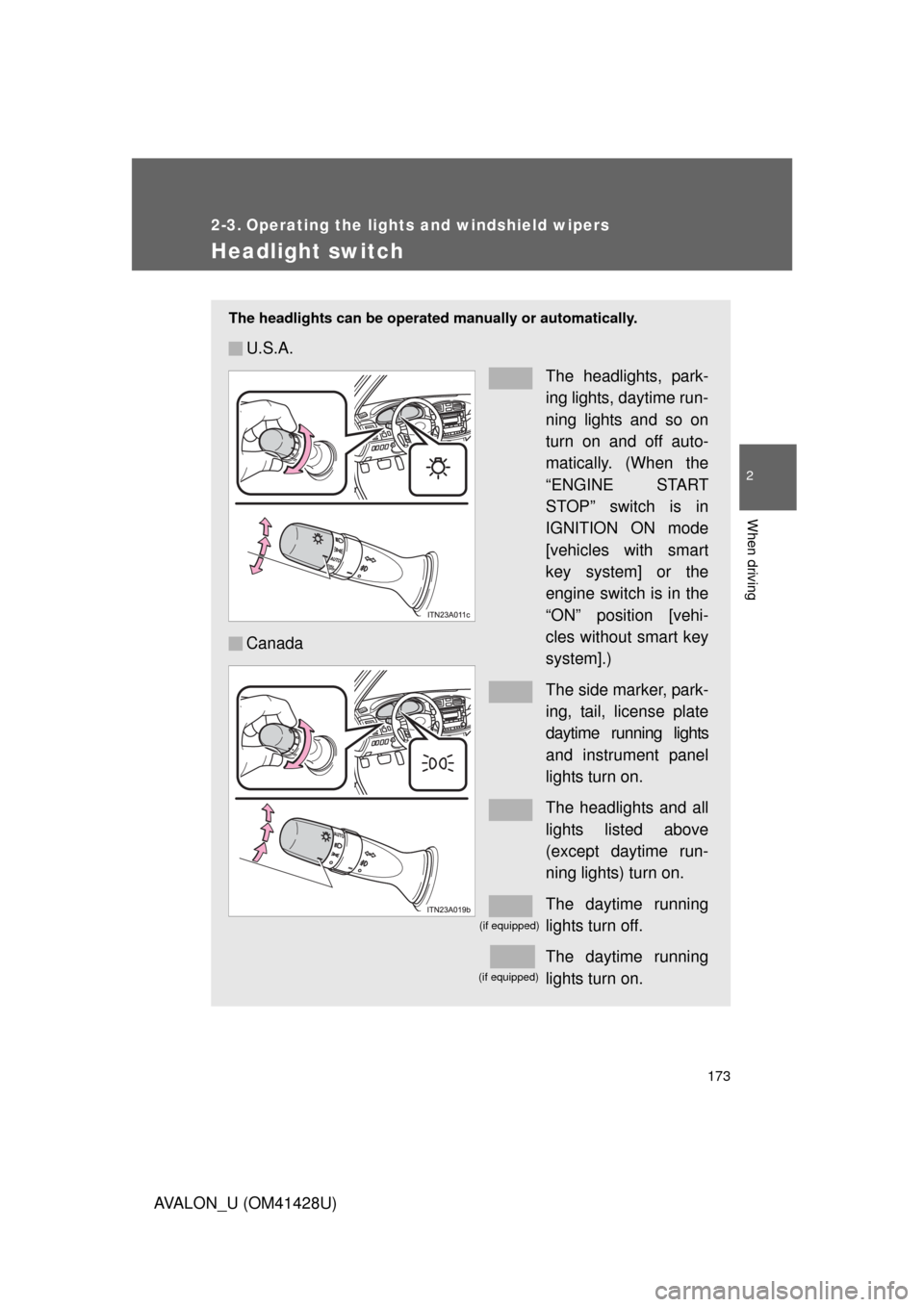
The headlights can be operated manually or automatically.
U.S.A.
The headlights, park-
ing lights, daytime run-
ning lights and so on
turn on and off auto-
matically. (When the
“ENGINE START
STOP” switch is in
IGNITION ON mode
[vehicles with smart
key system] or the
engine switch is in the
“ON” position [vehi-
cles without smart key
system].)
The side marker, park-
ing, tail, license plate
daytime running lights
and instrument panel
lights turn on.
The headlights and all
lights listed above
(except daytime run-
ning lights) turn on.
The daytime running
lights turn off.
The daytime running
lights turn on. Canada
(if equipped)
(if equipped)
Page 175 of 564

175 2-3. Operating the lights and windshield wipers
2
When driving
AVALON_U (OM41428U)
■Automatic light off system
Vehicles with smart key system
The headlights and tail lights turn off 30 seconds after a door is opened or
closed if the “ENGINE START STOP” switch has been turned to ACCES-
SORY or turned OFF while the headlights are turned on. (The lights turn off
immediately if the button on the key is pressed after all doors are
locked.)
To turn the lights on again, turn the “ENGINE START STOP” switch to IGNI-
TION ON mode, or turn the light switch OFF once and then back to the
or position.
Vehicles without smart key system
The headlights and tail lights turn off 30 seconds after a door is opened or
closed if the engine switch has been turned to the “ACC” or “LOCK” position
while the headlights are turned on. (The lights turn off immediately if the
button on the key is pressed after all doors are locked.)
To turn the lights on again, turn the engine switch to the “ON” position, or
turn the light switch OFF once and then back to the or position.
■Automatic headlight leveling system
The level of the headlights is automatically adjusted according to the number
of passengers and the loading condition of the vehicle to ensure that the
headlights do not interfere with other road users.
■Customization that can be configured at Toyota dealer
Settings (e.g. light sensor sensitivity) can be changed.
(Customizable features P. 532)
NOTICE
■To prevent battery discharge
Do not leave the lights on longer than necessary if the engine is not running.