Page 179 of 564
179 2-3. Operating the lights and windshield wipers
2
When driving
AVALON_U (OM41428U)
■The windshield wiper and washer can be operated when
Vehicles with smart key system
The “ENGINE START STOP” switch is in IGNITION ON mode.
Vehicles without smart key system
The engine switch is in the “ON” position.
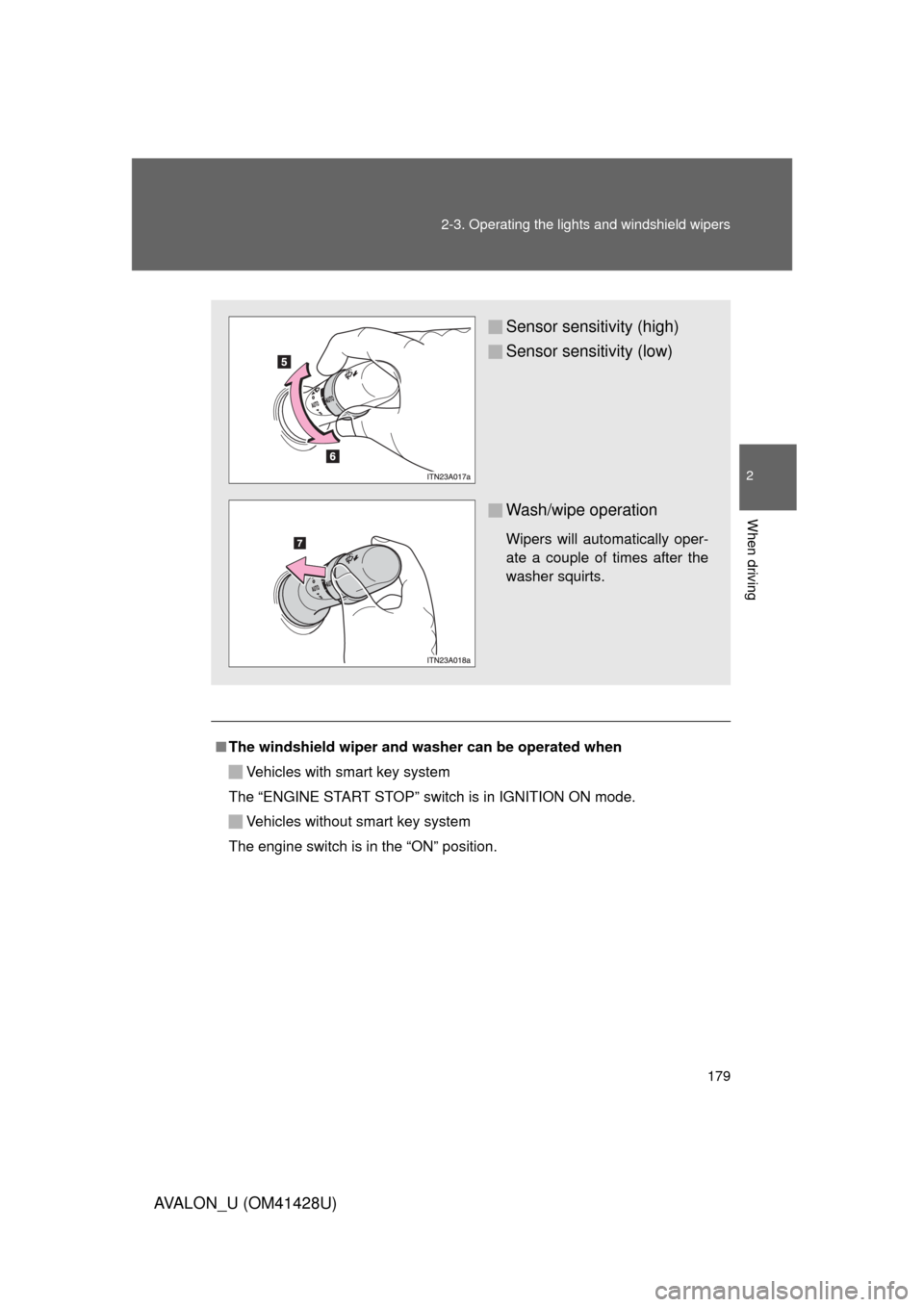
Sensor sensitivity (high)
Sensor sensitivity (low)
Wash/wipe operation
Wipers will automatically oper-
ate a couple of times after the
washer squirts.
Page 186 of 564
186
2-4. Using other driving systems
AVALON_U (OM41428U)
Rear view monitor system
: If equipped
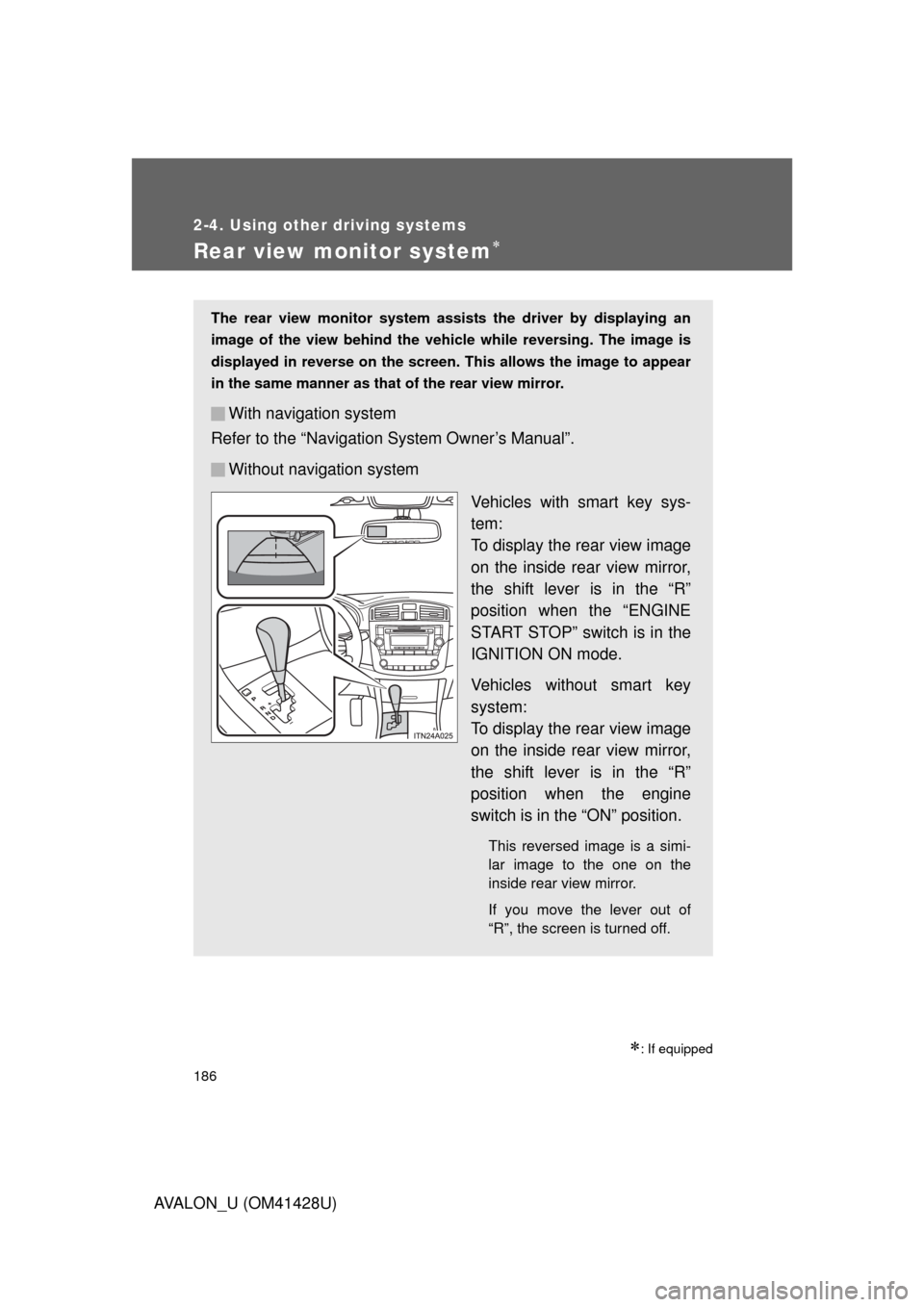
The rear view monitor system assists the driver by displaying an
image of the view behind the vehicle while reversing. The image is
displayed in reverse on the screen. This allows the image to appear
in the same manner as that of the rear view mirror.
With navigation system
Refer to the “Navigation System Owner’s Manual”.
Without navigation system
Vehicles with smart key sys-
tem:
To display the rear view image
on the inside rear view mirror,
the shift lever is in the “R”
position when the “ENGINE
START STOP” switch is in the
IGNITION ON mode.
Vehicles without smart key
system:
To display the rear view image
on the inside rear view mirror,
the shift lever is in the “R”
position when the engine
switch is in the “ON” position.
This reversed image is a simi-
lar image to the one on the
inside rear view mirror.
If you move the lever out of
“R”, the screen is turned off.
Page 197 of 564

197 2-4. Using other driving systems
2
When driving
AVALON_U (OM41428U)
■Automatic reactivation of TRAC/TRC and VSC
Vehicles with smart key system
Turning the “ENGINE START STOP” switch off after turning off the
TRAC/TRC and VSC will automatically re-enable them.
Vehicles without smart key system
Turning the engine switch to the “LOCK” position after turning off the
TRAC/TRC and VSC will automatically re-enable them.
■Automatic TRAC/TRC reactivation
If only the TRAC/TRC is turned off, the TRAC/TRC will turn on when vehicle
speed increases.
■Automatic TRAC/TRC and VSC reactivation
If the TRAC/TRC and VSC are turned off, the systems will not turn on even
when vehicle speed increases.
■Sounds and vibrations caused by the ABS, brake assist, VSC and
TRAC/TRC
●A sound may be heard from the engine compartment when the engine is
started or just after the vehicle begins to move. This sound does not indi-
cate that a malfunction has occurred in any of these systems.
●Any of the following conditions may occur when the above systems are
operating. None of these indicates that a malfunction has occurred.
• Vibrations may be felt through the vehicle body and steering.
• A motor sound may be heard after the vehicle comes to a stop.
• The brake pedal may pulsate slightly after the ABS is activated.
• The brake pedal may move down slightly after the ABS is activated.
Page 226 of 564
226 3-1. Using the air conditioning system and defogger
AVALON_U (OM41428U)
■Operating conditions
Vehicles with smart key system
The “ENGINE START STOP” switch must be in IGNITION ON mode.
Vehicles without smart key system
The engine switch must be in the “ON” position.
CAUTION
■When the outside rear view mirror defoggers are on
Do not touch the rear view mirror surfaces, as they can become very hot and
burn you.
NOTICE
■To prevent battery discharge
Turn the defoggers off when the engine is not running.
Page 284 of 564
284 3-3. Using the Bluetooth
® audio system
AVALON_U (OM41428U)Select “Confirm” using a voice command or .
A passkey is displayed and heard, and a voice guidance instruction
for inputting the passkey into the portable player is heard.
Input the passkey into the portable player.
Refer to the manual that comes with the portable player for the oper-
ation of the portable player.
Guidance for registration completion is heard.
If the portable player has a Bluetooth
® phone, the phone can be reg-
istered at the same time. (P. 302)
Page 285 of 564
285 3-3. Using the Bluetooth
® audio system
3
Interior features
AVALON_U (OM41428U)
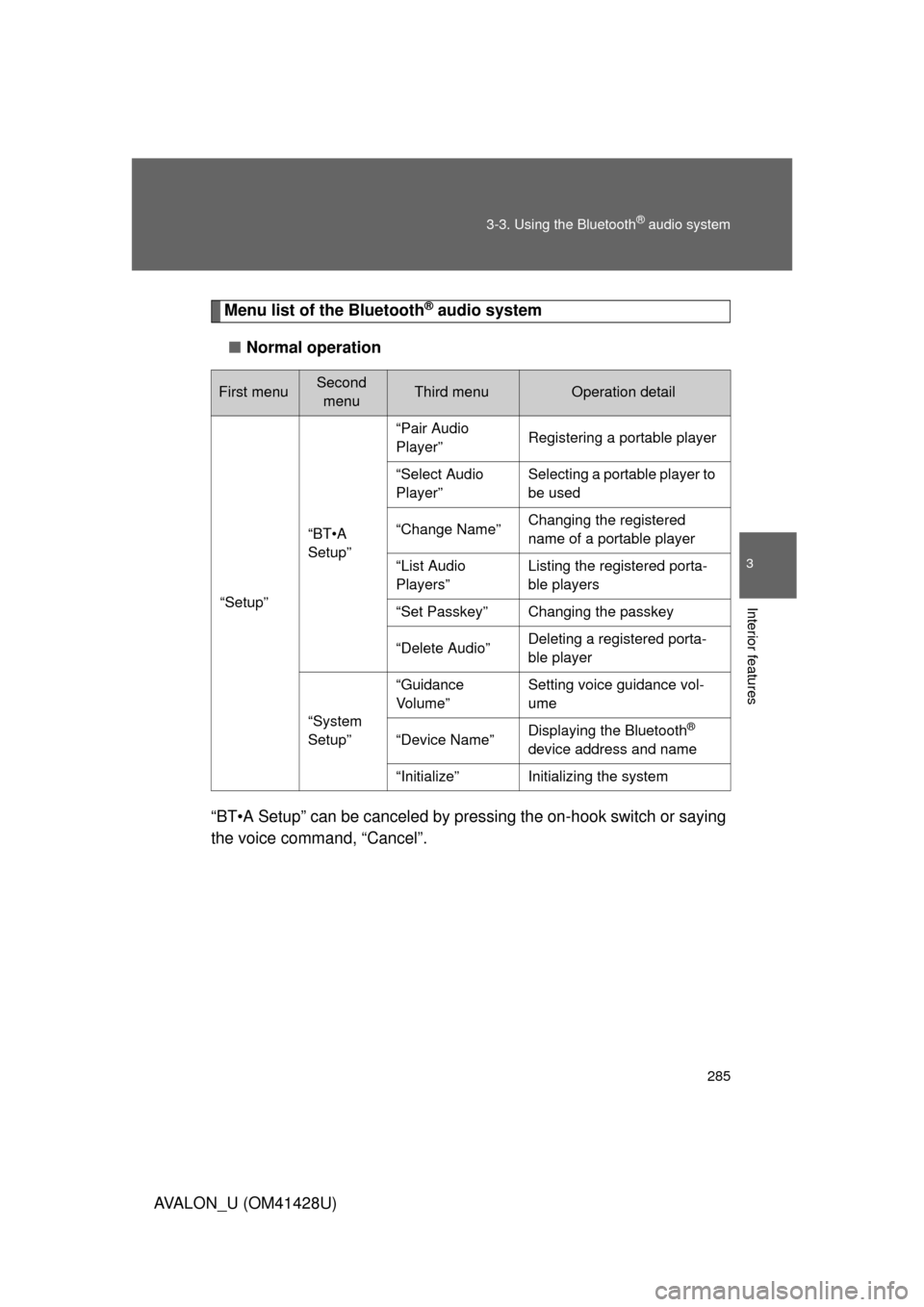
Menu list of the Bluetooth® audio system
■Normal operation
“BT•A Setup” can be canceled by pressing the on-hook switch or saying
the voice command, “Cancel”.
First menuSecond
menuThird menuOperation detail
“Setup”
“BT•A
Setup”
“Pair Audio
Player”Registering a portable player
“Select Audio
Player”Selecting a portable player to
be used
“Change Name”Changing the registered
name of a portable player
“List Audio
Players”Listing the registered porta-
ble players
“Set Passkey”Changing the passkey
“Delete Audio”Deleting a registered porta-
ble player
“System
Setup”
“Guidance
Vo l u m e ”Setting voice guidance vol-
ume
“Device Name”Displaying the Bluetooth®
device address and name
“Initialize”Initializing the system
Page 286 of 564
286 3-3. Using the Bluetooth
® audio system
AVALON_U (OM41428U)
■When using a voice command
For numbers, say a combination of single digits from zero to nine.
Say the command correctly and clearly.
■Situations that the system may not recognize your voice
●When driving on rough roads
●When driving at high speeds
●When air is blowing out of the vents onto the microphone
●When the air conditioning fan emits a loud noise
■Operations that cannot be performed while driving
●Operating the system with
●Registering a portable player to the system
■Changing the passkey
P. 293
Page 289 of 564
289
3-3. Using the Bluetooth® audio system
3
Interior features
AVALON_U (OM41428U)
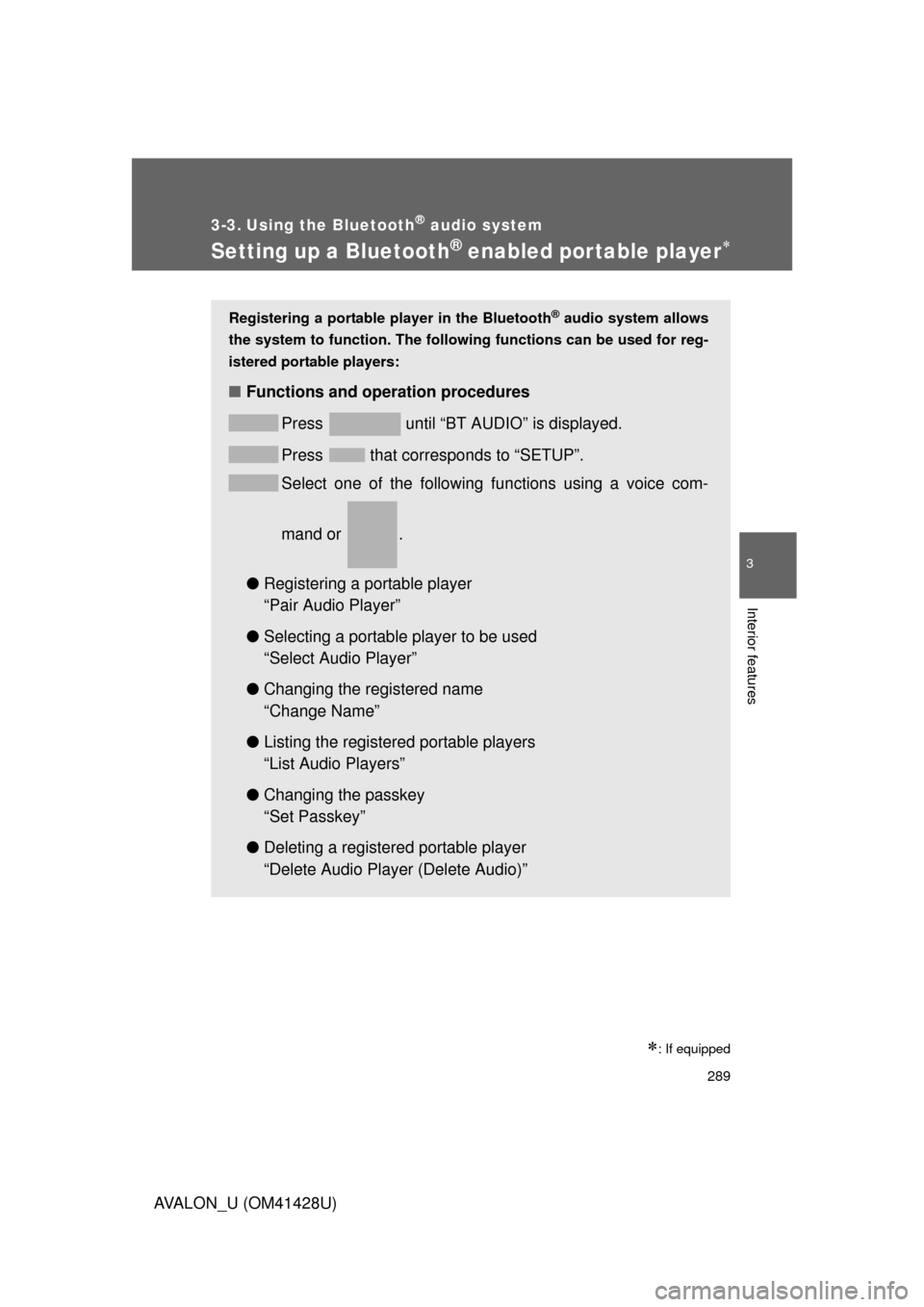
Setting up a Bluetooth® enabled por table player
: If equipped
Registering a portable player in the Bluetooth® audio system allows
the system to function. The following functions can be used for reg-
istered portable players:
■Functions and operation procedures
Press
until “BT AUDIO” is displayed.
Press
that corresponds to “SETUP”.
Select one of the following functions using a voice com-
mand or .
●Registering a portable player
“Pair Audio Player”
●Selecting a portable player to be used
“Select Audio Player”
●Changing the registered name
“Change Name”
●Listing the registered portable players
“List Audio Players”
●Changing the passkey
“Set Passkey”
●Deleting a registered portable player
“Delete Audio Player (Delete Audio)”