Page 334 of 574
�Ý�Û
Select and enter the second digit
number the same way. The cursor
will automatically move to the ‘‘ENT’’
icon when you press the ENT button.
Press the ENT button to enter the
number command. To go back to the
DVD screen, press the RETURN
button or select EXIT and press the
ENT button.
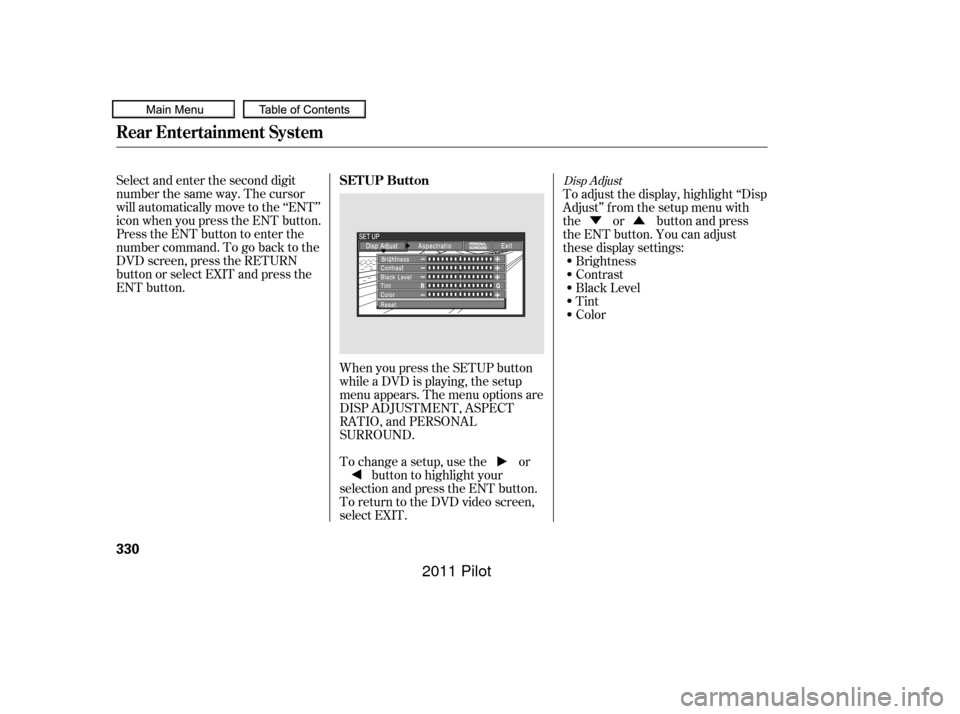
When you press the SETUP button
while a DVD is playing, the setup
menu appears. The menu options are
DISP ADJUSTMENT, ASPECT
RATIO, and PERSONAL
SURROUND.
To change a setup, use the orbutton to highlight your
selection and press the ENT button.
To return to the DVD video screen,
select EXIT. To adjust the display, highlight ‘‘Disp
Adjust’’ f rom the setup menu with
the or button and press
the ENT button. You can adjust
these display settings:
Brightness
Contrast
Black Level
Tint
Color
Disp Adjust
Rear Entertainment System
SETUP Button
330
10/01/26 19:19:31 31SZA620_335
2011 Pilot
Page 336 of 574
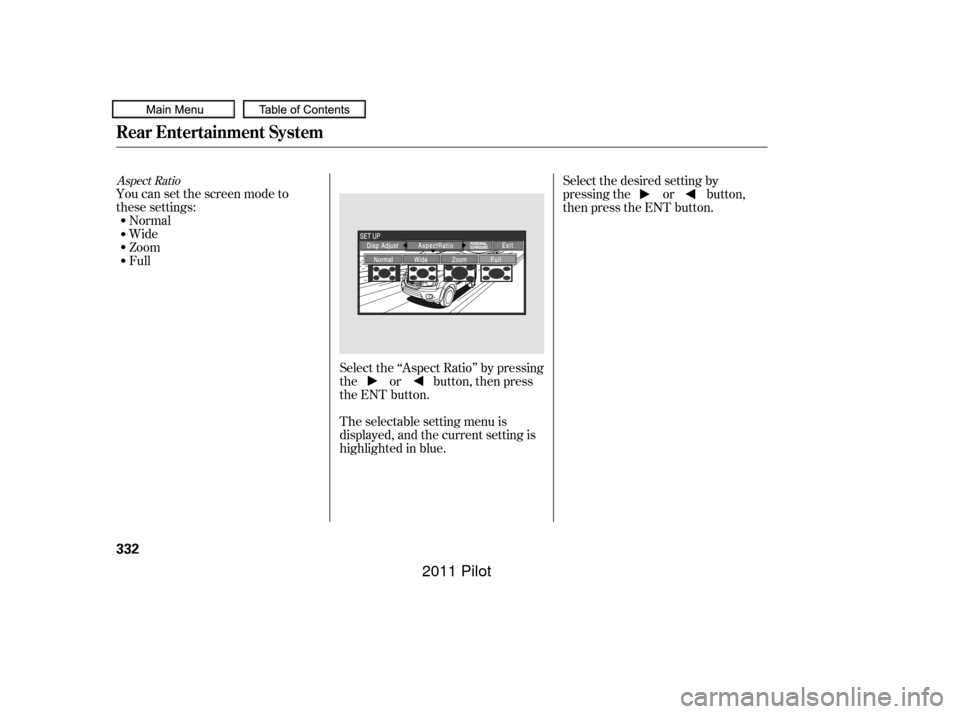
Select the ‘‘Aspect Ratio’’ by pressing
the or button, then press
the ENT button.
The selectable setting menu is
displayed, and the current setting is
highlighted in blue.
You can set the screen mode to
these settings:
Normal
Wide
Zoom
Full Select the desired setting by
pressing the or button,
then press the ENT button.
Aspect Ratio
Rear Entertainment System
332
10/01/26 19:19:50 31SZA620_337
2011 Pilot
Page 337 of 574
�Û�Ý
CONT INUED
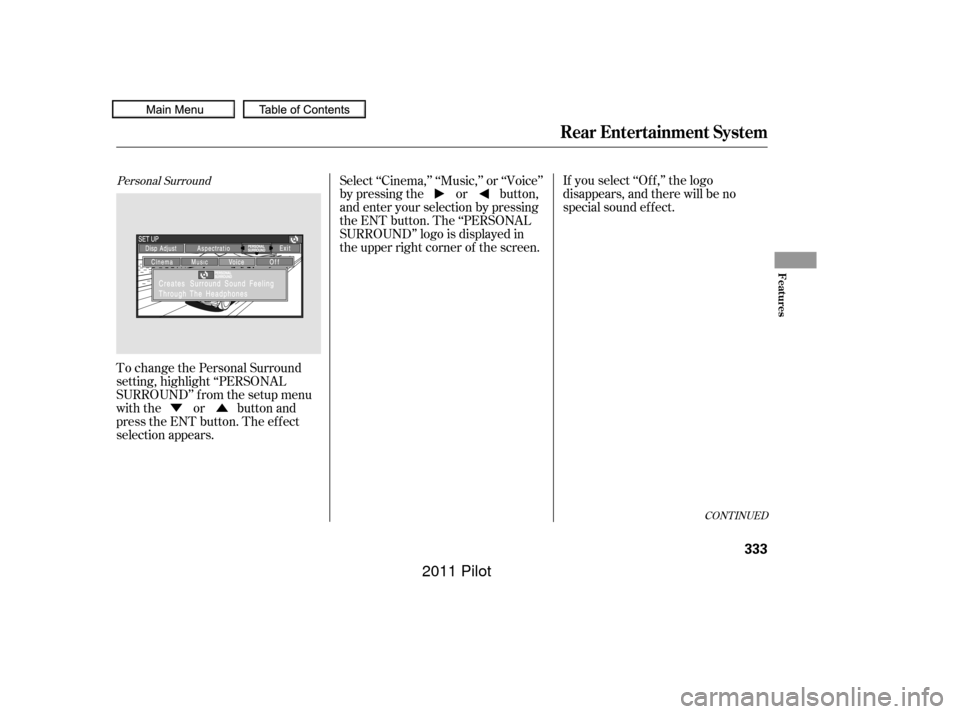
To change the Personal Surround
setting, highlight ‘‘PERSONAL
SURROUND’’ from the setup menu
with the or button and
press the ENT button. The ef f ect
selection appears.If you select ‘‘Of f ,’’ the logo
disappears, and there will be no
special sound ef f ect.
Select ‘‘Cinema,’’ ‘‘Music,’’ or ‘‘Voice’’
by pressing the or button,
and enter your selection by pressing
the ENT button. The ‘‘PERSONAL
SURROUND’’ logo is displayed in
the upper right corner of the screen.
Personal Surround
Rear Entertainment System
Features
333
10/01/26 19:19:57 31SZA620_338
2011 Pilot
Page 343 of 574
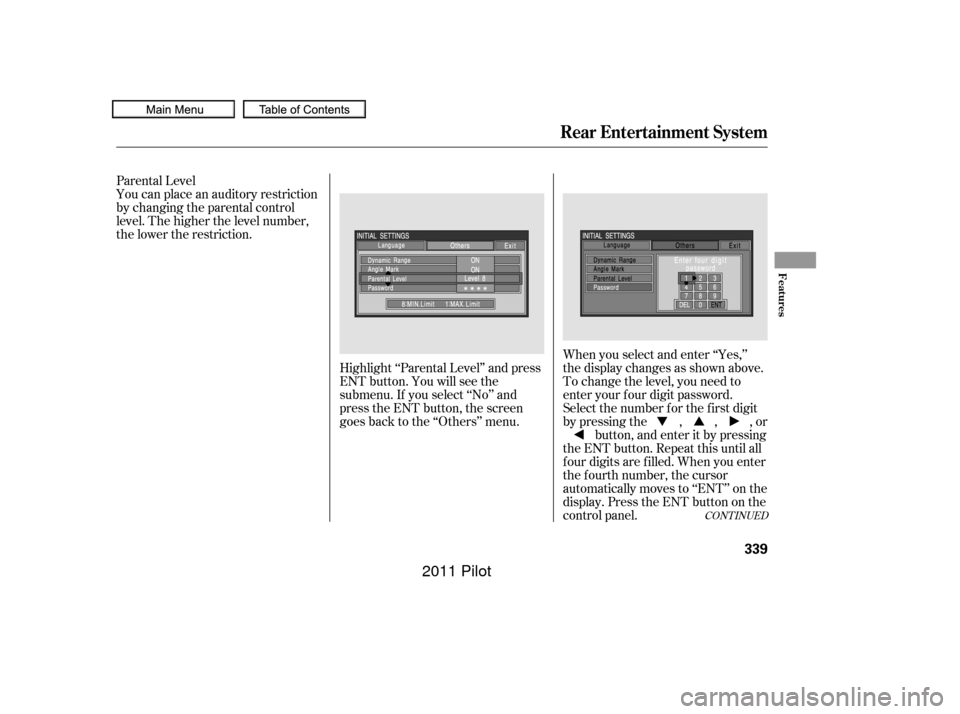
When you select and enter ‘‘Yes,’’
the display changes as shown above.
To change the level, you need to
enter your f our digit password.
Select the number f or the f irst digit
by pressing the , , , orbutton, and enter it by pressing
the ENT button. Repeat this until all
f our digits are f illed. When you enter
the f ourth number, the cursor
automatically moves to ‘‘ENT’’ on the
display. Press the ENT button on the
control panel.
You can place an auditory restriction
by changing the parental control
level. The higher the level number,
the lower the restriction.
Highlight ‘‘Parental Level’’ and press
ENT button. You will see the
submenu. If you select ‘‘No’’ and
press the ENT button, the screen
goes back to the ‘‘Others’’ menu.
Parental Level
CONT INUED
Rear Entertainment System
Features
339
10/01/26 19:20:57 31SZA620_344
2011 Pilot
Page 351 of 574
CONT INUED
Auxiliary input jacks and headphone
connectors f or the rear
entertainment system are on the
back of the center console
compartment.
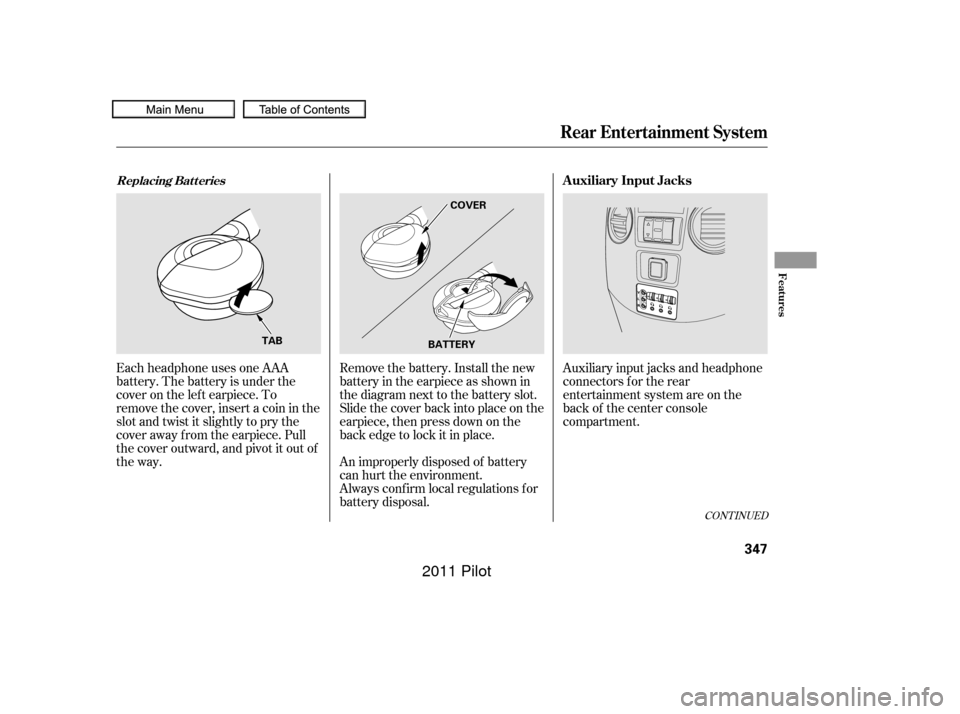
Remove the battery. Install the new
battery in the earpiece as shown in
the diagram next to the battery slot.
Slide the cover back into place on the
earpiece, then press down on the
back edge to lock it in place.
Each headphone uses one AAA
battery. The battery is under the
cover on the lef t earpiece. To
remove the cover, insert a coin in the
slot and twist it slightly to pry the
cover away f rom the earpiece. Pull
the cover outward, and pivot it out of
the way.
An improperly disposed of battery
can hurt the environment.
Always conf irm local regulations f or
battery disposal.
Rear Entertainment System
Replacing Bat t eriesAuxiliary Input Jacks
Features
347
COVER
BATTERY
TAB
10/01/26 19:22:12 31SZA620_352
2011 Pilot
Page 353 of 574

The security system automatically
sets 15 seconds after you lock the
doors, the hood, the tailgate, and the
glass hatch. For the system to
activate, you must lock the doors,
thetailgateandtheglasshatchfrom
the outside with the key, driver’s
lock tab, door lock master switch, or
remote transmitter. The security
system indicator on the instrument
panel starts blinking immediately to
show you the system is setting itself . The security system helps to protect
your vehicle and valuables f rom thef t.
The horn sounds and a combination
of headlights, parking lights, side
marker lights and taillights f lashes if
someone attempts to break into your
vehicle or remove the audio unit.
This alarm continues for two
minutes, then the system resets. To
reset an activated system bef ore the
two minutes have elapsed, unlock
the driver’s door with the key or the
remote transmitter.Once the security system is set,
opening any door, the tailgate, the
glass hatch, or the hood without
using the key or the remote
transmitter will cause the alarm to
activate. It will also activate if the
radio is removed f rom the dashboard
or the wiring is cut.The security system will not set if
the hood, the tailgate, the glass
hatch, or any door is not f ully closed.
If the system will not set, check that
thedoors,thetailgateandthehood
are f ully closed.
Do not attempt to alter this system
or add other devices to it.
Except LX models
Security System
Features
349
SECURITY SYSTEM INDICATOR
10/01/26 19:22:28 31SZA620_354
2011 Pilot
Page 355 of 574
You can increase the set cruising
speed in any of these ways:You can decrease the set cruising
speed in any of these ways:
Press and hold the RES/ACCEL
button. When you reach the
desired cruising speed, release the
button.
Push on the accelerator pedal.
Accelerate to the desired cruising
speed, then press the SET/
DECEL button.
Cruise control may not hold the set
speed when you are going up and
down hills. If your vehicle speed
increases going down a hill, use the
brakes to slow down. This will cancel
thecruisecontrol.Toresumetheset
speed, press the RES/ACCEL button.
The CRUISE CONTROL indicator
on the instrument panel will come
back on.
To increase the speed in very
small amounts, tap the RES/
ACCEL button. Each time you do
this, your vehicle will speed up
about 1 mph (1.6 km/h). If you need to decrease your
speed quickly, use the brakes as you
normally would.
Tap the brake pedal lightly with
your f oot. The CRUISE
CONTROL indicator on the
instrument panel will go out.
When the vehicle slows to the
desired speed, press the SET/
DECEL button. Press and hold the SET/DECEL
button. Release the button when
you reach the desired speed.
To slow down in very small
amounts, tap the SET/DECEL
button. Each time you do this,
your vehicle will slow down about
1 mph (1.6 km/h).
CONT INUED
Changing the Set Speed
Cruise Control
Features
351
NOTE:
10/01/26 19:22:51 31SZA620_356
2011 Pilot
Page 361 of 574
The HomeLinkUniversal
Transceiver built into your vehicle
canbeprogrammedtooperateupto
three remote controlled devices
around your home, such as garage
doors, lighting, or home security
systems. Bef ore programming your
HomeLink to operate a garage door
opener, conf irm that the opener has
an external entrapment protection
system, such as an ‘‘electronic eye,’’
or other saf ety and reverse stop
f eatures.
If your garage door was
manuf actured bef ore April 1, 1982,
you may not be able to program
HomeLink to operate it. These units
do not have safety features that
cause the motor to stop and reverse
it if an obstacle is detected during
closing, increasing the risk of injury.Do not use HomeLink with any
garage door opener that lacks saf ety
stop and reverse f eatures.
CONT INUED
Except LX modelsGeneral Saf ety Inf ormation
HomeL inkUniversal Transceiver
Features
357
10/01/26 19:23:50 31SZA620_362
2011 Pilot