Page 395 of 574
Monitor brightness is adjusted
automatically by sensors. If you use
the monitor continuously at high
temperature, the monitor will
gradually dim.
The inside mirror will be hot when
you use the monitor f or an extended
period of time.
If a bright light (such as sunlight) is
shining on the inside mirror, the
image may be dif f icult to see.
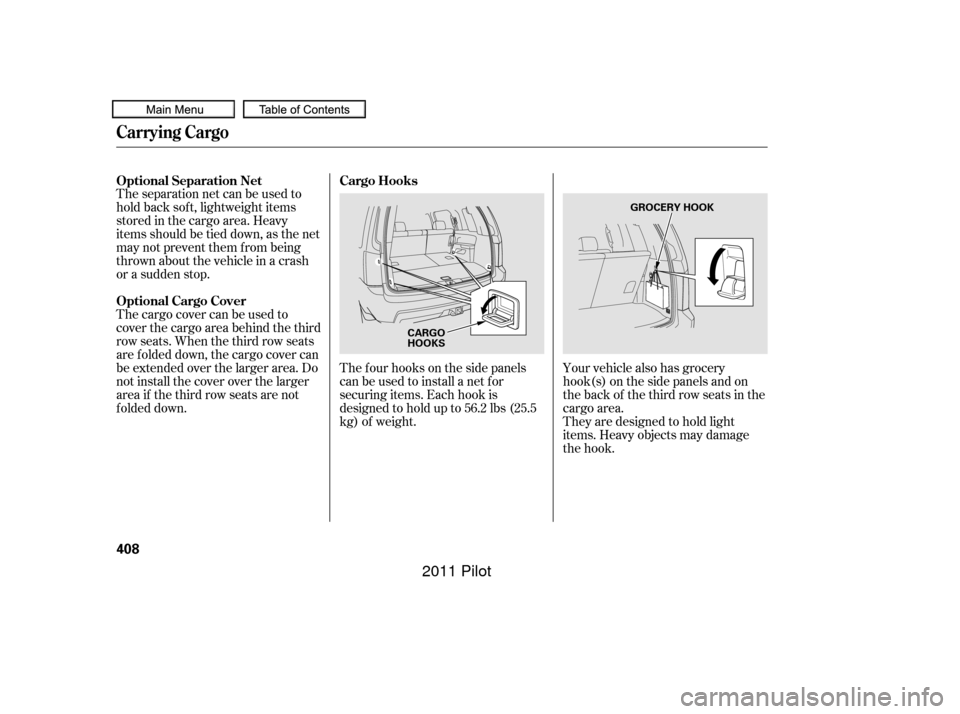
When in reverse, the navigation
buttons are locked out, except the
interf ace dial on the dashboard. Turn
the knob clockwise to make the
camera image brighter, and counter-
clockwise to darken the image.
You can turn the monitor on and of f
by pressing the monitor of f button
when the shif t lever is in reverse.
The monitor turns on everytime you
shif t to reverse, even if you turned it
of f the last time.On vehicles with navigation system On EX-L models without navigation system
Rearview Camera and Monitor
Features
391
REARVIEW MONITOR
SENSORSENSOR
MONITOR OFF BUTTON
10/01/26 19:30:32 31SZA620_396
2011 Pilot
Page 401 of 574
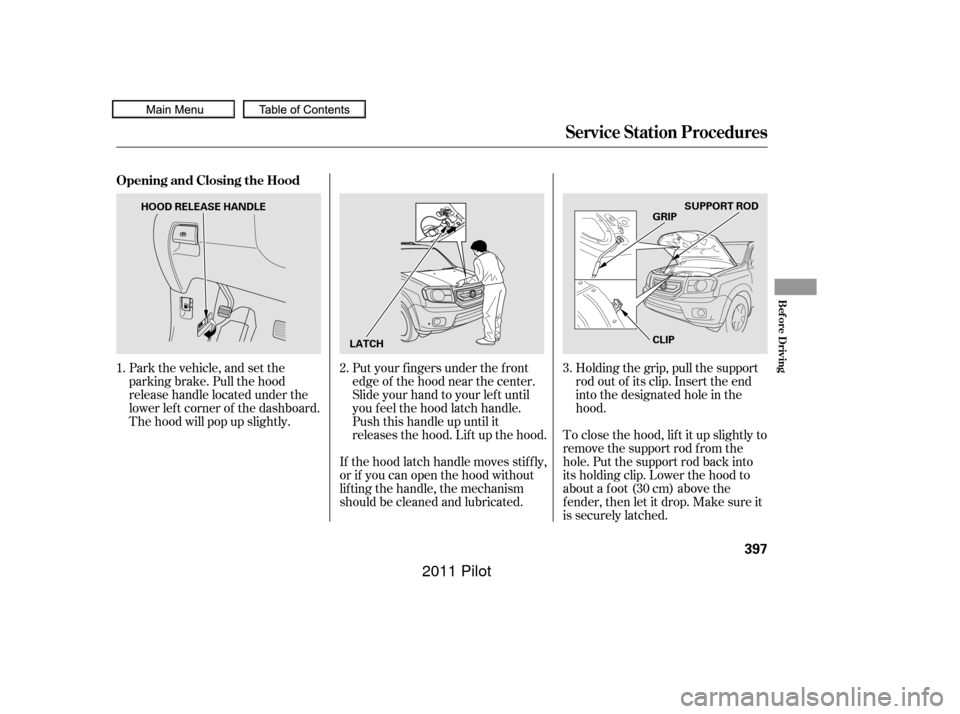
Park the vehicle, and set the
parking brake. Pull the hood
release handle located under the
lower lef t corner of the dashboard.
The hood will pop up slightly.Put your f ingers under the f ront
edge of the hood near the center.
Slide your hand to your lef t until
you f eel the hood latch handle.
Push this handle up until it
releases the hood. Lif t up the hood.
If the hood latch handle moves stif f ly,
or if you can open the hood without
lif ting the handle, the mechanism
should be cleaned and lubricated. Holding the grip, pull the support
rod out of its clip. Insert the end
into the designated hole in the
hood.
To close the hood, lif t it up slightly to
remove the support rod f rom the
hole. Put the support rod back into
its holding clip. Lower the hood to
about a f oot (30 cm) above the
f ender, then let it drop. Make sure it
is securely latched.
1.
2.3.
Service Station Procedures
Opening and Closing the Hood
Bef ore Driving
397
LATCH CLIPSUPPORT ROD
GRIP
HOOD RELEASE HANDLE
10/01/26 19:31:31 31SZA620_402
2011 Pilot
Page 403 of 574
�µ�µ
�µ �µ
Fuel economy is not a f ixed number.
It varies based on driving conditions,
driving habits, and vehicle condition.
Theref ore, it is not possible f or one
set of estimates to predict f uel
economy precisely f or all drivers in
all environments.
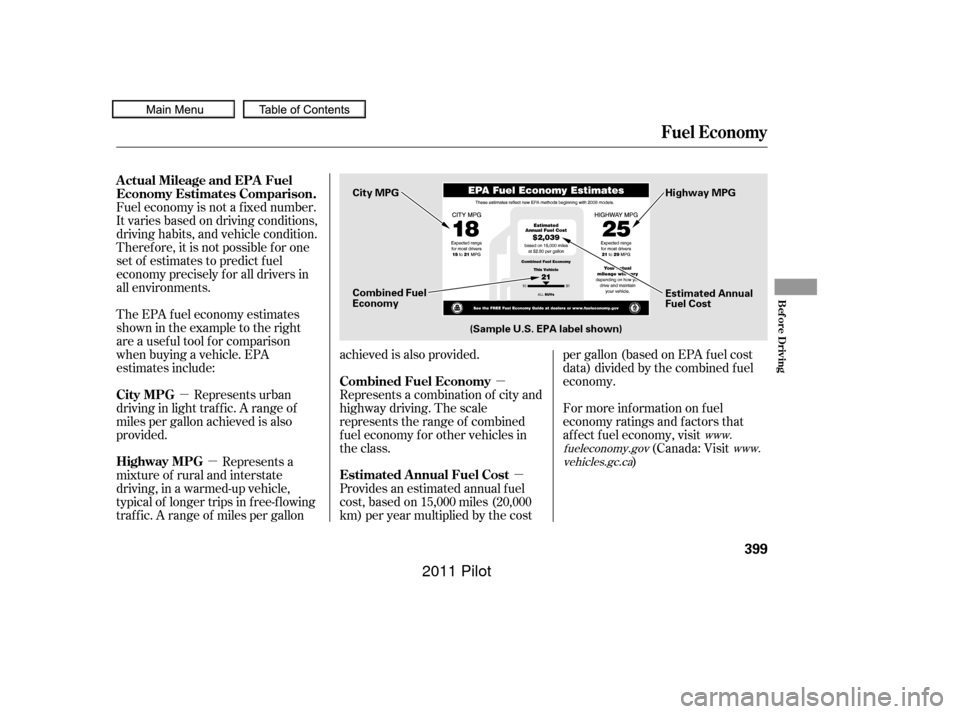
Represents urban
driving in light traf f ic. A range of
miles per gallon achieved is also
provided. The EPA f uel economy estimates
shownintheexampletotheright
are a usef ul tool f or comparison
when buying a vehicle. EPA
estimates include:
Represents a combination of city and
highway driving. The scale
represents the range of combined
f uel economy f or other vehicles in
the class.
Represents a
mixture of rural and interstate
driving, in a warmed-up vehicle,
typical of longer trips in f ree-f lowing
traf f ic. A range of miles per gallon achieved is also provided.
Provides an estimated annual f uel
cost, based on 15,000 miles (20,000
km) per year multiplied by the costpergallon(basedonEPAfuelcost
data) divided by the combined f uel
economy.
For more inf ormation on f uel
economy ratings and factors that
af f ect f uel economy, visit
(Canada: Visit
)
www.
fueleconomy.gov www.
vehicles.gc.ca
Actual Mileage and EPA Fuel
Economy Estimates Comparison.
City MPG Combined Fuel Economy
Highway MPG Estimated Annual Fuel Cost
Fuel Economy
Bef ore Driving
399
Combined Fuel
Economy
(Sample U.S. EPA label shown) Estimated Annual
Fuel Cost
City MPG
Highway MPG
10/01/26 19:31:55 31SZA620_404
2011 Pilot
Page 406 of 574
Bef ore installing any accessory:Make sure the accessory does not
obscure any lights, or interf ere
with proper vehicle operation or
perf ormance.
Be sure electronic accessories do
not overload electrical circuits
(see page ) or interf ere with
proper operation of your vehicle.
Do not install accessories on the
side pillars or across the rear
windows. Accessories installed in
theseareasmayinterferewith
proper operation of the side
curtain airbags.
When properly installed, cellular
phones, alarms, two-way radios, and
low-powered audio systems should
not interf ere with your vehicle’s
computer controlled systems, such
as your airbags, anti-lock brakes, and
tire pressure monitoring system.
If possible, have your dealer
inspect the f inal installation. Bef ore installing any electronic
accessory, have the installer
contact your dealer for assistance.
If possible, have your dealer
inspect the f inal installation.
Modif ying your vehicle, or installing
some non-Honda accessories, can
make it unsaf e. Bef ore you make any
modif ications or add any accessories,
be sure to read the f ollowing
inf ormation.
Your dealer has Honda accessories
that allow you to personalize your
vehicle. These accessories have
been designed and approved f or your
vehicle, and are covered by warranty.
Although non-Honda accessories
may f it on your vehicle, they may not
meet f actory specif ications, and
could adversely af f ect your vehicle’s
handling, stability, and reliability.
524
A ccessories
A ccessories and Modif ications
402
Improper accessories or
modifications can affect your
vehicle’s handling, stability, and
performance, and cause a
crash in which you can be hurt
or killed.
Follow all instructions in this
owner’s manual regarding
accessories and modifications.
10/01/26 19:32:36 31SZA620_407
2011 Pilot
Page 412 of 574
The f our hooks on the side panels
canbeusedtoinstallanetfor
securing items. Each hook is
designed to hold up to 56.2 lbs (25.5
kg) of weight.
Theseparationnetcanbeusedto
hold back sof t, lightweight items
stored in the cargo area. Heavy
items should be tied down, as the net
may not prevent them f rom being
thrown about the vehicle in a crash
or a sudden stop.
The cargo cover can be used to
cover the cargo area behind the third
row seats. When the third row seats
are folded down, the cargo cover can
be extended over the larger area. Do
not install the cover over the larger
area if the third row seats are not
f olded down.
Your vehicle also has grocery
hook(s) on the side panels and on
the back of the third row seats in the
cargo area.
They are designed to hold light
items. Heavy objects may damage
the hook.
Cargo Hooks
Optional Separation Net
Optional Cargo Cover
Carrying Cargo
408
CARGO
HOOKS GROCERY HOOK
10/01/26 19:33:46 31SZA620_413
2011 Pilot
Page 414 of 574
Because your vehicle rides higher
of f the ground, it has a high center
of gravity that can cause it to roll
over if you make abrupt turns. Utility
vehicles have a signif icantly higher
roll over rate than other types of
vehicles.
To prevent rollovers or loss of
control:Take corners at slower speeds
than you would with a passenger
vehicle.
Avoid sharp turns and abrupt
maneuvers whenever possible. Do not modif y your vehicle in any
way that would raise the center of
gravity.
Do not carry heavy cargo on the
roof .
Your vehicle has higher ground
clearance that allows you to travel
over bumps, obstacles, and rough
terrain. It also provides good
visibility so you can anticipate
problems earlier. Youshoulddothefollowingchecks
and adjustments bef ore you drive
your vehicle.
Make sure all windows, mirrors,
and outside lights are clean and
unobstructed. Remove f rost, snow,
or ice.
Check that the hood is f ully closed.
Visually check the tires. If a tire
looks low, use a gauge to check its
pressure.
Check that any items you may be
carrying are stored properly or
f astened down securely.
Check the seat adjustment (see
page ).
Your vehicle is equipped with a f our-
wheel drive (4WD) system. When
the system senses a loss of front-
wheel traction, it automatically
transf ers some power to the rear
wheels. This gives you better
traction and mobility.
You still need to exercise the same
care when accelerating, steering, and
brakingthatyouwouldinatwo-
wheel drive vehicle. 1.
2.
3.
4.
5.
154
See page f or of f -highway driving
guidelines.
4WD models only
449
Driving Guidelines, Preparing to Drive
Driving Guidelines Preparing to Drive
410
10/01/26 19:34:09 31SZA620_415
2011 Pilot
Page 422 of 574
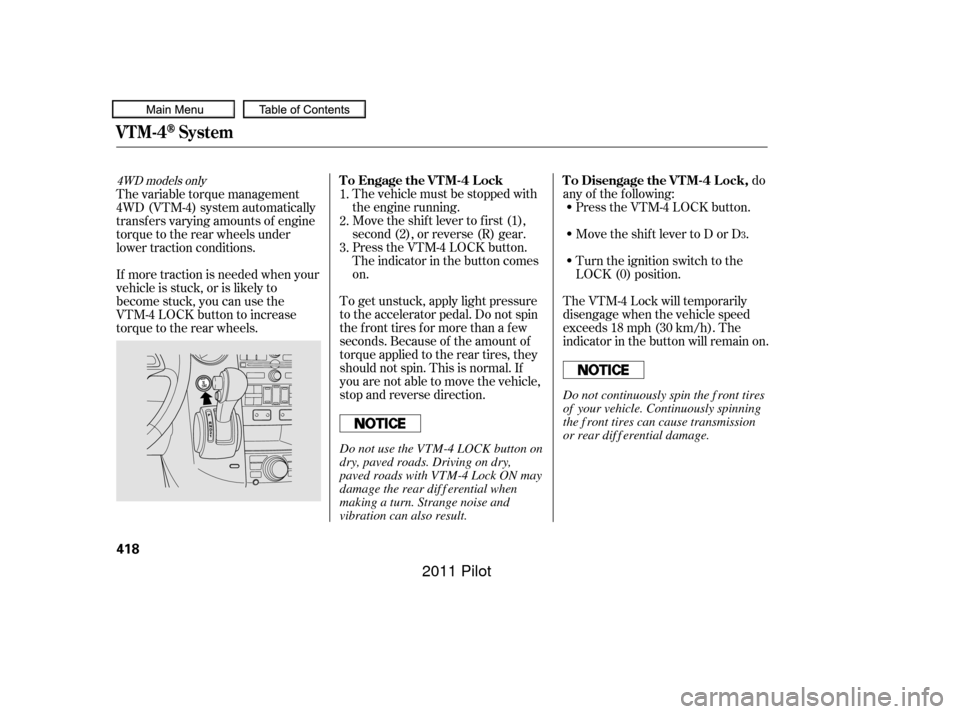
The vehicle must be stopped with
the engine running.do
any of the f ollowing: Press the VTM-4 LOCK button.
Move the shift lever to D or D .
Move the shift lever to first (1),
second (2), or reverse (R) gear.
Turn the ignition switch to the
LOCK (0) position.
Press the VTM-4 LOCK button.
The indicator in the button comes
on.
The VTM-4 Lock will temporarily
disengage when the vehicle speed
exceeds 18 mph (30 km/h). The
indicator in the button will remain on.
To get unstuck, apply light pressure
to the accelerator pedal. Do not spin
the f ront tires f or more than a f ew
seconds. Because of the amount of
torque applied to the rear tires, they
should not spin. This is normal. If
you are not able to move the vehicle,
stop and reverse direction.
If more traction is needed when your
vehicle is stuck, or is likely to
become stuck, you can use the
VTM-4 LOCK button to increase
torque to the rear wheels. The variable torque management
4WD (VTM-4) system automatically
transf ers varying amounts of engine
torque to the rear wheels under
lower traction conditions.
1.
2.
3.
3
4WD models onlyTo Engage the VTM-4 Lock To Disengage the VTM-4 Lock,
VTM-4System
418
Do not continuously spin the f ront tires
of your vehicle. Continuously spinning
the f ront tires can cause transmission
or rear dif f erential damage.
Do not use the VTM-4 LOCK button on
dry, paved roads. Driving on dry,
paved roads with VTM-4 Lock ON may
damage the rear dif f erential when
making a turn. Strange noise and
vibration can also result.
10/01/26 19:35:36 31SZA620_423
2011 Pilot
Page 423 of 574

If the vehicle is f acing uphill, turn
the front wheels away from the
curb. Never park over dry leaves, tall
grass, or other f lammable
materials. The hot three way
catalytic converter could cause
these materials to catch on fire.
Always use the parking brake when
you park your vehicle. Make sure
the parking brake is set f irmly, or
your vehicle may roll if it is parked
on an incline.
Set the parking brake bef ore you put
the transmission in Park. This keeps
the vehicle from moving and putting
pressure on the parking mechanism
in the transmission.
If the vehicle is f acing downhill,
turn the front wheels toward the
curb.
Make sure the moonroof (if
equipped) and the windows are
closed.
Place any packages, valuables, etc.
in the cargo area or take them
with you. Turn of f the lights.
Make sure the parking brake is
f ully released bef ore driving away.
Driving with the parking brake
partially set can overheat or
damage the rear brakes.
Check the indicator on the
instrument panel to verif y that the
security system is set.
Lock the doors and the tailgate.
Make sure the glass hatch is
closed securely.
Except LX models
Parking T ips
Parking
Driving
419
10/01/26 19:35:48 31SZA620_424
2011 Pilot