Page 101 of 722
�Û
�Ý
�Û�Ý
�Û�Ý
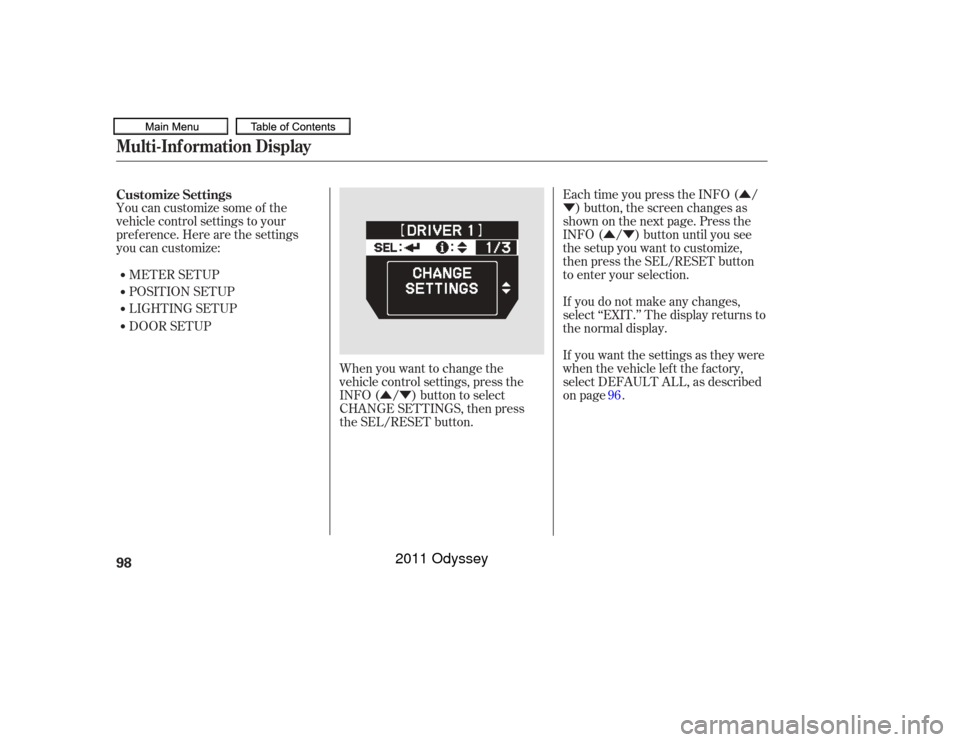
You can customize some of the
vehicle control settings to your
pref erence. Here are the settings
you can customize:
METER SETUP
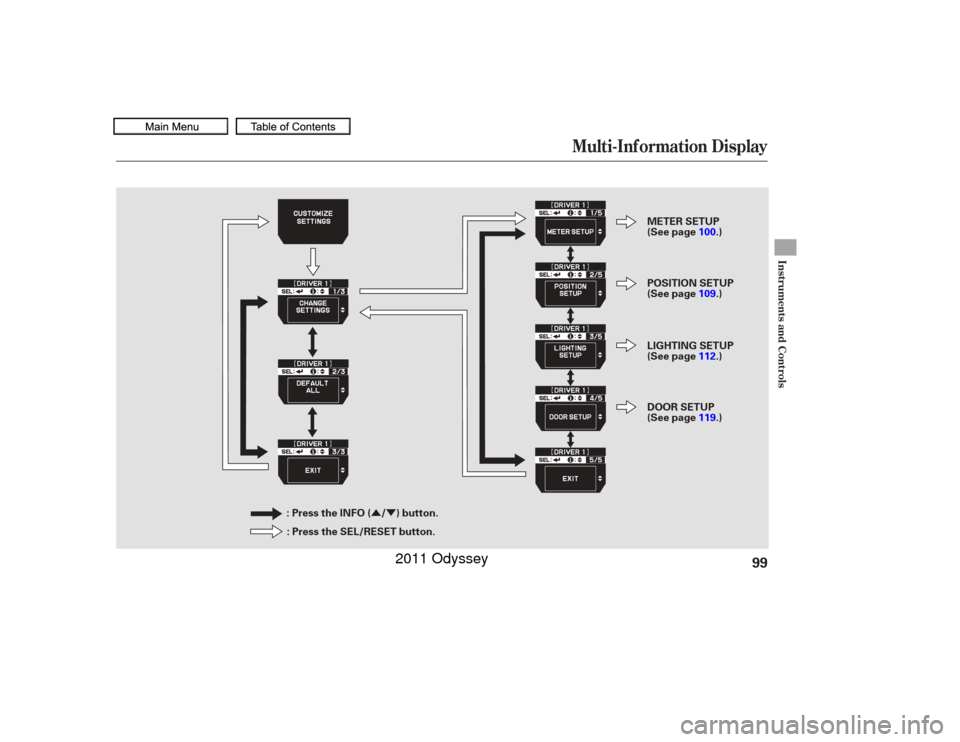
LIGHTING SETUP POSITION SETUP Each time you press the INFO ( /
) button, the screen changes as
shownonthenextpage.Pressthe
INFO( / )buttonuntilyousee
the setup you want to customize,
then press the SEL/RESET button
to enter your selection.
DOOR SETUP When you want to change the
vehicle control settings, press the
INFO ( / ) button to select
CHANGE SETTINGS, then press
the SEL/RESET button. If you do not make any changes,
select ‘‘EXIT.’’ The display returns to
the normal display.
If you want the settings as they were
when the vehicle lef t the f actory,
select DEFAULT ALL, as described
on page .
96
Customize Settings
Multi-Inf ormation Display98
10/07/17 09:47:44 31TK8600_103
2011 Odyssey
Page 102 of 722
�Û�Ý
Multi-Inf ormation Display
Instruments and Controls
99
: Press the INFO ( / ) button.: Press the SEL/RESET button. METER SETUP
(See page
100.)
POSITION SETUP
(See page 109.)
LIGHTING SETUP
(See page 112.)
DOOR SETUP
(See page 119.)
10/07/17 09:47:48 31TK8600_104
2011 Odyssey
Page 104 of 722
�Û�Ý�Û�Ý
CONT INUED
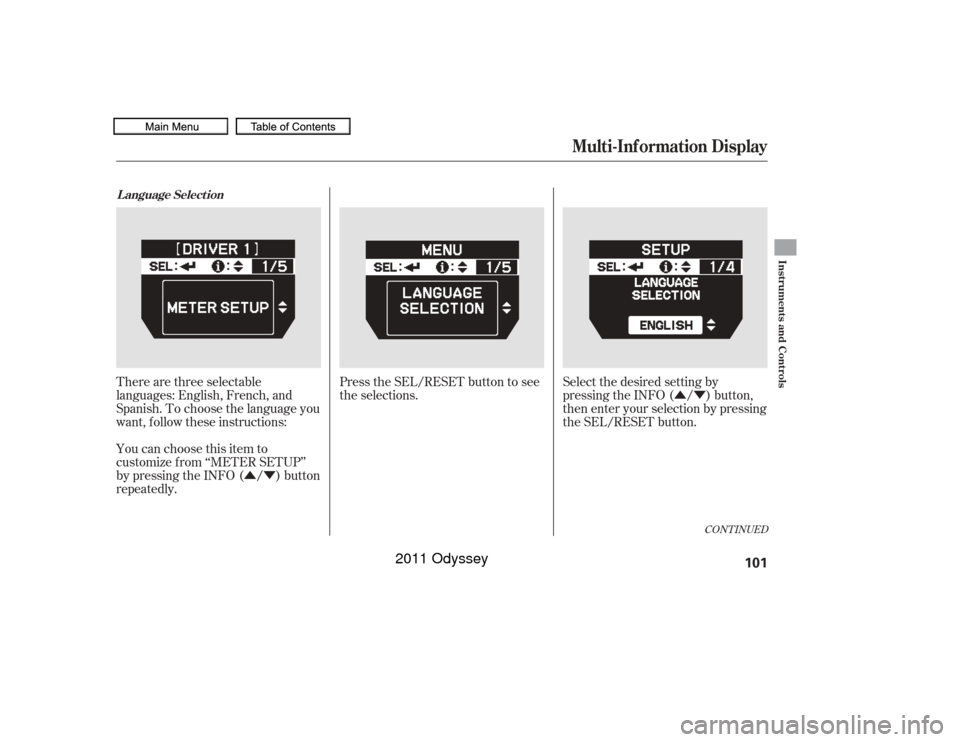
There are three selectable
languages: English, French, and
Spanish. To choose the language you
want, f ollow these instructions:
You can choose this item to
customize f rom ‘‘METER SETUP’’
by pressing the INFO ( / ) button
repeatedly.Press the SEL/RESET button to see
the selections.
Select the desired setting by
pressing the INFO ( / ) button,
then enter your selection by pressing
the SEL/RESET button.L anguage Select ion
Multi-Inf ormation Display
Instruments and Controls
101
10/07/17 09:48:02 31TK8600_106
2011 Odyssey
Page 106 of 722
�Û�Ý�Û�Ý
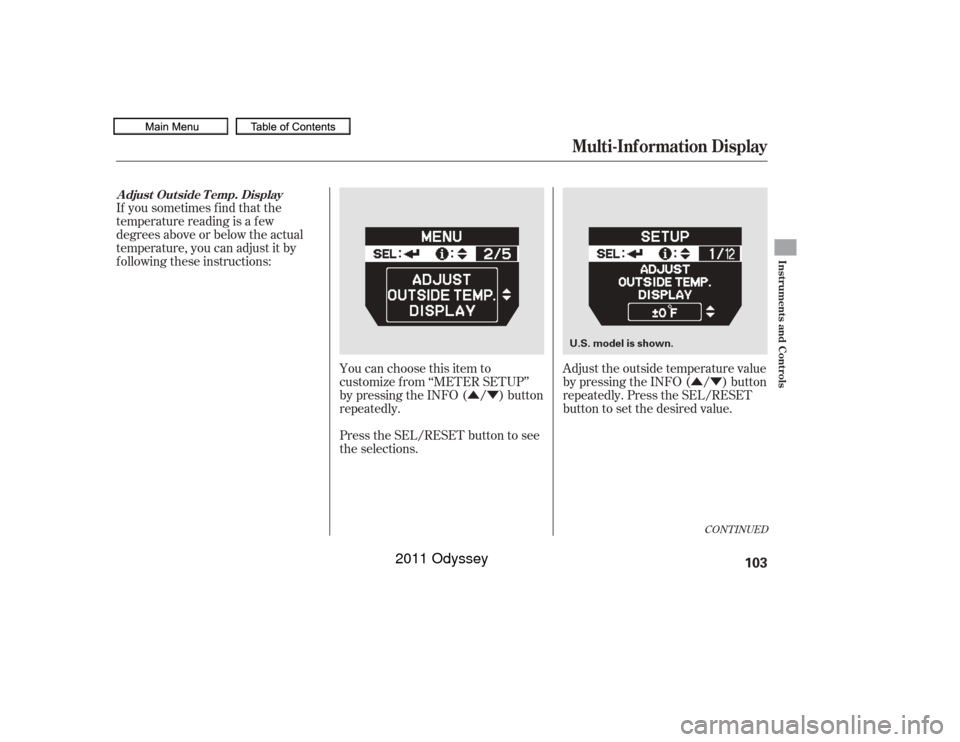
You can choose this item to
customize f rom ‘‘METER SETUP’’
by pressing the INFO ( / ) button
repeatedly.
Press the SEL/RESET button to see
the selections. Adjust the outside temperature value
by pressing the INFO ( / ) button
repeatedly. Press the SEL/RESET
button to set the desired value.
If you sometimes f ind that the
temperature reading is a f ew
degrees above or below the actual
temperature, you can adjust it by
f ollowing these instructions:
CONT INUED
A djust Outside T emp. Display
Multi-Inf ormation Display
Instruments and Controls
103
U.S. model is shown.
10/07/17 09:48:15 31TK8600_108
2011 Odyssey
Page 108 of 722
�Û�Ý�Û�Ý
CONT INUED
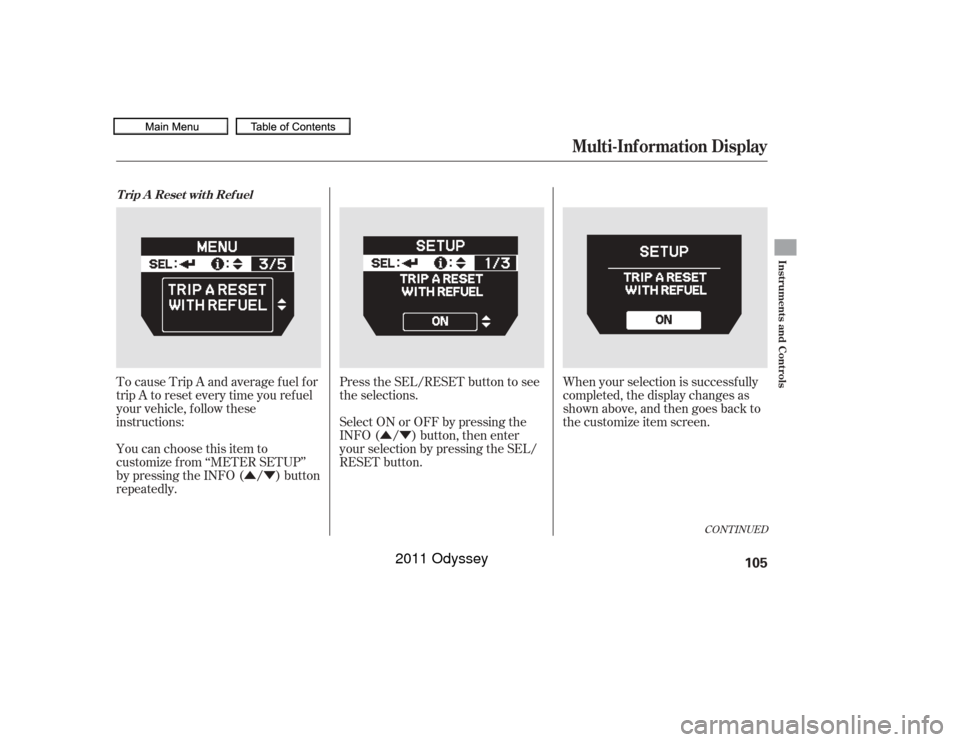
To cause Trip A and average fuel for
trip A to reset every time you ref uel
your vehicle, f ollow these
instructions:
You can choose this item to
customize f rom ‘‘METER SETUP’’
by pressing the INFO ( / ) button
repeatedly. Press the SEL/RESET button to see
the selections.
When your selection is successf ully
completed, the display changes as
shown above, and then goes back to
the customize item screen.
Select ON or OFF by pressing the
INFO ( / ) button, then enter
your selection by pressing the SEL/
RESET button.T rip A Reset wit h Ref uel
Multi-Inf ormation Display
Instruments and Controls
105
10/07/17 09:48:28 31TK8600_110
2011 Odyssey
Page 110 of 722
�µ
�µ
�µ
�Û�Ý�Û�Ý
CONT INUED
There are three elapsed time reset
choices you can make:
IGN OFF The elapsed time is
reset when you turn the ignition
switch to the LOCK (0) position.
TRIP A The elapsed time is reset
when Trip A is reset.
TRIP B The elapsed time is reset
when Trip B is reset. You can choose this item to
customize f rom ‘‘METER SETUP’’
by pressing the INFO ( / ) button
repeatedly. Press the SEL/RESET button to see
the selections.
Select the desired setting by
pressing the INFO ( / ) button,
then enter your selection by pressing
the SEL/RESET button.Elapsed T ime Reset
Multi-Inf ormation Display
Instruments and Controls
107
10/07/17 09:48:41 31TK8600_112
2011 Odyssey
Page 112 of 722
�Û
�Ý
�Û�Ý
�Û�Ý
You can customize the MEMORY
POSITION LINK setting in position
setup.
While ‘‘POSITION SETUP’’ is shown,
press the SEL/RESET button to
enter the customize mode.
Each time you press the INFO ( /) button, the screen changes as
shown in the illustration. Press the
INFO ( / ) button until you see
the setting you want to customize,
then press the SEL/RESET button
to enter your selection.
CONT INUED
Position Setup
Multi-Inf ormation Display
Instruments and Controls
109
: Press the SEL/RESET button.
: Press the INFO ( / ) button.
10/07/17 09:48:52 31TK8600_114
2011 Odyssey
Page 114 of 722
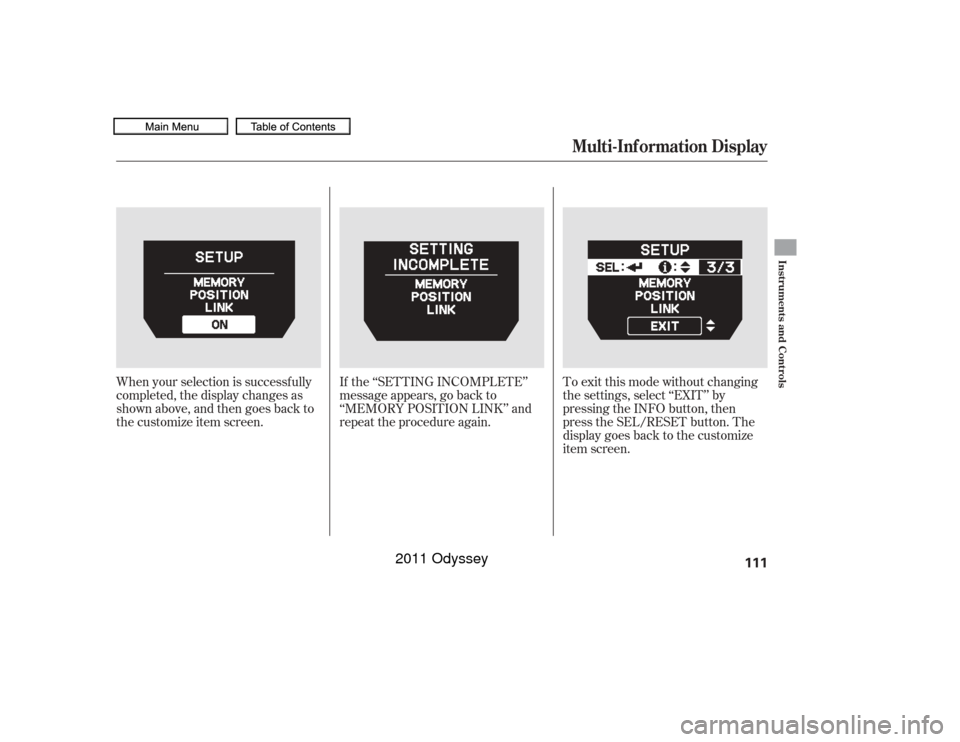
When your selection is successf ully
completed, the display changes as
shown above, and then goes back to
the customize item screen.To exit this mode without changing
the settings, select ‘‘EXIT’’ by
pressing the INFO button, then
press the SEL/RESET button. The
display goes back to the customize
item screen.
If the ‘‘SETTING INCOMPLETE’’
message appears, go back to
‘‘MEMORY POSITION LINK’’ and
repeat the procedure again.
Multi-Inf ormation Display
Instruments and Controls
111
10/07/17 09:49:05 31TK8600_116
2011 Odyssey