Page 353 of 722
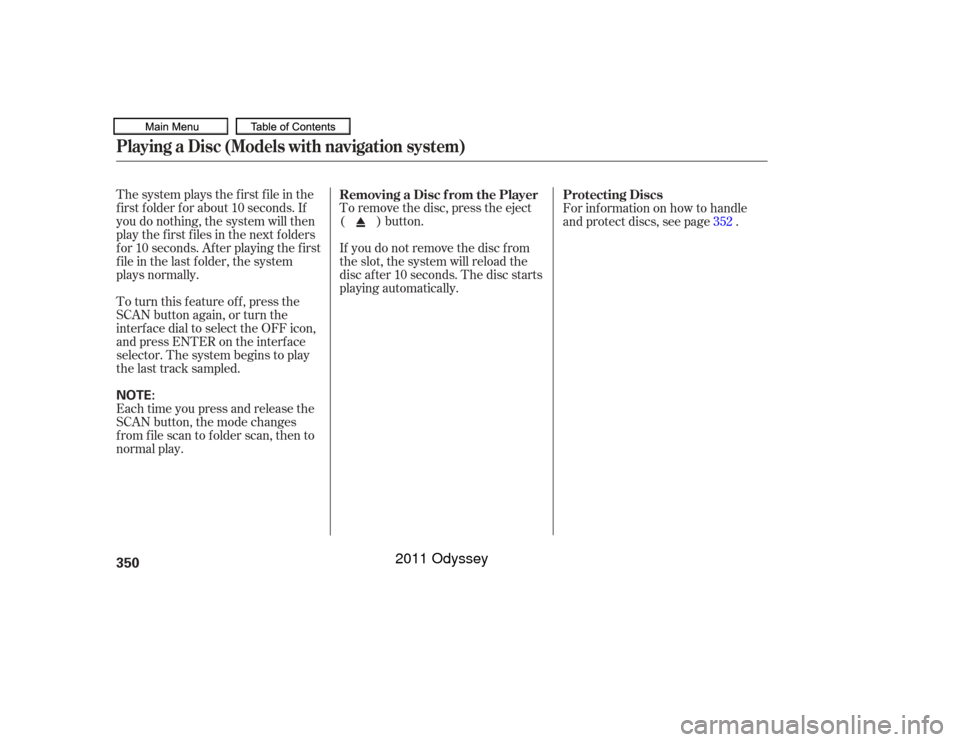
The system plays the f irst f ile in the
f irst f older f or about 10 seconds. If
you do nothing, the system will then
play the f irst f iles in the next f olders
for 10 seconds. After playing the first
file in the last folder, the system
plays normally.To remove the disc, press the eject
( ) button.
If you do not remove the disc f rom
the slot, the system will reload the
disc af ter 10 seconds. The disc starts
playing automatically. For inf ormation on how to handle
and protect discs, see page .
To turn this feature off, press the
SCAN button again, or turn the
interf ace dial to select the OFF icon,
andpressENTERontheinterface
selector. The system begins to play
the last track sampled.
Each time you press and release the
SCAN button, the mode changes
from file scan to folder scan, then to
normal play. 352
Removing a Disc f rom the Player Protecting DiscsPlaying a Disc (Models with navigation system)350NOTE:
10/07/17 10:20:39 31TK8600_355
2011 Odyssey
Page 354 of 722
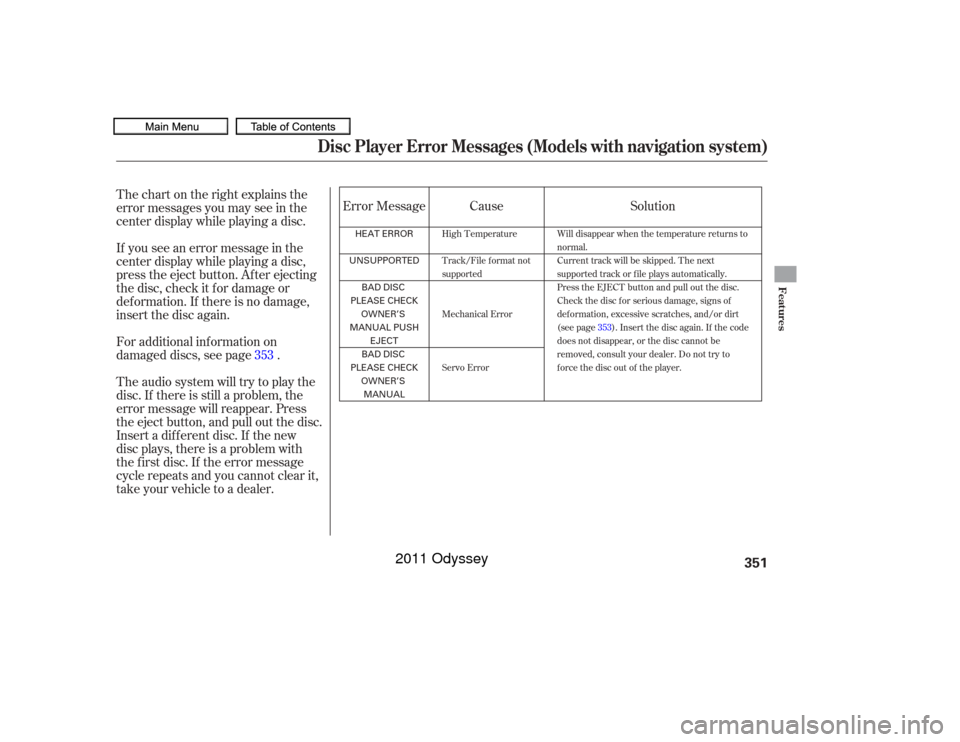
Thechartontherightexplainsthe
error messages you may see in the
center display while playing a disc.
If you see an error message in the
center display while playing a disc,
press the eject button. Af ter ejecting
the disc, check it f or damage or
deformation. If there is no damage,
insert the disc again.
Insert a dif f erent disc. If the new
disc plays, there is a problem with
the f irst disc. If the error message
cycle repeats and you cannot clear it,
take your vehicle to a dealer. Theaudiosystemwilltrytoplaythe
disc. If there is still a problem, the
error message will reappear. Press
the eject button, and pull out the disc. For additional information on
damaged discs, see page .Error Message Cause
Solution
353
High Temperature
Track/File format not
supported
Mechanical Error
Servo Error Will disappear when the temperature returns to
normal.
Current track will be skipped. The next
supported track or file plays automatically.
Press the EJECT button and pull out the disc.
Check the disc for serious damage, signs of
deformation, excessive scratches, and/or dirt
(see page
353). Insert the disc again. If the code
does not disappear, or the disc cannot be
removed, consult your dealer. Do not try to
force the disc out of the player.
Disc Player Error Messages (Models with navigation system)
Features
351
HEAT ERROR
UNSUPPORTED BAD DISC
PLEASE CHECK OWNER’S
MANUAL PUSH EJECT
BAD DISC
PLEASE CHECK OWNER’S
MANUAL
10/07/17 10:20:46 31TK8600_356
2011 Odyssey
Page 355 of 722
When recording a CD-R, the
recording must be closed f or it to
be used.
CD-RW discs will not work in this
unit. When using CD-R discs, use only
high quality discs labeled f or audio
use.
Play only standard round discs.
Odd-shaped CDs may jam in the
driveorcauseotherproblems.
Handle your discs properly to
prevent damage and skipping.When a disc is not being played,
store it in its case to protect it f rom
dust and other contamination. To
prevent warpage, keep discs out of
direct sunlight and extreme heat.
A new disc may be rough on the
inner and outer edges. The small
plastic pieces causing this roughness
can f lake of f and f all on the
recording surf ace of the disc,
causing skipping or other problems.
Remove these pieces by rubbing the
inner and outer edges with the side
of a pencil or pen.
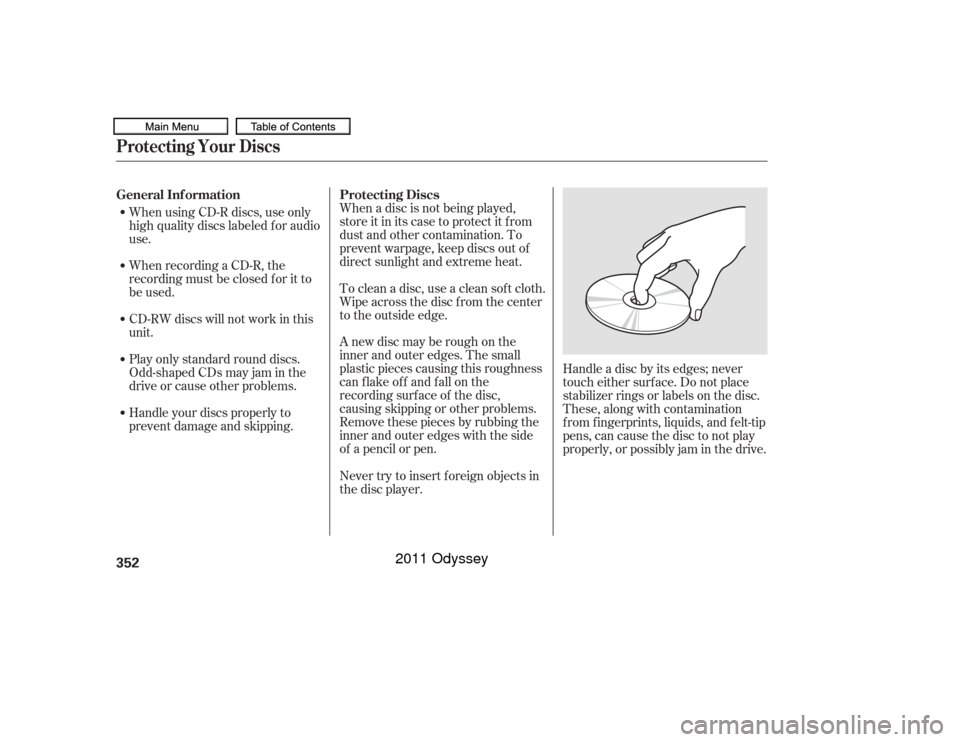
Handle a disc by its edges; never
touch either surf ace. Do not place
stabilizer rings or labels on the disc.
These, along with contamination
f rom f ingerprints, liquids, and f elt-tip
pens, can cause the disc to not play
properly, or possibly jam in the drive.
To clean a disc, use a clean sof t cloth.
Wipe across the disc f rom the center
to the outside edge.
Never try to insert f oreign objects in
the disc player.
General Inf ormation
Protecting Discs
Protecting Your Discs352
10/07/17 10:20:55 31TK8600_357
2011 Odyssey
Page 356 of 722
Examples of these discs are shown
to the right:Bubbled, wrinkled, labeled, and excessively thick discs
Damaged discs
Poor quality discs
The in-dash disc player has a
sophisticated and delicate
mechanism. If you insert a damaged
disc as indicated in this section, it
maybecomestuckinsideand
damage the audio unit.
1.
2.
3.
CONT INUED
Additional Inf ormation on
Recommended Discs
Protecting Your Discs
Features
353
Sealed
Warped Burrs
Chipped/
Cracked With Label/
Sticker
With Plastic
Ring
Using Printer
Label Kit
Bubbled/
Wrinkled
10/07/17 10:21:07 31TK8600_358
2011 Odyssey
Page 387 of 722
The audio system reads and plays
playable sound f iles on the iPod. The
system cannot operate an iPod as a
mass storage device. The system will
only play songs stored on the iPod
with iTunes.
iPod and iTunes are registered
trademarks owned by Apple Inc.
You can select the AUX mode by
using the voice control buttons.
This audio system can select and
play the audio f iles on the iPod
with
the same controls used f or the in-
dash disc player. To play an iPod,
connect it to the USB adapter cable
in the glove box by using your dock
connector, then press the USB/AUX
button. The ignition switch must be
in the ACCESSORY (I) or ON (II)
position. The iPod will also be
charged with the ignition switch in
these settings.
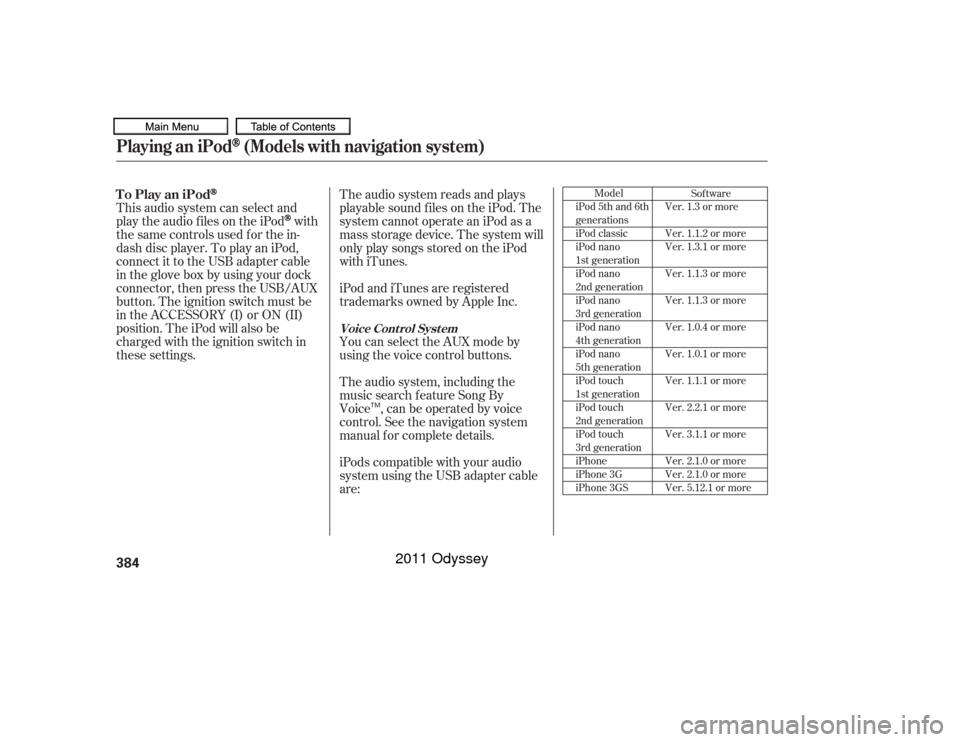
iPods compatible with your audio
system using the USB adapter cable
are: The audio system, including the
music search f eature Song By
Voice , can be operated by voice
control. See the navigation system
manual f or complete details.
Model
iPod 5th and 6th
generations
iPod classic
iPod nano
1st generation
iPod nano
2nd generation
iPod nano
3rd generation
iPod nano
4th generation
iPod nano
5th generation
iPod touch
1st generation
iPod touch
2nd generation
iPod touch
3rd generation
iPhone
iPhone 3G
iPhone 3GS Sof tware
Ver. 1.3 or more
Ver. 1.1.2 or more
Ver. 1.3.1 or more
Ver. 1.1.3 or more
Ver. 1.1.3 or more
Ver. 1.0.4 or more
Ver. 1.0.1 or more
Ver. 1.1.1 or more
Ver. 2.2.1 or more
Ver. 3.1.1 or more
Ver. 2.1.0 or more
Ver. 2.1.0 or more
Ver. 5.12.1 or more
To Play an iPod
Voice Cont rol Syst em
Playing an iPod
(Models with navigation system)
384
TM
10/07/17 10:25:28 31TK8600_389
2011 Odyssey
Page 396 of 722
�Î
�ÎOnly AAC f ormat f iles recorded
with iTunes are playable on this
audio unit.
Some USB f lash memory devices
(such as devices with security lock-
out f eatures, etc.) will not work in
this audio unit. The recommended USB f lash
memory devices are 256 MB or
higher, and f ormatted with the FAT
f ile system. Some digital audio
players may be compatible as well.
This audio system can select and
play the audio f iles f rom a USB f lash
memory device with the same
controls used f or the in-dash disc
player. To play a USB f lash memory
device, connect it to the USB adapter
cable in the glove box, then press the
USB/AUX button. The ignition
switch must be in the ACCESSORY
(I) or ON (II) position. Do not use a device such as a card
reader or hard drive as it or your
f iles may be damaged.
Do not connect your USB f lash
memory device using a hub.
Do not use an extension cable to
the USB adapter cable equipped
with your vehicle.
The audio system reads and plays
the audio f iles on the USB f lash
memory device in MP3, WMA or
AAC formats. The USB flash
memory device limit is up to 700
f olders or up to 15000 f iles. :
CONT INUED
To Play a USB Flash Memory
Device
Playing a USB Flash Memory Device (Models with navigation system)
Features
393
NOTE:
10/07/17 10:26:40 31TK8600_398
2011 Odyssey
Page 417 of 722
On vehicles with standard rear screenOn vehicles without navigation system
Press the REAR POWER button.
The indicator on the REAR POWER
button will come on. The rear seat
passengers can then operate the rear
system f rom the control panel in the
ceiling. The rear control panel can
also be detached and used as a
remote control, by pushing the
release button, and pulling the
remote toward you.
You can disable the rear control
panel f rom the f ront control panel.
Your vehicle is equipped with a rear
entertainment system that includes a
DVD player f or the enjoyment of the
rear passengers.
With this system, the rear
passengers can enjoy a dif f erent
entertainment source (radio, disc,
CD Library, HDD, USB, iPod
,DVD
player or XM Radio) than the f ront
seat occupants. The audio is
broadcast through the supplied
wireless headphones.
The ignition switch must be in the
ACCESSORY (I) or the ON (II)
position to operate the rear
entertainment system. Press the SETUP button and turn
the selector knob to ‘‘Rear Setup,’’
then press the selector knob. Select
the ‘‘Rear Remote On.’’ Each time
you press and release the selector
knob, this feature turn on and off. To Turn On the System
To turn of f the rear control
Rear Entertainment System414
This vehicle’s overhead mounted video
display, if so equipped, includes
mercury-containing components. Upon
removal, please reuse, recycle, or
dispose of as hazardous waste.
10/07/17 10:29:28 31TK8600_419
2011 Odyssey
Page 420 of 722
To operate the rear entertainment
system f rom the f ront panel, press
the REAR SOURCE button. You will
hear two beeps and the indicator in
the button comes on to show that the
control panel is enabled.
When REAR SOURCE is selected,
the f ront entertainment system
audio controls can also be used to
operate the rear entertainment
system in all modes.To play the radio, the buttons for the
f ront entertainment system have the
same f unctions.
The media that the rear passengers
are listening to will then be heard
f rom the f ront speakers.
If you do not operate the rear
entertainment system f rom the f ront
panel within 20 seconds, the
indicator in the REAR SOURCE
button will go of f and the display will
return to the front entertainment
system automatically. If an audio CD is loaded into the
upper slot, select the CD/CDL or
CD button. If a DVD or CD is loaded
into the lower slot, select the DVD
button.
The DVD player in your rear
entertainment system can play DVD
video discs, audio CDs, MP3/WMA
discs and DTS CDs.
Open the overhead screen by pulling
down the bottom edge of the screen
until it locks into place when f ully
extended. If you pull down the
screen too far forward, past the
second detent, the display will turn
off. Push the screen up to the second
or first detent to turn the display
back on. To close the screen, push it
up until it locks into place when f ully
closed.
CONT INUED
To Select Rear Entertainment
f rom the Front Control Panel
Operating the DVD Player f rom
the Front Control Panel
Rear Entertainment System
Features
417
REAR CONTROL PANEL
OVERHEADSCREEN
10/07/17 10:29:50 31TK8600_422
2011 Odyssey