Page 435 of 722
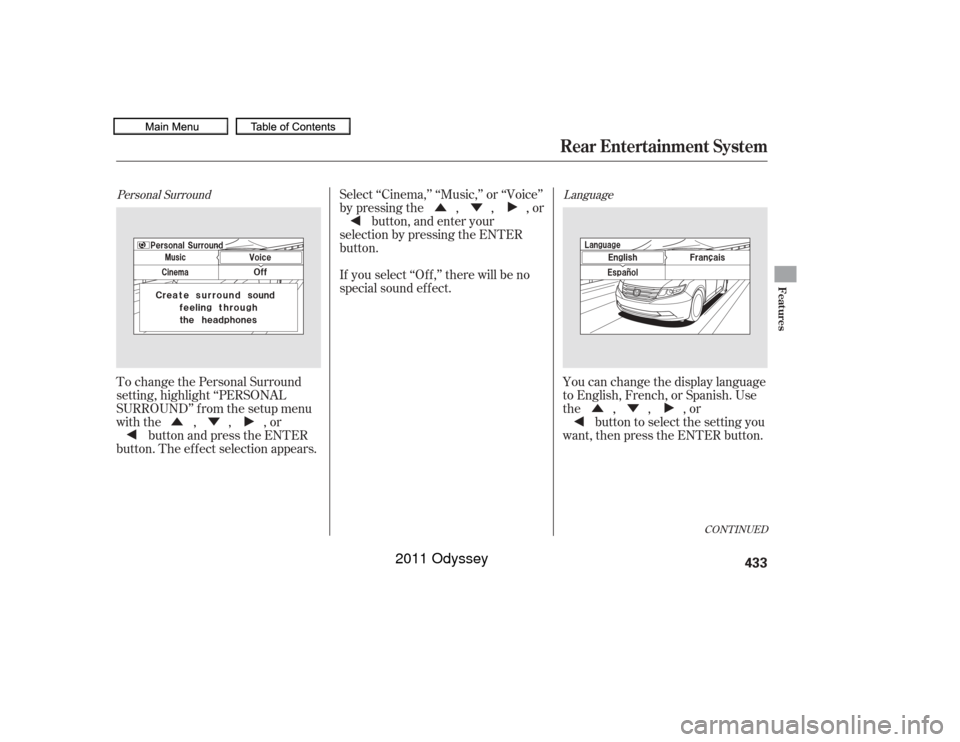
Aspect RatioYou can set the screen mode to
these settings:Normal
Wide
Zoom
Full
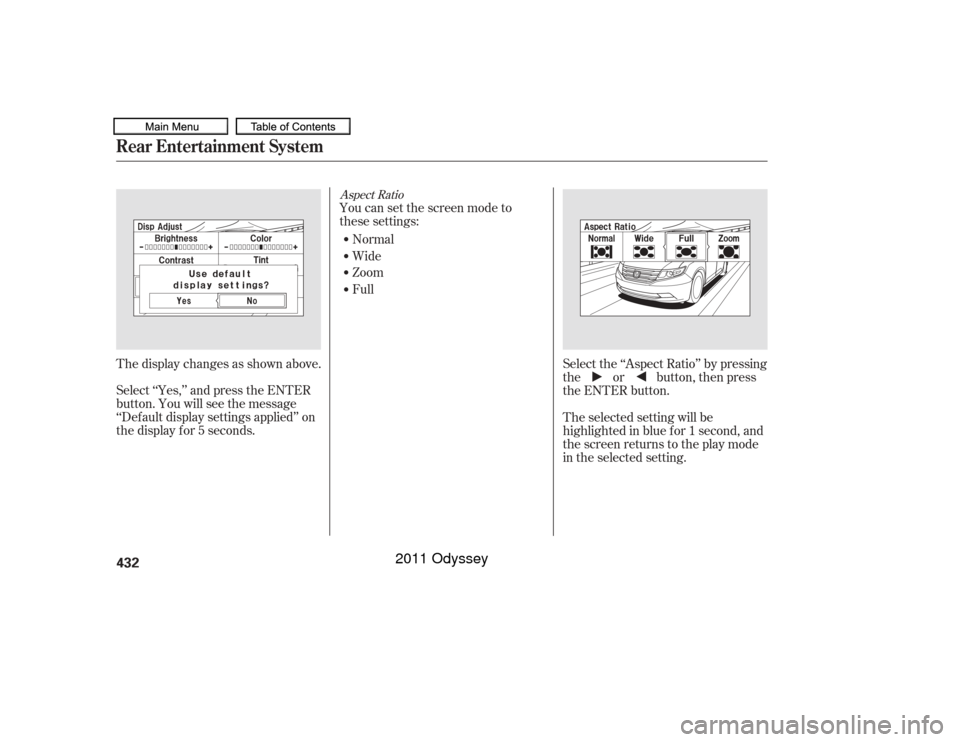
Select ‘‘Yes,’’ and press the ENTER
button. You will see the message
‘‘Def ault display settings applied’’ on
the display f or 5 seconds. The display changes as shown above. The selected setting will be
highlighted in blue f or 1 second, and
the screen returns to the play mode
in the selected setting. Select the ‘‘Aspect Ratio’’ by pressing
the or button, then press
the ENTER button.
Rear Entertainment System432
10/07/17 10:32:03 31TK8600_437
2011 Odyssey
Page 436 of 722
�Ý
�Û�Ý �Ý�Û
�Û
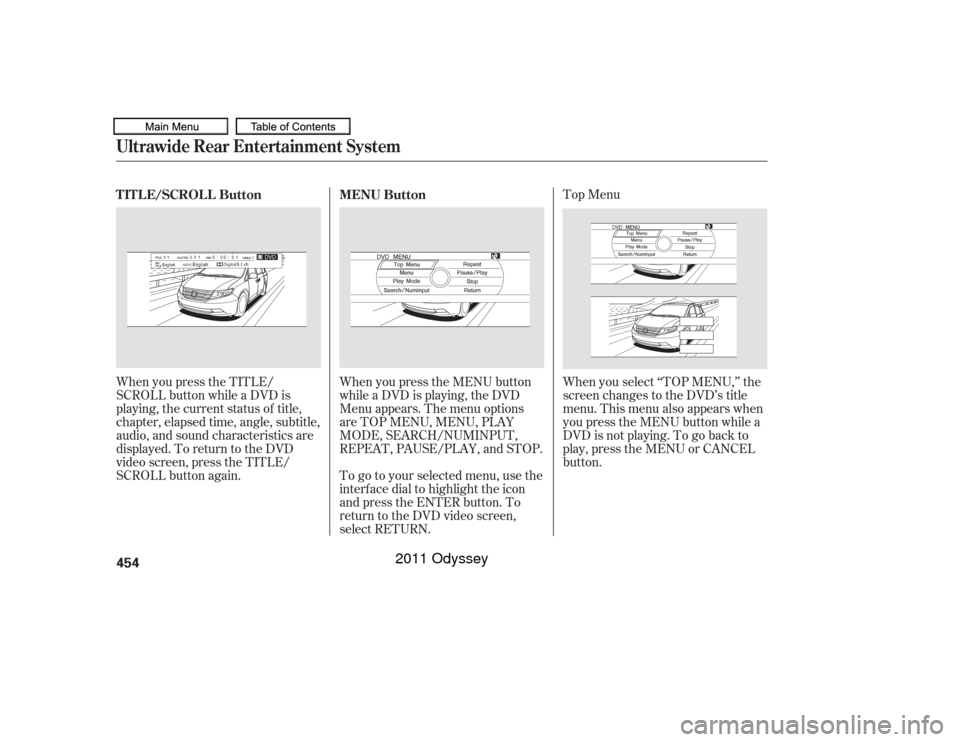
Personal Surround LanguageTo change the Personal Surround
setting, highlight ‘‘PERSONAL
SURROUND’’ from the setup menu
with the , , , or
button and press the ENTER
button. The ef f ect selection appears. Select ‘‘Cinema,’’ ‘‘Music,’’ or ‘‘Voice’’
by pressing the , , , or
button, and enter your
selection by pressing the ENTER
button.
If you select ‘‘Of f ,’’ there will be no
special sound ef f ect.
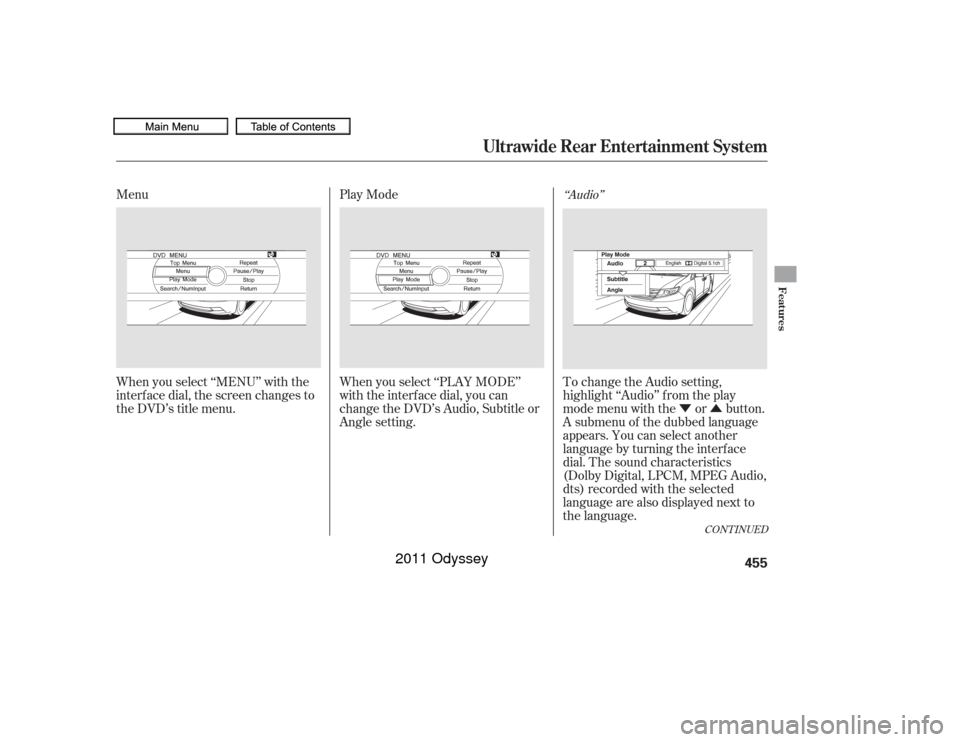
You can change the display language
to English, French, or Spanish. Use
the,,,orbutton to select the setting you
want, then press the ENTER button.
CONT INUED
Rear Entertainment System
Features
433
10/07/17 10:32:12 31TK8600_438
2011 Odyssey
Page 455 of 722
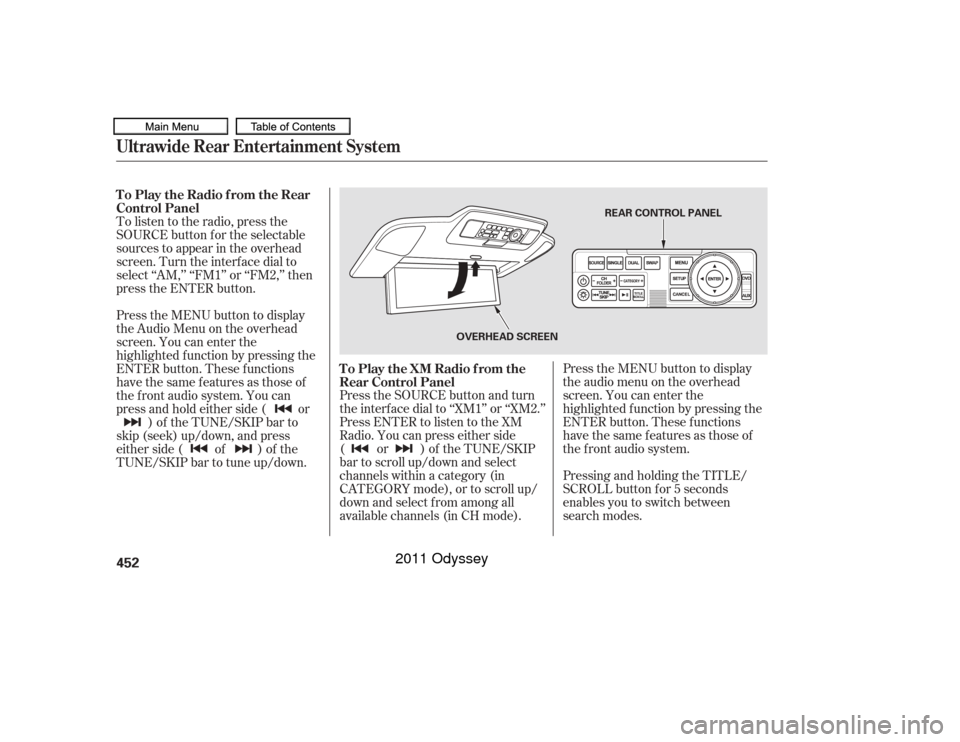
Press the SOURCE button and turn
the interf ace dial to ‘‘XM1’’ or ‘‘XM2.’’
Press ENTER to listen to the XM
Radio. You can press either side
(or)oftheTUNE/SKIP
bar to scroll up/down and select
channels within a category (in
CATEGORY mode), or to scroll up/
down and select f rom among all
available channels (in CH mode).Press the MENU button to display
theaudiomenuontheoverhead
screen. You can enter the
highlighted f unction by pressing the
ENTER button. These f unctions
have the same features as those of
the f ront audio system.
Pressing and holding the TITLE/
SCROLL button f or 5 seconds
enables you to switch between
search modes.
To listen to the radio, press the
SOURCE button for the selectable
sources to appear in the overhead
screen. Turn the interf ace dial to
select ‘‘AM,’’ ‘‘FM1’’ or ‘‘FM2,’’ then
press the ENTER button.
Press the MENU button to display
theAudioMenuontheoverhead
screen. You can enter the
highlighted f unction by pressing the
ENTER button. These f unctions
have the same features as those of
the f ront audio system. You can
press and hold either side ( or
)of theTUNE/SKIPbarto
skip (seek) up/down, and press
either side ( of ) of the
TUNE/SKIP bar to tune up/down. To Play the Radio f rom the Rear
Control Panel
To Play the XM Radio f rom the
Rear Control Panel
Ultrawide Rear Entertainment System452
REAR CONTROL PANEL
OVERHEAD SCREEN
10/07/17 10:34:48 31TK8600_457
2011 Odyssey
Page 456 of 722
Use the interf ace dial to highlight
REPEAT, RANDOM (or SHUFFLE
if your source is iPod), or SCAN on
the screen. You can enter the
highlighted f unction by pressing the
ENTER button. These f unctions
have the same features as those of
the f ront audio system.The video screen is f or use by rear
seat passengers only. The driver and
f ront seat passenger should not try
to view the screen while driving.
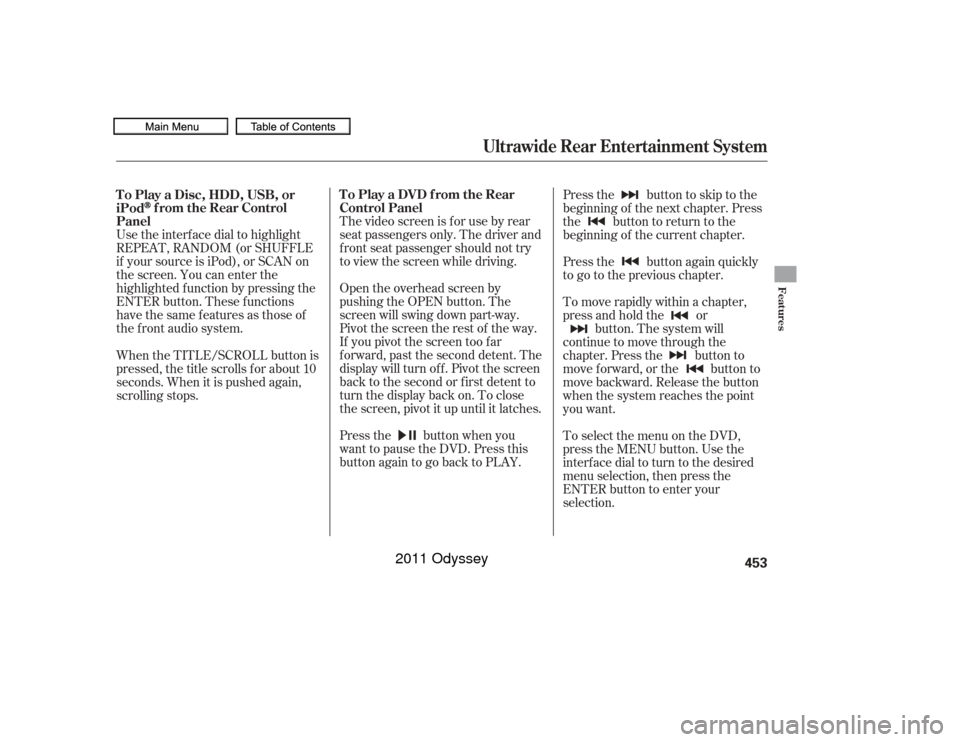
Open the overhead screen by
pushing the OPEN button. The
screen will swing down part-way.
Pivot the screen the rest of the way.
If you pivot the screen too f ar
f orward, past the second detent. The
display will turn of f . Pivot the screen
back to the second or first detent to
turn the display back on. To close
the screen, pivot it up until it latches.
Press the button when you
want to pause the DVD. Press this
button again to go back to PLAY. Pressthe buttontoskiptothe
beginning of the next chapter. Press
the button to return to the
beginning of the current chapter.
Press the button again quickly
to go to the previous chapter.
To move rapidly within a chapter,
press and hold the or
button. The system will
continue to move through the
chapter. Press the button to
move forward, or the button to
move backward. Release the button
when the system reaches the point
you want.
ToselectthemenuontheDVD,
press the MENU button. Use the
interface dial to turn to the desired
menu selection, then press the
ENTER button to enter your
selection.
When the TITLE/SCROLL button is
pressed, the title scrolls f or about 10
seconds. When it is pushed again,
scrolling stops. To Play a Disc, HDD, USB, or
iPod
f rom the Rear Control
Panel To Play a DVD from the Rear
Control Panel
Ultrawide Rear Entertainment System
Features
453
10/07/17 10:34:57 31TK8600_458
2011 Odyssey
Page 457 of 722
Top Menu
When you press the TITLE/
SCROLL button while a DVD is
playing, the current status of title,
chapter, elapsed time, angle, subtitle,
audio, and sound characteristics are
displayed. To return to the DVD
video screen, press the TITLE/
SCROLL button again. When you press the MENU button
while a DVD is playing, the DVD
Menu appears. The menu options
are TOP MENU, MENU, PLAY
MODE, SEARCH/NUMINPUT,
REPEAT, PAUSE/PLAY, and STOP.
To go to your selected menu, use the
interf ace dial to highlight the icon
and press the ENTER button. To
return to the DVD video screen,
select RETURN.When you select ‘‘TOP MENU,’’ the
screen changes to the DVD’s title
menu. This menu also appears when
you press the MENU button while a
DVD is not playing. To go back to
play, press the MENU or CANCEL
button.
TITLE/SCROLL Button
MENU Button
Ultrawide Rear Entertainment System454
10/07/17 10:35:07 31TK8600_459
2011 Odyssey
Page 458 of 722
�Ý�Û
Menu
Play Mode
When you select ‘‘MENU’’ with the
interf ace dial, the screen changes to
the DVD’s title menu. When you select ‘‘PLAY MODE’’
with the interface dial, you can
change the DVD’s Audio, Subtitle or
Angle setting. To change the Audio setting,
highlight ‘‘Audio’’ f rom the play
mode menu with the or button.
A submenu of the dubbed language
appears. You can select another
language by turning the interf ace
dial. The sound characteristics
(Dolby Digital, LPCM, MPEG Audio,
dts) recorded with the selected
language are also displayed next to
the language.
‘‘Audio’’
CONT INUED
Ultrawide Rear Entertainment System
Features
455
10/07/17 10:35:16 31TK8600_460
2011 Odyssey
Page 459 of 722
�Ý�Û�Ý�Û
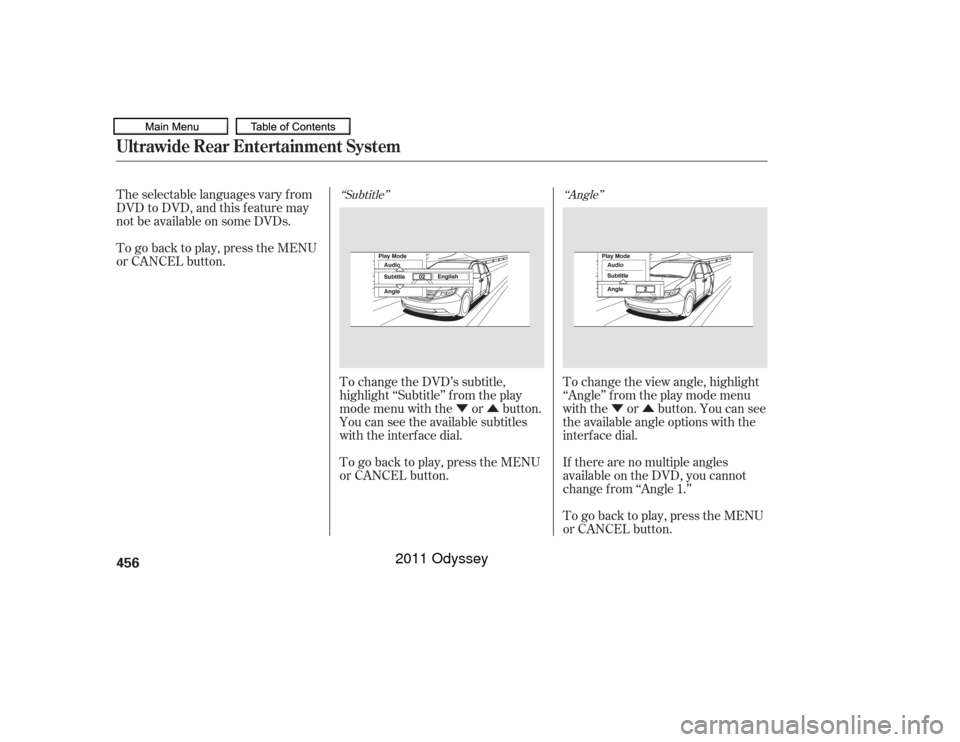
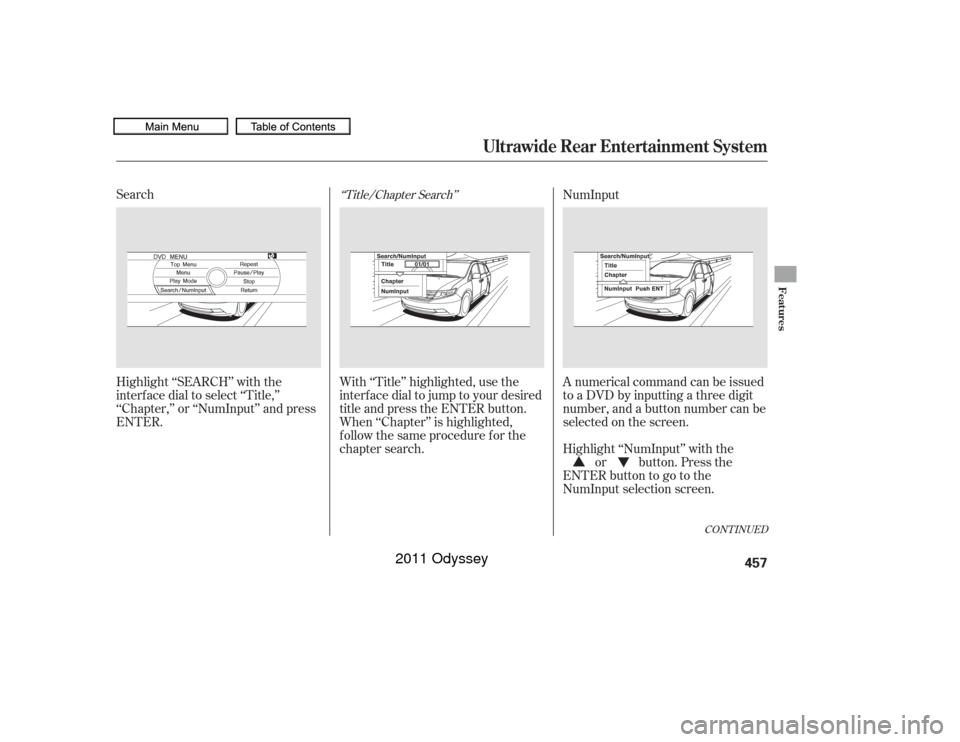
‘‘Subtitle’’ ‘‘Angle’’
The selectable languages vary f rom
DVD to DVD, and this f eature may
notbeavailableonsomeDVDs.
To go back to play, press the MENU
or CANCEL button.
To change the DVD’s subtitle,
highlight ‘‘Subtitle’’ f rom the play
mode menu with the or button.
You can see the available subtitles
with the interface dial.
To go back to play, press the MENU
or CANCEL button. To change the view angle, highlight
‘‘Angle’’ f rom the play mode menu
with the or button. You can see
the available angle options with the
interf ace dial.
If there are no multiple angles
available on the DVD, you cannot
change f rom ‘‘Angle 1.’’
To go back to play, press the MENU
or CANCEL button.Ultrawide Rear Entertainment System456
10/07/17 10:35:24 31TK8600_461
2011 Odyssey
Page 460 of 722
Search
Highlight ‘‘SEARCH’’ with the
interf ace dial to select ‘‘Title,’’
‘‘Chapter,’’ or ‘‘NumInput’’ and press
ENTER.With ‘‘Title’’ highlighted, use the
interfacedialtojumptoyourdesired
title and press the ENTER button.
When ‘‘Chapter’’ is highlighted,
f ollow the same procedure f or the
chapter search. NumInput
A numerical command can be issued
to a DVD by inputting a three digit
number, and a button number can be
selected on the screen.
Highlight ‘‘NumInput’’ with the
or button. Press the
ENTERbuttontogotothe
NumInput selection screen.
‘‘Title/Chapter Search’’
CONT INUED
Ultrawide Rear Entertainment System
Features
457
10/07/17 10:35:34 31TK8600_462
2011 Odyssey