Page 461 of 722
Repeat
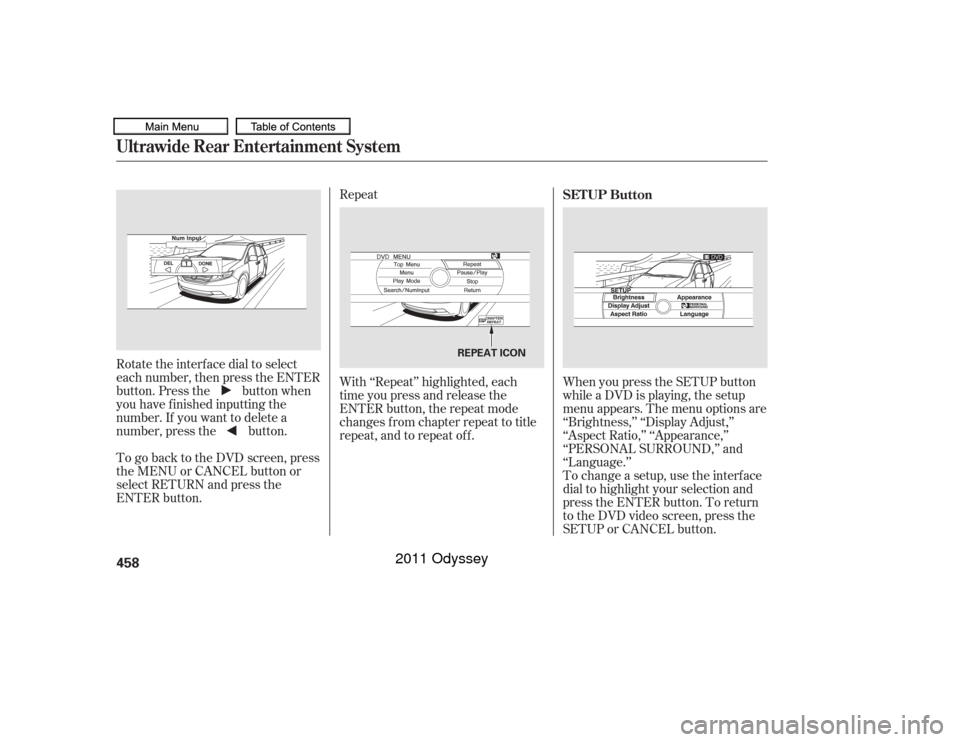
Rotate the interface dial to select
each number, then press the ENTER
button. Press the button when
you have finished inputting the
number. If you want to delete a
number, press the button.
To go back to the DVD screen, press
the MENU or CANCEL button or
select RETURN and press the
ENTER button. With ‘‘Repeat’’ highlighted, each
time you press and release the
ENTER button, the repeat mode
changes from chapter repeat to title
repeat, and to repeat of f .
When you press the SETUP button
while a DVD is playing, the setup
menu appears. The menu options are
‘‘Brightness,’’ ‘‘Display Adjust,’’
‘‘Aspect Ratio,’’ ‘‘Appearance,’’
‘‘PERSONAL SURROUND,’’ and
‘‘Language.’’
To change a setup, use the interf ace
dial to highlight your selection and
press the ENTER button. To return
to the DVD video screen, press the
SETUP or CANCEL button. SETUP Button
Ultrawide Rear Entertainment System458
REPEAT ICON
10/07/17 10:35:43 31TK8600_463
2011 Odyssey
Page 462 of 722
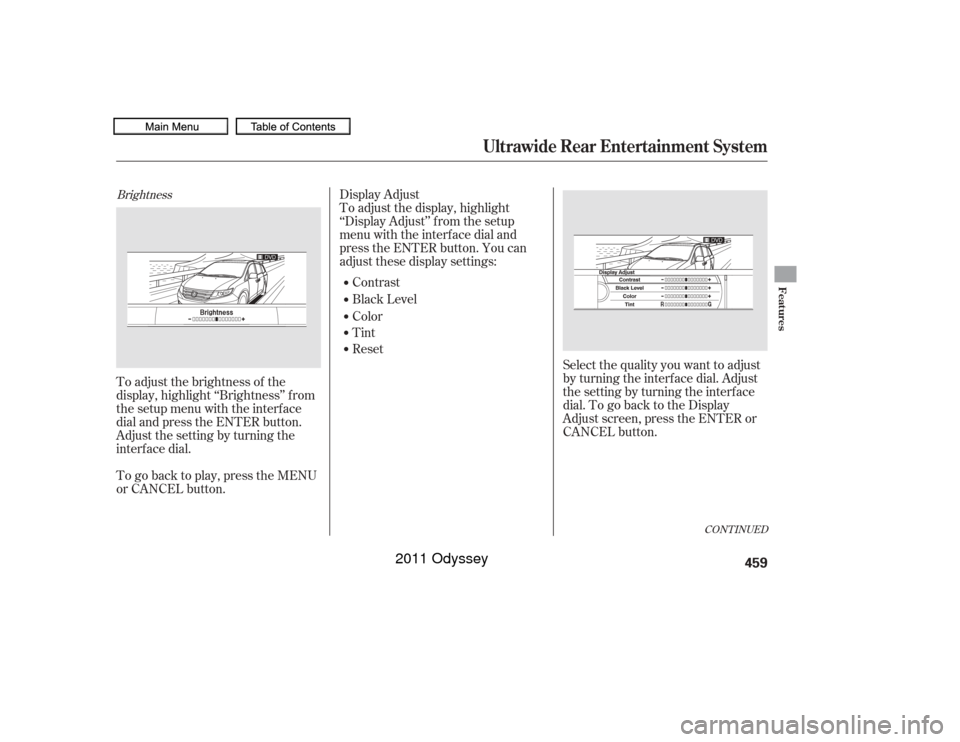
BrightnessTo adjust the brightness of the
display, highlight ‘‘Brightness’’ f rom
the setup menu with the interface
dial and press the ENTER button.
Adjust the setting by turning the
interf ace dial.Display Adjust
To adjust the display, highlight
‘‘Display Adjust’’ f rom the setup
menu with the interf ace dial and
press the ENTER button. You can
adjust these display settings:
Contrast
Black Level
Color
Tint
Reset Select the quality you want to adjust
by turning the interf ace dial. Adjust
the setting by turning the interface
dial.TogobacktotheDisplay
Adjust screen, press the ENTER or
CANCEL button.
To go back to play, press the MENU
or CANCEL button.
CONT INUED
Ultrawide Rear Entertainment System
Features
459
10/07/17 10:35:50 31TK8600_464
2011 Odyssey
Page 464 of 722
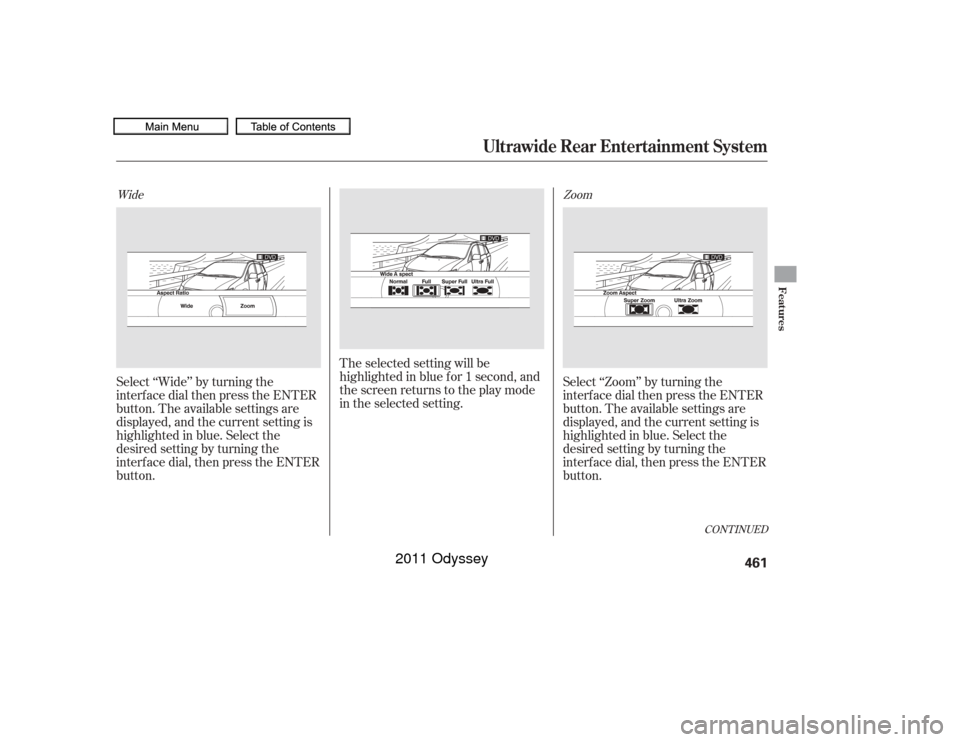
Select ‘‘Wide’’ by turning the
interf ace dial then press the ENTER
button. The available settings are
displayed, and the current setting is
highlighted in blue. Select the
desired setting by turning the
interf ace dial, then press the ENTER
button.The selected setting will be
highlighted in blue f or 1 second, and
the screen returns to the play mode
in the selected setting.
Select ‘‘Zoom’’ by turning the
interf ace dial then press the ENTER
button. The available settings are
displayed, and the current setting is
highlighted in blue. Select the
desired setting by turning the
interf ace dial, then press the ENTER
button.Wide
Zoom
CONT INUED
Ultrawide Rear Entertainment System
Features
461
10/07/17 10:36:07 31TK8600_466
2011 Odyssey
Page 465 of 722
The selected setting will be
highlighted in blue f or 1 second, and
the screen returns to the play mode
in the selected setting.Appearance
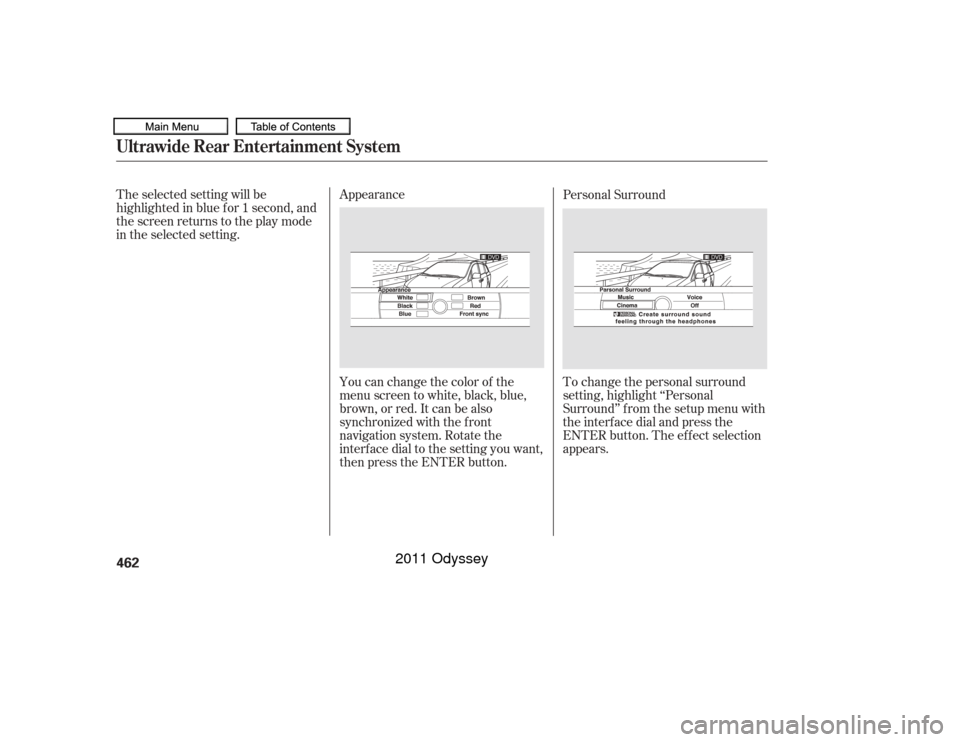
You can change the color of the
menu screen to white, black, blue,
brown, or red. It can be also
synchronized with the front
navigation system. Rotate the
interface dial to the setting you want,
then press the ENTER button. To change the personal surround
setting, highlight ‘‘Personal
Surround’’ f rom the setup menu with
the interf ace dial and press the
ENTER button. The ef f ect selection
appears. Personal SurroundUltrawide Rear Entertainment System462
10/07/17 10:36:13 31TK8600_467
2011 Odyssey
Page 476 of 722
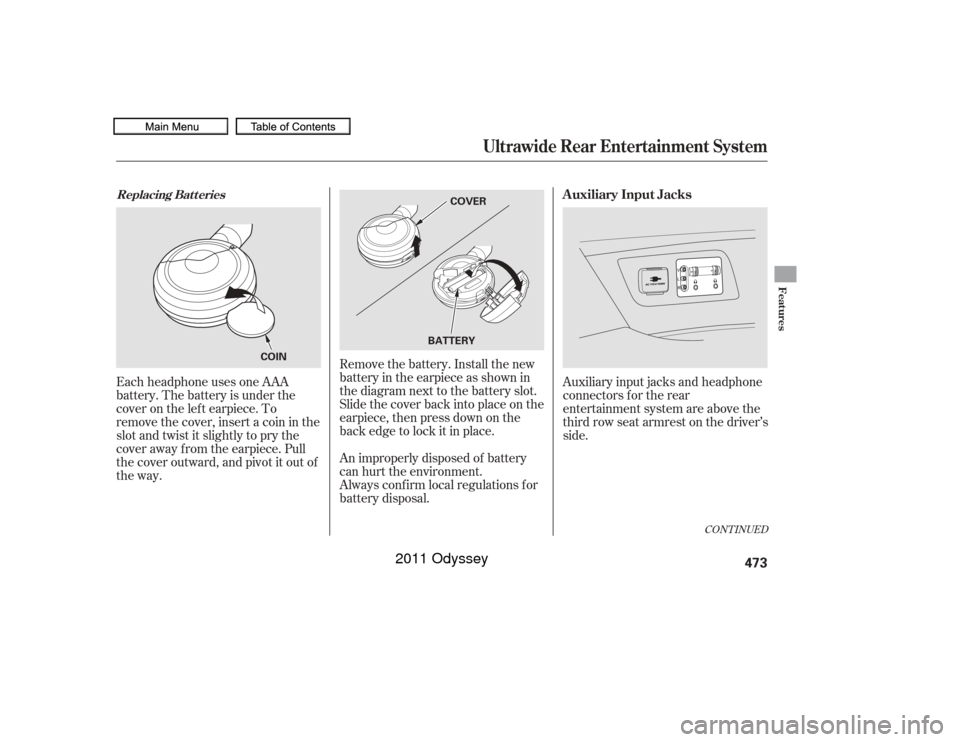
Remove the battery. Install the new
battery in the earpiece as shown in
the diagram next to the battery slot.
Slide the cover back into place on the
earpiece, then press down on the
back edge to lock it in place.
Each headphone uses one AAA
battery. The battery is under the
cover on the lef t earpiece. To
remove the cover, insert a coin in the
slot and twist it slightly to pry the
cover away f rom the earpiece. Pull
the cover outward, and pivot it out of
the way.
An improperly disposed of battery
can hurt the environment.
Always conf irm local regulations f or
battery disposal.Auxiliary input jacks and headphone
connectors f or the rear
entertainment system are above the
third row seat armrest on the driver’s
side.
CONT INUED
Replacing Bat t eries
Auxiliary Input Jacks
Ultrawide Rear Entertainment System
Features
473
COVER
BATTERY
COIN
10/07/17 10:37:46 31TK8600_478
2011 Odyssey
Page 482 of 722

The alarm will also be activated if a
passenger inside the locked vehicle
turns the ignition switch on.
The security system will not set if
the hood, tailgate, or any door is not
f ully closed. Bef ore you leave the
vehicle, make sure the doors,
tailgate, and hood are securely
closed.To see if the system is set
af ter you exit the vehicle, press the
LOCK button on the remote
transmitter within 5 seconds. If the
system is set, the horn will beep
once.
Do not attempt to alter this system
or add other devices to it.
The security system helps to protect
your vehicle and valuables f rom thef t.
The horn sounds and a combination
of headlights, parking lights, side
marker lights, and taillights f lash if
someone attempts to break into your
vehicleorremovetheradio.This
alarm continues f or 2 minutes, then
the system resets. To reset an
activated system before the 2
minutes have elapsed, unlock the
driver’s door with the key or the
remote transmitter.
The security system automatically
sets 15 seconds after you lock the
doors, hood, and the tailgate. For the
system to activate, you must lock the
doorsandthetailgatefromthe
outside with the key, driver’s lock
tab, door lock master switch, or
remote transmitter. The security
system indicator on the instrument
panel starts blinking immediately to
show you the system is setting itself .
Once the security system is set,
opening any door, the tailgate, or the
hood without using the key or the
remote transmitter, will cause it to
alarm. It also alarms if the audio unit
is removed f rom the dashboard or
the wiring is cut.
On all models except LX
Security System
Features
479
NOTE:
SECURITY SYSTEM INDICATOR
10/07/17 10:38:38 31TK8600_484
2011 Odyssey
Page 484 of 722

Resting your f oot on the brake pedal
causes cruise control to cancel.
You can increase the set speed in
any of these ways:
Press and hold the RES/ACCEL
button. When you reach the
desired speed, release the button. You can decrease the set speed in
any of these ways:
Even with cruise control turned on,
you can still use the accelerator
pedal to speed up f or passing. Af ter
completing the pass, take your foot
of f the accelerator pedal. The vehicle
will return to the set speed.
Push on the accelerator pedal.
Accelerate to the desired cruising
speed, then press the SET/
DECEL button.
To increase the speed in very
small amounts, tap the RES/
ACCEL button. Each time you do
this, your vehicle will speed up
about 1 mph (1.6 km/h). Tap the brake pedal lightly with
your f oot. The CRUISE
CONTROL indicator on the
instrument panel will go out.
When the vehicle slows to the
desired speed, press the SET/
DECEL button. To slow down in very small
amounts, tap the SET/DECEL
button. Each time you do this,
your vehicle will slow down about
1 mph (1.6 km/h). Press and hold the SET/DECEL
button. Release the button when
you reach the desired speed. If you need to decrease your
speed quickly, use the brakes as you
normally would.
Changing the Set Speed
Cruise Control
Features
481
NOTE:
10/07/17 10:38:55 31TK8600_486
2011 Odyssey
Page 486 of 722
�·�µ
If your garage door was
manuf actured bef ore April 1, 1982,
you may not be able to program
HomeLink to operate it. These units
do not have safety features that
cause the motor to stop and reverse
it if an obstacle is detected during
closing, increasing the risk of injury. Do not use HomeLink with any
garage door opener that lacks saf ety
stop and reverse f eatures.
Units manuf actured between April 1,
1982 and January 1, 1993 may be
equipped with saf ety stop and
reverse f eatures. If your unit does
not have an external entrapment
protection system, an easy test to
conf irm the f unction and
perf ormance of the saf ety stop and
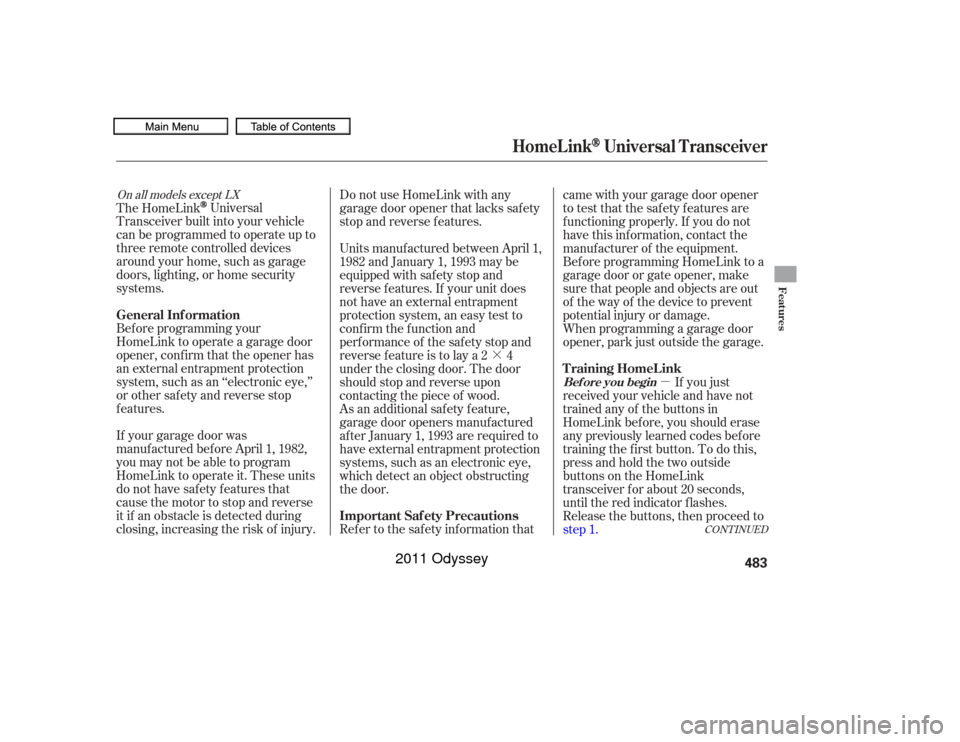
reverse f eature is to lay a 2 4
under the closing door. The door
should stop and reverse upon
contacting the piece of wood.
As an additional safety feature,
garage door openers manuf actured
af ter January 1, 1993 are required to
have external entrapment protection
systems, such as an electronic eye,
which detect an object obstructing
the door.
Refer to the safety information thatcame with your garage door opener
to test that the safety features are
f unctioning properly. If you do not
have this information, contact the
manuf acturer of the equipment.
Bef ore programming HomeLink to a
garage door or gate opener, make
sure that people and objects are out
of thewayof thedevicetoprevent
potential injury or damage.
When programming a garage door
opener, park just outside the garage.
If you just
received your vehicle and have not
trained any of the buttons in
HomeLink bef ore, you should erase
any previously learned codes bef ore
training the first button. To do this,
press and hold the two outside
buttons on the HomeLink
transceiver for about 20 seconds,
until the red indicator f lashes.
Release the buttons, then proceed to
step 1.
The HomeLink
Universal
Transceiver built into your vehicle
canbeprogrammedtooperateupto
three remote controlled devices
around your home, such as garage
doors, lighting, or home security
systems.
Bef ore programming your
HomeLink to operate a garage door
opener, conf irm that the opener has
an external entrapment protection
system, such as an ‘‘electronic eye,’’
or other saf ety and reverse stop
f eatures.
On all models except LX
CONT INUED
Important Saf ety Precautions T raining HomeL ink
General Inf ormation
Bef ore you begin
HomeL ink
Universal Transceiver
Features
483
10/07/17 10:39:12 31TK8600_488
2011 Odyssey