Page 191 of 376
Black plate (25,1)Chevrolet Impala Owner Manual - 2011
Infotainment System 7-25
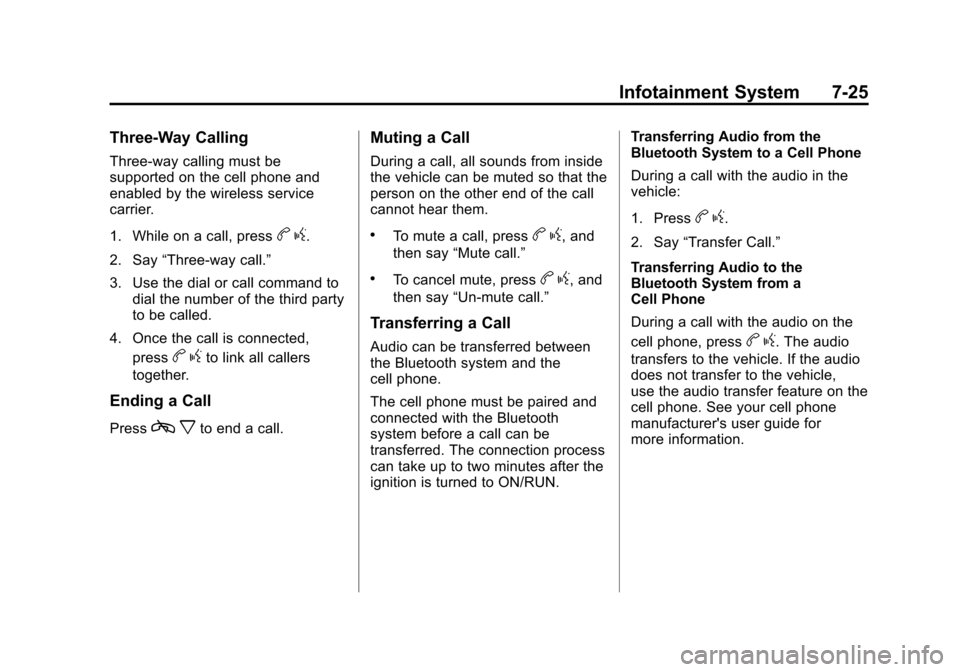
Three‐Way Calling
Three‐way calling must be
supported on the cell phone and
enabled by the wireless service
carrier.
1. While on a call, press
bg.
2. Say “Three‐way call.”
3. Use the dial or call command to dial the number of the third party
to be called.
4. Once the call is connected, press
bgto link all callers
together.
Ending a Call
Pressc xto end a call.
Muting a Call
During a call, all sounds from inside
the vehicle can be muted so that the
person on the other end of the call
cannot hear them.
.To mute a call, pressbg, and
then say “Mute call.”
.To cancel mute, pressbg, and
then say “Un‐mute call.”
Transferring a Call
Audio can be transferred between
the Bluetooth system and the
cell phone.
The cell phone must be paired and
connected with the Bluetooth
system before a call can be
transferred. The connection process
can take up to two minutes after the
ignition is turned to ON/RUN. Transferring Audio from the
Bluetooth System to a Cell Phone
During a call with the audio in the
vehicle:
1. Press
b
g.
2. Say “Transfer Call.”
Transferring Audio to the
Bluetooth System from a
Cell Phone
During a call with the audio on the
cell phone, press
b g. The audio
transfers to the vehicle. If the audio
does not transfer to the vehicle,
use the audio transfer feature on the
cell phone. See your cell phone
manufacturer's user guide for
more information.
Page 216 of 376
Black plate (18,1)Chevrolet Impala Owner Manual - 2011
9-18 Driving and Operating
Retained Accessory
Power (RAP)
These vehicle accessories can be
used for up to 10 minutes after the
engine turned off:
.Audio System
.Power Windows
The radio will work when the key is
in ON/RUN or ACC/ACCESSORY.
Once the key is turned from ON/
RUN to LOCK/OFF the radio will
continue to work 10 minutes or until
the driver door is opened. The
power windows will continue to work
for up to 10 minutes or until any
door is opened.
Starting the Engine
Move the shift lever to P (Park) or
N (Neutral). The engine will not start
in any other position. To restart the
engine when the vehicle is already
moving, use N (Neutral) only.
Notice: Do not try to shift to
P (Park) if the vehicle is moving.
If you do, you could damage the
transmission. Shift to P (Park)
only when the vehicle is stopped.
Starting Procedure
1. With your foot off the accelerator pedal, turn the ignition to START.
When the engine starts, let go of
the key. The idle speed will slow
down as the engine warms. Do
not race the engine immediately
after starting it. Operate the
engine and transmission gently
to allow the oil to warm up and
lubricate all moving parts. The vehicle has a
Computer-Controlled Cranking
System. This feature assists in
starting the engine and protects
components. If the ignition key is
turned to the START position,
and then released when the
engine begins cranking, the
engine will continue cranking for
a few seconds or until the
vehicle starts. If the engine does
not start and the key is held in
START, cranking will be stopped
after 15 seconds to prevent
cranking motor damage. To
prevent gear damage, this
system also prevents cranking if
the engine is already running.
Engine cranking can be stopped
by turning the ignition switch to
the ACC/ACCESSORY or
LOCK/OFF position.
Page 282 of 376

Black plate (36,1)Chevrolet Impala Owner Manual - 2011
10-36 Vehicle Care
FusesUsage
FAN 1 Cooling Fan 1
FAN 2 Cooling Fan 2
FOG LAMPS Fog Lamps
(If Equipped)
FUEL/PUMP Fuel Pump
HDLP MDL Headlamp
Module
HORN Horn
HTD MIR Heated Mirror
INJ 1 Injector 1
INJ 2 Injector 2
INT LIGHTS Interior Lamps
INT LTS/
PNL DIM Interior Lamps,
Instrument Panel
Dimmer
LT HI BEAM Driver Side
High‐Beam
Headlamp
LT LO BEAM Driver Side
Low‐Beam
Headlamp Fuses
Usage
LT PARK Driver Side
Parking Lamp
LT SPOT Left Spot
LT T/SIG Driver Side Turn
Signal Lamp
ONSTAR OnStar
®
PWR DROP/
CRANK Power Drop,
Crank
RADIO Audio System
RT HI BEAM Passenger Side
High‐Beam
Headlamp
RT LO BEAM Passenger Side
Low‐Beam
Headlamp
RT PARK Passenger Side
Parking Lamp
RT SPOT Right Spot
RT T/SIG Passenger Side
Turn Signal Lamp Fuses Usage
RVC SEN Regulated
Voltage Control
Sensor
STRG WHL Steering Wheel
STRTR Starter
TRANS Transmission
WPR Wiper
WSW Windshield Wiper
Relay Usage
A/C
CMPRSR Air Conditioning
Compressor
FAN 1 Cooling Fan 1
FAN 2 Cooling Fan 2
FAN 3 Cooling Fan 3
FUEL/PUMP Fuel Pump
PWR/TRN Powertrain
REAR
DEFOG Rear Defogger
STRTR Starter
Page 365 of 376

Black plate (1,1)Chevrolet Impala Owner Manual - 2011
INDEX i-1
A
Accessories andModifications . . . . . . . . . . . . . . . . . 10-3
Accessory Power . . . . . . . . . . . . . . 9-18
Add-On Electrical Equipment . . . . . . . . . . . . . . . . . . . 9-47
Adding Equipment to the
Airbag-Equipped Vehicle . . . . . 3-39
Adjustments Lumbar, Front Seats . . . . . . . . . . . 3-4
Air Cleaner/Filter, Engine . . . . . 10-13
Air Filter, Passenger
Compartment . . . . . . . . . . . . . . . . . 8-6
Air Vents . . . . . . . . . . . . . . . . . . . . . . . 8-5
Airbag System Check . . . . . . . . . . . . . . . . . . . . . . . . 3-40
How Does an Airbag
Restrain? . . . . . . . . . . . . . . . . . . . 3-31
Passenger Sensing System . . . . . . . . . . . . . . . . . . . . . . 3-34
What Makes an Airbag Inflate? . . . . . . . . . . . . . . . . . . . . . . 3-31 Airbag System (cont.)
What Will You See After
an Airbag Inflates? . . . . . . . . . . 3-32
When Should an Airbag
Inflate? . . . . . . . . . . . . . . . . . . . . . . 3-30
Where Are the Airbags? . . . . . . 3-28
Airbags Adding Equipment to theVehicle . . . . . . . . . . . . . . . . . . . . . . 3-39
Passenger Status Indicator . . . 5-16
Readiness Light . . . . . . . . . . . . . . 5-15
Servicing Airbag-Equipped Vehicles . . . . . . . . . . . . . . . . . . . . . 3-38
System Check . . . . . . . . . . . . . . . . 3-26
Alarm System Anti-Theft . . . . . . . . . . . . . . . . . . . . . 2-12
AM-FM Radio . . . . . . . . . . . . . . . . . . . 7-6
Antenna Satellite Radio . . . . . . . . . . . . . . . . 7-13
Anti-Theft Alarm System . . . . . . . . . . . . . . . . 2-12
Alarm System Messages . . . . . 5-34
Antilock Brake
System (ABS) . . . . . . . . . . . . . . . . 9-27
Warning Light . . . . . . . . . . . . . . . . . 5-20 Appearance Care
Exterior . . . . . . . . . . . . . . . . . . . . . 10-76
Interior . . . . . . . . . . . . . . . . . . . . . . 10-80
Armrest Storage . . . . . . . . . . . . . . . . 4-1
Ashtrays . . . . . . . . . . . . . . . . . . . . . . . 5-10
Assistance Program, Roadside . . . . . . . . . . . . . . . . . . . . . 13-7
Audio Players . . . . . . . . . . . . . . . . . 7-14 CD . . . . . . . . . . . . . . . . . . . . . . . . . . . 7-14
Audio System Backglass Antenna . . . . . . . . . . . 7-13
Radio Reception . . . . . . . . . . . . . . 7-12
Theft-Deterrent Feature . . . . . . . . 7-1
Automatic Door Locks . . . . . . . . . . . . . . . . . . . . 2-8
Automatic Transmission . . . . . . . 9-25
Fluid . . . . . . . . . . . . . . . . . . . . . . . . .10-11
Automatic Transmission Shift Lock Control
Function Check . . . . . . . . . . . . . 10-26
Auxiliary Devices . . . . . . . . . . . . . . 7-19
Page:
< prev 1-8 9-16 17-24