2011 AUDI R8 SPYDER warning
[x] Cancel search: warningPage 70 of 244
68 Seats and st o ra ge
_&. WARNING
- Ne ver adj ust t he d river's or front passen
ger seat whi le the vehicle is mov ing . If
you do this while the vehicle is moving,
you will be out of posit ion. Always adjust
the driver's or front passenger seat when
the vehicle is not moving.
- Be careful when adjusting the seat
height. Check to see that no one is in the
way, or serious injury could result!
- Because the seats can be electrically ad
justed with the ignit ion key removed,
never leave children unattended in the
vehicle. Unsupervised use of the e lectr ic
sea t ad justments may cause serious in
Jury.
- To reduce the r isk of injury in the case of
sudden bra king or accide nt, front pas
senge rs must never ride in a moving
ve
hicle wi th the seatback recl ined. Safety
belts and the airbag system offer maxi
mum p rotection on ly when the seatback
is upright and the safety belts are prop
er ly posit ioned on the body . The more
the seatback is recli ned, the greater the
r isk of personal injury from an incorrect
seating pos it ion and improperly posi
t ioned safety be lts!
- Always make su re the front seatbac ks are
in the up right posit ion when dr iv ing .
Head restraints
Adjusting head restraints
Fig . 77 Ad just ing head rest ra in ts
The head rest raints can be ad justed to p rovide
safe support to head und neck at t he opti
m um heig ht. When optimally ad justed, the top o
f th e restraint should be leve l w ith the
top of the head. If that is not possible, try to adjust the head restraint so that it is as close
to this position as possible
c::> page 102.
.. Grasp the s ides of the head restraint wi th
both hands and slide it upward/downward
until you fee l it click into place ¢
fig. 77 .
A WARNING
--
-Driving without head restraints or with
head restra ints that a re not properly ad
justed increases the risk of ser ious or fa
tal nec k inju ry dramatically.
- Read and heed all WARNI NGS
¢page 102.
(D Tips
Correct ly adjusted head restraints and
safety be lts are an ext reme ly effect ive
combination of safety features.
Cup holder
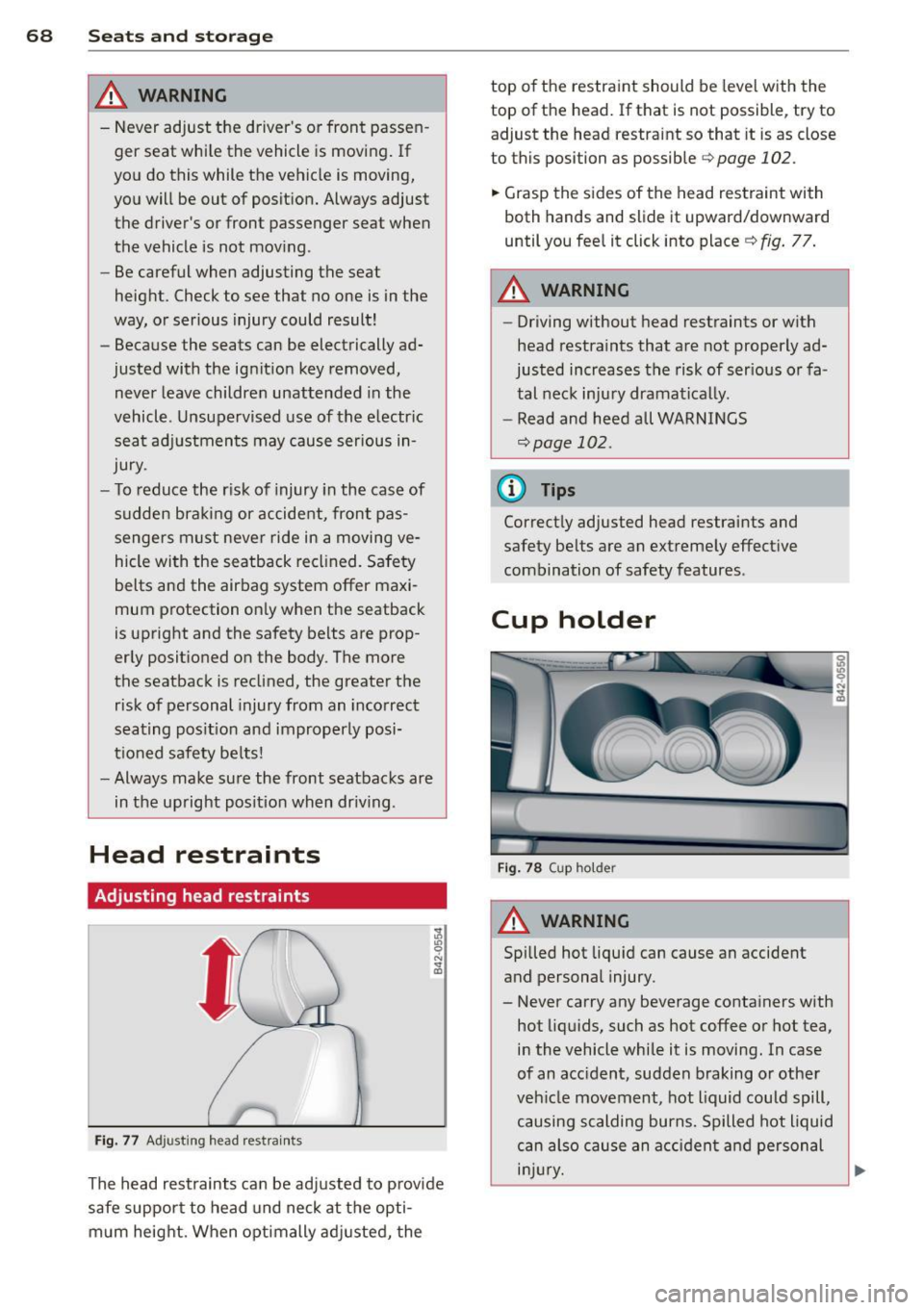
F ig . 7 8 Cup ho lder
A WARNING
--
Spilled hot liqu id can cause an accident
and personal injury.
- Never carry any beverage conta iners with
hot liq uids, such as hot coffee o r hot tea,
i n the vehicle while it is moving. In case
of an acc ident, sudden braking or other
veh icle movement, hot liquid could spill,
causing scalding burns. Spilled hot liquid
can also cau se an a cciden t and personal
i njur y.
Page 71 of 244

-Use only soft cups in the cupholder. Hard
cups and g lasses can cause injury in an
accident.
- Never use the cupholder or adapter as an
ashtray- risk of fire.
CD Note
Only drink containers with lids should be
carried in the cupho lder. Liquid could spill
out and damage your vehicle's electronic
equipment or stain the upholstery, etc.
Ashtray
Fig. 79 Center console: ash tray
The ashtray is inserted in the cupholder.
Opening the ashtray
.. Fold the cover upward.
Emptying the ashtray
.. Lift the closed ashtray up out of the cu
pholder.
A WARNING
Never put waste paper in the ashtray. Hot
ashes o r other hot objects in the ashtray
could set waste paper on fire.
Cigarette Lighter/
socket
The c igarette lighter or socket only work with
the ignition on.
Using the cigarette lighter
.. Slide the cover open to reach the cigarette
lighter
<=> page 69.
Seats and storage 69
.. Push the knob in.
.. Wait until the cigarette lighter knob pops
out .
.. Remove the cigarette lighter immediately
and use it.
.. Reinsert cigarette lighter into the socket af
ter use.
Connecting an appliance
.. Slide the cover open to reach the cigarette
lighter.
.. Remove cigarette lighter .
.. Plug in appliance to be used.
The socket of the cigarette lighter may be used for 12-volt appliances with maximum
consumption of up to 100 watts, such as a
flash light, small vacuum cleaner, etc.
A WARNING
- Improper use of the cigarette lighte r can
cause serious injury or start a fire.
- Be careful when using the cigarette light
er. If you do not pay attention to what
you are doing when you are using the cig
arette lighter you can burn yourself.
CD Note
-To avoid damaging the socket, only use
plugs that fit properly.
- Only use the cigarette lighter socket as a
power source for electrical accessories
for short durations. Use the sockets in the vehicle when a power source is need
ed for longer durations .
(D Tips
-When the engine is off and accessories
are still plugged in and are on, the vehi
cle battery can still be drained.
- Th e veh icle battery must not be charged
w ith a standard small charger that plugs
into the cigarette lighter or outlet.
Page 72 of 244

70 Seats and st o ra ge
Storage
"
General
A WARNING
- Always remove objects from the instru-
ment pane l. Any items not put away
cou ld slide around inside the vehicle
whi le driving or when accelerating or
when applying the brakes or when driv
ing around a corner.
- When you are drivi ng make sure that
anything you may have placed in the cen
ter console or othe r storage locations
cannot fa ll out into the footwells. In case
of sudden braking you would not be able
to brake, depress the clutch or acceler ate.
Glove compartment
The glove compartment is illuminated and
can be locked .
Fig. 8 0 G love co mpa rtm ent
To open glove compartment
.,. Pull the handle ¢ fig . 80 in the direction of
the arrow, push down lid to the fully open
pos it ion.
To close glove compartment
.,. Push the glove compartment lid upward un -
t il t he lock engages .
The glove compartment light comes on as the
parking or driving l ights are sw itched on and
the compartment is opened . You will fi nd a
g lasses case in the lid . The glove compartment has a standard
12
-
volt socket for connecting electrical accesso
ries. The power cons umption at the o utlet
must not exceed 100 watts. The socket works
only w ith the ignition switched on.
A WARNING
--
To reduce the risk of pe rsonal inju ry i n an
accident or sudde n stop, always keep the
g love compartme nt closed while driving .
Storage compartment in the front seats
Applies to veh icles: w ith storage compartment in the
front seats
There is a fold-out storage compartment in
the front of the seats.
Opening
.,. Lift the handle and pull the drawer o ut.
Closing
.,. Push the drawer in complete ly until it latch
es .
© Tips
The maximum carrying capacity 2.2 lbs .
(I kg).
Storage compartments between the
seat backrests
The storage compartments are illuminated
and can be locked with the vehicle key.
Fi g. 81 Storage compartments between t he seat
back rests
The CD changer* or the Audi Music In terface*
are located in the lowe r storage compart
ment.
Page 73 of 244

Opening the upper storage compartment
"'Fold the lid upw ard in t he direc tion of the
arrow
Ci) ¢ fig. 81.
Opening the lower storage compartment
"'Fold the lid downward in t he d irect io n of t he
arrow @.
_& WARNING
Alw ays keep the s to rage comp artmen ts
close d when dr iv ing to help reduce t he risk
of injury.
(D Tips
Bot h lid s must be clo sed in or der to lo ck
t he com partments .
-
Seats and storage 71
Page 75 of 244

Functions are set by turning the rotary knob
or switched on and
off by tapping the buttons.
T he LED in the buttons illuminates when the
function is active.
Button(s) Meaning Page
Rotary knob Temperature
i::>page 73
CD selection
Switch air con-
Rotary knob ditioning on/
i::>poge 74
@ ~ off
Fan
Rotary knob Air distribu-
i::> page 74
® tion
~ Defrost i::>poge 75
~
Rear window i::>page 76
defogger
Heated seat
I-.1 + I driver/passen-i::>poge 76
ger side
Recirculation
i::> page 75
Switch on
! AC!
I
cooling sys-i::> page 75
tern
Pollutant filter
The pollutant filter (particle filter) ensures
that contaminants in the outside air (such as
dust or pollen) are greatly reduced or stop
ped. The air is also filtered in recirculation
mode.
The pollutant filter element must be changed according to the intervals specified in the maintenance schedule so that the air condi
tioning system's performance is not adversely
affected.
If the filter 's effectiveness is weakened by
driving the vehicle in areas with heavily pollut
ed outside air, the filter element should also
be changed between the listed services.
Energy management
To prevent the battery from being discharged
and to restore the balance of energy, compo
nents which require large amounts of energy
are temporarily cut back or switched
off
Warm and cold 73
i::> page 155. Heating systems in particular re
quire a great deal of energy. If you notice, for
example, that the rear window heater is not
heating, then it has been temporarily cut back
or switched
off by energy management.
These systems are available again as soon as
the energy balance has been restored .
A WARNING
For safety reasons, it is important that all
windows are free of ice , snow, and conden
sation . Only then is good visibility ensured.
Please familiarize yourself with the correct
operation of the air conditioning and how
to dehumidify/defrost the windows.
(D Note
- If you suspect that the climate controls
have been damaged, switch the system
off to avoid damaging it , and have it in
spected by an authorized Audi dealer.
- Audi climate control system repairs re quire special expertise and the proper
tools. You should contact an authorized
Audi dealer in the event of malfunctions.
(D Tips
-To avoid adversely affecting heating and
cooling performance and to prevent con
densation on the windows, the air intake
in front of the windshield must be free of
ice, snow, and leaves.
- Climate control works most effectively if
the windows are closed. However, if the
interior of a parked vehicle is extremely
hot from the sun's rays, briefly opening
the windows can speed up the cooling
process.
Setting temperature
.,. Turn the rotary knob CD c:> page 72, fig. 82
to the desired temperature setting.
To set a lower temperature, turn the rotary
knob to the left. To set a higher temperature,
turn the rotary knob to the right. There are .,..
Page 77 of 244

There are additional combinations (through
intermediate settings) avai lab le to adjust air
d istr ibution as needed.
(D Tips
I f the climate controls are running in cool
ing mode, air shou ld flow mainly from
vents @and
@. To achieve s uff ic ient coo l
ing, you shou ld never close these vents
completely.
Defrost ~
The windshield and side windows are defrost
ed or cleared of condensa tion as quickly as
possible.
~ To turn on the defogger/defroster, press the
~ button ¢ page 72 , fig . 82.
~ To turn the defogger/defroster off, press the
~ button again, or the IAU TOI button .
T emperature is controlled automatically. The
maximum amount of a ir flows mainly from
vents 1 ¢
page 74.
A small amount of air flows from vents 2 -if
they are open
¢ page 74 .
Pressing the~ button switches off recircu la
tion mode.
Automatic operation ~
Standard operating mode at all times of the
year.
Tu rning on automatic operation
~ Set the temperature you want .
~ Press the IAU TO I button ¢ page 72, fig. 82.
Automatic operation ensures constant tem
peratures in the inter ior and dehum idifies the
air ins ide the vehicle. Air temperature, vol
ume , and distribution are controlled automat
i cally to reach o r maintain the desired interior
temperature as q uickly as possib le. Fluctua
tions in exterior temperature and the effects
of temperature from the position of the sun
are compensated for automat ically.
Warm and c old 75
Manual air recirculation mode~
The recirculation mode prevents polluted out
side air from entering the vehicle interior.
S w itching on air re circul atio n
~ Press the button ~¢ page 72, fig. 82,
¢ ,&.
Switching off a ir re circulation
~ Press the button l.;., I again, or
~ Press the IAU TOI button , or
~ Press the~ button .
In recircu lation mode, air is drawn from the
vehicle interior, filte red, and recirculated . We
recommend that you se lect recirculation
mode
briefly ¢.& under the fo llowing condi
tions:
When driving through a tunne l or in a traffic
jam so that exhaust fumes and odors cannot enter the vehicle interior.
A WARNING
You shou ld not use the recirculation mode
for an extended period s ince no fresh air is
drawn in, and with the air condit ioning
switched off the windows can fog up -this
increases the r isk of an accident!
A/C operation ~
Switching on A /C
~ Press the IAC ! button ¢ page 72, fig. 82.
Sw itching A /C off
~ Press the IAC ! button again.
The cooling system is switched on during A/C
operation -the heating and ventilation system
is controlled automatically .
(D Tips
If the LED in the switch stays on after A/C
operation has been switched off( = switch-
ing the A/C off), there is a fault in an air
cond itioning component. Please consult
llJI,
Page 79 of 244

On the road
Steering
Adjusting the steering wheel column
The steering wheel position can be continu
ously adjusted in height and distance.
Fig. 84 Lever under the stee ring column
• Push the lever ¢ fig. 84 down ¢ &.
• Move the steer ing whee l to the desired posi
tion.
• Push the lever against the steering column
until it locks.
There must be at least 10 inches (25 cm) be
tween your chest and the center of the steer
ing wheel. If you cannot sit more than 10 in
ches (25 cm) from the steering wheel, see if
adaptive equipment is available to help you
reach the pedals and increase the distance
from the steering wheel.
A WARNING
Improper use of steering wheel adjust
ment and improper seating position can
cause serious personal injury .
- Adjust the steering whee l column only
when the veh icle is not moving to pre
vent loss of veh icle control.
-
-Adjust the driver's seat or steering wheel
so that there is a minimum of 10 inches
(25 cm) between your chest and the
steering wheel
¢ page 100, fig. 106. If
you cannot maintain this minimum dis
tance, the airbag system cannot protect
you properly.
- If physica l limitations prevent you from
sitting 10 inches (25 cm) or more from
On the road 77
the steering wheel, check with your au
thorized Audi dealer to see if adaptive
equipment is available.
- If the steering wheel is aligned with your
face, the supplemental driver's airbag cannot provide as much protection in an
accident . Always make sure that the
steer ing wheel is aligned with your
chest.
- Always hold the steer ing wheel w ith your
hands at the 9 o'clock and 3 o'clock posi
tions to reduce the risk of personal injury
if the driver's airbag deploys.
- Never hold the steering wheel at the 12
o'clock position or with your hands inside
the steering wheel rim or on the steering
wheel hub . Holding the steering wheel
the wrong way can cause serious injuries
to the hands, arms and head if the driv
er's airbag deploys.
Ignition lock and ignition switch
Ignition lock
The ignition key starts or stops the engine.
Fig. 85 Igniti on lock posit ions
Ignition off©
In position ¢ fig. 85@ both the ignition and
engine are
off, and the steering is locked .
To
lock the steering after you have removed
the ignition key, turn the steer ing wheel in ei
ther direction until you hear it lock into place.
You should always lock the steering whenever
you leave your vehicle. This makes vehicle
theft even more difficult
c::> .&. .
Page 80 of 244

78 On the road
Ignition on @
Afte r switching the ignition on, the needles
move a ll the way up and then down .
I f it is difficult to tu rn the key afte r you have
i nserted it into the ignition lock, turn the
steering wheel back and forth. This will take
the load off the steering lock mechan ism and
you will be able to turn the key freely and start the engine .
Starting the engine @
In th is position the engine sta rts. While the
engine is start ing, the power s upply to the
headlights and other e lectr ica l cons umers is
tempo rari ly interrupted to conserve battery
power. After the engine has started, release
the key and it will return to posit ion @.
Before the starter can be operated again the
key must be turned back to position@. The
non-repeat lock prevents you from damaging
the starter when the engine is runn ing .
A WARNING
-Never remove the key from the ign ition
lock whi le the vehicle is moving. The
steeri ng wheel will lock causing loss of
contro l.
- If you have to leave your vehicle - even
for just a m inute - always remove t he ig
nition key and ta ke it with you. This is es
pecially important if you a re going to
leave ch ildren behind in the vehicle. The
children co uld star t t he engine or use
other vehicle controls . Unsupervised use
of vehicle controls (for examp le, power
windows) can cause serious personal in
jur ies.
(D Tips
If the veh icle battery has been discon nect
ed and then reconnected, then you must leave the key in pos ition @for abo ut 5
seconds before you can start t he engine.
-
Starting the engine
The engine can only be started with your orig
inal Audi key.
On vehicles with R tronic *, the engine can be
started in the ne utra l position N and in each
gear (1 - 6 and R).
.. Se t the park ing brake ¢,&. .
.. On ve hicles with ma nual transmission *, fully
depress the cl utch peda l.
.. Press and hold the brake peda l.
.. Turn the ignition key to posit ion @
¢ page 77, fig . 85 - do not depress the gas
pedal when starting the engine .
.. Let go of the key as soo n as the engine
starts - the sta rter must not cont inue to
r u n. On veh icles w it h R t ro nic , sele ct ge ar
posi tion N.
A cold engine may at first be loud afte r it has
been started. This is due to the hydrau lic
valves b uilding up the oil p ress ure. This is no r
mal and no need fo r conce rn .
If th e engine does not start imm ediately, stop
t ry ing after 10 seconds and t hen t ry to res tart
t h e engine abou t 30 seconds later.
A WARNING
-
- Never star t or le t the eng ine run in a con
f ined o r enclosed area . Exha ust fumes
from the en gine contain carbon monox
ide, a co lorless and odorless gas. Carbon
monox ide ca n be fatal if inhaled.
- Never leave the engine id ling unattend
ed. An unattended veh icle w ith a run ning
e ngine poses a danger of personal injury
or theft.
- With the engine r unning and a gear en
gaged, you have to hold the ve hicle w it h
the foot brak e.
(D Note
-Avo id h igh engine speeds, fast accelera
tion or heavy engine loads while the en
gine is still cold. This could damage the
eng ine.