2011 AUDI A5 CABRIOLET ignition
[x] Cancel search: ignitionPage 19 of 364

• If the slope of the ground is too steep to park the ve hicle, the addi
tional d rive message appears
Caution: Vehicle parked too steep .
• In the event of a parking brake malfunction, the ye llow symbol
appea rs in the ins trument cl uster d isp lay and the driver message
Parking brake malfunction! is displayed . Have the malfunction
repaire d as soon as possible by an au thori zed A udi dealer o r any o ther
qualified workshop .•
Brake system BRAKE (USA
models)
/ (CD) (Canada models)
The warning/indi cat or li ght flas hes if brake fluid le vel is
lo w, if there is an AB S syst em malf unctio n or a parki ng
brak e malfunction.
Th e light illum inates w he n th e ignition is turned on. It goes out after
the engine has been started . This indicates that the brake war ning
light is functioning properly.
If the brake warning light does not light up when the engine is
cranking , there may be a malfunct ion in the electr ical system. In
this ca se, contact an authorized Audi dealer.
If the brake system warning/ind icator light flashes, there is a brake
system malfunction. By press ing the [SET ] button, you can bring up a
dr iver message w hich expl ains the ma lfun ct io n in more deta il
:::>page 30.
If the A BS fails, t he A BS warn ing/ indi cato r light ....
s., (U SA
mode ls)/ (Canada mode ls) flashes together with the brake system
wa rning/indica tor ligh t==> & .
(USA models):
If the wa rning lig ht BRAKE and the warn ing l ight f'l ill u
minate together, immediate ly contact your author ized Audi dealer or
qualif ied wo rkshop to have all bra ke pads inspected::::>
page 35.
When the light comes on, an audible warn ing signal is also given.
Controls and equip
ment Safety first
Instruments and warning
/indicator lights
& WARNING
• USA models: If the BRAKE warning light and the I warning
light come on together, the rear wheel s could lock up first under
hard braking . Rear wheel lock-up can cause loss of vehicle control
and an accident. Have your vehicle repai red immediately by you r
authorized Audi dealer or a qualified workshop. Drive slowly and
avoid sudden, hard brake applications.
• Canada models : If the brake warning light ((j)) and the ABS
warning light
~ come on together , the rear wheels could lock up
first under hard braking . Rear wheel lock-up can cause loss of
vehicle control and an accident. Have your vehicle repaired imme
diately by your authorized Audi dealer or a qualified workshop .
Drive slowly and avoid sudden , hard brake applications.
• If the brake warning /indicator light does not go out after a few
second s and the parking brake released , or lights up while you are
driving , the fluid level in the brake fluid reservoir i s too low. If you
believe that it is safe to do so , proceed immediately at low speed
to the neare st authorized Audi dealer or qualified repair facility
and have the brake system inspected .
• Always keep in mind that after several brake applications, you
will need greater pressure on the brake pedal to stop your vehicle.
Do not rely on strained brake s to re spond with maximum stopping
power in critical situations. You must allow fo r increased braking
di stan ce s. The extra distance used up by fading brakes could lead
to an accident. •
Vehicle care Technical data
Page 20 of 364

Driver information display
Driver information display
Introduction
General notes
The driver information display inside the instrument
cluster provides you, the driver, with much useful infor
mation.
Fig. 8 Instrument
cluster: center display
Information from the driver information system is shown in the
display in the center of the instrument cluster.
When you turn on the ignition and while you are driving, some func
tions and vehicle components are scanned for their operating status. Malfunctions or required service procedures are signaled audibly and
shown by red and yellow lighted symbols and reminders to the driver
in the display.
The driver is also shown information about radio and CD operation
and directions for the navigation system*. You can find additional
information on these subjects in the MMI manual.
The illustrations in the instrument panel display differ in some of the
vehicles.
The driver information system provides the following functions: Sound system display
Outside air temperature
Digital speedometer
Open door- and luggage compartment warning
Service interval display
Auto Check system
Driver information
Speed warning
Trip computer
------- ---.,
::>page 19
=>page 19
=> page20
::> page20
=>page20
=> page27
=> page28
=>page26
=> page21
_ _.
Gearshift selector positions Automatic transmis-=> page 149
sion
[I] Tips
In the event of a malfunction either a red or yellow icon appears in the
display . Red symbols indicate
Danger=> page 29. Yellow symbols
indicate a
Warning => page 33. •
Page 22 of 364
Driver information displ ay
Digital speedometer
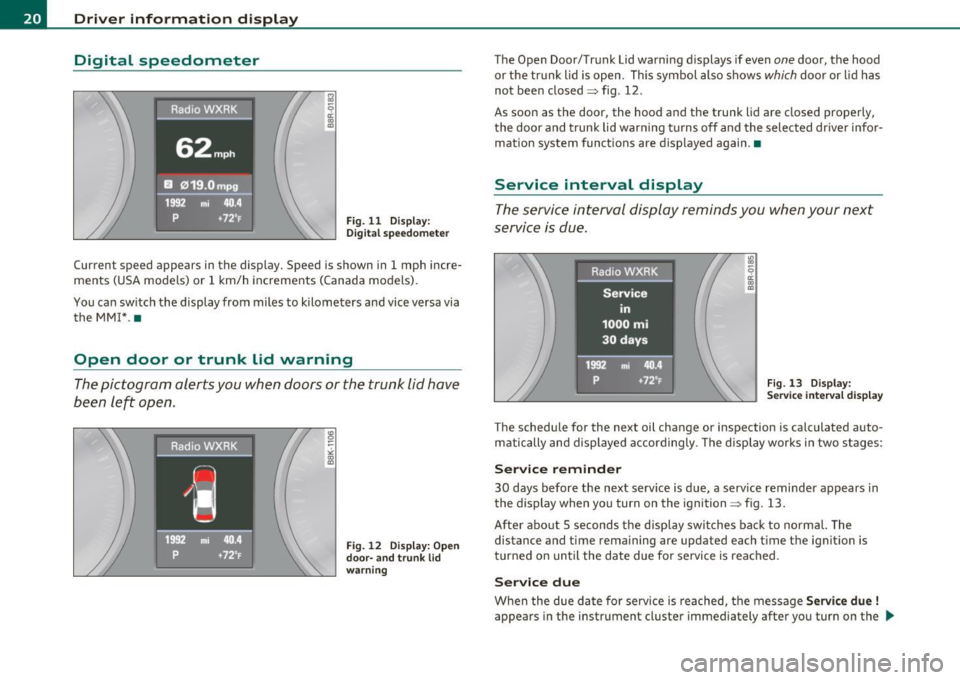
Fig. 11 Display:
Di gital speedomet er
Current speed appears in the display. Speed is shown in 1 mph incre
ments (USA models) or 1 km/h increments (Canada models).
You ca n sw itch the display from miles to kilometers and vice versa via
the MM! *.•
Open door or trunk lid warning
The pictogram alerts you when doors or the trunk lid have
been left open.
Fig. 12 Disp lay : O pen
door- and tr unk li d
w arni ng
The Open Door/Trunk lid warning d isplays if even one door, the hood
or the trunk lid is open. This symbol also shows
which door or lid has
not been closed=> fig. 12.
As soon as the door, the hood and the trunk lid are closed properly, the door and trunk lid warn ing tu rns off and the selected dr iver info r
mation system functions are displayed again .•
Service interval display
The service interval display reminds you when your next
service is due.
Fig. 13 Display:
S ervic e in te rva l d isp lay
The schedule for the next oil change or inspection is calculated auto
matically and displayed accordingly . The disp lay works in two stages :
Service remind er
30 days before the next serv ice is due , a serv ice reminder appears in
the display when you turn on the ignition=> fig. 13.
After abo ut S seconds the d isp lay switches back to norma l. The
distance and time remaining are updated each t ime the ignition is
turned on until the date due for service is reached.
Ser vice due
When the due date for service is reached, the message Servic e due !
appears in the instrument cluster immediately after you turn on the ..,,
Page 23 of 364

ignition. Additionally, a warning tone sounds . After about 5 seconds
the display switches back to normal.
Calling up the service schedules
If or when an oil change or inspection is due, can be shown in the
radio or MMI* display by selecting the service interval display in the
car menu. Select
I CAR I> Service interval display .
Resetting the service interval display
Your authorized Audi dealer will reset the corresponding service
schedule after performing the appropriate service on your vehicle.
You also have the possibility to reset the oil change schedule after
having performed an oil change according to Audi specifications.
Select
I CAR I> Service interval display> Reset oil change interval.
0 Note
If you disconnect the battery termina ls , no calculations can be made
for the serv ice interval display dur ing this t ime and no service
reminder will appear. Remember that observing the proper service
intervals is vitally important to extending the life of your veh icle,
particular ly the engine, and maintaining its value. Even if the mileage
driven is low, the maximum period of one year from one service to the
next must not be exceeded.
[ i ] Tips
• Do not reset the display between oi l changes, otherwise the
display will be incorrect.
• The information in the Service Reminder remains stored even
when the vehicle battery is disconnected .•
Controls and equip
ment Safety first
Driver information display
Trip computer
Introduction
The trip
computer gives you information on current and
average fuel mileage, average speed, fuel range and
driving time.
Fig. 14 Trip computer
display: Average fuel
m ile age
The follow ing information is continuously evaluated by the trip
computer and can be displayed sequentially in the instrument cluste r
display:
Fuel range
The estimated cruising range in miles (km) appears in the display .
Thi s tells you how far your vehicle w ill be able to travel on the current
tank of fuel and with the same dr iv in g style . The display changes in
increments of 6 miles (10 km).
The cruising range is calculated based on the fuel consumption for
the last 18 miles (30 km). If you drive conservatively, the cruising
range will increase.
Average fuel mileage
The average fuel economy in MPG {l/100 km) since you last cleared
the memory appears in this disp lay . You can use this display to adjust
your dr iv ing tech nique to achieve a desired mileage . .,_
Vehicle care Technical data
Page 24 of 364
Driver information display
Current fuel mileage
The instantaneous fuel consumption in miles per gallon (l/100 km) is
shown in this display. You can use th is display to adjust your driving
technique to achieve a desired mi leage.
Fuel consumption is reca lculated at intervals of 33 yards (30 meters).
This display switches to gallons/hour (liters/hour) when the vehicle is
not moving .
Average speed
The average speed in mph (km/h) since the last time the display was
reset appears in the display.
Elapsed time
Th e length of time that you have been driving since you last reset the
memory appears in this display.
Distance
The distance that has been cove red since the last time the memory
was cleared appears in the display.
[I) Tips
• Fuel consumptions (average and current), range and speed are
displayed in metr ic units on Canad ian models.
• All stored values will be lost if the vehicle battery is
disconnected . •
Memories
The trip computer is equipped with two fully automatic
memories as well as an efficiency program.
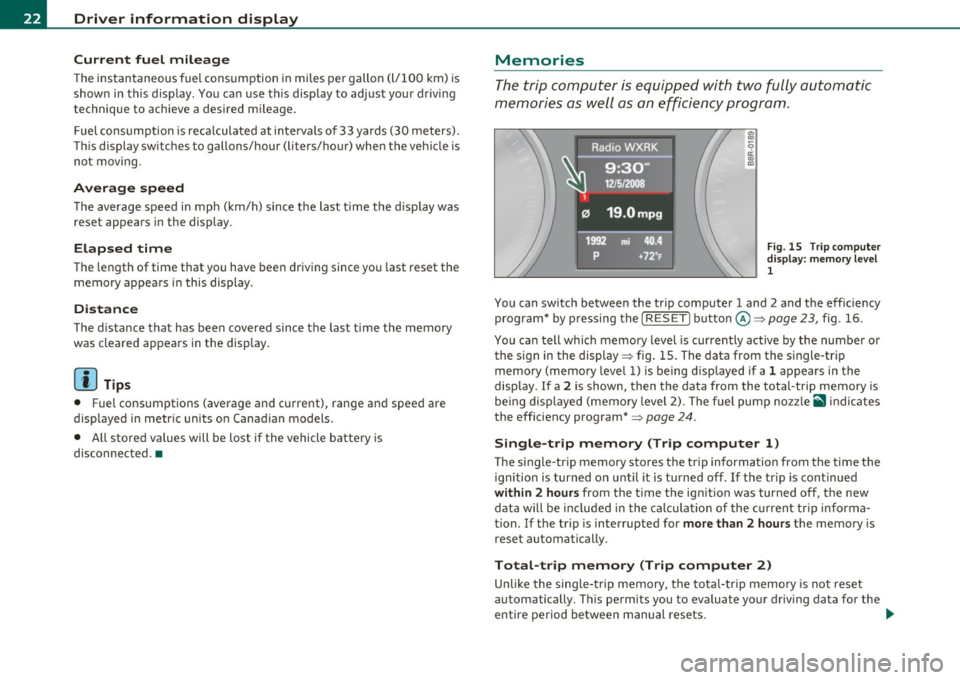
Fig. 15 Trip computer
disp lay : memory level
1
You can switch between the trip computer 1 and 2 and the efficiency
program* by pressing the [
RESET] button@=> page 23, fig. 16.
You can tell which memory level is currently active by the number or
the sign in the display=> fig . 15. The data from the single-trip
memory (memory level 1) is being disp layed if a
1 appears in the
display. If a
2 is shown, then the data from the total-trip memory is
being disp layed (memory level 2). The fuel pump nozzle
ii1 ind icates
the efficiency program*=>
page 24.
Single-trip memory (Trip computer 1)
The single-trip memory stores the trip information from the time the
ignition is turned on until it is turned off. If the tr ip is cont inued
within 2 hours from the time the ign ition was turned off, the new
data will be incl uded in the calculation of the current trip inf orma
tion. If the trip is interrupted for
more than 2 hours the memory is
reset automa tically.
Total-trip memory (Trip computer 2)
Unlike the sing le-trip memory, the total-trip memory is not reset
automatically. This permits you to evaluate your driving data for the
entire period between manual resets.
~
Page 25 of 364

Efficiency program*
The efficiency program can help you to use less fuel => page 24. •
Operation
The trip computer is controlled by two switches on the
windshield wiper lever.
B
Fig. 16 Windshield
wiper lever: controls
for the trip computer
-To display the trip computer memory levels, press the
[ RESET) button@=> fig. 16 repeatedly until the desired
memory level is shown in the display .
- To display trip information within a memory level, press
the top or bottom part of the function selection switch ®·
The trip computer will not operate unless the ignition is on. When you
turn on the ign ition, the function that was in use when you last turned
the ignition off will be displayed.
In addition to information on the trip computer (trip computer 1 and
2 and the effic iency program), the digital speedometer and informa
tion regarding the navigation system* can also be disp layed. To
switch the display between the different information, tap the
I RESET ] button@ briefly.
Controls and equip
ment Safety first
Driver information display
Setting
values to zero
To delete one current value from the trip computer, select the
desired funct io n and press the
I RESET] button @for at least one
second. The fo llowing va lues can be set to zero
individually :
• Average fuel mileage
• Average speed
• Elapsed time
• Distance
All currently displayed values are deleted in the efficiency program* .
In addition,
all the values in the single-trip or the total-trip memory
can be deleted simultaneously =>
page 23.
(I] Tips
All stored values will be lost if the vehicle battery is disconnected. •
Basic Settings for the trip computer
The radio or MM!* operating unit is used for setting the
trip computer's basic settings.
-Select: Function button [CAR)> Instrument cluster > On-
board computer 1
or On-board computer 2.
Th e val ues in the single-trip or the total-trip memory can all be reset
to zero at the same time under
Reset in the menu .
In addition, you can determine what information from the trip
computer should be shown in the instrument cluster display.
If one
of the p ieces of driver information is turned
Off , that driver informa
tion will not be shown in the disp lay. The information w ill continue to
be calculated by the trip computer and can be turned back
On at any
time. ..,_
Vehicle care Technical data
Page 27 of 364
Applies to veh icles: w ith trip comp ute r wi th effic iency program
Fuel economy messages
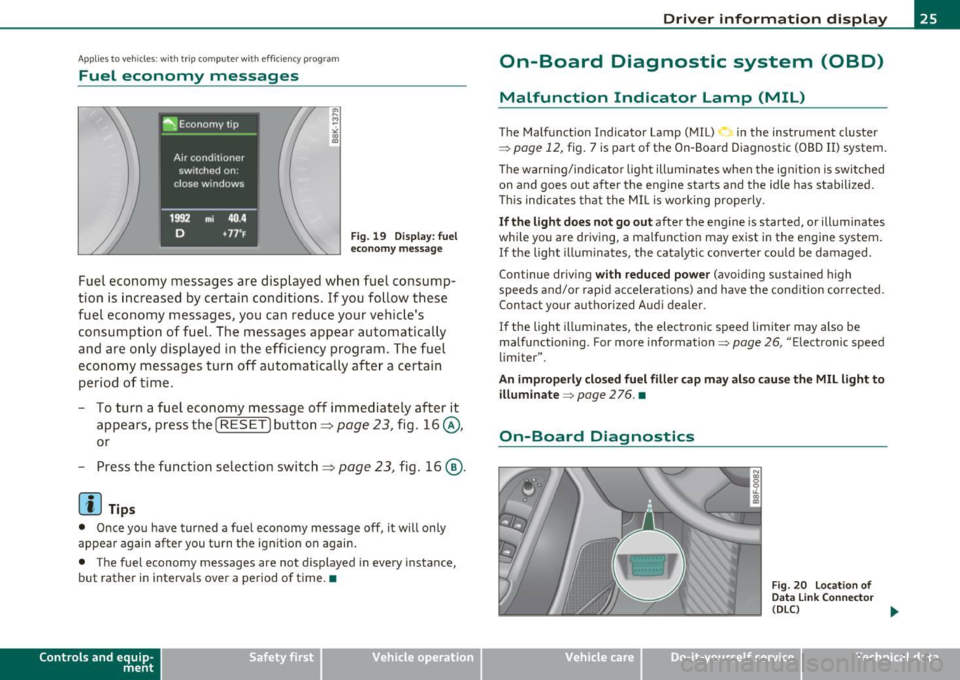
Fig. 19 Display: fuel
economy message
Fuel economy messages are displayed when fuel consump
tion is increased by certain conditions. If you follow these
fuel economy messages, you can reduce your vehicle's
consumption of fuel. The messages appear automatically
and are only displayed in the efficiency program. The fuel
economy messages turn off automatically after a certain
period of time.
- To turn a fuel economy message
off immediately after it
appears, press the [
RESET] button ~ page 23, fig. 16@,
or
- Press the function selection switch~ page 23, fig. 16@.
[I] Tips
• Once you have turned a fuel economy message off, it will only
appear again after you turn the ignition on again.
• The fuel economy messages are not displayed in every instance,
but rather in intervals over a period of time. •
Contro ls a nd e quip
m en t Vehicle
OP-eration
Driver information display
On-Board Diagnostic system (OBD)
Malfunction Indicator Lamp (MIL)
The Malfunction Indicator Lamp (MIL) in the instrument cluster
=;,
page 12, fig. 7 is part of the On-Board Diagnostic (OBD II) system.
The warning/indicator light illuminates when the ignition is switched
on and goes out after the engine starts and the idle has stabilized.
This indicates that the MIL is working properly.
If the light does not go out after the engine is started, or illuminates
while you are driving, a malfunction may exist in the engine system.
If the light illuminates, the catalytic converter could be damaged.
Continue driving
with reduced power (avoiding sustained high
speeds and/or rapid accelerations) and have the condition corrected.
Contact your authorized Audi dealer .
If the light illuminates , the electronic speed limiter may also be
malfunctioning. For more information=;,
page 26, "Electronic speed
limiter".
An improperly closed fuel filler cap may also cause the MIL light to illuminate
=;, page 2 76. •
On-Board Diagnostics
Fig. 20 Location of
Data Link Connector
(DLC)
tJ,,,
Vehicle care Do-it-yourselt service iTechnical data
Page 29 of 364

Speed warning 2
Storing warning 2 is recommended if you always want to be reminded
of a certain speed, for example when you are travel ing in a country
that has a genera l maximum speed limit, or if you do not want to
exceed a spec ified speed for winter tires.
The speed warning 2 symbol,
8. (USA mode ls)/ 8, (Canada models)
appears in the display when you exceed the stored speed limit. Unlike
warning 1, it will not go out until the vehicle speed drops below the
sto red speed limit.
Setting speed warning 2
=> page 27 .
00 Tips
Even though your veh icle is equ ipped with a speed warn ing system,
you should sti ll watch the speedometer to make sure you are not
driving faster than the speed limit.•
Speed warning 1: setting a speed Limit
Warning threshold 1 is set by the (SET] button.
Storing the maximum speed
-Drive at the desired maximum speed.
Controls and equip
ment Safety first
F
ig . 21 SET button in
t he instru ment cluster
Driver information display
- Press the !SETI button in the instrument panel display
=:> fig. 21 for 1 second.
Resetting the maximum speed
- Drive the vehicle at a speed of at least 3 mph (5 km/h)
- Press the
[SET ] button for more than 2 seconds.
The speed warning symbo l 8 (USA models)/ 0 (Canada models) will
appear briefly in the dis play when you release the
I SET I button to
indicate that the maximum speed has been stored successfu lly.
Th e maximum speed remains stored until it is changed by pressing
the
I SET] button again briefly or until it is deleted by a lengthy push
on the button. •
Speed warning 2: setting a speed Limit
The radio or MM!* control unit is used to set, change or
delete warning threshold 2.
-Select: Function button [CARI> Instrument cluster >
Speed warning.
Warning threshold 2 can be set in the speed range starting from 20
mph to 150 mph (30 km/h to 240 km/h). Sett ings can each be
adjusted in intervals of 6 mph
(10 km/h). •
Auto Check Control
Introduction
The Auto-Check control monitors the function of certain vehicle
features and components . It simp ly makes sure these features and
components are work ing properly. The Auto-Check control works as
long as the ignition is on, as well as whenever the vehicle is driven. ..,
Vehicle care Technical data