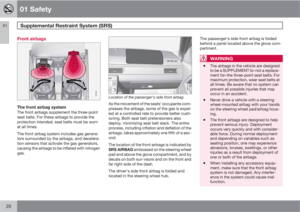
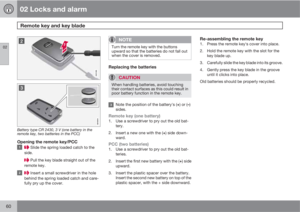
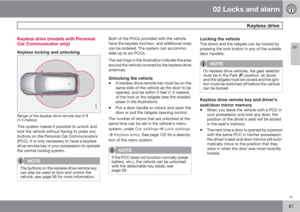
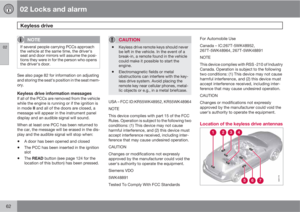
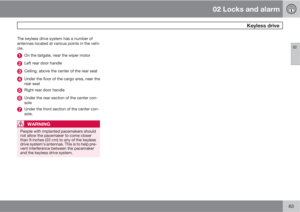
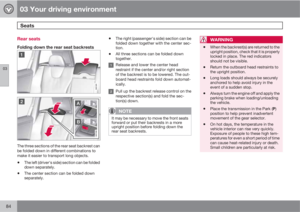
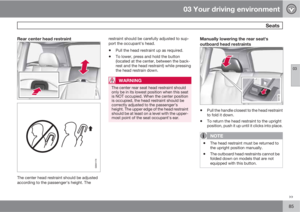
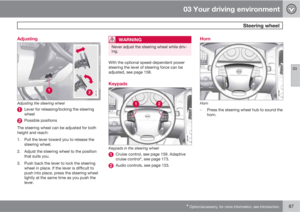
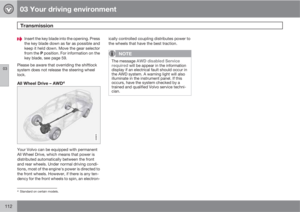
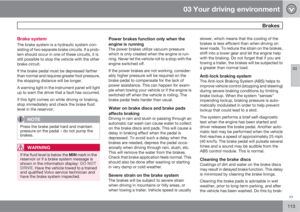
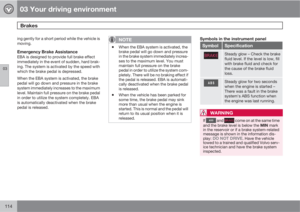
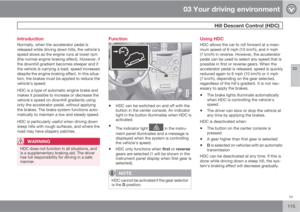
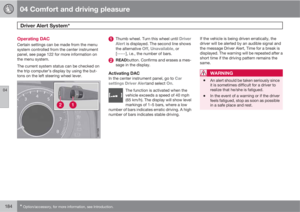
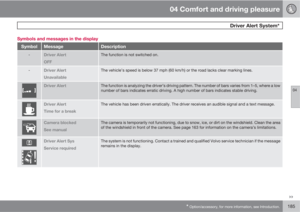
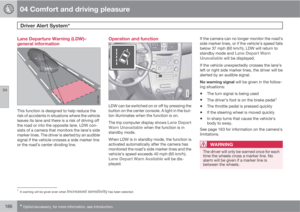
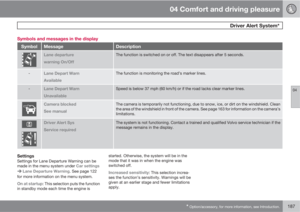
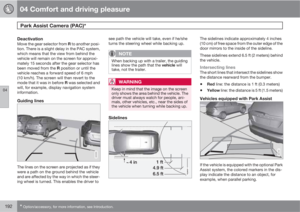
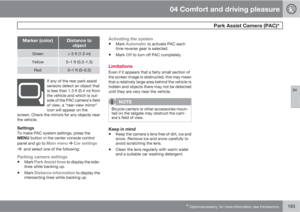
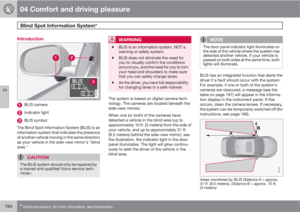
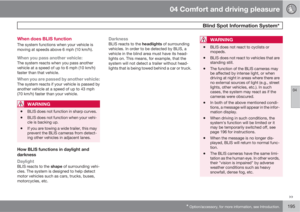
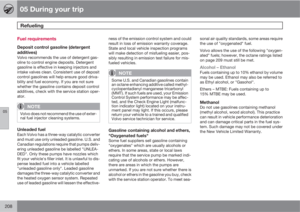
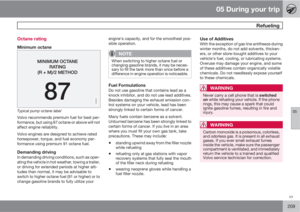
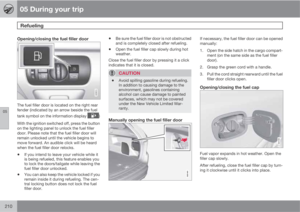
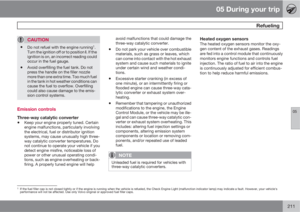
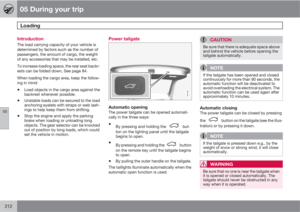
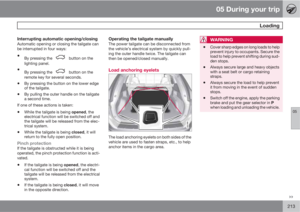
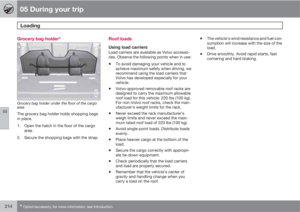
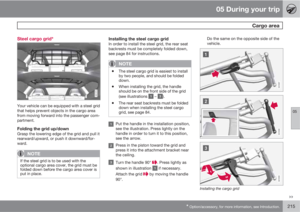
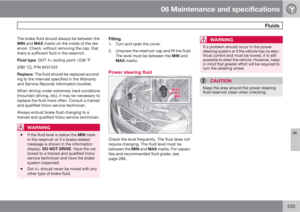
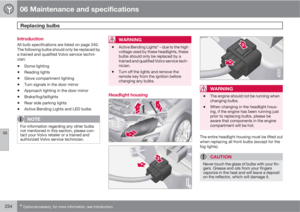
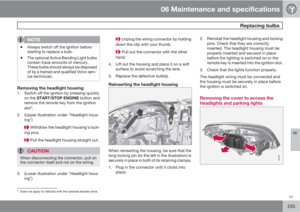
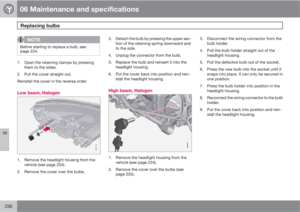
Page 49 of 302

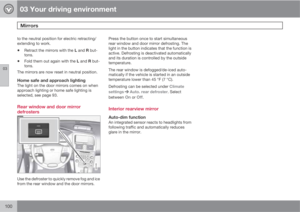
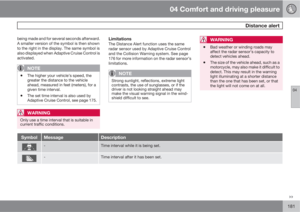
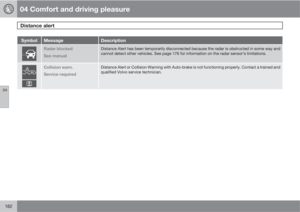
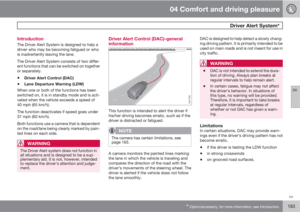
01 Safety
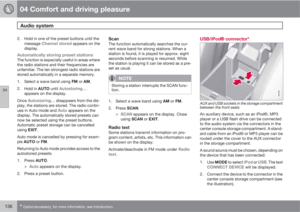
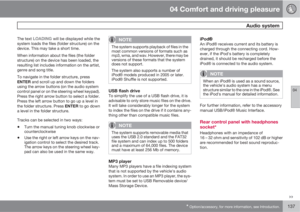
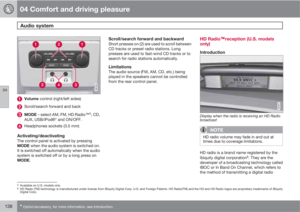
Integrated booster cushion01
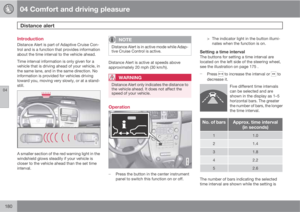
49
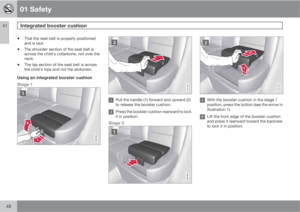
Stowing the two-stage integrated
booster cushion
The booster cushion can be folded down com-
pletely (stowed) from either the stage 1 or stage
2 positions.
NOTE
The booster cushion cannot be moved from
the stage 2 (upper) position to the stage 1
(lower) position. It must first be folded down
completely to the stowed position, and then
adjusted to stage 1.
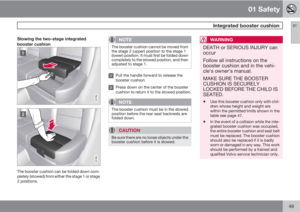
Pull the handle forward to release the
booster cushion.
Press down on the center of the booster
cushion to return it to the stowed position.
NOTE
The booster cushion must be in the stowed
position before the rear seat backrests are
folded down.
CAUTION
Be sure there are no loose objects under the
booster cushion before it is stowed.
WARNING
DEATH or SERIOUS INJURY can
occur
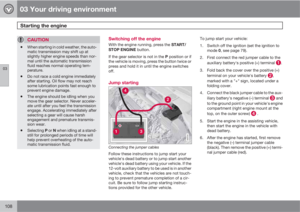
Follow all instructions on the
booster cushion and in the vehi-
cle's owner's manual.
MAKE SURE THE BOOSTER
CUSHION IS SECURELY
LOCKED BEFORE THE CHILD IS
SEATED.
•
Use this booster cushion only with chil-
dren whose height and weight are
within the permitted limits shown in the
table see page 47.
•In the event of a collision while the inte-
grated booster cushion was occupied,
the entire booster cushion and seat belt
must be replaced. The booster cushion
should also be replaced if it is badly
worn or damaged in any way. This work
should be performed by a trained and
qualified Volvo service technician only.
Page 50 of 302

01 Safety
Child safety locks 01
50* Option/accessory, for more information, see Introduction.
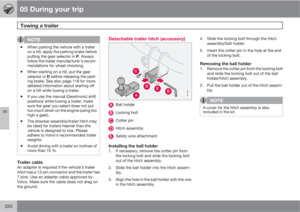
Child safety locks
G021077
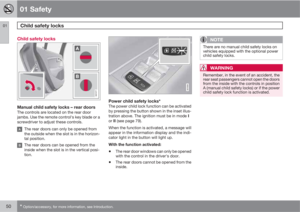
Manual child safety locks – rear doorsThe controls are located on the rear door
jambs. Use the remote control's key blade or a
screwdriver to adjust these controls.
The rear doors can only be opened from
the outside when the slot is in the horizon-
tal position.
The rear doors can be opened from the
inside when the slot is in the vertical posi-
tion.
G019300
Power child safety locks*The power child lock function can be activated
by pressing the button shown in the inset illus-
tration above. The ignition must be in mode I
or II (see page 79).
When the function is activated, a message will
appear in the information display and the indi-
cator light in the button will light up.
With the function activated:
•The rear door windows can only be opened
with the control in the driver's door.
•The rear doors cannot be opened from the
inside.
NOTE
There are no manual child safety locks on
vehicles equipped with the optional power
child safety locks.
WARNING
Remember, in the event of an accident, the
rear seat passengers cannot open the doors
from the inside with the controls in position
A (manual child safety locks) or if the power
child safety lock function is activated.
Page 51 of 302
Page 52 of 302
52
Remote key and key blade..................................................................... 54
Keyless drive........................................................................................... 61
Locks....................................................................................................... 64
Alarm....................................................................................................... 66
Page 53 of 302
Page 54 of 302

02 Locks and alarm
Remote key and key blade
02
54
Introduction
Two remote keys or optional Personal Car
Communicators (PCC) are provided with your
vehicle. They enable you to unlock the doors
and tailgate, and also function as ignition keys
to start the vehicle or operate electrical com-
ponents. The remote keys contain detachable
metal key blades for manually locking or
unlocking the driver's door and the glove com-
partment. Up to six remotes can be pro-
grammed for use on the same vehicle.
The PCCs have enhanced functionality com-
pared with the standard remote key.
NOTE
In the remainder of this chapter, all referen-
ces to the remote key also pertain to the
PCC unless otherwise stated.
WARNING
Never leave the remote key in the ignition if
children are to remain in the vehicle.
Detachable key bladeEach remote key or PCC contains a detachable
metal key blade for mechanically locking or
unlocking the driver's door and the glove com-
partment. See page 59 for more information
on the key blade. The key blades have a unique
code, which is used if new ones need to beproduced. This code is available at an author-
ized Volvo retailer.
Loss of a remote keyIf a remote key is lost, the other one must be
taken with the vehicle to a trained and qualified
Volvo service technician. As an anti-theft
measure, the code of the lost remote must be
erased from the system.
The number of registered keys for the vehicle
can be found in the vehicle's menu under Car
settings
Car key memoryNumber of
keys. See page 122 for a description of the
menu system.
USA-5WK49264
FCC ID:KR55WK49264 + Siemens VDO
5WK49236
FCC ID:KR55WK49236, 5WK49266
FCC ID:KR55WK49266 + Siemens VDO
5WK49233
FCC ID:KR55WK49233
This device complies with part 15 of the FCC
rules and RSS-210. Operation is subject to the
following conditions: (1) This device may not
cause harmful interference, and (2) this device
must accept any interference received, includ-
ing interference that may cause undesired
operation.Canada-5WK49264
IC:267T-5WK49264 + Siemens VDO
5WK49236
IC:267T-5WK49236, 5WK49266
IC:267T-5WK49266 + Siemens VDO
5WK49233
IC:267T-5WK49233
Operation is subject to the following condi-
tions: (1) this device may not cause interfer-
ence, and (2) this device must accept any inter-
ference, including interference that may cause
undesired operation of the device.
Key memory – door mirrors and driver's
seat
The position of the side door mirrors and
optional power driver's seat are stored in the
remote keys when the vehicle is locked. The
next time the driver's door is unlocked with the
same remote key and the door is opened within
2 minutes, the power driver's seat and side
door mirrors will automatically move to the
position that they were in when the doors were
most recently locked with the same remote
key. See page 82 for more information.
This feature can be activated or deactivated in
the vehicle's menu under Car settings
Car
key memory
Seat & mirror positions. See
Page 55 of 302

02 Locks and alarm
Remote key and key blade
02
55
page 122 for a description of the menu sys-
tem.
See also page 61 for information regarding
vehicles with the optional keyless drive.
Confirmation when locking/unlocking
the vehicle
When the vehicle is locked with a remote key,
the turn signals will flash once to confirm that
this has been completed correctly.
When the vehicle is locked, confirmation will
only be given if all of the locks are locked after
the doors have been closed.
NOTE
If you do not receive confirmation when
locking the vehicle, check whether a door or
the tailgate is ajar, or if this feature has been
turned off in the menu.
This function can be activated or deactivated
under Car settings
Light settingsLock
confirmation, light, or Car settings
Light
settings
Unlock confirmation, light. See
page 122 for a description of the menu sys-
tem.
Immobilizer (start inhibitor)Each of the keys supplied with your vehicle
contains a coded transponder. The code in the
key is transmitted to an antenna in the ignition
slot where it is compared to the code stored in
the start inhibitor module. The vehicle will start
only with a properly coded key. If you misplace
a key, take the other keys to a trained and
qualified Volvo service technician for reprog-
ramming as an antitheft measure. The follow-
ing messages (which may appear in the instru-
ment panel display) are related to the immobil-
izer:MessageMeaning
Key error Reinsert
keyRemote key not rec-
ognized during start.
Try to start the vehi-
cle again.
Car key Not foundPCC with keyless
drive only. Remote
key not recognized
during start. Try to
start the vehicle
again.
Immobilizer See
manualRemote key fault
during start. Contact
an authorized Volvo
workshop.
CAUTION
Never use force when inserting the remote
key in the ignition slot. The vehicle cannot
be started if the transponder is damaged.
USA–FCC ID: LTQWFS 125VO
This device complies with part 15 of the FCC
rules. Operation is subject to the following con-
dition: (1) This device may not cause harmful
interference, and (2) this device must accept
any interference received, including interfer-
ence that may cause undesired operation.
Page 56 of 302

02 Locks and alarm
Remote key and key blade
02
56* Option/accessory, for more information, see Introduction.
Canada–IC: 3659A-WFS125VO
Operation is subject to the following condi-
tions: (1) this device may not cause interfer-
ence, and (2) this device must accept any inter-
ference, including interference that may cause
undesired operation of the device.
See page 106 for information on starting the
vehicle.
Replacing the battery in the remote keyThe batteries should be replaced if:
•The information symbol illuminates andReplace car key battery is shown in the
display and/or
•if the locks do not react after several
attempts to unlock or lock the vehicle.
NOTE
The remote key's range is normally approx-
imately 60 ft (20 m) from the vehicle.
See page 59 for information on replacing the
battery.
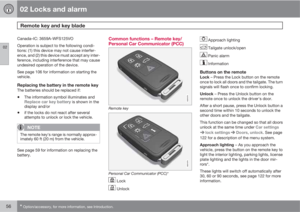
Common functions – Remote key/
Personal Car Communicator (PCC)
G021078
Remote key
G021079
Personal Car Communicator (PCC)*
Lock
Unlock
Approach lighting
Tailgate unlock/open
Panic alarm
Information
Buttons on the remoteLock – Press the Lock button on the remote
once to lock all doors and the tailgate. The turn
signals will flash once to confirm locking.
Unlock – Press the Unlock button on the
remote once to unlock the driver's door.
After a short pause, press the Unlock button a
second time within 10 seconds to unlock the
other doors and the tailgate.
This function can be changed so that all doors
unlock at the same time under Car settings
lock settingsDoors, unlock. See page
122 for a description of the menu system.
Approach lighting – As you approach the
vehicle, press the button on the remote key to
light the interior lighting, parking lights, license
plate lighting and the lights in the door mir-
rors*.
These lights will switch off automatically after
30, 60 or 90 seconds, see page 122 for more
information.