2010 MERCEDES-BENZ SLS COUPE service interval
[x] Cancel search: service intervalPage 7 of 361
A
ABS (Anti-lock Braking System) .........46
Warning lamp ................................. 308
Accident
Notes ............................................. 313
Acoustic warning signal
see Warning tone
Active partition (US Bdevices only)
Selecting ........................................ 189
Active Service System PLUS
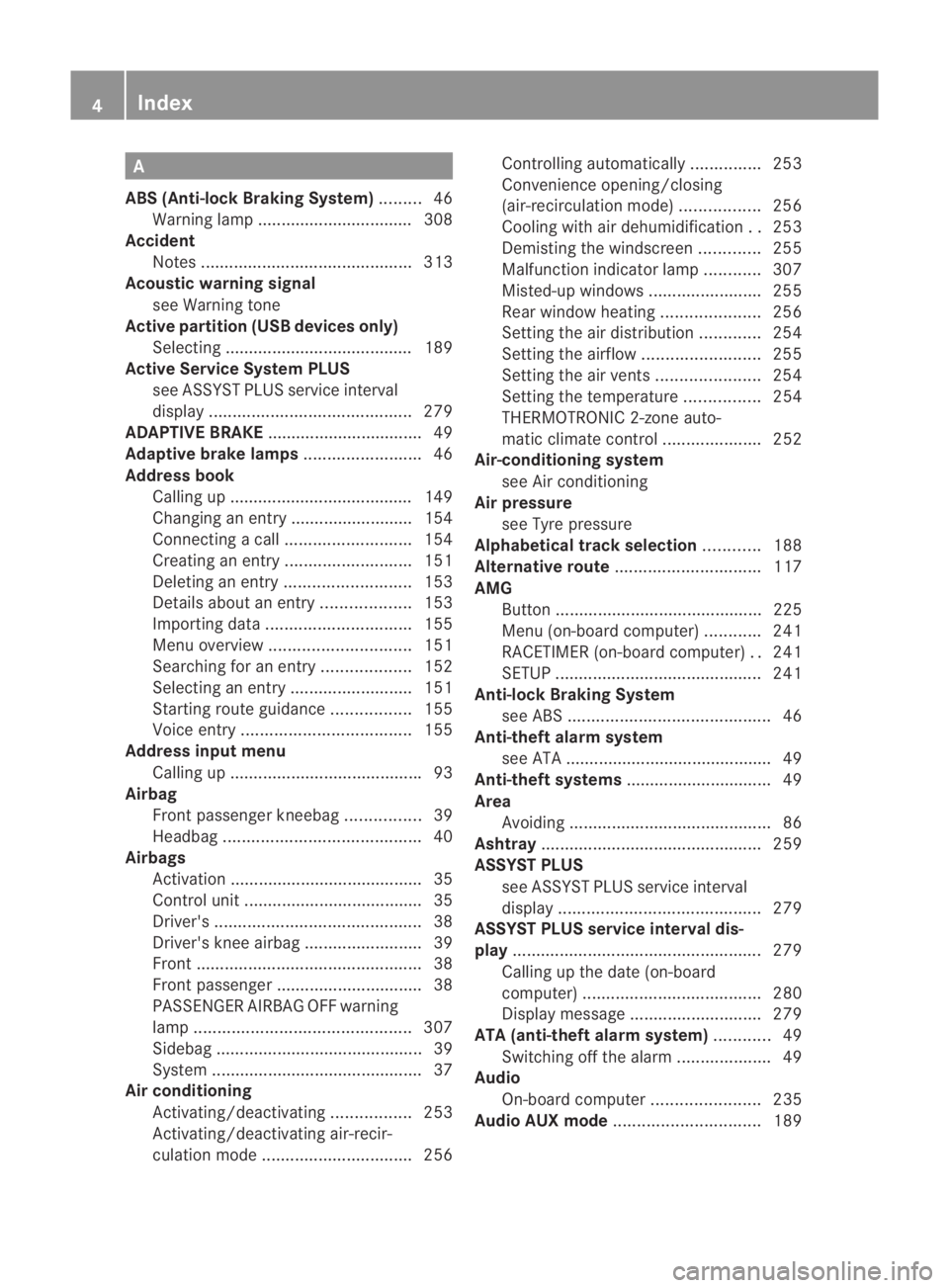
see ASSYS TPLUS service interval
display ........................................... 279
ADAPTIVE BRAKE ................................. 49
Adaptive brake lamps .........................46
Address book Calling up ....................................... 149
Changing an entry .......................... 154
Connecting acall........................... 154
Creating an entry ........................... 151
Deleting an entry ........................... 153
Detail sabout an entry ................... 153
Importing data ............................... 155
Menu overview .............................. 151
Searching for an entry ...................152
Selecting an entry ..........................151
Starting route guidance .................155
Voice entry .................................... 155
Address input menu
Calling up ........................................ .93
Airbag
Fron tpassenger kneebag ................39
Headbag .......................................... 40
Airbags
Activation ......................................... 35
Control unit ...................................... 35
Driver's ............................................ 38
Driver's knee airba g......................... 39
Front ................................................ 38
Front passenger ............................... 38
PASSENGER AIRBAG OFF warning
lamp .............................................. 307
Sidebag ............................................ 39
System ............................................. 37
Airc onditioning
Activating/deactivating .................253
Activating/deactivating air-recir-
culation mode ................................ 256Controlling automatically
...............253
Convenience opening/closing
(air-recirculatio nmode) ................. 256
Cooling with aird ehumidification..253
Demisting the windscreen .............255
Malfunction indicator lamp ............307
Misted-up windows ........................255
Rea rwindow heatin g..................... 256
Setting the aird istribution.............254
Setting the airflow .........................255
Setting the airv ents...................... 254
Setting the temperature ................254
THERMOTRONIC 2-zone auto-
matic climate control .....................252
Air-conditioning system
see Air conditioning
Air pressure
see Tyre pressure
Alphabetical track selection ............188
Alternative route ............................... 117
AMG Button ............................................ 225
Menu (on-board computer) ............241
RACETIMER (on-board computer) ..241
SETUP ............................................ 241
Anti-loc kBraking System
se eA BS ........................................... 46
Anti-theft alarm system
see ATA ............................................ 49
Anti-theft systems ............................... 49
Area Avoiding ........................................... 86
Ashtray ............................................... 259
ASSYST PLUS see ASSYST PLUS service interval
displa y........................................... 279
ASSYST PLUS service interval dis-
play ..................................................... 279
Calling up the date (on-board
computer) ...................................... 280
Display message ............................ 279
ATA (anti-theft alarm system) ............49
Switching off the alarm ....................49
Audio
On-board computer .......................235
Audio AUX mode ............................... 1894
Index BA 197 ECE RE 2010/6a; 1; 2, en-GB
sabbae uV ersion: 3.0.3.6
2010-05-07T14:19:43+02:00 - Seite 4
Page 10 of 361
Dashboard
Cleaning ........................................ .284
see Cockpit
see Instrument cluster
Dashboard lighting
see Instrument lighting ..................239
Date format
Setting ............................................. 72
Daytime driving lights ......................215
Display message ............................ 302
Switching on/off (on-board com-
puter) ............................................. 238
Delaye dswitch-off
Exterio rlighting (on-board com-
puter )............................................. 239
Interior lighting (on-board com-
puter) ............................................. 239
Delete button ....................................... 61
Deleting Call lists ......................................... 142
Destination
Deleting ................................. 126, 127
Entering from the destination
memory ......................................... 101
Entering from the list of last des-
tinations ......................................... 103
Entering using the map ..................103
Saving ............................................ 125
Destination entry
Specia ldestination ........................ 106
Destination information ...................118
Destination input ................................. 92
destination memory ..........................123
Destination memory Deleting an entry ........................... 126
My address .................................... 123
Storing adestination ..................... 125
Digital speedometer .........................233
Dipped-beam headlamps Display message ............................ 300
Symmetrical ................................... 279
Disc
CD/DVD ........................................ 167
MP3 ............................................... 166
Display
Adjusting the brightness ..................72
see Multifunctio ndisplay ............... 231Display design
Setting ............................................. 72
Display messages ............................. 289
ASSYST PLUS service interval dis-
pla y................................................ 279
Symbo lmessages .......................... 293
Text messages ............................... 291
Distance recorder
Total distance recorde r.................. 233
Trip meter ...................................... 233
Door
Display message .................... 294, 303
Emergency unlocking ..................... 322
Not unlocking the front-
passenger door .............................. 200
Opening (from the inside) ..............201
Unlocking all (factory setting) ........200
Door control panel
Overview .......................................... 32
Drinks holder
see Cuph older
Drive program .................................... 224
Manual .......................................... .229
Driver's airbag ..................................... 38
Driver's knee airbag ............................39
Driver's seat position ........................ 213
Driving abroad ................................... 279
Driving safety systems .......................45
ABS .................................................. 46
ADAPTIVE BRAKE ............................. 49
Adaptive brake lamps ......................46
BAS .................................................. 46
EBV .................................................. 49
ESP ®
................................................ 47
Driving systems ................................ 243
Cruise control ................................ 243
Parktroni c...................................... 248
Reversing camera ..........................250
Speedtronic ................................... 245
Driving tips
Braking .......................................... 277
Driving abroad ............................... 279
Driving on wet road s...................... 278
Fording .......................................... 278
Winter ............................................ 276
DTMF tones
Sending ......................................... 146 Index
7 BA 197 ECE RE 2010/6a; 1; 2, en-GB
sabbae uV ersion: 3.0.3.6
2010-05-07T14:19:43+02:00 - Seite 7
Page 17 of 361
S
Safety notes Using the telephone ....................... 128
Seat
Correct driver's seat position ........213
Storing settings ............................. 210
Seat adjustment ................................ 203
Seat belt Fastening ....................................... 210
Seat belts
Warning lamp ........................ 212, 311
Seat covers
Cleaning ......................................... 285
Seat heating ....................................... 205
Seats Adjusting (bucket seat) ..................205
Adjusting (electrically). ..................204
Adjusting (manually). .....................204
Seat adjustment ............................ 205
Seat ventilation
Malfunction indicator lamp ............307
Selector lever
Display message ............................ 291
Sensors
Cleaning ......................................... 284
Service indicator
see ASSYST PLUS service interval
displa y........................................... 279
Service products ............................... 349
Brake fluid ..................................... 351
Coolant .......................................... 351
Engine oil ....................................... 350
Fuel ................................................ 349
Windscreen washer fluid ................352
Settings
Calling up a stored setting .............210
Factory (on-board computer) .........240
On-board computer .......................238
SETUP (on-board computer) .............241
Sidebag ................................................ 39
Side windows Convenience closing ......................219
Convenience opening ....................219
Fault .............................................. 318
Opening/closing ............................ 218
Snow chains ...................................... 276
Socket ................................................ 260Sound
Switching on/off .............................. 67
Sound Modus ....................................... 68
Soun dsettings .................................... .67
Balance ............................................ 68
Special destination
Category ........................................ 106
Entering ......................................... 106
Entering using the map ..................110
Special destination icon
Setting ............................................. 85
Special destination list .....................109
Spee dlimiter
SPEEDTRONIC ............................... 245
Speedometer
Digital speedometer (on-board
computer) ...................................... 233
Selecting the display unit (on-
board computer) ............................ 238
Speedtronic ....................................... 245
Display message ............................ 293
Permanent ..................................... 247
Variabl e......................................... 246
SRS (Supplemental Restraint Sys-
tem) ...................................................... 35
Display message ............................ 304
Warning lamp ........................... 35, 309
Standard display (on-board com-
puter) ................................................. .233
Station list ......................................... 161
Station pre-sets ................................. 162
Stations Saving ............................................ 163
Tuning in ........................................ 161
Station search ................................... 162
Steering wheel Adjusting ....................................... 206
Adjusting (electrically). ..................207
Adjusting (manually). .....................206
Buttons (on-board computer) ......... 230
Storing settings ............................. 210
Steering wheel boss
Cleaning ......................................... 284
Steering wheel gearshift paddles ....227
Stowage compartment Rear stowage compartment ........... 258 14
Index BA 197 ECE RE 2010/6a; 1; 2, en-GB
sabbae uV ersion: 3.0.3.6
2010-05-07T14:19:43+02:00 - Seite 14
Page 21 of 361
Protection of the environment
H
Environmental note
Daimler's declared policy is one of integrated
environmental protection.
The objectives are for the natural resources
which form the basis of our existence on this
planet to be used sparingly and in a manner
which takes the requirements of both nature
and humanity into account.
You too can help to protect the environment
by operating your vehicle in an environmen-
tally-responsible manner.
Fuel consumption and the rate of engine,
transmission, brake and tyre wear depend on
the following factors:
R operating conditions of your vehicle
R your personal driving style
You can influence both factors.
You should bear the following in mind:
Operating conditions
R avoid short trips as these increase fuel con-
sumption.
R make sure that the tyre pressures are
always correct.
R do not carry any unnecessary weight.
R keep an eye on the vehicle's fuel consump-
tion.
R a regularly serviced vehicle will contribute
to environmental protection. You should
therefore adhere to the service intervals.
R always have maintenance work carried out
at a qualified specialist workshop, e.g. a
Mercedes-Benz Service Centre.
Personal driving style
R do not depress the accelerator pedal when
starting the engine.
R do not warm up the engine with the vehicle
stationary.
R drive carefully and maintain a safe distance
from the vehicle in front.
R avoid frequent, sudden acceleration. R
change gear in good time and use each gear
only up to 2
/ 3 of its maximum engine
speed.
R switch off the engine in stationary traffic. Returning used vehicles
Mercedes-Benz will take back your
Mercedes-Benz to dispose of it in an environ-
mentally-responsible manner, in accordance
with the European Union (EU) End of Life
Vehicles Directive.
The End of Life Vehicles Directive applies to
vehicles of up to 3.5 tgross vehicle weight, in
accordance with national regulations. For
several years, Mercedes-Benz has been
meeting all the legal requirements for a
design which allows for recycling and re-use.
There is a network of return points and dis-
assembly plants which can recycle yourv ehi-
cle in an environmentally-responsible man-
ner. The options for recycling vehicles and
parts are constantly being developed and
improved. This means that your Mercedes-
Benz will also continue to meet even the
increased recycling quotas in the future in
good time. You can obtain further information
from your national Mercedes-Benzh omepage
or your national hotline number. Operating safety
Safety notes
G
Risk of accident and injury
Always have work on the vehicle carried out
by a qualified specialist workshop. In particu-
lar, work relevant to safety or on safety-rela-
ted systems as well as maintenance work
must be carried out at aqualified specialist
workshop. The workshop must have the nec-
essary specialist knowledge and tools to carry
out the work required. Mercedes-Benz rec-
ommends that you use a Mercedes-Benz
Service Centre for this purpose. 18
Introduction BA 197 ECE RE 2010/6a; 1; 2, en-GB
sabbaeu Version: 3.0.3.6 2010-05-07T14:19:43+02:00 - Seite 18
Page 235 of 361
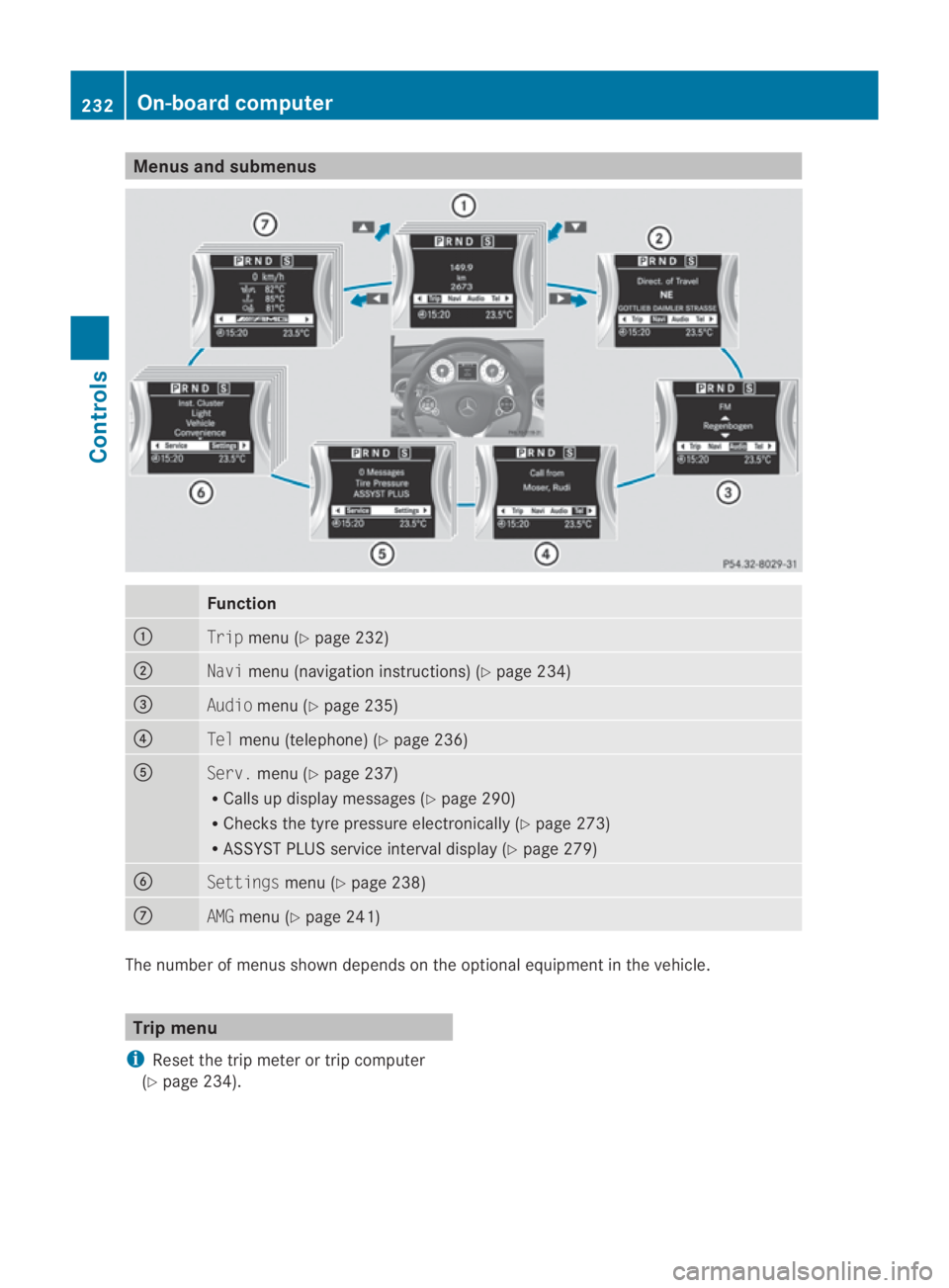
Menus and submenus
Function
0001
Trip
menu (Y page 232) 0002
Navi
menu (navigatio ninstructions) (Y page 234) 0015
Audio
menu (Y page 235) 0014
Tel
menu (telephone) (Y page 236)0012
Serv.
menu (Y page 237)
R Calls up display messages (Y page 290)
R Checks the tyre pressure electronically (Y page 273)
R ASSYST PLUS service interval display (Y page 279)0013
Settings
menu (Ypage 238) 000A
AMG
menu (Y page 241) The numbe
rofmenus shown depends on the optional equipment in the vehicle. Trip menu
i Reset the trip meter or trip computer
(Y page 234). 232
On-board computerControls
BA 197 ECE RE 2010/6a; 1; 2, en-GB
sabbaeu
Version: 3.0.3.6 2010-05-07T14:19:43+02:00 - Seite 232
Page 254 of 361
You can also switch off the display of the area
behind the vehicle in the COMAND display.
Climate control
General notes
THERMOTRONIC 2-zone automatic climate
control controls the temperature and the
humidity of the vehicle interior and filters out
undesirable substances fro mthe air.
THERMOTRONIC 2-zone automatic climate
control is only operational when the engine is
running. Optimum operation is achieved only
when you drive with the side windows closed.
i When the weather is warm, ventilate the
vehicle for a brief period. This will speed up
the cooling process and the desired vehicle
interior temperature will be reached more
quickly.
i The integrated filter can filter out most
particles of dust and completely filters out
pollen. Aclogged filter reduces the amount
of air supplied to the vehicle interior .For
this reason, you should always observe the
interval for replacing the filter, which is
specified in the Service Booklet .As it
depends on environmental conditions, e.g.
heavy air pollution, the interval may be
shorter than stated in the Service Booklet. G
Risk of accident
Observe the settings recommended on the
following pages. Otherwise, the windows
could mist up. This may obstruct your view of
the traffic situation and, as a result, you may
cause an accident. Climate control
251Controls
BA 197 ECE RE 2010/6a; 1; 2, en-GB
sabbaeu Version: 3.0.3.6 2010-05-07T14:19:43+02:00 - Seite 251 Z
Page 282 of 361
waves. This may cause the maximum per-
missible water depth to be exceeded.
Failure to observe these notes may result
in damage to the engine, electrical systems
and transmission.
Driving abroad
Please bear the following in mind
An extensive Mercedes–Benz Service net-
work is also available in other countries. The
Service Hotline's curren ttelephone numbers
for use when you are abroad are to be found
in the "Service24h" chapter of the Service
Booklet.
Only low-octane fuel is available in certain
countries.
You can find further information about fuel
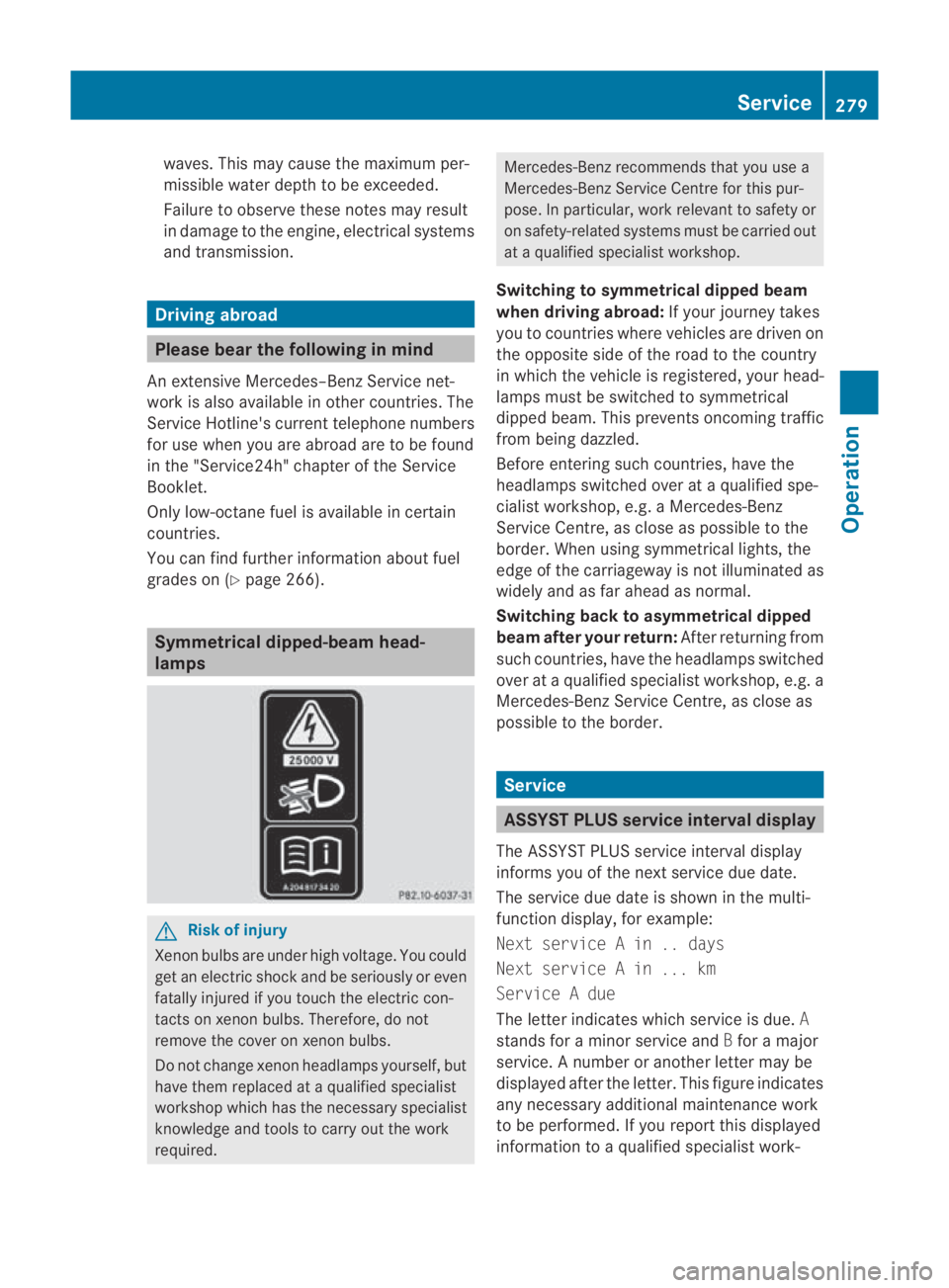
grades on (Y page 266). Symmetrical dipped-beam head-
lamps
G
Risk of injury
Xenon bulbs are under high voltage. You could
get an electric shock and be seriously or even
fatally injured if you touch the electric con-
tacts on xenon bulbs. Therefore, do not
remove the cover on xenon bulbs.
Do not change xenon headlamps yourself, but
have them replaced at a qualified specialist
workshop which has the necessary specialist
knowledge and tools to carry out the work
required. Mercedes-Benz recommends that you use a
Mercedes-Benz Service Centre for this pur-
pose. In particular, work relevant to safety or
on safety-related systems must be carried out
at a qualified specialist workshop.
Switching to symmetrical dipped beam
when driving abroad: If your journey takes
you to countries where vehicles are driven on
the opposite side of the road to the country
in which the vehicle is registered, your head-
lamps must be switched to symmetrical
dipped beam. This prevents oncoming traffic
from being dazzled.
Before entering such countries, have the
headlamps switched over at a qualified spe-
cialist workshop, e.g. a Mercedes-Benz
Service Centre, as close as possible to the
border. When using symmetrical lights, the
edge of the carriageway is not illuminated as
widely and as far ahead as normal.
Switching back to asymmetrical dipped
beam after your return: After returning from
such countries, have the headlamps switched
over at a qualified specialist workshop, e.g. a
Mercedes-BenzS ervice Centre, as close as
possible to the border. Service
ASSYST PLUS service interval display
The ASSYST PLUS service interval display
informs you of the nexts ervice due date.
The service due date is shown in the multi-
function display, for example:
Next service A in .. days
Next service A in ... km
Service A due
The letter indicates which service is due. A
stands for a minor service and Bfor a major
service. A number or another letter may be
displayed after the letter. This figure indicates
any necessary additional maintenance work
to be performed. If you report this displayed
information to a qualified specialist work- Service
279Operation
BA 197 ECE RE 2010/6a; 1; 2, en-GB
sabbaeu Version: 3.0.3.6 2010-05-07T14:19:43+02:00 - Seite 279 Z
Page 283 of 361
shop, for example a Mercedes-Benz Service
Centre, they can inform you of the costs the
service will incur.
The ASSYST PLUS service interval display
does not take into account any periods of
time during which the battery is disconnec-
ted.
Maintaining the time-dependent service
schedule:
X Note down the service due date displayed
before disconnecting the battery.
or
X Subtract the battery disconnection periods
from the service date shown on the display
after reconnecting the battery.
Hiding aservice message If the service due date has no
tyet been
exceeded, the service message disappears
automatically after a few seconds. You can
also hide the service message yourself.
X Press 0001or000A on the steering wheel.
Service overdue Ad
isplay message is shown in the multifunc-
tion display, for example:
Service A overdue by ... days
Service A overdue by .. km
i If you fail to have the service performed
by the specified date, you may be violating
applicable laws. Your warranty may be inva-
lidated and goodwill settlements may be
refused. Calling up a service due date X
Switch on the ignition.
X Press the 0008or000E button to selec tthe
Serv. menu.
X Press the 000For000C button to select the
ASSYST PLUS submenu and confirm with
000A.
The service due date appears in the multi-
function display. Care
Care and cleaning products
Regular care of your vehicle is a condition for
retaining the quality in the long term. Use care
products and cleaning agents recommended
and approved by Mercedes-Benz.
! For cleaning your vehicle, do not use any
of the following:
R dry, rough or hard cloths
R abrasive cleaning agents
R solvents
R cleaning agents containing solvents
Do not scrub.
Do not touch the surfaces and protective
films with hard objects, e.g. rings or ice
scrapers. You could otherwise scratch or
damage the surfaces and protective film. H
Environmental note
Dispose of empty packaging, cleaning cloths
and polishing wads in an environmentally
responsible manner.
! Do not park the vehicle for a long period
of time directly after cleaning, especially if
the wheels have just been cleaned with a
wheel cleaner. Wheel cleaners could cause
rapid corrosion of the brake discs and
brake pads/linings. After cleaning, park
the vehicle when it is at normal operating
temperature. 280
CareOperation
BA 197 ECE RE 2010/6a; 1; 2, en-GB
sabbaeu
Version: 3.0.3.6 2010-05-07T14:19:43+02:00 - Seite 280