Page 55 of 76
SETUP
347 �
Initializing the Bluetooth� settings
You can initialize the settings.
1. Touch “Default”.
2. Touch “Yes”.
If the state of “Handsfree Power” is
changed from “Off” into “On”, Bluetooth�
connection will begin.If you connect a phone while
Bluetooth� audio is playing
This screen is displayed, and the
Bluetooth� audio will stop temporarily.
Page 56 of 76
SETUP
348
You can do the detail settings.
1. Push the “SETUP” button.
2. Touch “Phone”.
3. Touch “Details”.
4. Do each setting according to the fol-
lowing procedures.
5. When you complete each setting,
touch “Save”.
�Incoming call display
You can select the method of the in-
coming call display.
1. Touch “Incoming Call Display
Mode”.
— Details
Page 57 of 76
SETUP
349
2. Touch “Full Screen” or “Drop
Down”.
“Full Screen” mode
When a call is received, the . . . . .
Hands−free screen is dis-
played and you can operate it
on the screen.
“Drop Down” mode
The message is displayed on . . . . .
the upper side of the screen.
You can only operate the
steering switch.
�The Bluetooth� connection status
at start up
When the “ENGINE START STOP”
switch is in ACCESSORY or IGNITION
ON mode and the Bluetooth� is auto-
matically connected, the connection
check is displayed.
When “Display Phone Status” is “On”,
this status is displayed.
When “Display Phone Status” is “Off”,
this status is not displayed.
Page 58 of 76
SETUP
350
1. Touch “Display Phone Status”.
2. Touch “On” or “Off”.
�Initializing the settings
You can initialize the settings.
1. Touch “Default”.
2. Touch “Yes”.
Page 62 of 76
SETUP
354
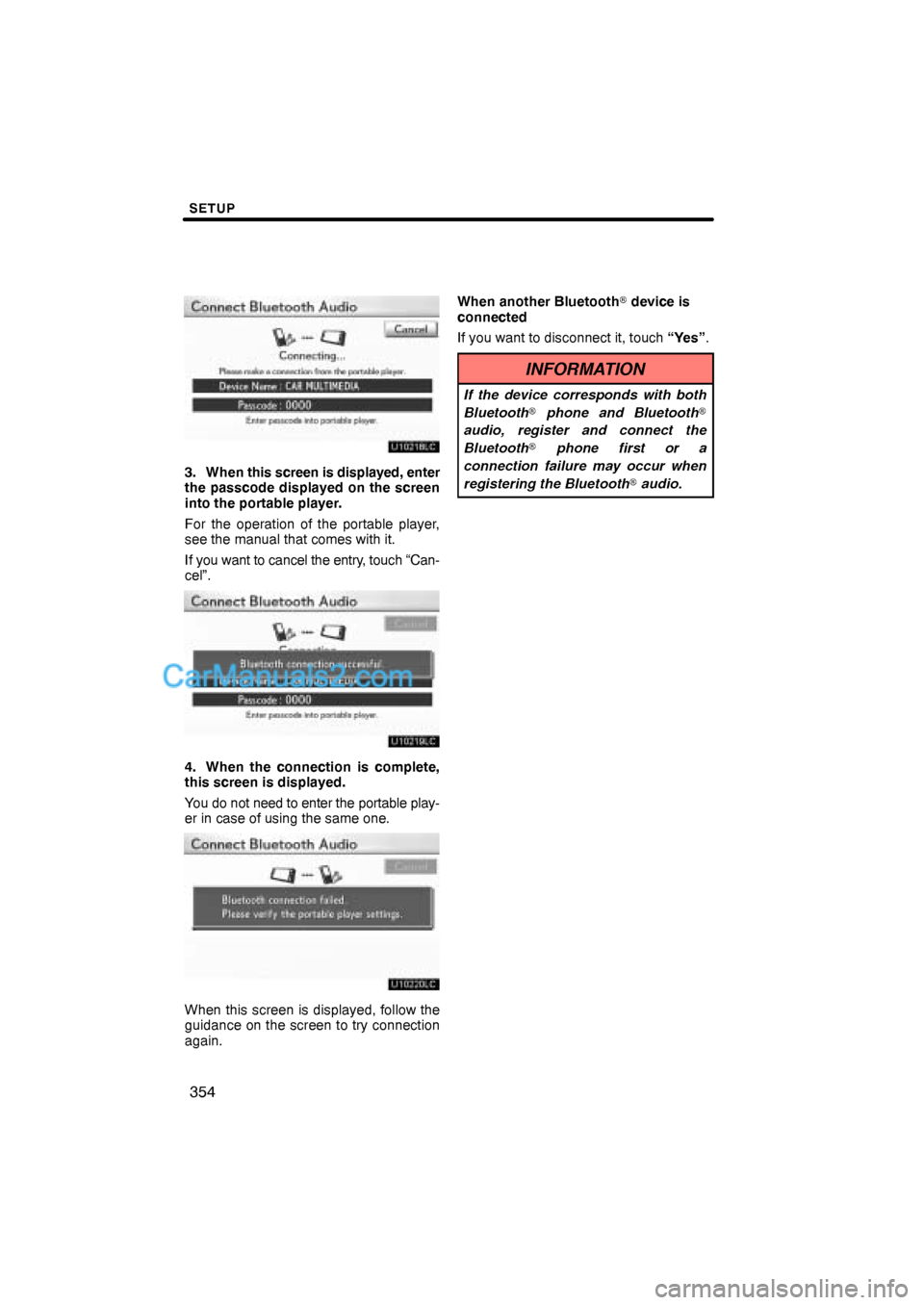
3. When this screen is displayed, enter
the passcode displayed on the screen
into the portable player.
For the operation of the portable player,
see the manual that comes with it.
If you want to cancel the entry, touch “Can-
cel”.
4. When the connection is complete,
this screen is displayed.
You do not need to enter the portable play-
er in case of using the same one.
When this screen is displayed, follow the
guidance on the screen to try connection
again.When another Bluetooth� device is
connected
If you want to disconnect it, touch “Yes”.
INFORMATION
If the device corresponds with both
Bluetooth� phone and Bluetooth�
audio, register and connect the
Bluetooth� phone first or a
connection failure may occur when
registering the Bluetooth� audio.
Page 65 of 76
SETUP
357
(c) Changing the passcode
The passcode for registering your por-
table player on the system. You can
change this to 4 to 8 digit number of
your choice. The default is “0000”.
1. Touch “Edit” of “Passcode” on “BT
Audio Settings” screen.
2. Enter the new 4−8 digits passcode
and touch “OK”.
Each time you touch
, an input digit
is deleted.(d) Changing the device name
You can change a device name. Even if
you change a device name, the name
registered your portable player is not
changed.
1. Touch “Edit” of “Device Name” on
“BT Audio Settings” screen.
2. Enter the new device name and
touch “OK”.
INFORMATION
The device names are common
Bluetooth� audio and Bluetooth�
phone.
If you change the device name of the
audio, the device name of the phone
will change at same time.
However, passcodes can be set
separately.
Page 69 of 76
SETUP
361
(b) Dealer setting
It is possible to register a dealer in the sys-
tem. With dealer information registered,
route guidance to the dealer is available.
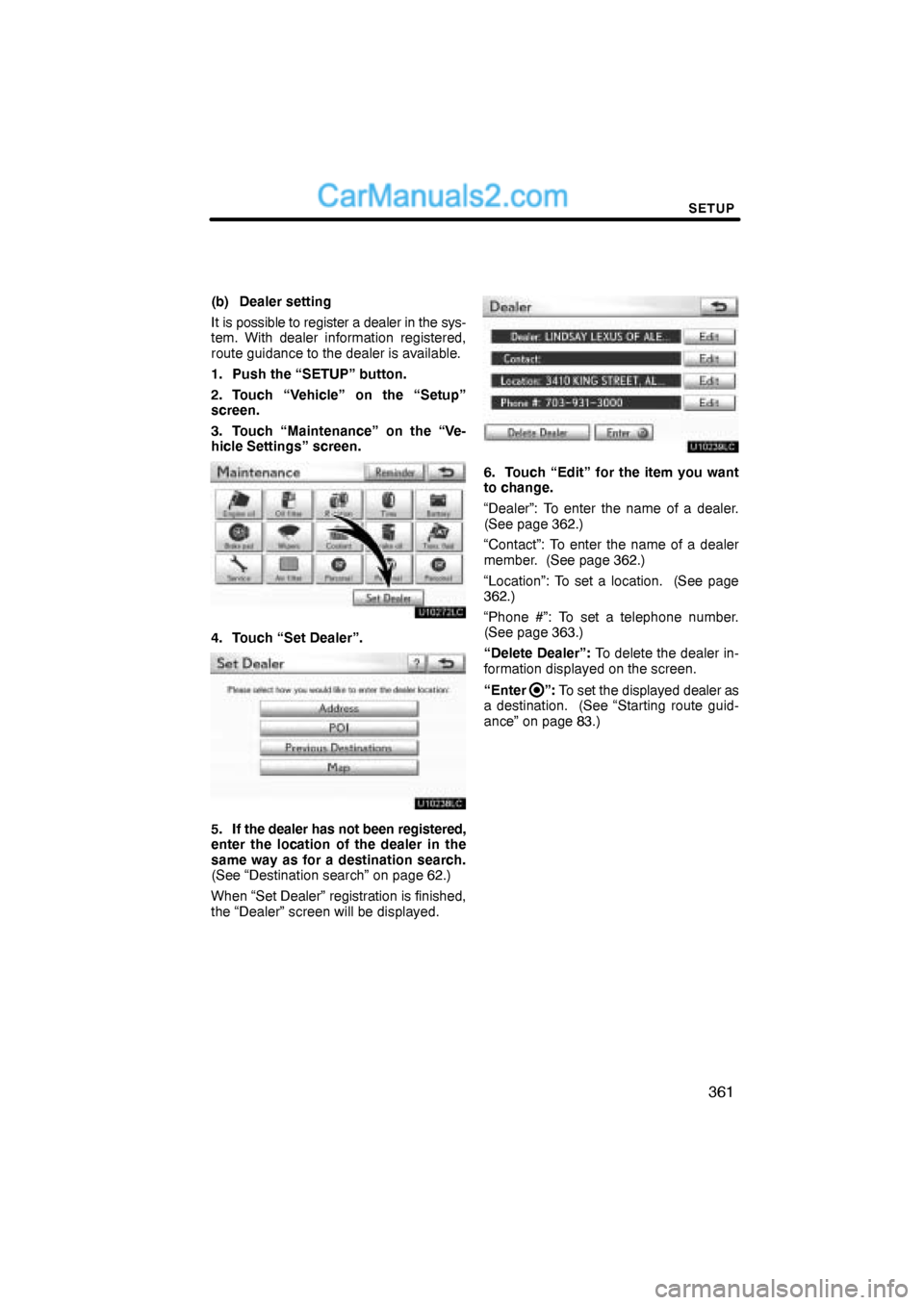
1. Push the “SETUP” button.
2. Touch “Vehicle” on the “Setup”
screen.
3. Touch “Maintenance” on the “Ve-
hicle Settings” screen.
4. Touch “Set Dealer”.
5. If the dealer has not been registered,
enter the location of the dealer in the
same way as for a destination search.
(See “Destination search” on page 62.)
When “Set Dealer” registration is finished,
the “Dealer” screen will be displayed.
6. Touch “Edit” for the item you want
to change.
“Dealer”: To enter the name of a dealer.
(See page 362.)
“Contact”: To enter the name of a dealer
member. (See page 362.)
“Location”: To set a location. (See page
362.)
“Phone #”: To set a telephone number.
(See page 363.)
“Delete Dealer”: To delete the dealer in-
formation displayed on the screen.
“Enter
”: To set the displayed dealer as
a destination. (See “Starting route guid-
ance” on page 83.)
Page 71 of 76
SETUP
363 �
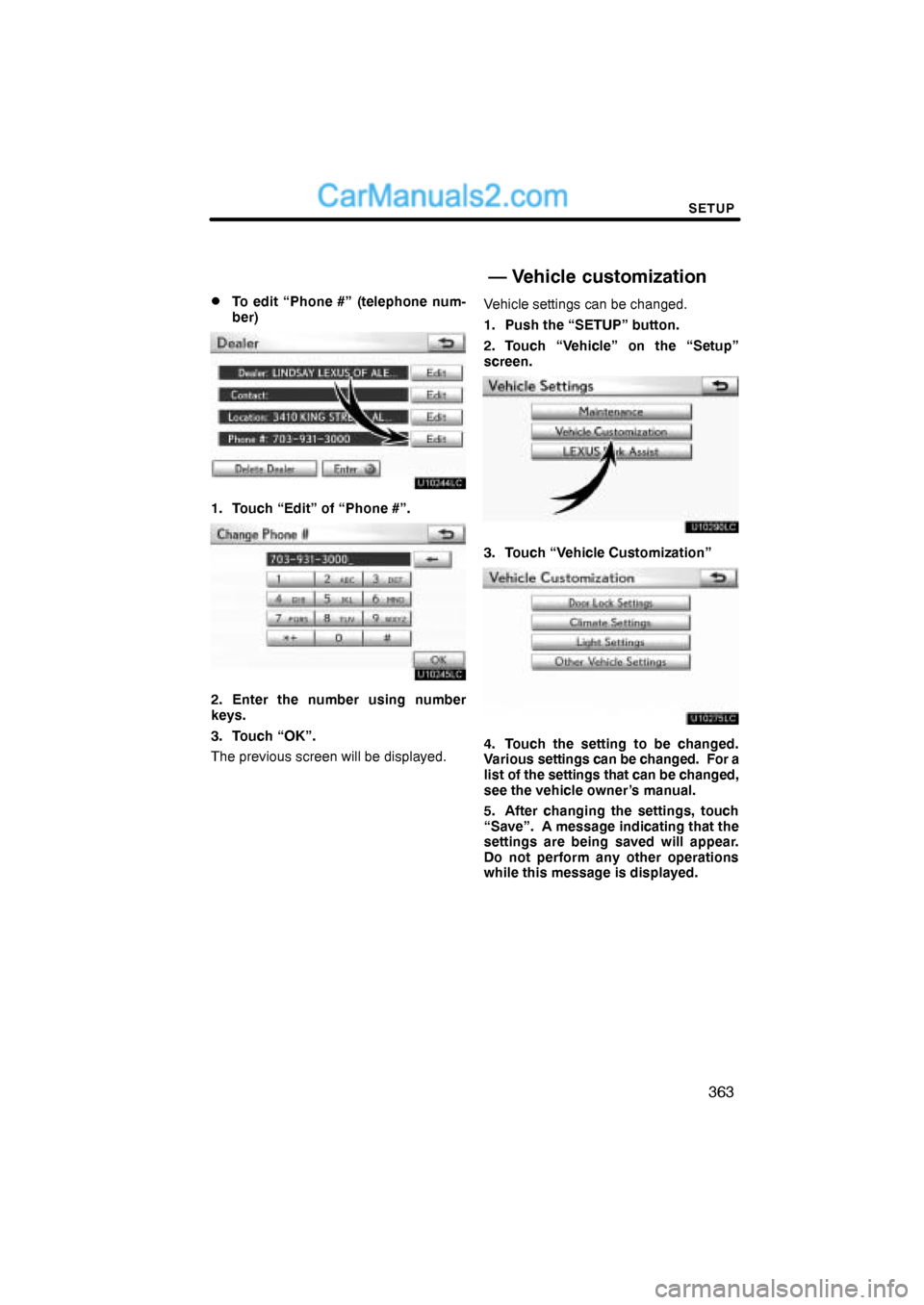
To edit “Phone #” (telephone num-
ber)
1. Touch “Edit” of “Phone #”.
2. Enter the number using number
keys.
3. Touch “OK”.
The previous screen will be displayed.Vehicle settings can be changed.
1. Push the “SETUP” button.
2. Touch “Vehicle” on the “Setup”
screen.
3. Touch “Vehicle Customization”
4. Touch the setting to be changed.
Various settings can be changed. For a
list of the settings that can be changed,
see the vehicle owner’s manual.
5. After changing the settings, touch
“Save”. A message indicating that the
settings are being saved will appear.
Do not perform any other operations
while this message is displayed.
— Vehicle customization