Page 27 of 76
SETUP
319
Setting the handsfree power
You can select the state of “Handsfree
Power”.
The state changes between “On” and
“Off” every time you touch “Handsfree
Power”.
For the “Handsfree Power”, see
“Changing the handsfree power” on
page 344.
�Editing the Bluetooth� phone
You can see the information of the
Bluetooth� phone on the system or
edit.
“Device Name”
The name of Bluetooth� . . . . .
phone which is displayed on
the screen. You can change it
into a desired name.
If you change a device name,
the name registered in your
cellular phone is not changed.
“Device Address”
The address peculiar to the . . . . .
system. You cannot change it.
If you have registered two
Bluetooth� phones with the
same device name and you
cannot distinguish one from
the other, refer to it.
1. Touch “Options”.
2. Touch “Edit Phones”.
Page 28 of 76
SETUP
320
3. Touch the phone to edit.
4. This screen is displayed.
If you want to change the device name,
touch “Edit”.
5. Use the software keyboard to input
the device name.
6. Confirm the device name and touch
“OK”.
Page 29 of 76
SETUP
321 �
Deleting a Bluetooth� phone
1. Touch “Options”.
2. Touch “Remove Phones”.
3. Touch the desired phone or touch
“Select All”, then touch “Delete”.
You can touch multiple phones and delete
them at the same time.
4. Touch “Yes”.
INFORMATION
When you delete a Bluetooth�
phone, the phonebook data will be
deleted at the same time.
Page 30 of 76
SETUP
322 �
By voice recognition
You can operate “Connect Phone” by giv-
ing a command.
“Connect Phone” includes “Select Phone”,
“Add New Phone” and “Handsfree Power
Off” (On).
The operating procedure is similar to other
voice recognition. (For the operation of
voice recognition, see “Voice command
system” on page 44.)
When you select the command of “Add
New Phone”, you must carry out the follow-
ing operation on the screen.
INFORMATION
Phonebook data is managed for ev-
ery registered phone. When anoth-
er phone is connecting, you can not
read the registered data.
“Phonebook” is accessed from the
“Phonebook Settings” screen.
1. Push the “SETUP” button.
2. Touch “Phone”.
3. Touch “Phonebook”.
Please do each setting from this
screen.
— Phonebook
Page 31 of 76
SETUP
323
“Setting the phonebook” is accessed
from the “Contacts” screen.
1. Push the “SETUP” button.
2. Touch “Phone”.
3. Touch “Phonebook”.
4. Touch “Manage Contacts”.
Please refer to the following pages for
each setting.You can also display the “Contacts”
screen in the following way.
1. Push the “INFO/PHONE” button.
2. Touch “Phone”.
3. Touch “Contacts”.
4. Touch “Options”.
5. Touch “Manage Contacts”.
— Setting the phonebook
Page 32 of 76
SETUP
324 �
Transferring a phone number
You can transfer the phone numbers in
your Bluetooth� phone to the system.
The phonebook manages a maximum
of 4 phonebooks in all. Up to 1000 per-
son’s data (up to 3 numbers a person)
can be registered in each phonebook.
Transfer it while the engine is running.
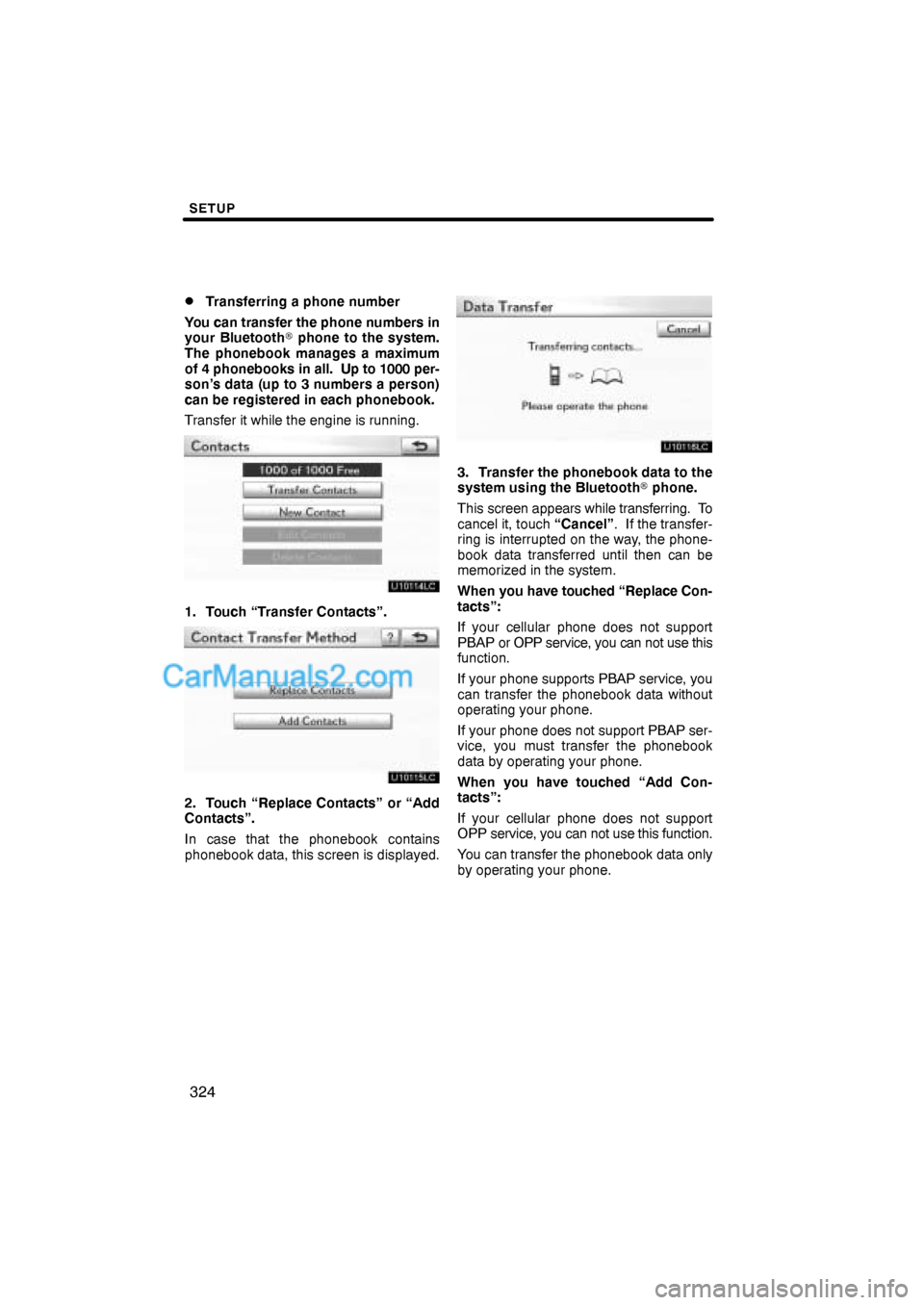
1. Touch “Transfer Contacts”.
2. Touch “Replace Contacts” or “Add
Contacts”.
In case that the phonebook contains
phonebook data, this screen is displayed.
3. Transfer the phonebook data to the
system using the Bluetooth� phone.
This screen appears while transferring. To
cancel it, touch “Cancel”. If the transfer-
ring is interrupted on the way, the phone-
book data transferred until then can be
memorized in the system.
When you have touched “Replace Con-
tacts”:
If your cellular phone does not support
PBAP or OPP service, you can not use this
function.
If your phone supports PBAP service, you
can transfer the phonebook data without
operating your phone.
If your phone does not support PBAP ser-
vice, you must transfer the phonebook
data by operating your phone.
When you have touched “Add Con-
tacts”:
If your cellular phone does not support
OPP service, you can not use this function.
You can transfer the phonebook data only
by operating your phone.
Page 33 of 76
SETUP
325
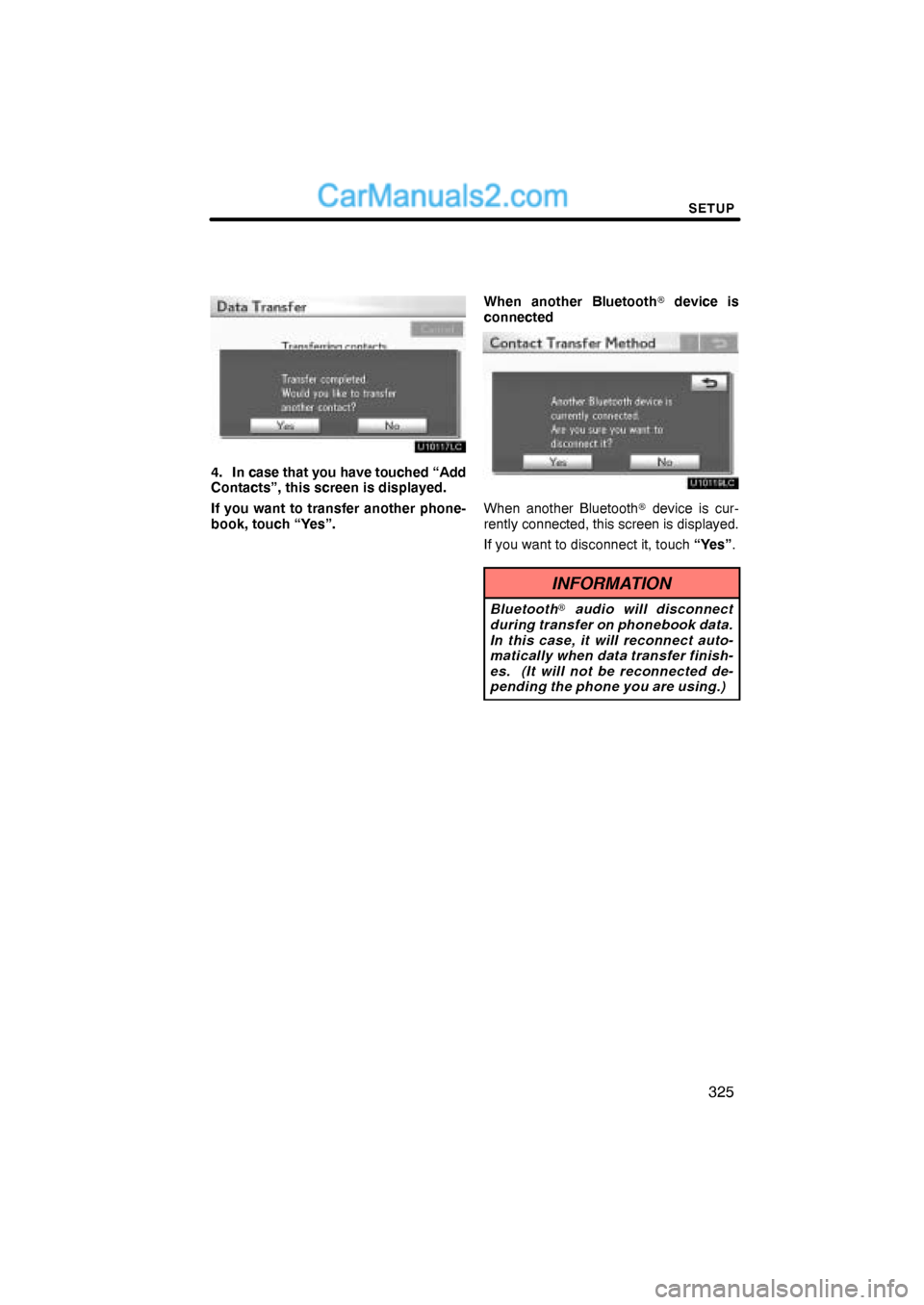
4. In case that you have touched “Add
Contacts”, this screen is displayed.
If you want to transfer another phone-
book, touch “Yes”.When another Bluetooth� device is
connected
When another Bluetooth� device is cur-
rently connected, this screen is displayed.
If you want to disconnect it, touch “Yes”.
INFORMATION
Bluetooth� audio will disconnect
during transfer on phonebook data.
In this case, it will reconnect auto-
matically when data transfer finish-
es. (It will not be reconnected de-
pending the phone you are using.)
Page 34 of 76
SETUP
326 �
Registering the phonebook data
You can register the phonebook data.
Up to 3 numbers per person can be reg-
istered.
1. Touch “New Contact”.
2. Use the software keyboard to input
the name and touch “OK”.
3. Input the phone number and touch
“OK”.
If you want to use the tone signal after
the phone number, input the tone signal
too.
4. Touch the phone type.