Page 25 of 530
If the liftgate is locked and is not equipped with a
powered liftgate, pressing the LIFTGATE button twice
will result in the liftgate becoming unlocked for 30 sec-
onds allowing you to manually access the liftgate area.
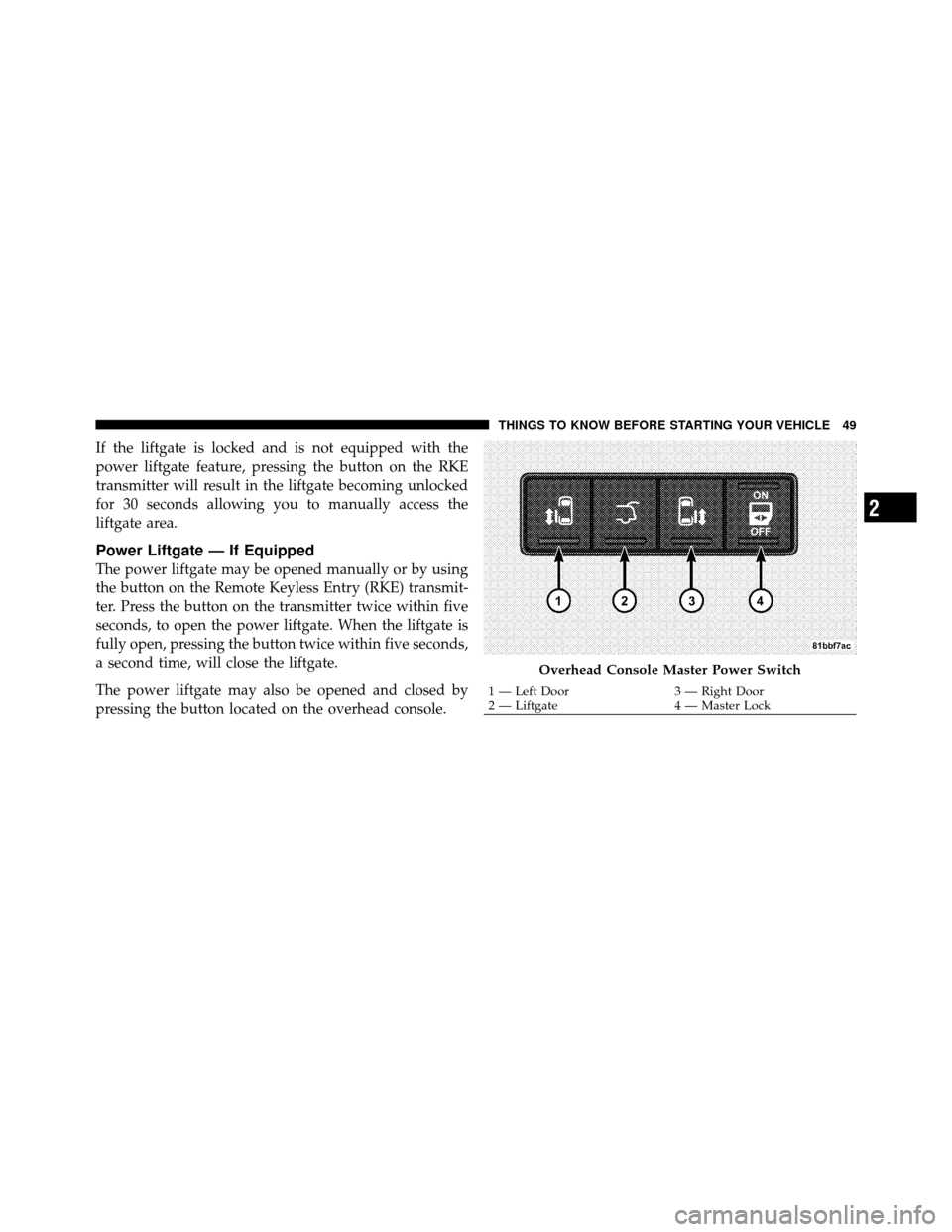
The power liftgate may also be opened and closed by
pressing the LIFTGATE button located on the overhead
console.
If equipped with a rear interior switch on the left rear
pillar, pushing this switch once will close the liftgate only.
The liftgate cannot be opened from this switch.
Power Open/Close Left Power Sliding Door —
If Equipped
Press the LEFT Power Sliding Door button twice on the
RKE transmitter within five seconds to Power Open/
Close the Left Power Sliding Door. If the button on the
RKE transmitter is pushed while the door is being
power-closed, the door will reverse to the full open
position.
Power Open/Close Right Power Sliding Door —
If Equipped
Press the RIGHT Power Sliding Door button twice on the
RKE transmitter within five seconds to Power Open/
Close the Right Power Sliding Door. If the button on the
RKE transmitter is pushed while the door is being power-
closed, the door will reverse to the full open position.
Turn Off Flash Lights with RKE Lock —
If Equipped
This feature will cause the turn signal lights to flash when
the doors are locked or unlocked with the RKE transmit-
ter. This feature can be turned on or turned off. To change
the current setting, proceed as follows:
•For vehicles equipped with the EVIC, refer to “Elec-
tronic Vehicle Information Center (EVIC)/Personal
Settings (Customer-Programmable Features)” in “Un-
derstanding Your Instrument Panel” for further infor-
mation.
24 THINGS TO KNOW BEFORE STARTING YOUR VEHICLE
Page 26 of 530
•For vehicles not equipped with the EVIC, perform the
following steps:
1. Perform this operation while standing outside the
vehicle.
2. Press and hold the UNLOCK button on a programmed
RKE transmitter for at least 4 seconds, but no longer than
10 seconds. Then, press and hold the LOCK button while
still holding the UNLOCK button.
3. Release both buttons at the same time.
4. Test the feature while outside of the vehicle by press-
ing the LOCK/UNLOCK buttons on the RKE transmitter
with the ignition switch in the LOCK position and the
Key Fob removed.
5. Repeat these steps if you want to return this feature to
its previous setting. NOTE:
Pressing the LOCK button on the RKE transmit-
ter while you are in the vehicle will activate the Vehicle
Security Alarm. Opening a door with the Vehicle Security
Alarm activated will cause the alarm to sound. Press the
UNLOCK button to deactivate the Vehicle Security
Alarm.
The following table explains the Lamp Flash options.
Function Which Turn
Signal Lamps Number of
Flashes
Lock All 1
Unlock 1st Press Left Side 2
Unlock All Doors All 2
Left Side Left Side 2
Right Side Right Side 2
Liftgate All 2
Programming Additional Transmitters
If you do not have a programmed RKE transmitter,
contact your authorized dealer for details.
2
THINGS TO KNOW BEFORE STARTING YOUR VEHICLE 25
Page 28 of 530
REMOTE STARTING SYSTEM — IF EQUIPPED
This system uses the Remote Keyless Entry
(RKE) transmitter to start the engine conve-
niently from outside the vehicle while still
maintaining security. The system has a range of
approximately 300 ft (91 m).
NOTE: The vehicle must be equipped with an auto-
matic transmission to be equipped with Remote Start.
How to Use Remote Start
All of the following conditions must be met before the
engine will Remote Start:
•Shift lever in PARK
•Doors closed
•Hood closed
•Liftgate closed
•Hazard switch off
•Brake switch inactive (brake pedal not pressed)
•Ignition key removed from ignition switch
•Battery at an acceptable charge level
•RKE PANIC button not pressed
WARNING!
•Do not start or run an engine in a closed garage or
confined area. Exhaust gas contains Carbon Mon-
oxide (CO) which is odorless and colorless. Car-
bon Monoxide is poisonous and can cause serious
injury or death when inhaled.
•Keep Remote Keyless Entry (RKE) transmitters
away from children. Operation of the Remote Start
System, windows, door locks or other controls
could cause serious injury or death.
2
THINGS TO KNOW BEFORE STARTING YOUR VEHICLE 27
Page 41 of 530
Auto-Down Feature — If Equipped
The front window switches may be equipped with an
Auto-Down feature. Press the window switch past the
detent, release, and the window will go down automati-
cally.
To open the window part way, press the window switch
part way and release it when you want the window to
stop.
The power window switches remain active for up to
10 minutes (depending on the accessory delay setting)
after the ignition switch has been turned to LOCK.
Opening a vehicle front door will cancel this feature.
Auto Up Feature With Anti–Pinch Protection —
If Equipped
The front Driver switch may be equipped with an Auto
Up feature. Lift the window switch to the second detent,
release, and the window will go up automatically.To stop the window from going all the way up during the
Auto Up operation, push down on the switch briefly.
To close the window part way, lift the window switch to
the first detent and release when you want the window to
stop.
NOTE:
•If the window runs into any obstacle during auto-
closure, it will reverse direction and then go back
down. Remove the obstacle and use the window
switch again to close the window.
•Any impact due to rough road conditions may trigger
the auto reverse function unexpectedly during auto-
closure. If this happens, pull the switch lightly to the
first detent and hold to close window manually.
40 THINGS TO KNOW BEFORE STARTING YOUR VEHICLE
Page 46 of 530
2. Cycle the ignition switch ON/LOCK five times ending
in the ON position(do not start the engine).
3. Within 10 seconds of the final cycle, press the HAZ-
ARD switch.
4. A single chime will sound to signify that you have
successfully completed the programming.
You can turn the feature back on by repeating the
previous procedure.
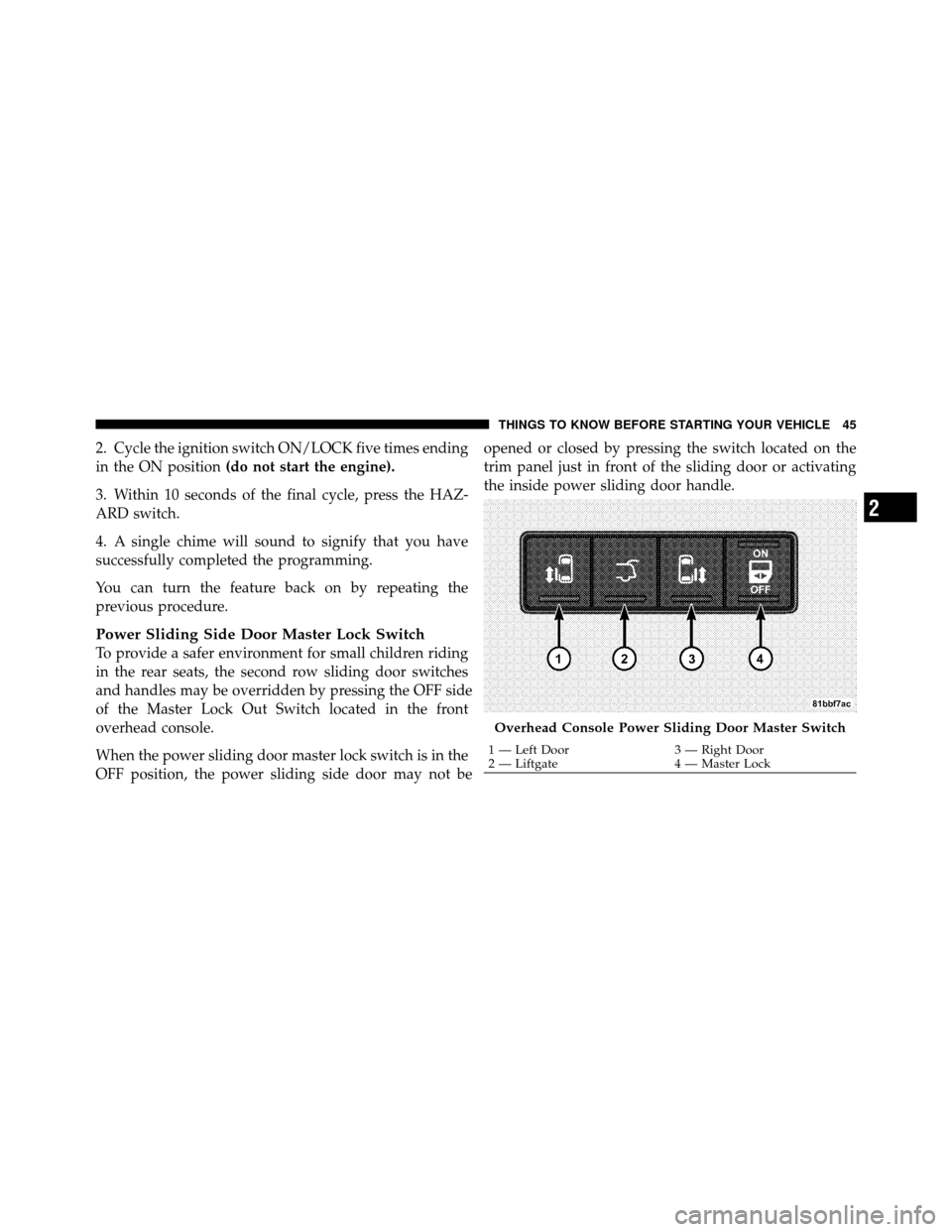
Power Sliding Side Door Master Lock Switch
To provide a safer environment for small children riding
in the rear seats, the second row sliding door switches
and handles may be overridden by pressing the O
FF side
of the Master Lock Out Switch located in the front
overhead console.
When the power sliding door master lock switch is in the
O
FF position, the power sliding side door may not be
opened or closed by pressing the switch located on the
trim panel just in front of the sliding door or activating
the inside power sliding door handle.
Overhead Console Power Sliding Door Master Switch
1 — Left Door
3 — Right Door
2 — Liftgate 4 — Master Lock
2
THINGS TO KNOW BEFORE STARTING YOUR VEHICLE 45
Page 49 of 530
NOTE:
•After setting the Child Protection Door Lock system,
always test the door from the inside to make certain it
is in the desired position.
•The power sliding side door switches will not open the
power sliding doors if the vehicle is in gear or the
vehicle speed is above 0 mph (0 km/h).
•The power sliding door will operate from the outside
door handle, the RKE transmitter, the switches on the
overhead console, or the switches located on the trim
panel just in front of the power sliding door when the
shift lever is in PARK, regardless of the child lock lever
position.
LIFTGATE
On vehicles equipped with power locks, the liftgate can
be unlocked using the Remote Keyless Entry (RKE)
transmitter button, or by activating the power door lock
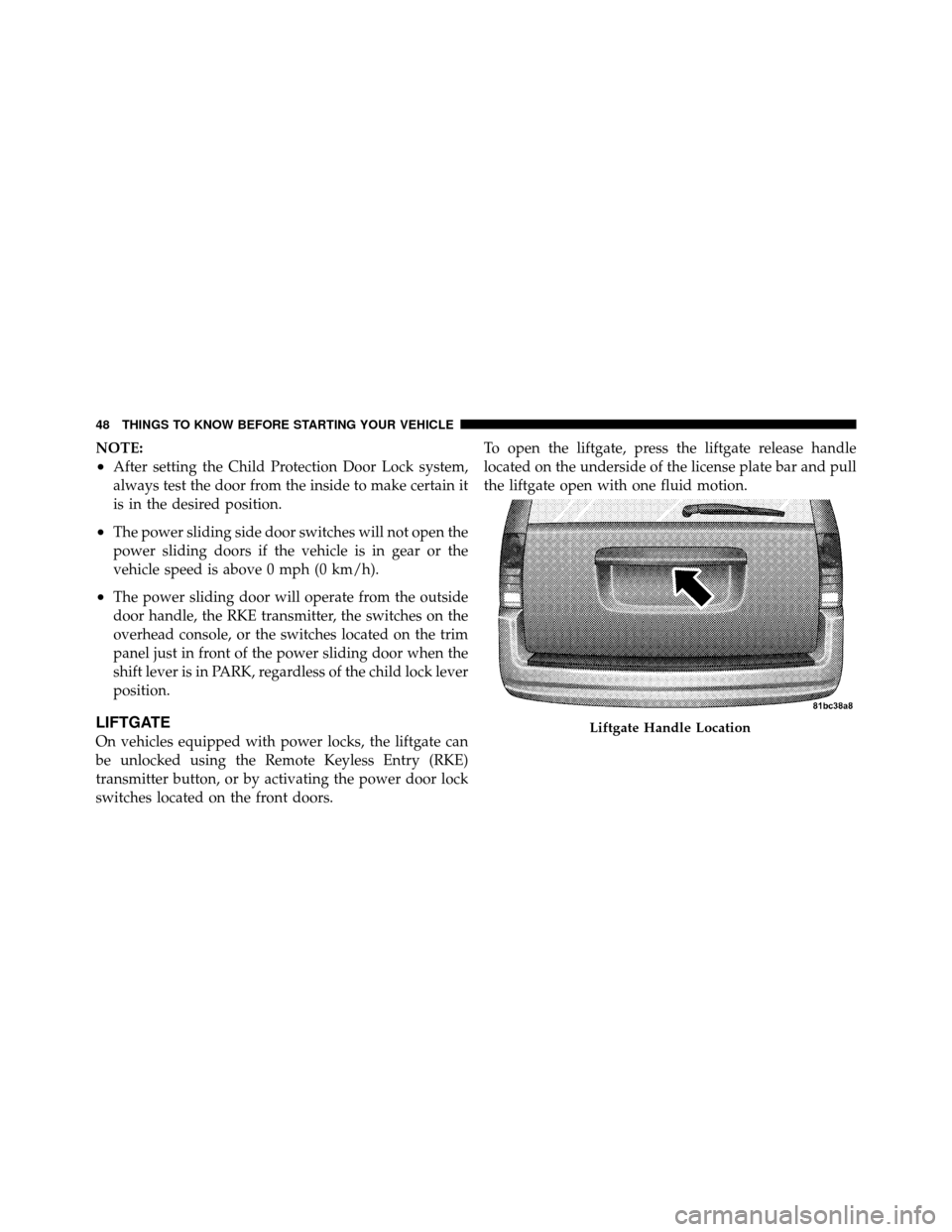
switches located on the front doors.To open the liftgate, press the liftgate release handle
located on the underside of the license plate bar and pull
the liftgate open with one fluid motion.Liftgate Handle Location
48 THINGS TO KNOW BEFORE STARTING YOUR VEHICLE
Page 50 of 530
If the liftgate is locked and is not equipped with the
power liftgate feature, pressing the button on the RKE
transmitter will result in the liftgate becoming unlocked
for 30 seconds allowing you to manually access the
liftgate area.
Power Liftgate — If Equipped
The power liftgate may be opened manually or by using
the button on the Remote Keyless Entry (RKE) transmit-
ter. Press the button on the transmitter twice within five
seconds, to open the power liftgate. When the liftgate is
fully open, pressing the button twice within five seconds,
a second time, will close the liftgate.
The power liftgate may also be opened and closed by
pressing the button located on the overhead console.
Overhead Console Master Power Switch
1 — Left Door3 — Right Door
2 — Liftgate 4 — Master Lock
2
THINGS TO KNOW BEFORE STARTING YOUR VEHICLE 49
Page 51 of 530
The power liftgate may be closed by pressing the button,
located in the upper left trim in the liftgate opening.
Pushing once will only close the liftgate. This button
cannot be used to open the liftgate.When the RKE transmitter button is pressed and the
Flash Lights feature is enabled, the tail lights will flash to
signal that the liftgate is opening or closing.
WARNING!
During power operation, personal injury or cargo
damage may occur. Ensure the liftgate travel path is
clear. Make sure the liftgate is closed and latched
before driving away.
NOTE:
•If anything obstructs the power liftgate while it is
closing or opening, the liftgate will automatically
reverse to the closed or open position, provided it
meets sufficient resistance.
Rear Power Liftgate Switch
50 THINGS TO KNOW BEFORE STARTING YOUR VEHICLE