Page 338 of 530
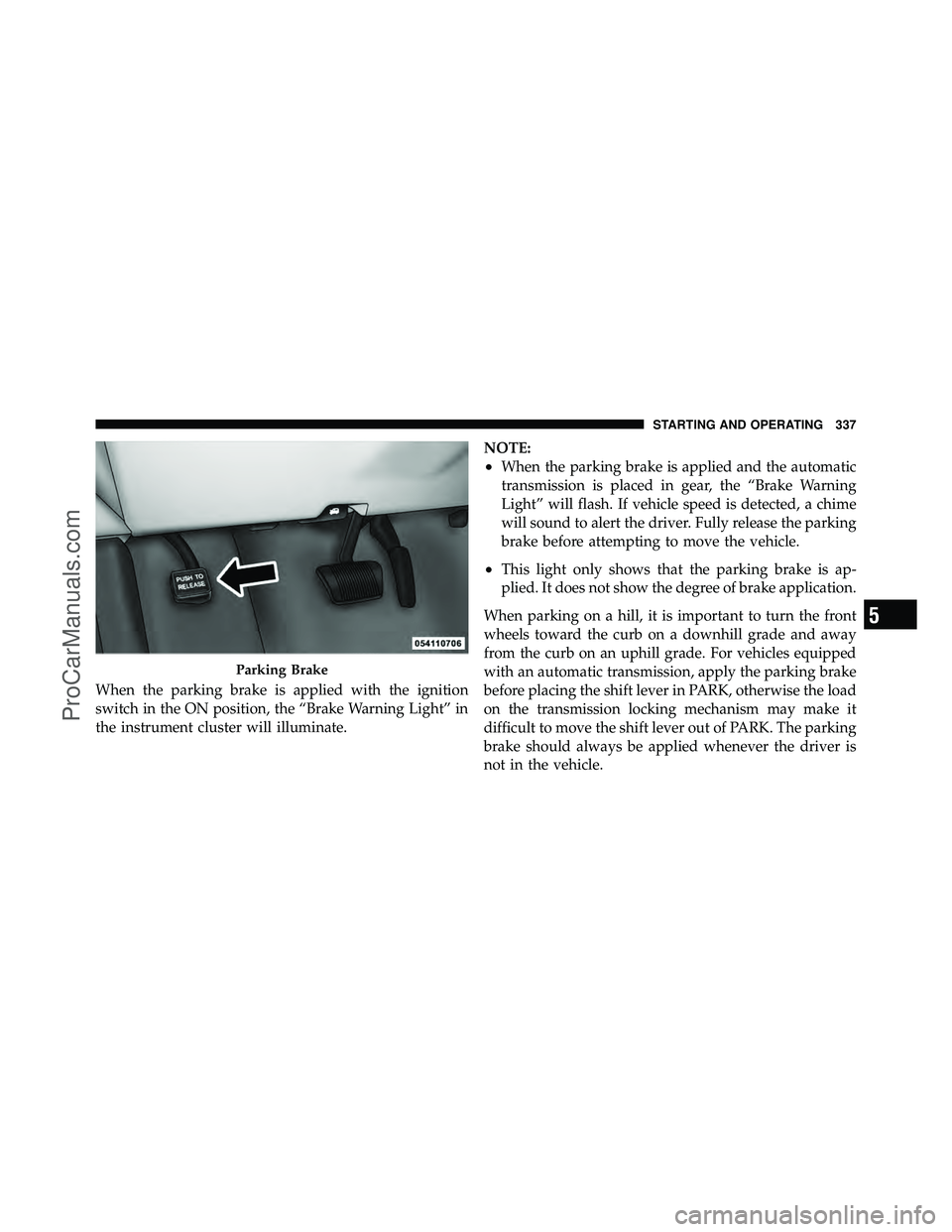
When the parking brake is applied with the ignition
switch in the ON position, the “Brake Warning Light” in
the instrument cluster will illuminate.NOTE:
•When the parking brake is applied and the automatic
transmission is placed in gear, the “Brake Warning
Light” will flash. If vehicle speed is detected, a chime
will sound to alert the driver. Fully release the parking
brake before attempting to move the vehicle.
•This light only shows that the parking brake is ap-
plied. It does not show the degree of brake application.
When parking on a hill, it is important to turn the front
wheels toward the curb on a downhill grade and away
from the curb on an uphill grade. For vehicles equipped
with an automatic transmission, apply the parking brake
before placing the shift lever in PARK, otherwise the load
on the transmission locking mechanism may make it
difficult to move the shift lever out of PARK. The parking
brake should always be applied whenever the driver is
not in the vehicle.
Parking Brake
5
STARTING AND OPERATING 337
ProCarManuals.com
Page 339 of 530

WARNING!
•Never leave children alone in a vehicle. Leaving
unattended children in a vehicle is dangerous for a
number of reasons. A child or others could be
seriously or fatally injured.
•Do not leave the key fob in the ignition switch. A
child could operate power windows, other con-
trols, or move the vehicle.
•Be sure the parking brake is fully disengaged
before driving; failure to do so can lead to brake
failure and an accident.
•Always fully apply the parking brake when leav-
ing your vehicle, or it may roll and cause damage
or injury. Also be certain to leave the transmission
in PARK. Failure to do so may allow the vehicle to
roll and cause damage or injury.
CAUTION!
If the Brake System Warning Light remains on with
the parking brake released, a brake system malfunc-
tion is indicated. Have the brake system serviced by
an authorized dealer immediately.
ANTI-LOCK BRAKE SYSTEM (ABS)
The Anti-Lock Brake System (ABS) provides increased
vehicle stability and brake performance under most
braking conditions. The system operates with a separate
computer to modulate hydraulic pressure to prevent
wheel lock-up and help avoid skidding on slippery
surfaces.
ABS is activated during braking under certain road or
stopping conditions. ABS-inducing conditions can in-
clude ice, snow, gravel, bumps, railroad tracks, loose
debris, or panic stops.
338 STARTING AND OPERATING
ProCarManuals.com
Page 341 of 530

WARNING! (Continued)
•The Anti-Lock Brake System cannot prevent acci-
dents, including those resulting from excessive
speed in turns, following another vehicle too
closely, or hydroplaning. Only a safe, attentive,
and skillful driver can prevent accidents.
•The capabilities of an ABS-equipped vehicle must
never be exploited in a reckless or dangerous
manner, which could jeopardize the user ’s safety
or the safety of others.
All vehicle wheels and tires must be the same size and
type, and tires must be properly inflated to produce
accurate signals for the computer.
Anti-Lock Brake Warning Light
The “Anti-Lock Brake Warning Light” moni-
tors the anti-lock brake system. The light will
come on when the ignition switch is turned to
the ON position and may stay on for as long as
four seconds.
If the “Anti-Lock Brake Warning Light” remains on or
comes on while driving, it indicates that the anti-lock
portion of the brake system is not functioning and that
service is required. However, the conventional brake
system will continue to operate normally if the “Brake
Warning Light” is not on.
If the “Anti-Lock Brake Warning Light” is on, the brake
system should be serviced as soon as possible to restore
the benefits of anti-lock brakes. If the “Anti-Lock Brake
Warning Light” does not come on when the ignition
switch is turned to the ON position, have the bulb
repaired as soon as possible.
340 STARTING AND OPERATING
ProCarManuals.com
Page 342 of 530

If both the “Brake Warning Light” and the “Anti-Lock
Brake Warning Light” remain on, the ABS and Electronic
Brake Force Distribution (EBD) systems are not function-
ing. Immediate repair to the ABS system is required.
Consult with your authorized dealer service center as
soon as possible.
ELECTRONIC BRAKE CONTROL SYSTEM
Your vehicle is equipped with an advanced electronic
brake control system that includes the Traction Control
System (TCS), Brake Assist System (BAS) and Electronic
Stability Program (ESP). These systems complement the
Anti-Lock Brake System (ABS) by optimizing the vehicle
braking capability during emergency braking maneu-
vers.
Traction Control System (TCS)
The Traction Control System (TCS) monitors the amount
of wheel spin of each of the driven wheels. If wheel spin
is detected, brake pressure is applied to the slippingwheel(s) and engine power is reduced, to provide en-
hanced acceleration and stability. A feature of the TCS
functions similarly to a limited-slip differential, and
controls the wheel spin across a driven axle. If one wheel
on a driven axle is spinning faster than the other, the
system will apply the brake of the spinning wheel. This
will allow more engine torque to be applied to the wheel
that is not spinning. This feature remains active even if
the ESP is in the “Partial Off” mode.
The “ESP/TCS Indicator Light” (in the instru-
ment cluster) will start to flash as soon as the
tires lose traction and the wheels begin to spin.
This indicates that the TCS is active. If the
indicator light flashes during acceleration, ease up on the
accelerator and apply as little throttle as possible. Be sure
to adapt your speed and driving to the prevailing road
conditions, and do not switch off the ESP or TCS.
5
STARTING AND OPERATING 341
ProCarManuals.com
Page 344 of 530

WARNING! (Continued)
•The BAS cannot prevent accidents, including
those resulting from excessive speed in turns,
driving on very slippery surfaces, or hydroplan-
ing. Only a safe, attentive, and skillful driver can
prevent accidents.
•The capabilities of a BAS-equipped vehicle must
never be exploited in a reckless or dangerous
manner which could jeopardize the user’s safety
or the safety of others.
Electronic Stability Program (ESP)
The Electronic Stability Program (ESP) enhances direc-
tional control and stability of the vehicle under various
driving conditions. ESP corrects for over/under steering
of the vehicle by applying the brake of the appropriate
wheel to assist in counteracting the over/under steer
condition. Engine power may also be reduced to help the
vehicle maintain the desired path.ESP uses sensors in the vehicle to determine the vehicle
path intended by the driver and compares it to the actual
path of the vehicle. When the actual path does not match
the intended path, ESP applies the brake of the appropri-
ate wheel to assist in counteracting the oversteer or
understeer condition.
•Oversteer - when the vehicle is turning more than
appropriate for the steering wheel position.
•Understeer - when the vehicle is turning less than
appropriate for the steering wheel position.
ESP On
This mode is the normal operating mode for ESP on
two-wheel drive vehicles. Whenever the vehicle is
started, the ESP system will be in this mode. This mode
should be used for most driving situations. ESP should
only be turned off for specific reasons as noted below.5
STARTING AND OPERATING 343
ProCarManuals.com
Page 345 of 530

ESP Partial Off
This mode is entered by momentarily pressing the “ESP
OFF” switch (located in the center switch bank, next to
the hazard flasher switch).When in the “Partial Off” mode, the TCS
portion of ESP, except for the “limited slip”
feature described in the TCS section, has been
disabled and the “ESP/TCS Indicator Light”
will be illuminated. When in the “Partial Off” mode, ESP
will operate without engine torque management. This
mode is intended to be used if the vehicle is in deep
snow, sand or gravel conditions and more wheel spin
than ESP would normally allow is required to gain
traction. To turn ESP on again, momentarily press the
“ESP OFF” switch. This will restore the normal “ESP On”
mode of operation. NOTE:
To improve the vehicle’s traction when driving
with snow chains, or starting off in deep snow, sand or
gravel, it may be desirable to switch to the “Partial Off”
mode by pressing the “ESP OFF” switch. Once the
situation requiring ESP to be switched to the “Partial Off”
mode is overcome, turn ESP back on by momentarily
pressing the “ESP OFF” switch. This may be done while
the vehicle is in motion.
ESP/BAS Warning Light
The malfunction indicator light for the ESP is
combined with BAS. The “ESP/BAS Warning
Light” and the “ESP/TCS Indicator Light” (in
the instrument cluster) come on for four sec-
onds when the ignition switch is turned to the ON
position, then goes out. If the “ESP/BAS Warning Light”
comes on continuously with the engine running, a mal-
function has been detected in either the ESP or the BAS
system. If this light remains on after several ignition
cycles, and the vehicle has been driven several miles/
344 STARTING AND OPERATING
ProCarManuals.com
Page 360 of 530

WARNING! (Continued)
•Temporary-use spare tires have limited tread life.
When the tread is worn to the tread wear indica-
tors, the temporary use spare tire needs to be
replaced.
•Be sure to follow the warnings that apply to your
spare. Failure to do so could result in spare tire
failure and loss of vehicle control.
Do not install a wheel cover or attempt to mount a
conventional tire on the compact spare wheel, since the
wheel is designed specifically for the compact spare.
Do not install more than one compact spare tire/wheel
on the vehicle at any given time.
CAUTION!
Because of the reduced ground clearance, do not take
your vehicle through an automatic car wash with the
compact spare installed. Damage to the vehicle may
result.
Tire Spinning
When stuck in mud, sand, snow, or ice conditions, do not
spin your vehicle’s wheels faster than 30 mph (48 km/h),
or for more than 30 seconds continuously, without stop-
ping.
Refer to “Freeing A Stuck Vehicle” in “What To Do In
Emergencies” for further information.
5
STARTING AND OPERATING 359
ProCarManuals.com
Page 361 of 530
WARNING!
•Fast spinning tires can be dangerous. Forces gen-
erated by excessive wheel speeds may cause tire
damage or failure. A tire could explode and injure
someone.
•Do not spin your vehicle’s wheels faster than
30 mph (48 km/h), or for more than 30 seconds
continuously, when you are stuck; and do not let
anyone near a spinning wheel, no matter what the
speed.
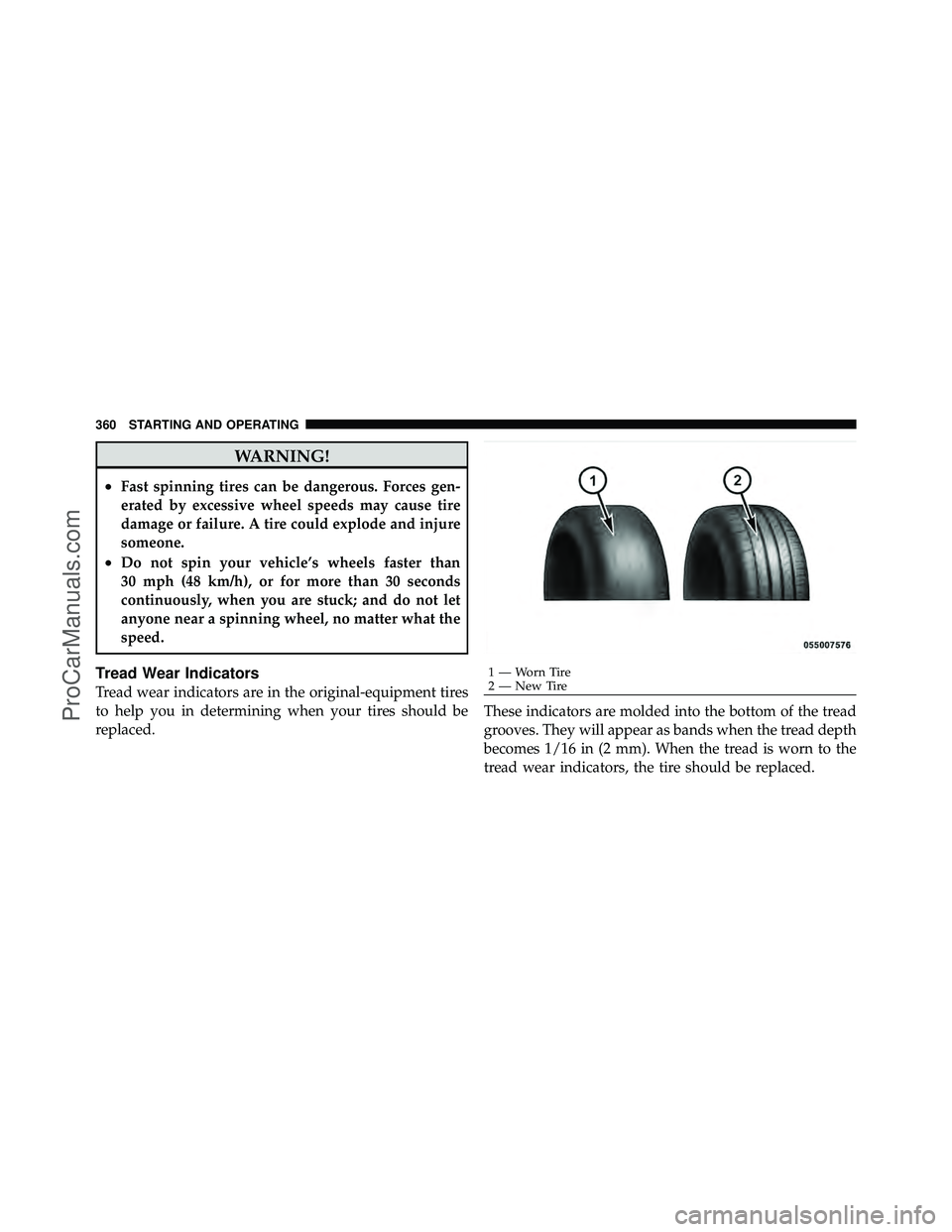
Tread Wear Indicators
Tread wear indicators are in the original-equipment tires
to help you in determining when your tires should be
replaced.These indicators are molded into the bottom of the tread
grooves. They will appear as bands when the tread depth
becomes 1/16 in (2 mm). When the tread is worn to the
tread wear indicators, the tire should be replaced.
1 — Worn Tire
2 — New Tire
360 STARTING AND OPERATING
ProCarManuals.com