Page 287 of 530

beginning of the track. Pressing theSEEK>> button
during play mode, it will jump to the next track in the
list.
•While a track is playing, press the INFObutton to see
the associated metadata (artist, track title, album, etc.)
for that track. Pressing the INFObutton again jumps
to the next screen of data for that track. Once all
screens have been viewed, the last INFObutton press
will go back to the play mode screen on the radio.
•Pressing the REPEATbutton will change the iPod�
mode to repeat the current playing track.
•Press the SCANbutton to use iPod� scan mode, which
will play the first five seconds of each track in the
current list and then forward to the next song. To stop
SCAN mode and start playing the desired track, when
it is playing the track, press the SCANbutton again. During Scan mode, pressing the <<
SEEKand
SEEK >> buttons will select the previous and next
tracks.
•RND button (available on sales code RES radio only):
Pressing this button toggles between Shuffle ON and
Shuffle OFF modes for the iPod�.IftheRND icon is
showing on the radio display, then the shuffle mode is
ON.
List Or Browse Mode
During Play mode, pressing any of the buttons described
below, will bring up List mode. List mode enables
scrolling through the list of menus and tracks on the
iPod�.
•TUNE control knob: The TUNEcontrol knob functions
in a similar manner as the scroll wheel on the iPod�.
•Turning it clockwise (forward) and counterclock-
wise (backward) scrolls through the lists, displaying
286 UNDERSTANDING YOUR INSTRUMENT PANEL
ProCarManuals.com
Page 288 of 530

the track detail on the radio display. Once the track
to be played is highlighted on the radio display,
press theTUNEcontrol knob to select and start
playing the track. Turning the TUNEcontrol knob
fast will scroll through the list faster. During fast
scroll, a slight delay in updating the information on
the radio display may be noticed.
•During all List modes, the iPod� displays all lists in
“wrap-around” mode. So if the track is at the
bottom of the list, just turn the wheel backwards
(counter-clockwise) to get to the track faster.
•In List mode, the radio PRESETbuttons are used as
shortcuts to the following lists on the iPod�.
•Preset 1 – Playlists
•Preset 2 – Artists
•Preset 3 – Albums
•Preset 4 – Genres
•Preset 5 – Audiobooks
•Preset 6 – Podcasts
•Pressing a PRESET button will display the current
list on the top line and the first item in that list on
the second line.
•To Exit List mode without selecting a track, press the
same PRESET button again to go back to Play
mode.
•LIST button: The LISTbutton will display the top
level menu of the iPod�. Turn the TUNEcontrol knob
to list the top-menu item to be selected and press the
TUNE control knob. This will display the next sub-
menu list item on the iPod� then follow the same steps
to go to the desired track in that list. Not all iPod�
sub-menu levels are available on this system.
4
UNDERSTANDING YOUR INSTRUMENT PANEL 287
ProCarManuals.com
Page 296 of 530
NOTE:Refer to the “Uconnect™ Multimedia” section of
Uconnect™ User Manual located on the DVD for further
details.
REMOTE SOUND SYSTEM CONTROLS —
IF EQUIPPED
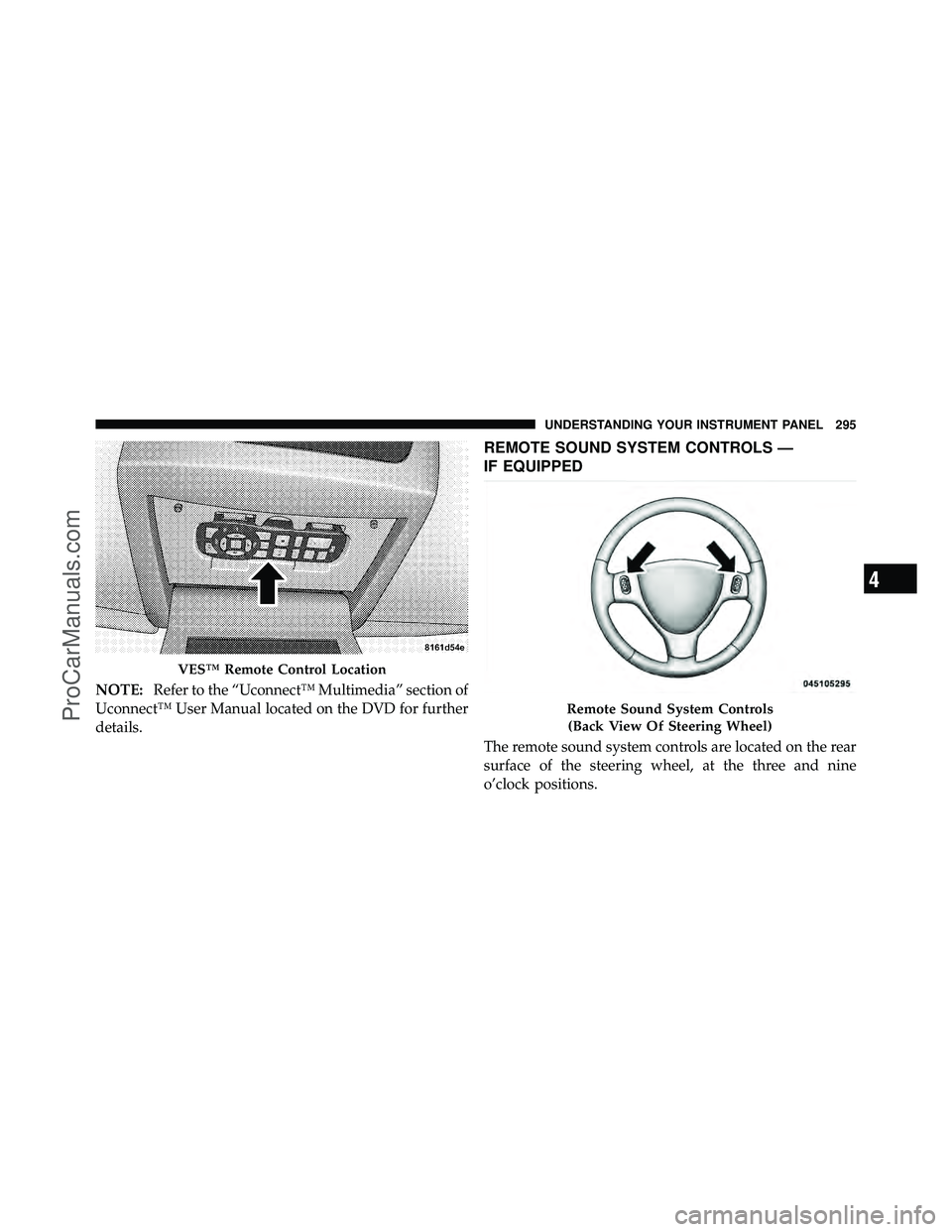
The remote sound system controls are located on the rear
surface of the steering wheel, at the three and nine
o’clock positions.
VES™ Remote Control Location
Remote Sound System Controls
(Back View Of Steering Wheel)
4
UNDERSTANDING YOUR INSTRUMENT PANEL 295
ProCarManuals.com
Page 328 of 530
When parking on a hill, it is important to set the parking
brake before placing the shift lever in PARK, otherwise
the load on the transmission locking mechanism may
make it difficult to move the shift lever out of PARK. As
an added precaution, turn the front wheels toward the
curb on a downhill grade, and away from the curb on an
uphill grade.
WARNING!
•Never use the PARK position as a substitute for
the parking brake. Always apply the parking
brake fully when parked to guard against vehicle
movement and possible injury or damage.(Continued)
WARNING! (Continued)
•Unintended movement of a vehicle could injure
those in and near the vehicle. As with all vehicles,
you should never exit a vehicle while the engine is
running. Before exiting a vehicle, you should
always shift the vehicle into PARK, remove the
key fob from the ignition switch, and apply the
parking brake. Once the key is removed from the
ignition, the shift lever is locked in the PARK
position, securing the vehicle against unwanted
movement. Furthermore, you should never leave
unattended children inside a vehicle.(Continued)
5
STARTING AND OPERATING 327
ProCarManuals.com
Page 329 of 530

WARNING! (Continued)
•Never leave children alone in a vehicle. Leaving
unattended children in a vehicle is dangerous for a
number of reasons. A child or others could be
seriously or fatally injured. Do not leave the key
fob in the ignition switch. A child could operate
power windows, other controls, or move the
vehicle.
The following indicators should be used to ensure that
you have placed the shift lever into the PARK position:
•When moving the shift lever into PARK, press the
button on the shift lever and firmly move the lever all
the way forward until it stops.
•Look at the shift indicator window on the console to
ensure the shift lever is in the PARK position.
•When engaged in PARK, you will not be able to move
the shift lever rearward without pressing the shift
lever button.
CAUTION!
Before moving the shift lever out of PARK, you must
turn the ignition switch from OFF to ACC/ON so the
steering wheel and shift lever are released. Other-
wise, damage to the steering column or shift lever
could result.
REVERSE
This range is for moving the vehicle backward. Shift into
REVERSE only after the vehicle has come to a complete
stop.
328 STARTING AND OPERATING
ProCarManuals.com
Page 331 of 530

CAUTION!
If the transmission operating temperature exceeds
acceptable limits, the vehicle computer will override
DRIVE and select “5” range (on six-speed transmis-
sions) or “3” range (on four-speed transmissions) by
changing shift points. This is done to prevent trans-
mission damage due to overheating.
Electronic Range Select (ERS) Operation
The Electronic Range Select (ERS) shift control allows
you to move the shift lever to the left (-) or right (+) when
the shift lever is in the DRIVE position, this allows the
selection of the desired top gear. For example, if you shift
the transmission into third gear, the transmission will
never shift above third gear, but can shift down into
second or first gear automatically, when needed.Switching from ERS to DRIVE can be done at any vehicle
speed. To shift from DRIVE mode to ERS mode, move the
shift lever to the left (-) once. The current gear will be
maintained as the top gear. To disable ERS, simply press
and hold the shift lever to the right (+) until “D” is
displayed in the instrument cluster odometer.
WARNING!
Do not downshift for additional engine braking on a
slippery surface. The drive wheels could lose their
grip and the vehicle could skid, causing an accident
or personal injury.
330 STARTING AND OPERATING
ProCarManuals.com
Page 333 of 530
If the transmission cannot be reset, authorized dealer
service is required.
DRIVING ON SLIPPERY SURFACES
Acceleration
Rapid acceleration on snow covered, wet, or other slip-
pery surfaces may cause the front wheels to pull errati-
cally to the right or left. This phenomenon occurs when
there is a difference in the surface traction under the front
(driving) wheels.
WARNING!
Rapid acceleration on slippery surfaces is dangerous.
Unequal traction can cause sudden pulling of the
front wheels. You could lose control of the vehicle
and possibly have an accident. Accelerate slowly and
carefully whenever there is likely to be poor traction
(ice, snow, wet mud, loose sand, etc.).
Traction
When driving on wet or slushy roads, it is possible for a
layer of water to build up between the tire and road
surface. This is known as hydroplaning and may cause
partial or complete loss of vehicle control and stopping
ability. To reduce this possibility, the following precau-
tions should be observed:
1. Slow down during rainstorms or when roads are
slushy.
2. Slow down if the road has standing water or puddles.
3. Replace the tires when tread wear indicators first
become visible.
4. Keep the tires properly inflated.
5. Maintain sufficient distance between your vehicle and
the vehicle in front of you to avoid a collision in a sudden
stop.
332 STARTING AND OPERATING
ProCarManuals.com
Page 336 of 530

POWER STEERING
The standard power steering system will give you good
vehicle response and increased ease of maneuverability
in tight spaces. The system will provide mechanical
steering capability if power assist is lost.
If for some reason the power assist is interrupted, it will
still be possible to steer your vehicle. Under these condi-
tions, you will observe a substantial increase in steering
effort, especially at very low vehicle speeds and during
parking maneuvers.
NOTE:
•Increased noise levels at the end of the steering wheel
travel are considered normal and do not indicate that
there is a problem with the power steering system.
•Upon initial start-up in cold weather, the power steer-
ing pump may make noise for a short amount of time.
This is due to the cold, thick fluid in the steeringsystem. This noise should be considered normal, and it
does not in any way damage the steering system.
WARNING!
Continued operation with reduced power steering
assist could pose a safety risk to yourself and others.
Service should be obtained as soon as possible.
CAUTION!
Prolonged operation of the steering system at the end
of the steering wheel travel will increase the steering
fluid temperature and it should be avoided when
possible. Damage to the power steering pump may
occur.
Power Steering Fluid Check
Checking the power steering fluid level at a defined
service interval is not required. The fluid should only be
5
STARTING AND OPERATING 335
ProCarManuals.com