2010 CHEVROLET CORVETTE warning
[x] Cancel search: warningPage 206 of 472
Traction Control System (TCS)
Warning Light
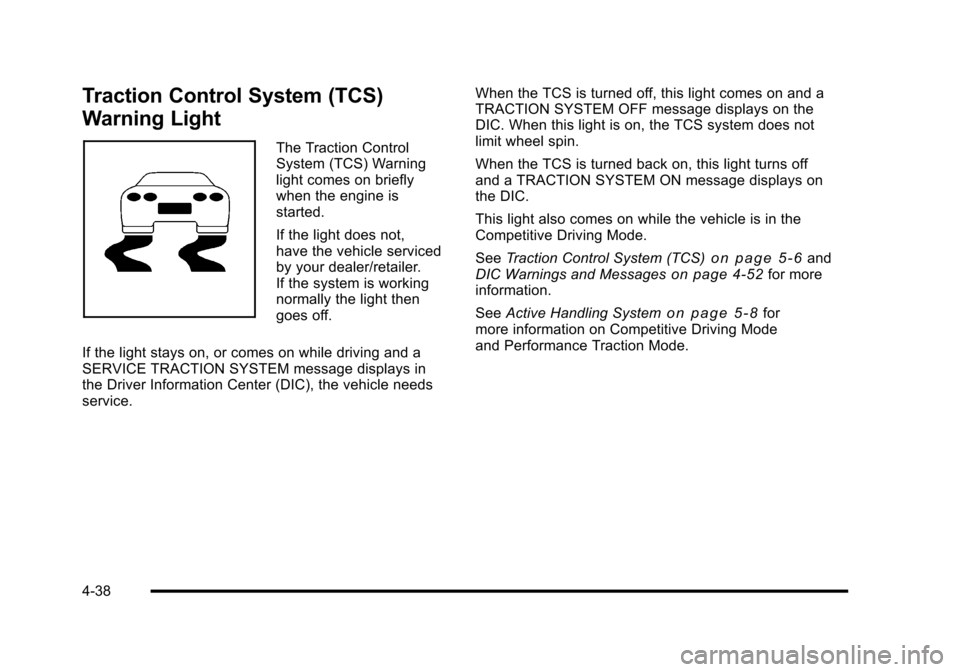
The Traction Control
System (TCS) Warning
light comes on briefly
when the engine is
started.
If the light does not,
have the vehicle serviced
by your dealer/retailer.
If the system is working
normally the light then
goes off.
If the light stays on, or comes on while driving and a
SERVICE TRACTION SYSTEM message displays in
the Driver Information Center (DIC), the vehicle needs
service. When the TCS is turned off, this light comes on and a
TRACTION SYSTEM OFF message displays on the
DIC. When this light is on, the TCS system does not
limit wheel spin.
When the TCS is turned back on, this light turns off
and a TRACTION SYSTEM ON message displays on
the DIC.
This light also comes on while the vehicle is in the
Competitive Driving Mode.
See
Traction Control System (TCS)
on page 5‑6and
DIC Warnings and Messageson page 4‑52for more
information.
See Active Handling System
on page 5‑8for
more information on Competitive Driving Mode
and Performance Traction Mode.
4-38
Page 207 of 472
Active Handling System Light
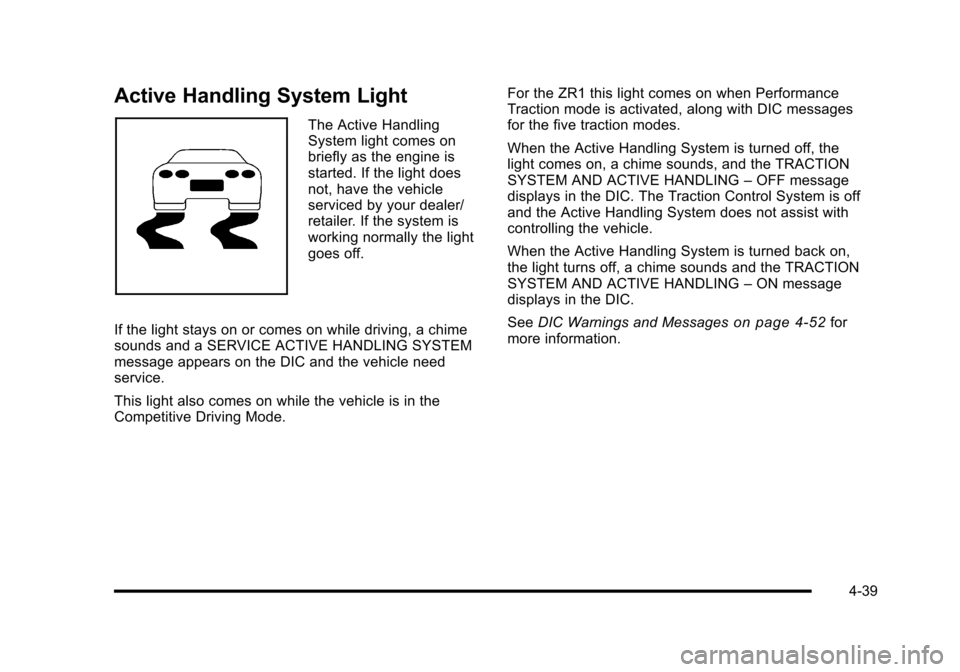
The Active Handling
System light comes on
briefly as the engine is
started. If the light does
not, have the vehicle
serviced by your dealer/
retailer. If the system is
working normally the light
goes off.
If the light stays on or comes on while driving, a chime
sounds and a SERVICE ACTIVE HANDLING SYSTEM
message appears on the DIC and the vehicle need
service.
This light also comes on while the vehicle is in the
Competitive Driving Mode. For the ZR1 this light comes on when Performance
Traction mode is activated, along with DIC messages
for the five traction modes.
When the Active Handling System is turned off, the
light comes on, a chime sounds, and the TRACTION
SYSTEM AND ACTIVE HANDLING
–OFF message
displays in the DIC. The Traction Control System is off
and the Active Handling System does not assist with
controlling the vehicle.
When the Active Handling System is turned back on,
the light turns off, a chime sounds and the TRACTION
SYSTEM AND ACTIVE HANDLING –ON message
displays in the DIC.
See DIC Warnings and Messages
on page 4‑52for
more information.
4-39
Page 212 of 472
Engine Oil Pressure Gauge
United StatesCanada
United States—Z06 and
ZR1 Models Canada —Z06 and ZR1
Models
{WARNING:
Do not keep driving if the oil pressure is low.
The engine can become so hot that it catches fire.
Someone could be burned. Check the oil as soon
as possible and have the vehicle serviced.
Notice: Lack of proper engine oil maintenance
can damage the engine. The repairs would not be
covered by the vehicle warranty. Always follow the
maintenance schedule in this manual for changing
engine oil.
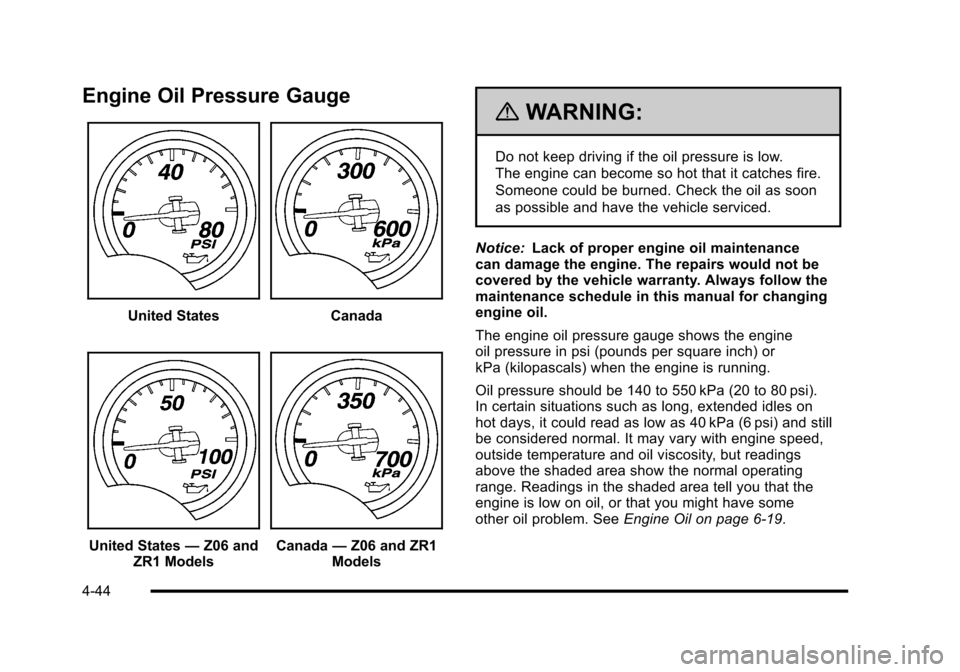
The engine oil pressure gauge shows the engine
oil pressure in psi (pounds per square inch) or
kPa (kilopascals) when the engine is running.
Oil pressure should be 140 to 550 kPa (20 to 80 psi).
In certain situations such as long, extended idles on
hot days, it could read as low as 40 kPa (6 psi) and still
be considered normal. It may vary with engine speed,
outside temperature and oil viscosity, but readings
above the shaded area show the normal operating
range. Readings in the shaded area tell you that the
engine is low on oil, or that you might have some
other oil problem. See Engine Oil on page 6‑19.
4-44
Page 215 of 472
Boost Gauge (ZR1 Only)
United StatesCanada
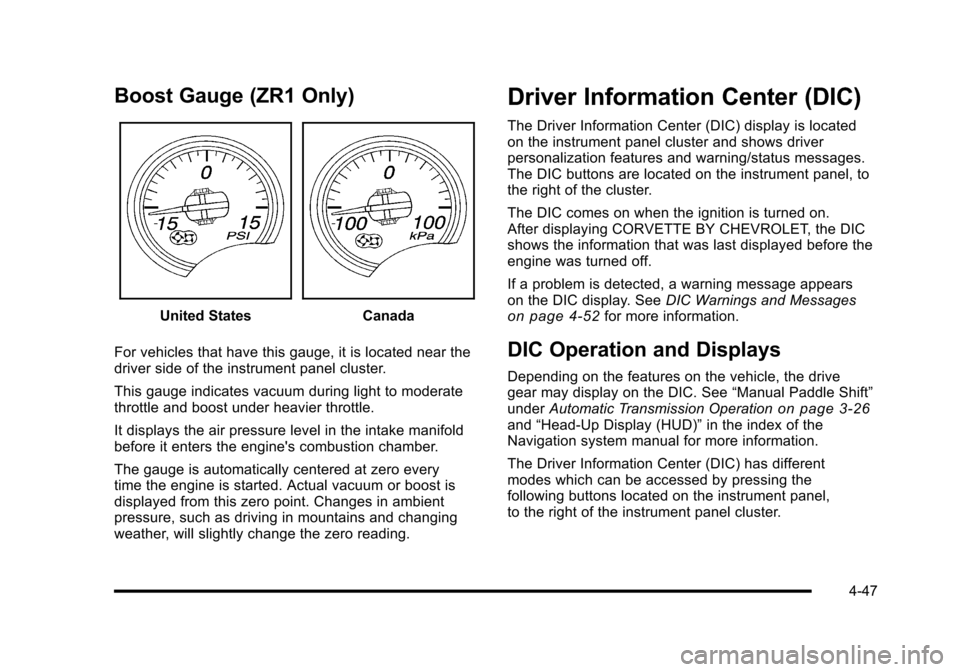
For vehicles that have this gauge, it is located near the
driver side of the instrument panel cluster.
This gauge indicates vacuum during light to moderate
throttle and boost under heavier throttle.
It displays the air pressure level in the intake manifold
before it enters the engine's combustion chamber.
The gauge is automatically centered at zero every
time the engine is started. Actual vacuum or boost is
displayed from this zero point. Changes in ambient
pressure, such as driving in mountains and changing
weather, will slightly change the zero reading.
Driver Information Center (DIC)
The Driver Information Center (DIC) display is located
on the instrument panel cluster and shows driver
personalization features and warning/status messages.
The DIC buttons are located on the instrument panel, to
the right of the cluster.
The DIC comes on when the ignition is turned on.
After displaying CORVETTE BY CHEVROLET, the DIC
shows the information that was last displayed before the
engine was turned off.
If a problem is detected, a warning message appears
on the DIC display. See DIC Warnings and Messages
on page 4‑52for more information.
DIC Operation and Displays
Depending on the features on the vehicle, the drive
gear may display on the DIC. See “Manual Paddle Shift”
under Automatic Transmission Operation
on page 3‑26and“Head-Up Display (HUD)” in the index of the
Navigation system manual for more information.
The Driver Information Center (DIC) has different
modes which can be accessed by pressing the
following buttons located on the instrument panel,
to the right of the instrument panel cluster.
4-47
Page 217 of 472
Press the fuel button to display average fuel economy,
such as:
.AVERAGE FUEL ECONOMY 11.7 L/100 km or
.AVERAGE FUEL ECONOMY 20.1 MPG
Instantaneous Fuel Economy : Instantaneous fuel
economy reflects only the fuel economy that the vehicle
has right now and will change frequently as driving
conditions change. Unlike average fuel economy, this
menu item cannot be reset.
Press the fuel button again to display instantaneous fuel
economy, such as:
.INSTANT FUEL ECONOMY 11.7 L/100 km or
.INSTANT FUEL ECONOMY 20.1 MPG
Fuel Range : The range calculates the remaining
distance you can drive without refueling. It is based
on fuel economy and the fuel remaining in the tank.
Press the fuel button again to display the range,
such as:
.RANGE 48 km or
.RANGE 30 MI
If the LOW FUEL warning is displayed or if RANGE is
less than 64 km (40 miles), the display will read
RANGE LOW. The fuel economy data used to determine fuel range is
an average of recent driving conditions. As your driving
conditions change, this data is gradually updated
automatically.
If the vehicle has been idling for a long time, the
range displayed on the DIC could be abnormally low.
The vehicle must be driven 8–16 km (5–10 miles) to
get an accurate reading.
GAGES Button
The gauges button displays oil pressure, oil
temperature, coolant temperature, transmission fluid
temperature for automatic transmission vehicles only,
battery voltage, and tire pressure information.
Oil Pressure :
This display shows the oil pressure.
Press the gauges button to display the oil pressure,
such as:
.OIL PRESSURE 276 kPa or
.OIL PRESSURE 40 PSI
Oil Temperature : This display shows the oil
temperature.
Press the gauges button again to display the oil
temperature, such as:
.OIL TEMPERATURE 112°C or
.OIL TEMPERATURE 234°F
4-49
Page 220 of 472
Press and hold the RESET button to reset to
0.0 km/h (mph).
Engine Oil Life : Press the TRIP button until the engine
oil life is displayed, such as OIL LIFE REMAINING 89%.
This is an estimate of the engine oil's remaining useful
life. It will show 100% when the system is reset after
an oil change. It will alert you to change the oil on a
schedule consistent with your driving conditions.
When the remaining oil life is low, the system will alert
you with the message CHANGE ENGINE OIL.
Remember, you must reset the engine oil life system
yourself after each oil change. It will not reset itself.
To reset the system, see Engine Oil Life System
on
page 6‑25. Be careful not to reset the engine oil life
system accidentally at any time other than when the oil
has just been changed. It cannot be reset accurately
until the next oil change.
See Scheduled Maintenance
on page 7‑3andEngine
Oilon page 6‑19for more information.
OPTION Button
The OPTION button allows you to access the
PERSONAL OPTIONS menu and customize the
personalization settings on your vehicle. See DIC
Vehicle Personalization
on page 4‑71for more
information.
RESET Button
The RESET button, used along with other buttons, will
reset system functions and turn off or acknowledge
messages on the DIC.
DIC Warnings and Messages
Messages are displayed on the DIC to notify the driver
that the status of the vehicle has changed and that
some action may be needed by the driver to correct the
condition. Multiple messages may appear one after
another. You can scroll through the messages that
may have been sent at the same time. The DIC is
continuously updated with the vehicle performance
status.
Some messages may not require immediate action, but
you can press the RESET button to acknowledge that
you received the messages and to clear them from the
display.
Some messages cannot be cleared from the DIC
display because they are more urgent. These
messages require action before they can be cleared.
You should take any messages that appear on the
display seriously and remember that clearing the
messages will only make the messages disappear,
not correct the problem.
The following are the possible messages that can be
displayed and some information about them.
4-52
Page 222 of 472
BUCKLE PASSENGER
This message reminds you to buckle the passenger's
safety belt.
This message displays and a sound will be heard when
the ignition is on, the driver's safety belt is buckled, the
passenger's safety belt is unbuckled with the passenger
airbag enabled, and the vehicle is in motion. You should
have the passenger buckle their safety belt.
The reminder will be repeated if the ignition is on, the
vehicle is in motion, the driver is buckled and the
passenger is still unbuckled, and the passenger airbag
is enabled. If the passenger's safety belt is already
buckled, this message will not come on.
BUCKLE SEATBELT
This message reminds you to buckle the driver's
safety belt.
This message displays and a sound will be heard when
the ignition is on, the driver's safety belt is unbuckled,
and the vehicle is in motion. You should buckle your
safety belt.
If the driver remains unbuckled when the ignition is
on and the vehicle is in motion, the reminder will be
repeated. If the driver's safety belt is already buckled,
this message will not come on. This message is an additional reminder to the safety
belt reminder light in the instrument panel cluster.
See
Safety Belt Reminders
on page 4‑32for more
information.
CHANGE BRAKE PADS
On vehicles with electronic brake pad wear sensors,
this message will be displayed when the pads are worn.
See your dealer/retailer for service.
CHANGE ENGINE OIL
This message displays when the life of the engine
oil has expired. See Scheduled Maintenanceon
page 7‑3. After an oil change, the engine oil life
system must be reset. See “Engine Oil Life”under
DIC Operation and Displays
on page 4‑47. Also, see
Engine Oilon page 6‑19and Engine Oil Life Systemon page 6‑25for more information.
CHECK BRAKE FLUID
This message displays, a sound will be heard, and the
brake system warning light on the instrument panel
cluster turns on if the ignition is on to inform the driver
that the brake fluid level is low. See Brake System
Warning Light
on page 4‑36. Have the brake system
serviced by your dealer/retailer as soon as possible.
See Brakes on page 6‑43.
4-54
Page 226 of 472
LOW OIL PRESSURE
This message displays if low oil pressure levels occur.
If this message appears while the engine is running,
stop the engine and do not operate it until the cause of
low oil pressure is corrected. Severe damage to the
engine can result. A sound will be heard when this
message is displayed. See Engine Oil on page 6‑19.
LOW TIRE PRESSURE or TIRE LOW
ADD AIR TO TIRE
{WARNING:
When the LOW TIRE PRESSURE or TIRE FLAT
message is displayed on the Driver Information
Center, your vehicle's handling capabilities will be
reduced during severe maneuvers. The active
handling system will be affected. See Active
Handling System
on page 5‑8. If you drive
too fast, you could lose control of your vehicle.
You or others could be injured. Do not drive
over 55 mph (90 km/h) when the LOW TIRE
PRESSURE or TIRE FLAT message is displayed.
Drive cautiously and check your tire pressures as
soon as you can. This message displays when one or more of the
tires is under-inflated. This message also displays
LEFT FRONT, RIGHT FRONT, LEFT REAR, or
RIGHT REAR to indicate which tire is affected.
Multiple chimes sound and the tire pressure light on
the instrument panel cluster turns on when this
message is displayed. See
Tire Pressure Light
on
page 4‑40. You can receive more than one tire
pressure message at a time. To read other messages
that may have been sent at the same time, press the
RESET button. If a tire pressure message appears
on the DIC, stop as soon as you can. Have the tire
pressures checked and set to those shown on the
Tire Loading Information label. See Run-Flat Tires
on
page 6‑69, Loading the Vehicleon page 5‑28,
Inflation - Tire Pressureon page 6‑70, and Tire
Pressure Monitor Systemon page 6‑72. The DIC
also shows the tire pressure values. See DIC Operation
and Displays
on page 4‑47.
To acknowledge the message, press the RESET button.
A message reappears every 10 minutes until the
condition is corrected.
4-58