Page 206 of 524
CONT INUED
You can also select a file from any
list on the iPod menu: playlists,
artists, albums and songs, by using
the selector knob. Push the selector
knob (ENTER) to switch the display
to an iPod menu, then turn the
selector knob to select a desired list.
Press ENTER to set your selection.The display shows items on the
selected list. Turn the selector knob
to select an item, then press ENTER
to set your selection.
If you select ‘‘ALL,’’ all available f iles
on the selected list are played.Pressing the RETURN button goes
back to the previous display and
pressing the MENU button cancels
this setting mode.
Playing an iPod(Models without navigation system)
T o Select a File f rom iPod Menu
Features
203
Push ENTER.
2010 TSX
Page 207 of 524
You can select any type of repeat and
shufflemodebyusingtheMENU
button and the selector knob. Press
the MENU button to display the
menu items, then turn the selector
knob to select ‘‘PLAY MODE.’’ Press
ENTER to set the selection.Turn the selector knob to select a
play mode: normal play, shuffle off,
shuffle all, shuffle album, repeat off,
or repeat one track, then press
ENTER to set your selection.To cancel the selected mode, press
the MENU button and turn the
selector knob to show ‘‘PLAY
MODE,’’ then press ENTER. When
you see ‘‘NORMAL PLAY,’’ press
ENTER again.
Playing an iPod(Models without navigation system)
T o Select Repeat or Shuf f le Mode:
204
MENU ITEMS
PLAY MODE ITEMS
2010 TSX
Page 216 of 524
Pressing the RETURN button goes
back to the previous display and
pressing the MENU button cancels
this setting mode.You can select any type of repeat,
random and scan modes by using the
MENU button and the selector knob.
Push the MENU button to display
themenuitems,thenturnthe
selector knob to select ‘‘PLAY
MODE.’’ Press the selector knob
(ENTER) to set the selection.Turn the selector knob to select an
appropriate repeat, random or scan
mode, then press the selector knob
(ENTER) to set your selection.
To cancel the selected mode, press
the MENU button and turn the
selector knob to show ‘‘PLAY
MODE,’’ then press ENTER. When
you see ‘‘NORMAL PLAY,’’ press
ENTER again.
CONT INUED
Playing a USB Flash Memory Device (Models without navigation system)
T o Select Repeat , Random or Scan
Mode:
Features
213
MENU ITEMS
2010 TSX
Page 223 of 524
�Î
�Î
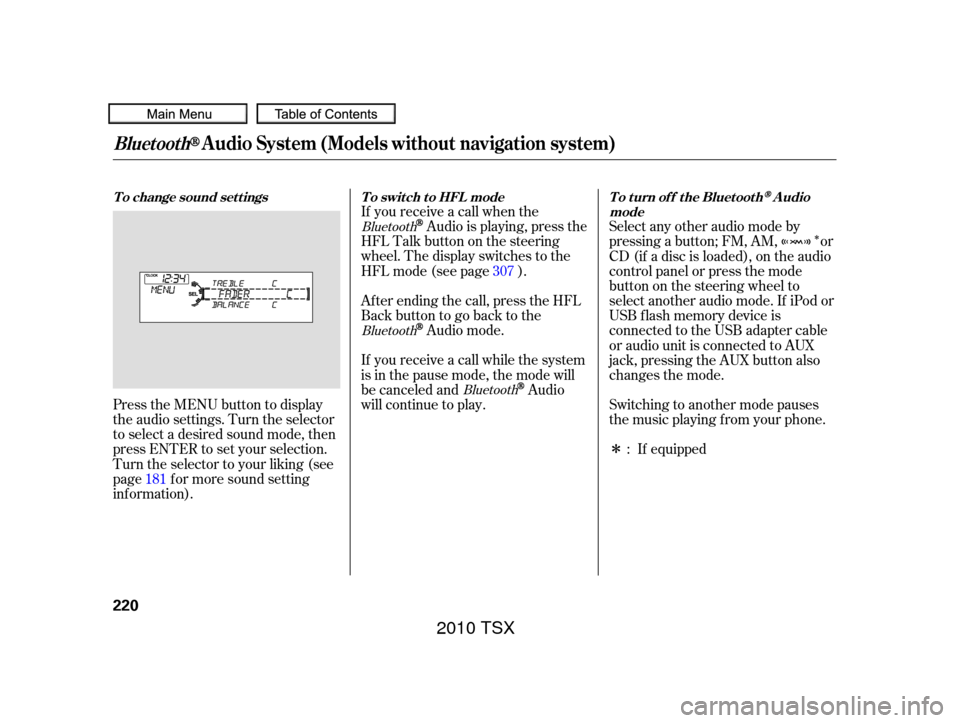
Press the MENU button to display
the audio settings. Turn the selector
to select a desired sound mode, then
press ENTER to set your selection.
Turn the selector to your liking (see
page f or more sound setting
inf ormation). Af ter ending the call, press the HFL
Backbuttontogobacktothe
Audio mode.
If you receive a call while the system
is in the pause mode, the mode will
be canceled and
Audio
will continue to play. Switching to another mode pauses
the music playing f rom your phone.
If equipped
Select any other audio mode by
pressing a button; FM, AM, or
CD (if a disc is loaded), on the audio
control panel or press the mode
buttononthesteeringwheelto
select another audio mode. If iPod or
USB f lash memory device is
connected to the USB adapter cable
or audio unit is connected to AUX
jack,pressingtheAUXbuttonalso
changes the mode.
If you receive a call when the
Audio is playing, press the
HFLTalkbuttononthesteering
wheel. The display switches to the
HFLmode(seepage ).
181 :
307
Bluetooth
Bluetooth
Bluetooth
BluetoothAudio System (Models without navigation system)
To change sound settings
To switch to HFL mode To turn off the BluetoothAudio
mode
220
2010 TSX
Page 224 of 524
As required by the FCC:This device complies with Part 15 of theFCC rules. Operation is subject to thef ollowing two conditions: (1) This devicemay not cause harmf ul interf erence, and(2) this device must accept anyinterf erence received, includinginterf erence that may cause undesiredoperation.
Changes or modif ications not expresslyapproved by the party responsible f orcompliance could void the user’sauthority to operate the equipment.
This device complies with IndustryCanada Standard RSS-210.Operation is subject to the f ollowing twoconditions: (1) this device may not causeinterf erence, and (2) this device mustaccept any interf erence that may causeundesired operation of the device.
BluetoothAudio System (Models without navigation system)
Features
221
2010 TSX
Page 232 of 524
�Û�Ý
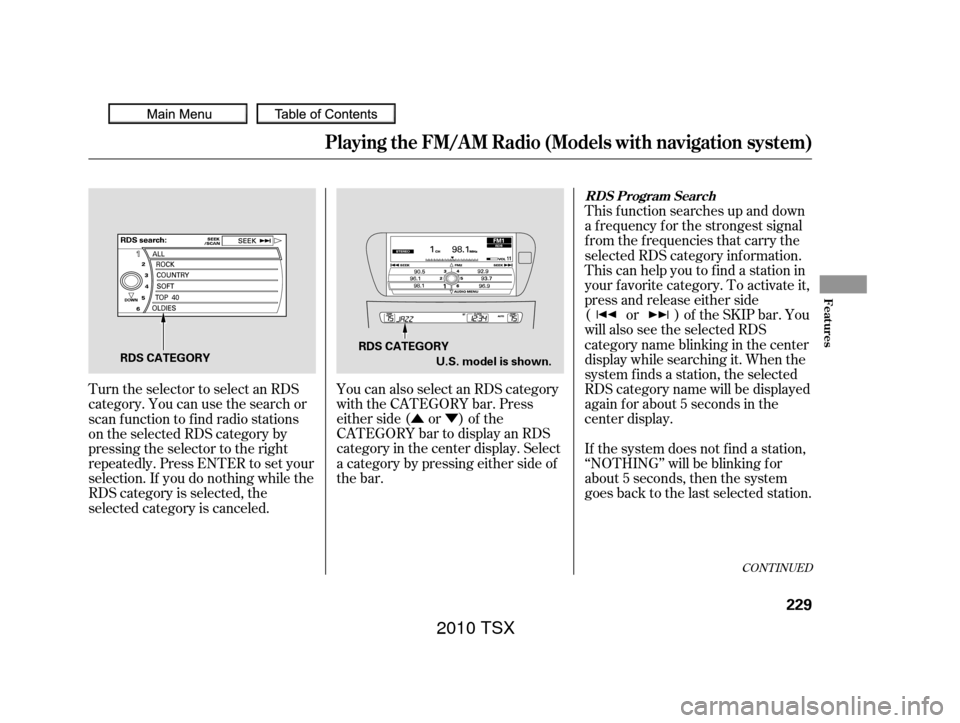
You can also select an RDS category
with the CATEGORY bar. Press
either side ( or ) of the
CATEGORY bar to display an RDS
category in the center display. Select
a category by pressing either side of
the bar. This f unction searches up and down
a f requency f or the strongest signal
f rom the f requencies that carry the
selected RDS category inf ormation.
This can help you to find a station in
your favorite category. To activate it,
press and release either side
( or ) of the SKIP bar. You
will also see the selected RDS
category name blinking in the center
display while searching it. When the
system f inds a station, the selected
RDS category name will be displayed
again for about 5 seconds in the
center display.
If the system does not find a station,
‘‘NOTHING’’ will be blinking f or
about 5 seconds, then the system
goes back to the last selected station.
Turn the selector to select an RDS
category. You can use the search or
scan function to find radio stations
on the selected RDS category by
pressing the selector to the right
repeatedly. Press ENTER to set your
selection. If you do nothing while the
RDS category is selected, the
selected category is canceled.
CONT INUED
RDS Program Search
Playing the FM/A M Radio (Models with navigation system)
Features
229
RDS CATEGORY
RDS CATEGORY
U.S. model is shown.
2010 TSX
Page 236 of 524
To adjust them, press the AUDIO
button, push the interf ace selector
down, and turn the interf ace knob to
SOUND. Then press ENTER on the
selector.
Selectthemodeyouwanttoadjust
by turning the interf ace dial.
Theseadjustmentscanbemadewith
the (Sound) button or the
interf ace dial.
You can also adjust the sound by
pushing the (Sound) button
repeatedly. Each mode is shown in
the center display as it changes.
Turn the VOL/ knob to adjust
the setting to your liking. When the
level reaches the center, you will see
‘‘C’’ in the display.
BASS, TREBLE, FADER, and
BALANCE are each adjustable. You
can also adjust the strength of the
sound coming f rom the center and
subwoof er speakers. In addition, you
can set the Dolby PL (ProLogic) II
and Speed-sensitive volume
compensation (SVC).
CONT INUED
Adjusting the Sound
Playing the FM/A M Radio (Models with navigation system)
Features
233
SOUND ICON
2010 TSX
Page 237 of 524

�µ
�µ �µ
�µ
These
modes adjust the strength of the
sound coming f rom each speaker.
Fader adjusts the f ront-to-back
strength, while balance adjusts the
side-to-side strength. To adjust f ader
and balance, select FADER or
BALANCE, then press ENTER on
the interf ace selector. The current
setting is shown on the screen. Turn
the interface knob to the desired
level, and enter your selection by
pressing ENTER on the interf ace
selector. To equalize the f ader or
balance, turn the interf ace knob until
the marks on the sound grid come to
the center of the adjustment bar.
The system will return to the audio
playing mode in the center display
about 10 seconds af ter you stop
adjusting a mode.
To adjust bass
and treble, select BASS or TREBLE,
andpressENTERontheinterface
selector. The current setting is
shownonthedisplay.Turnthe
interf ace knob to the desired level,
and enter your selection by pressing
ENTER on the interf ace selector. Adjusts the strength of
sound f rom the center speaker.
To adjust the
strength of the sound f rom the
subwoof er speaker, select it and
press ENTER on the interf ace
selector. Turn the interf ace knob to
the desired level, and enter your
selection by pressing ENTER on the
interf ace selector.
If the fader adjustment is set to F9
(maximum f ront level), the
subwoof er is turned of f . FADER/BALANCE
BASS/TREBL E CENT ER
SUBWOOFER
Playing the FM/A M Radio (Models with navigation system)
234
2010 TSX


