Page 155 of 524
You can open and close the
moonroof f or up to 10 minutes af ter
you turn of f the ignition switch.
Opening either f ront door cancels
this function.
Auto reverse stops sensing when the
moonroof is almost closed. You
should always check that all
passengers and objects are away
f rom the moonroof bef ore closing it. If the moonroof runs into any
obstacle while it is closing
automatically, it will reverse
direction, and then stop. To close the
moonroof , remove the obstacle, then
use the moonroof switch again. You can use the remote transmitter
or the key to operate the moonroof
f rom the outside. Ref er to page
f or details.
149
Moonroof
Auto Reverse
152
If you try to open the moonroof in
below-f reezing temperatures, or when
it is covered with snow or ice, you can
damage the moonroof panel or its
motor.
2010 TSX
Page 171 of 524

When the indicator in the dual
button is on, the driver’s side and
passenger’s side temperature can be
controlled independently (see page).
When you set the temperature to its
lower limit ( ) or its upper limit
( ), the system runs at f ull
cooling or heating only. It does not
regulate the interior temperature.
When you adjust a f an control, the
f an is taken out of AUTO mode.
In AUTO mode, the vehicle’s interior
temperature is independently
regulated f or the driver and f ront
passenger according to each
adjusted temperature. The system
also regulates each temperature
basedontheinformationof thesun
light sensor and the sun’s position
which is updated automatically by
the navigation’s global positioning system (GPS). If one side of the
vehicle is getting too much sun, the
system lowers the temperature only
on that side.
You can set the temperatures for the
driver’s side and the passenger’s side
separately when this button is
pressed (indicator is on). When the
indicator in the DUAL button is of f ,
the temperatures for both sides are
synchronized to the driver’s side set
temperature. When def rost mode is
selected, dual mode operation is
canceled.
If you press the OFF button, the
climate control system shuts of f
completely.
Keep the system completely of f
f or short periods only.
To keep stale air and mustiness
f rom collecting, you should have
the f an running at all times.
171
On models with navigation system Dual Button
To Turn Everything Off
Climate Control System
168
2010 TSX
Page 178 of 524
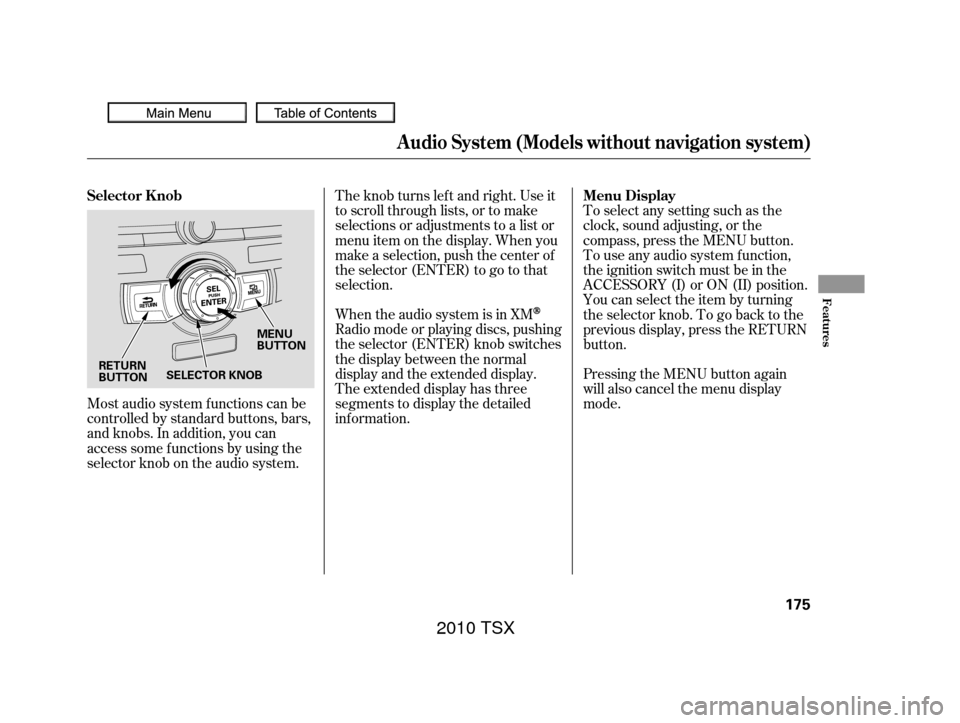
Most audio system f unctions can be
controlled by standard buttons, bars,
and knobs. In addition, you can
access some f unctions by using the
selector knob on the audio system.The knob turns lef t and right. Use it
to scroll through lists, or to make
selections or adjustments to a list or
menu item on the display. When you
make a selection, push the center of
the selector (ENTER) to go to that
selection.
When the audio system is in XM
Radio mode or playing discs, pushing
the selector (ENTER) knob switches
the display between the normal
display and the extended display.
The extended display has three
segments to display the detailed
inf ormation.
Pressing the MENU button again
will also cancel the menu display
mode. To select any setting such as the
clock, sound adjusting, or the
compass, press the MENU button.
To use any audio system f unction,
the ignition switch must be in the
ACCESSORY (I) or ON (II) position.
You can select the item by turning
the selector knob. To go back to the
previous display, press the RETURN
button.
Selector K nob
Menu Display
Audio System (Models without navigation system)
Features
175
MENU
BUTTON
RETURN
BUTTON SELECTOR KNOB
2010 TSX
Page 183 of 524
�Û�Ý
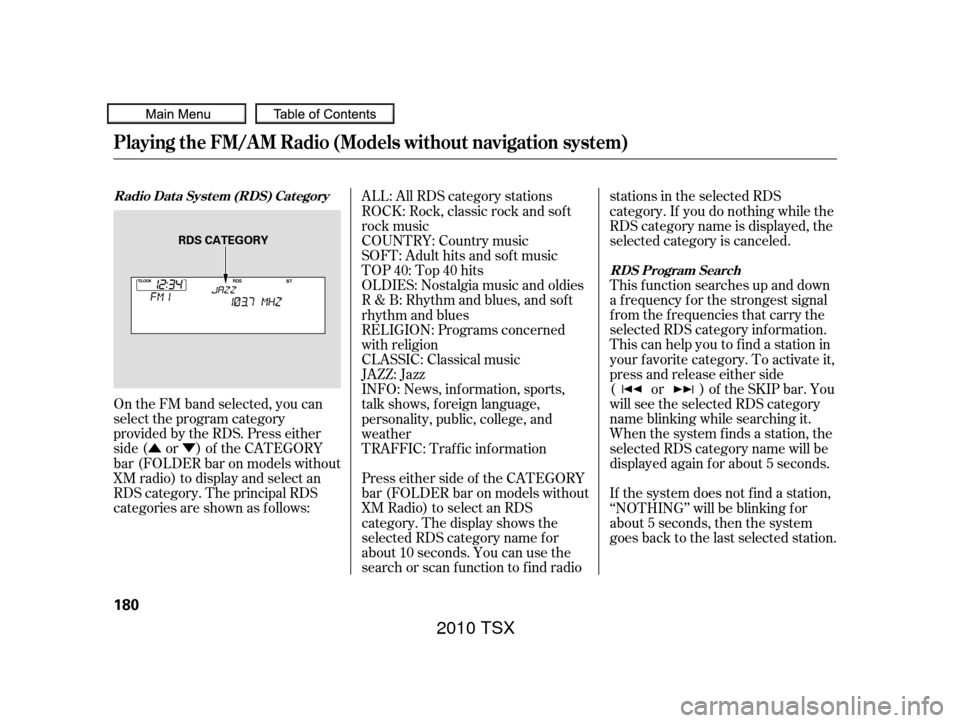
On the FM band selected, you can
select the program category
provided by the RDS. Press either
side ( or ) of the CATEGORY
bar (FOLDER bar on models without
XM radio) to display and select an
RDS category. The principal RDS
categories are shown as follows: This f unction searches up and down
a f requency f or the strongest signal
f rom the f requencies that carry the
selected RDS category inf ormation.
This can help you to find a station in
your favorite category. To activate it,
press and release either side
( or ) of the SKIP bar. You
will see the selected RDS category
name blinking while searching it.
When the system finds a station, the
selected RDS category name will be
displayed again for about 5 seconds.
Press either side of the CATEGORY
bar (FOLDER bar on models without
XM Radio) to select an RDS
category. The display shows the
selected RDS category name f or
about 10 seconds. You can use the
search or scan f unction to f ind radio stations in the selected RDS
category. If you do nothing while the
RDS category name is displayed, the
selected category is canceled.
TRAFFIC: Traffic information INFO: News, inf ormation, sports,
talk shows, f oreign language,
personality, public, college, and
weather JAZZ: Jazz CLASSIC: Classical music RELIGION: Programs concerned
with religion R & B: Rhythm and blues, and sof t
rhythm and blues OLDIES: Nostalgia music and oldies TOP 40: Top 40 hits
SOFT: Adult hits and sof t music
COUNTRY: Country music ALL: All RDS category stations
ROCK: Rock, classic rock and sof t
rock music
If the system does not find a station,
‘‘NOTHING’’ will be blinking f or
about 5 seconds, then the system
goes back to the last selected station.
Radio Data System (RDS) Category RDS Program Search
Playing the FM/A M Radio (Models without navigation system)
180
RDS CATEGORY
2010 TSX
Page 184 of 524
The scan f unction samples all
stations with strong signals on the
selected RDS category. To activate it,
press and release the SCAN button.
You will see SCAN in the display.
The system will scan f or a station
with a strong signal in the selected
RDS category. You will also see the
selected RDS category name
blinking while searching it. When it
f inds a strong signal, it will stop and
play that station for about 10 seconds.
If you do nothing, the system will
scan f or the next strong station and
play it f or 10 seconds. When it plays
a station that you want to listen to,
press the SCAN button again.
If the system does not find a station,
‘‘NOTHING’’ will be blinking f or
about 5 seconds, then the system
goes back to the last selected station.You can use the RDS program
search or scan f unction even if the
PS name display f unction is of f . In
this case, the display shows a
f requency in place of a PS name.
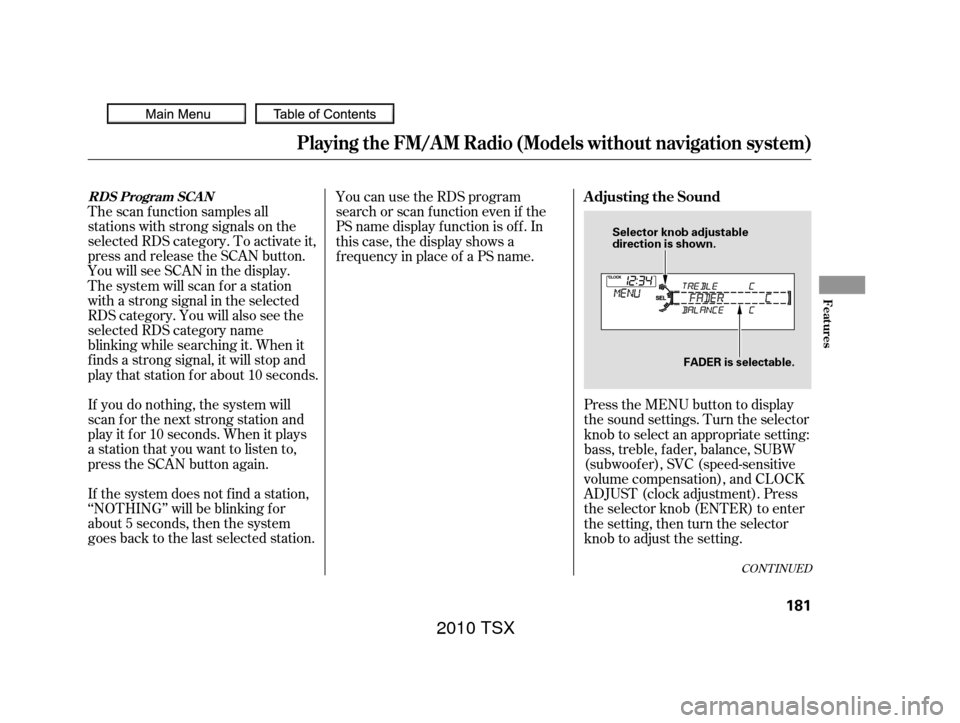
Press the MENU button to display
the sound settings. Turn the selector
knob to select an appropriate setting:
bass, treble, fader, balance, SUBW
(subwoof er), SVC (speed-sensitive
volume compensation), and CLOCK
ADJUST (clock adjustment). Press
the selector knob (ENTER) to enter
the setting, then turn the selector
knob to adjust the setting.
CONT INUED
RDS Program SCANAdjusting the Sound
Playing the FM/A M Radio (Models without navigation system)
Features
181
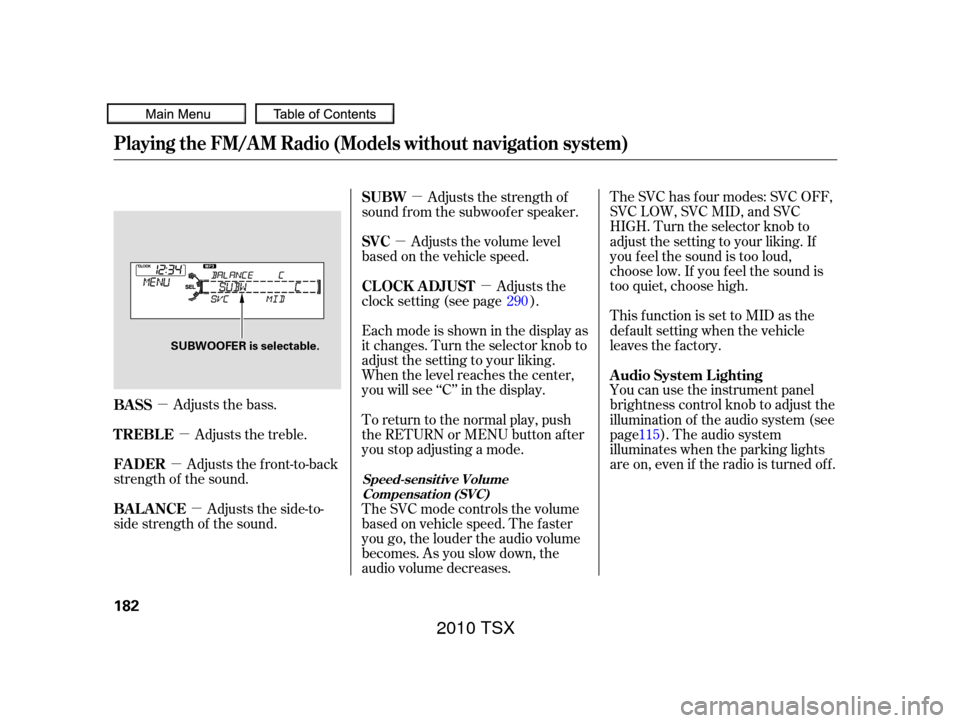
Selector knob adjustable
direction is shown.FADER is selectable.
2010 TSX
Page 185 of 524
�µ�µ
�µ
�µ �µ
�µ �µ
Adjusts the bass. The SVC has f our modes: SVC OFF,
SVC LOW, SVC MID, and SVC
HIGH. Turn the selector knob to
adjust the setting to your liking. If
you f eel the sound is too loud,
choose low. If you f eel the sound is
too quiet, choose high.
This f unction is set to MID as the
def ault setting when the vehicle
leaves the factory.
You can use the instrument panel
brightness control knob to adjust the
illumination of the audio system (see
page ). The audio system
illuminates when the parking lights
are on, even if the radio is turned of f .
Adjusts the side-to-
side strength of the sound. Adjusts the front-to-back
strength of the sound. Adjusts the treble. Eachmodeisshowninthedisplayas
it changes. Turn the selector knob to
adjust the setting to your liking.
When the level reaches the center,
you will see ‘‘C’’ in the display.
To return to the normal play, push
the RETURN or MENU button after
you stop adjusting a mode.
The SVC mode controls the volume
based on vehicle speed. The f aster
you go, the louder the audio volume
becomes. As you slow down, the
audio volume decreases.Adjusts the strength of
sound f rom the subwoof er speaker.
Adjusts the volume level
basedonthevehiclespeed.
Adjusts the
clock setting (see page ).
115
290
BASS A udio System L ighting
BAL ANCE FADER TREBLE SUBW
SVC
CL OCK ADJUST
Speed-sensit ive Volume
Compensat ion (SVC)
Playing the FM/A M Radio (Models without navigation system)
182
SUBWOOFER is selectable.
2010 TSX
Page 191 of 524
There may be other geographic
situations that could af f ect XM Radio
reception.After you’ve registered with XM
Radio, keep your audio system in the
XM Radio mode while you wait f or
activation. This should take about 30
minutes.
If your XM Radio service has expired
or you purchased your vehicle f rom
a previous owner, you can listen to a
sampling of the broadcasts available
on XM Radio. With the ignition
switch in the ACCESSORY (I) or the
ON (II) position, press the
button. A variety of music
types and styles will play.
If you decide to purchase XM radio
service, contact XM Radio at ,orat
1-800-852-9696. In Canada, contact
XM CANADA
at , or
at 1-877-209-0079. You will need to
give them your radio I.D. number
and your credit card number. To get
your radio I.D. number, press the button, then turn the
selector knob until ‘‘CH 000’’ appears
in the display. Your I.D. will appear
in the display. While waiting for activation, make
sure your vehicle remains in an open
area with good reception. Once your
audio system is activated,
‘‘CATEGORY’’ or ‘‘CHANNEL’’ will
appear in the display, and you’ll be
able to listen to XM radio broadcasts.
XM Radio will continue to send an
activation signal to your vehicle f or
at least 12 hours from the activation
request. If the service has not been
activated after 36 hours, contact
XM
Radio. In Canada, contact XM
CANADA
.
As required by the FCC:
Changes or modif ications not expresslyapproved by the party responsible f orcompliance could void the user’sauthority to operate the equipment.
www.xmradio.comwww.xmradio.ca
Playing the XMRadio (Models without navigation system)
Receiving XM Radio Service
188
2010 TSX
Page 197 of 524
You can select any type of repeat,
random and scan modes by using the
MENU button and the selector knob.
Push the MENU button to display
themenuitems,thenturnthe
selector knob to select ‘‘PLAY
MODE.’’ Press the selector knob
(ENTER) to set the selection.Turn the selector knob to select an
appropriate repeat, random or scan
mode, then press the selector knob
(ENTER) to set your selection.
To cancel the selected repeat,
random, or scan mode, press the
MENU button to show ‘‘PLAY
MODE,’’ then press the selector
knob (ENTER). When you see
‘‘NORMAL PLAY,’’ press ENTER
again.
Playing a Disc (Models without navigation system)
T o Select Repeat , Random or ScanMode:
194
MENU ITEMS
PLAY MODE ITEMS
2010 TSX