Page 270 of 556
270
L/C200_U (OM60D97U)
3-2. Using the audio system
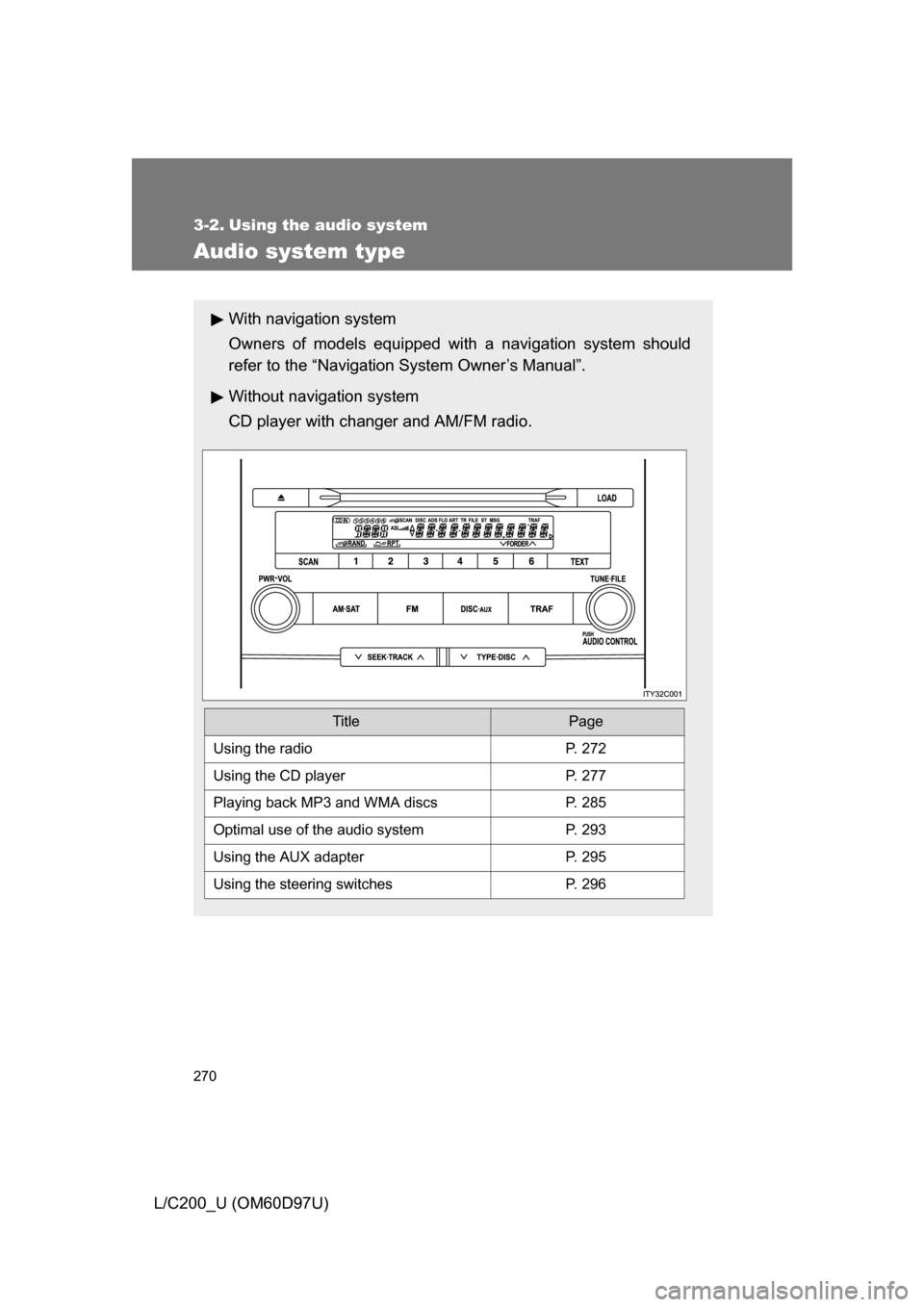
Audio system type
With navigation system
Owners of models equipped with a navigation system should
refer to the “Navigation System Owner’s Manual”.
Without navig ation system
CD player with changer and AM/FM radio.
TitlePage
Using the radioP. 272
Using the CD playerP. 277
Playing back MP3 and WMA discs P. 285
Optimal use of the audio systemP. 293
Using the AUX adapter P. 295
Using the steering switchesP. 296
Page 271 of 556
271
3-2. Using the audio system
3
Interior features
L/C200_U (OM60D97U)
■
Using cellular phones
Interference may be heard through the audio system’s speakers if a cellular
phone is being used inside or close to the vehicle while the audio syste\
m is
operating.
CAUTION
■For vehicles sold in the U.S.A.
● Part 15 of the FCC Rules
FCC Warning:
Any unauthorized changes or modifications to this equipment will void the
user’s authority to operate this device.
● Laser products
• Do not take this unit apart or attempt to make any changes yourself.
This is an intricate unit that uses a laser pickup to retrieve information
from the surface of compact discs. The laser is carefully shielded so
that its rays remain inside the cabinet. Therefore, never try to disas-
semble the player or alter any of its parts since you may be exposed to
laser rays and dangerous voltages.
• This product utilizes a laser. Use of controls or adjustments or performance of procedures other
than those specified herein may result in hazardous radiation expo-
sure.
NOTICE
■To prevent battery discharge
Do not leave the audio system on longer than necessary with the engine o\
ff.
■ To avoid damaging the audio system
Take care not to spill drinks or other fluids over the audio system.
Page 272 of 556
272
3-2. Using the audio system
L/C200_U (OM60D97U)
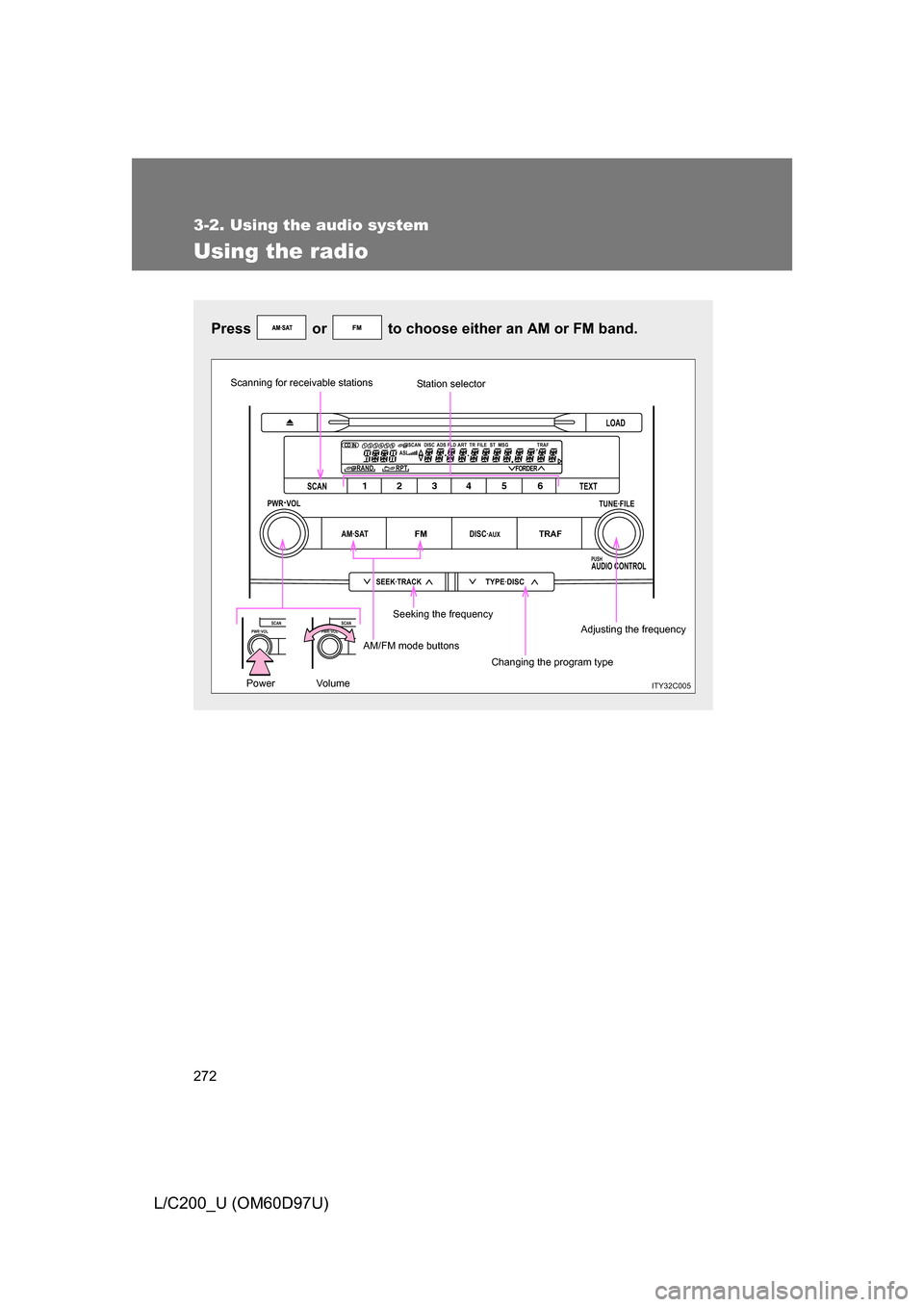
Using the radio
Press or to choose either an AM or FM band.
LOAD
TYPE·DISCSEEK·TRACK
AM·SATFMDISC·AUXTRAF
12 34 5 6
TUNE·FILE
PUSHAUDIO CONTROL
PWR·VOL
TEXT
SCAN
RAND RPT
1234 56DISCASLSCAN ADS FLD FILE TR TRAFST MSG
ART
FORDER
PWR·VOLSCANPWR·VOLSCAN
ITY32C005
Scanning for receivable stations
Seeking the frequencyStation selector
AM/FM mode buttons Changing the program typeAdjusting the frequency
Power Volume
Page 273 of 556
273
3-2. Using the audio system
3
Interior features
L/C200_U (OM60D97U)
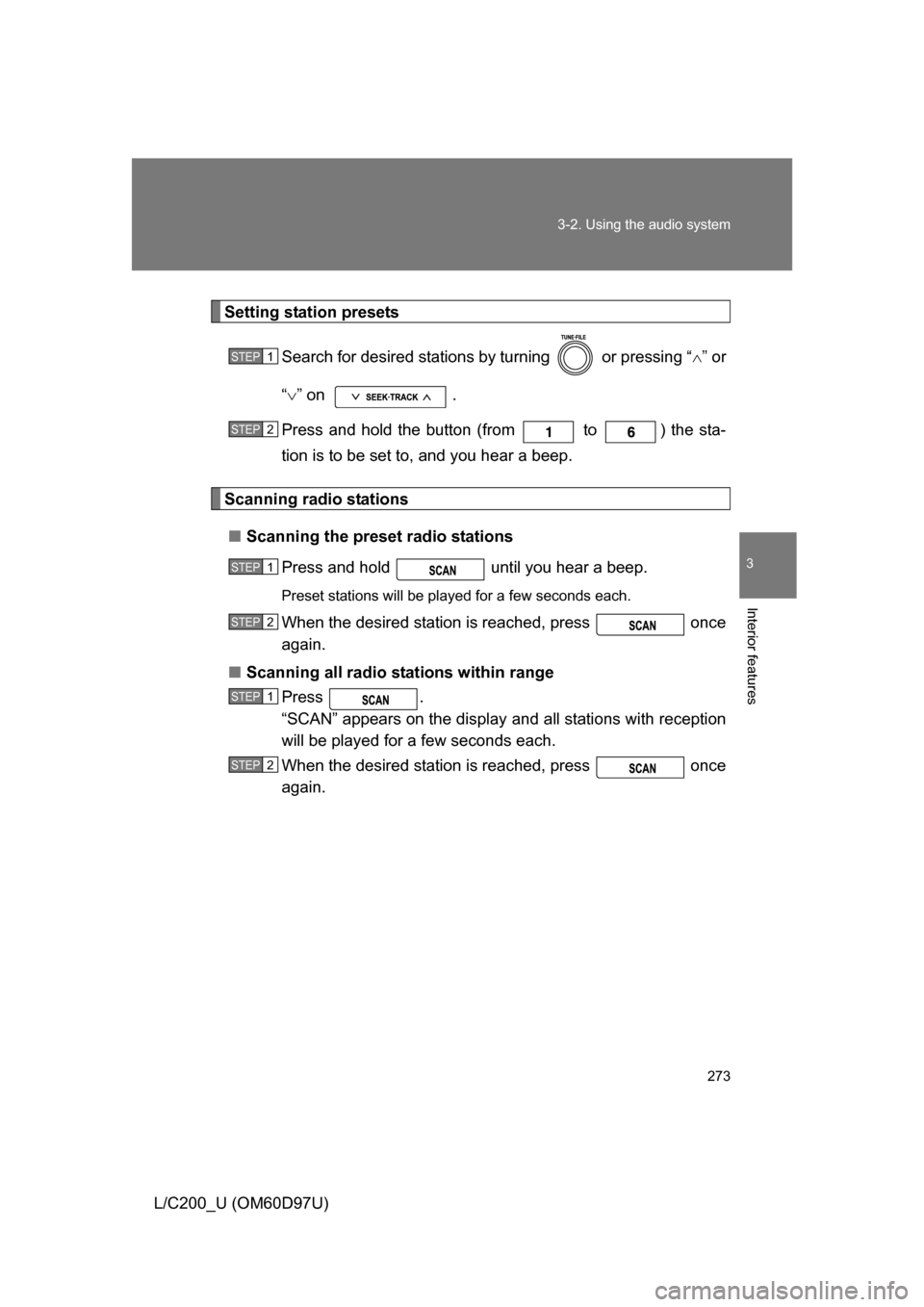
Setting station presets
Search for desired stations by turning or pressing “ ” or
“ ” on .
Press and hold the button (from to ) the sta-
tion is to be set to, and you hear a beep.
Scanning radio stations
■ Scanning the preset radio stations
Press and hold until you hear a beep.
Preset stations will be played for a few seconds each.
When the desired station is reached, press once
again.
■ Scanning all radio stations within range
Press .
“SCAN” appears on the display and all stations with reception
will be played for a few seconds each.
When the desired station is reached, press once
again.
STEP1
STEP2
STEP1
STEP2
STEP1
STEP2
Page 274 of 556
274 3-2. Using the audio system
L/C200_U (OM60D97U)
RDS (Radio Data System)This feature allows your radio to receive station identification informa-
tion and program information (classic al, jazz, etc.) from radio stations
which broadcast this information.
■ Receiving RDS broadcasts
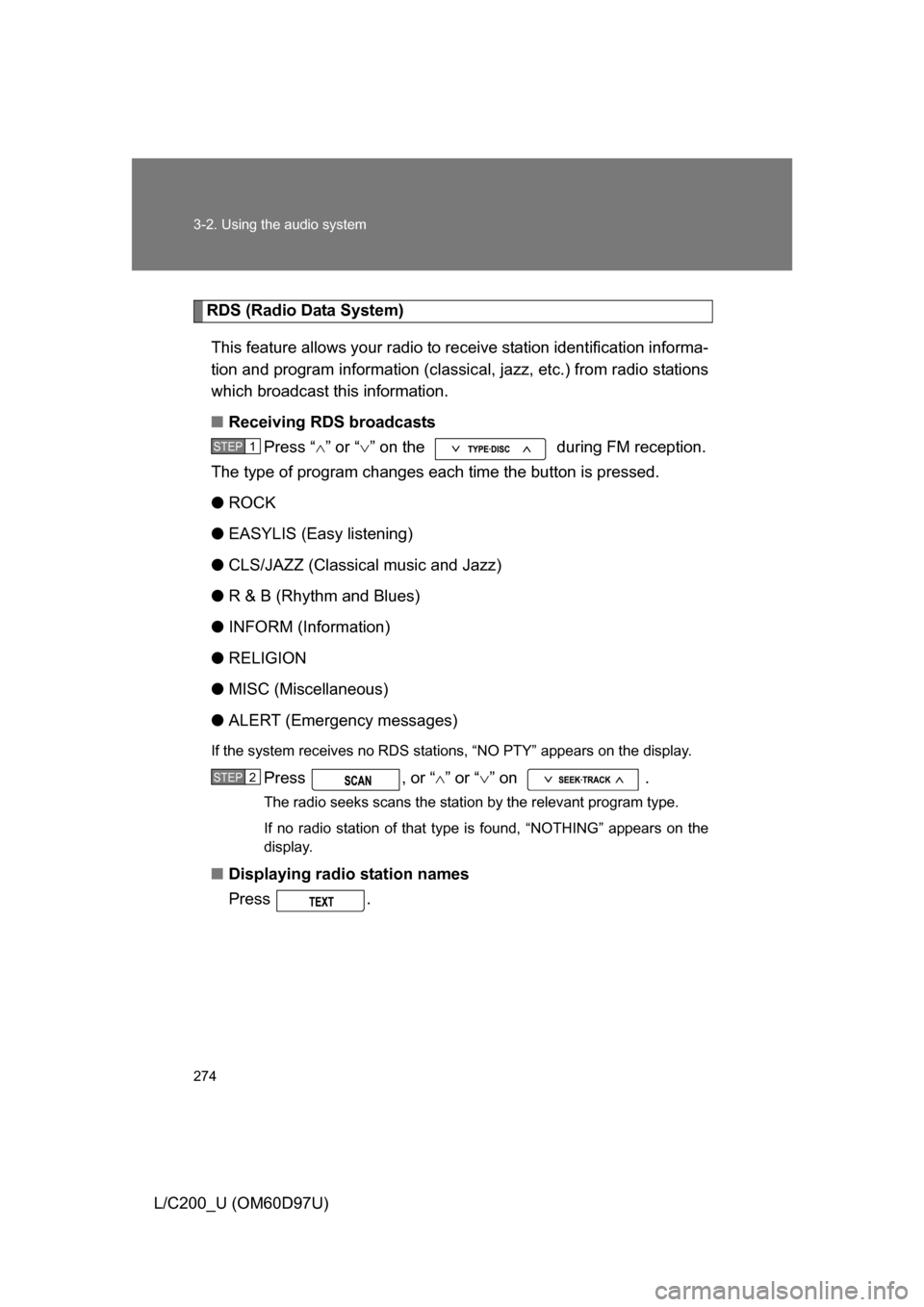
Press “ ” or “ ” on the during FM reception.
The type of program changes each time the button is pressed.
● ROCK
● EASYLIS (Easy listening)
● CLS/JAZZ (Classical music and Jazz)
● R & B (Rhythm and Blues)
● INFORM (Information)
● RELIGION
● MISC (Miscellaneous)
● ALERT (Emergency messages)
If the system receives no RDS stations, “NO PTY” appears on the display.
Press , or “ ” or “ ” on .
The radio seeks scans the station by the relevant program type.
If no radio station of that type is found, “NOTHING” appears on the
display.
■Displaying radio station names
Press .
STEP1
STEP2
Page 275 of 556
275
3-2. Using the audio system
3
Interior features
L/C200_U (OM60D97U)
■
Displaying radio text messages
Press .
If MSG is shown on the display, a text message will be displayed.
If the text continues past the end of the display, is displayed. Press
and hold until you hear a beep.
■Traffic announcement
Press .
“TRAF SEEK” appears on the display, and the radio will start seeking
any station broadcasting traffic program information.
If no traffic program station is found, “NO TRAF INFO” appears on the
display.
■ When the battery is disconnected
All preset stations are erased.
■ Reception sensitivity
● Maintaining perfect radio reception at all times is difficult due to the con-
tinually changing position of the antenna, differences in signal strength
and surrounding objects, such as trains, transmitters, etc.
● The radio antenna is mounted inside the rear quarter window. To main-
tain clear radio reception, do not attach metallic window tinting or other
metallic objects to the antenna wire mounted inside the rear quarter win-
dow.
Page 276 of 556
276 3-2. Using the audio system
L/C200_U (OM60D97U)
■Certifications for the radio tuner
This equipment has been tested and found to comply with the limits for a
class B digital device, pursuant to Part 15 of the FCC Rules. These limits are
designed to provide reasonable protection against harmful interference in a
residential installation. This equipment generates, uses and can radiate
radio frequency energy and, if not installed and used in accordance with the
instructions, may cause harmful interference to radio communications. How-
ever, there is no guarantee that interference will not occur in a particular
installation.
If this equipment does cause harmful interference to radio or television
reception, which can be determined by turning the equipment off and on, the
user is encouraged to try to correct the interference by trying one or more of
the following:
● Reorienting or relocating the receiving antenna.
● Increasing the separation between the equipment and receiver.
● Connecting the equipment into an outlet on a circuit different from that to
which the receiver is connected.
● Consulting the dealer or an experienc ed radio/TV technician for help.
Page 277 of 556
277
3-2. Using the audio system
3
Interior features
L/C200_U (OM60D97U)
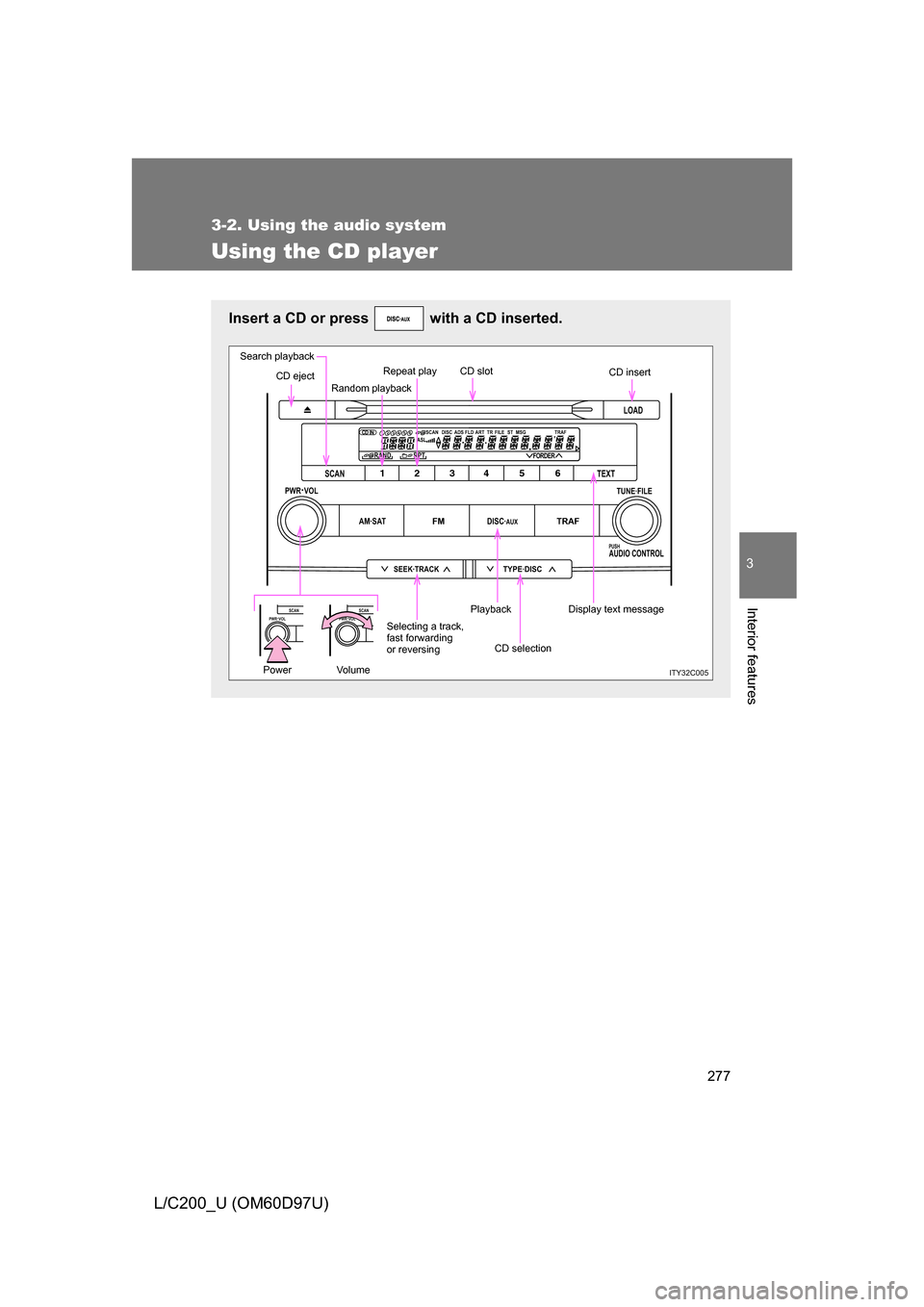
Using the CD player
Insert a CD or press with a CD inserted.
LOAD
TYPE·DISCSEEK·TRACK
AM·SATFMDISC·AUXTRAF
12 34 5 6
TUNE·FILE
PUSHAUDIO CONTROL
PWR·VOL
TEXT
SCAN
RAND RPT
1234 56DISCASLSCAN ADS FLD FILE TR TRAFST MSG
ART
FORDER
PWR·VOLSCANPWR·VOLSCAN
ITY32C005
Search playback
CD eject Random playbackRepeat play CD slot
CD insert
Display text message
CD selection
Playback
Selecting a track,
fast forwarding
or reversing
Power Volume