Page 97 of 228
Instruments and controls
97
Select menu items via the menus and
using the infotainment system
buttons. The OK button is used to
select the highlighted item or confirm
a command.
To exit a menu, press the right or left
arrow button until Return or Main
appear and select.
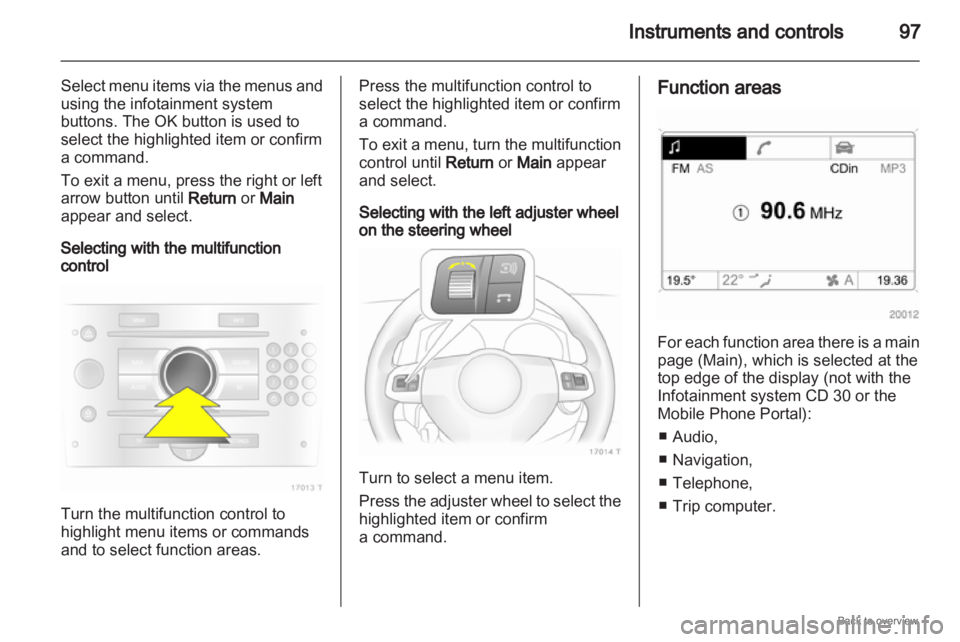
Selecting with the multifunction
control Turn the multifunction control to
highlight menu items or commands
and to select function areas. Press the multifunction control to
select the highlighted item or confirm
a command.
To
exit a menu, turn the multifunction
control until Return or Main appear
and select.
Selecting with the left adjuster wheel
on the steering wheel Turn to select a menu item.
Press
the adjuster wheel to select the
highlighted item or confirm
a command. Function areas
For each function area there is a main
page (Main), which is selected at the
top edge of the display (not with the
Infotainment system CD 30 or the
Mobile Phone Portal):
■
Audio,
■ Navigation,
■ Telephone,
■ Trip computer.
Page 99 of 228
Instruments and controls
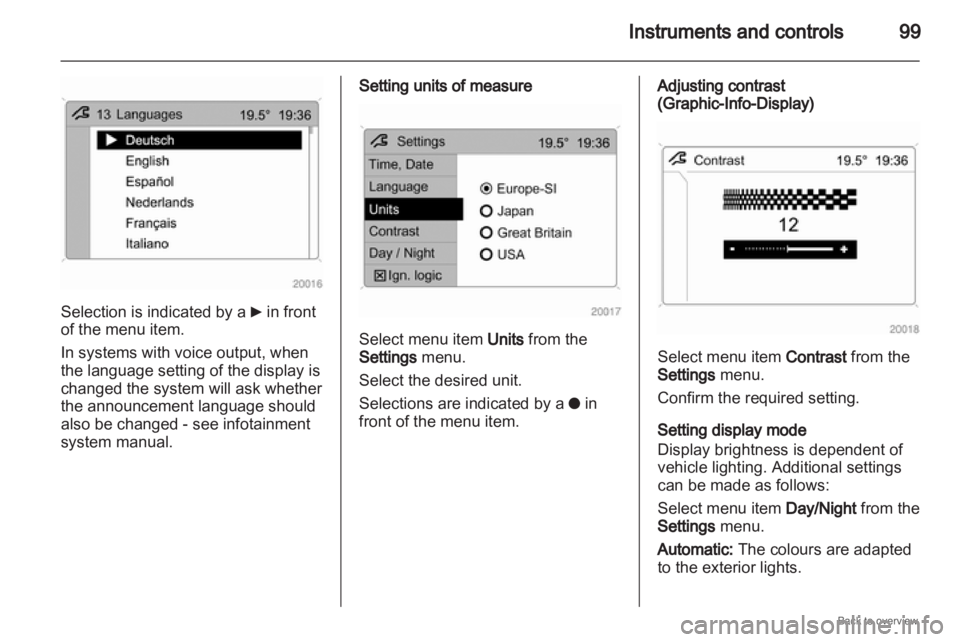
99Selection is indicated by a
6 in front
of the menu item.
In systems with voice output, when
the language setting of the display is
changed the system will ask whether
the announcement language should
also be changed - see infotainment
system manual. Setting units of measure
Select menu item Units from the
Settings menu.
Select the desired unit.
Selections are indicated by a
o in
front of the menu item. Adjusting contrast
(Graphic-Info-Display)
Select menu item Contrast from the
Settings menu.
Confirm the required setting.
Setting display mode
Display brightness is dependent of
vehicle lighting. Additional settings
can be made as follows:
Select menu item
Day/Night from the
Settings menu.
Automatic: The colours are adapted
to the exterior lights.
Page 100 of 228

100
Instruments and controls
Always day design: black or coloured
text on light background.
Always night design: white or
coloured text on dark background.
Selection is indicated by a o in front
of the menu item.
Ignition logic
See infotainment system manual. Vehicle messages
Messages are given via the
instrument panel display or as
warning and signal buzzers. Check
control messages appear on the
Info-Display. Some appear in an
abbreviated form. Confirm warning
messages 3 93, 3 96.
Warning chimes
When starting the engine or
whilst driving
■
If the electronic key is not presentor is not recognised.
■ If seat belt is not fastened.
■ If a door or the tailgate is not fully closed when starting off.
■ If a certain speed is exceeded with the hand brake applied.
■ If the speed programmed at the factory is exceeded.
■ If the vehicle has automated manual transmission and the
driver's door is opened when the engine is running, a gear is
engaged and the foot brake is not
depressed.
When the vehicle is parked and
the driver's door is opened ■
When the key is in the ignition switch.
■ With exterior lights on.
■ With Open&Start system and automatic transmission, if the
selector lever is not in P.
■ For automated manual transmission, if the hand brake is
not applied and no gear is engaged
when the engine is switched off.
Battery voltage
Low battery voltage in remote control
or electronic key. On vehicles without
check control, the message InSP3
appears in the instrument panel
display. Replace the battery 3 28,
3 29.
Page 101 of 228

Instruments and controls
101
Brake light switch
Brake light does not come on during
braking. Have the cause of the fault
remedied immediately by
a workshop.
Engine cooling level Low fluid level in engine cooling
system. Check coolant immediately
3 157. Drain diesel fuel filter
If
there is water in the diesel fuel filter,
the message InSP4 appears in the
instrument panel. Consult
a workshop.
Lighting
Important exterior lighting lamps,
including cables and fuses, are
monitored. In trailer mode, trailer
lighting is also monitored. Trailers
with LED lighting must have an
adapter that enables lamp monitoring
as with conventional bulbs. The failed lighting will be indicated in
the information display or the
message InSP2 will appear in the
instrument panel display.
Anti-theft alarm system
System fault in anti-theft alarm
system. Have the cause of the fault
remedied by a workshop.
Tyre pressure On vehicles with tyre pressure
monitoring
system, if there is low tyre
pressure, information on which tyre to
check appears on the display.
Page 108 of 228
108
Lighting
Lighting
Exterior lighting .......................... 108
Interior lighting ........................... 113
Lighting features ........................114 Exterior lighting
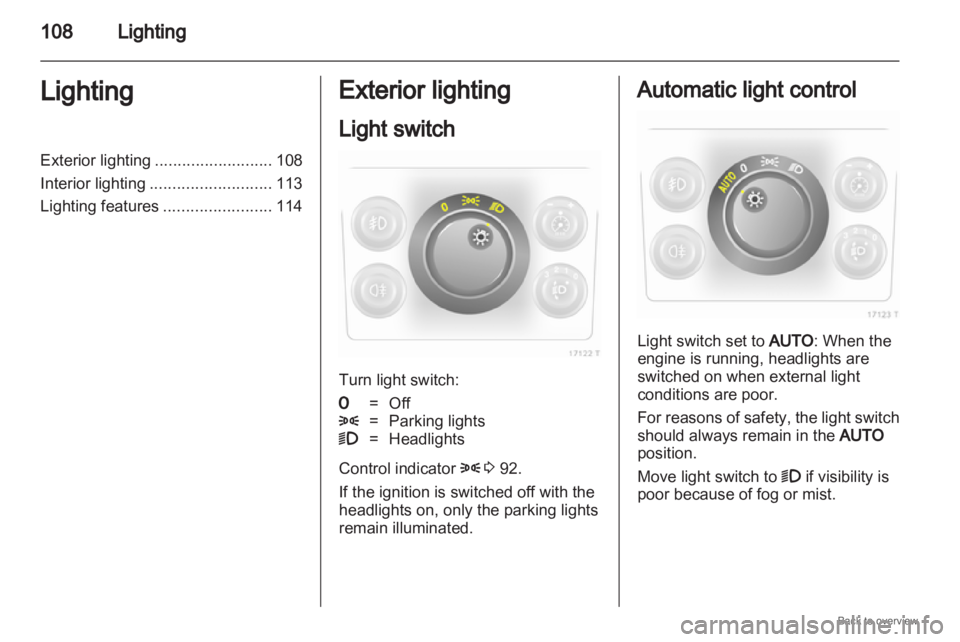
Light switch
Turn light switch:
7
= Off
8 = Parking lights
9 = Headlights
Control indicator 8 3 92.
If the ignition is switched off with the
headlights on, only the parking lights
remain illuminated. Automatic light control
Light switch set to AUTO: When the
engine is running, headlights are
switched on when external light
conditions are poor.
For
reasons of safety, the light switch
should always remain in the AUTO
position.
Move light switch to 9 if visibility is
poor because of fog or mist.
Page 109 of 228
Lighting
109
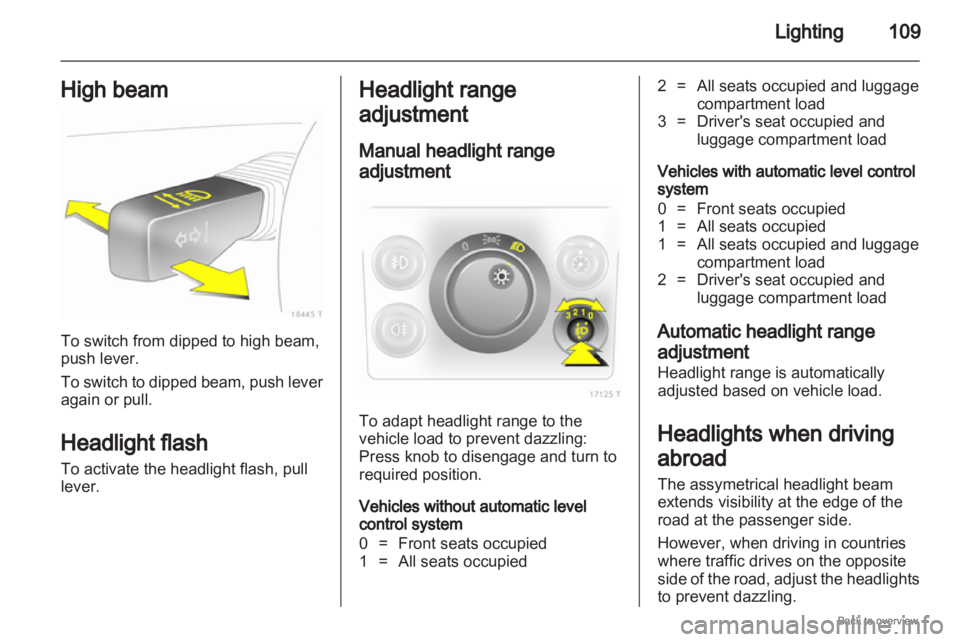
High beam To switch from dipped to high beam,
push lever.
To
switch to dipped beam, push lever
again or pull.
Headlight flash
To activate the headlight flash, pull
lever. Headlight range
adjustment
Manual headlight range
adjustment
To adapt headlight range to the
vehicle load to prevent dazzling:
Press knob to disengage and turn to
required position.
Vehicles without automatic level
control system
0 =
Front seats occupied
1 = All seats occupied 2 = All seats occupied and luggage
compartment load
3 = Driver's seat occupied and luggage compartment load
Vehicles with automatic level control
system
0 = Front seats occupied
1 = All seats occupied
1 = All seats occupied and luggage compartment load
2 = Driver's seat occupied and luggage compartment load
Automatic headlight range
adjustment
Headlight range is automatically
adjusted based on vehicle load.
Headlights when driving
abroad
The assymetrical headlight beam
extends visibility at the edge of the
road at the passenger side.
However, when driving in countries
where traffic drives on the opposite
side
of the road, adjust the headlights
to prevent dazzling.
Page 110 of 228
110
Lighting
Vehicles with halogen headlight
system
Have the headlights adjusted by
a workshop.
Vehicles with adaptive forward
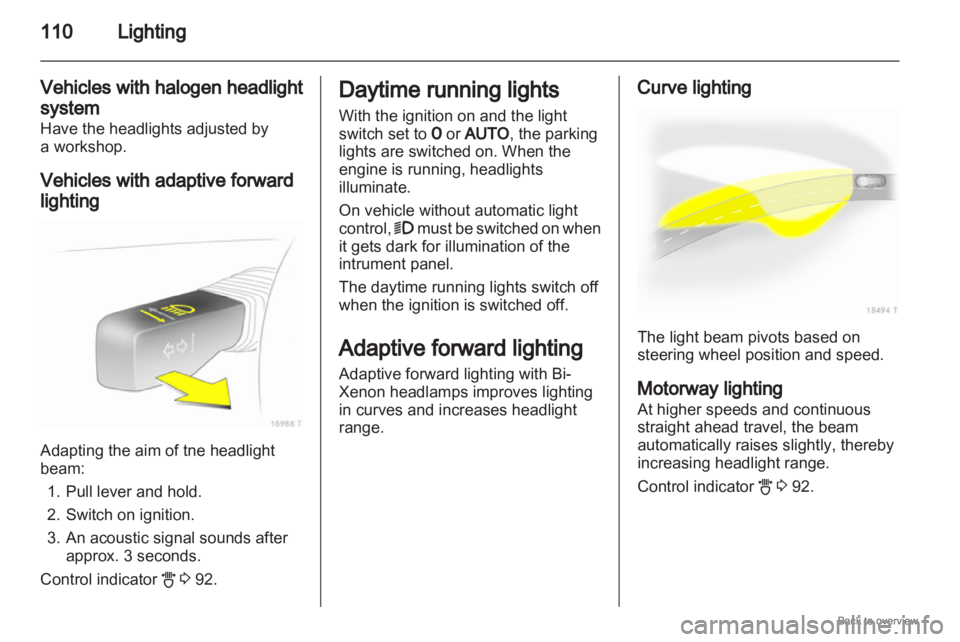
lighting Adapting the aim of tne headlight
beam:
1.
Pull lever and hold.
2. Switch on ignition.
3. An acoustic signal sounds after approx. 3 seconds.
Control indicator B 3 92. Daytime running lights
With the ignition on and the light
switch set to 7 or AUTO, the parking
lights are switched on. When the
engine is running, headlights
illuminate.
On vehicle without automatic light
control, 9
must be switched on when
it gets dark for illumination of the
intrument panel.
The daytime running lights switch off
when the ignition is switched off.
Adaptive forward lighting
Adaptive forward lighting with Bi-
Xenon headlamps improves lighting
in curves and increases headlight
range. Curve lighting
The light beam pivots based on
steering wheel position and speed.
Motorway lighting
At higher speeds and continuous
straight ahead travel, the beam
automatically raises slightly, thereby
increasing headlight range.
Control indicator
B 3 92.
Page 111 of 228
Lighting
111
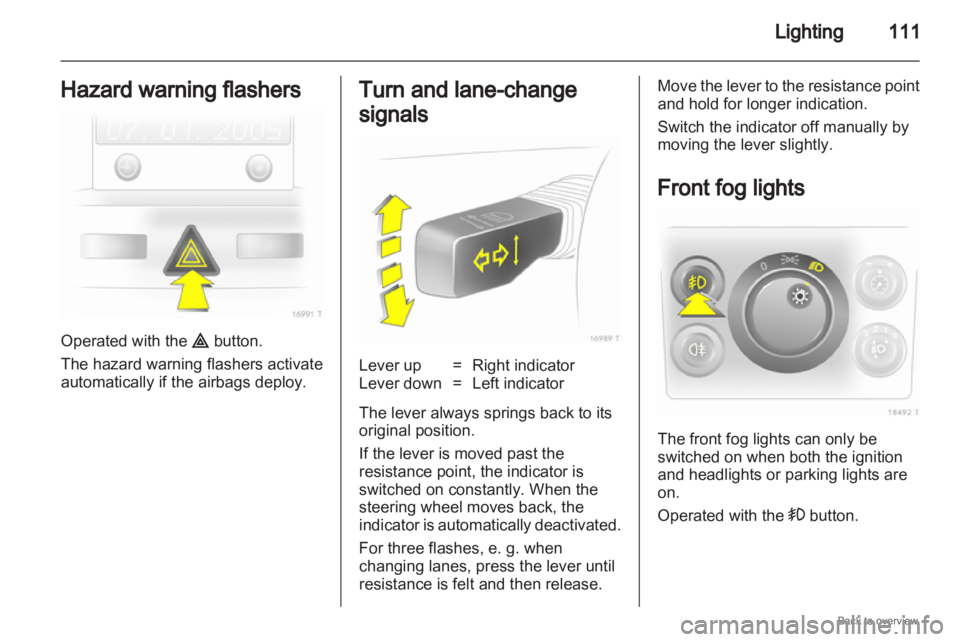
Hazard warning flashers Operated with the ¨ button.
The hazard warning flashers activate
automatically if the airbags deploy. Turn and lane-change
signals
Lever up = Right indicator
Lever down = Left indicator
The lever always springs back to its
original position.
If the lever is moved past the
resistance point, the indicator is
switched on constantly. When the
steering wheel moves back, the
indicator
is automatically deactivated.
For three flashes, e. g. when
changing lanes, press the lever until
resistance is felt and then release. Move the lever to the resistance point
and hold for longer indication.
Switch the indicator off manually by
moving the lever slightly.
Front fog lights
The front fog lights can only be
switched on when both the ignition
and headlights or parking lights are
on.
Operated with the > button.