Page 2884 of 4331
EC-1528< SERVICE INFOMATION >
[MR TYPE 2]
REFRIGERANT PRESSURE SENSOR
Wiring Diagram INFOID:0000000004500427
Specification data are reference values and are measured between each terminal and ground.
CAUTION:
Do not use ECM ground terminals when measuring in put/output voltage. Doing so may result in dam-
age to the ECM's transistor. Use a ground ot her than ECM terminals, such as the ground. BBWA2662E
Page 2885 of 4331
![NISSAN TIIDA 2009 Service Repair Manual REFRIGERANT PRESSURE SENSOR
EC-1529
< SERVICE INFOMATION >
[MR TYPE 2] C
D E
F
G H
I
J
K L
M A EC
NP
O
Diagnosis Procedure
INFOID:00000000045004281.
CHECK REFRIGERANT PRESSURE SENSOR OVERALL FUNCTION](/manual-img/5/57398/w960_57398-2884.png "NISSAN TIIDA 2009 Service Repair Manual REFRIGERANT PRESSURE SENSOR
EC-1529
< SERVICE INFOMATION >
[MR TYPE 2] C
D E
F
G H
I
J
K L
M A EC
NP
O
Diagnosis Procedure
INFOID:00000000045004281.
CHECK REFRIGERANT PRESSURE SENSOR OVERALL FUNCTION")
REFRIGERANT PRESSURE SENSOR
EC-1529
< SERVICE INFOMATION >
[MR TYPE 2] C
D E
F
G H
I
J
K L
M A EC
NP
O
Diagnosis Procedure
INFOID:00000000045004281.
CHECK REFRIGERANT PRESSURE SENSOR OVERALL FUNCTION
1. Start engine and warm it up to normal operating temperature.
2. Turn A/C switch and blower fan switch ON.
3. Check voltage between ECM terminal 41 and ground with CON- SULT-III or tester.
OK or NG OK >>
INSPECTION END
NG >> GO TO 2. 2.
CHECK GROUND CONNECTIONS
1. Turn A/C switch and blower fan switch OFF.
2. Stop engine and turn ignition switch OFF.
3. Loosen and retighten ground screw on the body. Refer to EC-1144, " Ground Inspection " .
OK or NG OK >> GO TO 3.
NG >> Repair or replace ground connections. 3.
CHECK REFRIGERANT PRESSURE SE NSOR POWER SUPPLY CIRCUIT
TERMI-
NAL NO. WIRE
COLOR ITEM CONDITION DATA (DC Voltage)
41 GR Refrigerant pressure sensor [Engine is running]
• Warm-up condition
• Both A/C switch and blower fan switch: ON
(Compressor operates) 1.0 - 4.0V
48 BR Sensor ground
(Refrigerant pressure sensor) [Engine is running]
• Warm-up condition
• Idle speed Approximately 0V
74 W Sensor power supply
(Refrigerant pressure sensor) [Ignition switch: ON]
Approximately 5VVoltage: 1.0 - 4.0V
PBIA9574J
:
Vehicle front
1. Body ground E24 2. Engine ground F9 3. Engine ground F16
4. Body ground E15 BBIA0698E
Page 2886 of 4331
![NISSAN TIIDA 2009 Service Repair Manual EC-1530< SERVICE INFOMATION >
[MR TYPE 2]
REFRIGERANT PRESSURE SENSOR
1. Disconnect refrigerant pressure sensor (1) harness connector.
- : Vehicle front
2. Turn ignition switch ON.
3. Check voltage](/manual-img/5/57398/w960_57398-2885.png "NISSAN TIIDA 2009 Service Repair Manual EC-1530< SERVICE INFOMATION >
[MR TYPE 2]
REFRIGERANT PRESSURE SENSOR
1. Disconnect refrigerant pressure sensor (1) harness connector.
- : Vehicle front
2. Turn ignition switch ON.
3. Check voltage")
EC-1530< SERVICE INFOMATION >
[MR TYPE 2]
REFRIGERANT PRESSURE SENSOR
1. Disconnect refrigerant pressure sensor (1) harness connector.
- : Vehicle front
2. Turn ignition switch ON.
3. Check voltage between refrigerant pressure sensor terminal 3 and ground with CONSULT-III or tester.
OK or NG OK >> GO TO 5.
NG >> GO TO 4. 4.
DETECT MALFUNCTIONING PART
Check the following.
• Harness connectors E8, F8
• Harness for open or short between refrigerant pressure sensor and ECM
>> Repair open circuit or short to ground or short to power in harness or connectors. 5.
CHECK REFRIGERANT PRESSURE SENSOR GROUND CIRCUIT FOR OPEN AND SHORT
1. Turn ignition switch OFF.
2. Disconnect ECM harness connector.
3. Check harness continuity between refrigerant pressure sensor terminal 1 and ECM terminal 48.
Refer to Wiring Diagram.
4. Also check harness for short to ground and short to power.
OK or NG OK >> GO TO 7.
NG >> GO TO 6. 6.
DETECT MALFUNCTIONING PART
Check the following.
• Harness connectors E8, F8
• Harness for open or short between refrigerant pressure sensor and ECM
>> Repair open circuit or short to ground or short to power in harness or connectors. 7.
CHECK REFRIGERANT PRESSURE SENSOR INPU T SIGNAL CIRCUIT FOR OPEN AND SHORT
1. Check harness continuity between refrigerant pressure sensor terminal 2 and ECM terminal 41. Refer to Wiring Diagram.
2. Also check harness for short to ground and short to power.
OK or NG BBIA0713E
Voltage: Approximately 5V
SEF479Y
Continuity should exist.
Continuity should exist.
Page 2887 of 4331
EC
NP
O
OK >> GO TO 9.
NG >> GO TO 8. .
OK or NG OK >> Replace refrigerant pressure sensor.
NG >> Repair or replace.
Removal and Installation INFOID:0000000004500429
REFRIGERANT PRESSURE SENSOR Refer to MTC-83, " Removal and Installation of Refrigerant Pressure Sensor " .
Page 2891 of 4331
EC
NP
O
Air Fuel Ratio (A/F) Sensor 1 Heater
INFOID:0000000004500437
Heated Oxygen sensor 2 Heater INFOID:0000000004500438
Crankshaft Position Sensor (POS) INFOID:0000000004500439
Refer to EC-1298, " Component Inspection " .
Camshaft Position Sensor (PHASE) INFOID:0000000004500440
Refer to EC-1303, " Component Inspection " .
Throttle Control Motor INFOID:0000000004500441
Fuel Injector INFOID:0000000004500442
Fuel Pump INFOID:0000000004500443
Resistance [at 25
°C (77 °F)] 1.8 - 2.44 Ω
Page 2894 of 4331

EI
N
O P
PRECAUTION
PRECAUTIONS
Precaution for Supplemental Restraint System (SRS) "AIR BAG" and "SEAT BELT
PRE-TENSIONER" INFOID:0000000004783758
The Supplemental Restraint System such as “A IR BAG” and “SEAT BELT PRE-TENSIONER”, used along
with a front seat belt, helps to reduce the risk or severi ty of injury to the driver and front passenger for certain
types of collision. This system includes seat belt switch inputs and dual stage front air bag modules. The SRS
system uses the seat belt switches to determine the front air bag deployment, and may only deploy one front
air bag, depending on the severity of a collision and w hether the front occupants are belted or unbelted.
Information necessary to service the system safely is included in the SRS and SB section of this Service Man-
ual.
WARNING:
• To avoid rendering the SRS inoper ative, which could increase the risk of personal injury or death in
the event of a collision which would result in air bag inflation, all maintenance must be performed by
an authorized NISSAN/INFINITI dealer.
• Improper maintenance, including in correct removal and installation of the SRS can lead to personal
injury caused by unintentional act ivation of the system. For removal of Spiral Cable and Air Bag
Module, see the SRS section.
• Do not use electrical test equipm ent on any circuit related to the SRS unless instructed to in this
Service Manual. SRS wiring harnesses can be identi fied by yellow and/or orange harnesses or har-
ness connectors.
• When working near the Airbag Diagnosis Sensor Un it or other Airbag System sensors with the Igni-
tion ON or engine running, DO NOT use air or el ectric power tools or strike near the sensor(s) with a
hammer. Heavy vibration could activate the sensor( s) and deploy the air bag(s), possibly causing
serious injury.
• When using air or electric power tools or hammers , always switch the Ignition OFF, disconnect the
battery, and wait at least 3 minutes before performing any service.
Precaution Necessary for Steering Wh eel Rotation After Battery Disconnect
INFOID:0000000004685432
NOTE:
• This Procedure is applied only to models with Inte lligent Key system and NATS (NISSAN ANTI-THEFT SYS-
TEM).
• Remove and install all control units after disconnecti ng both battery cables with the ignition knob in the
″ LOCK ″ position.
• Always use CONSULT-III to perform self-diagnosis as a part of each function inspection after finishing work.
If DTC is detected, perform trouble diagnosis according to self-diagnostic results.
For models equipped with the Intelligent Key system and NATS , an electrically controlled steering lock mech-
anism is adopted on the key cylinder.
For this reason, if the battery is disconnected or if the battery is discharged, the steering wheel will lock and
steering wheel rotation will become impossible.
If steering wheel rotation is required when battery pow er is interrupted, follow the procedure below before
starting the repair operation.
OPERATION PROCEDURE 1. Connect both battery cables. NOTE:
Supply power using jumper cables if battery is discharged.
2. Use the Intelligent Key or mechanical key to turn the ignition switch to the ″ACC ″ position. At this time, the
steering lock will be released.
3. Disconnect both battery cables. The steering lock will remain released and the steering wheel can be
rotated.
4. Perform the necessary repair operation.
5. When the repair work is completed, return the ignition switch to the ″LOCK ″ position before connecting
the battery cables. (At this time, the steering lock mechanism will engage.)
6. Perform a self-diagnosis check of al l control units using CONSULT-III.
Page 2957 of 4331
EM-10< PREPARATION >
[HR16DE]
PREPARATION
Tool name Description
Power tool Loosening bolts and nuts
Spark plug wrench Removing and installing spark plug
Valve seat cutter set Finishing valve seat dimensions
Piston ring expander Removing and installing piston ring
Valve guide drift Removing and installing valve guide
Valve guide reamer (1): Reaming valve guide inner hole (2): Reaming hole for oversize valve guide
(J-43897-18)
(J-43897-12)
Oxygen sensor thread cleaner Reconditioning the exhaust system threads
before installing a new heated oxygen sensor
(Use with anti-seize lubricant shown below.)
a = 18 mm (0.71 in) dia. for zirconia heated
oxygen sensor
b = 12 mm (0.47 in) dia. for titania heated
oxygen sensor PBIC0190E
PBIC3874E
S-NT048
S-NT030
PBIC4012E
PBIC4013E
AEM488
Page 2958 of 4331
EM
NP
O
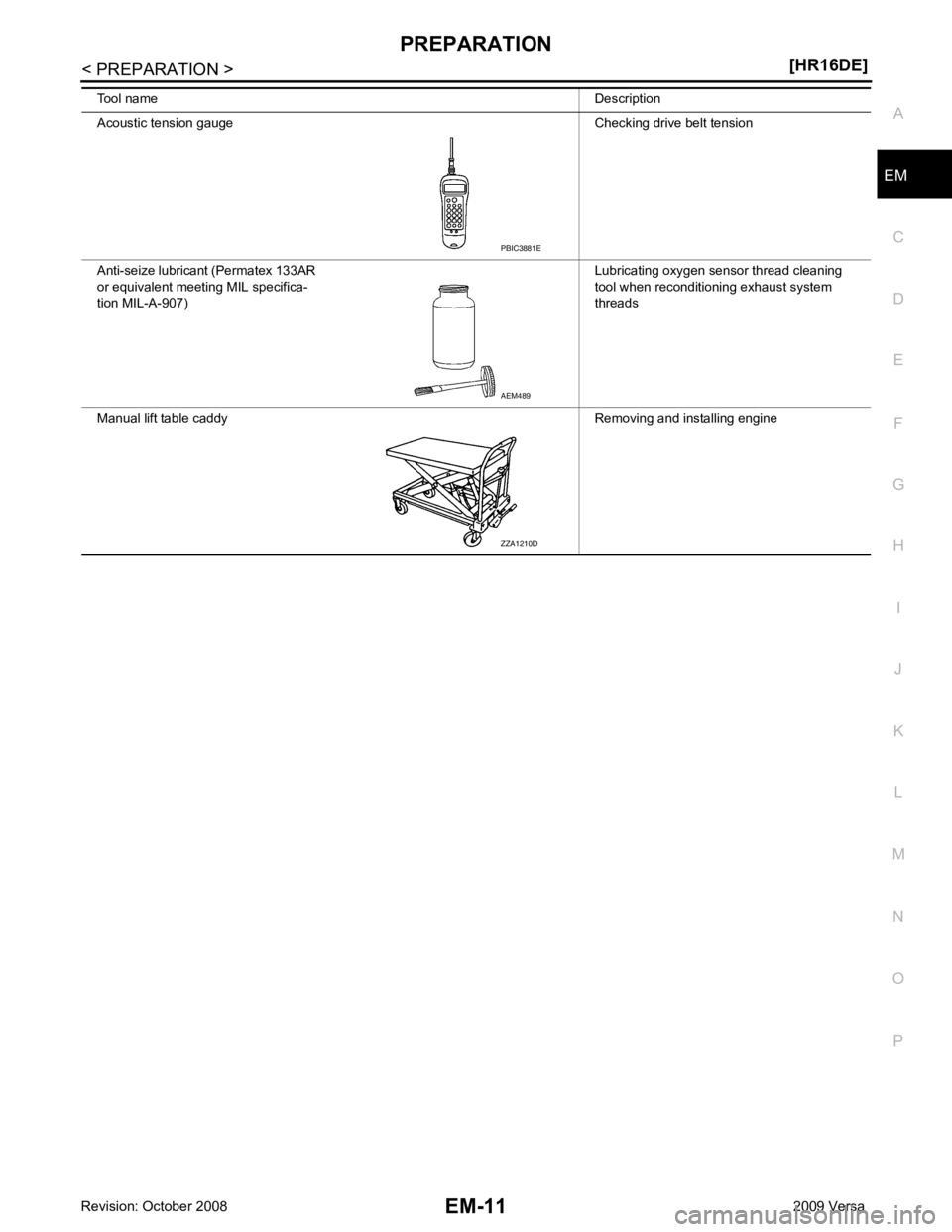
Acoustic tension gauge Checking drive belt tension
Anti-seize lubricant (Permatex 133AR
or equivalent meeting MIL specifica-
tion MIL-A-907) Lubricating oxygen sensor thread cleaning
tool when reconditioning exhaust system
threads
Manual lift table caddy Removing and installing engine
Tool name
Description AEM489
ZZA1210D
![NISSAN TIIDA 2009 Service Repair Manual EC-1528< SERVICE INFOMATION >
[MR TYPE 2]
REFRIGERANT PRESSURE SENSOR
Wiring Diagram INFOID:0000000004500427
Specification data are reference values and are measured between each terminal and ground.](/manual-img/5/57398/w960_57398-2883.png "NISSAN TIIDA 2009 Service Repair Manual EC-1528< SERVICE INFOMATION >
[MR TYPE 2]
REFRIGERANT PRESSURE SENSOR
Wiring Diagram INFOID:0000000004500427
Specification data are reference values and are measured between each terminal and ground.")


![NISSAN TIIDA 2009 Service Repair Manual EM-10< PREPARATION >
[HR16DE]
PREPARATION
Tool name Description
Power tool Loosening bolts and nuts
Spark plug wrench Removing and installing spark plug
Valve seat cutter set Finishing valve seat dime](/manual-img/5/57398/w960_57398-2956.png "NISSAN TIIDA 2009 Service Repair Manual EM-10< PREPARATION >
[HR16DE]
PREPARATION
Tool name Description
Power tool Loosening bolts and nuts
Spark plug wrench Removing and installing spark plug
Valve seat cutter set Finishing valve seat dime")