2009 MITSUBISHI ASX lock
[x] Cancel search: lockPage 184 of 368

CAUTION
l
Avoid sudden braking, sudden accelera-
tion and sharp turning. Skidding occurs
and control of the vehicle could be lost.
Driving on sandy or muddy roads
Set
the drive mode-selector to “4WD LOCK” and
then gradually depress the accelerator pedal for a
smooth start. Keep the pressure on the accelerator
pedal as constant as possible, and drive at low speed. CAUTION
l
Do
not force the vehicle or drive reckless-
ly on sandy surfaces. In comparison with
normal road surfaces, the engine and oth-
er drive-system components are put un-
der excessive strain when driving on such
a surface. This could lead to accidents.
l If the engine coolant temperature display flashes on the information screen in
the
multi-information display or the en-
gine power drops suddenly while the vehi-
cle is being driven, park your vehicle im-
mediately in a safe place.
Refer to “Engine overheating” on page
6-04 for details and take the required meas-
ures. WARNING
l When attempting to rock your vehicle out
of
a stuck position, be sure that the area
around the vehicle is clear of people and
physical objects. The rocking motion may
cause the vehicle to suddenly launch for-
ward or backward, causing injury or dam-
age to nearby people or objects.
NOTE l Avoid
sudden braking, sudden acceleration
and sharp turning; such operations could re-
sult in the vehicle becoming stuck.
l If the vehicle becomes stuck in sandy or mud-
dy roads, it can often be moved with a rock-
ing motion. Move the gearshift lever alter-
nately between the 1 st
and “R” (Reverse) po-
sitions (M/T), the “D” (DRIVE) and “R” (RE-
VERSE) positions (CVT), while pressing
lightly on the accelerator pedal.
l Driving on rough roads can cause rust on the
vehicle; wash the vehicle thoroughly as soon
as possible after such use.
Climbing/descending sharp grades
Your vehicle may not provide sufficient hill climb-
ing ability and engine braking on steep slopes.
Avoid driving on steep slopes even though the vehi-
cle is a 4-wheel drive vehicle.
Driving through water E00618900076
If the electrical circuits become wet, further opera-
tion
of the vehicle will be impossible; therefore,
avoid driving through water unless absolutely nec-
essary. If driving through water is unavoidable, use
the following procedure:
Check
the depth of the water and the terrain before
attempting to drive through it. Drive slowly to
avoid creating excessive water splashing. CAUTION
l
Never
drive through water that is deep
enough to cover wheel hubs, axles or ex-
haust pipe. Do not change the gearshift
lever position (M/T) or the selector lever
position (CVT) while driving through wa-
ter.
Frequent driving through water can ad-
versely affect the life span of the vehicle;
we recommend you to take the necessary
measures to prepare, inspect, and repair
the vehicle.
l After driving through water, apply the
brakes to be sure they are functioning
properly. If the brakes are wet and not
functioning properly, dry them out by
driving slowly while lightly depressing
the brake pedal. Inspect each part of the
vehicle carefully. Starting and driving
4-32
4
Page 187 of 368
WARNING
l Do not leave any objects near the brake
pedal or let a floor mat slide under it; do-
ing so could prevent the full pedal stroke
that would be necessary in an emergency.
Make sure that the pedal can be operated
freely at all times. Make sure the floor
mat is securely held in place.
Brake pad l Avoid hard braking situations.
New
brakes need to be broken-in by moder-
ate use for the first 200 km (124 miles).
l The disc brakes are provided with a warning
device which emits a shrieking metallic
sound while braking if the brake pads have
reached their wear limit. If you hear this
sound, have the brake pads replaced immedi-
ately. WARNING
l Driving
with worn brake pads will make
it harder to stop, and can cause an acci-
dent. Hill start assist*
E00628000155
The
hill start assist makes it easy to start off on a
steep uphill slope by preventing the vehicle from
moving backwards. It keeps the braking force for
about 2 seconds when you move your foot from the
brake pedal to the accelerator pedal. CAUTION
l
Do
not overly rely on the hill start assist
to prevent backwards movement of the ve-
hicle. Under certain circumstances, even
when hill start assist is activated, the vehi-
cle may move backwards if the brake ped-
al is not sufficiently depressed, if the vehi-
cle is heavily loaded, or if the road is very
steep or slippery.
l The hill start assist is not designed to
keep the vehicle stopped in place on up-
hill slopes for more than 2 seconds.
l When facing uphill, do not rely on using
the hill start assist to maintain a stopped
position as an alternative to depressing
the brake pedal.
Doing so could result in an accident.
l Do not perform the following operation
while the hill start assist is operating.
[Except for vehicles equipped with key-
less operation system]
Turn the ignition switch to the “LOCK”
or “ACC” position.
[Vehicles equipped with keyless operation
system]
Put the operation mode in OFF or ACC.
The hill start assist could stop operating,
which could result in an accident. To operate
E00628100172
1. Stop
the vehicle completely using the brake
pedal.
2. On vehicles equipped with M/T, place the
gearshift lever into the 1 st
position.
On vehicles equipped with CVT, place the se-
lector lever into the “D” position.
NOTE l When reversing on an uphill slope, place the
gearshift lever or the selector lever into the
“R” position.
3. Release the brake pedal and the hill start as- sist will maintain the braking force applied
while stopping for approximately 2 seconds.
4. Depress the accelerator pedal and the hill start assist gradually will decrease the brak-
ing force as the vehicle starts moving.
NOTE l The hill start assist is activated when all of
the following conditions are met.
• The engine is running.(The hill start assist will not be activated
while the engine is starting or immediate-
ly after the engine is started.) Starting and driving
4-35 4
Page 189 of 368
l
When the brake assist system is in use, you
may feel as if the depressed brake pedal is
soft, the pedal moves in small motions in con-
junction with the sound of the ABS opera-
tion, or the vehicle body and the steering
wheel vibrate. This occurs when the brake as-
sist system is operating normally and does
not indicate faulty operation. Continue to
firmly depress the brake pedal.
l You may hear an operation noise when the
brake pedal is depressed suddenly while sta-
tionary. This does not indicate a malfunction
and the brake assist system is operating nor-
mally. Emergency stop signal system
E00626000018
This
is a device that reduces the possibility of rear
end collisions by the rapid and automatic blinking
of the hazard warning lamps to alert vehicles ap-
proaching from behind during sudden braking.
When the emergency stop signal system operates,
the hazard warning indication lamp in the instru-
ment cluster blinks rapidly at the same time. CAUTION
l
If
the ABS warning or ASC warning is dis-
played, the emergency stop signal system
may not operate.
Refer to “ABS warning lamp/display” on
page 4-38.
Refer to “ASC warning display” on page
4-42.
NOTE l [Activating
condition for the emergency stop
signal system]
It activates when all of the following condi-
tions are met. • The vehicle speed is approximately55 km/h (34 mph) or higher.
• The brake pedal has been depressed, and the system judges that it was sudden brak-
ing from the vehicle deceleration and the
operating condition of the anti-lock brake
system (ABS).
[Deactivating condition for the emergency
stop signal system]
It deactivates when one of the following con-
ditions is met. • The brake pedal is released.
• The
hazard warning flasher switch is
pressed.
• The system judges that it was not sudden braking from the vehicle deceleration and
the operating condition of the anti-lock
brake system (ABS). Starting and driving
4-37 4
Page 190 of 368

Anti-lock brake system (ABS)
E00607101046
The
anti-lock brake system (ABS) helps prevent
the wheels from locking up when braking. This
helps maintain vehicle drivability and steering
wheel handling.
Driving hints
l Always keep a safe distance from the vehicle
in front of you. Even if your vehicle is equip-
ped with ABS, leave a greater braking dis-
tance when:
• Driving on gravel or snow-covered roads.
• Driving with tyre chains installed.
• Driving on uneven road surfaces.
l Operation of ABS is not restricted to situa-
tions where brakes are applied suddenly.
This system may also prevent the wheels
from locking when you drive over manholes,
steel roadwork plates, road markings, or any
uneven road surface.
l When the ABS is activated, you may feel the
brake pedal pulsation and the vibrations of
the vehicle body and steering wheel. It may
also feel as if the pedal resists being pressed.
In this situation, simply hold the brake ped-
al down firmly. Do not pump the brake,
which will result in reduced braking per-
formance.
l An operation noise is emitted from the en-
gine compartment or you can feel a shock
from the brake pedal when start driving im-
mediately after starting the engine. These are
normal sounds or operations that the ABS
makes when performing a self-check. It does
not indicate a malfunction. l
The ABS can be used after the vehicle has
reached a speed over approximately 10 km/h
(6 mph). It stops working when the vehicle
slows below approximately 5 km/h (3 mph). CAUTION
l
The
ABS cannot prevent accidents. It is
your responsibility to take safety precau-
tions and to drive carefully.
l To prevent failure of the ABS, be sure all
4 wheels and tyres are the same size and
the same type.
l Do not install any aftermarket limited-
slip differential (LSD) on your vehicle.
The ABS may stop functioning properly. ABS warning lamp/display
E00607201135
Warning lamp Warning display type 1
Warning display type 2
If there is a malfunction in the system, the ABS
warning
lamp will come on and the warning dis-
play will appear on the information screen in the
multi-information display.
Under normal conditions, the ABS warning lamp
only comes on when the ignition switch is turned
to the “ON” position or the operation mode is put
in ON and goes off a few seconds later. CAUTION
l
Any
of the following indicates that the
ABS is not functioning and only the stand- Starting and driving
4-38
4
Page 192 of 368

Electric power steering system
(EPS) E00629200037
The
electric power steering system (EPS) uses an
electric motor to assist the turning of the steering
wheel.
NOTE
l During repeated full-lock turning of the steer-
ing wheel (for example, while you are ma-
noeuvring the vehicle into a parking space),
a protection function may be activated to pre-
vent overheating of the power steering sys-
tem. This function will make the steering
wheel gradually harder to turn. In this event,
limit your turning of the steering wheel for a
while. When the system has cooled down,
the steering action will return to normal.
l If you turn the steering wheel while the vehi-
cle is stationary with the headlamps on, the
headlamps may become dim. This behaviour
is not abnormal. The headlamps will return
to their original brightness after a short while.
Electric power steering system warn-
ing display Type 1 Type 2
When there is a malfunction in the system, the warn-
ing display will appear on the information screen in
the multi-information display.
CAUTION
l
If
the warning display appears during
driving, it may become harder to turn the
steering wheel.
If the warning display appears while driving 1. Stop
the vehicle in a safe place and turn off
the engine.
2. Wait approximately 30 seconds and then re- start the engine to check whether the warning
display goes out; if it then remains off, there
is no problem.
If the warning display does not go out, or it
appears again while driving, we recommend
you to have your vehicle inspected. Active stability control (ASC)*
E00616700331
The
Active Stability Control (ASC) takes overall
control of the anti-lock brake system, traction con-
trol function and stability control function to help
maintain the vehicle’s control and traction. Please
read this section in conjunction with the page on
the anti-lock brake system, traction control func-
tion and stability control function.
Anti-lock brake system (ABS) ® p. 4-38
Traction control function ® p. 4-41
Stability control function ® p. 4-41 CAUTION
l
Do
not over-rely on the ASC. Even the
ASC cannot prevent the natural laws of
physics from acting on the vehicle.
This system, like any other system, has
limits and cannot help you to maintain
traction and control of the vehicle in all
circumstances. Reckless driving may lead
to accidents. It is the driver’s responsibil-
ity to drive carefully. This means taking
into account the traffic, road and environ-
mental conditions.
l Be sure to use the same specified type and
size of tyre on all 4 wheels. Otherwise, the
ASC may not work properly.
l Do not install any aftermarket limited-
slip differential (LSD) on your vehicle.
The ASC may stop functioning properly. Starting and driving
4-40
4
Page 193 of 368
NOTE
l An
operation noise may be emitted from the
engine compartment in the following situa-
tions. The sound is associated with checking
the operations of the ASC. At this time, you
may feel a shock from the brake pedal if you
depress it. These do not indicate a malfunc-
tion. • When the ignition switch is turned to the“ON” position or the operation mode is
put in ON.
• When the vehicle is driven for a while af- ter the engine is turned on.
l When the ASC is activated, you may feel a
vibration in the vehicle body or hear a whin-
ing sound from the engine compartment.
This indicates that the system is operating nor-
mally. It does not indicate a malfunction.
l When the anti-lock brake system warning
lamp is illuminated, the ASC is not active.
Traction control function E00619000087
On slippery surfaces, the traction control function
prevents
the drive wheels from spinning excessive,
thus helping the vehicle to start moving from a stop-
ped condition. It also provides sufficient driving
force and steering performance as the vehicle turns
while pressing the acceleration pedal. CAUTION
l
When
driving a vehicle on a snowy or icy
road, be sure to install snow tyres and
drive the vehicle at moderate speeds. Stability control function
E00619100017
The
stability control function is designed to help
the driver maintain control of the vehicle on slip-
pery roads or during rapid steering manoeuvres. It
works by controlling the engine output and brake
on each wheel.
NOTE
l The stability control function operates at
speeds of about 15 km/h (9 mph) or higher.
“ASC OFF” switch E00619200353
The ASC is automatically activated when the igni-
tion
switch is turned to the “ON” position or the op-
eration mode is put in ON. You can deactivate the
system by pressing down the “ASC OFF” switch
for 3 seconds or longer.
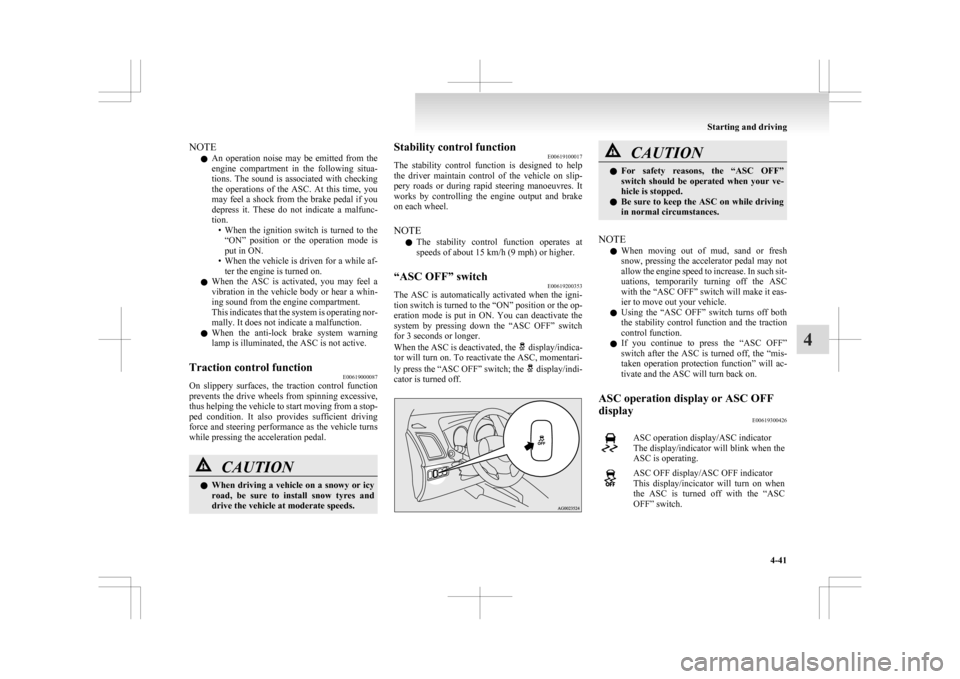
When the ASC is deactivated, the display/indica-
tor
will turn on. To reactivate the ASC, momentari-
ly press the “ASC OFF” switch; the display/indi-
cator is turned off. CAUTION
l
For
safety reasons, the “ASC OFF”
switch should be operated when your ve-
hicle is stopped.
l Be sure to keep the ASC on while driving
in normal circumstances.
NOTE l When
moving out of mud, sand or fresh
snow, pressing the accelerator pedal may not
allow the engine speed to increase. In such sit-
uations, temporarily turning off the ASC
with the “ASC OFF” switch will make it eas-
ier to move out your vehicle.
l Using the “ASC OFF” switch turns off both
the stability control function and the traction
control function.
l If you continue to press the “ASC OFF”
switch after the ASC is turned off, the “mis-
taken operation protection function” will ac-
tivate and the ASC will turn back on.
ASC operation display or ASC OFF
display E00619300426 ASC operation display/ASC indicator
The
display/indicator will blink when the
ASC is operating. ASC OFF display/ASC OFF indicator
This
display/incicator will turn on when
the ASC is turned off with the “ASC
OFF” switch. Starting and driving
4-41 4
Page 196 of 368
NOTE
l If
the cruise control is on when the following
operation is performed, cruise control will be
on automatically the next time you start the
engine. The “CRUISE” indication lamp will
also be on.
[Except vehicles equipped with keyless oper-
ation system]
Turn the ignition switch to the “LOCK” or
“ACC” position.
[Vehicles equipped with keyless operation
system]
Put the operation mode in OFF or ACC.
l If the battery voltage is insufficient, the mem-
ory data for the cruise control may be erased.
As a result, the “CRUISE” indication lamp
may not come on when you restart the engine.
If this happens, press the “ON OFF” switch
once again to turn on the cruise control.
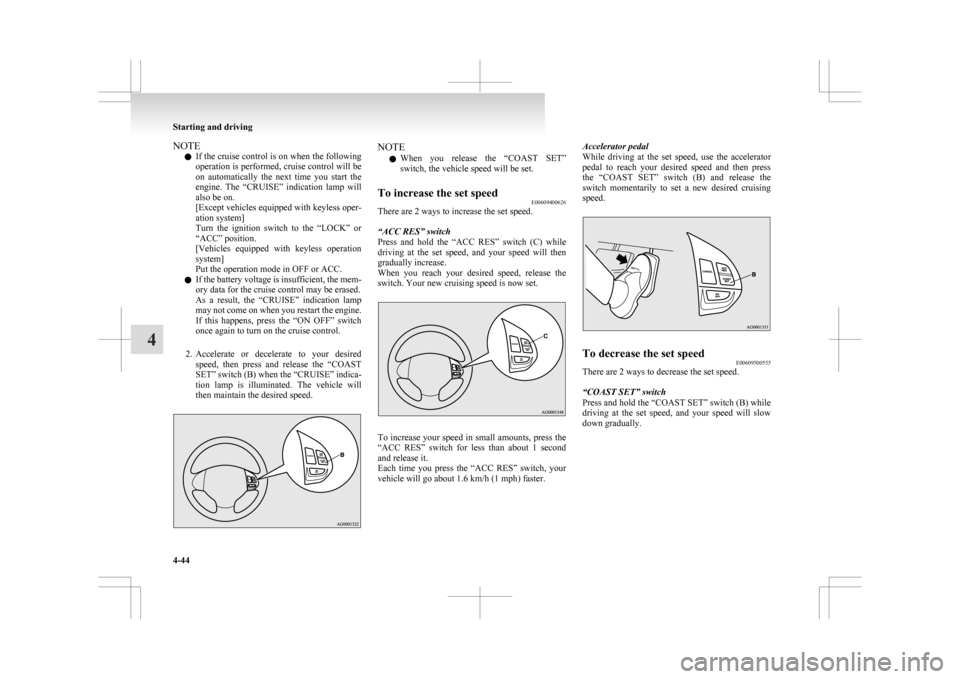
2. Accelerate or decelerate to your desired speed, then press and release the “COAST
SET” switch (B) when the “CRUISE” indica-
tion lamp is illuminated. The vehicle will
then maintain the desired speed. NOTE
l When
you release the “COAST SET”
switch, the vehicle speed will be set.
To increase the set speed E00609400626
There are 2 ways to increase the set speed.
“ACC RES” switch
Press
and hold the “ACC RES” switch (C) while
driving at the set speed, and your speed will then
gradually increase.
When you reach your desired speed, release the
switch. Your new cruising speed is now set. To increase your speed in small amounts, press the
“ACC
RES” switch for less than about 1 second
and release it.
Each time you press the “ACC RES” switch, your
vehicle will go about 1.6 km/h (1 mph) faster. Accelerator pedal
While
driving at the set speed, use the accelerator
pedal to reach your desired speed and then press
the “COAST SET” switch (B) and release the
switch momentarily to set a new desired cruising
speed. To decrease the set speed
E00609500555
There are 2 ways to decrease the set speed.
“COAST SET” switch
Press and hold the “COAST SET” switch (B) while
driving
at the set speed, and your speed will slow
down gradually. Starting and driving
4-44
4
Page 199 of 368
![MITSUBISHI ASX 2009 1.G Owners Manual l
[Except vehicles equipped with keyless oper-
ation system]
Turn the ignition switch to the “LOCK” or
“ACC” position.
Put the operation mode in OFF or ACC.
l “CRUISE” indication l](/manual-img/19/7566/w960_7566-198.png "MITSUBISHI ASX 2009 1.G Owners Manual l
[Except vehicles equipped with keyless oper-
ation system]
Turn the ignition switch to the “LOCK” or
“ACC” position.
Put the operation mode in OFF or ACC.
l “CRUISE” indication l")
l
[Except vehicles equipped with keyless oper-
ation system]
Turn the ignition switch to the “LOCK” or
“ACC” position.
Put the operation mode in OFF or ACC.
l “CRUISE” indication lamp is turned OFF. Reversing sensor system*
E00615500215
This
system operates when you are backing the ve-
hicle. It uses corner and back sensors to detect an
obstacle and sounds a buzzer to inform you of the
approximate distance to the obstacle. CAUTION
l
The reversing sensor system assists you in
determining the approximate distance be-
tween
the vehicle and an obstacle located
behind the vehicle. It has limitations in
terms of detectable areas and objects,
and may not properly detect some ob-
jects. Therefore, do not place excessive
confidence in the reversing sensor system
and operate the vehicle as carefully as
you would do with a vehicle not equipped
with this system.
l Make sure to check the surroundings
with your own eyes to ensure safety. Do
not operate the vehicle by relying on the
reversing sensor system alone.
Obstacle detection areas E00615600346
The detection areas of the corner and back sensors
are
limited to those shown in the illustration. More-
over, the sensors are unable to detect low or thin ob-
jects or objects near the rear bumper. Thus, make
sure to check the surroundings as you operate the
vehicle in a safe manner. Corner and back sensor locations
There
are two corner sensors (A) at the corners of
the rear bumper, and two back sensors (B) in the
centre of the rear bumper. Reversing sensor system detection areas
Depending
on whether the vehicle is equipped with
a towing bar, you can change the reversing sensor
system between the standard mode and the towing
bar mode. The towing bar mode changes the sys-
tem to exclude the area in which the towing bar is
mounted from the detection areas. Starting and driving
4-47 4