2009 MERCEDES-BENZ E-CLASS COUPE fog light
[x] Cancel search: fog lightPage 123 of 313
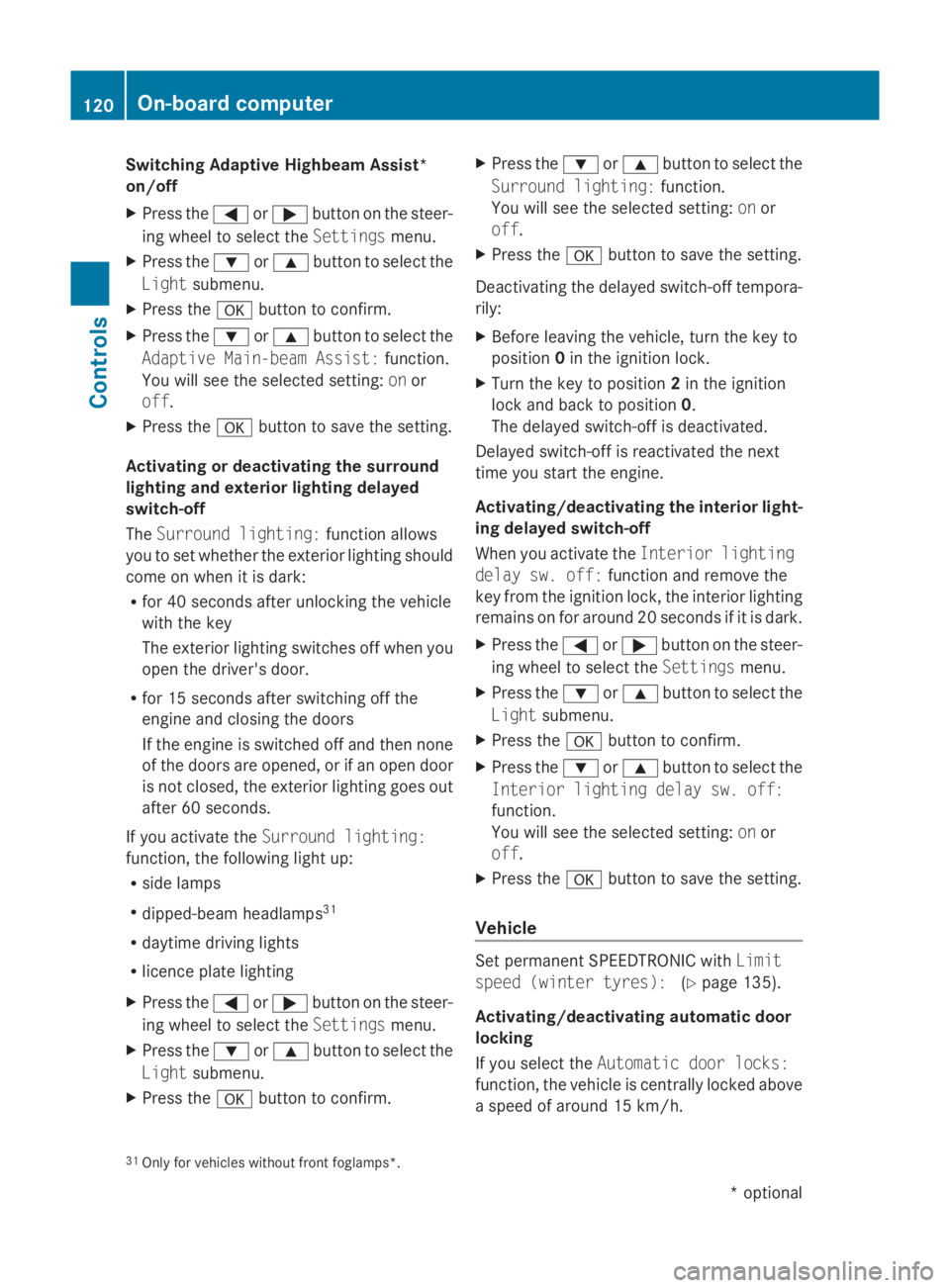
Switching Adaptive Highbeam Assist*
on/off
X
Press the 0040or003E button on the steer-
ing wheel to select the Settingsmenu.
X Press the 003Dor003C button to select the
Light submenu.
X Press the 0064button to confirm.
X Press the 003Dor003C button to select the
Adaptive Main-beam Assist: function.
You will see the selected setting: onor
off.
X Press the 0064button to save the setting.
Activating or deactivating the surround
lighting and exterior lighting delayed
switch-off
The Surround lighting: function allows
you to set whether the exterior lighting should
come on when it is dark:
R for 40 seconds after unlocking the vehicle
with the key
The exterior lighting switches off when you
open the driver's door.
R for 15 seconds after switching off the
engine and closing the doors
If the engine is switched off and then none
of the doors are opened, or if an open door
is not closed, the exterior lighting goes out
after 60 seconds.
If you activate the Surround lighting:
function, the following light up:
R side lamps
R dipped-beam headlamps 31
R daytime driving lights
R licence plate lighting
X Press the 0040or003E button on the steer-
ing wheel to select the Settingsmenu.
X Press the 003Dor003C button to select the
Light submenu.
X Press the 0064button to confirm. X
Press the 003Dor003C button to select the
Surround lighting: function.
You will see the selected setting: onor
off.
X Press the 0064button to save the setting.
Deactivating the delayed switch-of ftempora-
rily:
X Before leaving the vehicle, turn the key to
position 0in the ignition lock.
X Turn the key to position 2in the ignition
lock and back to position 0.
The delayed switch-of fisdeactivated.
Delayed switch-of fisreactivated the next
time you start the engine.
Activating/deactivating the interior light-
ing delayed switch-off
When you activate the Interior lighting
delay sw. off: function and remove the
key from the ignition lock, the interior lighting
remains on for around 20 seconds if it is dark.
X Press the 0040or003E button on the steer-
ing wheel to select the Settingsmenu.
X Press the 003Dor003C button to select the
Light submenu.
X Press the 0064button to confirm.
X Press the 003Dor003C button to select the
Interior lighting delay sw. off:
function.
You will see the selected setting: onor
off.
X Press the 0064button to save the setting.
Vehicle Set permanent SPEEDTRONIC with
Limit
speed (winter tyres): (Ypage 135).
Activating/deactivating automatic door
locking
If you select the Automatic door locks:
function, the vehicle is centrally locked above
as peed of around 15 km/h.
31 Only for vehicles without front foglamps*. 120
On-board computerControls
*o
ptional
207_AKB; 2; 3, en-GB
mkalafa,
Version: 2.11.8.1 2009-07-23T10:23:49+02:00-Seite 120
Page 126 of 313

to avoi
dexceeding the se tspeed. On long and
steep downhil lgradients ,especially if the
vehicl eisladen or towing atrailer, yo umust
shift to alower gear in good tim eorselect
shift range 1,2or 3on vehicles with auto-
matic transmission* .Bydoing so ,you will
make us eofthe braking effect of the engine,
which relieves the load on the brake system
and prevents the brakes fro moverheating
and wearing too quickly. G
Ris
kofa ccident
Do not change down for additional engine
braking on aslipper yroads urface. This could
cause the drive wheels to lose their gri pand
the vehicl ecould skid.
Use cruis econtrol onl yifroada nd traffi ccon-
ditions make it appropriate to maintain a
stead yspeed foraprolonge dperiod. Youc an
store any roa dspeed above 30 km/h. G
Ris
kofa ccident
Cruise control cannot take account of road
and traffi cconditions.
Alway spayattentio ntotrafficconditions
eve nw henc ruis econtrol is activated.
Cruise control is onl yanaiddesigne dtoassist
driving. Yo uareresponsibl efor the vehicle's
spee dand for braking in good time. G
Ris
kofa ccident
Do not us ecruis econtrol:
R in roa dand traffi cconditions which do not
allo wyouto maintain aconstant spee d(e.g.
heav ytraffi corw inding roads). Yo ucould
otherwis ecause an accident.
R on slippery roads .Braking or accelerating
could cause the drive wheels to lose trac-
tio na nd the vehicl ecould the nskid.
R when there is poor visibility, e.g .due to fog,
heav yrainors now
Cruis econtro llever Yo
uc an operate cruis econtrol and variable
Speedtroni cwitht he cruis econtrol lever. Th
eL IM indicator lamp on the cruis econtrol
lever indicates which syste myouhave selec-
ted:
R LIM indicator lamp off:
Cruise control is selected.
R LIM indicator lamp lit:
Variable Speedtroni ciss elect ed. 0046
To store the current spee dorahigher
speed
0047 LIM indicator lamp
008A To store the current spee dortocallup
the last stored speed
0088 To store the current spee doralower
speed
0086 To switch between cruis econtrol and var-
iabl eSpeedtronic
0087 To deactivate cruis econtrol
When cruis econtrol is activated ,the stored
spee disd isplayed in the multi-functio ndis-
play for five seconds. In the multi-function
display, the segments between the stored
spee dand the maximum spee dlight up.
Selecting cruis econtrol X
Check whether LIM indicator lamp 0047is off.
If it is off ,cruis econtrol is already selected.
If it is not, press the cruis econtrol lever in
the directio nofarrow 0086.
LIM indicator lamp 0047in the cruis econtrol
lever goes off .Cruise control is selected. Driving systems
123Controls
*optio nal
207_AKB; 2; 3, en-GB
mkalafa
,V ersion: 2.11.8.1
2009-07-23T10:23:49+02:00
-Seite 123 Z
Page 129 of 313
R
when changing to alane with faster moving
traffic
R in complex driving situation sorwhere the
lanes are diverted ,e.g.atm otorway/road-
way construction sites
Otherwise, DISTRONIC PLUS maintain sthe
current speed or accelerates up to th eset
speed.
DISTRONIC PLUS cannot tak eaccount of
weather conditions .Deactivate, or do not
activate, DISTRONIC PLUS if:
R ther oads are slippery, snow-covered or icy.
The wheels could lose grip when braking or
accelerating. The vehicle could start to
skid.
R thes ensors are dirt yorthere is poor visi-
bility, e.g .due to snow, rain or fog. Distance
control may be impaired.
Always pay attention to traffic conditions
even when DISTRONIC PLUS is activated.
Otherwise, you may fail to recognise dangers
in time, cause an acciden tand injure yourself
and others.
The radar sensor system is automatically
deactivated near radio telescope facilities
(Y page 304).
If you want Distronic Plus to assist you, the
radar sensor system must be activated and
operational.
If no car is driving in front of you, Distronic
Plus work slike cruise control in th espeed
range between 30 km/h and 20 0km/ h. If a
vehicle is driving in front of you, Distronic Plus
work sint hespeed range between 0km/h
and 20 0km/ h.
Do not use Distronic Plus while driving on
roads with steep gradients. G
Risk of accident
DISTRONIC PLUS brakes your vehicle at a
maximum of 4m/s2
depending on its speed.
This correspond stoapproximately 40 %of
your vehicle's maximum brak eforce. You must also apply th
ebrakes yoursel fifthis
braking power is not sufficient.
If DISTRONIC PLUS detect sarisk of collision
with avehicle in front ,anintermittent warning
ton esounds. In addition, the 00BAdistance
warning lamp in th einstrumen tcluster lights
up. Brake to avoid acollision.
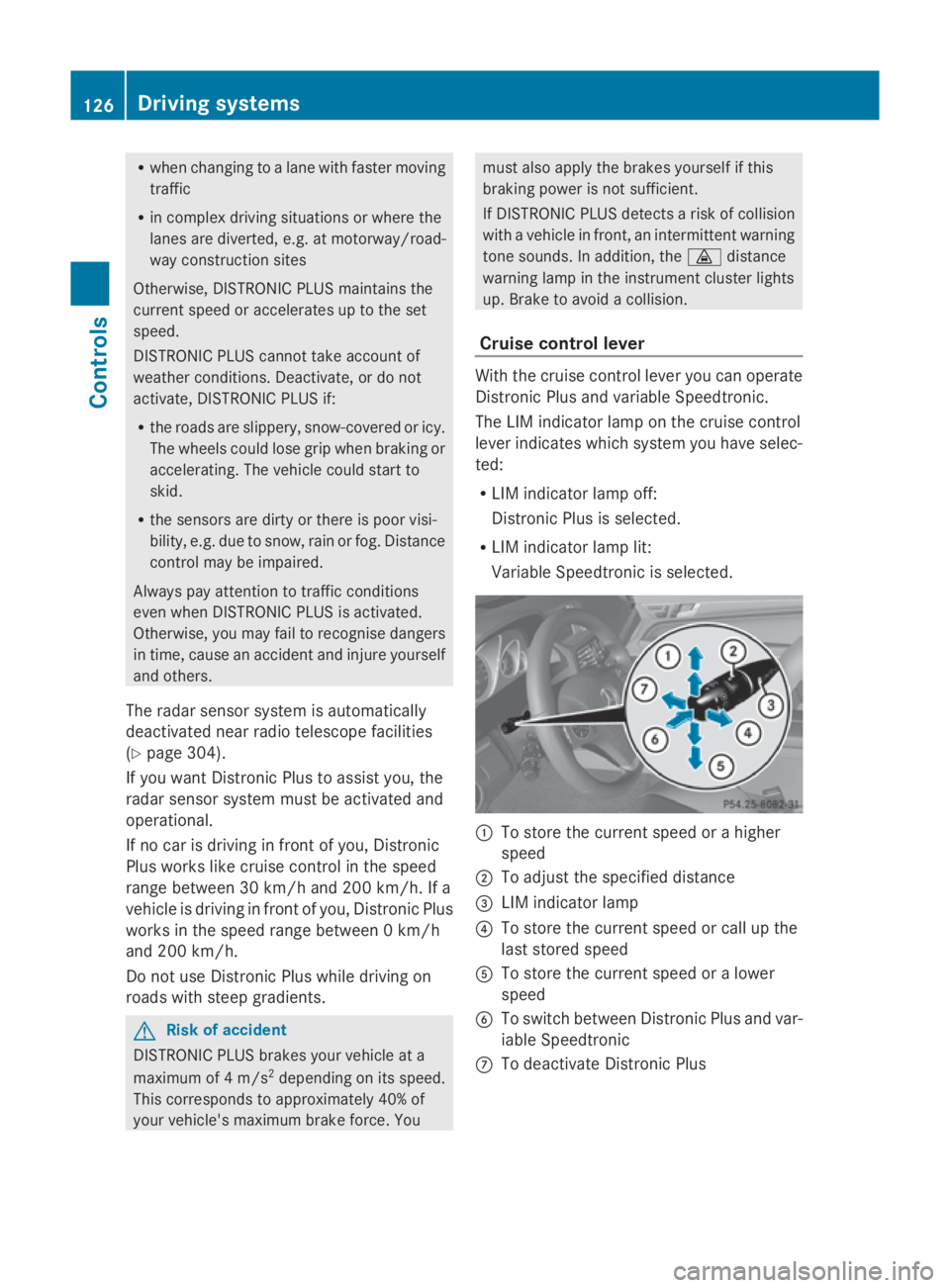
Cruise control lever With th
ecruise control lever you can operate
Distronic Plus and variable Speedtronic.
The LIM indicator lamp on th ecruise control
lever indicates which system you have selec-
ted:
R LIM indicator lamp off:
Distronic Plus is selected.
R LIM indicator lamp lit:
Variable Speedtronic is selected. 0046
To store th ecurrent speed or ahigher
speed
0047 To adjus tthe specified distance
008A LIM indicator lamp
0088 To store th ecurrent speed or call up the
last stored speed
0086 To store th ecurrent speed or alower
speed
0087 To switch between Distronic Plus and var-
iable Speedtronic
006E To deactivat eDistronic Plus 126
Drivin
gsystemsControls
207_AKB; 2; 3, en-GB
mkalafa, Version: 2.11.8.1 2009-07-23T10:23:49+02:00-Seite1 26
Page 146 of 313

in the multi-function display will direc
tyou
to the final position.
X Manoeuvre, if necessary.
X Always observe the warnin gmessages dis-
played by PARKTRONI C(Ypage 138).
Cancelling Parking Guidance X
Press the PARKTRONI Cbutton on the
centr econsole (Y page 138).
Parking Guidanc eiscancelled immediately
and PARKTRONI Cisdeactivated.
Parking Guidanc eiscancelled automatically
if it is no longer possible to guide you int othe
parking space, or if amalfunction occurs.
The parking space symbol disappears and the
Parking Guidance cancelled message
appears in the multi-function display.
Trailer towing* For vehicles with
atrailer coupling, the mini-
mum length for parking spaces is slightly
increased.
If you have attached atrailer to your vehicle,
you should not use Parking Guidance. When
the electrical connection is established
between your vehicle and the trailer, Parking
Guidanc ecease stobea vailable. PARK-
TRONI Cisdeactivated for the rear area. Reversing camera*
The reversin gcamera is an optical aid. It
shows the area behin dyour vehicle in the
COMAND APS display. G
Risk of injury
Make sure that no persons or animals are in
the manoeuvrin grange. Otherwise, they
could be injured. The reversin
gcamera is located in the handle
strip of the boot lid. Example: Coupé
0046
Reversing camera
View through th ecamera The area behin
dthe vehicle is displayed in a
mirrored fashion, as in the rear-view mirror. G
Risk of accident
The reversin gcamera is only an aid and may
display obstacles in adistorted or incorrect
manner, or may not even display the matall.
The reversin gcamera does not reliev eyou of
the responsibility to pay attention. The cam-
era cannot show objects:
R very near to the rear bumper
R below the rear bumper
R in the area immediately above the boot lid
handle
You are always responsible for safet yand
must continue to pay attention to your imme-
diate surroundings when parking and
manoeuvring. This applies to the areas
behind, in front of and nex ttothe vehicle. You
could otherwise endanger yourself and oth-
ers. G
Risk of accident
Under the followin gcircumstances, the
reversin gcamera will not function ,orfunction
in alimited manner:
R if the boot lid is open
R in heavy rain, sno worfog Driving systems
143Controls
*optional
207_AKB; 2; 3, en-GB
mkalafa,
Version: 2.11.8.1
2009-07-23T10:23:49+02:0
0-Seite1 43 Z
Page 228 of 313
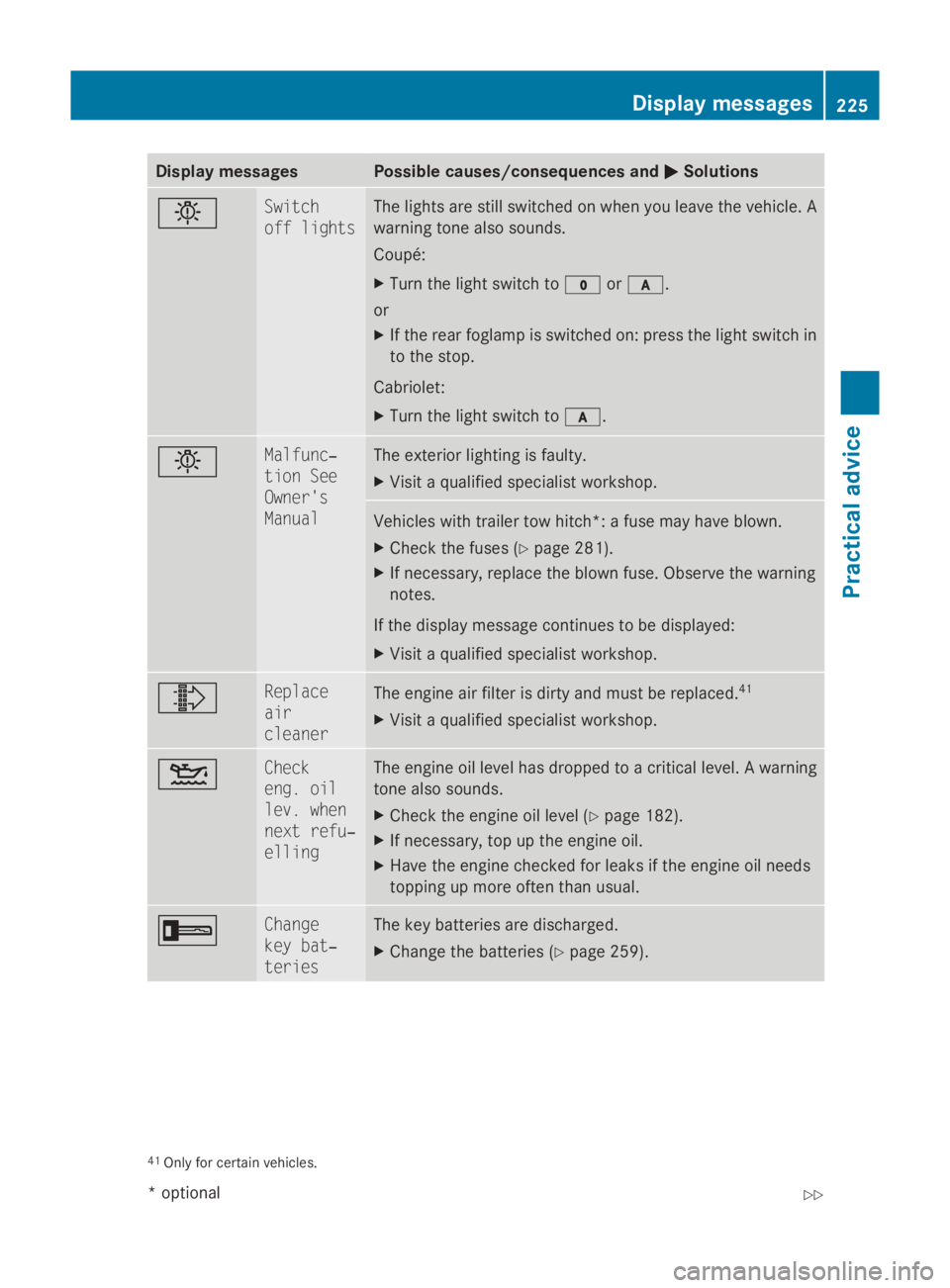
Display messages Possible causes/consequences and
0050
0050 Solutions 0055 Switch
off lights The lights are still switched on when you leav
ethe vehicle. A
warnin gtonea lso sounds.
Coupé:
X Tur nthe ligh tswitch to 0027or0066.
or
X If th erear foglam pisswitched on :press th eligh tswitch in
to th estop.
Cabriolet:
X Tur nthe ligh tswitch to 0066. 0055 Malfunc‐
tio
nS ee
Owner's
Manual The exterio
rlighting is faulty.
X Visit aqualified specialist workshop. Vehicles wit
htrailer to whitch*: afusem ay hav eblown.
X Chec kthe fuses (Y page 281).
X If necessary, replac ethe blown fuse. Observ ethe warning
notes.
If th edisplay message continues to be displayed:
X Visit aqualified specialist workshop. 00A0 Replace
air
cleaner
The engin
eair filte risdirty and mus tbereplaced. 41
X Visit aqualified specialist workshop. 00B4 Check
eng
.o il
lev .w hen
nex tr efu‐
elling The engin
eoil level has dropped to acriticallevel. Awarning
tone also sounds.
X Chec kthe engin eoil level ( Ypage 182).
X If necessary, to puptheengin eoil.
X Hav ethe engin echecked forl eak sift heengin eoil needs
toppin gupm oreo ften than usual. 0039 Change
key bat‐
teries The ke
ybatterie sare discharged.
X Change th ebatterie s(Ypage 259). 41
Only fo rcertai nvehicles. Display
messages
225Practical advice
*optional
207_AKB; 2; 3, en-GB
mkalafa
,V ersion: 2.11.8.1
2009-07-23T10:23:49+02:00
-Seite 225 Z
Page 240 of 313
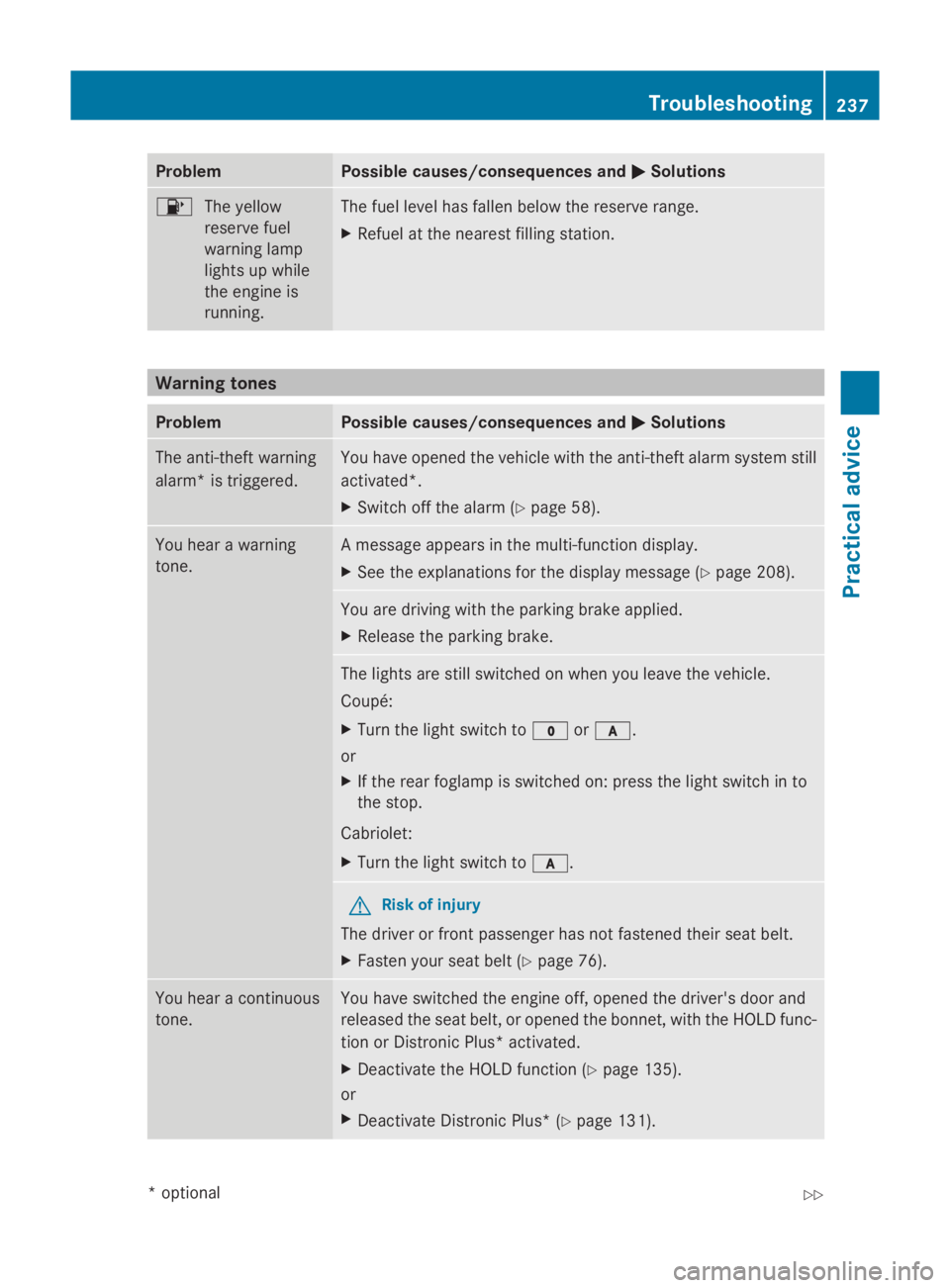
Problem Possible causes/consequences and
0050
0050Solutions 00B8
The yellow
reserve fuel
warning lamp
lights up while
the engine is
running. The fuel level has fallen below the reserve range.
X
Refuel at the nearest filling station. Warning tones
Problem Possible causes/consequences and
0050 0050Solutions The anti-theft warning
alarm* is triggered. You have opened the vehicle with the anti-theft alarm system still
activated*.
X
Switch off the alarm (Y page 58).You hear
awarning
tone. Am
essage appears in the multi-function display.
X See the explanations for the display message (Y page 208).You are driving with the parking brake applied.
X
Release the parking brake. The lights are still switched on when you leave the vehicle.
Coupé:
X
Turn the light switch to 0027or0066.
or
X If the rear foglamp is switched on: press the light switch in to
the stop.
Cabriolet:
X Turn the light switch to 0066. G
Risk of injury
The driver or front passenger has not fastened their seat belt.
X Fasten your seat belt (Y page 76).You hear
acontinuous
tone. You have switched the engine off, opened the driver's door and
released the seat belt, or opened the bonnet,w
ith the HOLD func-
tion or Distronic Plus* activated.
X Deactivat ethe HOLD function (Y page 135).
or
X Deactivat eDistronic Plus* (Y page 131). Troubleshooting
237Practical advice
*optional
207_AKB; 2; 3, en-GB
mkalafa,
Version: 2.11.8.1 2009-07-23T10:23:49+02:00-Seite 237 Z