Page 100 of 321
Knowing your vehicle88
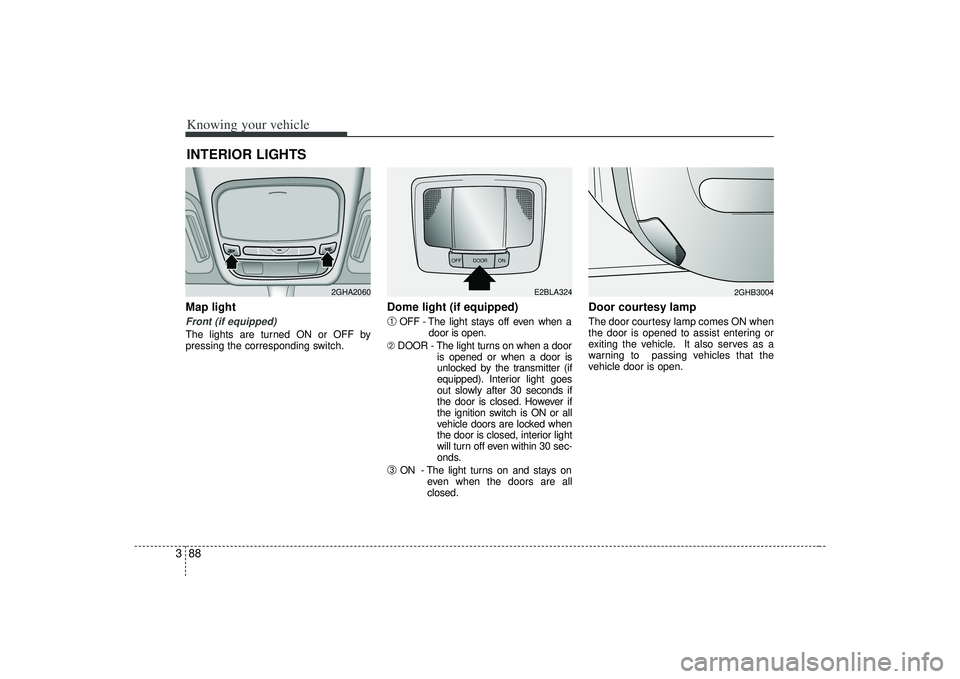
3Map light Front (if equipped)The lights are turned ON or OFF by
pressing the corresponding switch.
Dome light (if equipped)➀
OFF - The light stays off even when a
door is open.
➁ DOOR - The light turns on when a door
is opened or when a door is
unlocked by the transmitter (if
equipped). Interior light goes
out slowly after 30 seconds if
the door is closed. However if
the ignition switch is ON or all
vehicle doors are locked when
the door is closed, interior light
will turn off even within 30 sec-
onds.
➂
ON - The light turns on and stays oneven when the doors are all
closed.
Door courtesy lamp The door courtesy lamp comes ON when
the door is opened to assist entering or
exiting the vehicle. It also serves as a
warning to passing vehicles that the
vehicle door is open.
INTERIOR LIGHTS
2GHA2060
OFF DOOR
ON
E2BLA324
2GHB3004
Page 103 of 321
391
Knowing your vehicle
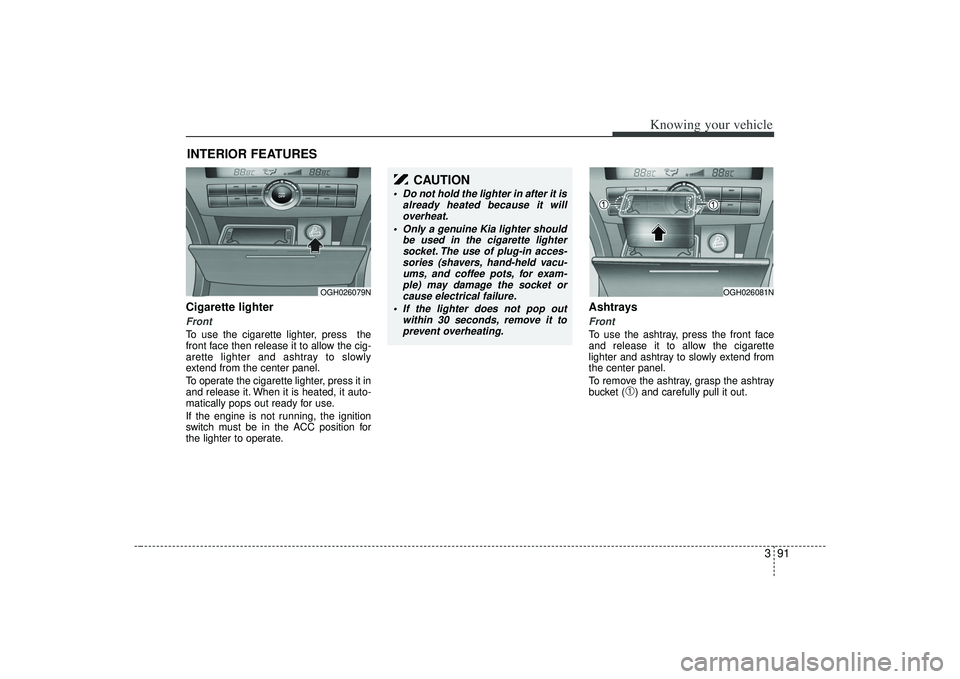
Cigarette lighterFrontTo use the cigarette lighter, press the
front face then release it to allow the cig-
arette lighter and ashtray to slowly
extend from the center panel.
To operate the cigarette lighter, press it in
and release it. When it is heated, it auto-
matically pops out ready for use.
If the engine is not running, the ignition
switch must be in the ACC position for
the lighter to operate.
Ashtrays Front To use the ashtray, press the front face
and release it to allow the cigarette
lighter and ashtray to slowly extend from
the center panel.
To remove the ashtray, grasp the ashtray
bucket (
➀) and carefully pull it out.
INTERIOR FEATURES
OGH026079N
OGH026081N
CAUTION
Do not hold the lighter in after it isalready heated because it willoverheat.
Only a genuine Kia lighter should be used in the cigarette lightersocket. The use of plug-in acces-sories (shavers, hand-held vacu- ums, and coffee pots, for exam-ple) may damage the socket orcause electrical failure.
If the lighter does not pop out within 30 seconds, remove it toprevent overheating.
Page 107 of 321
395
Knowing your vehicle
ClockAnalog (if equipped)Whenever the battery terminals, A/V
CLOCK fuse, or Power Connect are dis-
connected, you must reset the time.
When the ignition switch is in the ACC or
ON position, the clock buttons operate as
follows:➀
: time increases one minute each timethe button is pressed. It increases
continuously if pressed longer than 3
seconds.
Digital (if equipped)Whenever the battery terminals, A/V
CLOCK fuse, or Power Connect are dis-
connected, you must reset the time.
For details, see end of chapter 3.
OGH026077N
➀
OGH029078
Page 108 of 321
Knowing your vehicle96
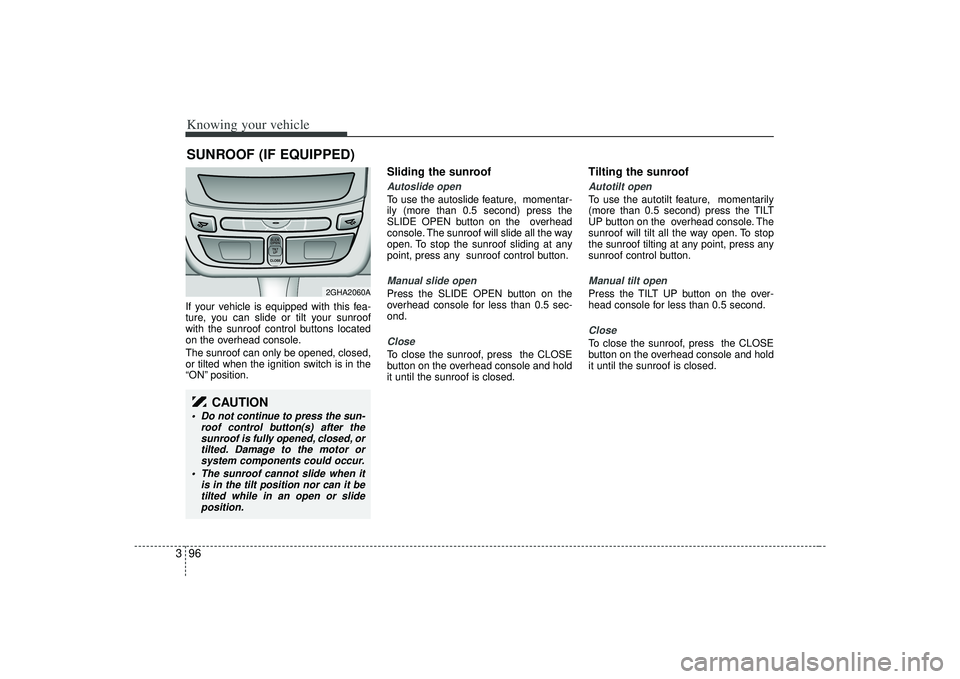
3If your vehicle is equipped with this fea-
ture, you can slide or tilt your sunroof
with the sunroof control buttons located
on the overhead console.
The sunroof can only be opened, closed,
or tilted when the ignition switch is in the
“ON” position.
Sliding the sunroof Autoslide openTo use the autoslide feature, momentar-
ily (more than 0.5 second) press the
SLIDE OPEN button on the overhead
console. The sunroof will slide all the way
open. To stop the sunroof sliding at any
point, press any sunroof control button.Manual slide openPress the SLIDE OPEN button on the
overhead console for less than 0.5 sec-
ond.CloseTo close the sunroof, press the CLOSE
button on the overhead console and hold
it until the sunroof is closed.
Tilting the sunroof Autotilt openTo use the autotilt feature, momentarily
(more than 0.5 second) press the TILT
UP button on the overhead console. The
sunroof will tilt all the way open. To stop
the sunroof tilting at any point, press any
sunroof control button.Manual tilt openPress the TILT UP button on the over-
head console for less than 0.5 second.CloseTo close the sunroof, press the CLOSE
button on the overhead console and hold
it until the sunroof is closed.
SUNROOF (IF EQUIPPED)
SLIDESLIDEOPENOPENTILTTILT UP UPCLOSECLOSESLIDESLIDEOPENOPENTILTTILT UP UPCLOSECLOSE
2GHA2060A
CAUTION
Do not continue to press the sun-
roof control button(s) after thesunroof is fully opened, closed, ortilted. Damage to the motor orsystem components could occur.
The sunroof cannot slide when it is in the tilt position nor can it betilted while in an open or slideposition.
Page 110 of 321
Knowing your vehicle98
3Resetting the sunroofWhenever the vehicle battery is discon-
nected or discharged, or you use the
emergency handle to operate the sun-
roof, you have to reset your sunroof sys-
tem as follows:
1. Turn the ignition key to the ON posi-
tion.
2. According to the position of the sun- roof, do as follows.
1) in case that the sunroof has closedcompletely or been tilted
: Press the TILT UP button for 1 second.
2) in case that the sunroof has slide- opened
: Press and hold the CLOSE button for more than 5 seconds until the
sunroof has closed completely.
And then press the TILT UP but-
ton for 1 second
3. Then, release it.
4. Press and hold the TILT UP button once again until the sunroof has
returned to the original position of
TILT UP after it is raised a little higher
than the maximum TILT UP position.
When this is complete, the sunroof sys-
tem is reset.
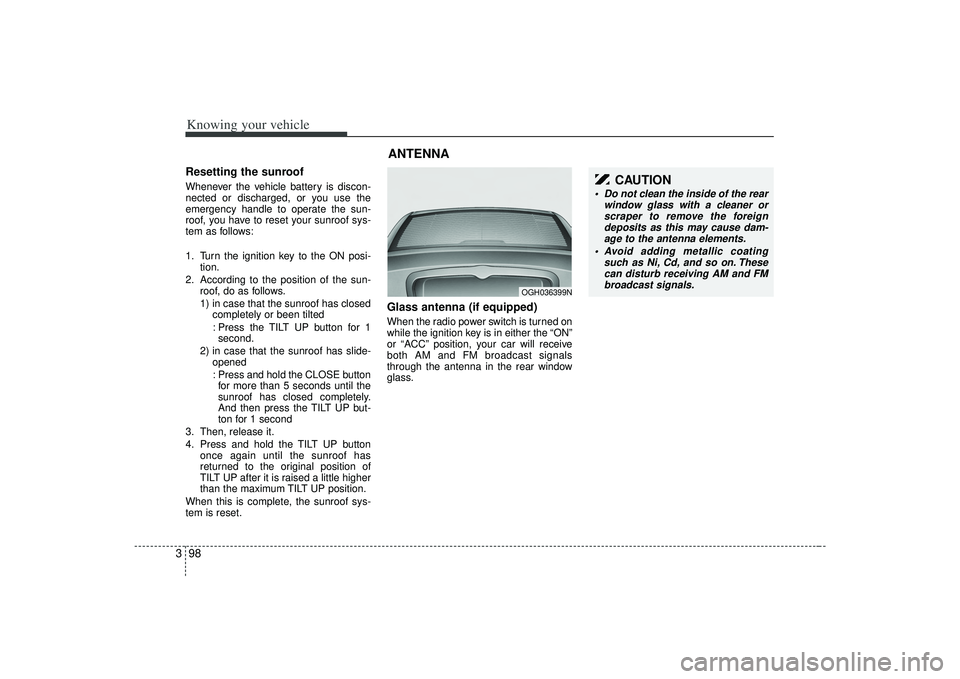
Glass antenna (if equipped)When the radio power switch is turned on
while the ignition key is in either the “ON”
or “ACC” position, your car will receive
both AM and FM broadcast signals
through the antenna in the rear window
glass.ANTENNA
OGH036399N
CAUTION
Do not clean the inside of the rear window glass with a cleaner orscraper to remove the foreigndeposits as this may cause dam- age to the antenna elements.
Avoid adding metallic coating such as Ni, Cd, and so on. Thesecan disturb receiving AM and FMbroadcast signals.
Page 118 of 321
![KIA AMANTI 2009 Owners Manual Knowing your vehicle106
3 While in TEMP Mode, press the [TUNE
/ENTER] Button to display the "°C, °F".
Rotate the [TUNE/ENTER] Button to
select the SUB Mode and press the
[TUNE/ENTER] Button to set.](/manual-img/2/57931/w960_57931-117.png "KIA AMANTI 2009 Owners Manual Knowing your vehicle106
3 While in TEMP Mode, press the [TUNE
/ENTER] Button to display the \"°C, °F\".
Rotate the [TUNE/ENTER] Button to
select the SUB Mode and press the
[TUNE/ENTER] Button to set.")
Knowing your vehicle106
3 While in TEMP Mode, press the [TUNE
/ENTER] Button to display the "°C, °F".
Rotate the [TUNE/ENTER] Button to
select the SUB Mode and press the
[TUNE/ENTER] Button to set.
(TEMP Mode CDC Only)
While in SCROLL Mode, press the [TUNE/ENTER] Button to display the
"ON, OFF".
Rotate the [TUNE/ENTER] Button to
select the SUB Mode and press the
[TUNE/ENTER] Button to set.7. TUNE/ENTER Button Turn this button clockwise by one notchto increase frequency by 200KHz(AM:
10KHz) from current frequency.
Turn this button counterclockwise by one notch to decrease frequency by
200KHz(AM:10KHz)from current fre-
quency.
Press this button while holding SET UP button to activate/inactivate the
item to select SET UP item using left
and right function of the Tune button.
8. Power ON/OFF & Volume Control ButtonTurns on/off the set when the IGNITION
SWITCH is on ACC or ON. If the button
is turned to the right, it increases the vol-
ume and left, decreases the volume.
channel is found.
Page 121 of 321
3109
Knowing your vehicle
1. CD Loading SlotPlease face printed side upward and gen-
tly push in. When the ignition switch is on
ACC or ON and power is off, power is
automatically turned on if the CD is
loaded. This CDP supports only 12cm
CD. If VCD, Data CD are loaded, Reading
"Error message" will appear and CD will
be ejected.2. CD Indicator When car ignition switch is ACC or ONand if the CD is loaded, this indicator is
lighted. If the CD is ejected the light is
turned off(CDP Only).
If the LOAD button is pressed, this indi- cator will begin to blink(CDC Only).3. Automatic Track Selection Button Push [TRACK ] button for less than
0.8 seconds to play from the beginning
of current song.
Push [TRACK ] button for less than 0.8 seconds and press again within 1
seconds to play the previous song.
Push [TRACK ] button for 0.8 or longer to initiate reverse direction high
speed sound search of current song. Push [SEEK ] button for less than
0.8 seconds to play the next song.
Push [SEEK ] button for 0.8 or longer to initiate high speed sound
search of current song.
4. SCAN Play ButtonPlays first 10 seconds of each song in
the CD. To cancel the mode, press the
key once again.5. MUTE ButtonPress this button to temporarily cut off
the Sound. "Mute" is displayed on the
LCD. Press the button once again to can-
cel MUTE mode.6. RANDOM Play ButtonPress this button for less than 0.8 sec-
onds to activate 'RDM' mode and more
than 0.8 seconds to activate 'ALL RDM'
mode.
RDM : Only files/tracks in a folder/discare played back in a random
sequence.
ALL RDM(MP3/WMA Only) : All files in a disc are played back in the random
sequence.
7. REPEAT Play ButtonPress this button for less than 0.8 sec-
onds to activate 'RPT' mode and more
than 0.8 seconds to activate 'FLD RPT'
mode.
RPT : Only a track(file) is repeatedly
played back.
FLD RPT(MP3/WMA Only) : Only files in a folder are repeatedly played back.8. INFORMATION Selection ButtonDisplays the information of the current
CD TRACK(FILE) as below when the
button is pressed each time.
CDDA : DISC TITLE
➟DISC ARTIST
➟
TRACK TITLE
➟TRACK ARTIST
➟
TOTAL TRACK
➟...
MP3/WMA : FILE NAME
➟TITLE
➟
ARTIST
➟ALBUM
➟FOLDER NAME
➟
TOTAL FILE
➟...
9. Folder Search Button Folder name/File name(the first song in the folder) is moved up or down from
currently playing folder.
To select to the displayed folder, press ENTER(NO.11) button.
Page 137 of 321
4
Ignition switch / 4-2
Starting the engine / 4-4
Automatic transaxle / 4-5
Brake system / 4-10
Steering wheel / 4-17
Cruise control system / 4-19
Electronic stability control / 4-22
Instrument cluster / 4-25
Warnings and indicators / 4-31
Lighting / 4-38
Wipers and washers / 4-42
Defroster / 4-44
Hazard warning flasher / 4-45
Automatic climate control system / 4-46
Windshield defrosting and defogging / 4-56
Driving your vehicle