Page 297 of 521
drops below a calibrated speed, or during acceleration,
the clutch automatically and smoothly disengages. The
feature is operational in Overdrive and in DRIVE.
NOTE:
•The torque converter clutch will not engage until the
transmission fluid and engine coolant are warm [usu-
ally after 1 to 3 miles (1.6 to 4.8 km) of driving].
Because the engine speed is higher when the torque
converter clutch is not engaged, it may seem as if the
transmission is not shifting into Overdrive when cold.
This is normal. Manually shifting (using the ERS shift
control) between 4 (direct gear) and 5/D (Overdrive
gear) positions will demonstrate that the transmission
is able to shift into and out of Overdrive. For vehicles
with 4.7L or 5.7L engines (which have two Overdrive
gears), the transmission may not shift into the top
Overdrive gear (normal 5th gear) until the transmis-
sion fluid and engine coolant are warm.
•If the vehicle has not been driven in several days, the
first few seconds of operation after shifting the trans-
mission into gear may seem sluggish. This is due to the
fluid partially draining from the torque converter into
the transmission. This condition is normal and will not
cause damage to the transmission. The torque con-
verter will refill within five seconds of shifting from
PARK into any other gear position.
Rocking The Vehicle
If the vehicle becomes stuck in snow, sand, or mud, it can
often be moved by a rocking motion. Move the shift lever
between DRIVE and REVERSE, while applying slight
pressure to the accelerator.
NOTE:The Electronic Stability Program (ESP) and
Traction Control (if equipped) should be turned OFF
before attempting to rock the vehicle. Refer to “Electronic
Brake Control System” in Section 3 of this manual.
STARTING AND OPERATING 295
5
Page 300 of 521

Shift Positions
For additional information on the appropriate use of each
transfer case mode position, see the information below:
4WD HI
All roads surfaces such as ice, snow, gravel, sand, and dry
hard pavement.
NEUTRAL
Disengages both the front and rear driveshafts from the
powertrain. To be used for flat towing behind another
vehicle. Refer to “Recreational Towing” in Section 5 of
this manual.
4WD LOW
Low speed four-wheel drive. Locks the front and rear
driveshafts together. Forces the front and rear wheels to
rotate at the same speed. Additional traction and maxi-
mum pulling power for loose, slippery road surfaces
only. Do not exceed 25 mph (40 km/h).
Shifting Procedures
4WDHIto4WDLOW
With the vehicle at speeds of 0 to 3 mph (0 to 5 km/h),
key ON or engine running, shift the transmission into
NEUTRAL, and raise the transfer case T-handle. The
“4WD LOW” indicator light in the instrument cluster,
will begin to flash and remain on solid when the shift is
complete. Release the T-handle.
NOTE:If shift conditions/interlocks are not met, or a
transfer case motor temperature protection condition
exists, a “CHECK SHIFT PROCEDURES” message will
flash from the EVIC (Electronic Vehicle Information Cen-
ter). Refer to “Electronic Vehicle Information Center
(EVIC)” in Section 4 of this manual.
298 STARTING AND OPERATING
Page 301 of 521
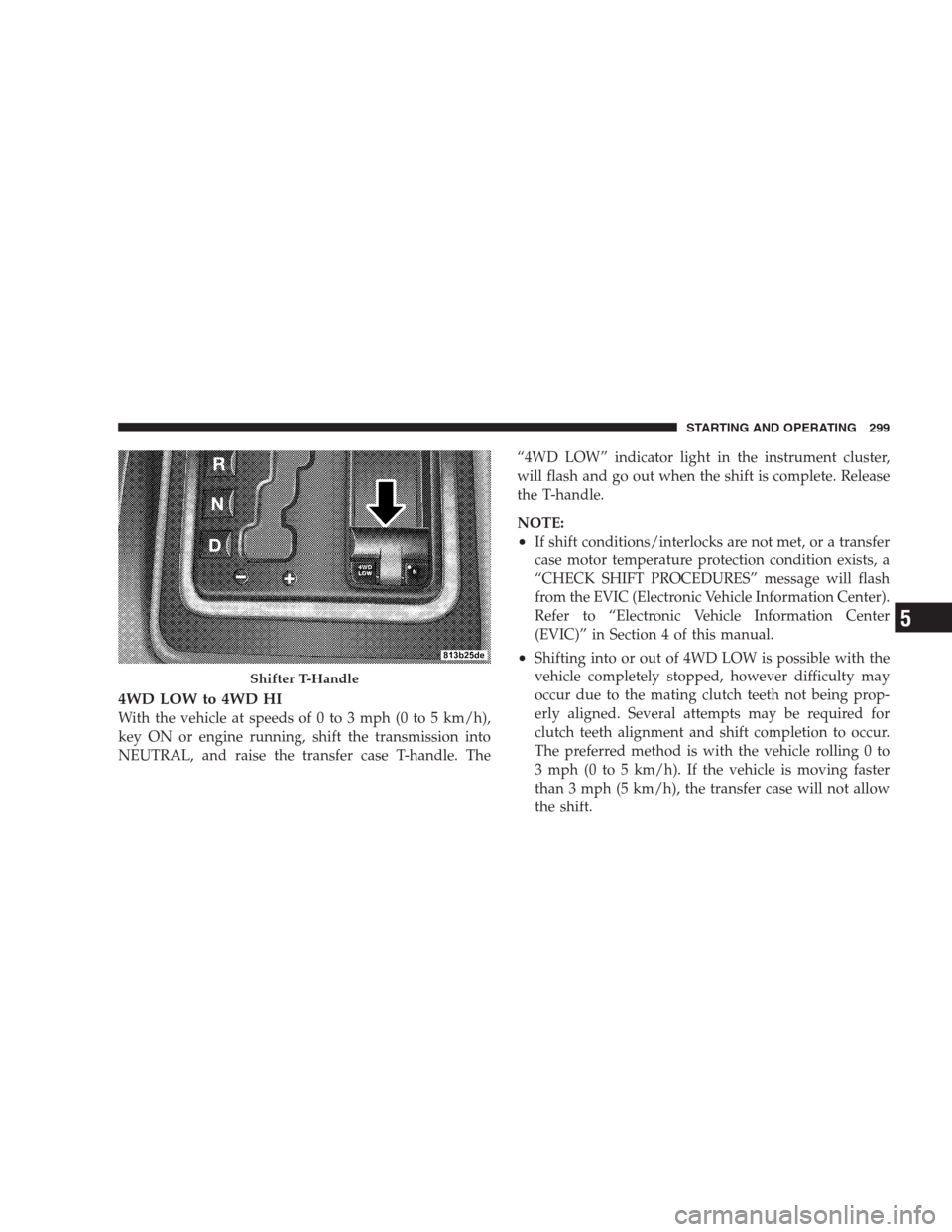
4WD LOW to 4WD HI
With the vehicle at speeds of 0 to 3 mph (0 to 5 km/h),
key ON or engine running, shift the transmission into
NEUTRAL, and raise the transfer case T-handle. The“4WD LOW” indicator light in the instrument cluster,
will flash and go out when the shift is complete. Release
the T-handle.
NOTE:
•If shift conditions/interlocks are not met, or a transfer
case motor temperature protection condition exists, a
“CHECK SHIFT PROCEDURES” message will flash
from the EVIC (Electronic Vehicle Information Center).
Refer to “Electronic Vehicle Information Center
(EVIC)” in Section 4 of this manual.
•Shifting into or out of 4WD LOW is possible with the
vehicle completely stopped, however difficulty may
occur due to the mating clutch teeth not being prop-
erly aligned. Several attempts may be required for
clutch teeth alignment and shift completion to occur.
The preferred method is with the vehicle rolling 0 to
3 mph (0 to 5 km/h). If the vehicle is moving faster
than 3 mph (5 km/h), the transfer case will not allow
the shift.
Shifter T-Handle
STARTING AND OPERATING 299
5
Page 306 of 521
Hill Climbing
NOTE:Before attempting to climb a hill, determine the
conditions at the crest and/or on the other side.
Before climbing a steep hill,shift the transmission to a
lower gear and shift the transfer case to 4WD LOW. Use
first gear and 4WD LOW for very steep hills.
If you stall or begin to lose forward motionwhile
climbing a steep hill, allow your vehicle to come to a stop
and immediately apply the brakes. Restart the engine,
and shift into REVERSE. Back slowly down the hill,
allowing the compression braking of the engine to help
regulate your speed. If the brakes are required to control
vehicle speed, apply them lightly and avoid locking or
skidding the tires.
WARNING!
If the engine stalls, you lose forward motion, or
cannot make it to the top of a steep hill or grade,
never attempt to turn around. To do so may result in
tipping and rolling the vehicle. Always back care-
fully straight down a hill in REVERSE gear. Never
back down a hill in NEUTRAL using only the brake.
Remember, never drive diagonally across a hill always
drive straight up or down.
If the wheels start to slip as you approach the crest of a
hill, ease off the accelerator and maintain forward motion
by turning the front wheels slowly. This may provide a
fresh “bite” into the surface and will usually provide
traction to complete the climb.
304 STARTING AND OPERATING
Page 310 of 521
WARNING!
Fluid level should be checked on a level surface and
with the engine off to prevent injury from moving
parts and to ensure accurate fluid level reading. Do
not overfill. Use only manufacturers recommended
power steering fluid.
If necessary, add fluid to restore to the proper indicated
level. With a clean cloth, wipe any spilled fluid from all
surfaces.
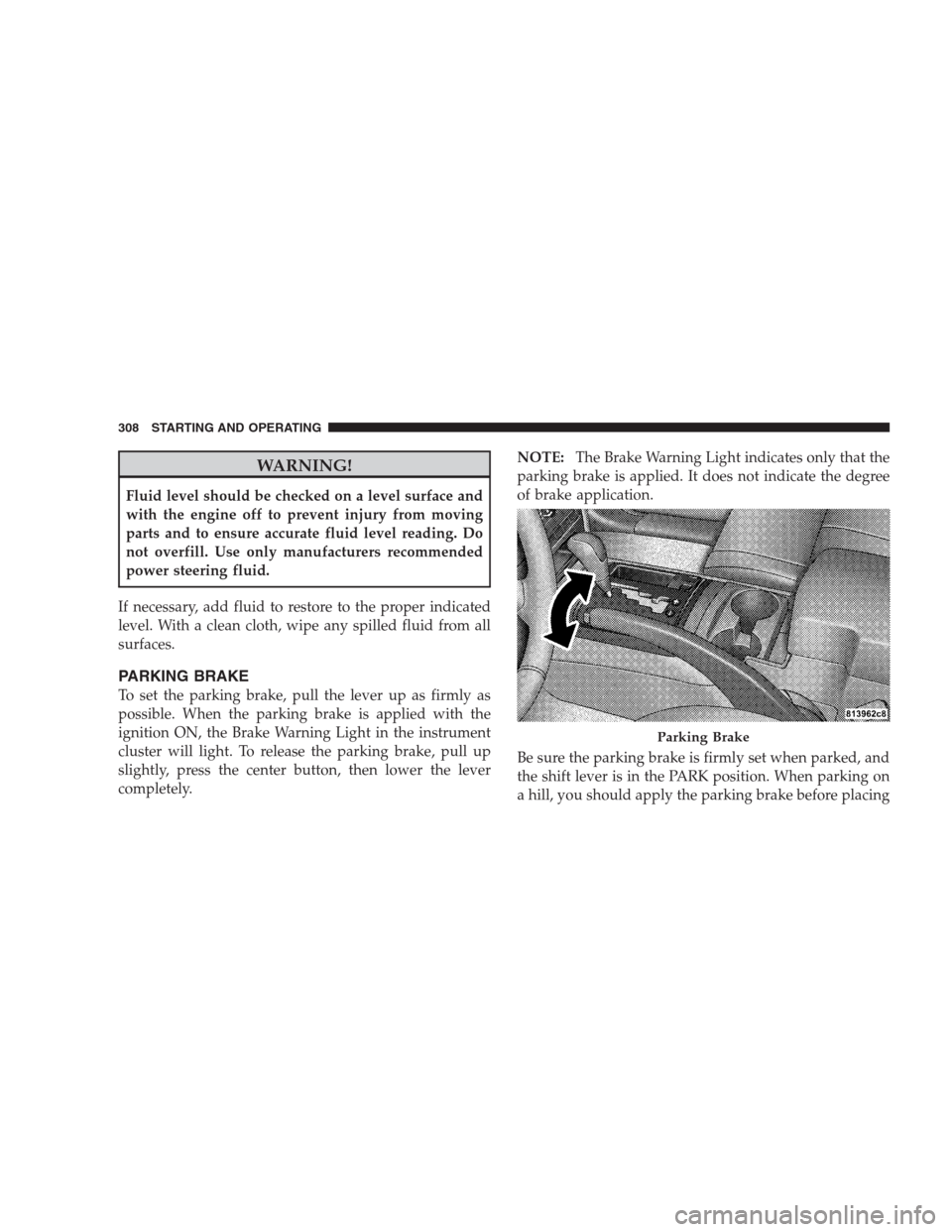
PARKING BRAKE
To set the parking brake, pull the lever up as firmly as
possible. When the parking brake is applied with the
ignition ON, the Brake Warning Light in the instrument
cluster will light. To release the parking brake, pull up
slightly, press the center button, then lower the lever
completely.NOTE:The Brake Warning Light indicates only that the
parking brake is applied. It does not indicate the degree
of brake application.
Be sure the parking brake is firmly set when parked, and
the shift lever is in the PARK position. When parking on
a hill, you should apply the parking brake before placing
Parking Brake
308 STARTING AND OPERATING
Page 312 of 521

wheel lock-up and help avoid skidding on slippery
surfaces.
All vehicle wheels and tires must be the same size and
type, and tires must be properly inflated, to produce
accurate signals for the computer.
WARNING!
Significant over or under-inflation of tires or mixing
sizes of tires or wheels on the vehicle can lead to loss
of braking effectiveness.
The ABS conducts a low-speed self-test at about 12 mph
(20 km/h). If you have your foot lightly on the brake
while this test is occurring, you may feel slight pedal
movement. The movement can be more apparent on ice
and snow. This is normal.The ABS pump motor runs during the self-test at 12 mph
(20 km/h) and during an ABS stop. The pump motor
makes a low humming noise during operation, which is
normal.
WARNING!
•Pumping of the Anti-Lock Brakes will diminish
their effectiveness and may lead to an accident.
Pumping makes the stopping distance longer. Just
press firmly on your brake pedal when you need
to slow down or stop.
•The ABS cannot prevent the natural laws of phys-
ics from acting on the vehicle, nor can it increase
braking or steering efficiency beyond that af-
forded by the condition of the vehicle brakes and
tires or the traction afforded.
(Continued)
310 STARTING AND OPERATING
Page 318 of 521
•Understeer - when the vehicle is turning less than
appropriate for the steering wheel position.
The ESP/TCS Indicator Light located in the instrument
cluster, starts to flash as soon as the tires lose traction and
the ESP system becomes active. The ESP/TCS Indicator
Light also flashes when TCS is active. If the ESP/TCS
Indicator Light begins to flash during acceleration, ease
up on the accelerator and apply as little throttle as
possible. Be sure to adapt your speed and driving to the
prevailing road conditions.WARNING!
ESP (Electronic Stability Program) cannot prevent the
natural laws of physics from acting on the vehicle,
nor can it increase the traction afforded by prevailing
road conditions. ESP cannot prevent accidents, in-
cluding those resulting from excessive speed in
turns, driving on very slippery surfaces, or hydro-
planing. Only a safe, attentive, and skillful driver can
prevent accidents. The capabilities of an ESP-
equipped vehicle must never be exploited in a reck-
less or dangerous manner which could jeopardize the
user’s safety or the safety of others.
The ESP system has three available operating modes in
4WD HIGH range, two available operating modes on
2WD vehicles, and one operating mode in 4WD LOW
range.
316 STARTING AND OPERATING
Page 319 of 521
High Range (4WD Models) or 2WD Models
On
This is the normal operating mode for ESP in 4WD HIGH
range and in 2WD vehicles. Whenever the vehicle is
started or the transfer case (if equipped) is shifted from
4WD LOW range or NEUTRAL back to 4WD HIGH
range, the ESP system will be in this “On” mode. This
mode should be used for most driving situations. ESP
should only be turned to “Partial Off” or “Full Off” mode
for specific reasons as noted below.
Partial Off
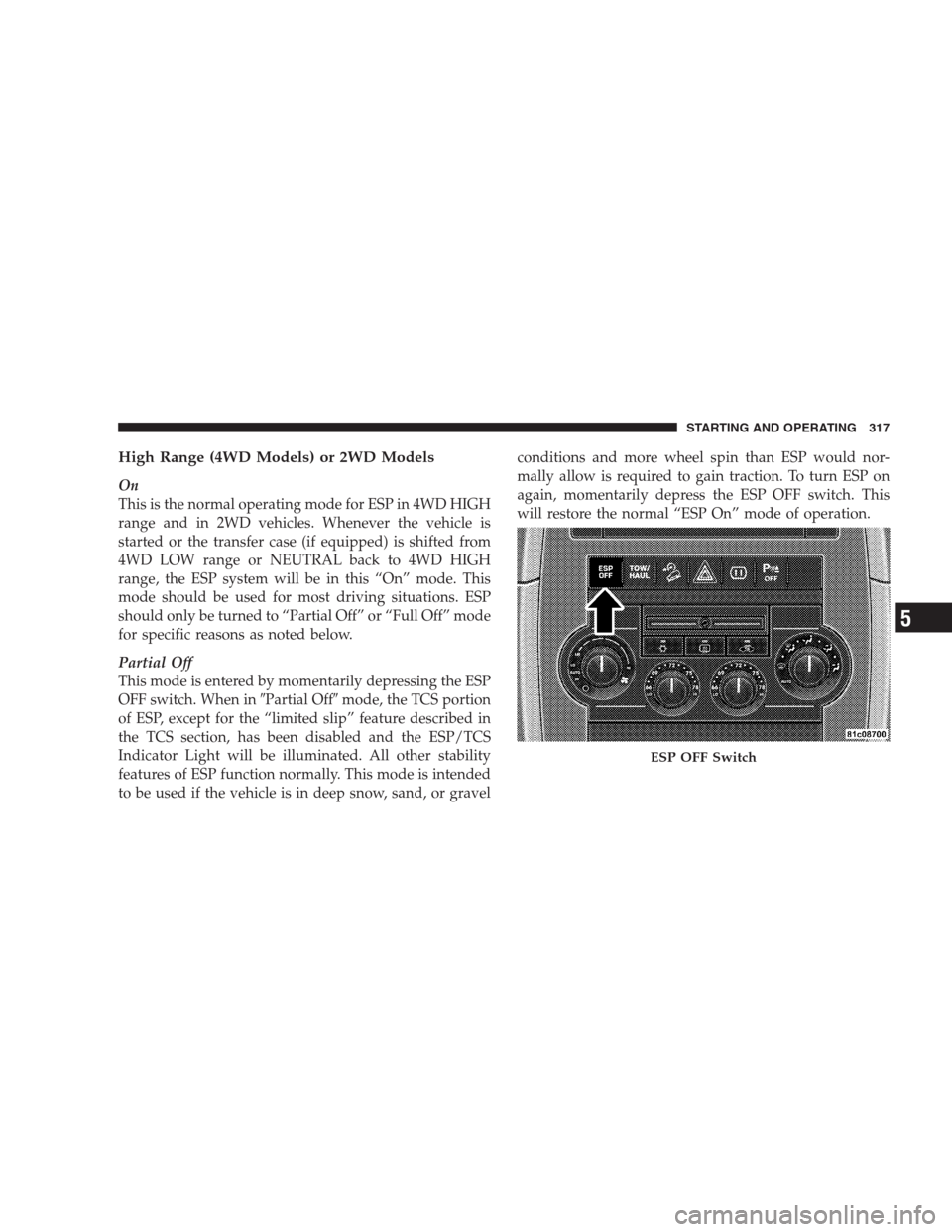
This mode is entered by momentarily depressing the ESP
OFF switch. When in�Partial Off�mode, the TCS portion
of ESP, except for the “limited slip” feature described in
the TCS section, has been disabled and the ESP/TCS
Indicator Light will be illuminated. All other stability
features of ESP function normally. This mode is intended
to be used if the vehicle is in deep snow, sand, or gravelconditions and more wheel spin than ESP would nor-
mally allow is required to gain traction. To turn ESP on
again, momentarily depress the ESP OFF switch. This
will restore the normal “ESP On” mode of operation.
ESP OFF Switch
STARTING AND OPERATING 317
5