Page 147 of 578
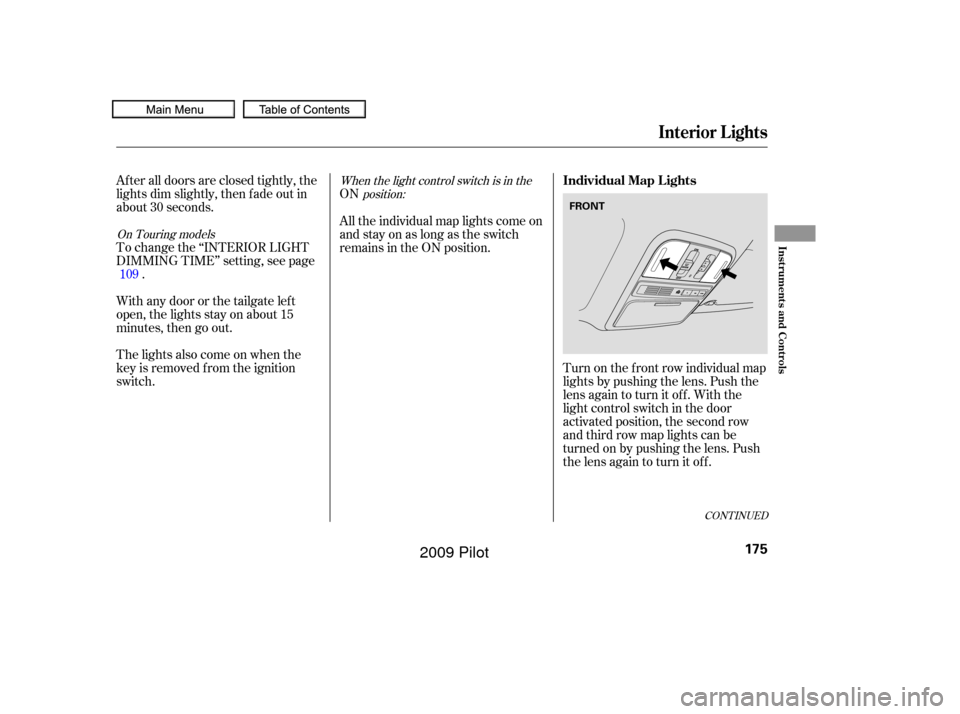
The tailgate can be opened and
closed with the remote transmitter
(see page ) or the switch in the
driver’s door pocket when both f ront
doors are unlocked.
Keep the tailgate closed at all times
while driving to avoid damaging the
tailgate and to prevent exhaust gas
f rom getting into the interior. See
on page
.
If you push the same button or
switch again while the tailgate is
opening or closing, you will hear
three beeps, and the tailgate will stop
moving, reverse direction, and stop
at the f ully opened or closed position. Press and hold the tailgate button on
the remote transmitter or the switch
f or about 1 second to open or close
the tailgate. Each time you press the
button on the remote transmitter or
the switch, you will hear a beep, and
some f ront and rear lights will f lash. If the glass hatch is opened, remote
transmitter operation is canceled
until it is closed.
59
149
CONT INUED
On Touring models
Power Tailgate
Carbon Monoxide Hazard
Tailgate and Glass Hatch
Inst rument s and Cont rols
143
POWER TAILGATE SWITCH
�����—�����—�
���y�
�������������y���
�(�/���������y���
�����y
2009 Pilot
Page 152 of 578
�µ
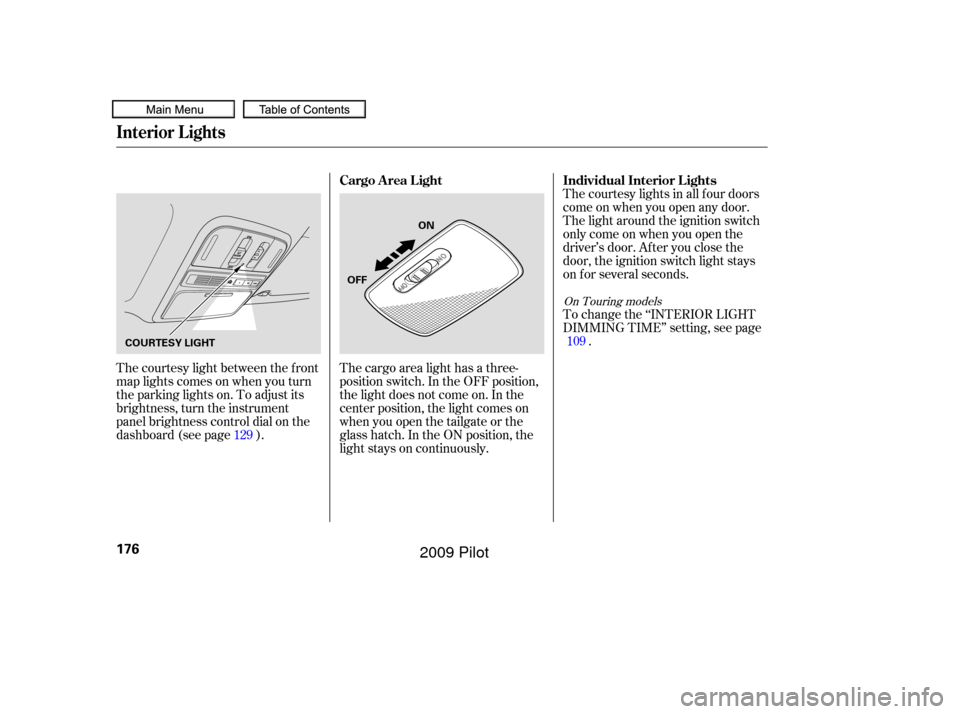
�µ Pressthisbuttononce
to unlock the driver’s door. Push it
twice to unlock the other doors.
Some exterior lights will f lash twice
when you push the button. If you do
not open any door or the tailgate
within 30 seconds, they will
automatically relock.
To change the ‘‘KEY AND REMOTE
UNLOCK MODE’’ setting, see page .
To change the ‘‘SECURITY
RELOCK TIMER’’ setting, see page .
To change the ‘‘KEYLESS LOCK
ACKNOWLEDGEMENT’’ setting,
see page .
Press this button once to
lock all doors and the tailgate. Some
exterior lights will f lash. When you
push LOCK twice within 5 seconds,
you will hear a beep to verify that the
doors and tailgate are locked and the
security system has set. This button
does not work if any door or tailgate
is not f ully closed. 118117
119
On Touring models
On Touring models
Remote Transmitter
UNL OCK
Remote Transmitter
LOCK
148
Except Touring models On Touring models
UNLOCK
BUTTON UNLOCK
BUTTON
LOCK
BUTTON
PANIC
BUTTON LOCK
BUTTON
PANIC
BUTTON TAILGATE
BUTTON
GLASS
HATCH
RELEASE
BUTTON
�����—�����—�
���y�
�������������y���
�(�/���������y���
�����y
2009 Pilot
Page 153 of 578
�µ
�µ
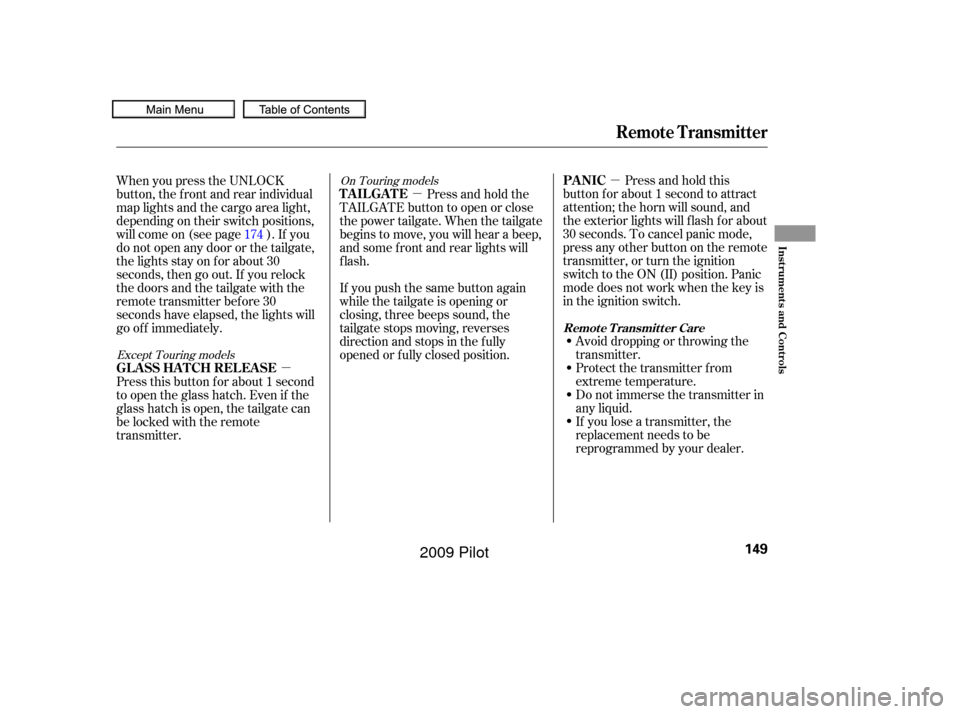
�µ Press and hold this
button for about 1 second to attract
attention; the horn will sound, and
the exterior lights will f lash f or about
30 seconds. To cancel panic mode,
press any other button on the remote
transmitter, or turn the ignition
switch to the ON (II) position. Panic
mode does not work when the key is
in the ignition switch.
Avoid dropping or throwing the
transmitter.
Protect the transmitter from
extreme temperature.
Do not immerse the transmitter in
any liquid.
If you lose a transmitter, the
replacement needs to be
reprogrammed by your dealer.
When you press the UNLOCK
button, the f ront and rear individual
map lights and the cargo area light,
depending on their switch positions,
will come on (see page ). If you
do not open any door or the tailgate,
the lights stay on for about 30
seconds, then go out. If you relock
thedoorsandthetailgatewiththe
remote transmitter before 30
seconds have elapsed, the lights will
go of f immediately.
If you push the same button again
while the tailgate is opening or
closing, three beeps sound, the
tailgate stops moving, reverses
direction and stops in the f ully
opened or f ully closed position.Press and hold the
TAILGATE button to open or close
the power tailgate. When the tailgate
begins to move, you will hear a beep,
and some f ront and rear lights will
flash.
Press this button f or about 1 second
to open the glass hatch. Even if the
glass hatch is open, the tailgate can
be locked with the remote
transmitter. 174
Except Touring models
On Touring models
Remote Transmitter
PA NIC
TAILGATE
GLASS HATCH RELEASE
Remote Transmitter Care
Inst rument s and Cont rols
149
�����—�����—�
���y�
�������������y���
�(�/���������y���
�����y
2009 Pilot
Page 166 of 578
Both f ront seats are equipped with
seat heaters. Because of the sensors
f or the side airbag cutof f system,
there is no heater in the passenger’s
seat-back. The ignition switch must
be in the ON (II) position to use the
heaters.The outer second row seat cushions
and seat-backs are equipped with
seat heaters. Turning the switch on
the driver side warms the outer seat
behind the driver’s seat only. The
passenger side switch warms the
outer seat behind the f ront
passenger seat.
Push the right side of the switch, HI,
to rapidly heat up the seat. Af ter the
seat reaches a comfortable
temperature, select LO by pushing
the lef t side of the switch. This will
keep the seat warm.
On EX-L, Touring models, and Canadian
EX models On Canadian Touring models
Seat Heaters
162
HI
Front seat Second row seat
HEATERS Passenger’s
Seat
Driver’s
Seat LOW
�����—�����—�
���y�
�������������y���
�(�/���������y���
�����y
2009 Pilot
Page 170 of 578
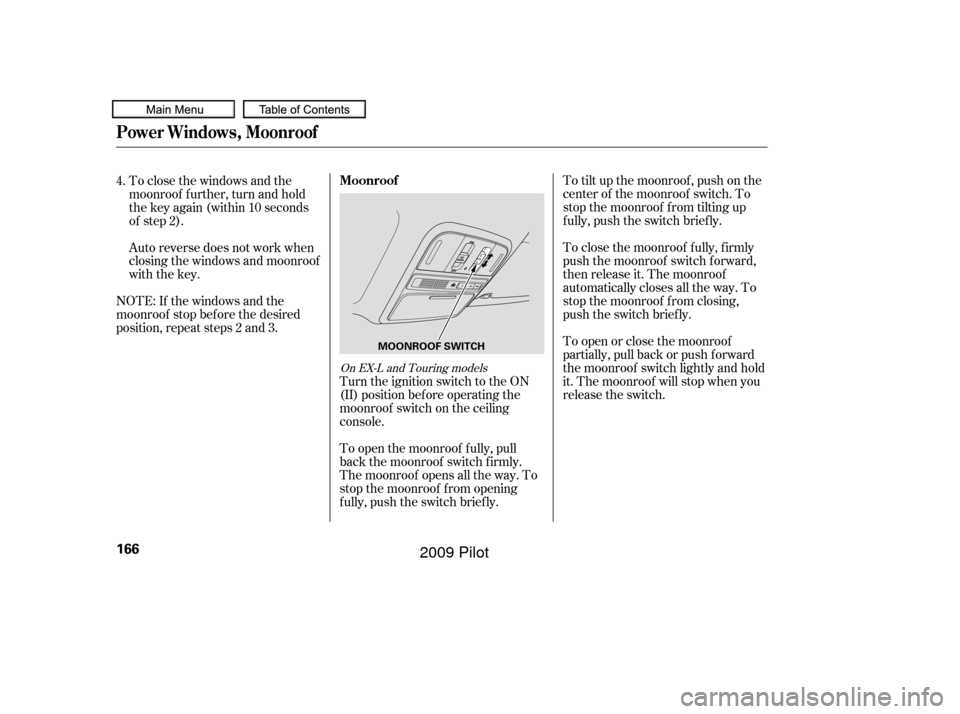
To tilt up the moonroof , push on the
center of the moonroof switch. To
stop the moonroof f rom tilting up
f ully, push the switch brief ly.
To close the moonroof f ully, f irmly
push the moonroof switch f orward,
then release it. The moonroof
automatically closes all the way. To
stop the moonroof f rom closing,
push the switch briefly.
To open or close the moonroof
partially, pull back or push f orward
the moonroof switch lightly and hold
it. The moonroof will stop when you
release the switch.
To close the windows and the
moonroof f urther, turn and hold
the key again (within 10 seconds
of step 2).
Auto reverse does not work when
closing the windows and moonroof
with the key.
NOTE: If the windows and the
moonroof stop bef ore the desired
position, repeat steps 2 and 3.
Turn the ignition switch to the ON
(II) position bef ore operating the
moonroof switch on the ceiling
console.
To open the moonroof f ully, pull
back the moonroof switch f irmly.
The moonroof opens all the way. To
stop the moonroof f rom opening
f ully, push the switch brief ly.
4.
On EX-L and Touring models
Moonroof
Power Windows, Moonroof
166
MOONROOF SWITCH
�����—�����—�
���y�
�������������y���
�(�/���������y���
���
�y
2009 Pilot
Page 179 of 578
When the light control switch is in theposition:
On Touring models
ON
After all doors are closed tightly, the
lights dim slightly, then f ade out in
about 30 seconds.
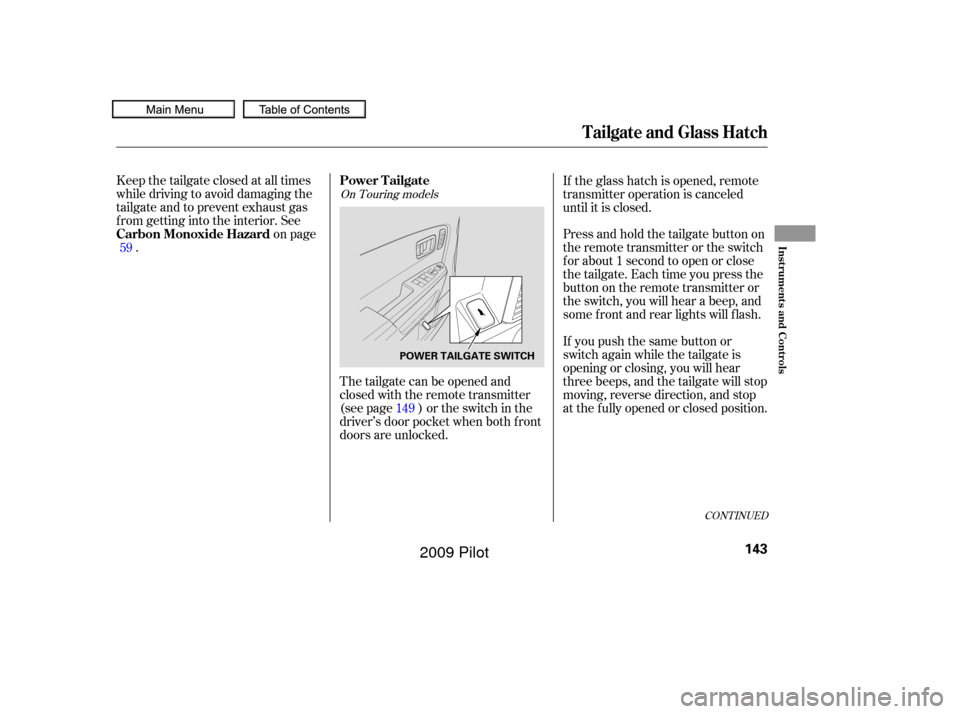
Turn on the f ront row individual map
lights by pushing the lens. Push the
lens again to turn it off. With the
light control switch in the door
activated position, the second row
and third row map lights can be
turned on by pushing the lens. Push
the lens again to turn it off.
To change the ‘‘INTERIOR LIGHT
DIMMING TIME’’ setting, see page
.
The lights also come on when the
key is removed f rom the ignition
switch. Withanydoororthetailgateleft
open, the lights stay on about 15
minutes, then go out. All the individual map lights come on
andstayonaslongastheswitch
remains in the ON position.
109
CONT INUED
Individual Map L ights
Interior Lights
Inst rument s and Cont rols
175
FRONT
�����—�����—�
���y�
������
��
���y���
�(�/���������y���
�����y
2009 Pilot
Page 180 of 578
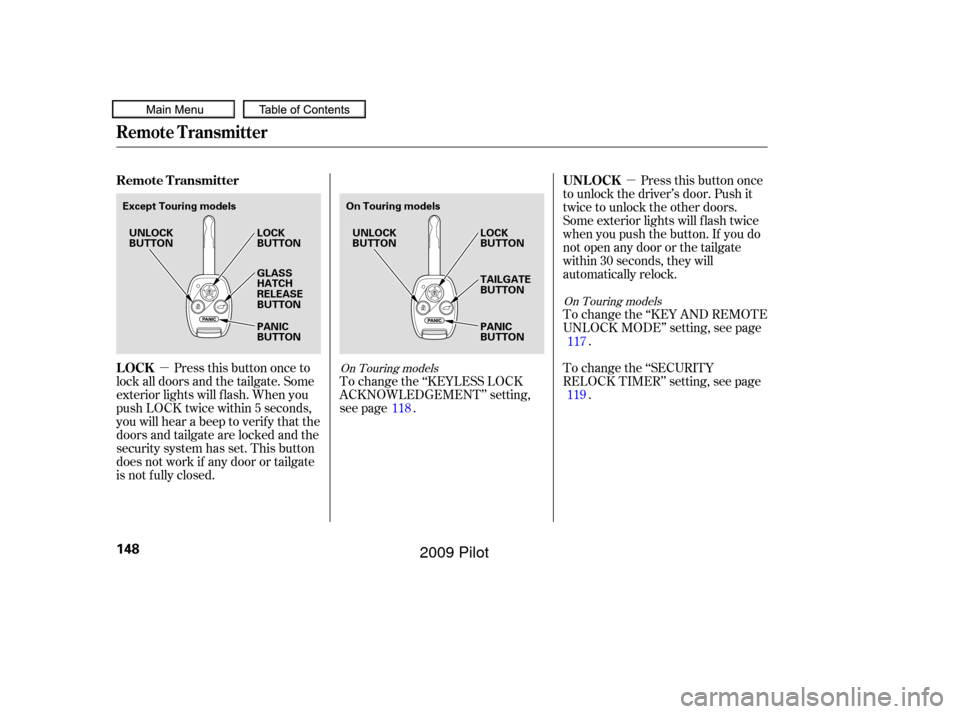
The courtesy light between the f ront
map lights comes on when you turn
the parking lights on. To adjust its
brightness, turn the instrument
panel brightness control dial on the
dashboard (see page ).The courtesy lights in all f our doors
come on when you open any door.
The light around the ignition switch
only come on when you open the
driver’s door. Af ter you close the
door, the ignition switch light stays
on f or several seconds.
To change the ‘‘INTERIOR LIGHT
DIMMING TIME’’ setting, see page
.
The cargo area light has a three-
position switch. In the OFF position,
the light does not come on. In the
center position, the light comes on
when you open the tailgate or the
glass hatch. In the ON position, the
light stays on continuously.
129 109
On Touring models
Individual Interior L ights
Cargo Area Light
Interior Lights
176
ON
OFF
COURTESY LIGHT
�����—�����—�
���y�
������
��
���y���
�(�/���������y���
���
�y
2009 Pilot
Page 193 of 578

The standard audio system has
many f eatures. This section
describes those f eatures and how to
use them.
Your vehicle has an anti-theft audio
system that requires a code number
to enable it. The heating and air conditioning
system in your vehicle provides a
comf ortable driving environment in
all weather conditions.
The security system helps to dis-
courage vandalism and thef t of your
vehicle.
Theclimatecontrolsystemandthe
audio system have a voice control
feature. Refer to the navigation
system manual f or more inf ormation...............
Vents, Heating and A/C . 190
.........
Using the Rear A/C Unit . 195
...............
Climate Control System . 197
..............
Rear Climate Controls . 202
................................
Audio System .206
..........
Playing the FM/AM Radio . 208
................................
Playing a Disc .216
.......
Disc Player Error Messages . 223
................................
Audio System .224
..........
Playing the FM/AM Radio . 225
.
Playing the XM
Satellite Radio . 234
.................................
Playing Discs .240
...
Disc Changer Error Messages . 249
................................
Audio System .250
..........
Playing the FM/AM Radio . 251
.
Playing the XM
Satellite Radio . 264
.................................
Playing Discs .272
...
Disc Changer Error Messages . 282
..................
Protecting Your Discs . 283
............................
PlayinganiPod
. 286
.................
iPod
Error Messages . 295Playing a USB Flash Memory
........................................
Device .296
USB Flash Memory Device Error ...................................
Messages .305
............
FM/AM Radio Reception . 306
......................
Auxiliary Input Jack .308
................
Remote Audio Controls . 309
.................
Radio Thef t Protection . 311
..........................
Setting the Clock .312
........
Rear Entertainment System . 315
............................
Security System .347
...............................
Cruise Control .348
.........................................
Compass .351
HomeLink
Universal ................................
Transceiver .355
.......
Bluetooth
HandsFreeLink. 360
................
Parking Sensor System . 390
...
Rearview Camera and Monitor . 394
LX models
EX and EX-L models without navigation system
Models with navigation system
On vehicles with navigation system
Except LX models
Features
Features
189
�����—�����—�
���y�
�����������
�y���
�(�/���������y���
�����y
2009 Pilot