Page 131 of 578

This f eature turns of f the headlights,
all other exterior lights, and the
instrument panel lights within 15
seconds after you remove the key
and close the driver’s door.
The automatic lighting of f f eature
activates if you leave the headlight
switch in the ‘‘ ’’ or ‘‘ ’’
position or if the lights are turned on
by setting the switch in the ‘‘AUTO’’
position, and you remove the key,
then open and close the driver’s door. To change the ‘‘HEADLIGHT AUTO
OFF TIMER’’ setting, see page .If you turn the ignition switch to the
LOCK (0) position with the
headlight switch on, but do not open
the door and get out, the lights turn
of f af ter 10 minutes (3 minutes, if
the switch is in the ‘‘AUTO’’
position).
The lights turn on again when you
unlock or open the driver’s door.
If you unlock the door, but do not
open it within 15 seconds, the lights
go of f . With the driver’s door open,
you will hear a lights-on reminder
chime.
110
On Touring models
Headlights
Automatic Lighting Of f Feature
Inst rument s and Cont rols
127
�����—�����—�
���y�
�������������y���
�(�/���������y���
�����y
2009 Pilot
Page 133 of 578
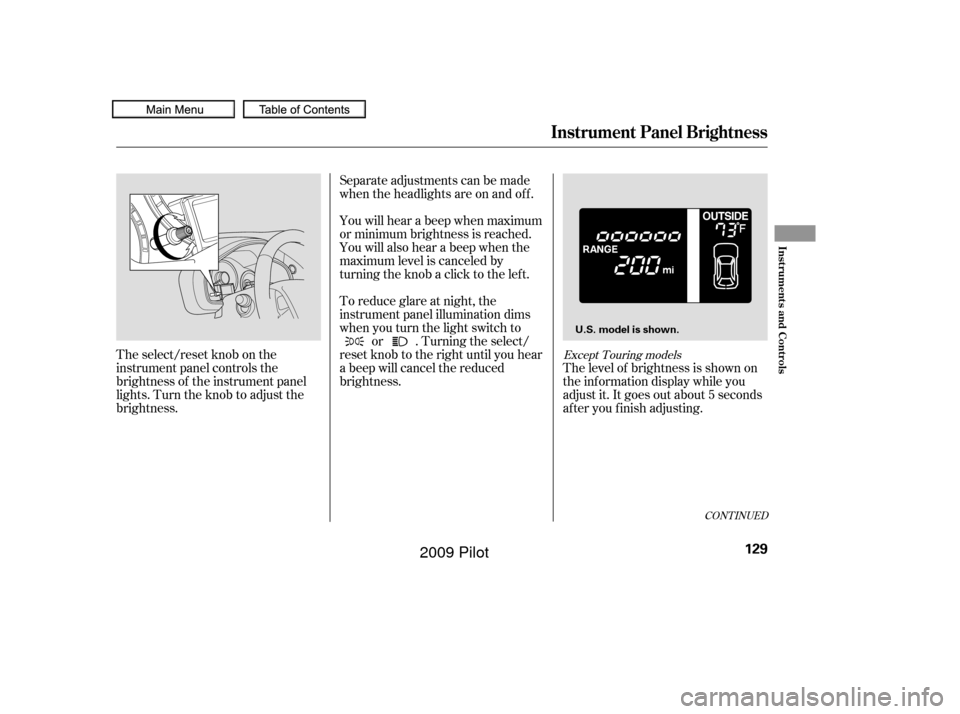
The select/reset knob on the
instrument panel controls the
brightness of the instrument panel
lights. Turn the knob to adjust the
brightness.Separate adjustments can be made
when the headlights are on and of f .
You will hear a beep when maximum
or minimum brightness is reached.
You will also hear a beep when the
maximum level is canceled by
turning the knob a click to the lef t.
To reduce glare at night, the
instrument panel illumination dims
when you turn the light switch to
or . Turning the select/
reset knob to the right until you hear
a beep will cancel the reduced
brightness. The level of brightness is shown on
the inf ormation display while you
adjust it. It goes out about 5 seconds
af ter you f inish adjusting.
CONT INUED
Except Touring models
Instrument Panel Brightness
Inst rument s and Cont rols
129
U.S. model is shown.
�����—�����—�
���y�
�������������y���
�(�/���������y���
�����y
2009 Pilot
Page 134 of 578
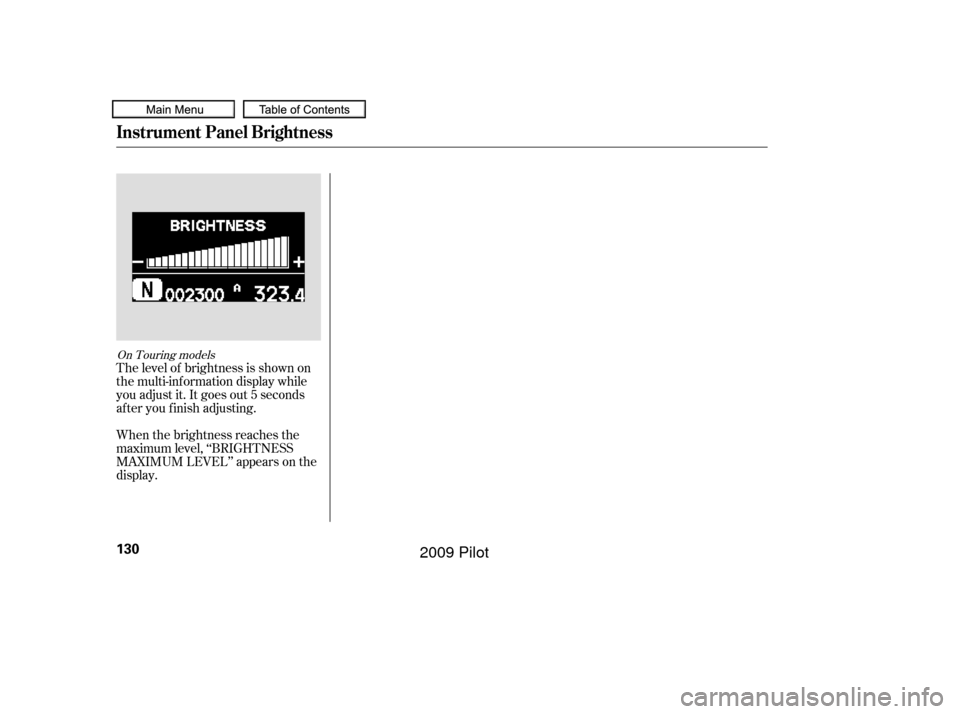
The level of brightness is shown on
the multi-information display while
you adjust it. It goes out 5 seconds
af ter you f inish adjusting.
When the brightness reaches the
maximum level, ‘‘BRIGHTNESS
MAXIMUM LEVEL’’ appears on the
display.
On Touring models
Instrument Panel Brightness
130
�����—�����—�
���y�
�������������y���
�(�/���������y���
�����y
2009 Pilot
Page 140 of 578
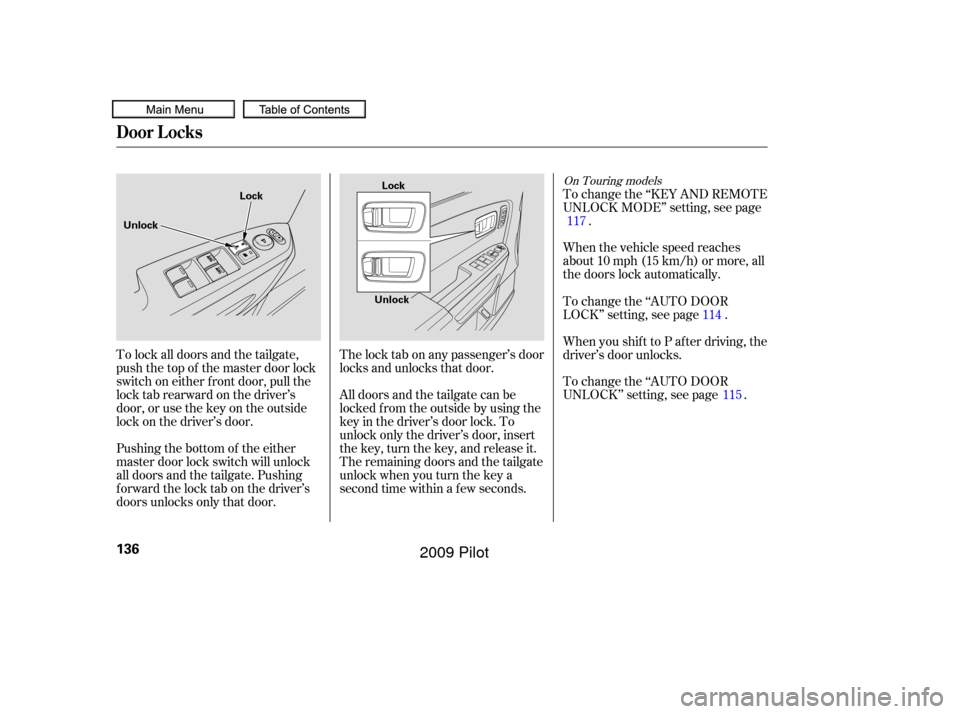
All doors and the tailgate can be
locked f rom the outside by using the
key in the driver’s door lock. To
unlock only the driver’s door, insert
the key, turn the key, and release it.
The remaining doors and the tailgate
unlock when you turn the key a
second time within a f ew seconds. The lock tab on any passenger’s door
locks and unlocks that door.When the vehicle speed reaches
about 10 mph (15 km/h) or more, all
the doors lock automatically. To change the ‘‘KEY AND REMOTE
UNLOCK MODE’’ setting, see page
.
To lock all doors and the tailgate,
push the top of the master door lock
switch on either f ront door, pull the
locktabrearwardonthedriver’s
door, or use the key on the outside
lock on the driver’s door.
Pushing the bottom of the either
master door lock switch will unlock
all doors and the tailgate. Pushing
forwardthelocktabonthedriver’s
doors unlocks only that door. To change the ‘‘AUTO DOOR
LOCK’’ setting, see page .
When you shif t to P af ter driving, the
driver’s door unlocks.
To change the ‘‘AUTO DOOR
UNLOCK’’ setting, see page .
117
114115
On Touring models
Door L ocks
136
Lock
Unlock Lock
Unlock
�����—�����—�
���y�
�����������
�y���
�(�/���������y���
���
�y
2009 Pilot
Page 142 of 578
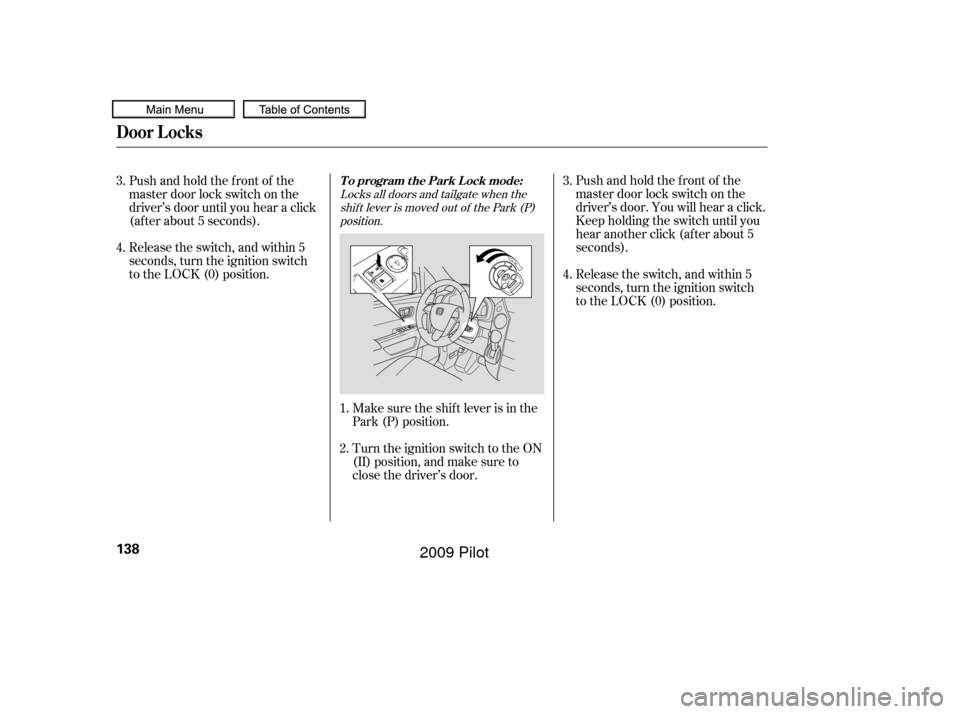
Locks all doors and tailgate when theshif t lever is moved out of the Park (P)position.
Make sure the shif t lever is in the
Park (P) position. Release the switch, and within 5
seconds, turn the ignition switch
to the LOCK (0) position.
Turn the ignition switch to the ON
(II) position, and make sure to
close the driver’s door. Pushandholdthefrontof the
master door lock switch on the
driver’s door. You will hear a click.
Keep holding the switch until you
hear another click (after about 5
seconds).
Pushandholdthefrontof the
master door lock switch on the
driver’s door until you hear a click
(af ter about 5 seconds).
Release the switch, and within 5
seconds, turn the ignition switch
to the LOCK (0) position.
4.
1.
2. 3.
4. 3.
To program the Park Lock mode:
Door L ocks
138
�����—�����—�
���y�
�������������y���
�(�/���������y���
�����y
2009 Pilot
Page 143 of 578
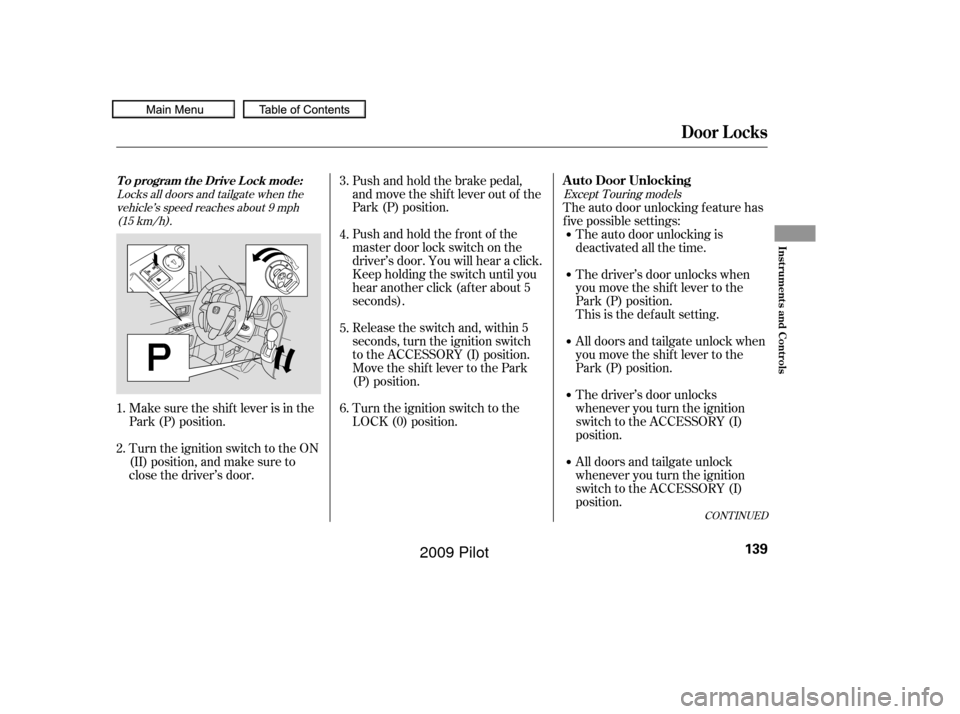
Locks all doors and tailgate when thevehicle’s speed reaches about 9 mph(15 km/h). Except Touring models
Make sure the shif t lever is in the
Park (P) position.Pushandholdthefrontof the
master door lock switch on the
driver’s door. You will hear a click.
Keep holding the switch until you
hear another click (after about 5
seconds). Push and hold the brake pedal,
and move the shif t lever out of the
Park (P) position.
Release the switch and, within 5
seconds, turn the ignition switch
to the ACCESSORY (I) position.
Move the shift lever to the Park
(P) position.
Turn the ignition switch to the
LOCK (0) position.
Turn the ignition switch to the ON
(II) position, and make sure to
close the driver’s door. The auto door unlocking f eature has
f ive possible settings:
The auto door unlocking is
deactivated all the time.
The driver’s door unlocks when
you move the shif t lever to the
Park (P) position.
This is the def ault setting.
All doors and tailgate unlock when
you move the shif t lever to the
Park (P) position.
The driver’s door unlocks
whenever you turn the ignition
switch to the ACCESSORY (I)
position.
All doors and tailgate unlock
whenever you turn the ignition
switch to the ACCESSORY (I)
position.
3.
4.
1.
2. 5.
6.
CONT INUED
T o program t he Drive L ock mode:A uto Door Unlocking
Door L ocks
Inst rument s and Cont rols
139
�����—�����—�
���y�
���������
���y���
�(�/���������y���
�����y
2009 Pilot
Page 144 of 578
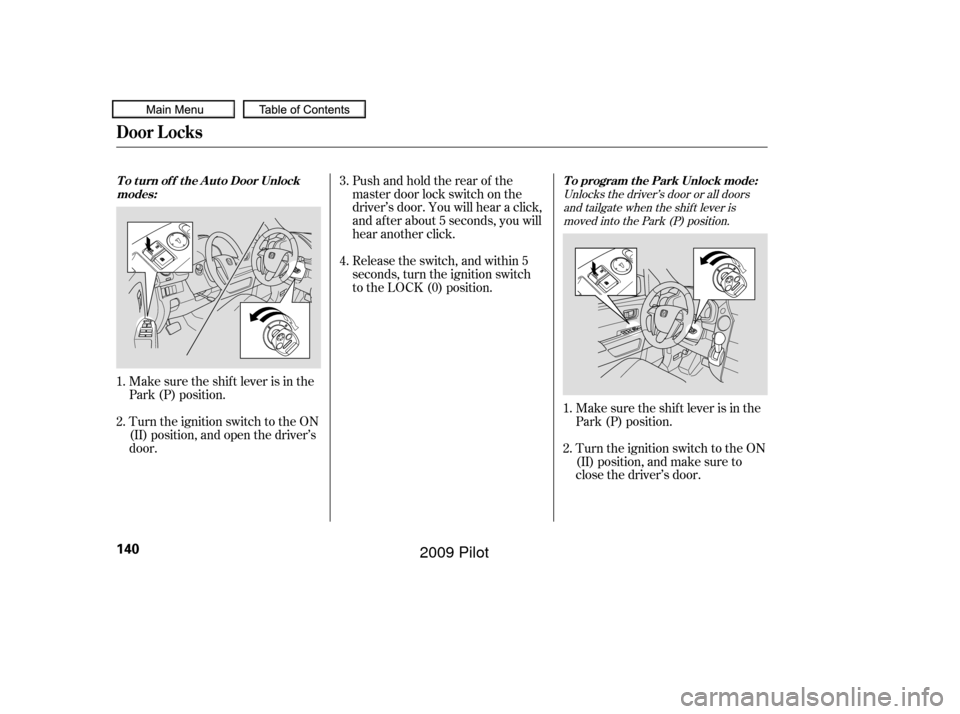
Unlocks the driver’s door or all doorsand tailgate when the shif t lever ismoved into the Park (P) position.
Make sure the shif t lever is in the
Park (P) position.
Turn the ignition switch to the ON
(II) position, and make sure to
close the driver’s door.
Make sure the shif t lever is in the
Park (P) position.
Turn the ignition switch to the ON
(II) position, and open the driver’s
door. Pushandholdtherearof the
master door lock switch on the
driver’s door. You will hear a click,
and after about 5 seconds, you will
hear another click.
Release the switch, and within 5
seconds, turn the ignition switch
to the LOCK (0) position.
1.
2.
1.
2. 3.
4.
To program the Park Unlock mode:
T o t urn of f t he A ut o Door Unlock
modes:
Door L ocks
140
�����—�����—�
���y�
�������������y���
�(�/���������y���
�����y
2009 Pilot
Page 145 of 578
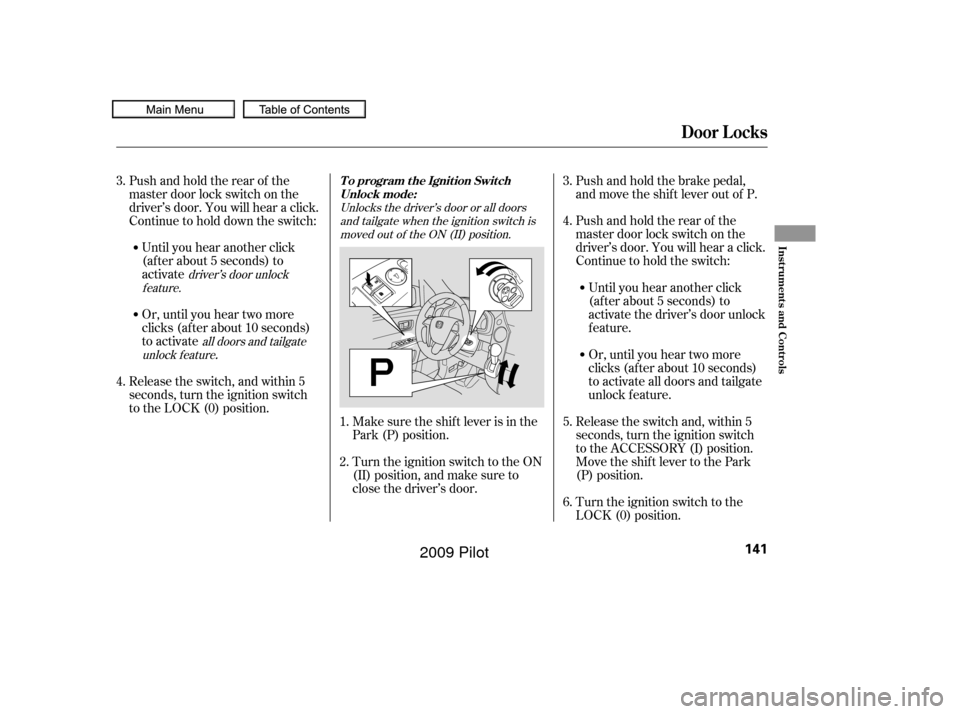
Unlocks the driver’s door or all doorsand tailgate when the ignition switch ismoved out of the ON (II) position.
all doors and tailgate
unlock f eature driver’s door unlock
feature.
Make sure the shif t lever is in the
Park (P) position. Pushandholdtherearof the
master door lock switch on the
driver’s door. You will hear a click.
Continue to hold the switch:
Release the switch and, within 5
seconds, turn the ignition switch
to the ACCESSORY (I) position.
Move the shift lever to the Park
(P) position.
Turn the ignition switch to the
LOCK (0) position.
Turn the ignition switch to the ON
(II) position, and make sure to
close the driver’s door. Push and hold the brake pedal,
and move the shif t lever out of P.
Release the switch, and within 5
seconds, turn the ignition switch
to the LOCK (0) position. Pushandholdtherearof the
master door lock switch on the
driver’s door. You will hear a click.
Continue to hold down the switch: Or, until you hear two more
clicks (af ter about 10 seconds)
to activate
.
Until you hear another click
(af ter about 5 seconds) to
activate the driver’s door unlock
feature.
Or, until you hear two more
clicks (af ter about 10 seconds)
to activate all doors and tailgate
unlock f eature.
Until you hear another click
(af ter about 5 seconds) to
activate
4.
5.
1.
2. 3.
6.
3.
4.
T o program t he Ignit ion Swit ch
Unlock mode:
Door L ocks
Inst rument s and Cont rols
141
�����—�����—�
���y�
�������������y���
�(�/���������y���
�����y
2009 Pilot