Page 140 of 523
WARNING!
•Adjusting a seat while the vehicle is moving is
dangerous. The sudden movement of the seat
could cause you to lose control. The seat belt might
not be adjusted properly and you could be injured.
Adjust the seat only while the vehicle is parked.
•Do not ride with the seatback reclined so that the
shoulder belt is no longer resting against your
chest. In a collision you could slide under the seat
belt and be seriously or even fatally injured. Use
the recliner only when the vehicle is parked.
20% Seatback/Armrest — Second Row Passenger
Seat
The latch release-loop is located at the top of the 20%
seatback/armrest. Pull the release-loop upward to re-
lease the latch and then downward to lower the 20%
seatback/armrest.
Latch Release-Loop
138 UNDERSTANDING THE FEATURES OF YOUR VEHICLE
Page 141 of 523
Raise the 20% seatback/armrest and lock it in place when
not in use or when additional seating area is required.
WARNING!
Keep the latch clean and free of objects and be
certain that the seatback is locked securely into
position. Otherwise, the seat will not provide the
proper stability for child seats and/or passengers. An
improperly latched seat could cause serious injury.
Stadium Tip ’n Slide™ (Easy Entry/Exit Seat) —
Seven Passenger Models
This feature allows passengers to easily enter or exit the
third-row passenger seats from either side of the vehicle.
To Move the Second-Row Passenger Seat Forward
NOTE:Raise the 20% seatback/armrest before moving
the 60% seat to allow for full seat travel. Move the control lever on the upper outboard side of the
seatback forward, and in one fluid motion, the seat
cushion flips upward and the seat moves forward on its
tracks.
Tip ’n Slide™ Control Lever
UNDERSTANDING THE FEATURES OF YOUR VEHICLE 139
3
Page 143 of 523

WARNING!
Do not drive the vehicle with the seat in this posi-
tion, as it is only intended for entering and exiting
the third row seats. Failure to follow this warning
may result in personal injury.
To Unfold and Move the Second-Row Passenger Seat
Rearward
1. Move the seatback rearward until it locks in place and
then continue sliding the seat rearward on its tracks until
it locks in place.
2. Push the seat cushion downward to lock it in place.
3. Adjust the seat track position as desired. Then, using
body pressure, move forward and rearward on the seat to
be sure that the seat adjusters have latched.
WARNING!
Be certain that the seatback and seat are locked
securely into position. Otherwise, the seat will not
provide the proper stability for child seats and/or
passengers. An improperly latched seat could cause
serious injury.
50/50 Split Third-Row Passenger Seats with
Fold-Flat Feature — Seven Passenger Models
To provide additional storage area, each third-row pas-
senger seat can be folded flat. This allows for extended
cargo space and still maintains some rear seating room if
needed.
NOTE: Prior to folding the third-row passenger seat,
make sure the second-row passenger seat is not in a
reclined position. This will allow the seat to fold easily.
UNDERSTANDING THE FEATURES OF YOUR VEHICLE 141
3
Page 145 of 523
The seatback can also be locked in a reclined position. To
do so, pull the latch release-loop located at the top of the
seatback upward, allow the seatback to recline, and
release the release-loop.WARNING!
•Be certain that the seatback is locked securely into
position. Otherwise, the seat will not provide the
proper stability for passengers. An improperly
latched seat could cause serious injury.
•Do not allow a passenger to sit in a third row seat
without having the head restraint unfolded and
locked in place. Failure to follow this warning may
result in personal injury to the passenger in the
event of an accident.
•Do not allow a passenger to sit in a third row seat
with the second row seatback(s) folded flat. In a
collision, the passenger could slide underneath the
seat belt and be seriously or even fatally injured.
UNDERSTANDING THE FEATURES OF YOUR VEHICLE 143
3
Page 148 of 523
LIGHTS
Exterior and Interior Lighting Control
The multifunction lever on the left side of the
steering column controls the operation of the
headlights, parking lights, turn signal lights, in-
strument panel lights, instrument panel light dimming,
interior lights, and fog lights (if equipped).
Headlights and Parking Lights
Turn the end of the multifunction lever to the first detent
for parking light operation. Turn the end of the lever to
the second detent for headlight operation.
Headlight Switch
146 UNDERSTANDING THE FEATURES OF YOUR VEHICLE
Page 149 of 523

Automatic Headlights — If Equipped
This system automatically turns the headlights on or off
according to ambient light levels. To turn the system ON,
turn the end of the multifunction lever to the AUTO
position (third detent). When the system is on, the
headlight time delay feature is also on. This means the
headlights will stay on for up to 90 seconds after you turn
the ignition switch to the LOCK position. To turn the
Automatic System OFF, turn the end of the multifunction
lever out of the AUTO position.
NOTE:The engine must be running before the head-
lights will turn on in the automatic mode.
Headlights with Wipers (Available with Auto
Headlights Only)
When this feature is active, the headlights will turn on
approximately 10 seconds after the wipers are turned ON
if the multifunction lever is placed in the AUTO position. In addition, the headlights will turn off when the wipers
are turned OFF if they were turned ON by this feature.
The Headlights with Wipers feature can be turned on or
off through the Electronic Vehicle Information Center
(EVIC) (if equipped). Refer to ”Headlights With Wipers,”
under “Personal Settings (Customer Programmable Fea-
tures)” under “Electronic Vehicle Information Center” in
Section 4.
Headlight Time Delay — If Equipped
This feature is particularly useful when exiting your
vehicle in an unlit area. It provides the safety of headlight
illumination for up to 90 seconds after turning the
ignition switch to the LOCK position.
To activate the delay, turn the ignition switch to the
LOCK position while the headlights are still on. Then,
turn OFF the headlights within 45 seconds. The delay
interval begins when you turn OFF the headlights. Only
the headlights will illuminate during this time.
UNDERSTANDING THE FEATURES OF YOUR VEHICLE 147
3
Page 153 of 523

NOTE:If the multifunction lever is held in the Flash to
Pass position for more than 15 seconds, the high beams
will shut off. If this occurs, wait 30 seconds before
activating the Flash to Pass function again.
Interior Lights
Courtesy/Reading Lights
Models with Overhead Console
These lights are mounted in the overhead console be-
tween the sun visors. They are also located in the
headliner above the second row passenger seats. Press
and release the lens to turn ON or turn OFF the light
manually. These lights also turn on when you press the
UNLOCK button on the Remote Keyless Entry (RKE)
transmitter, open a door or the liftgate, or turn the
Dimmer Control completely upward to the second de-
tent. For models equipped with LED lighting, you can
swivel the lens socket to direct the light as desired. Models without Overhead Console
There are two courtesy/reading lights mounted in the
headliner between the sun visors. Press and release the
button next to the lens to turn ON or turn OFF the light
manually. A courtesy light is also mounted in the head-
liner above the second row passenger seats. Press and
release the lens to turn ON or turn OFF the light
manually. These lights also turn on when you press the
UNLOCK button on the RKE transmitter, open a door or
the liftgate, or turn the Dimmer Control completely
upward to the second detent.
Cargo Light
This light is mounted in the liftgate trim panel. It turns on
when you press the UNLOCK button on the RKE trans-
mitter, open a door or the liftgate, or turn the Dimmer
Control completely upward to the second detent.
UNDERSTANDING THE FEATURES OF YOUR VEHICLE 151
3
Page 155 of 523
Parade Mode (Daytime Brightness Feature)
Rotate the Dimmer Control to the first detent to brighten
the odometer and radio display when the parking lights
or headlights are on during daylight conditions.
Interior Light ON
Rotate the Dimmer Control completely upward to the
second detent to turn ON the interior lights.
NOTE:The Battery Saver feature will not activate until
the ignition switch is in the LOCK position. Refer to
“Battery Saver Feature” for additional information.
Interior Light Defeat OFF
Rotate the Dimmer Control completely downward to the
(O) OFF position. The interior lights will remain off when
the doors are open.
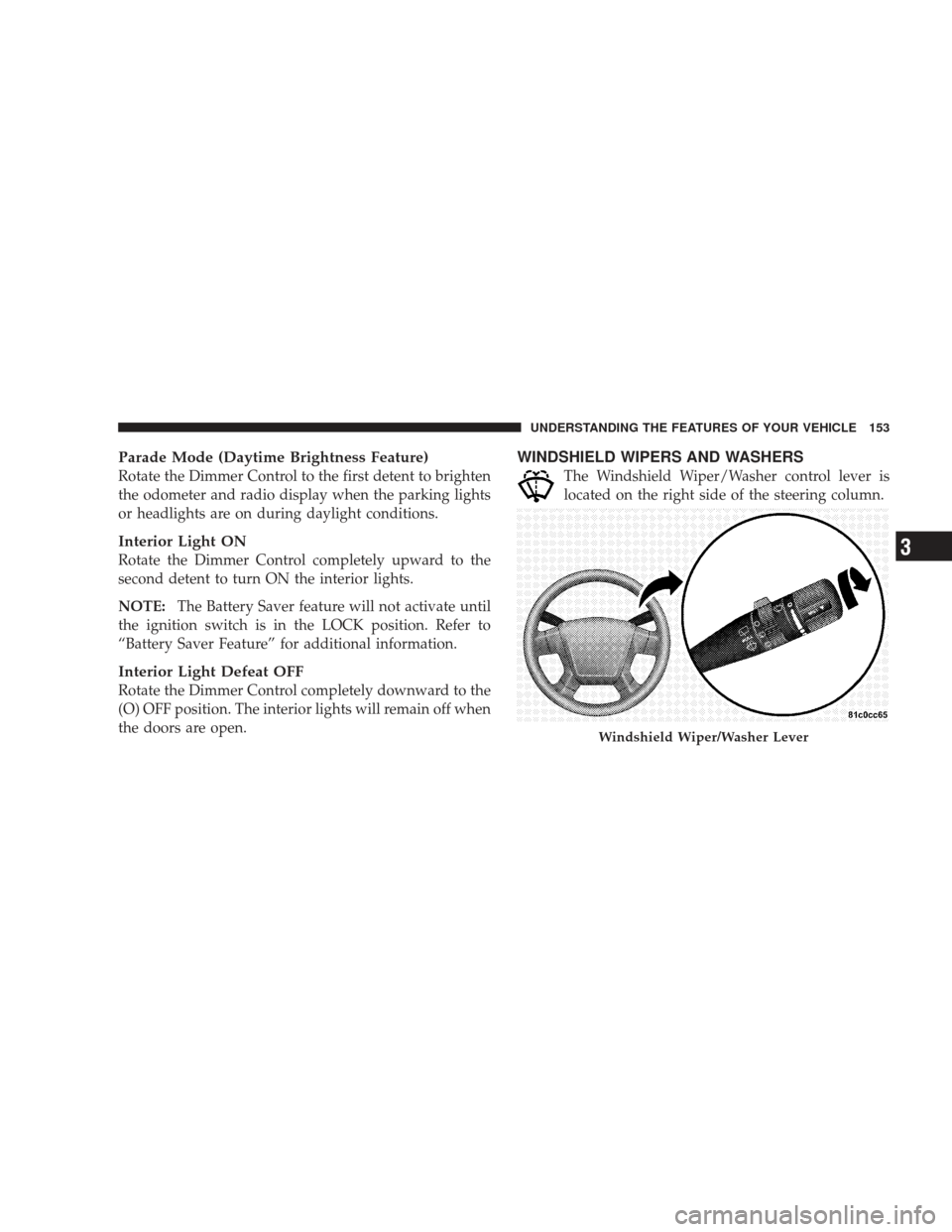
WINDSHIELD WIPERS AND WASHERS
The Windshield Wiper/Washer control lever is
located on the right side of the steering column.
Windshield Wiper/Washer Lever
UNDERSTANDING THE FEATURES OF YOUR VEHICLE 153
3