Page 162 of 534
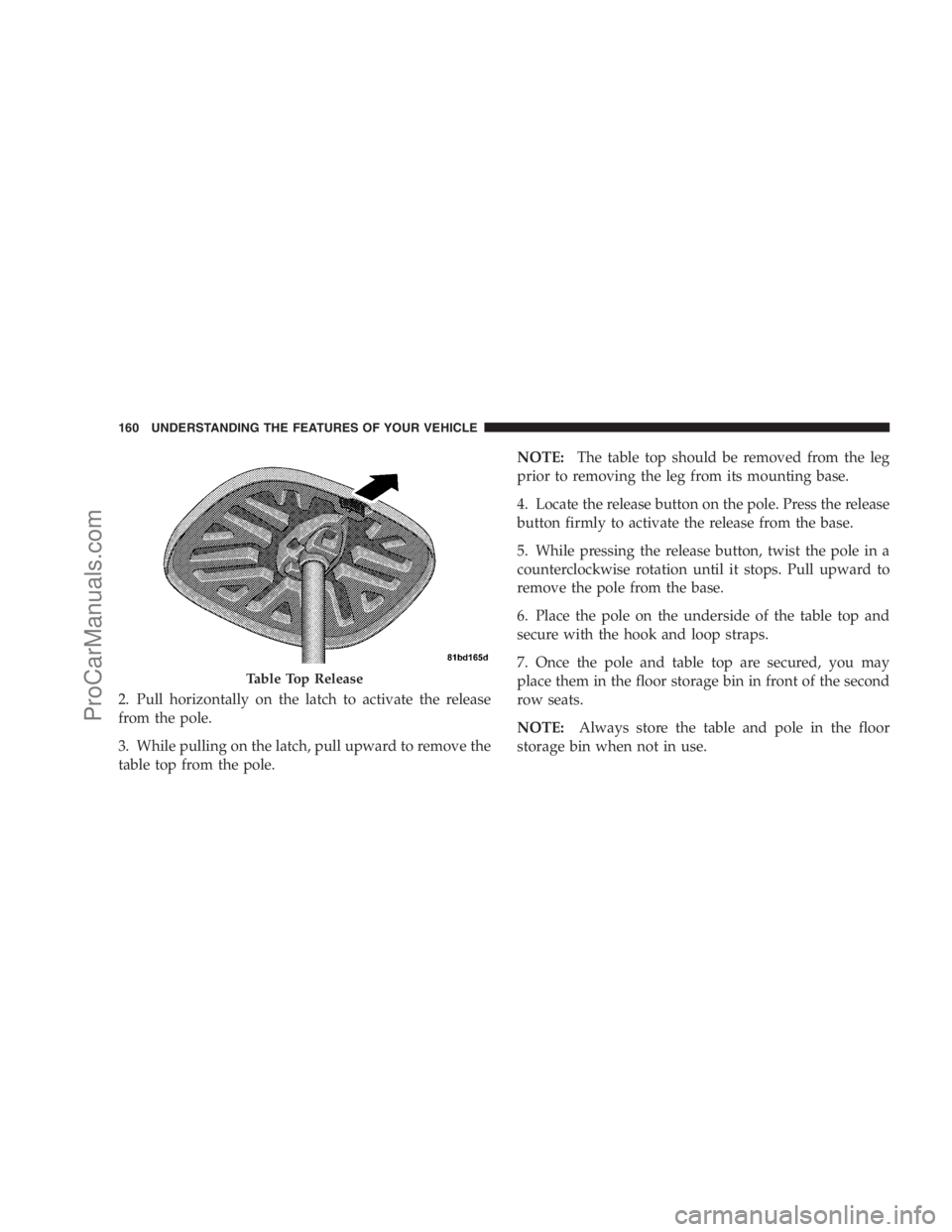
2. Pull horizontally on the latch to activate the release
from the pole.
3. While pulling on the latch, pull upward to remove the
table top from the pole.NOTE:The table top should be removed from the leg
prior to removing the leg from its mounting base.
4. Locate the release button on the pole. Press the release
button firmly to activate the release from the base.
5. While pressing the release button, twist the pole in a
counterclockwise rotation until it stops. Pull upward to
remove the pole from the base.
6. Place the pole on the underside of the table top and
secure with the hook and loop straps.
7. Once the pole and table top are secured, you may
place them in the floor storage bin in front of the second
row seats.
NOTE:Always store the table and pole in the floor
storage bin when not in use.
Table Top Release
160 UNDERSTANDING THE FEATURES OF YOUR VEHICLE
ProCarManuals.com
Page 173 of 534
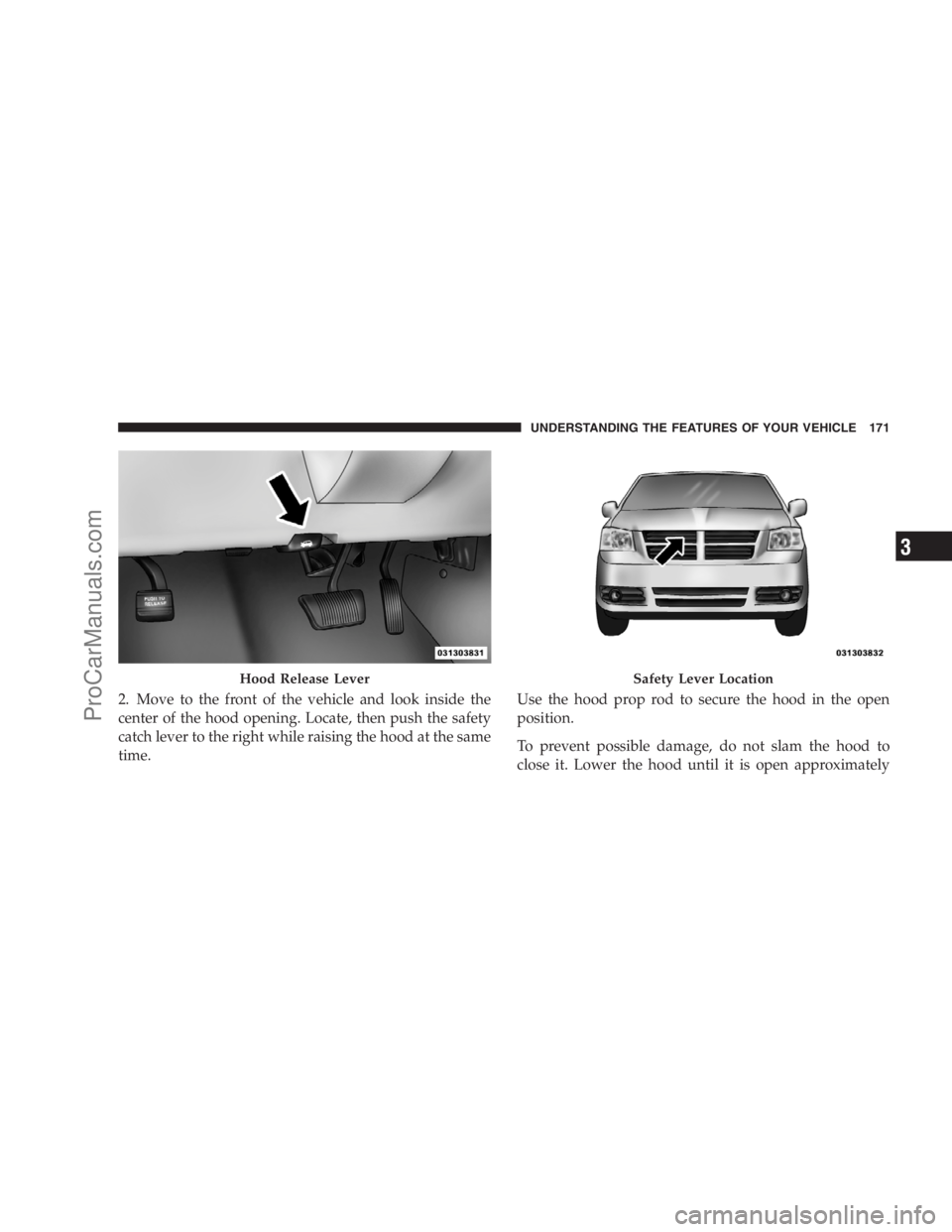
2. Move to the front of the vehicle and look inside the
center of the hood opening. Locate, then push the safety
catch lever to the right while raising the hood at the same
time.Use the hood prop rod to secure the hood in the open
position.
To prevent possible damage, do not slam the hood to
close it. Lower the hood until it is open approximately
Hood Release LeverSafety Lever Location
UNDERSTANDING THE FEATURES OF YOUR VEHICLE 171
3
ProCarManuals.com
Page 174 of 534
12 in (30 cm) and then drop it. This should secure both
latches. Never drive your vehicle unless the hood is fully
closed, with both latches engaged.
WARNING!
If the hood is not fully latched, it could open when
the vehicle is moving and block your forward vision.
You could have a collision. Be sure all hood latches
are fully latched before driving.
LIGHTS
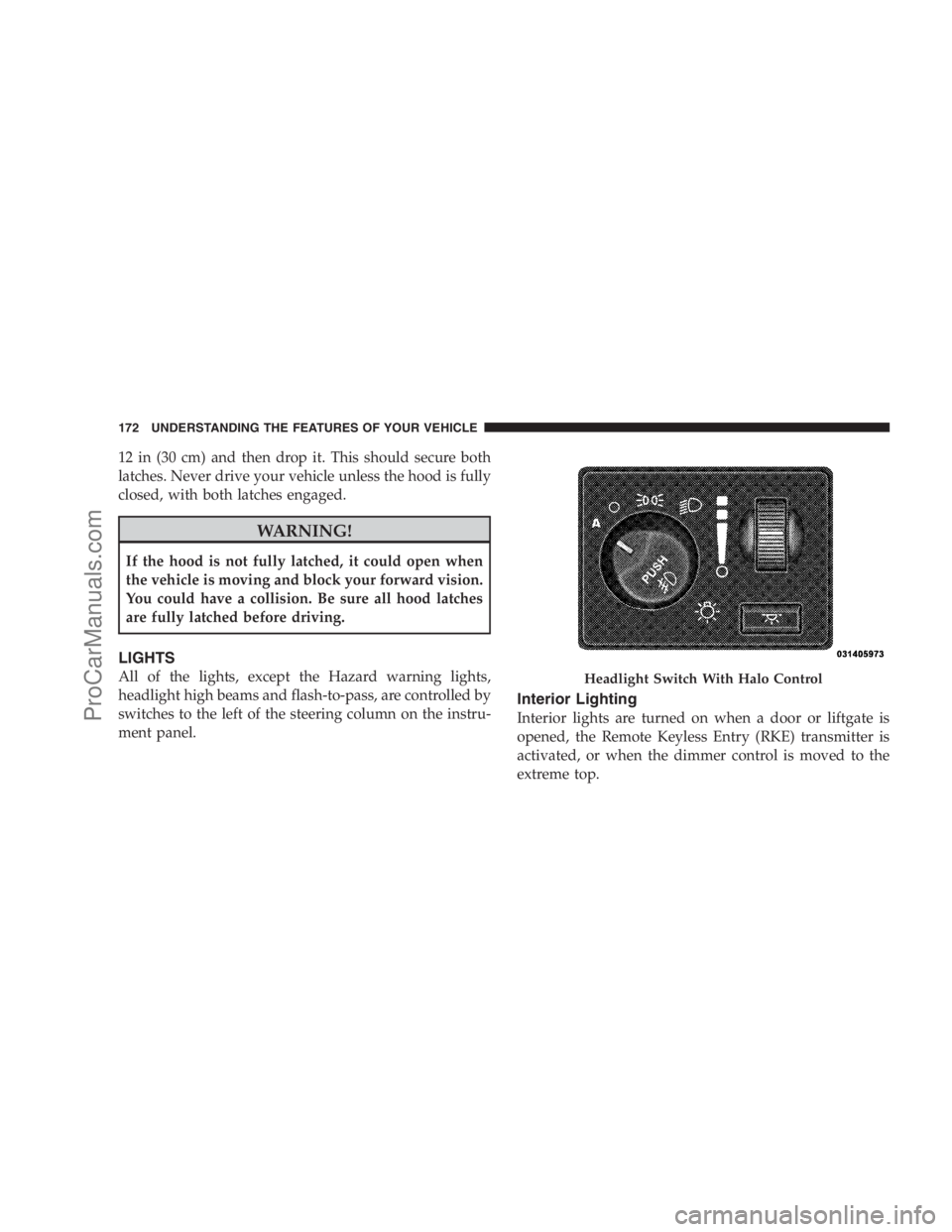
All of the lights, except the Hazard warning lights,
headlight high beams and flash-to-pass, are controlled by
switches to the left of the steering column on the instru-
ment panel.
Interior Lighting
Interior lights are turned on when a door or liftgate is
opened, the Remote Keyless Entry (RKE) transmitter is
activated, or when the dimmer control is moved to the
extreme top.
Headlight Switch With Halo Control
172 UNDERSTANDING THE FEATURES OF YOUR VEHICLE
ProCarManuals.com
Page 199 of 534
Rear Courtesy/Reading Lights — If Equipped
The overhead console has two sets of courtesy lights. The
lights turn on when a front door, a sliding door or the
liftgate is opened. If your vehicle is equipped with RKE,
the lights will also turn on when the UNLOCK button on
the RKE transmitter is pressed.
The courtesy lights also function as reading lights. Press
in on each lens to turn these lights on while inside the
vehicle. Press the lens a second time to turn each light off.
You may adjust the direction of these lights by pressing
the outside ring, which is identified with four directional
arrows.
Rear Console Halo Lighting
The rear overhead console has recessed halo lighting
around the perimeter of the console base. This feature
provides additional lighting options while traveling and
is controlled by the headlight switch. Refer to ”HaloLights — If Equipped” under “Lighting” in the “Under-
standing The Features Of Your Vehicle” in Section 2.
GARAGE DOOR OPENER — IF EQUIPPED
HomeLink�replaces up to three remote controls (hand-
held transmitters) that operate devices such as garage
door openers, motorized gates, lighting, or home security
systems. The HomeLink�unit operates off your vehicle’s
battery.
The HomeLink�buttons that are located in the headliner
or sun visor designate the three different HomeLink�
channels.
UNDERSTANDING THE FEATURES OF YOUR VEHICLE 197
3
ProCarManuals.com
Page 200 of 534
NOTE:HomeLink�is disabled when the Vehicle Secu-
rity Alarm is active.
WARNING!
•Your motorized door or gate will open and close
while you are training the universal transceiver.
Do not train the transceiver if people or pets are in
the path of the door or gate. Only use this trans-
ceiver with a garage door opener that has a “stop
and reverse” feature as required by Federal safety
standards. This includes most garage door opener
models manufactured after 1982. Do not use a
garage door opener without these safety features.
Call toll-free 1–800–355–3515 or, on the Internet at
www.HomeLink.com for safety information or as-
sistance.
•Vehicle exhaust contains carbon monoxide, a dan-
gerous gas. Do not run your vehicle in the garage
while training the transceiver. Exhaust gas can
cause serious injury or death.
HomeLink�Buttons
198 UNDERSTANDING THE FEATURES OF YOUR VEHICLE
ProCarManuals.com
Page 203 of 534
6. Firmly press and release the “Learn” or “Training”
button. The name and color of the button may vary by
manufacturer.
NOTE:There are 30 seconds in which to initiate the next
step after the “Learn” button has been pressed.
7. Return to the vehicle and press the programmed
HomeLink�button twice (holding the button for two
seconds each time). If the device is plugged in and
activates, programming is complete.
If the device does not activate, press the button a third
time (for two seconds) to complete the training.
If you have any problems, or require assistance, please
call toll-free 1–800–355–3515 or, on the Internet at
www.HomeLink.com for information or assistance.
To program the remaining two HomeLink�buttons,
repeat each step for each remaining button. DO NOT
erase the channels.Using HomeLink�
To operate, simply press and release the programmed
HomeLink�button. Activation will now occur for the
trained device (i.e., garage door opener, gate operator,
security system, entry door lock, home/office lighting,
etc. The handheld transmitter of the device may also be
used at any time.
Reprogramming a Single Homelink�Button
To reprogram a channel that has been previously trained,
follow these steps:
1. Turn the ignition switch to the ON/RUN position.
2. Press and hold the desired HomeLink�button until
the indicator light begins to flash after 20 seconds.Do not
release the button.
3.Without releasing the button,proceed with Program-
ming Homelink�Step 2 and follow all remaining steps.
UNDERSTANDING THE FEATURES OF YOUR VEHICLE 201
3
ProCarManuals.com
Page 204 of 534
Gate Operator/Canadian Programming
Canadian radio frequency laws require transmitter sig-
nals to time-out (or quit) after several seconds of trans-
mission – which may not be long enough for HomeLink�
to pick up the signal during programming. Similar to this
Canadian law, some U.S. gate operators are designed to
time-out in the same manner.
It may be helpful to unplug the device during the cycling
process to prevent possible overheating of the garage
door or gate motor.
If you are having difficulties programming a garage door
opener or a gate operator, replace “Programming
HomeLink�” Step 3, with the following:
3. Continue to press and hold the HomeLink�button
while you press and release - every two seconds
(“cycle”) your handheld transmitter until HomeLink�has successfully accepted the frequency signal. The
indicator light will flash slowly and then rapidly when
fully trained.
If you unplugged the device for training, plug it back in
at this time.
Then proceed with Step 4 under “Programming
HomeLink�,” earlier in this section.
Security
It is advised to erase all channels before you sell or turn
in your vehicle.
To do this, press and hold the two outside buttons for
20 seconds until the red indicator flashes. Note that all
channels will be erased. Individual channels cannot be
erased.
The HomeLink�Universal Transceiver is disabled when
the Vehicle Security Alarm is active.
202 UNDERSTANDING THE FEATURES OF YOUR VEHICLE
ProCarManuals.com
Page 206 of 534
POWER SUNROOF — IF EQUIPPED
The power sunroof control switch is located in the front
overhead console.The sunroof panel tilts upward at the
rear for ventilation or slides rearward under the roof.
Power Sunroof Operation
Opening the Sunroof Manually
Press the switch rearward and hold, and the sunroof will
open automatically from any position. The sunroof will
open fully, then stop automatically. During this opera-
tion, any release of the sunroof switch will stop the
sunroof.
WARNING!
In an accident, there is greater risk of being thrown
from a vehicle with an open sunroof. You could also
be seriously injured or killed. Always fasten your
seat belt properly and make sure all passengers are
properly secured.
Closing the Sunroof Manually
To close the sunroof from an open or vent position, press
and hold the switch forward. The sunroof will close fully
and stop automatically. Release the switch to stop sun-
roof travel at any point.
Sunroof Sunshade Operation
The sunroof sunshade can be opened manually. How-
ever, the sunshade will open automatically as the sunroof
opens.
204 UNDERSTANDING THE FEATURES OF YOUR VEHICLE
ProCarManuals.com