Page 145 of 534
General Information
This device complies with Part 15 of the FCC rules and
RSS 210 of Industry Canada. Operation is subject to the
following conditions:
•Changes or modifications not expressly approved by
the party responsible for compliance could void the
user’s authority to operate the equipment.
•This device may not cause harmful interference.
•This device must accept any interference received,
including interference that may cause undesired
operation.
SEATS
Seats are a primary part of the Occupant Restraint
(protection) System of the vehicle. They need to be used
properly for safe operation of the vehicle.
WARNING!
•DO NOT allow people to ride in any area of your
vehicle that is not equipped with seats and seat
belts. In a collision, people riding in these areas
are more likely to be seriously injured or killed.
•Be sure everyone in your vehicle is in a seat and
using a seat belt properly.
UNDERSTANDING THE FEATURES OF YOUR VEHICLE 143
3
ProCarManuals.com
Page 150 of 534
WARNING!
Persons who are unable to feel pain to the skin
because of advanced age, chronic illness, diabetes,
spinal cord injury, medication, alcohol use, exhaus-
tion or other physical condition must exercise care
when using the seat heater. It may cause burns even
at low temperatures, especially if used for long
periods of time. DO NOT place anything on the seat
that insulates against heat, such as a blanket or
cushion. This may cause the seat heater to overheat.
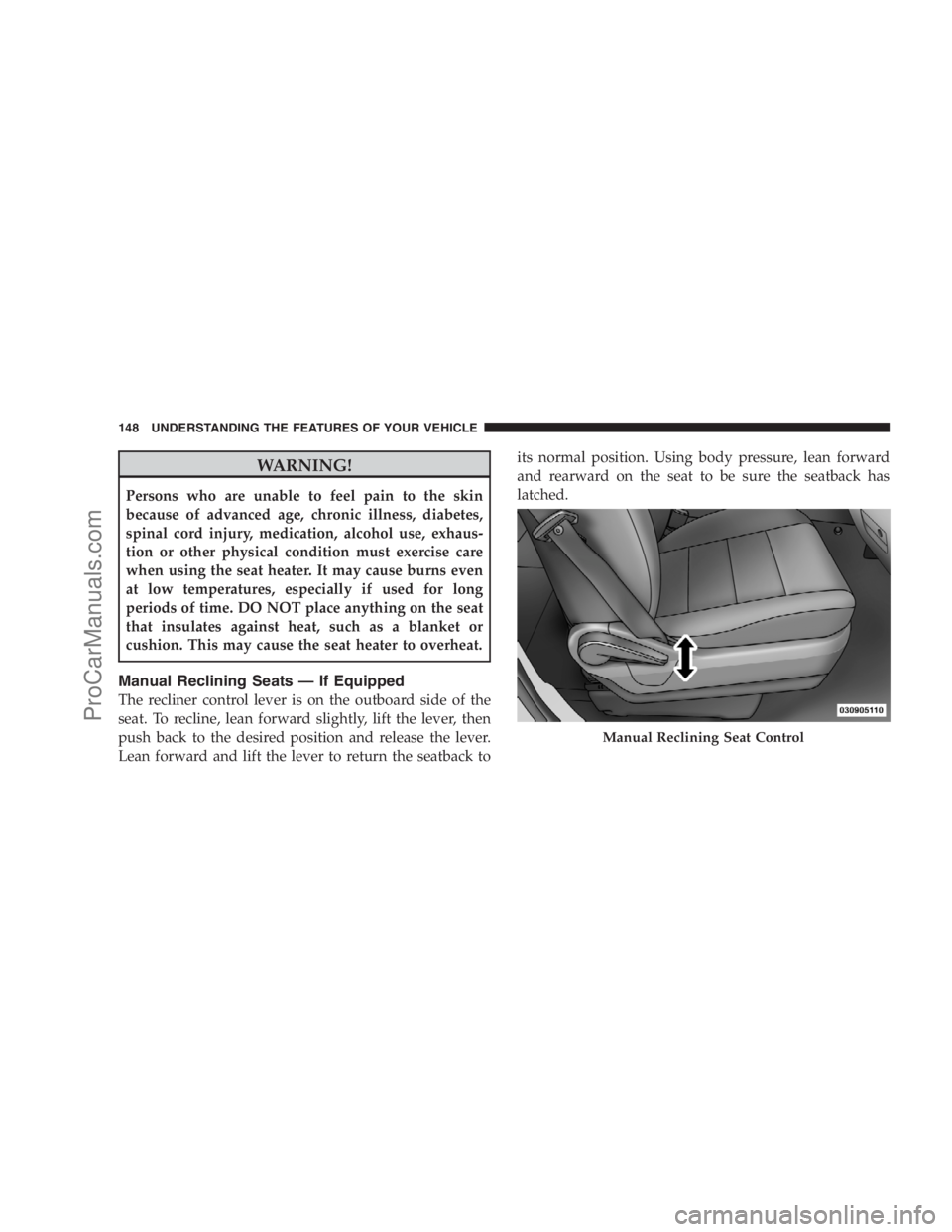
Manual Reclining Seats — If Equipped
The recliner control lever is on the outboard side of the
seat. To recline, lean forward slightly, lift the lever, then
push back to the desired position and release the lever.
Lean forward and lift the lever to return the seatback toits normal position. Using body pressure, lean forward
and rearward on the seat to be sure the seatback has
latched.
Manual Reclining Seat Control
148 UNDERSTANDING THE FEATURES OF YOUR VEHICLE
ProCarManuals.com
Page 192 of 534

WARNING!
•Drivers must be careful when backing up, even
when using the Rear Park Assist System. Always
check carefully behind your vehicle, and be sure to
check for pedestrians, animals, other vehicles, ob-
structions, or blind spots before backing up. You
are responsible for the safety of your surroundings
and must continue to pay attention while backing
up. Failure to do so can result in serious injury or
death.
(Continued)
WARNING! (Continued)
•Before using the Rear Park Assist system, it is
strongly recommended that the ball mount and
hitch ball assembly be disconnected from the
vehicle, when the vehicle is not used for towing.
Failure to do so can result in injury or damage to
vehicles or obstacles, because the hitch ball will be
much closer to the obstacle than the rear fascia
when the warning display turns the red LEDs on.
Also, the sensors could detect the ball mount and
hitch ball assembly, depending on its size and
shape, giving a false indication that an obstacle is
behind the vehicle.
190 UNDERSTANDING THE FEATURES OF YOUR VEHICLE
ProCarManuals.com
Page 195 of 534

NOTE:The Rear Camera system can be enabled and
disabled, refer to your Radio/Navigation/Multimedia
manual.
Use the following steps to access the Rear Backup Cam-
era feature:
1. Start the engine.
2. Place the shift lever into REVERSE.
3. Wait one to two seconds, and the camera view will
display on the radio display screen.
NOTE:The camera view will display only while the
vehicle is in REVERSE.
4. Perform a thorough visual check of the rear area.5. Backup as necessary.
6. Place the shift lever in PARK or DRIVE to exit the Rear
Backup Camera system.
WARNING!
Drivers must be careful when backing up even when
using the Rear Backup Camera System. Always
check carefully behind your vehicle, and be sure to
check for pedestrians, animals, other vehicles, ob-
structions, or blind spots before backing up. You are
responsible for the safety of your surroundings and
must continue to pay attention while backing up.
Failure to do so can result in serious injury or death.
UNDERSTANDING THE FEATURES OF YOUR VEHICLE 193
3
ProCarManuals.com
Page 205 of 534

Troubleshooting Tips
If you are having trouble programming HomeLink�, here
are some of the most common solutions:
•Replace the battery in the original transmitter.
•Press the “Learn” button on the Garage Door Opener
to complete the training for a Rolling Code.
•Did you unplug the device for training, and remember
to plug it back in?
If you have any problems, or require assistance, please
call toll-free 1–800–355–3515 or, on the Internet at
www.HomeLink.com for information or assistance.
General Information
This device complies with FCC rules Part 15 and Industry
Canada RSS-210. Operation is subject to the following
two conditions:
1. This device may not cause harmful interference.2. This device must accept any interference that may be
received including interference that may cause undesired
operation.
NOTE:
•The transmitter has been tested and it complies with
FCC and IC rules. Changes or modifications not
expressly approved by the party responsible for com-
pliance could void the user ’s authority to operate the
device.
•The term IC before the certification/registration num-
ber only signifies that Industry Canada technical
specifications were met.
UNDERSTANDING THE FEATURES OF YOUR VEHICLE 203
3
ProCarManuals.com
Page 228 of 534
The tie down holes on the crossbar ends should always
be used to tie down the load. Check the straps frequently
to be sure that the load remains securely attached.
CAUTION!
•Crossbars should remain equally spaced or paral-
lel at any luggage rack position for proper func-
tion. Noncompliance could result in damage to the
luggage rack, cargo and/or vehicle.
•To avoid damage to the roof rack and vehicle, do
not exceed the maximum roof rack load capacity of
150 lbs (68 kg). Always distribute heavy loads as
evenly as possible and secure the load appropri-
ately.
(Continued)
CAUTION! (Continued)
•Long loads which extend over the windshield,
such as wood panels or surfboards, or loads with
large frontal area should be secured to both the
front and rear of the vehicle.
•Travel at reduced speeds and turn corners care-
fully when carrying large or heavy loads on the
roof rack. Wind forces, due to natural causes or
nearby truck traffic, can add sudden upward lift to
a load. This is especially true on large flat loads
and may result in damage to the cargo or your
vehicle.
226 UNDERSTANDING THE FEATURES OF YOUR VEHICLE
ProCarManuals.com
Page 240 of 534
If the ABS light is on, the brake system should be serviced
as soon as possible to restore the benefits of Anti-Lock
brakes. If the ABS light does not turn on when the
Ignition switch is turned to the ON position, have the
light inspected by an authorized dealer.
8. Brake System Warning Light
This light monitors various brake functions,
including brake fluid level and parking brake
application. If the brake light turns on, it may
indicate that the parking brake is applied, that
the brake fluid level is low, or that there is a problem with
the anti-lock brake system reservoir.
If the light remains on when the parking brake has been
disengaged, and the fluid level is at the full mark on the
master cylinder reservoir, it indicates a possible brake
hydraulic system malfunction or a problem with the
Brake Booster has been detected by the Anti-Lock BrakeSystem (ABS) / Electronic Stability Program (ESP) sys-
tem. In this case, the light will remain on until the
condition has been corrected. If the problem is related to
the brake booster, the ABS pump will run when applying
the brake and a brake pedal pulsation may be felt during
each stop.
The dual brake system provides a reserve braking capac-
ity in the event of a failure to a portion of the hydraulic
system. A leak in either half of the dual brake system is
indicated by the Brake Warning Light which will turn on
when the brake fluid level in the master cylinder has
dropped below a specified level.
The light will remain on until the cause is corrected.
NOTE:The light may flash momentarily during sharp
cornering maneuvers which change fluid level condi-
tions. The vehicle should have service performed, and
the brake fluid level checked.
238 UNDERSTANDING YOUR INSTRUMENT PANEL
ProCarManuals.com
Page 242 of 534
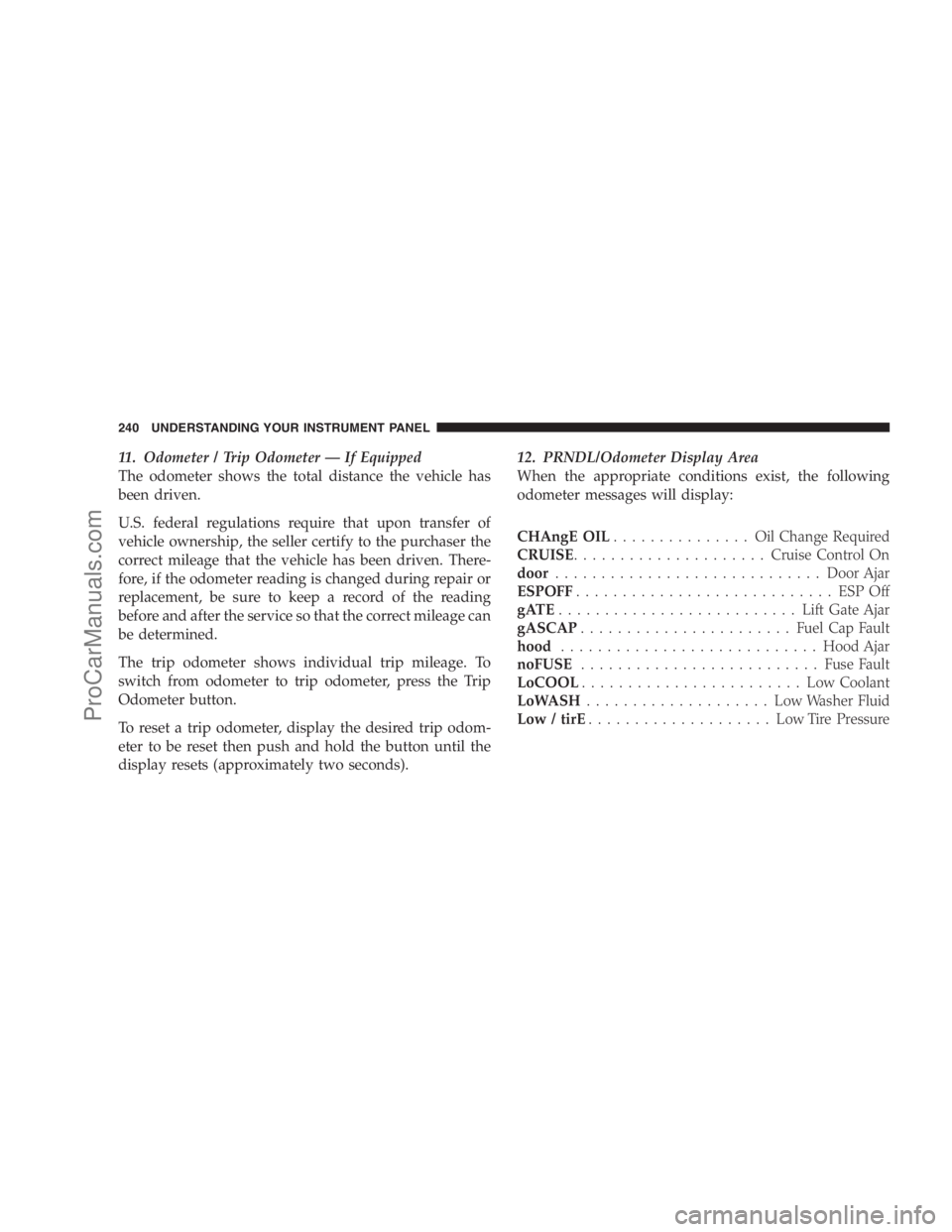
11. Odometer / Trip Odometer — If Equipped
The odometer shows the total distance the vehicle has
been driven.
U.S. federal regulations require that upon transfer of
vehicle ownership, the seller certify to the purchaser the
correct mileage that the vehicle has been driven. There-
fore, if the odometer reading is changed during repair or
replacement, be sure to keep a record of the reading
before and after the service so that the correct mileage can
be determined.
The trip odometer shows individual trip mileage. To
switch from odometer to trip odometer, press the Trip
Odometer button.
To reset a trip odometer, display the desired trip odom-
eter to be reset then push and hold the button until the
display resets (approximately two seconds).12. PRNDL/Odometer Display Area
When the appropriate conditions exist, the following
odometer messages will display:
CHAngE OIL............... OilChange Required
CRUISE.....................Cruise Control On
door.............................Door Ajar
ESPOFF............................ ESPOff
gATE..........................Lift Gate Ajar
gASCAP.......................Fuel Cap Fault
hood............................Hood Ajar
noFUSE..........................Fuse Fault
LoCOOL........................ LowCoolant
LoWASH.................... LowWasher Fluid
Low / tirE.................... LowTirePressure
240 UNDERSTANDING YOUR INSTRUMENT PANEL
ProCarManuals.com