Page 175 of 534
The interior lights will automatically turn off in approxi-
mately 10 minutes for the first activation and 90 seconds
every activation thereafter until the engine is started, if
one of the following occur:
•A door, sliding door or the liftgate is left open
•Any overhead reading light is left on
NOTE:The key must be out of the ignition switch or the
ignition switch must be in the OFF position for this
feature to operate.
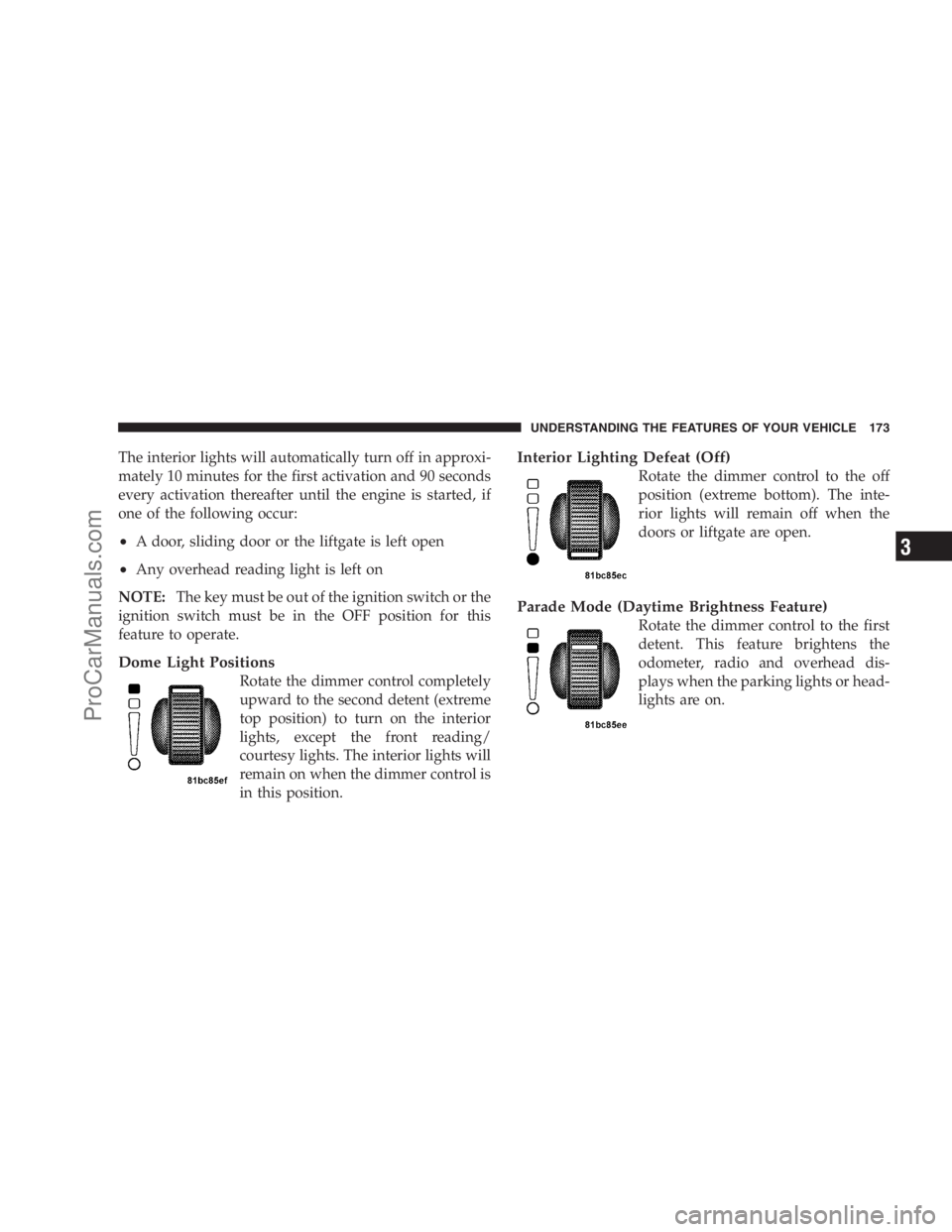
Dome Light Positions
Rotate the dimmer control completely
upward to the second detent (extreme
top position) to turn on the interior
lights, except the front reading/
courtesy lights. The interior lights will
remain on when the dimmer control is
in this position.
Interior Lighting Defeat (Off)
Rotate the dimmer control to the off
position (extreme bottom). The inte-
rior lights will remain off when the
doors or liftgate are open.
Parade Mode (Daytime Brightness Feature)
Rotate the dimmer control to the first
detent. This feature brightens the
odometer, radio and overhead dis-
plays when the parking lights or head-
lights are on.
UNDERSTANDING THE FEATURES OF YOUR VEHICLE 173
3
ProCarManuals.com
Page 186 of 534
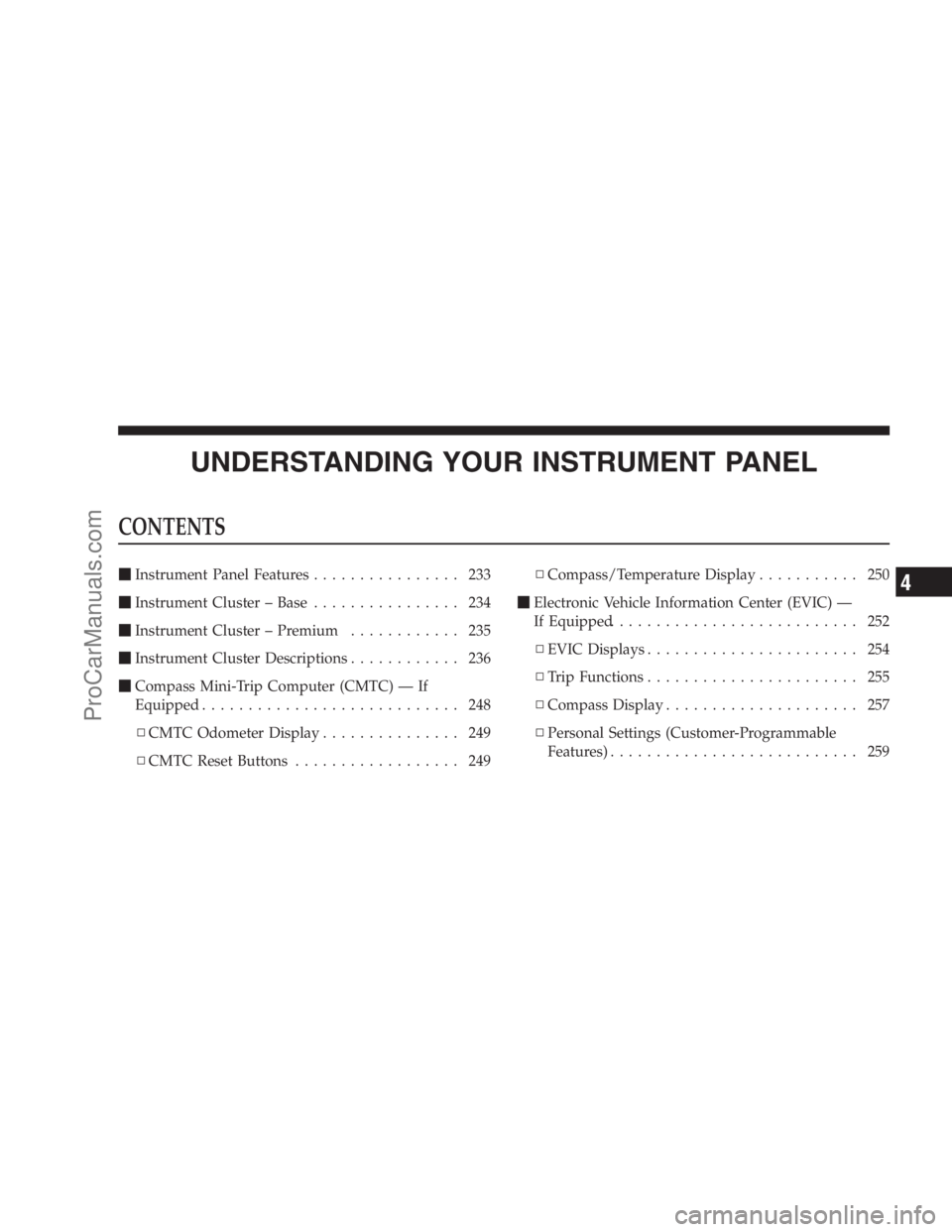
To Activate
Push the ON/OFF button (located in the end of the lever)
once, and the cruise indicator light (located in the mes-
sage window of the odometer) will illuminate showing
that the Electronic Speed Control system is on. To turn
the Electronic Speed Control system off, push the ON/OFF button a second time, and both the Electronic Speed
Control system and indicator will turn off.
WARNING!
Leaving the Electronic Speed Control system on
when not in use is dangerous. You could accidently
set the system or cause it to go faster than you want.
You could lose control and have an accident. Always
leave the Electronic Speed Control system off when
you are not using it.
To Set At A Desired Speed
When the vehicle has reached the desired speed, press
the SET lever downward and then release. Lift your foot
off the accelerator and the vehicle will operate at the
selected speed.Electronic Speed Control Switches
184 UNDERSTANDING THE FEATURES OF YOUR VEHICLE
ProCarManuals.com
Page 231 of 534
UNDERSTANDING YOUR INSTRUMENT PANEL
CONTENTS
�Instrument Panel Features................ 233
�Instrument Cluster – Base................ 234
�Instrument Cluster – Premium............ 235
�Instrument Cluster Descriptions............ 236
�Compass Mini-Trip Computer (CMTC) — If
Equipped............................ 248
▫CMTC Odometer Display............... 249
▫CMTC Reset Buttons.................. 249▫Compass/Temperature Display........... 250
�Electronic Vehicle Information Center (EVIC) —
If Equipped........................... 252
▫EVIC Displays....................... 254
▫Trip Functions....................... 255
▫Compass Display..................... 257
▫Personal Settings (Customer-Programmable
Features)........................... 2594
ProCarManuals.com
Page 242 of 534
11. Odometer / Trip Odometer — If Equipped
The odometer shows the total distance the vehicle has
been driven.
U.S. federal regulations require that upon transfer of
vehicle ownership, the seller certify to the purchaser the
correct mileage that the vehicle has been driven. There-
fore, if the odometer reading is changed during repair or
replacement, be sure to keep a record of the reading
before and after the service so that the correct mileage can
be determined.
The trip odometer shows individual trip mileage. To
switch from odometer to trip odometer, press the Trip
Odometer button.
To reset a trip odometer, display the desired trip odom-
eter to be reset then push and hold the button until the
display resets (approximately two seconds).12. PRNDL/Odometer Display Area
When the appropriate conditions exist, the following
odometer messages will display:
CHAngE OIL............... OilChange Required
CRUISE.....................Cruise Control On
door.............................Door Ajar
ESPOFF............................ ESPOff
gATE..........................Lift Gate Ajar
gASCAP.......................Fuel Cap Fault
hood............................Hood Ajar
noFUSE..........................Fuse Fault
LoCOOL........................ LowCoolant
LoWASH.................... LowWasher Fluid
Low / tirE.................... LowTirePressure
240 UNDERSTANDING YOUR INSTRUMENT PANEL
ProCarManuals.com
Page 243 of 534

NOTE:
•If your vehicle is equipped with an hood switch, in the
case of hood ajar, a warning message will be displayed
in either the PRNDL/Odometer display as “hood” or
“Hood Ajar” in the EVIC display.
•Some of the above warnings will be displayed in the
Compass Mini-Trip Computer / Electronic Vehicle
Information Center Display Area located in the instru-
ment cluster.
Refer to ”Compass Mini-Trip Computer (CMTC)
Display— If Equipped” / ”Electronic Vehicle Informa-
tion Center (EVIC) Display — If Equipped” later in
this section for more information.
CHAngE OIL
Your vehicle is equipped with an engine oil change
indicator system. The “Change Oil” message will flash in
the instrument cluster odometer for approximately
12 seconds after a single chime has sounded to indicatethe next scheduled oil change interval. The engine oil
change indicator system is duty cycle-based, which
means the engine oil change interval may fluctuate
dependent upon your personal driving style.
Unless reset, this message will continue to display each
time you turn the ignition switch to the ON/RUN
position. To turn off the message temporarily, press and
release the Trip Odometer button on the instrument
cluster. To reset the oil change indicator system (after
performing the scheduled maintenance) refer to the fol-
lowing procedure.
1. Turn the ignition switch to the ON position (Do not
start the engine).
2. Fully depress the accelerator pedal slowly three times
within 10 seconds.
3. Turn the ignition switch to the OFF/LOCK position.
UNDERSTANDING YOUR INSTRUMENT PANEL 241
4
ProCarManuals.com
Page 244 of 534

NOTE:If the indicator message illuminates when you
start the vehicle, the oil change indicator system did not
reset. If necessary repeat this procedure.
13. Odometer Display Reset Button
To reset a message display (gATE, gASCAP, noFUSE,
CHAngE OIL, LoCOOL, LoWASH), push and hold the
button until the display resets (approximately two sec-
onds).
14. Electronic Stability Program (ESP) Indicator Light
/ Traction Control System (TCS) Indicator Light
If this indicator light flashes during accelera-
tion, apply as little throttle as possible. While
driving, ease up on the accelerator. Adapt your
speed and driving to the prevailing road con-
ditions, and do not switch off the Electronic Stability
Program (ESP), or Traction Control System (TCS).15. Malfunction Indicator Light (MIL)
The Malfunction Indicator Light (MIL) is part of
an onboard diagnostic system called OBD that
monitors engine and automatic transmission con-
trol systems. The light will illuminate when the key is in
the ON position before engine start. If the bulb does not
come on when turning the key from OFF to ON, have the
condition checked promptly.
Certain conditions such as a loose or missing gas cap,
poor fuel quality, etc. may illuminate the MIL after engine
start. The vehicle should be serviced if the light stays on
through several of your typical driving cycles. In most
situations the vehicle will drive normally and will not
require towing.
The MIL flashes to alert to serious conditions that could
lead to immediate loss of power or severe catalytic
converter damage. The vehicle should be serviced at an
authorized dealer as soon as possible if this occurs.
242 UNDERSTANDING YOUR INSTRUMENT PANEL
ProCarManuals.com
Page 251 of 534

CMTC Odometer Display
When the appropriate conditions exist, the following
odometer messages will display:
CHAngE OIL............... OilChange Required
HOTOIL..... OilTemperature Exceeds Safe Threshold
door.............................Door Ajar
ESPOFF...................... ESPDeactivated
gATE...........................Liftgate Ajar
gASCAP.......................Fuel Cap Fault
hood............................Hood Ajar
noFUSE..........................Fuse Fault
LoCOOL........................ LowCoolant
LoWASH.................... LowWasher Fluid
These messages can be manually turned off by pressing
the right reset button on the instrument cluster.
CMTC Reset Buttons
CMTC Reset Button
Press the left reset button located on the instrument
cluster to scroll through sub menus (i.e., Trip Functions:
AVG Fuel Economy, DTE, Elapsed Time, and Units).
To reset the display shown, turn the ignition switch to the
ON position, then press and hold the reset button for
approximately two seconds.
UNDERSTANDING YOUR INSTRUMENT PANEL 249
4
ProCarManuals.com
Page 252 of 534
When the appropriate conditions exist, the following
messages will display:
NE.......Eight-point compass headings are displayed
(N, S, E, W, NE, NW, SE, SW)
14°F............ Temperature (Fahrenheit or Celsius)
AV G......... AverageFuel Economy (U.S. or Metric)
DTE.......................Distance to Empty
ET............................Elapsed Time
P.......................... ParkAssist On/Off
Should this wrench symbol display with the
letterPnext to it, your Park Assist System
needs servicing. Contact an authorized dealer.
CMTC Trip Odometer (ODO)
This display shows the distance traveled since the last
reset. Press and release the right button on the instrumentcluster to switch from odometer, to trip A or trip B. Press
and hold the right button, while the odometer/trip
odometer is displayed, to reset.
Trip A
Shows the total distance traveled for Trip A since the last
reset.
Trip B
Shows the total distance traveled for Trip B since the last
reset.
Compass/Temperature Display
Compass Variance
Compass Variance is the difference between Magnetic
North and Geographic North. To ensure compass accu-
racy, the compass variance should be properly set accord-
ing to the variance map for the zone where the vehicle
will be driven. When properly set, the compass will
automatically account for this difference.
250 UNDERSTANDING YOUR INSTRUMENT PANEL
ProCarManuals.com