Page 190 of 526
POWER SUNROOF — IF EQUIPPED
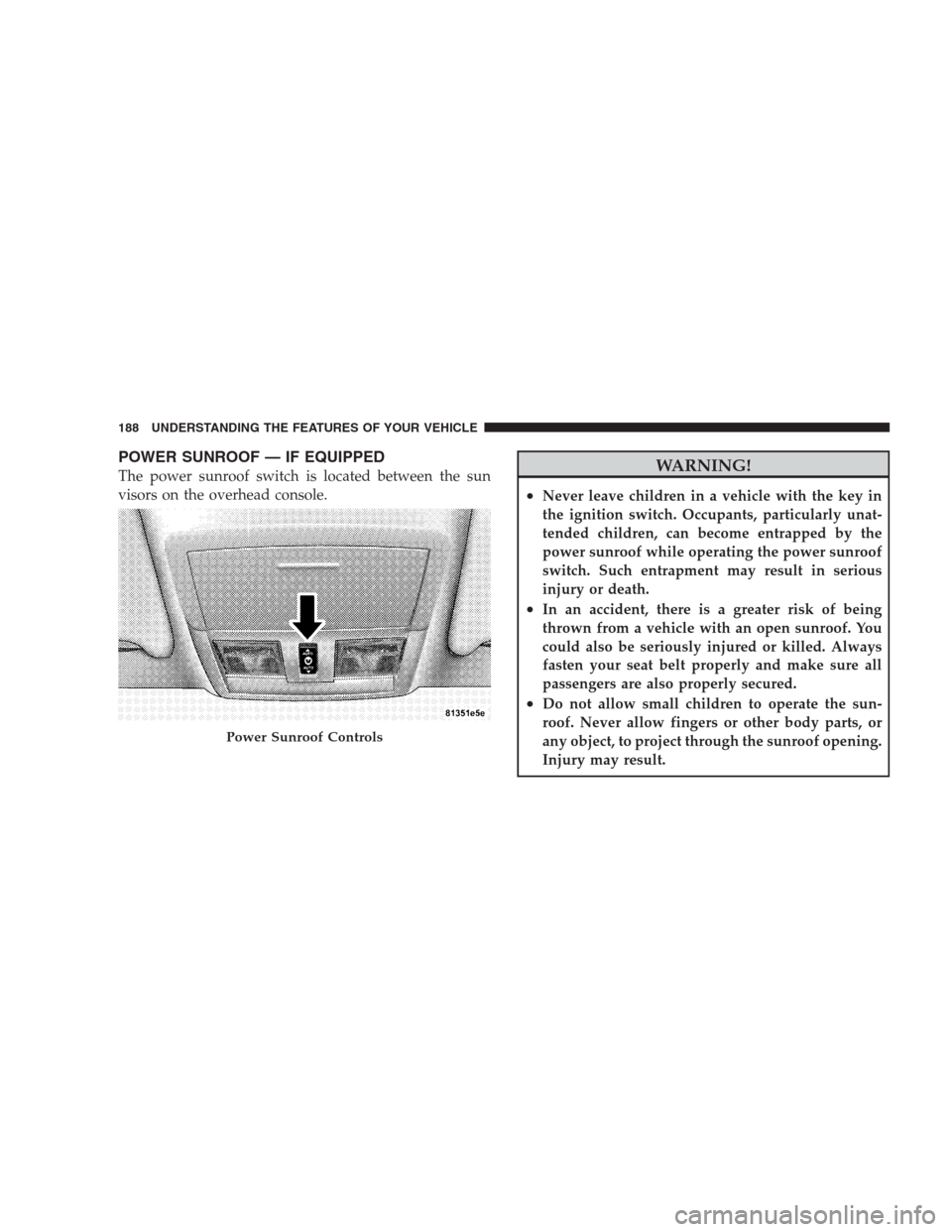
The power sunroof switch is located between the sun
visors on the overhead console.WARNING!
•Never leave children in a vehicle with the key in
the ignition switch. Occupants, particularly unat-
tended children, can become entrapped by the
power sunroof while operating the power sunroof
switch. Such entrapment may result in serious
injury or death.
•In an accident, there is a greater risk of being
thrown from a vehicle with an open sunroof. You
could also be seriously injured or killed. Always
fasten your seat belt properly and make sure all
passengers are also properly secured.
•Do not allow small children to operate the sun-
roof. Never allow fingers or other body parts, or
any object, to project through the sunroof opening.
Injury may result.
Power Sunroof Controls
188 UNDERSTANDING THE FEATURES OF YOUR VEHICLE
Page 193 of 526
Sunroof Fully Closed
Press the switch forward and release to ensure that the
sunroof is fully closed.
ELECTRICAL POWER OUTLETS
There are two 12-Volt electrical outlets on this vehicle.
Both of the outlets are protected by a fuse.
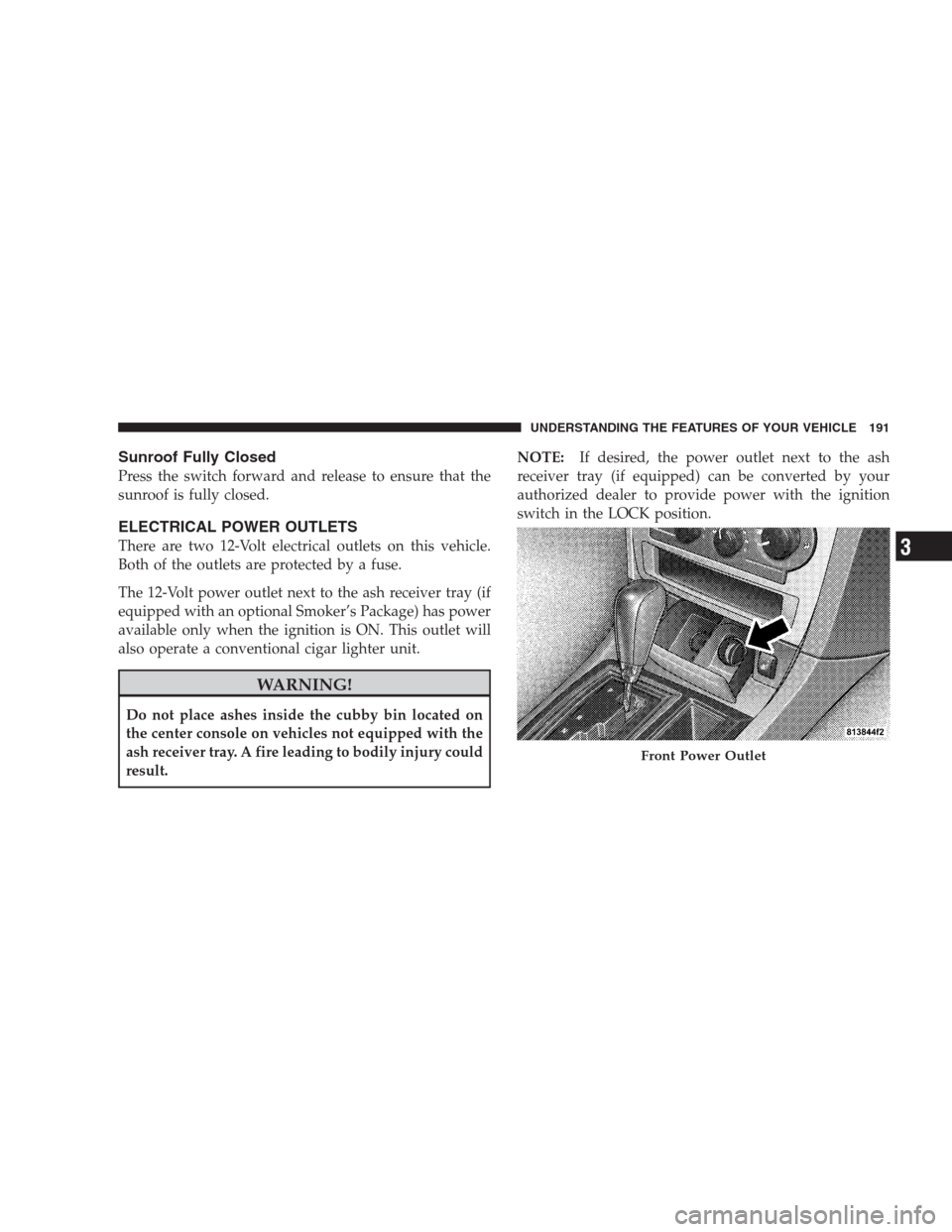
The 12-Volt power outlet next to the ash receiver tray (if
equipped with an optional Smoker’s Package) has power
available only when the ignition is ON. This outlet will
also operate a conventional cigar lighter unit.
WARNING!
Do not place ashes inside the cubby bin located on
the center console on vehicles not equipped with the
ash receiver tray. A fire leading to bodily injury could
result.NOTE:If desired, the power outlet next to the ash
receiver tray (if equipped) can be converted by your
authorized dealer to provide power with the ignition
switch in the LOCK position.
Front Power Outlet
UNDERSTANDING THE FEATURES OF YOUR VEHICLE 191
3
Page 194 of 526
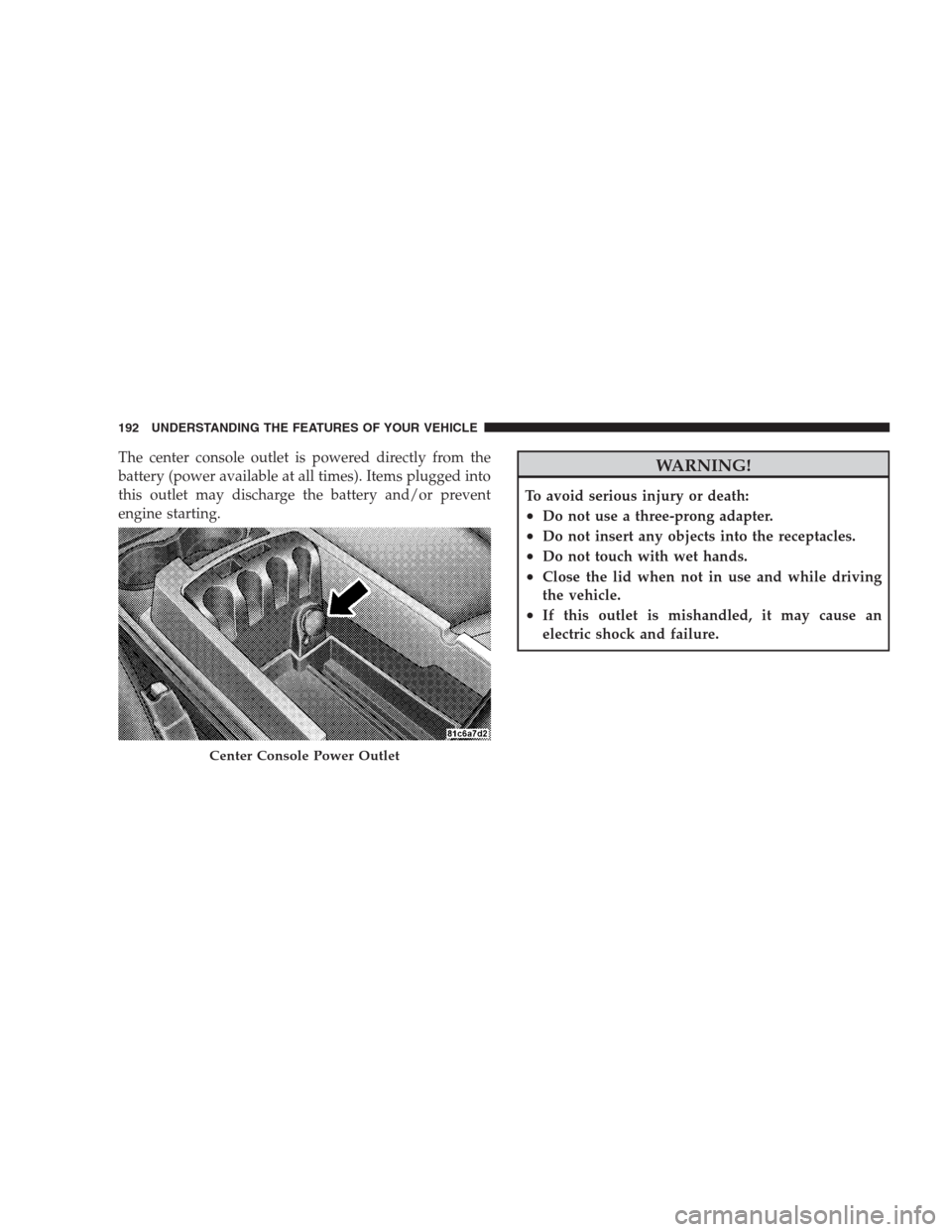
The center console outlet is powered directly from the
battery (power available at all times). Items plugged into
this outlet may discharge the battery and/or prevent
engine starting.WARNING!
To avoid serious injury or death:
•Do not use a three-prong adapter.
•Do not insert any objects into the receptacles.
•Do not touch with wet hands.
•Close the lid when not in use and while driving
the vehicle.
•If this outlet is mishandled, it may cause an
electric shock and failure.
Center Console Power Outlet
192 UNDERSTANDING THE FEATURES OF YOUR VEHICLE
Page 198 of 526
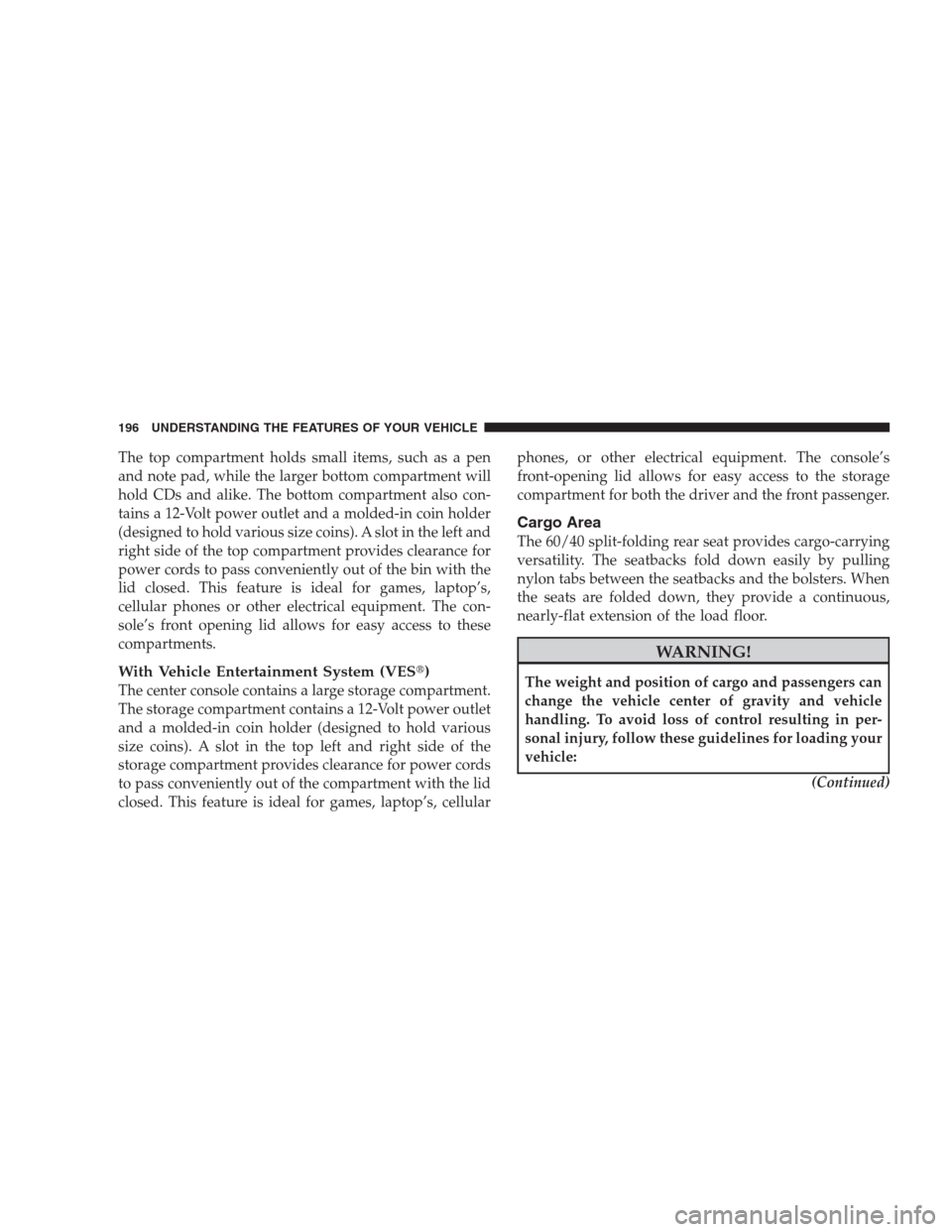
The top compartment holds small items, such as a pen
and note pad, while the larger bottom compartment will
hold CDs and alike. The bottom compartment also con-
tains a 12-Volt power outlet and a molded-in coin holder
(designed to hold various size coins). A slot in the left and
right side of the top compartment provides clearance for
power cords to pass conveniently out of the bin with the
lid closed. This feature is ideal for games, laptop’s,
cellular phones or other electrical equipment. The con-
sole’s front opening lid allows for easy access to these
compartments.
With Vehicle Entertainment System (VES�)
The center console contains a large storage compartment.
The storage compartment contains a 12-Volt power outlet
and a molded-in coin holder (designed to hold various
size coins). A slot in the top left and right side of the
storage compartment provides clearance for power cords
to pass conveniently out of the compartment with the lid
closed. This feature is ideal for games, laptop’s, cellularphones, or other electrical equipment. The console’s
front-opening lid allows for easy access to the storage
compartment for both the driver and the front passenger.
Cargo Area
The 60/40 split-folding rear seat provides cargo-carrying
versatility. The seatbacks fold down easily by pulling
nylon tabs between the seatbacks and the bolsters. When
the seats are folded down, they provide a continuous,
nearly-flat extension of the load floor.
WARNING!
The weight and position of cargo and passengers can
change the vehicle center of gravity and vehicle
handling. To avoid loss of control resulting in per-
sonal injury, follow these guidelines for loading your
vehicle:
(Continued)
196 UNDERSTANDING THE FEATURES OF YOUR VEHICLE
Page 199 of 526
WARNING! (Continued)
•Always place cargo evenly on the cargo floor. Put
heavier objects as low and as far forward as
possible.
•Place as much cargo as possible in front of the rear
axle. Too much weight or improperly placed
weight over or behind the rear axle can cause the
rear of the vehicle to sway.
•Do not pile luggage or cargo higher than the top of
the seatback. This could impair visibility or be-
come a dangerous projectile in a sudden stop or
collision.
When the seatback is folded to the upright position, make
sure it is latched by strongly pulling on the top of the
seatback above the seat strap.
WARNING!
•Be certain that the seatback is securely locked into
position. If the seatback in not securely locked
into position, the seat will not provide the proper
stability for child seats and/or passengers. An
improperly latched seat could cause serious injury.
•The cargo area in the rear of the vehicle (with the
rear seatbacks in the locked-up or folded down
position) should not be used as a play area by
children when the vehicle is in motion. They could
be seriously injured in an accident. Children
should be seated and using the proper restraint
system.
(Continued)
UNDERSTANDING THE FEATURES OF YOUR VEHICLE 197
3
Page 200 of 526
WARNING! (Continued)
•To help protect against personal injury, passengers
should not be seated in the rear cargo area. The
rear cargo space is intended for load carrying
purposes only, not for passengers, who should sit
in seats and use seat belts.
CARGO AREA FEATURES
Trunk Mat — If Equipped
A reversible trunk mat covers the bottom of the cargo
area. The rubber side of the mat is used to protect the
interior of the trunk from mud, snow, and debris. It
provides a nonskid surface to keep cargo from sliding.
REAR WINDOW FEATURES
Rear Window Defroster
The electric rear window defroster button is lo-
cated on the climate control. Press this button toturn on the rear window defroster and the heated outside
rearview mirrors (if equipped). An indicator in the button
will illuminate when the rear window defroster is on. The
rear window defroster automatically turns off after ap-
proximately 10 minutes. For an additional five minutes of
operation, press the button a second time.
CAUTION!
•To avoid damaging the electrical conductors of the
rear window defroster, do not use scrapers, sharp
instruments, or abrasive window cleaners on the
interior surface of the window.
•Labels can be peeled off after soaking with warm
water.
198 UNDERSTANDING THE FEATURES OF YOUR VEHICLE
Page 211 of 526

reading is changed because of repair or replacement, be
sure to keep a record of the reading before and after the
service so that the correct mileage can be determined.
Rear Wheel Drive (RWD) / All Wheel Drive (AWD)
Displays (Base Cluster)
On vehicles equipped with a Base Instrument Cluster, the
odometer will display “2drivE” when the vehicle is in
Rear Wheel Drive (RWD), and “4drivE” when All Wheel
Drive (AWD) is activated.
If the odometer displays the “tCASE” warning message
after engine start up, or during driving, the AWD system
is not functioning properly and service is required.
NOTE:Vehicles equipped with Electronic Vehicle Infor-
mation Center (EVIC) will display “ALL WHEEL
DRIVE” and “REAR WHEEL DRIVE” when the appro-
priate condition exists. The EVIC will display “SERVICE
AWD SYSTEM” if the system is not functioning properlyand service is required. Refer to “Electronic Vehicle
Information Center (EVIC)” in this section for more
information.
Change Oil Message (Base Cluster)
Your vehicle is equipped with an engine oil change
indicator system. The “Change Oil” message will flash in
the instrument cluster odometer for approximately
12 seconds after a single chime has sounded to indicate
the next scheduled oil change interval. The engine oil
change indicator system is duty cycle based, which
means the engine oil change interval may fluctuate
dependent upon your personal driving style.
Unless reset, this message will continue to display each
time you turn the ignition switch to the ON position. To
turn off the message temporarily, press and release the
TRIP ODOMETER button on the instrument cluster. To
UNDERSTANDING YOUR INSTRUMENT PANEL 209
4
Page 213 of 526
7. Tachometer
The red segments indicate the maximum permissible
engine revolutions per minute (RPM x 1000) for each gear
range. Ease up on the accelerator before reaching the red
area.
8. Engine Temperature Warning Light
This light will turn on and a single chime will
sound to warn of an overheated engine condition.
When this light turns on, the engine temperature
is critically hot. If the light turns on while driving, safely
pull over and stop the vehicle. The vehicle should be
turned OFF immediately and serviced as soon as pos-
sible. (Refer to “If Your Engine Overheats” in Section 6
for more information).9. Anti-Lock Brake (ABS) Light — If Equipped
This light monitors the Anti-Lock Brake System
(ABS). The light will turn on when the ignition
switch is turned to the ON position and may stay on for
as long as four seconds.
If the ABS Light remains on or turns on while driving,
then the Anti-Lock portion of the brake system is not
functioning and service is required. However, the con-
ventional brake system will continue to operate normally
if the Brake Warning Light is not on.
If the ABS Light is on, the brake system should be
serviced as soon as possible to restore the benefits of
Anti-Lock brakes. If the ABS Light does not turn on when
the ignition switch is turned to the ON position, have the
light inspected by an authorized dealer.
UNDERSTANDING YOUR INSTRUMENT PANEL 211
4