Page 151 of 526
transmitter or the memory switch on the driver’s door
trim panel to return the tilt/telescopic steering column to
pre-programmed positions. Refer to “Driver Memory
Seat” in this section.
WARNING!
Moving the steering column while the vehicle is
moving is dangerous. Without a stable steering col-
umn, you could lose control of the vehicle and have
an accident. Adjust the column only while the ve-
hicle is stopped.
ADJUSTABLE PEDALS — IF EQUIPPED
The adjustable pedals system is designed to allow a
greater range of driver comfort for steering wheel tilt and
seat position. This feature allows both the brake and
accelerator pedal to move toward or away from the
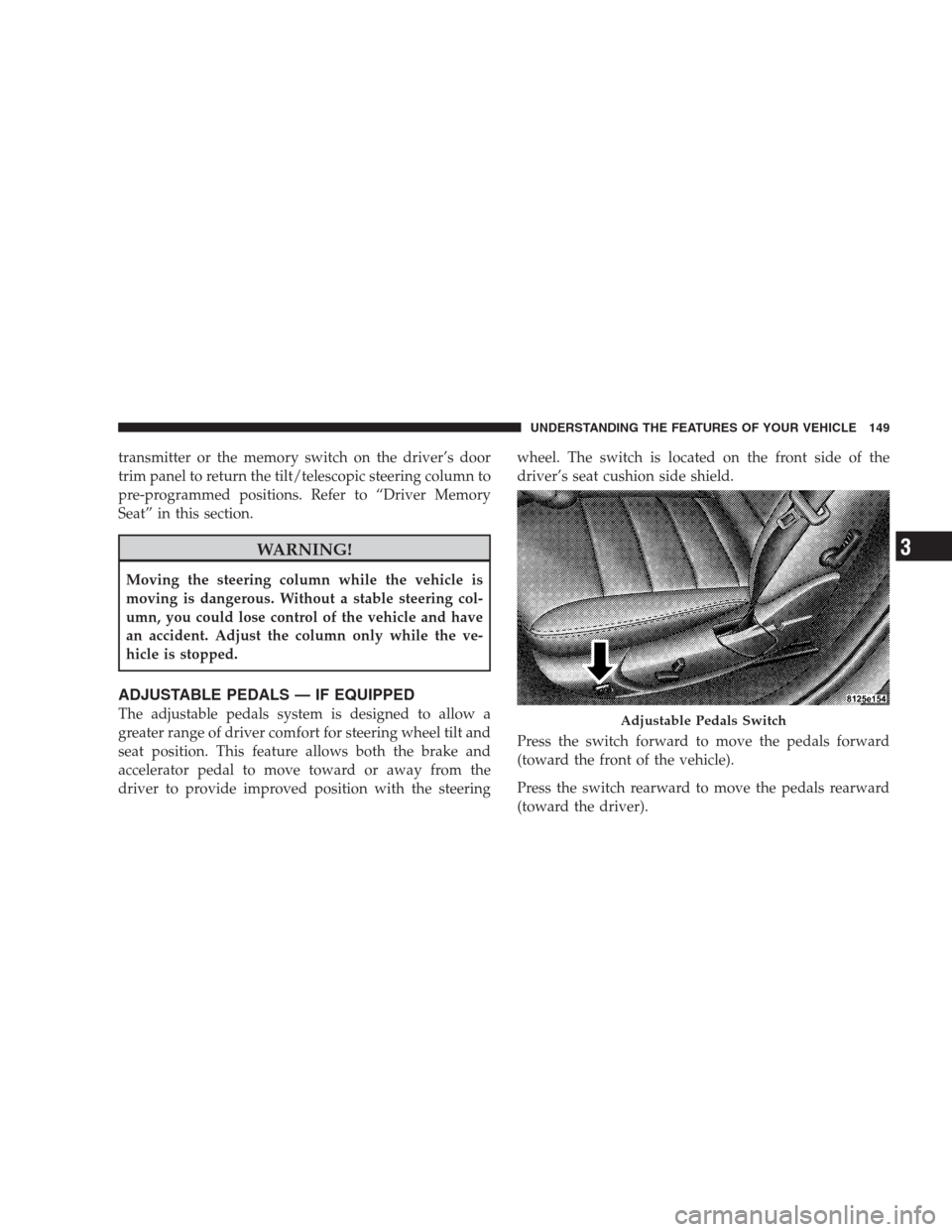
driver to provide improved position with the steeringwheel. The switch is located on the front side of the
driver’s seat cushion side shield.
Press the switch forward to move the pedals forward
(toward the front of the vehicle).
Press the switch rearward to move the pedals rearward
(toward the driver).Adjustable Pedals Switch
UNDERSTANDING THE FEATURES OF YOUR VEHICLE 149
3
Page 153 of 526
To Activate
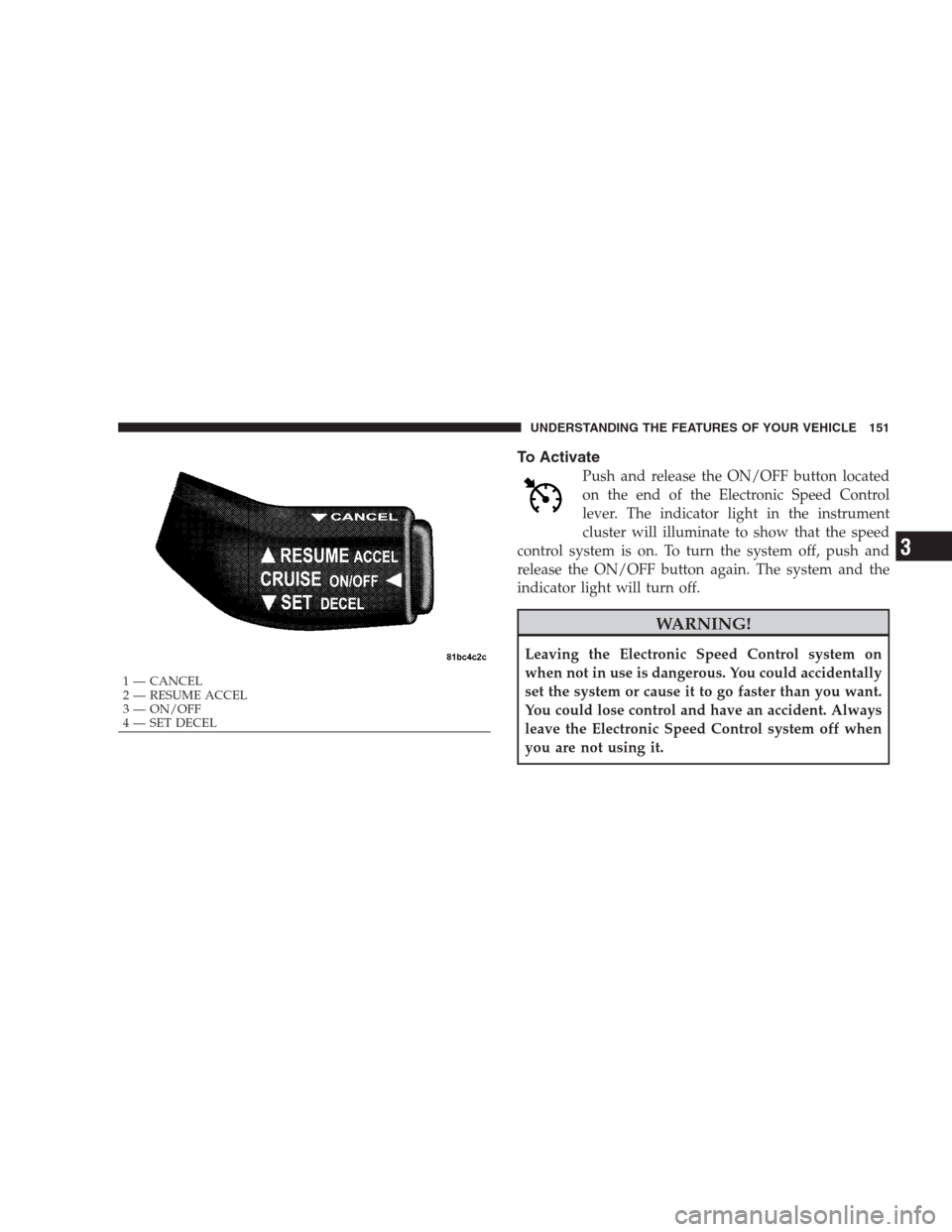
Push and release the ON/OFF button located
on the end of the Electronic Speed Control
lever. The indicator light in the instrument
cluster will illuminate to show that the speed
control system is on. To turn the system off, push and
release the ON/OFF button again. The system and the
indicator light will turn off.
WARNING!
Leaving the Electronic Speed Control system on
when not in use is dangerous. You could accidentally
set the system or cause it to go faster than you want.
You could lose control and have an accident. Always
leave the Electronic Speed Control system off when
you are not using it.
1 — CANCEL
2 — RESUME ACCEL
3 — ON/OFF
4 — SET DECEL
UNDERSTANDING THE FEATURES OF YOUR VEHICLE 151
3
Page 156 of 526
WARNING!
Electronic Speed Control can be dangerous where the
system cannot maintain a constant speed. Your ve-
hicle could go too fast for the conditions and you
could lose control. An accident could be the result.
Do not use Electronic Speed Control in heavy traffic
or on roads that are winding, icy, snow-covered or
slippery.
ADAPTIVE CRUISE CONTROL (ACC) — IF
EQUIPPED
Adaptive Cruise Control (ACC) increases the driving
convenience provided by cruise control while traveling
on highways and major roadways. However, it is not a
safety system and not designed to prevent collisions.ACC will allow you to keep cruise control engaged in
light to moderate traffic conditions without the constant
need to reset your cruise control. ACC utilizes an infrared
sensor designed to detect a vehicle directly ahead of you.
NOTE:
•If the sensor does not detect a vehicle ahead of you,
ACC will maintain a fixed set speed.
•If the ACC sensor detects a vehicle ahead, ACC will
apply limited braking or acceleration automatically to
maintain a preset following distance, while matching
the speed of the vehicle ahead.
154 UNDERSTANDING THE FEATURES OF YOUR VEHICLE
Page 157 of 526
WARNING!
•Adaptive Cruise Control (ACC) is a convenience
system. It is not a substitute for active driving
involvement. It is always the driver ’s responsibil-
ity to be attentive of road, traffic, and weather
conditions, vehicle speed, distance to the vehicle
ahead; and, most importantly, brake operation to
ensure safe operation of the vehicle under all road
conditions. Your complete attention is always re-
quired while driving to maintain safe control of
your vehicle. Failure to follow these warnings can
result in an accident or serious personal injury.The
ACC system:
•Does not react to pedestrians, oncoming vehicles,
and stationary objects (i.e., a stopped vehicle in a
traffic jam or a disabled vehicle).
(Continued)
WARNING! (Continued)
•Cannot take street, traffic, and weather conditions
into account, and may be limited upon adverse
sight distance conditions.
•Does not predict the lane curvature or the move-
ment of preceding vehicles and will not compen-
sate for such changes.
•Does not always fully recognize complex driving
conditions, which can result in wrong or missing
distance warnings.
•May not detect a vehicle ahead when strong light
(for example, sunrise or sunset) is directly shining
on the front of the vehicle.
•Can only apply a maximum of 25% of the vehicle’s
braking capability, and will not bring the vehicle
to a complete stop.
UNDERSTANDING THE FEATURES OF YOUR VEHICLE 155
3
Page 158 of 526
WARNING!
You should switch off the ACC system:
•When driving in fog, heavy rain, heavy snow,
sleet, heavy traffic, and complex driving situations
(i.e., in highway construction zones).
•When entering a turn lane or highway off ramp;
when driving on roads that are winding, icy,
snow-covered, slippery, or have steep uphill or
downhill slopes; and when towing a trailer.
•When circumstances do not allow safe driving at a
constant speed.
Failure to follow these warnings can result in an
accident or serious personal injury.The Cruise Control system has two control modes.
•Adaptive cruise control mode for maintaining an
appropriate distance between vehicles.
•Normal (fixed speed) cruise control mode for cruising
at a constant preset speed. For additional information,
refer to “Normal (Fixed Speed) Cruise Control Mode”
in this section. Note: The system will not react to
preceding vehicles. Always be aware of the mode
selected.
You can change the mode by using the control lever. The
two control modes function differently. Always confirm
which mode is selected.
Adaptive Cruise Control (ACC) Operation
The speed control lever (located on the right side of the
steering wheel) operates the ACC system.
156 UNDERSTANDING THE FEATURES OF YOUR VEHICLE
Page 160 of 526
To Activate
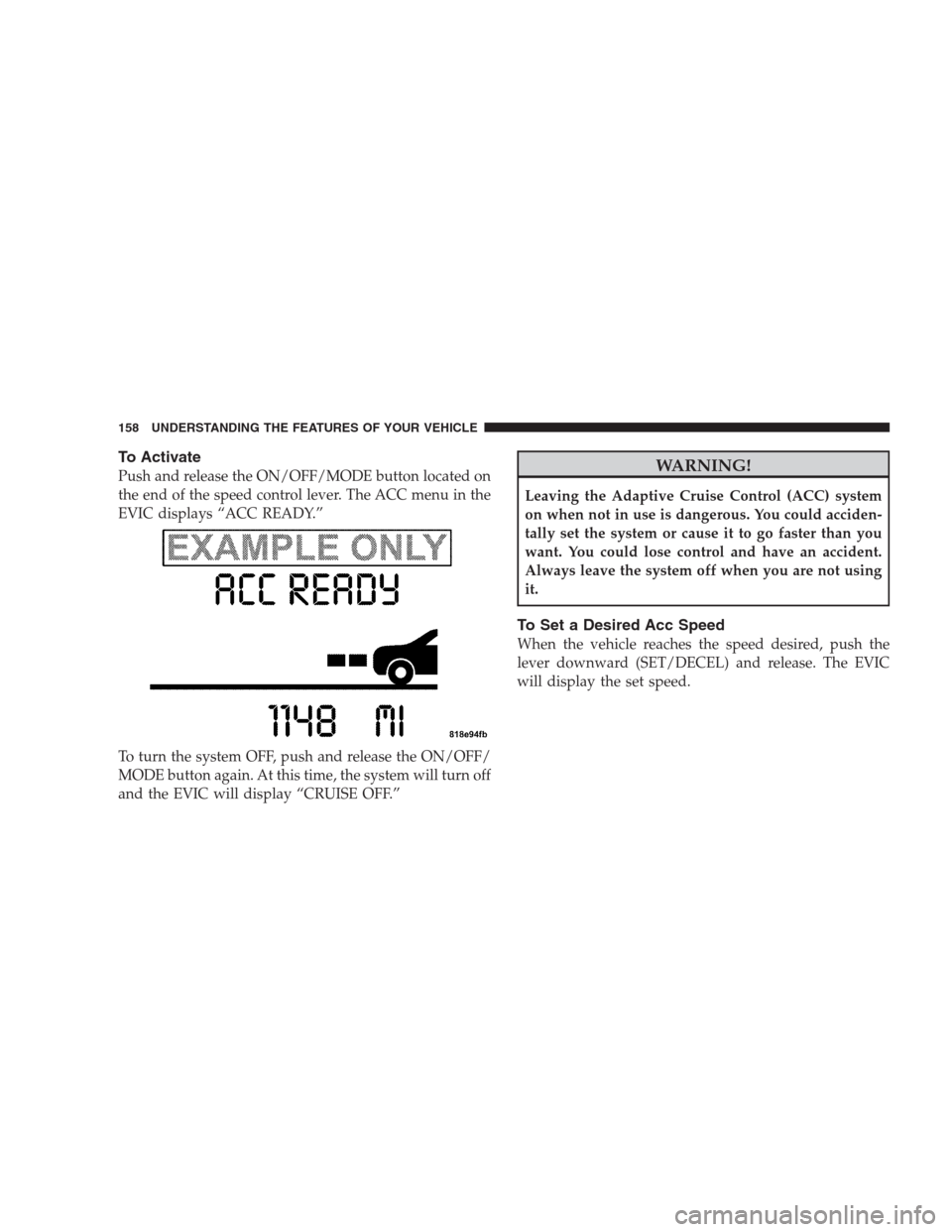
Push and release the ON/OFF/MODE button located on
the end of the speed control lever. The ACC menu in the
EVIC displays “ACC READY.”
To turn the system OFF, push and release the ON/OFF/
MODE button again. At this time, the system will turn off
and the EVIC will display “CRUISE OFF.”WARNING!
Leaving the Adaptive Cruise Control (ACC) system
on when not in use is dangerous. You could acciden-
tally set the system or cause it to go faster than you
want. You could lose control and have an accident.
Always leave the system off when you are not using
it.
To Set a Desired Acc Speed
When the vehicle reaches the speed desired, push the
lever downward (SET/DECEL) and release. The EVIC
will display the set speed.
158 UNDERSTANDING THE FEATURES OF YOUR VEHICLE
Page 163 of 526
WARNING!
The Resume function should only be used if traffic
and road conditions permit. Resuming a set speed
that is too high or too low for prevailing traffic and
road conditions could cause the vehicle to accelerate
or decelerate too sharply for safe operation. This
could cause an accident and/or serious injury.
To Vary the Speed Setting
While ACC is set, you can increase the set speed by lifting
and holding the lever up (RESUME/ACCEL). If the lever
is continually held, the set speed will continue to increase
in 5 mph (10 km/h) increments until the lever is released.
The increase in set speed is reflected in the EVIC display.
Tapping the lever up once will result in a 1 mph (1 km/h)
increase in set speed. Each subsequent tap of the lever
results in an increase of 1 mph (1 km/h).While ACC is set, the set speed can be decreased by
pushing and holding the lever down (SET/DECEL). If
the lever is continually held, the set speed will continue
to decrease in 5 mph (10 km/h) increments until the lever
is released. The decrease in set speed is reflected in the
EVIC display.
Tapping the lever down once will result ina1mph
(1 km/h) decrease in set speed. Each subsequent tap of
the lever results in a decrease of 1 mph (1 km/h).
NOTE:
•When you use the lever to decelerate, if the engine’s
braking power does not slow the vehicle sufficiently to
reach the set speed, the brake system will automati-
cally slow the vehicle.
UNDERSTANDING THE FEATURES OF YOUR VEHICLE 161
3
Page 165 of 526

If there is no vehicle ahead, the vehicle will maintain the
set speed. If a slower moving vehicle is detected in the
same lane, the EVIC displays the “Sensed Vehicle Indi-
cator” icon, and the system adjusts vehicle speed auto-
matically to maintain the distance setting, regardless of
the set speed.
The vehicle will then maintain the set distance until:
•The vehicle ahead accelerates to a speed above the set
speed.
•The vehicle ahead moves out of your lane or view of
the sensor.
•The vehicle ahead slows to a speed below 15 mph
(24 km/h) and the system automatically disengages
itself.
•The distance setting is changed.
•The system disengages. (Refer to the information on
ACC Activation).
The maximum braking applied by ACC is limited; how-
ever, the driver can always apply the brakes manually, if
necessary.
NOTE:The brake lights will illuminate whenever the
ACC system applies the brakes.
A Proximity Warning will alert the driver if ACC predicts
that its maximum braking level is not sufficient to
maintain the set distance. If this occurs, a visual alert
“ATTENTION” will flash in the EVIC and a chime will
sound while ACC continues to apply its maximum
braking capacity. When this occurs, you should immedi-
ately apply the brakes as needed to maintain a safe
distance from the vehicle ahead.
UNDERSTANDING THE FEATURES OF YOUR VEHICLE 163
3