Page 59 of 526
Airbag System Components
The airbag system consists of the following:
•Occupant Restraint Controller (ORC)
•Side Remote Acceleration Sensors (if equipped)
•Airbag Warning Light
•Driver Airbag
•Front Passenger Airbag
•Supplemental Side Curtain Airbags above Side Win-
dows (if equipped)
•Supplemental Front Seat-Mounted Side Airbags (if
equipped)
•Steering Wheel and Column
•Instrument Panel
•Interconnecting Wiring
•Seat Belt Reminder Light
•Knee Impact Bolsters
•Front Acceleration Sensors
•Driver and Front Passenger Seat Belt Pretensioners
How the Airbag System Works
•
TheOccupant Restraint Controller (ORC)determines
if a frontal collision is severe enough to require the
airbags to inflate. The front airbag inflators are de-
signed to provide different rates of airbag inflation
from direction provided by the ORC. The ORC will not
detect rollover.
•For vehicles so equipped, the ORC also determines if a
side impact is severe enough to deploy the supple-
mental side curtain airbag and/or supplemental front
seat-mounted side airbag as required for each type of
impact.
THINGS TO KNOW BEFORE STARTING YOUR VEHICLE 57
2
Page 66 of 526
NOTE:
1. A near-deployment event occurs when the airbag
sensor detects severe vehicle deceleration usually indica-
tive of a crash, but not severe enough to warrant airbag
deployment.
2. Under certain circumstances, EDR data may not be
recorded (e.g., loss of battery power).
In conjunction with other data gathered during a com-
plete accident investigation, the electronic data may be
used by Chrysler LLC and others to learn more about the
possible causes of crashes and associated injuries in order
to assess and improve vehicle performance. In addition
to crash investigations initiated by Chrysler LLC, such
investigations may be requested by customers, insurance
carriers, government officials, and professional crash
researchers, such as those associated with universities,
and with hospital and insurance organizations.In the event that an investigation is undertaken by
Chrysler LLC (regardless of initiative), the company or its
designated representative will first obtain permission of
the appropriate custodial entity for the vehicle (usually
the vehicle owner or lessee) before accessing the elec-
tronic data stored, unless ordered to download data by a
court with legal jurisdiction (i.e., pursuant to a warrant).
A copy of the data will be provided to the custodial entity
upon request. General data that does not identify par-
ticular vehicles or crashes may be released for incorpo-
ration in aggregate crash databases, such as those main-
tained by the US government and various states. Data of
a potentially sensitive nature, such as would identify a
particular driver, vehicle, or crash, will be treated confi-
dentially. Confidential data will not be disclosed by
Chrysler LLC to any third party except when:
64 THINGS TO KNOW BEFORE STARTING YOUR VEHICLE
Page 148 of 526
Wipers,” under “Personal Settings (Customer-
Programmable Features)” under “Electronic Vehicle In-
formation Center (EVIC)” in Section 4.
Rain Sensing Wipers — If Equipped
This feature senses moisture on the windshield and
automatically activates the wipers for the driver. This
feature is especially useful for road splash or over spray
from the windshield washers of the vehicle ahead. Rotate
the end of the multifunction lever to one of the six
intermittent wiper settings to activate this feature.
The sensitivity of the system is adjustable from the
multifunction lever. Wiper delay position 1 is the least
sensitive and wiper delay position 6 is the most sensitive.
Choose setting 3 or 4 for normal rain conditions. Choose
setting 2 or 1 if you desire less wiper sensitivity. Choose
setting 5 or 6 if you desire more sensitivity. Place the
multifunction lever in the off position when not using the
system.NOTE:
•The rain sensing feature will not operate when the
wiper speed is in the low or high position.
•The rain sensing feature may not function properly
when ice or dried salt water is present on the wind-
shield.
•Use of Rain-X�or products containing wax or silicone
may reduce rain sensor performance.
•The rain sense feature can be turned on and off
through the EVIC (if equipped). Refer to “Personal
Settings (Customer-Programmable Features)” under
“Electronic Vehicle Information Center (EVIC)” in
Section 4.
The rain sensing system has protective features for the
wiper blades and arms. It will not operate under the
following conditions:
146 UNDERSTANDING THE FEATURES OF YOUR VEHICLE
Page 156 of 526
WARNING!
Electronic Speed Control can be dangerous where the
system cannot maintain a constant speed. Your ve-
hicle could go too fast for the conditions and you
could lose control. An accident could be the result.
Do not use Electronic Speed Control in heavy traffic
or on roads that are winding, icy, snow-covered or
slippery.
ADAPTIVE CRUISE CONTROL (ACC) — IF
EQUIPPED
Adaptive Cruise Control (ACC) increases the driving
convenience provided by cruise control while traveling
on highways and major roadways. However, it is not a
safety system and not designed to prevent collisions.ACC will allow you to keep cruise control engaged in
light to moderate traffic conditions without the constant
need to reset your cruise control. ACC utilizes an infrared
sensor designed to detect a vehicle directly ahead of you.
NOTE:
•If the sensor does not detect a vehicle ahead of you,
ACC will maintain a fixed set speed.
•If the ACC sensor detects a vehicle ahead, ACC will
apply limited braking or acceleration automatically to
maintain a preset following distance, while matching
the speed of the vehicle ahead.
154 UNDERSTANDING THE FEATURES OF YOUR VEHICLE
Page 164 of 526
•The ACC system maintains set speed when driving up
hill and down hill. However, a slight speed change on
moderate hills is normal. In addition, downshifting
may occur while climbing uphill or descending down-
hill. This is normal operation and necessary to main-
tain set speed.
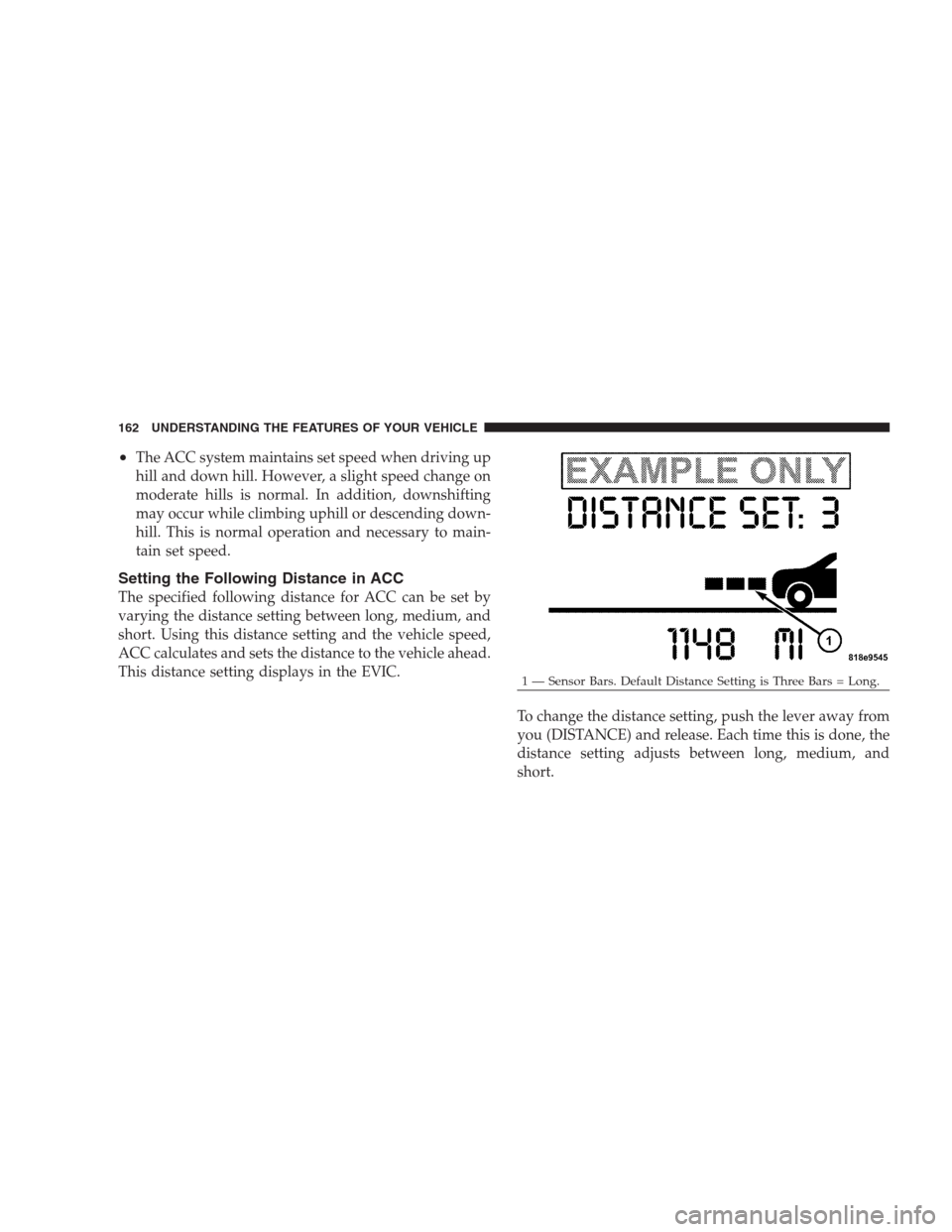
Setting the Following Distance in ACC
The specified following distance for ACC can be set by
varying the distance setting between long, medium, and
short. Using this distance setting and the vehicle speed,
ACC calculates and sets the distance to the vehicle ahead.
This distance setting displays in the EVIC.
To change the distance setting, push the lever away from
you (DISTANCE) and release. Each time this is done, the
distance setting adjusts between long, medium, and
short.
1 — Sensor Bars. Default Distance Setting is Three Bars = Long. 162 UNDERSTANDING THE FEATURES OF YOUR VEHICLE
Page 165 of 526

If there is no vehicle ahead, the vehicle will maintain the
set speed. If a slower moving vehicle is detected in the
same lane, the EVIC displays the “Sensed Vehicle Indi-
cator” icon, and the system adjusts vehicle speed auto-
matically to maintain the distance setting, regardless of
the set speed.
The vehicle will then maintain the set distance until:
•The vehicle ahead accelerates to a speed above the set
speed.
•The vehicle ahead moves out of your lane or view of
the sensor.
•The vehicle ahead slows to a speed below 15 mph
(24 km/h) and the system automatically disengages
itself.
•The distance setting is changed.
•The system disengages. (Refer to the information on
ACC Activation).
The maximum braking applied by ACC is limited; how-
ever, the driver can always apply the brakes manually, if
necessary.
NOTE:The brake lights will illuminate whenever the
ACC system applies the brakes.
A Proximity Warning will alert the driver if ACC predicts
that its maximum braking level is not sufficient to
maintain the set distance. If this occurs, a visual alert
“ATTENTION” will flash in the EVIC and a chime will
sound while ACC continues to apply its maximum
braking capacity. When this occurs, you should immedi-
ately apply the brakes as needed to maintain a safe
distance from the vehicle ahead.
UNDERSTANDING THE FEATURES OF YOUR VEHICLE 163
3
Page 171 of 526
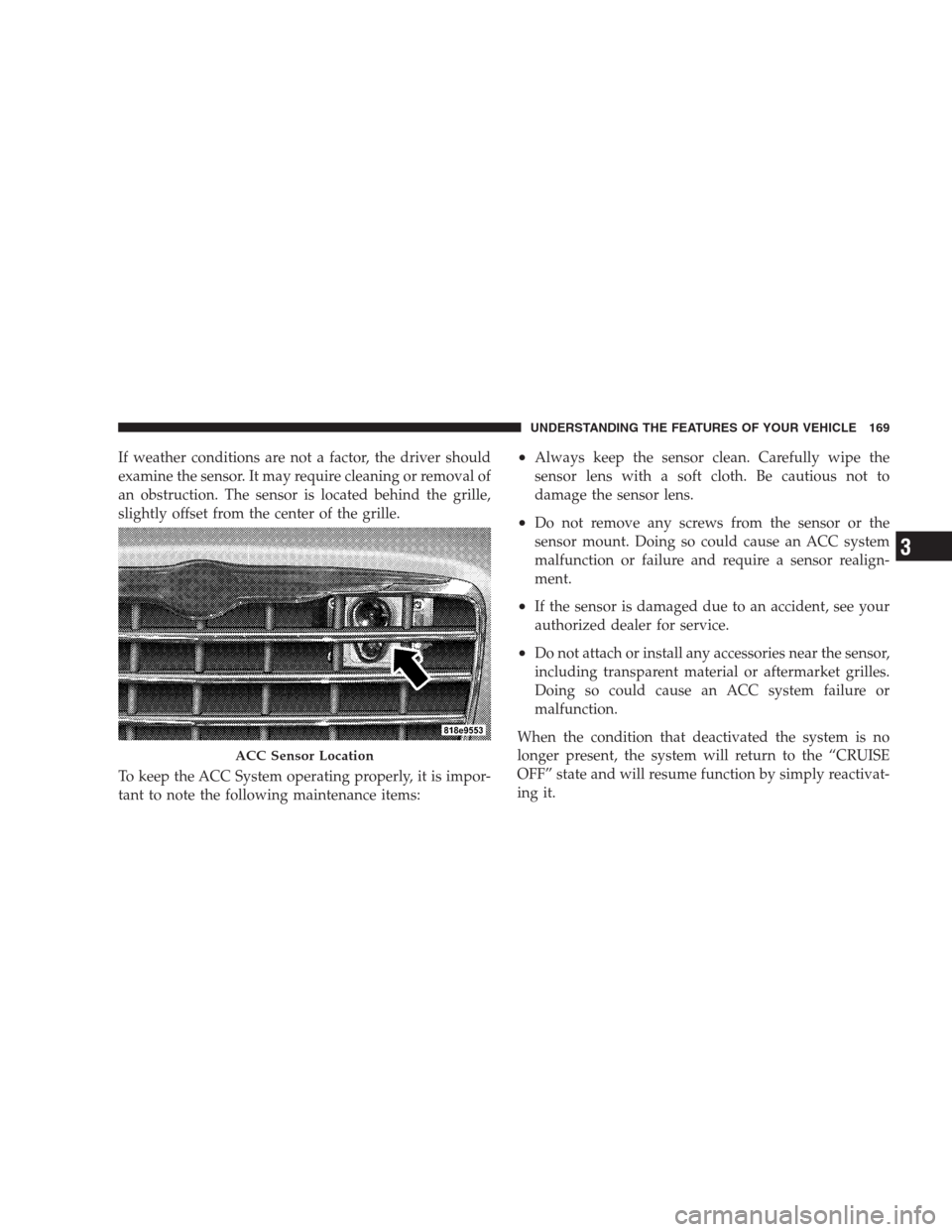
If weather conditions are not a factor, the driver should
examine the sensor. It may require cleaning or removal of
an obstruction. The sensor is located behind the grille,
slightly offset from the center of the grille.
To keep the ACC System operating properly, it is impor-
tant to note the following maintenance items:•Always keep the sensor clean. Carefully wipe the
sensor lens with a soft cloth. Be cautious not to
damage the sensor lens.
•Do not remove any screws from the sensor or the
sensor mount. Doing so could cause an ACC system
malfunction or failure and require a sensor realign-
ment.
•If the sensor is damaged due to an accident, see your
authorized dealer for service.
•Do not attach or install any accessories near the sensor,
including transparent material or aftermarket grilles.
Doing so could cause an ACC system failure or
malfunction.
When the condition that deactivated the system is no
longer present, the system will return to the “CRUISE
OFF” state and will resume function by simply reactivat-
ing it.
ACC Sensor Location
UNDERSTANDING THE FEATURES OF YOUR VEHICLE 169
3
Page 172 of 526
NOTE:Installing a vehicle front-end protector or an
aftermarket grille or modifying the grille is not recom-
mended. Doing so may block the sensor and inhibit ACC
operation.
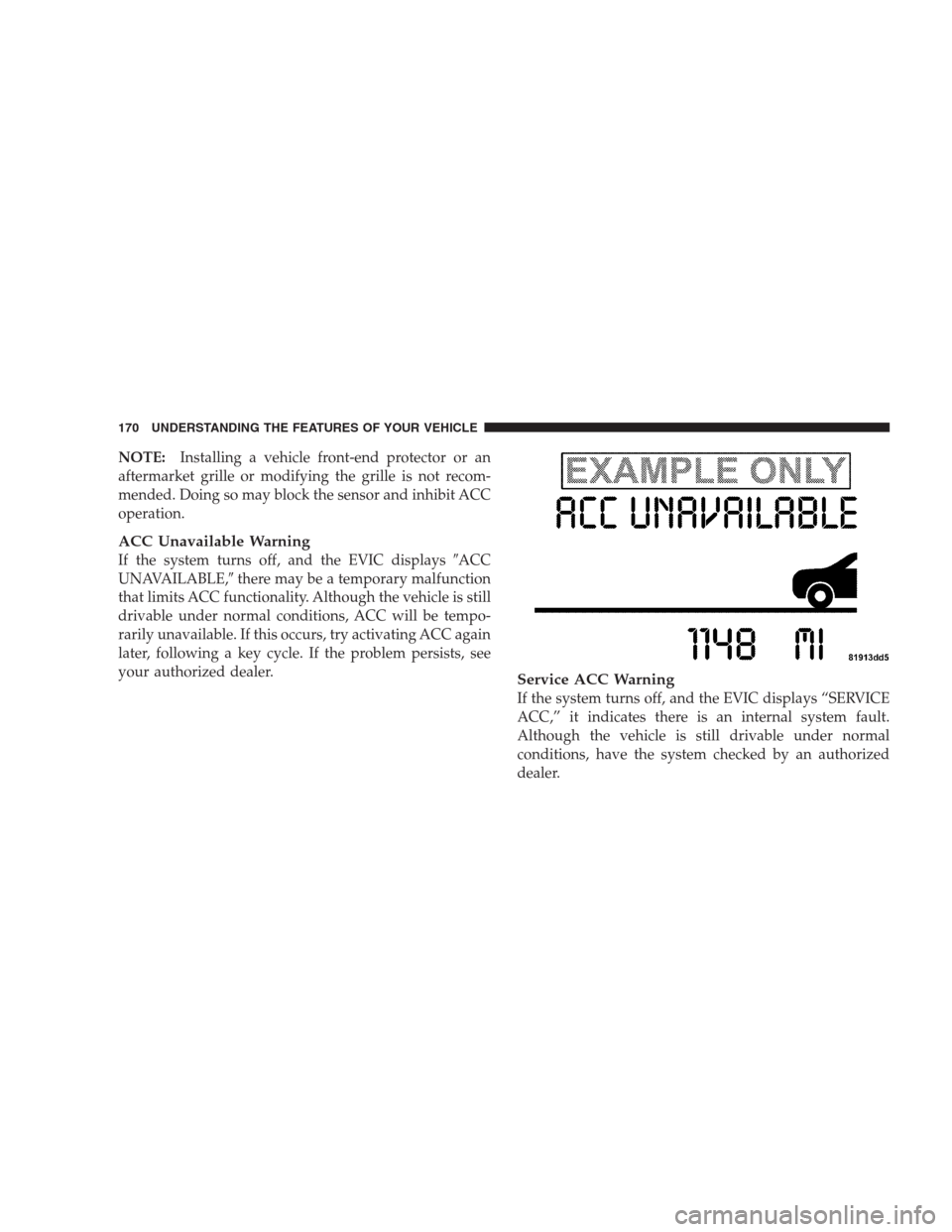
ACC Unavailable Warning
If the system turns off, and the EVIC displays�ACC
UNAVAILABLE,�there may be a temporary malfunction
that limits ACC functionality. Although the vehicle is still
drivable under normal conditions, ACC will be tempo-
rarily unavailable. If this occurs, try activating ACC again
later, following a key cycle. If the problem persists, see
your authorized dealer.
Service ACC Warning
If the system turns off, and the EVIC displays “SERVICE
ACC,” it indicates there is an internal system fault.
Although the vehicle is still drivable under normal
conditions, have the system checked by an authorized
dealer.
170 UNDERSTANDING THE FEATURES OF YOUR VEHICLE