2009 CHEVROLET CORVETTE key
[x] Cancel search: keyPage 86 of 434
Immobilizer Operation
The vehicle has a passive theft-deterrent system.
The system is automatically armed when the ignition is
turned off.
The immobilization system is disarmed when the ignition
is turned to OFF/ACCESSORY or START and a valid
transmitter is found in the vehicle.
You do not have to manually arm or disarm the system.
The security light comes on if there is a problem with
arming or disarming the theft-deterrent system.
The system has one or more keyless access
transmitters that are matched to an immobilizer control
unit in the vehicle. Only a correctly matched keyless
access transmitter starts the vehicle. The vehicle
may not start if the keyless access transmitter is
damaged.
If the engine does not start and the security light comes
on, there may be a problem with the immobilizer system.
Press the START button again.If the vehicle does not start and the keyless access
transmitter appears to be undamaged, try another
keyless access transmitter. Or, place the transmitter in
the transmitter pocket. See “NO FOBS DETECTED”
underDIC Warnings and Messages on page 3-54for
additional information. Check the fuse. SeeFuses and
Circuit Breakers on page 5-103. If the engine still does
not start with the other transmitter, the vehicle needs
service. If the engine does start, the rst transmitter may
be faulty. See your dealer/retailer or have a new keyless
access transmitter programmed to the vehicle.
The immobilizer system can learn new or replacement
keyless access transmitters. Up to four keyless access
transmitters can be programmed for the vehicle.
To program additional transmitters, see “Matching
transmitter(s) to Your Vehicle” underKeyless Access
System Operation on page 2-5.
Do not leave the key or device that disarms or
deactivates the theft deterrent system in the vehicle.
2-20
Page 88 of 434
Ignition Positions
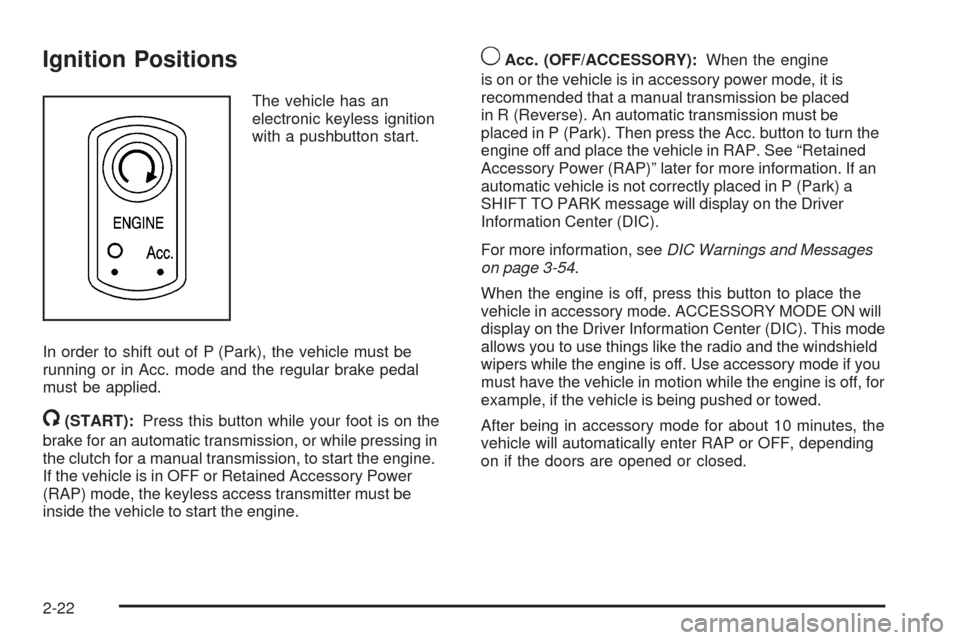
The vehicle has an
electronic keyless ignition
with a pushbutton start.
In order to shift out of P (Park), the vehicle must be
running or in Acc. mode and the regular brake pedal
must be applied.
/(START):Press this button while your foot is on the
brake for an automatic transmission, or while pressing in
the clutch for a manual transmission, to start the engine.
If the vehicle is in OFF or Retained Accessory Power
(RAP) mode, the keyless access transmitter must be
inside the vehicle to start the engine.
9Acc. (OFF/ACCESSORY):When the engine
is on or the vehicle is in accessory power mode, it is
recommended that a manual transmission be placed
in R (Reverse). An automatic transmission must be
placed in P (Park). Then press the Acc. button to turn the
engine off and place the vehicle in RAP. See “Retained
Accessory Power (RAP)” later for more information. If an
automatic vehicle is not correctly placed in P (Park) a
SHIFT TO PARK message will display on the Driver
Information Center (DIC).
For more information, seeDIC Warnings and Messages
on page 3-54.
When the engine is off, press this button to place the
vehicle in accessory mode. ACCESSORY MODE ON will
display on the Driver Information Center (DIC). This mode
allows you to use things like the radio and the windshield
wipers while the engine is off. Use accessory mode if you
must have the vehicle in motion while the engine is off, for
example, if the vehicle is being pushed or towed.
After being in accessory mode for about 10 minutes, the
vehicle will automatically enter RAP or OFF, depending
on if the doors are opened or closed.
2-22
Page 89 of 434
Retained Accessory Power (RAP)
These vehicle accessories can be used for up to
10 minutes after the engine is turned off:
Audio System
Power Windows
These features continue to work up to 10 minutes after
the engine is turned off or until either door is opened.
If a door is opened, the power windows and audio
system will shut off.
Starting the Engine
Move the shift lever to P (Park) or N (Neutral) for an
automatic transmission. For a manual transmission the
vehicle can be started in Neutral or any other gear as
long as the clutch pedal is pressed. To restart a vehicle
with a manual transmission when you are already
moving, use the Neutral position only. To restart a vehicle
with an automatic transmission when you are already
moving, use N (Neutral).Notice:Do not try to shift to P (Park) if the
vehicle is moving. If you do, you could damage
the transmission. Shift to P (Park) only when the
vehicle is stopped.
The keyless access transmitter must be inside the
vehicle for the ignition to work.
Cell phone chargers can interfere with the operation of
the Keyless Access System. Battery chargers should
not be plugged in when starting or turning off the engine.
To start the vehicle, do the following:
1. For vehicles with an automatic transmission, with
your foot on the brake pedal, press the START
button located on the instrument panel. For vehicles
with a manual transmission, you must also press in
the clutch pedal while pressing the START button.
If there is not a keyless access transmitter in the
vehicle or if there is something causing interference
with it, the DIC will display NO FOBS DETECTED.
SeeDIC Warnings and Messages on page 3-54
for more information.
2-23
Page 90 of 434
2. When the engine begins cranking, let go of the
button and the engine cranks automatically until
it starts. If the battery in the keyless access
transmitter is weak, the DIC displays FOB
BATTERY LOW. You can still drive the vehicle.
See “Battery Replacement” underKeyless Access
System Operation on page 2-5for more information.
If the fob battery is dead, you need to insert the
fob into the fob slot to enable engine starting.
See “No Fobs Detected” underDIC Warnings
and Messages on page 3-54.
3. Do not race the engine immediately after starting it.
Operate the engine and transmission gently until
the oil warms up and lubricates all moving parts.4. If the engine does not start and no DIC message is
displayed, wait 15 seconds before trying again to let
the cranking motor cool down.
If the engine does not start after 5-10 seconds,
especially in very cold weather (below 0°F or−18°C),
it could be ooded with too much gasoline. Try
pushing the accelerator pedal all the way to the oor
while cranking for up to 15 seconds maximum. Wait
at least 15 seconds between each try, to allow the
cranking motor to cool down. When the engine starts,
let go of the accelerator. If the vehicle starts briey
but then stops again, repeat these steps. This clears
the extra gasoline from the engine.
Notice:Cranking the engine for long periods of
time, by pressing the START button immediately
after cranking has ended, can overheat and damage
the cranking motor, and drain the battery. Wait at
least 15 seconds between each try, to allow the
cranking motor to cool down.
2-24
Page 91 of 434
The vehicle has a Computer-Controlled Cranking
System. This feature assists in starting the engine and
protects components. Once cranking has been initiated,
the engine continues cranking for a few seconds or until
the vehicle starts. If the engine does not start, cranking
automatically stops after 15 seconds to prevent cranking
motor damage. To prevent gear damage, this system
also prevents cranking if the engine is already running.
Notice:The engine is designed to work with
the electronics in the vehicle. If electrical parts or
accessories are added, you could change the way the
engine operates. Before adding electrical equipment,
check with your dealer/retailer. If you do not, the
engine might not perform properly. Any resulting
damage would not be covered by the vehicle
warranty.Stopping the Engine
If the vehicle has an automatic transmission, move
the shift lever to P (Park) and press and hold the
Acc. (Off/Accessory) button, located on the instrument
panel, until the engine shuts off. If the shift lever is not
in P (Park), the engine shuts off and the vehicle goes
into the Accessory Mode. The DIC displays SHIFT TO
PARK. Once the shifter is moved to P (Park), the vehicle
turns off. If the vehicle has a manual transmission,
it is recommended that you move the shift lever to
R (Reverse) and set the parking brake after you turn off
the engine by pressing the Acc. (Off/Accessory) button.
If the keyless access transmitter is not detected inside
the vehicle when it is turned to off, the DIC displays
NO FOB – OFF OR RUN?.
SeeDIC Warnings and Messages on page 3-54for
more information.
2-25
Page 106 of 434

Outside Convex Mirror
{CAUTION:
A convex mirror can make things (like other
vehicles) look farther away than they really are.
If you cut too sharply into the right lane, you could
hit a vehicle on the right. Check the inside mirror or
glance over your shoulder before changing lanes.
The passenger side mirror is convex shaped. A convex
mirror’s surface is curved so more can be seen from
the driver seat.
Outside Heated Mirrors
<(Rear Window Defogger):Press to heat the
mirrors.
See “Rear Window Defogger” underDual Automatic
Climate Control System on page 3-24for more
information.
OnStar®System
OnStar uses several innovative technologies and live
advisors to provide a wide range of safety, security,
information, and convenience services. If the airbags
deploy, the system is designed to make an automatic
call to OnStar Emergency advisors who can request
emergency services be sent to your location. If the keys
are locked in the vehicle, call OnStar at 1-888-4-ONSTAR
to have a signal sent to unlock the doors. OnStar
Hands-Free Calling, including 30 trial minutes good
for 60 days, is available on most vehicles. OnStar
Turn-by-Turn Navigation service, with one trial route, is
available on most vehicles. Press the OnStar button to
have an OnStar advisor contact Roadside Service.
OnStar service is provided subject to the OnStar Terms
and Conditions included in the OnStar Subscriber glove
box literature.
2-40
Page 117 of 434
Erasing Universal Home Remote
Buttons
The programmed buttons should be erased when the
vehicle is sold or the lease ends.
To erase either Rolling Code or Fixed Code on the
Universal Home Remote device:
1. Press and hold the two outside buttons at the same
time for approximately 20 seconds, until the indicator
lights, located directly above the buttons, begin to
blink rapidly.
2. Once the indicator lights begin to blink, release both
buttons. The codes from all buttons are erased.
For help or information on the Universal Home Remote
System, call the customer assistance phone number
underCustomer Assistance Offices on page 7-6.
Storage Areas
Glove Box
Open the glove box by lifting up on the lever. Use the
key to lock and unlock the lighted glove box.
Cupholders
Two cupholders are located on the center console next
to the shift lever. Slide the handle from the left to the
right side to access the lid.
Center Console Storage
To use this storage area, pull the cover up on the driver
side front edge of the console and swing it to the
passenger side.
Floor Mats
The oor mats are designed to remain in position
and out of reach of the accelerator pedal. The driver
side oor mat is held in place by two locator pins and
the passenger side is held in place by one.
Make sure that the driver side oor mat is properly
placed on the oor so that it does not block the
movement of the accelerator pedal.
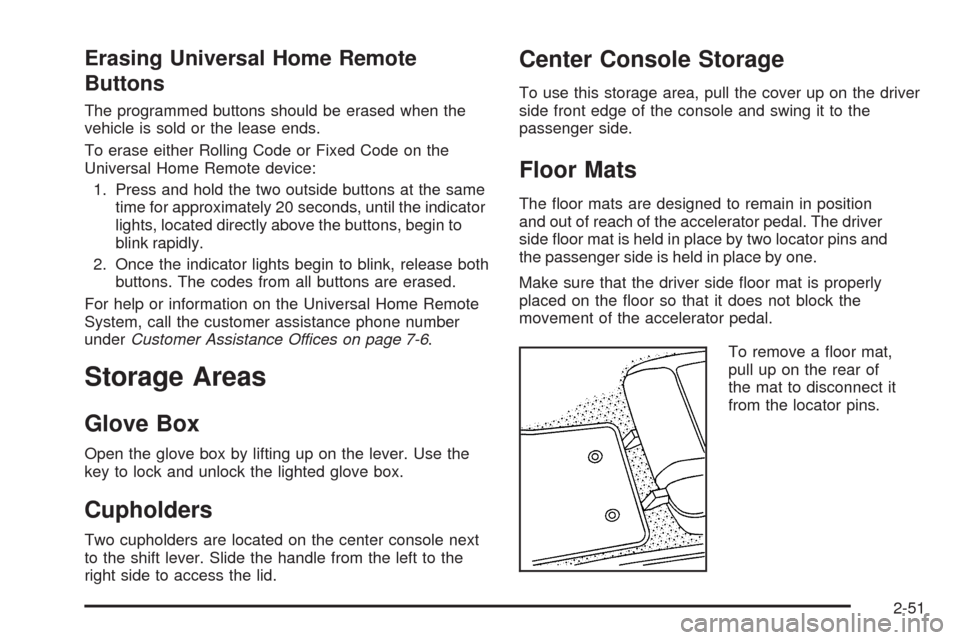
To remove a oor mat,
pull up on the rear of
the mat to disconnect it
from the locator pins.
2-51
Page 154 of 434

Instrument Panel Brightness
The knob for this feature is
located on the left side of
the instrument panel.
Push the knob in to turn on the interior lights.
Turn and hold the knob clockwise to brighten the lights
or counterclockwise to dim them. During the day,
this knob will adjust the instrument panel brightness
and at night will adjust all interior lighting.
Be sure not to have this knob turned all the way down
with the lamps on during the day. Your Driver
Information Center (DIC) may not be visible.
Courtesy Lamps
When any door or the hatch/trunk lid is opened, the
interior lamps will go on unless it is bright outside.
You can also turn the courtesy lamps on and off
by pressing the instrument panel brightness knob.
Entry/Exit Lighting
With entry lighting, the interior lamps will come on when
entering the vehicle. The interior lamps will come on
for about 20 seconds when the engine is off.
You can turn exit and entry lighting off by quickly turning
the courtesy lamps on and off.
Reading Lamps
The inside rearview mirror includes two reading lamps.
The lamps will go on when a door is opened.
When the doors are closed, press each lamp switch
to turn them on individually.
Battery Run-Down Protection
This vehicle has a feature to help prevent the battery
from being drained in case any of the following
lamps are left on; the underhood lamp, if your vehicle
has this feature, vanity mirror lamps, cargo lamps,
reading lamps, console or glove box lamps. If any of
these lamps are left on, they will automatically time-out
after about 10 minutes. To reset it, all of the above
lamps must be turned off or the ignition key on.
3-18