Page 317 of 496

305
Operate the multi−information display
with the engine switch on.
When the engine switch is turned to �ON",
the last previously used mode displayed
just before the engine switch is turned off
will appear.
If the electrical power source has been
disconnected from the multi−information
display, the display will automatically be
set to the initial mode.
CAUTION
Do not adjust the display while the
vehicle is moving. Be sure to adjust
the display only when the vehicle is
stopped.
CY19001
To reset the hour: Push the �H" button.
To reset the minutes: Push the �M" button.
If quick adjustment to a full hour is de-
sired, push the �:00" button.
For example, if the �:00" button is de-
pressed when the time is between
1:01�1:29, the time will change to 1:00.
If the time is between 1:30�1:59, the
time will change to 2:00.
The engine switch must be in the �ACC"
or �ON" position.
If the electrical power source has been
disconnected from the clock, the time dis-
play will automatically be set to 1:00 (one
o’clock).
CY19082
The displayed temperature ranges from
−30�C (−22 �F) up to 50 �C (122 �F).
The engine switch must be in the �ON"
position.
If an abnormality exists in the connection
of the outside air temperature sensor,
�−− �C" (�−− �F") will appear on the display.
If �−− �C" (�−− �F") appears on the display,
contact your Toyota dealer.
There may be a case that �−− �C" (�−− �F")
appears momentarily when the engine
switch is quickly turned to �ON". It is
normal if it goes out soon.
�Before using the
multi−information display �Clock
�Outside temperature display
(air conditioning system
without �DUAL" button)
Page 323 of 496
311
CY19141
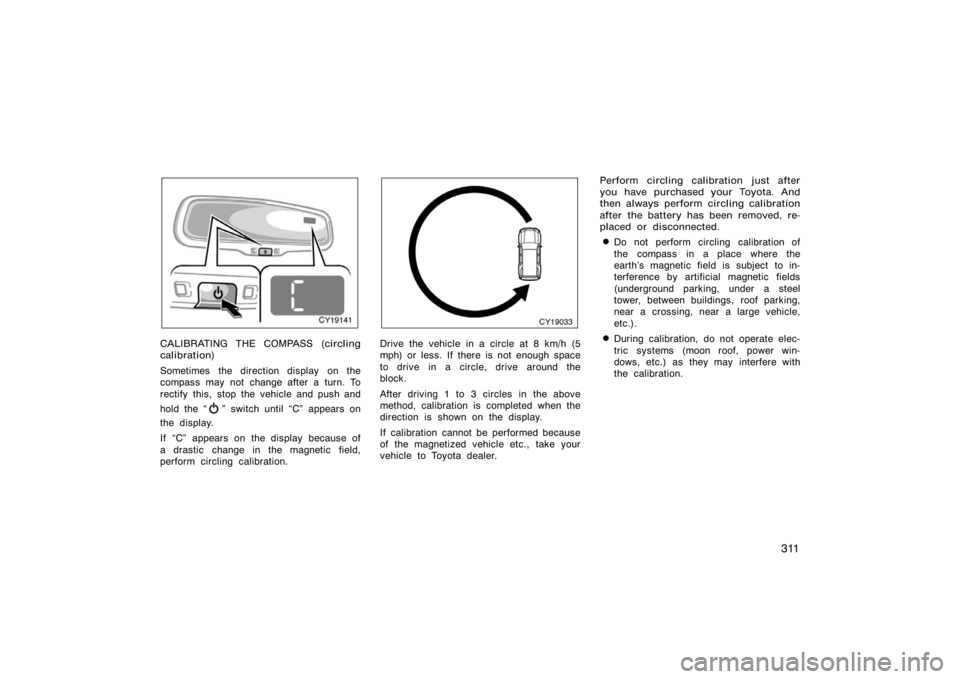
CALIBRATING THE COMPASS (circling
calibration)
Sometimes the direction display on the
compass may not change after a turn. To
rectify this, stop the vehicle and push and
hold the �
" switch until �C" appears on
the display.
If �C" appears on the display because of
a drastic change in the magnetic field,
perform circling calibration.
CY19033
Drive the vehicle in a circle at 8 km/h (5
mph) or less. If there is not enough space
to drive in a circle, drive around the
block.
After driving 1 to 3 circles in the above
method, calibration is completed when the
direction is shown on the display.
If calibration cannot be performed because
of the magnetized vehicle etc., take your
vehicle to Toyota dealer. Perform circling calibration just after
you have purchased your Toyota. And
then always perform circling calibration
after the battery has been removed, re-
placed or disconnected.
�Do not perform circling calibration of
the compass in a place where the
earth’s magnetic field is subject to in-
terference by artificial magnetic fields
(underground parking, under a steel
tower, between buildings, roof parking,
near a crossing, near a large vehicle,
etc.).
�During calibration, do not operate elec-
tric systems (moon roof, power win-
dows, etc.) as they may interfere with
the calibration.
Page 329 of 496
317
NOTICE
�To prevent the battery from being
discharged, do not use the power
outlet longer than necessary when
the engine is not running.
� Close the power outlet lid when the
power outlet is not in use. Inserting
anything other than an appropriate
plug that fits the outlet may cause
electrical failure or short circuits.
The power outlet is not designed for
the following electric appliances even
though their power consumption is un-
der 115 VAC/100W. These appliances
may not operate properly.
�Appliances with high initial peak watt-
age: cathode−ray tube type televisions,
compressor−driven refrigerators, electric
pumps, electric tools, etc.
�Measuring devices which process pre-
cise data: medical equipment, measur-
ing instruments, etc.
�Other appliances requiring an extremely
stable power supply: microcomputer−
controlled electric blankets, touch sen-
sor lamps, etc.
Certain electrical appliances may cause
radio noise.
CY19127
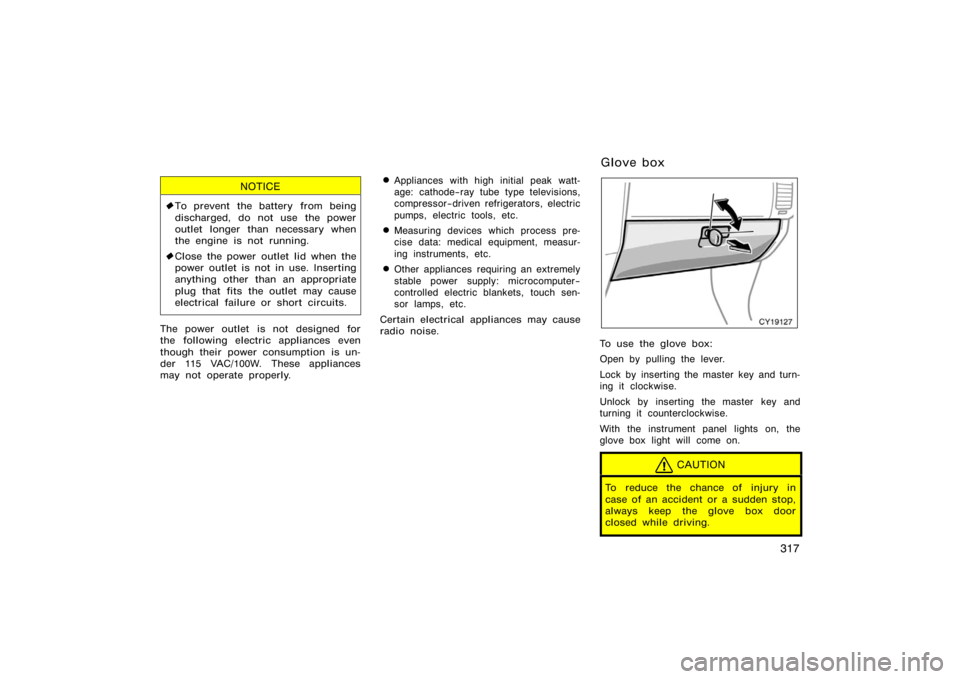
To use the glove box:
Open by pulling the lever.
Lock by inserting the master key and turn-
ing it clockwise.
Unlock by inserting the master key and
turning it counterclockwise.
With the instrument panel lights on, the
glove box light will come on.
CAUTION
To reduce the chance of injury in
case of an accident or a sudden stop,
always keep the glove box door
closed while driving.
Glove box
Page 330 of 496
318
CY19070
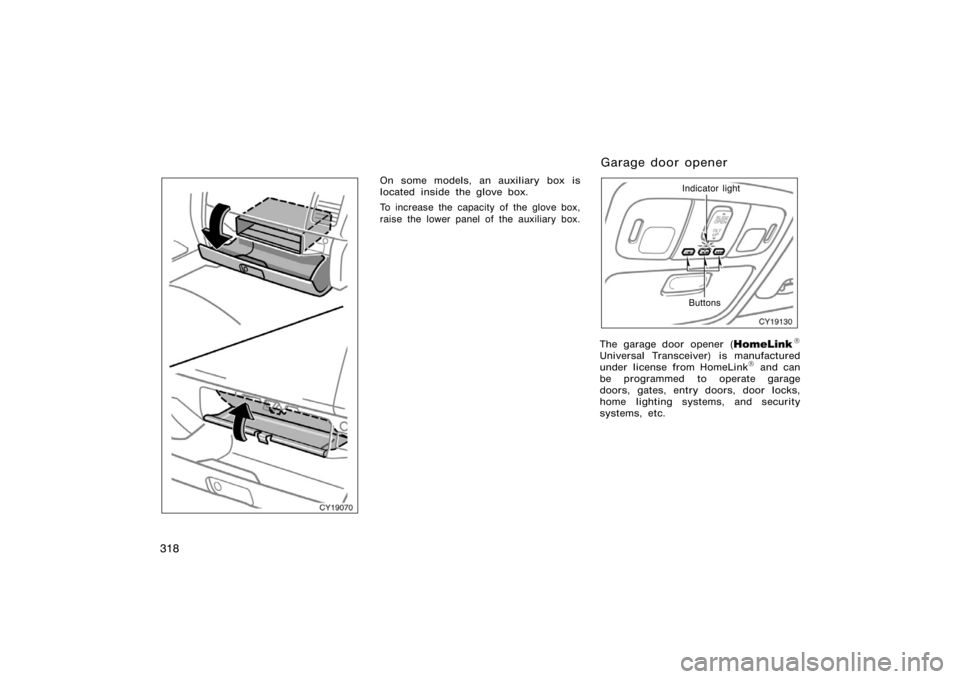
On some models, an auxiliary box is
located inside the glove box.
To increase the capacity of the glove box,
raise the lower panel of the auxiliary box.
CY19130
Indicator light
Buttons
The garage door opener (\b
Universal Transceiver) is manufactured
under license from HomeLink\b and can
be programmed to operate garage
doors, gates, entry doors, door locks,
home lighting systems, and security
systems, etc.
Garage door opener
Page 333 of 496
321
6. Test the operation of the HomeLink\b by
pressing the newly programmed button.
Check to see if the gate/device oper-
ates correctly.
7. Repeat steps 1 through 6 for each re- maining HomeLink
\b button to program
another device.
Programming other devices
To program other devices such as home
security systems, home door locks or
lighting, contact your authorized Toyota
dealer for assistance.
Reprogramming a button
Individual HomeLink
\b buttons cannot be
erased, however, to reprogram a single
button, follow the procedure �Programming
the HomeLink
\b".
(b) Operating the HomeLink
\b
To operate the HomeLink\b, press the
appropriate HomeLink\b button to activate
the programmed device. The HomeLink\b
indicator light should come on. The
HomeLink\b continues to send the signal
for up to 20 seconds as long as the
button is pressed.
CY19133
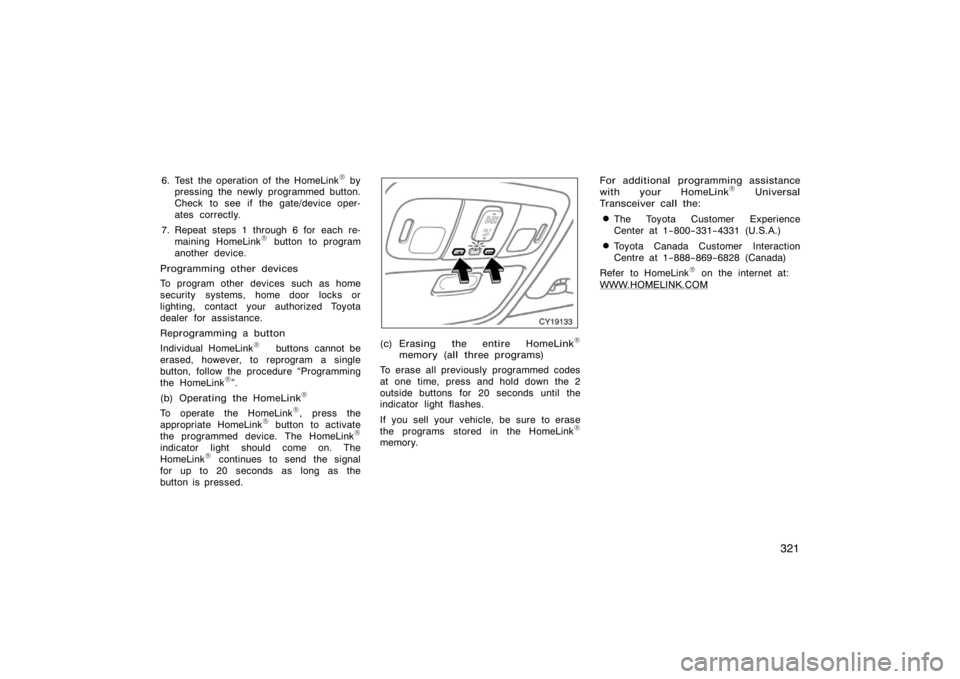
(c) Erasing the entire HomeLink\b
memory (all three programs)
To erase all previously programmed codes
at one time, press and hold down the 2
outside buttons for 20 seconds until the
indicator light flashes.
If you sell your vehicle, be sure to erase
the programs stored in the HomeLink
\b
memory. For additional programming assistance
with your HomeLink
\b Universal
Transceiver call the:
�The Toyota Customer Experience
Center at 1−800−331−4331 (U.S.A.)
�Toyota Canada Customer Interaction
Centre at 1−888−869−6828 (Canada)
Refer to HomeLink
\b on the internet at:
WWW.HOMELINK.COM
Page 337 of 496
325
CY19104
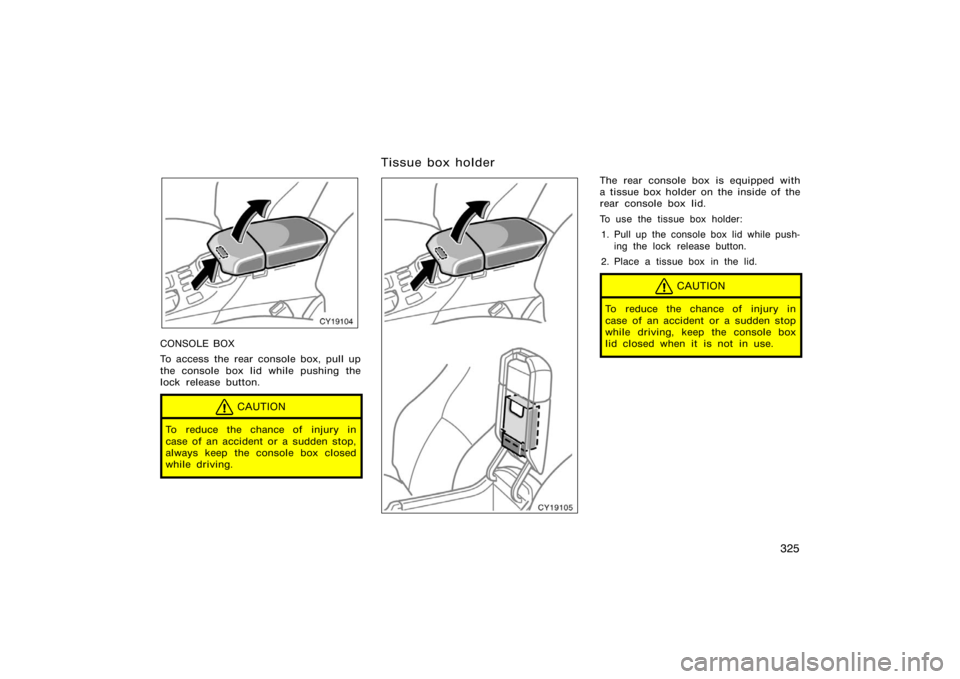
CONSOLE BOX
To access the rear console box, pull up
the console box lid while pushing the
lock release button.
CAUTION
To reduce the chance of injury in
case of an accident or a sudden stop,
always keep the console box closed
while driving.
CY19105
The rear console box is equipped with
a tissue box holder on the inside of the
rear console box lid.
To use the tissue box holder:1. Pull up the console box lid while push- ing the lock release button.
2. Place a tissue box in the lid.
CAUTION
To reduce the chance of injury in
case of an accident or a sudden stop
while driving, keep the console box
lid closed when it is not in use.
Tissue box holder
Page 338 of 496
326
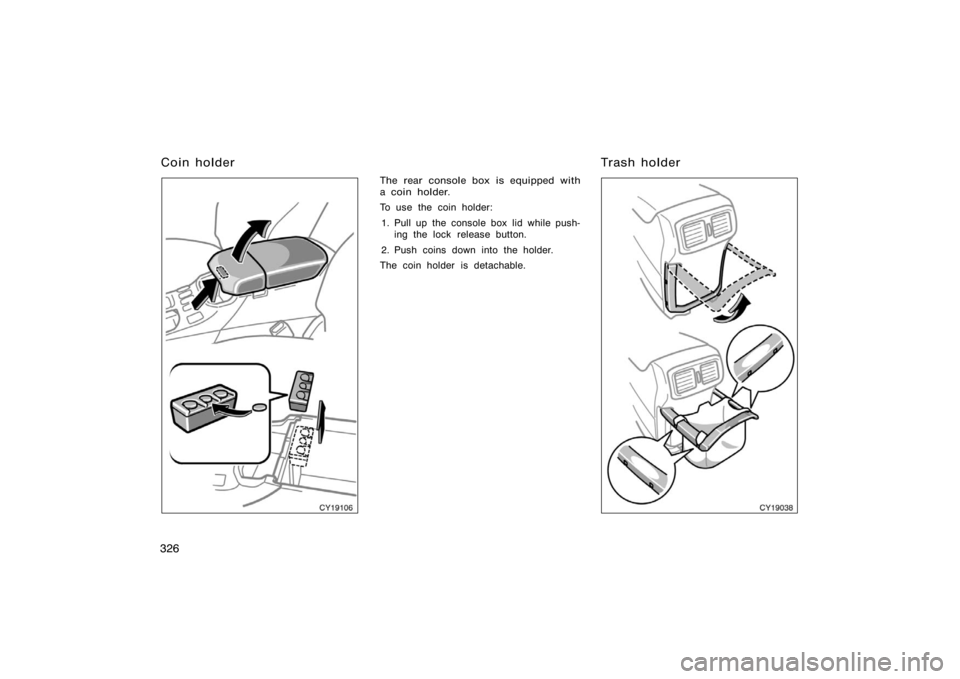
CY19106
The rear console box is equipped with
a coin holder.
To use the coin holder:1. Pull up the console box lid while push- ing the lock release button.
2. Push coins down into the holder.
The coin holder is detachable.
CY19038
Coin holder Trash holder
Page 345 of 496
333
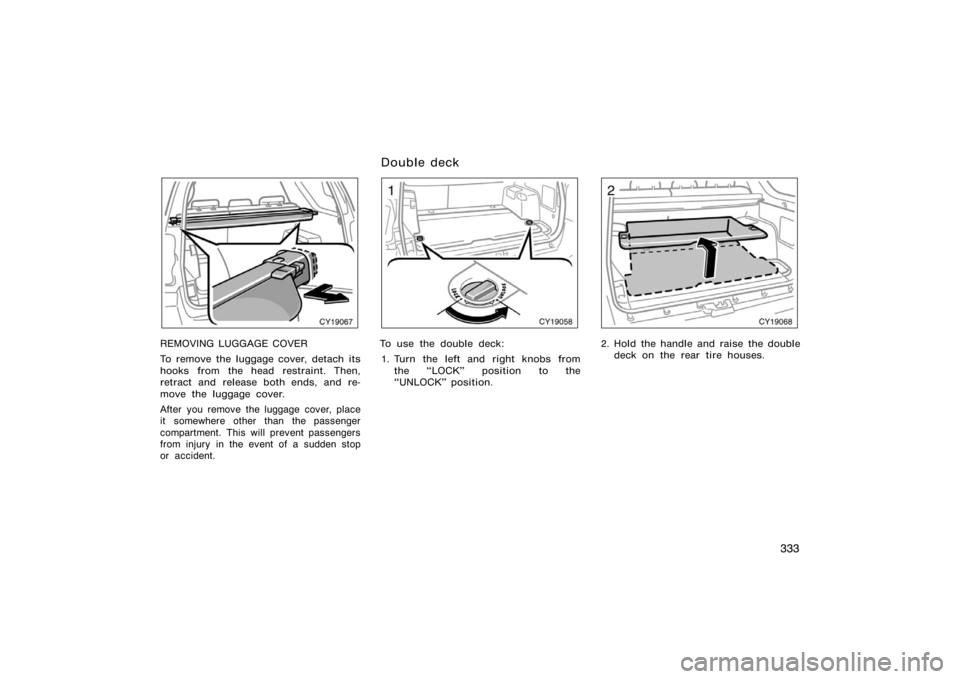
CY19067
REMOVING LUGGAGE COVER
To remove the luggage cover, detach its
hooks from the head restraint. Then,
retract and release both ends, and re-
move the luggage cover.
After you remove the luggage cover, place
it somewhere other than the passenger
compartment. This will prevent passengers
from injury in the event of a sudden stop
or accident.
CY19058
To use the double deck:1. Turn the left and right knobs from the �LOCK" position to the
�UNLOCK" position.
CY19068
2. Hold the handle and raise the doubledeck on the rear tire houses.
Double deck