2008 SUBARU TRIBECA clock
[x] Cancel search: clockPage 121 of 409
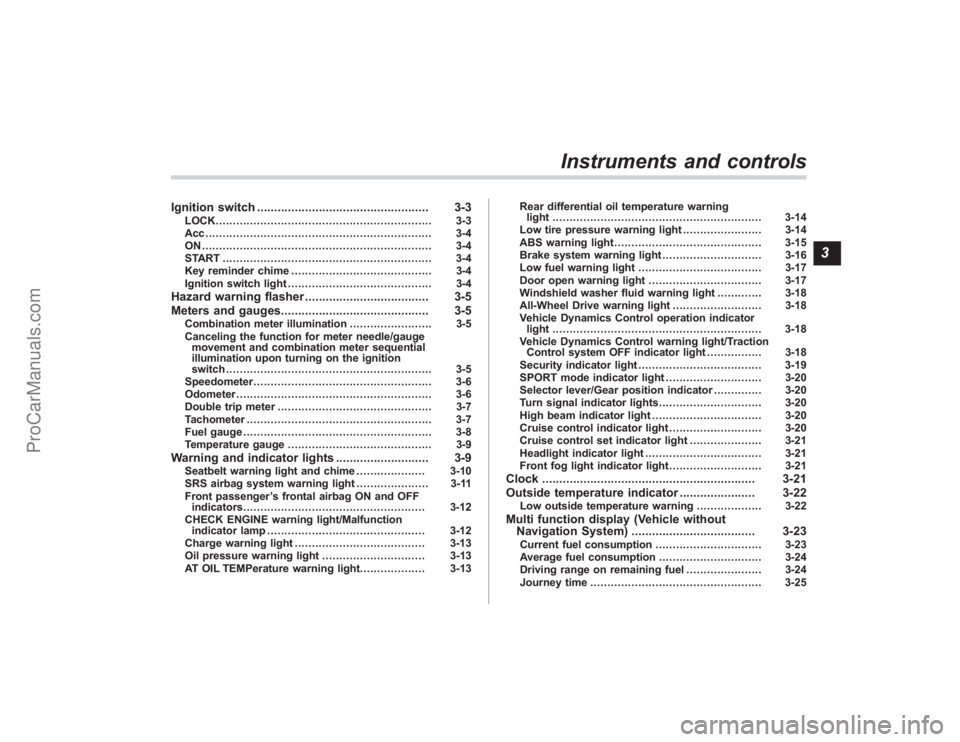
Ignition switch.................................................. 3-3
LOCK............................................................... 3-3
Acc.................................................................. 3-4
ON................................................................... 3-4
START ............................................................. 3-4
Key reminder chime ......................................... 3-4
Ignition switch light .......................................... 3-4
Hazard warning flasher .................................... 3-5
Meters and gauges. .......................................... 3-5
Combination meter illumination ........................ 3-5
Canceling the function for meter needle/gauge movement and combination meter sequential
illumination upon turning on the ignition
switch ............................................................ 3-5
Speedometer .................................................... 3-6
Odometer ......................................................... 3-6
Double trip meter ............................................. 3-7
Tachometer ...................................................... 3-7
Fuel gauge ....................................................... 3-8
Temperature gauge .......................................... 3-9
Warning and indicator lights ........................... 3-9
Seatbelt warning light and chime .................... 3-10
SRS airbag system warning light ..................... 3-11
Front passenger ’s frontal airbag ON and OFF
indicators ..................................................... 3-12
CHECK ENGINE warning light/Malfunction indicator lamp .............................................. 3-12
Charge warning light ...................................... 3-13
Oil pressure warning light .............................. 3-13
AT OIL TEMPerature warning light. .................. 3-13Rear differential oil temperature warning
light ............................................................. 3-14
Low tire pressure warning light ....................... 3-14
ABS warning light ........................................... 3-15
Brake system warning light ............................. 3-16
Low fuel warning light .................................... 3-17
Door open warning light ................................. 3-17
Windshield washer fluid warning light ............. 3-18
All-Wheel Drive warning light .......................... 3-18
Vehicle Dynamics Control operation indicator light ............................................................. 3-18
Vehicle Dynamics Control warning light/Traction Control system OFF indicator light ................ 3-18
Security indicator light .................................... 3-19
SPORT mode indicator light ............................ 3-20
Selector lever/Gear position indicator .............. 3-20
Turn signal indicator lights .............................. 3-20
High beam indicator light ................................ 3-20
Cruise control indicator light ........................... 3-20
Cruise control set indicator light ..................... 3-21
Headlight indicator light .................................. 3-21
Front fog light indicator light ........................... 3-21
Clock.............................................................. 3-21
Outside temperature indicator ...................... 3-22
Low outside temperature warning ................... 3-22
Multi function display (Vehicle without
Navigation System) .................................... 3-23
Current fuel consumption ............................... 3-23
Average fuel consumption .............................. 3-24
Driving range on remaining fuel ...................... 3-24
Journey time .................................................. 3-25
Instruments and controls
3
ProCarManuals.com
Page 141 of 409
ing driving, have the vehicle checked
by your nearest SUBARU dealer.&
Cruise control set in-
dicator light
The cruise control set indicator light
comes on when the ignition switch is
turned to the“ON”position and goes out
after approximately 3 seconds.
This light comes on when vehicle speed
has been set.&
Headlight indicator
light
This indicator light comes on when the
light switch is turned to the “
”position
(to turn on the parking lights) or to the
“
” position (to turn on the headlights).
&
Front fog light indicator
light
This indicator light is on while the front fog
lights are on.
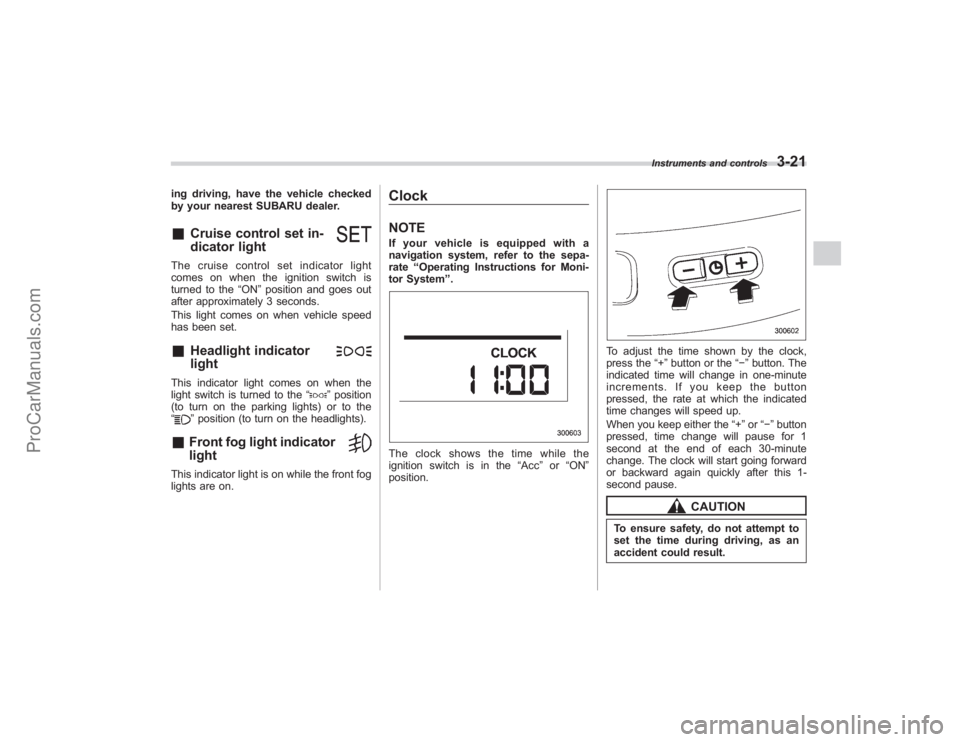
ClockNOTEIf your vehicle is equipped with a
navigation system, refer to the sepa-
rate “Operating Instructions for Moni-
tor System ”.The clock shows the time while the
ignition switch is in the “Acc”or “ON ”
position.
To adjust the time shown by the clock,
press the “+”button or the “−”button. The
indicated time will change in one-minute
increments. If you keep the button
pressed, the rate at which the indicated
time changes will speed up.
When you keep either the “+”or “− ” button
pressed, time change will pause for 1
second at the end of each 30-minute
change. The clock will start going forward
or backward again quickly after this 1-
second pause.
CAUTION
To ensure safety, do not attempt to
set the time during driving, as an
accident could result.
Instruments and controls
3-21
ProCarManuals.com
Page 168 of 409
4-6
Climate control
To change the system back to the AUTO
mode, press the“AUTO”button.
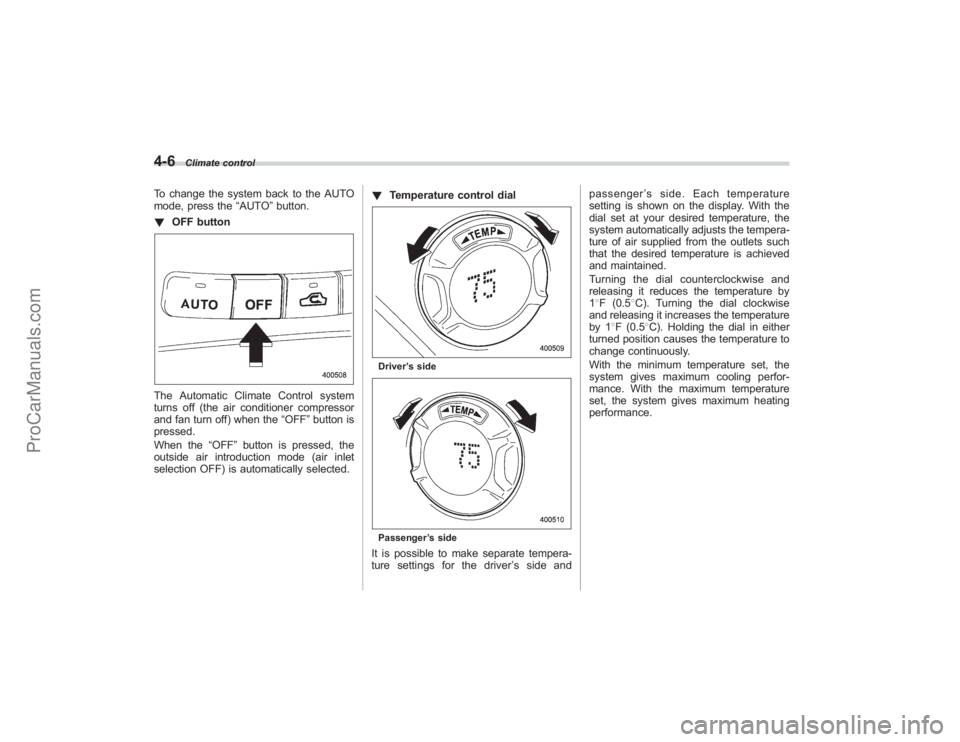
! OFF buttonThe Automatic Climate Control system
turns off (the air conditioner compressor
and fan turn off) when the “OFF”button is
pressed.
When the “OFF”button is pressed, the
outside air introduction mode (air inlet
selection OFF) is automatically selected. !
Temperature control dial
Driver ’s sidePassenger ’s sideIt is possible to make separate tempera-
ture settings for the driver ’ssideand passenger
’s side. Each temperature
setting is shown on the display. With the
dial set at your desired temperature, the
system automatically adjusts the tempera-
ture of air supplied from the outlets such
that the desired temperature is achieved
and maintained.
Turning the dial counterclockwise and
releasing it reduces the temperature by
1 8F (0.5 8C). Turning the dial clockwise
and releasing it increases the temperature
by 1 8F (0.5 8C). Holding the dial in either
turned position causes the temperature to
change continuously.
With the minimum temperature set, the
system gives maximum cooling perfor-
mance. With the maximum temperature
set, the system gives maximum heating
performance.
ProCarManuals.com
Page 183 of 409
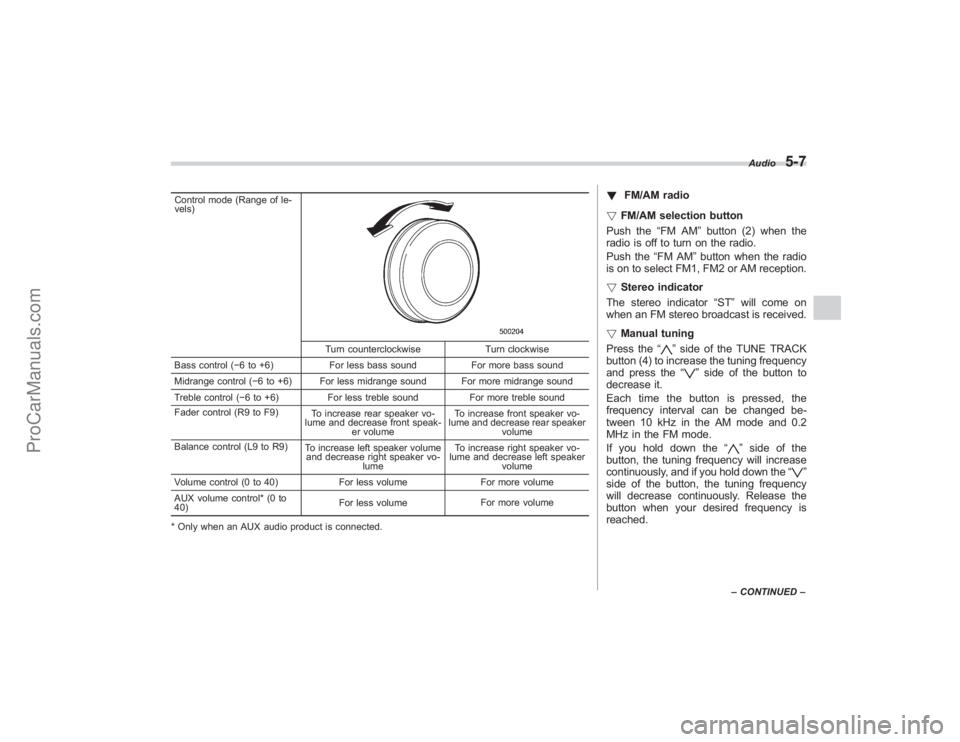
Control mode (Range of le-
vels)
Turn counterclockwiseTurn clockwise
Bass control ( −6 to +6) For less bass sound For more bass sound
Midrange control ( −6 to +6) For less midrange sound For more midrange sound
Treble control ( −6 to +6) For less treble sound For more treble sound
Fader control (R9 to F9) To increase rear speaker vo-
lume and decrease front speak- er volume To increase front speaker vo-
lume and decrease rear speaker volume
Balance control (L9 to R9) To increase left speaker volume
and decrease right speaker vo-
lume To increase right speaker vo-
lume and decrease left speaker
volume
Volume control (0 to 40) For less volumeFor more volume
AUX volume control* (0 to
40) For less volume
For more volume
* Only when an AUX audio product is connected.
! FM/AM radio
! FM/AM selection button
Push the “FM AM”button (2) when the
radio is off to turn on the radio.
Push the “FM AM”button when the radio
is on to select FM1, FM2 or AM reception.
! Stereo indicator
The stereo indicator “ST”will come on
when an FM stereo broadcast is received.
! Manual tuning
Press the “
”side of the TUNE TRACK
button (4) to increase the tuning frequency
and press the “
”side of the button to
decrease it.
Each time the button is pressed, the
frequency interval can be changed be-
tween 10 kHz in the AM mode and 0.2
MHz in the FM mode.
If you hold down the “
”side of the
button, the tuning frequency will increase
continuously, and if you hold down the “
”
side of the button, the tuning frequency
will decrease continuously. Release the
button when your desired frequency is
reached.
Audio
5-7
– CONTINUED –
ProCarManuals.com
Page 194 of 409
5-18
Audio
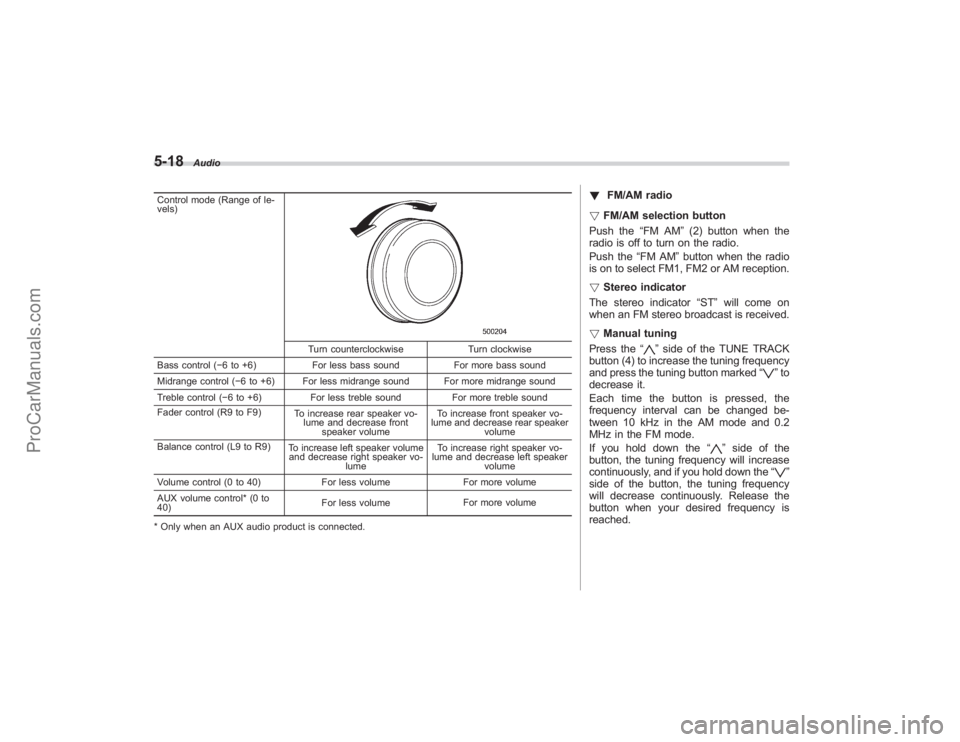
Control mode (Range of le-
vels)
Turn counterclockwiseTurn clockwise
Bass control ( −6 to +6) For less bass sound For more bass sound
Midrange control ( −6 to +6) For less midrange sound For more midrange sound
Treble control ( −6 to +6) For less treble sound For more treble sound
Fader control (R9 to F9) To increase rear speaker vo-
lume and decrease front speaker volume To increase front speaker vo-
lume and decrease rear speaker volume
Balance control (L9 to R9) To increase left speaker volume
and decrease right speaker vo-
lume To increase right speaker vo-
lume and decrease left speaker
volume
Volume control (0 to 40) For less volumeFor more volume
AUX volume control* (0 to
40) For less volume
For more volume
* Only when an AUX audio product is connected.
! FM/AM radio
! FM/AM selection button
Push the “FM AM”(2) button when the
radio is off to turn on the radio.
Push the “FM AM”button when the radio
is on to select FM1, FM2 or AM reception.
! Stereo indicator
The stereo indicator “ST”will come on
when an FM stereo broadcast is received.
! Manual tuning
Press the “
”side of the TUNE TRACK
button (4) to increase the tuning frequency
and press the tuning button marked “
”to
decrease it.
Each time the button is pressed, the
frequency interval can be changed be-
tween 10 kHz in the AM mode and 0.2
MHz in the FM mode.
If you hold down the “
”side of the
button, the tuning frequency will increase
continuously, and if you hold down the “
”
side of the button, the tuning frequency
will decrease continuously. Release the
button when your desired frequency is
reached.
ProCarManuals.com
Page 213 of 409
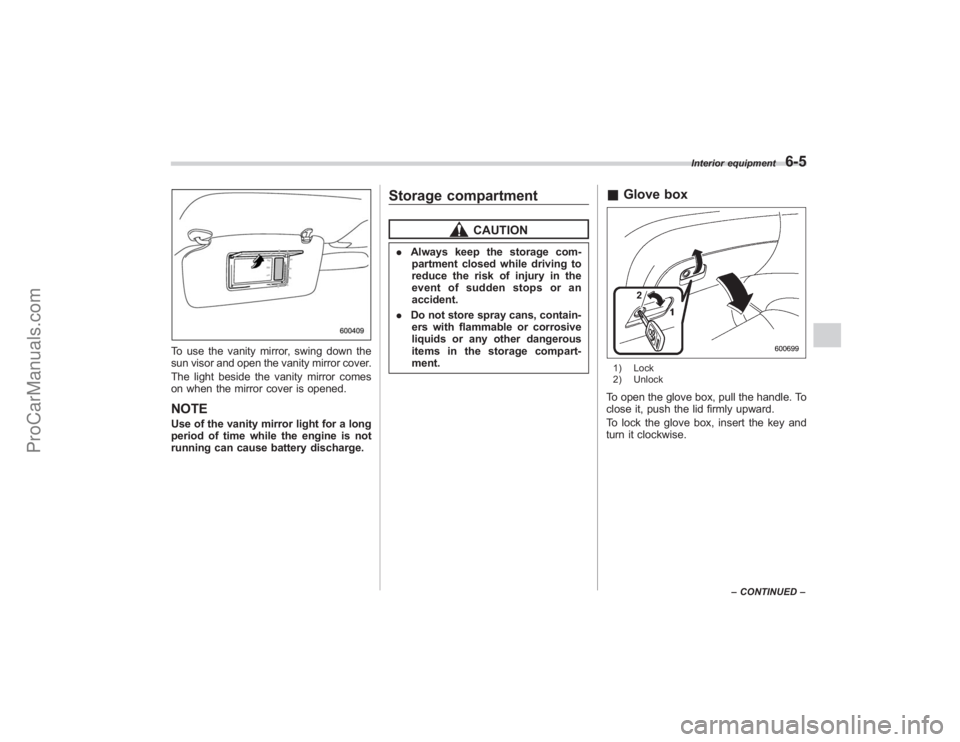
To use the vanity mirror, swing down the
sun visor and open the vanity mirror cover.
The light beside the vanity mirror comes
on when the mirror cover is opened.NOTEUse of the vanity mirror light for a long
period of time while the engine is not
running can cause battery discharge.
Storage compartment
CAUTION
.Always keep the storage com-
partment closed while driving to
reduce the risk of injury in the
event of sudden stops or an
accident.
. Do not store spray cans, contain-
ers with flammable or corrosive
liquids or any other dangerous
items in the storage compart-
ment.
& Glove box1) Lock
2) UnlockTo open the glove box, pull the handle. To
close it, push the lid firmly upward.
To lock the glove box, insert the key and
turn it clockwise.
Interior equipment
6-5
–CONTINUED –
ProCarManuals.com
Page 238 of 409
7-4
Starting and operating
WARNING
Before opening the fuel filler cap,
first touch the vehicle body or a
metal portion of the fuel pump or
similar object to discharge any
static electricity that may be present
on your body. If your body is carry-
ing an electrostatic charge, there is
a possibility that an electric spark
could ignite the fuel, which could
burn you. To avoid acquiring a new
static electric charge, do not get
back into the vehicle while refueling
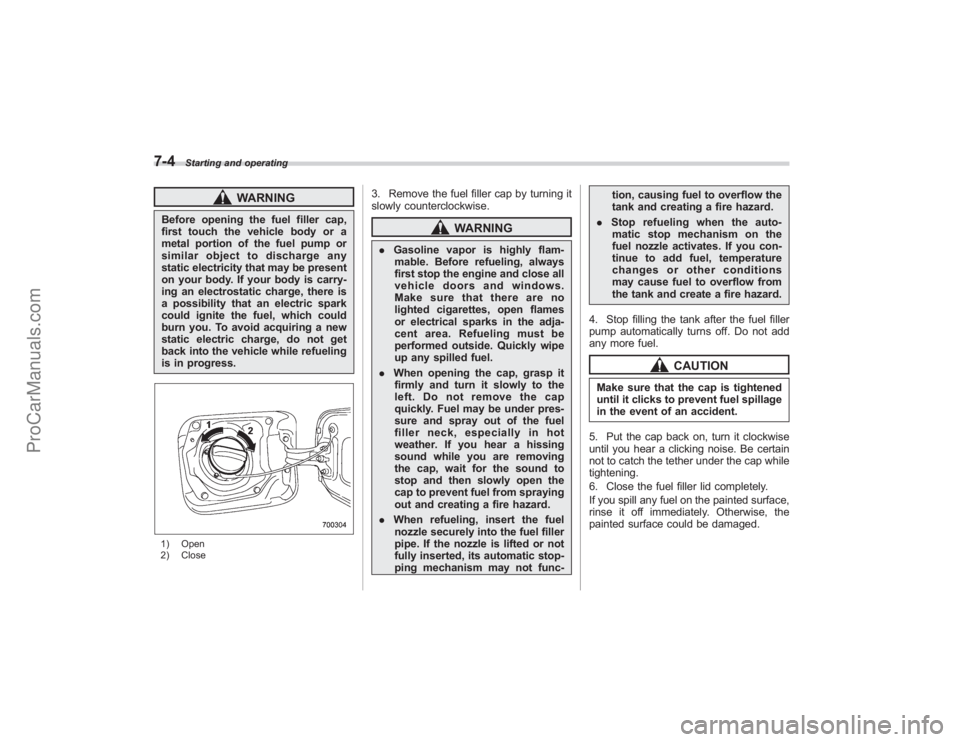
is in progress.1) Open
2) Close
3. Remove the fuel filler cap by turning it
slowly counterclockwise.
WARNING
.Gasoline vapor is highly flam-
mable. Before refueling, always
first stop the engine and close all
vehicle doors and windows.
Make sure that there are no
lighted cigarettes, open flames
or electrical sparks in the adja-
cent area. Refueling must be
performed outside. Quickly wipe
up any spilled fuel.
. When opening the cap, grasp it
firmly and turn it slowly to the
left. Do not remove the cap
quickly. Fuel may be under pres-
sure and spray out of the fuel
filler neck, especially in hot
weather. If you hear a hissing
sound while you are removing
the cap, wait for the sound to
stop and then slowly open the
cap to prevent fuel from spraying
out and creating a fire hazard.
. When refueling, insert the fuel
nozzle securely into the fuel filler
pipe. If the nozzle is lifted or not
fully inserted, its automatic stop-
ping mechanism may not func- tion, causing fuel to overflow the
tank and creating a fire hazard.
. Stop refueling when the auto-
matic stop mechanism on the
fuel nozzle activates. If you con-
tinue to add fuel, temperature
changes or other conditions
may cause fuel to overflow from
the tank and create a fire hazard.
4. Stop filling the tank after the fuel filler
pump automatically turns off. Do not add
any more fuel.
CAUTION
Make sure that the cap is tightened
until it clicks to prevent fuel spillage
in the event of an accident.
5. Put the cap back on, turn it clockwise
until you hear a clicking noise. Be certain
not to catch the tether under the cap while
tightening.
6. Close the fuel filler lid completely.
If you spill any fuel on the painted surface,
rinse it off immediately. Otherwise, the
painted surface could be damaged.
ProCarManuals.com
Page 299 of 409
the“Temporary spare tire ”section in this
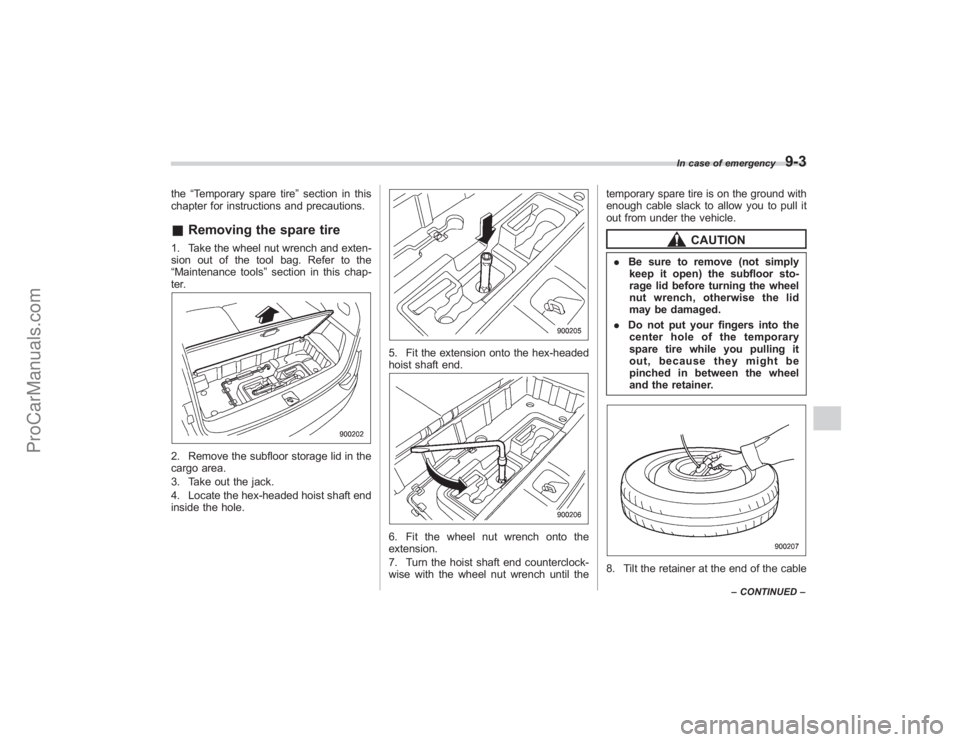
chapter for instructions and precautions.& Removing the spare tire1. Take the wheel nut wrench and exten-
sion out of the tool bag. Refer to the
“Maintenance tools ”section in this chap-
ter.2. Remove the subfloor storage lid in the
cargo area.
3. Take out the jack.
4. Locate the hex-headed hoist shaft end
inside the hole.
5. Fit the extension onto the hex-headed
hoist shaft end.6. Fit the wheel nut wrench onto the
extension.
7. Turn the hoist shaft end counterclock-
wise with the wheel nut wrench until the temporary spare tire is on the ground with
enough cable slack to allow you to pull it
out from under the vehicle.
CAUTION
.
Be sure to remove (not simply
keep it open) the subfloor sto-
rage lid before turning the wheel
nut wrench, otherwise the lid
may be damaged.
. Do not put your fingers into the
center hole of the temporary
spare tire while you pulling it
out, because they might be
pinched in between the wheel
and the retainer.8. Tilt the retainer at the end of the cable
In case of emergency
9-3
– CONTINUED –
ProCarManuals.com