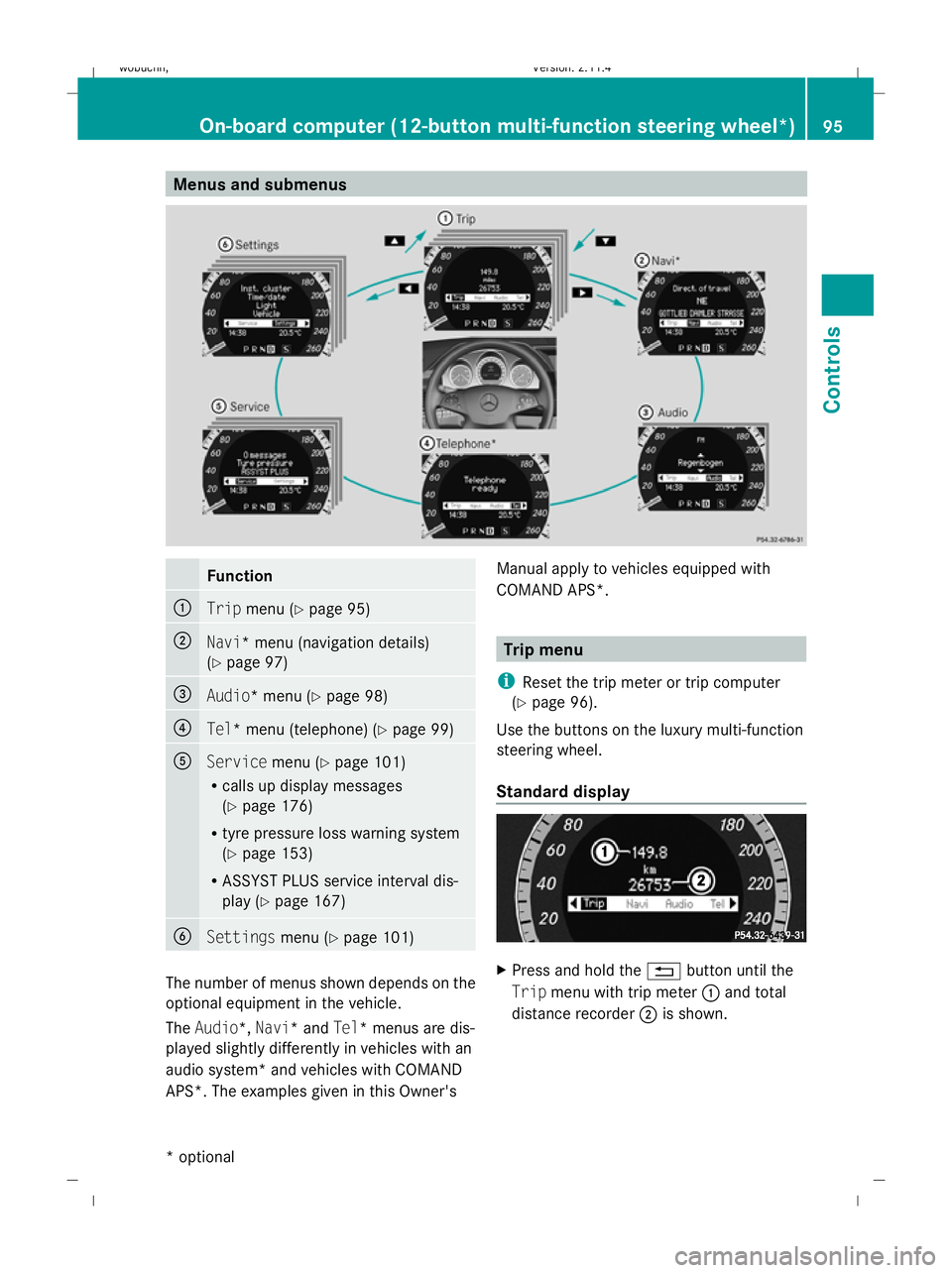
Menus and submenusFunction
:Trip
menu (Y page 95)
;Navi* menu (navigation details)
(Ypage 97)
=Audio* menu (Y page 98)
?Tel* menu (telephone) (Y page 99)
AServicemenu (Ypage 101)
R calls up display messages
(Y page 176)
R tyre pressure loss warning system
(Y page 153)
R ASSYST PLUS service interval dis-
play (Y page 167)
BSettings menu (Ypage 101)
The number of menus shown depends on the
optional equipment in the vehicle.
The Audio*, Navi* and Tel* menus are dis-
played slightly differently in vehicles with an
audio system* and vehicles with COMAND
APS*. The examples given in this Owner's Manual apply to vehicles equipped with
COMAND APS*.
Trip menu
i Reset the trip meter or trip computer
(Y page 96).
Use the buttons on the luxury multi-function
steering wheel.
Standard display
X Press and hold the %button until the
Trip menu with trip meter :and total
distance recorder ;is shown.
On-board computer (12-button multi-function steering wheel*) 95
Controls
* optional
X204_AKB; 1; 5, en-GB
wobuchh,
Version: 2.11.4
2008-10-15T13:20:56+02:00 - Seite 95Z Dateiname: 6515_0671_02_buchblock.pdf; preflight