2008 MERCEDES-BENZ CLS COUPE wiper blades
[x] Cancel search: wiper bladesPage 14 of 329
11
Rain sensor
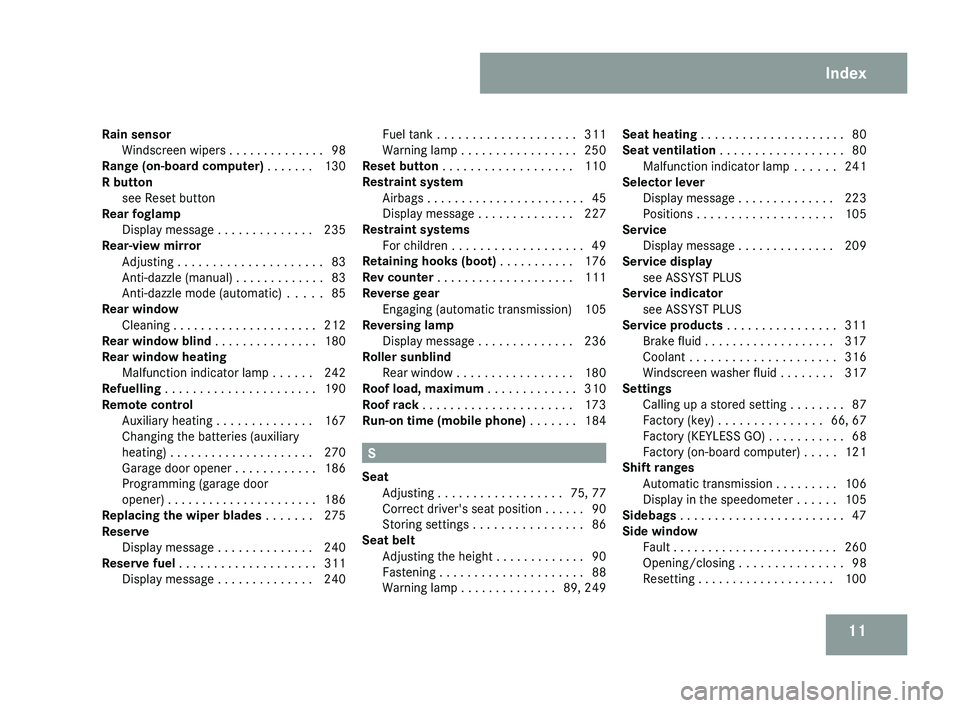
Windscreen wipers . . . . . . . . . . . . . . 98
Range (on-board computer) . . . . . . . 130
R button
see Reset button
Rear foglamp
Display message . . . . . . . . . . . . . . 235
Rear-view mirror
Adjusting . . . . . . . . . . . . . . . . . . . . . 83
Anti-dazzle (manual) . . . . . . . . . . . . . 83
Anti-dazzle mode (automatic) . . . . . 85
Rear window
Cleaning . . . . . . . . . . . . . . . . . . . . . 212
Rear window blind . . . . . . . . . . . . . . . 180
Rear window heating Malfunction indicator lamp . . . . . . 242
Refuelling . . . . . . . . . . . . . . . . . . . . . . 190
Remote control Auxiliary heating . . . . . . . . . . . . . . 167
Changing the batteries (auxiliary
heating) . . . . . . . . . . . . . . . . . . . . . 270
Garage door opener . . . . . . . . . . . . 186
Programming (garage door
opener) . . . . . . . . . . . . . . . . . . . . . . 186
Replacing the wiper blades . . . . . . . 275
Reserve Display message . . . . . . . . . . . . . . 240
Reserve fuel . . . . . . . . . . . . . . . . . . . . 311
Display message . . . . . . . . . . . . . . 240 Fuel tank . . . . . . . . . . . . . . . . . . . . 311
Warning lamp . . . . . . . . . . . . . . . . . 250
Reset button . . . . . . . . . . . . . . . . . . . 110
Restraint system
Airbags . . . . . . . . . . . . . . . . . . . . . . . 45
Display message . . . . . . . . . . . . . . 227
Restraint systems
For children . . . . . . . . . . . . . . . . . . . 49
Retaining hooks (boot) . . . . . . . . . . . 176
Rev counter . . . . . . . . . . . . . . . . . . . . 111
Reverse gear Engaging (automatic transmission) 105
Reversing lamp
Display message . . . . . . . . . . . . . . 236
Roller sunblind
Rear window . . . . . . . . . . . . . . . . . 180
Roof load, maximum . . . . . . . . . . . . . 310
Roof rack . . . . . . . . . . . . . . . . . . . . . . 173
Run-on time (mobile phone) . . . . . . . 184 S
Seat Adjusting
. . . . . . . . . . . . . . . . . . 75, 77
Correct driver's seat position . . . . . . 90
Storing settings . . . . . . . . . . . . . . . . 86
Seat belt
Adjusting the height . . . . . . . . . . . . . 90
Fastening . . . . . . . . . . . . . . . . . . . . . 88
Warning lamp . . . . . . . . . . . . . . 89, 249 Seat heating
. . . . . . . . . . . . . . . . . . . . . 80
Seat ventilation . . . . . . . . . . . . . . . . . . 80
Malfunction indicator lamp . . . . . . 241
Selector lever
Display message . . . . . . . . . . . . . . 223
Positions . . . . . . . . . . . . . . . . . . . . 105
Service
Display message . . . . . . . . . . . . . . 209
Service display
see ASSYST PLUS
Service indicator
see ASSYST PLUS
Service products . . . . . . . . . . . . . . . . 311
Brake fluid . . . . . . . . . . . . . . . . . . . 317
Coolant . . . . . . . . . . . . . . . . . . . . . 316
Windscreen washer fluid . . . . . . . . 317
Settings
Calling up a stored setting . . . . . . . . 87
Factory (key) . . . . . . . . . . . . . . . 66, 67
Factory (KEYLESS GO) . . . . . . . . . . . 68
Factory (on-board computer) . . . . . 121
Shift ranges
Automatic transmission . . . . . . . . . 106
Display in the speedometer . . . . . . 105
Sidebags . . . . . . . . . . . . . . . . . . . . . . . . 47
Side window Fault . . . . . . . . . . . . . . . . . . . . . . . . 260
Opening/closing . . . . . . . . . . . . . . . 98
Resetting . . . . . . . . . . . . . . . . . . . . 100 Index
219_AKB; 2; 4, en-GB
mkalafa,
2007-11-13T09:28:36+01:00 - Seite 11
Page 17 of 329
14 W
Warning and indicator lamp ABS (yellow)
. . . . . . . . . . . . . . . . . . 244
Warning signal
Audible . . . . . . . . . . . . . . . . . . . . . . 251
Warning triangle . . . . . . . . . . . . . . . . 216
Washer fluid Display message . . . . . . . . . . . . . . 240
Wearing seat belts . . . . . . . . . . . . . . . . 88
Wheel bolts
Tightening torque . . . . . . . . . . . . . . 286
Wheels
General notes . . . . . . . . . . . . . . . . . 198
Technical data . . . . . . . . . . . . . . . . 305
Windowbags . . . . . . . . . . . . . . . . . . . . . 48
Windows Cleaning . . . . . . . . . . . . . . . . . . . . . 212
Cleaning the windscreen . . . . . . . . 211
Side windows . . . . . . . . . . . . . . . . . . 98
Windscreen
Cleaning . . . . . . . . . . . . . . . . . . . . . 211
Windscreen washer fluid . . . . . . . . . 317
Topping up . . . . . . . . . . . . . . . . . . . 197
Windscreen washer fluid reservoir
. . . . . . . . . . . . . . . . . . . . . . . . . . 197, 317
Windscreen washer reservoir
Capacity . . . . . . . . . . . . . . . . . . . . . 317
Windscreen washer system . . . . . . . 317Windscreen wipers
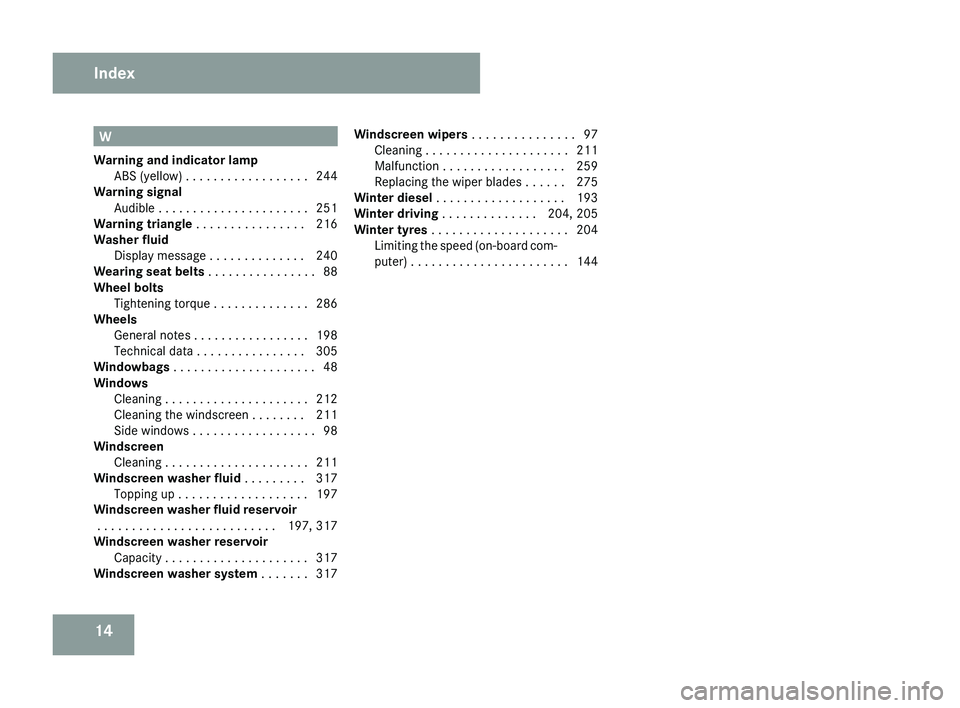
. . . . . . . . . . . . . . . 97
Cleaning . . . . . . . . . . . . . . . . . . . . . 211
Malfunction . . . . . . . . . . . . . . . . . . 259
Replacing the wiper blades . . . . . . 275
Winter diesel . . . . . . . . . . . . . . . . . . . 193
Winter driving . . . . . . . . . . . . . . 204, 205
Winter tyres . . . . . . . . . . . . . . . . . . . . 204
Limiting the speed (on-board com-
puter) . . . . . . . . . . . . . . . . . . . . . . . 144 Index
219_AKB; 2; 4, en-GB
mkalafa,
2007-11-13T09:28:36+01:00 - Seite 14
Page 24 of 329

Exterior view
21Function Page
1 Boot
Opening and closing 70
Spare wheel 217
Vehicle tool kit 217
Vehicle battery 288
2 Rear lights
271
3 Rear window heating
164
4 Fuel filler flap
190
Fuel requirements 191
5 Opening and closing the
doors
66
6 Demisting the windscreen
163
Cleaning the windows 212
7
Sliding/tilting sunroof* 169
8 Exterior mirrors
84
Parking aid*
85 Function Page
9 Windscreen wipers, opera-
tion
97
Cleaning the wiper blades 211
Replacing the wiper blades 275
a Opening the bonnet
193
Engine oil 195
Coolant 196
b Front lights
271
c Fitting the front towing eye
293
d Tyres and wheels
198
Checking the tyre pressure 200
Flat tyre, fitting the spare
wheel
276
e Fitting the rear towing eye
293 At a glance
* optional
219_AKB; 2; 4, en-GB
mkalafa,
2007-11-13T09:28:36+01:00 - Seite 21
Page 100 of 329
Windscreen wipers
97
Rear-compartment overhead control
panel
Rear-compartment overhead control panel
1
X To switch the left-hand reading lamp
on/off
2 X To switch the right-hand reading
lamp on/off
Rear-compartment reading lamps
X To switch on/off: press the X button. Windscreen wipers
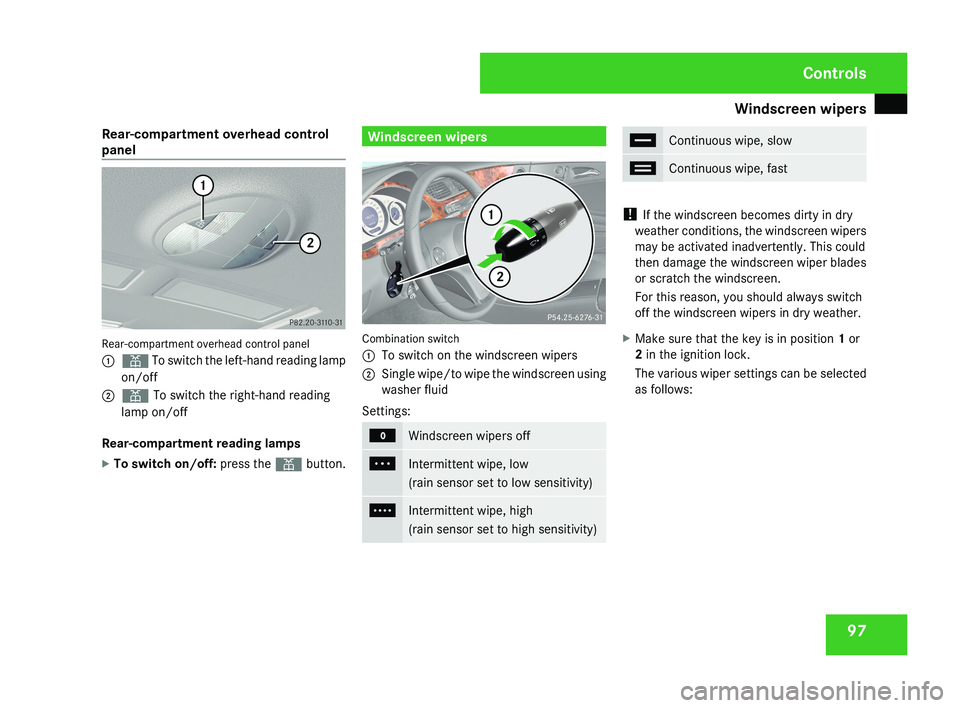
Combination switch
1
To switch on the windscreen wipers
2 Single wipe/to wipe the windscreen using
washer fluid
Settings: M
Windscreen wipers off
U
Intermittent wipe, low
(rain sensor set to low sensitivity)
V
Intermittent wipe, high
(rain sensor set to high sensitivity) u
Continuous wipe, slow
t
Continuous wipe, fast
!
If the windscreen becomes dirty in dry
weather conditions, the windscreen wipers
may be activated inadvertently. This could
then damage the windscreen wiper blades
or scratch the windscreen.
For this reason, you should always switch
off the windscreen wipers in dry weather.
X Make sure that the key is in position 1 or
2 in the ignition lock.
The various wiper settings can be selected
as follows: Controls
219_AKB; 2; 4, en-GB
mkalafa,
2007-11-13T09:28:36+01:00 - Seite 97
Page 214 of 329
Care
211
Automatic car wash G
Risk of accident
The vehicle is braked when HOLD is activa-
ted. Therefore, deactivate HOLD before the
vehicle is washed in an automatic car wash.
You can wash the vehicle in an automatic car
wash from the very start.
! Do not use a touch-free automatic car
wash that uses chemical agents to wash
the vehicle.
Preferably use one with high-pressure jets for
prewashing.
If the vehicle is very dirty, prewash it before
cleaning it in an automatic car wash.
! Make sure that the automatic car wash is
suitable for the size of the vehicle. Fold in
the exterior mirrors before the vehicle is
washed. There is otherwise a risk of dam-
age to the exterior mirrors.
! Make sure the side windows are com-
pletely closed, the ventilation/heater
blower is fully turned off and the wind-
screen wiper switch is set to 0. The rain
sensor may otherwise be activated, for
instance, leading to inadvertent wiper sweeps being triggered. This could cause
damage to the vehicle.
After using an automatic car wash, wipe off
wax from the windscreen and the wiper
blades. This will prevent smears and reduce
wiping
noises caused by residue on the wind-
screen.
High-pressure cleaners G
Risk of accident
Do not use high-pressure cleaners with cir-
cular-jet nozzles (dirt grinders) to clean
your vehicle or - especially - the tyres. You
could otherwise damage the tyres and
cause an accident.
! Observe the instructions issued by the
equipment manufacturer concerning the
distance to be maintained between the
nozzle
of the high-pressure cleaner and the
vehicle (at least 30 cm).
Move the high-pressure cleaner nozzle
around when cleaning your vehicle.
Do not aim directly at any of the following:
R Tyres
R Door joint
R Electrical components R
Battery
R Connectors
R Bulbs
R Seals
Damaged seals or electrical components
can lead to failures or leaks.
Cleaning the wiper blades and the out-
side of the windscreen G
Risk of injury
Turn the key to position 0 in the ignition
lock
before cleaning the windscreen or the
wiper blades. There is otherwise a risk of
the windscreen wipers being set in motion
and causing injury.
X Turn the key to position 1 in the ignition
lock (Y page 74).
X Set the windscreen wipers to the u
position on the combination switch
(Y page 97).
X Turn the key to position 0
or remove it when
the wiper arms are vertical ( Y page 74). Operation
219_AKB; 2; 4, en-GB
mkalafa,
2007-11-13T09:28:36+01:00 - Seite 211
Page 215 of 329
Care
212
!
Only fold the windscreen wipers away
from the windscreen when vertical, other-
wise you will damage the bonnet.
X Fold the wiper arms away from the wind-
screen until you feel them engage.
X Clean the windscreen and the wiper blades.
X Fold the windscreen wipers back again
before the ignition is switched on.
! Do not clean the wiper blades too often,
as otherwise the coating may come off.
This could cause wiper noise.
Cleaning the windows !
Do not use dry cloths, abrasive products,
solvents or cleaning agents containing sol-
vents to clean the inside of the windows.
Clean the insides of the windows with a
damp cloth or commercially-available glass
cleaner. Avoid touching the inside of the
rear windscreen and the side windows with
hard objects, e.g. ice scrapers or rings. You
could otherwise cause damage to the win-
dows, rear window heating or aerial on the
rear window. i
Anti-glare
film retrofitted to the insides of
the windows could interfere with radio or
mobile phone reception, especially if it is
conductive or metal-coated film. Informa-
tion about anti-glare film can be obtained
from any Mercedes-Benz Service Centre.
Cleaning the headlamps X
Clean the headlamp lenses with a wet
sponge.
! Only use washer fluid which is suitable
for plastic lenses. Unsuitable washer fluid
could damage the plastic lenses of the
headlamps.
Therefore, do not use the following:
R dry cloths
R abrasive cleaning agents
R solvents
R cleaning agents containing solvent
You
could otherwise scratch or damage the
surface of the lenses. Plastic trim !
Do
not use dry, coarse or hard cloths and
do not scrub. Doing so will scratch or dam-
age the surfaces.
X Wipe plastic parts with a damp, lint-free
cloth (e.g. a microfibre cloth).
X Light soiling:
use a low-foaming soap (e.g.
a light liquid hand soap) diluted in water.
X Heavy soiling:
use a cleaning agent that is
solvent-free and non-corrosive. Mercedes-
Benz recommends that you use a
Mercedes-Benz cleaning product for this
purpose.
Cleaning the steering wheel boss and
dashboard X
Moisten a clean lint-free cloth with water.
X Clean the plastic parts and the dashboard.
X If particularly dirty, use a mild detergent. G
Risk of injury
Do not use cleaners and cockpit care
sprays containing solvents to clean the
cockpit and steering wheel boss. Cleaners
containing solvents cause the surface to
become porous and in the event of an air- Operation
219_AKB; 2; 4, en-GB
mkalafa,
2007-11-13T09:28:36+01:00 - Seite 212
Page 218 of 329
215
Where will I find...? ...........................
216
Display messages ............................. 219
Troubleshooting ................................ 241
Locking/unlocking in an emer-
gency ................................................. 266
Resetting triggered NECK-PRO
head restraints .................................. 269
Changing the batteries .....................269
Changing the bulbs ...........................271
Replacing the wiper blades ..............275
Flat tyre ............................................. 276
Battery ............................................... 288
Jump-starting .................................... 291
Towing and tow-starting .................. 293
Fuses .................................................. 295
Practical advice
219_AKB; 2; 4, en-GB
mkalafa,
2007-11-13T09:28:36+01:00 - Seite 215
Page 278 of 329
Replacing the wiper blades
275Replacing the wiper blades
G
Risk of accident
The windscreen will no longer be properly
wiped if the wiper blades are worn. This
may prevent you from observing the traffic
conditions, thereby causing an accident.
Replace the wiper blades twice a year, ide-
ally in spring and autumn. G
Risk of accident
The wiper arms could start moving and
cause an injury if you leave the windscreen
wipers switched on.
Remove the key from the ignition lock
before replacing the wiper blades.
! Make sure that you touch only the wiper
arm of the windscreen wiper to avoid dam-
aging the windscreen wiper blades. Removing
Vehicles without KEYLESS GO* X
Make sure that the key is in position 1 or
2 in the ignition lock.
X Set the windscreen wipers to posi-
tion u (Y page 98) on the combination
switch.
X When the wiper arms have reached a ver-
tical position, turn the key to position 0 and
remove it from the ignition lock.
X Fold the wiper arm away from the wind-
screen until it engages.
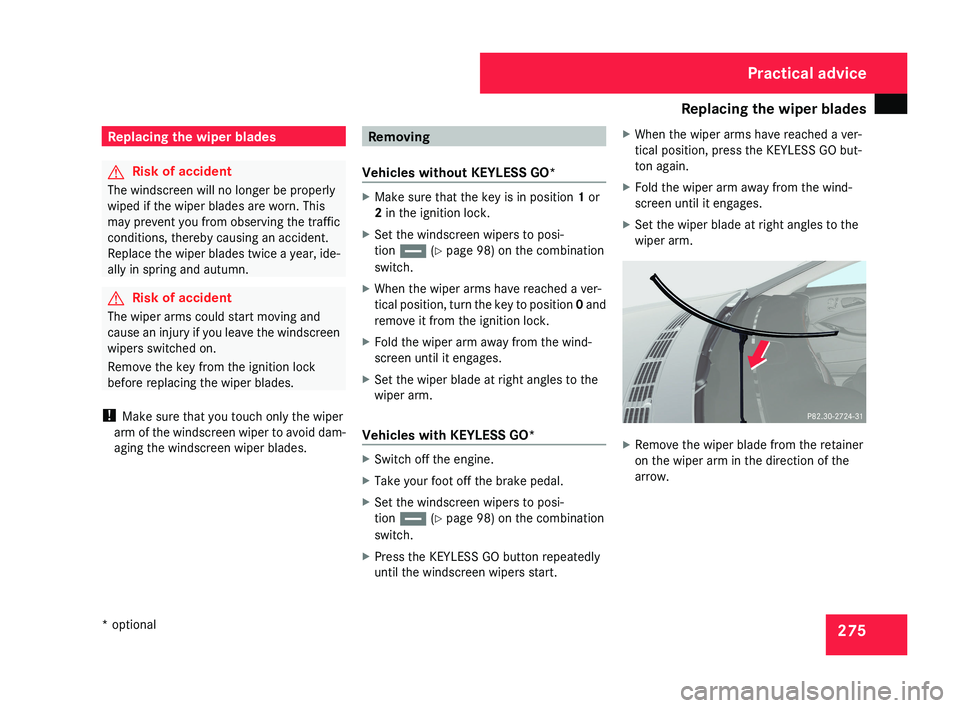
X Set the wiper blade at right angles to the
wiper arm.
Vehicles with KEYLESS GO* X
Switch off the engine.
X Take your foot off the brake pedal.
X Set the windscreen wipers to posi-
tion u (Y page 98) on the combination
switch.
X Press the KEYLESS GO button repeatedly
until the windscreen wipers start. X
When the wiper arms have reached a ver-
tical position, press the KEYLESS GO but-
ton again.
X Fold the wiper arm away from the wind-
screen until it engages.
X Set the wiper blade at right angles to the
wiper arm. X
Remove the wiper blade from the retainer
on the wiper arm in the direction of the
arrow. Practical advice
* optional
219_AKB; 2; 4, en-GB
mkalafa,
2007-11-13T09:28:36+01:00 - Seite 275