Page 190 of 312
AUDIO/VIDEO SYSTEM
189
D
Tone and balance
How good an audio program sounds to you
is largely determined by the mix of the
treble, midrange, and bass levels. In fact,
different kinds of music and vocal pro-
grams usually sound better with different
levels of treble, midrange, and bass.
A good balance of the left and right stereo
channels and of the front and rear sound
levels is also important.
Keep in mind that if you are listening to a
stereo recording or broadcast, changing
the right/left balance will increase the vol-
ume of one group of sounds while de-
creasing the volume of another.
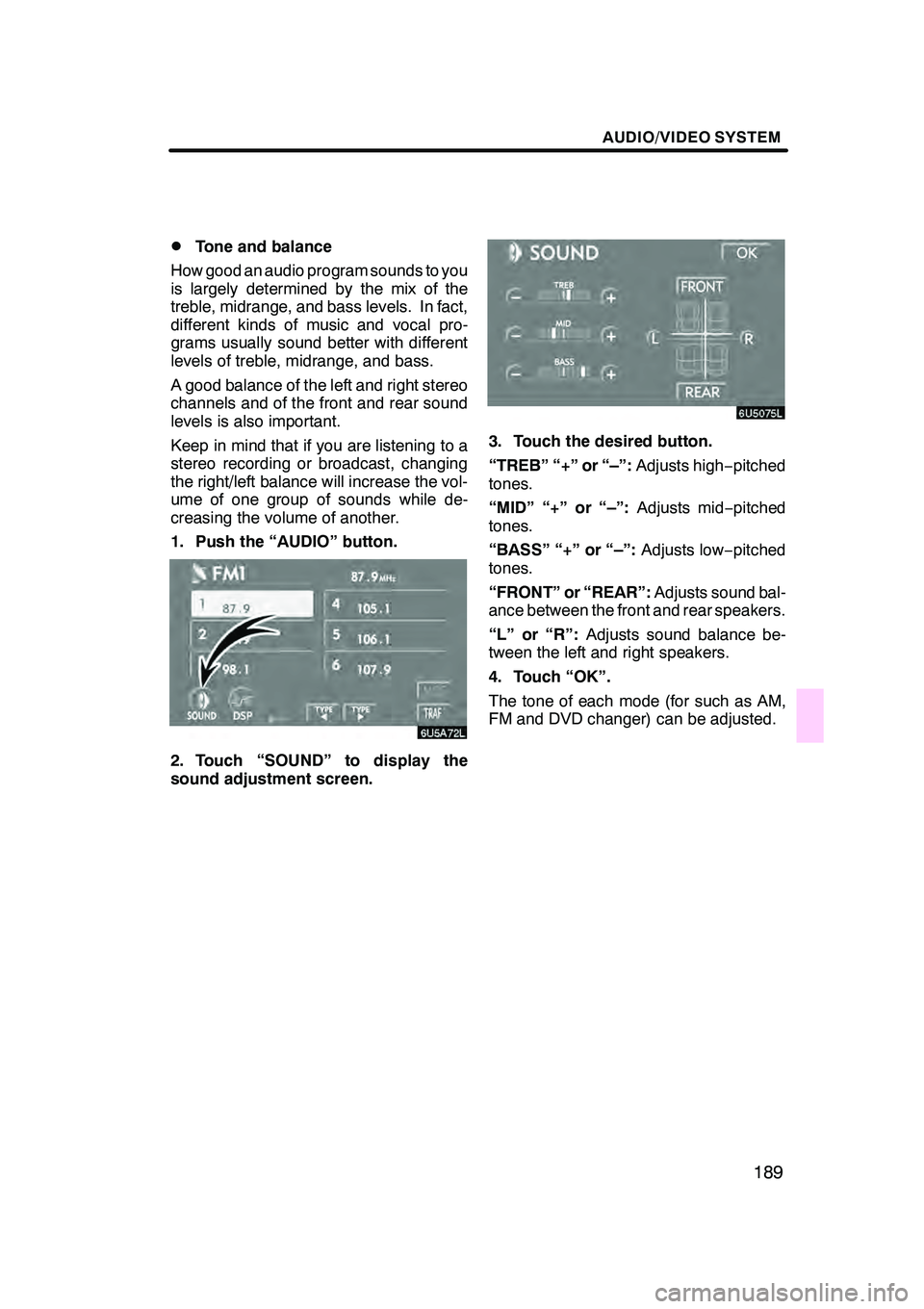
1. Push the “AUDIO” button.
6U5A72L
2. Touch “SOUND” to display the
sound adjustment screen.
3. Touch the desired button.
“TREB” “+” or “–”: Adjusts high−pitched
tones.
“MID” “+” or “–”: Adjusts mid−pitched
tones.
“BASS” “+” or “–”: Adjusts low−pitched
tones.
“FRONT” or “REAR”: Adjusts sound bal-
ance between the front and rear speakers.
“L” or “R”: Adjusts sound balance be-
tween the left and right speakers.
4. Touch “OK”.
The tone of each mode (for such as AM,
FM and DVD changer) can be adjusted.
GX470_Navi_U (OM60D58U) 07/06/16
Page 192 of 312
AUDIO/VIDEO SYSTEM
191
D
Your cassette tape player
When you insert a cassette, the exposed
tape should face to the right.
NOTICE
Never try to disassemble or oil any
part of the cassette player. Do not in-
sert anything other than cassette
tapes into the slot.
DYour DVD changer
Your DVD changer can store up to 6 discs
and play selected discs or continuously
play all the discs load in the changer.
When you load discs into the changer,
make sure their labels are face up. If not,
“DISC ×Check” will appear on the screen.
NOTICE
DDo not stack up two discs for in-
sertion, or it will cause damage to
the changer. Insert only one disc
into slot at a time.
DNever try to disassemble or oil any
part of the changer. Do not insert
anything other than discs into the
slot.
The changer is intended for use with 12 cm
(4.7 in.) discs only.
GX470_Navi_U (OM60D58U) 07/06/16
Page 193 of 312
AUDIO/VIDEO SYSTEM
192
D
Your DVD player
(with rear seat entertainment sys-
tem)
The sound of the rear seat entertainment
system can be enjoyed by pushing the
“DISC” button.DListening to the radio
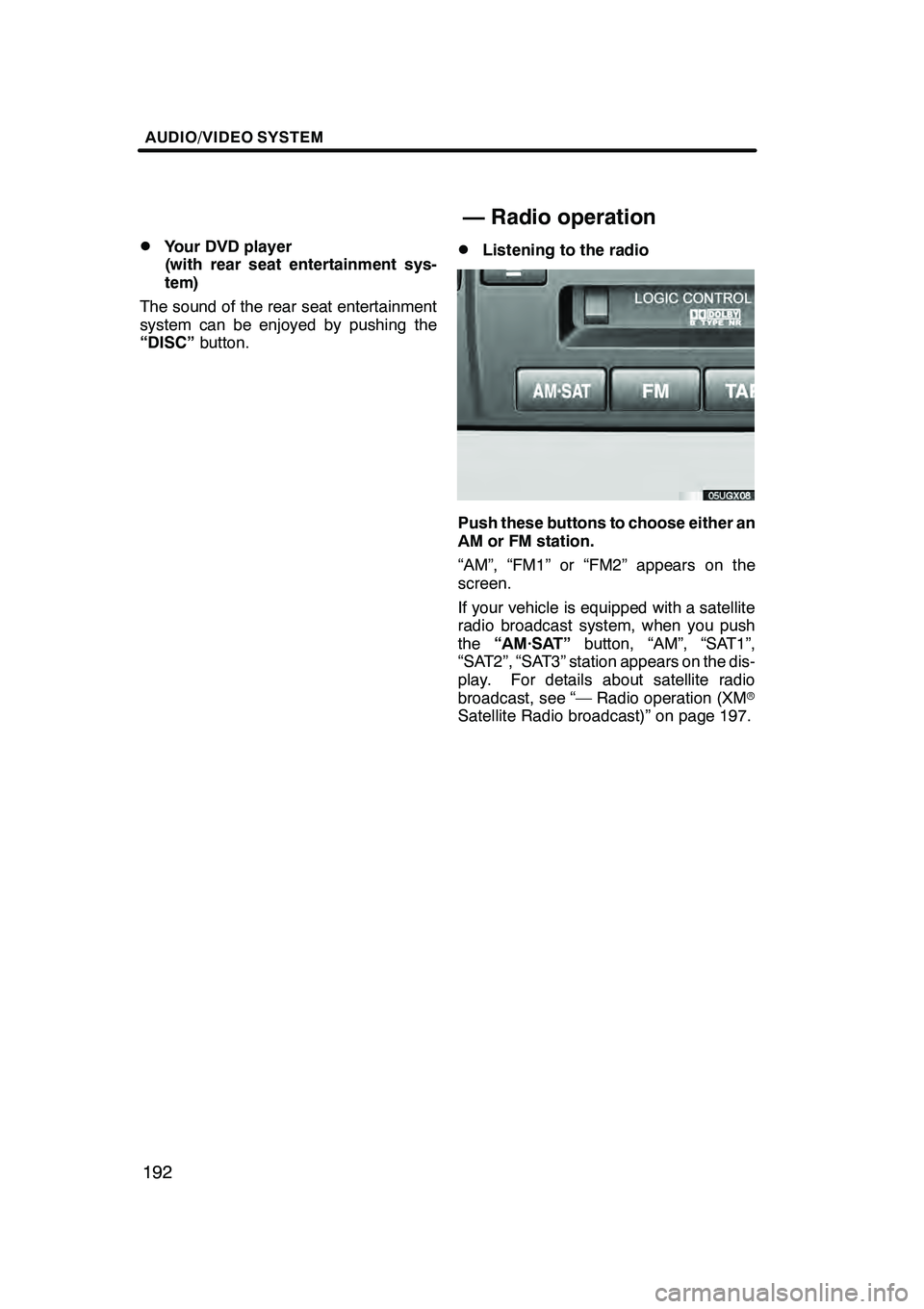
Push these buttons to choose either an
AM or FM station.
“AM”, “FM1” or “FM2” appears on the
screen.
If your vehicle is equipped with a satellite
radio broadcast system, when you push
the“AM·SAT” button, “AM”, “SAT1”,
“SAT2”, “SAT3” station appears on the dis-
play. For details about satellite radio
broadcast, see “— Radio operation (XM r
Satellite Radio broadcast)” on page 197.
GX470_Navi_U (OM60D58U) 07/06/16
— Radio operation
Page 208 of 312
AUDIO/VIDEO SYSTEM
207
There must be at least 3 seconds of blank
space between programs for this feature to
work correctly.
“RPT”, “SKIP” or “Automatic program
selection” features:These features may
not work well with some spoken word, live
or classical recordings. The DVD changer can play audio CDs,
video CDs, CD text, WMA discs, MP3
discs, DVD video discs and DVD audio
discs.
DAudio CD, CD text
212
.........
DMP3/WMA disc 215
...........
DDVD video, DVD audio 220 .....
DVideo CD 233
.................
For appropriate discs for this changer, see
“Audio/video system operating hints” on
page 262.
For safety reasons, you can enjoy DVD
video discs, DVD audio discs and video
CDs only when the vehicle is completely
stopped with the ignition switch is in the
“ACC” or “ON” position and the parking
brake applied. While you are driving, you
can hear audio alone even in the DVD vid-
eo, DVD audio or video CD mode.
GX470_Navi_U (OM60D58U) 07/06/16
— DVD changer operation
Page 209 of 312
AUDIO/VIDEO SYSTEM
208
(a) Inserting or ejecting discs
The engine switch must be in the “ACC” or
“ON” position.
Your DVD changer can store up to 6 discs.
DSetting a single disc:
1. Push the “LOAD” button briefly.
The amber indicators at both ends of the
slot start blinking. After the amber indica-
tors change to green and stay on, the DVD
changer door will open.
2. Insert only one disc while the DVD
changer door is open.
You can set a disc at the lowest empty disc
number.
After insertion, the set disc is automatically
loaded.
If the label faces down, the disc cannot be
played. In this case, “DISC×Check” ap-
pears on the screen.
If you do not insert the disc within 15 sec-
onds after pushing the “LOAD”button, the
beep will sound and the operation will be
canceled automatically.
If you need to insert the next disc, repeat
the same procedure to insert another disc.
GX470_Navi_U (OM60D58U) 07/06/16
Page 210 of 312
AUDIO/VIDEO SYSTEM
209
D
Setting all the discs:
1. Push the “LOAD” button until you
hear a beep.
The amber indicators at both ends of the
slot start blinking. After the amber indica-
tors change to green and stay on, the DVD
changer door will open.
2. Insert only one disc while the DVD
changer door is open.
The DVD changer door closes and the am-
ber indicators start blinking.
3. Insert the next disc after the amber
indicators change to green and stay on
and the DVD changer door opens.
4. Repeat this procedure until you in-
sert all the discs.
To cancel the operation, push the
“LOAD”
or “DISC·AUX” button.
If you do not insert the discs within 15 sec-
onds after pushing the “LOAD”button, the
beep will sound and the operation will be
canceled automatically.
NOTICE
Do not insert one disc stacked on top
of another one or feed them in contin-
uously, to prevent discs from getting
stuck in the changer.
GX470_Navi_U (OM60D58U) 07/06/16
Page 212 of 312
AUDIO/VIDEO SYSTEM
211
(b) Playing a disc
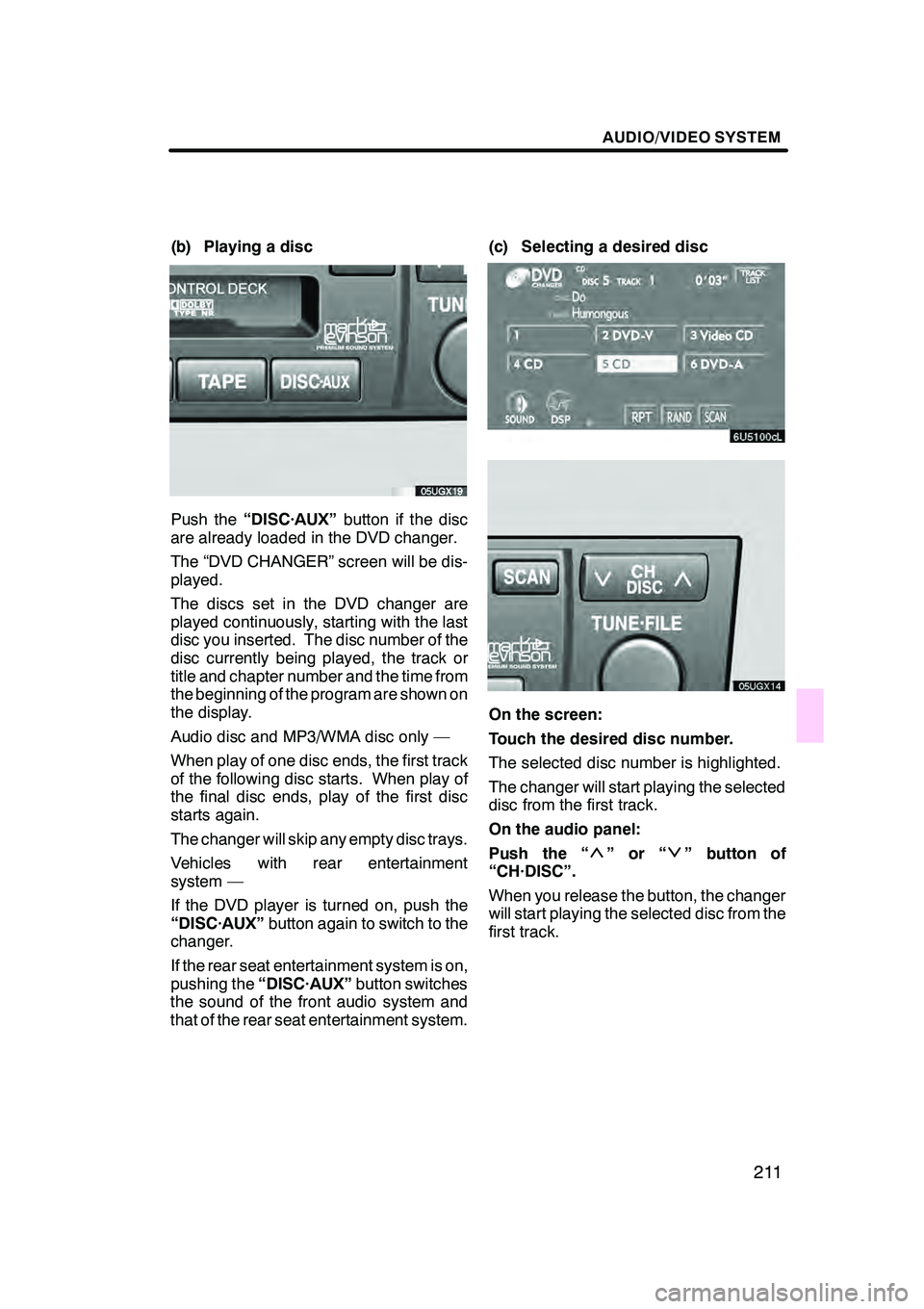
Push the“DISC·AUX” button if the disc
are already loaded in the DVD changer.
The “DVD CHANGER” screen will be dis-
played.
The discs set in the DVD changer are
played continuously, starting with the last
disc you inserted. The disc number of the
disc currently being played, the track or
title and chapter number and the time from
the beginning of the program are shown on
the display.
Audio disc and MP3/WMA disc only —
When play of one disc ends, the first track
of the following disc starts. When play of
the final disc ends, play of the first disc
starts again.
The changer will skip any empty disc trays.
Vehicles with rear entertainment
system —
If the DVD player is turned on, push the
“DISC·AUX” button again to switch to the
changer.
If the rear seat entertainment system is on,
pushing the “DISC·AUX” button switches
the sound of the front audio system and
that of the rear seat entertainment system. (c) Selecting a desired disc
On the screen:
Touch the desired disc number.
The selected disc number is highlighted.
The changer will start playing the selected
disc from the first track.
On the audio panel:
Push the “
”or“” button of
“CH·DISC”.
When you release the button, the changer
will start playing the selected disc from the
first track.
GX470_Navi_U (OM60D58U) 07/06/16
Page 214 of 312
AUDIO/VIDEO SYSTEM
213
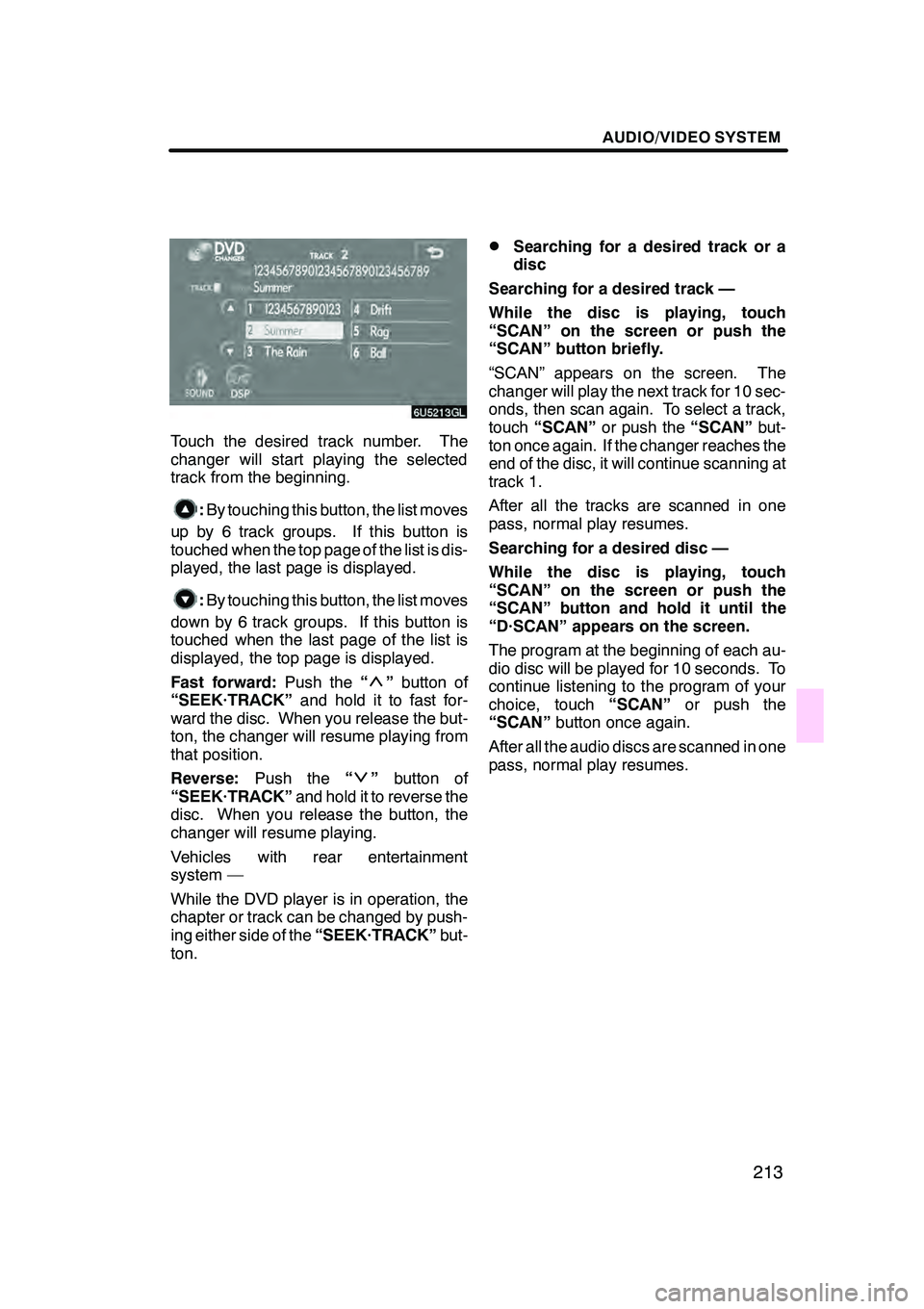
Touch the desired track number. The
changer will start playing the selected
track from the beginning.
:By touching this button, the list moves
up by 6 track groups. If this button is
touched when the top page of the list is dis-
played, the last page is displayed.
: By touching this button, the list moves
down by 6 track groups. If this button is
touched when the last page of the list is
displayed, the top page is displayed.
Fast forward: Push the“
”button of
“SEEK·TRACK” and hold it to fast for-
ward the disc. When you release the but-
ton, the changer will resume playing from
that position.
Reverse: Push the “
”button of
“SEEK·TRACK” and hold it to reverse the
disc. When you release the button, the
changer will resume playing.
Vehicles with rear entertainment
system —
While the DVD player is in operation, the
chapter or track can be changed by push-
ing either side of the “SEEK·TRACK”but-
ton.
DSearching for a desired track or a
disc
Searching for a desired track —
While the disc is playing, touch
“SCAN” on the screen or push the
“SCAN” button briefly.
“SCAN” appears on the screen. The
changer will play the next track for 10 sec-
onds, then scan again. To select a track,
touch “SCAN” or push the “SCAN”but-
ton once again. If the changer reaches the
end of the disc, it will continue scanning at
track 1.
After all the tracks are scanned in one
pass, normal play resumes.
Searching for a desired disc —
While the disc is playing, touch
“SCAN” on the screen or push the
“SCAN” button and hold it until the
“D·SCAN” appears on the screen.
The program at the beginning of each au-
dio disc will be played for 10 seconds. To
continue listening to the program of your
choice, touch “SCAN”or push the
“SCAN” button once again.
After all the audio discs are scanned in one
pass, normal play resumes.
GX470_Navi_U (OM60D58U) 07/06/16