Page 55 of 303
�Î
�Î�Î
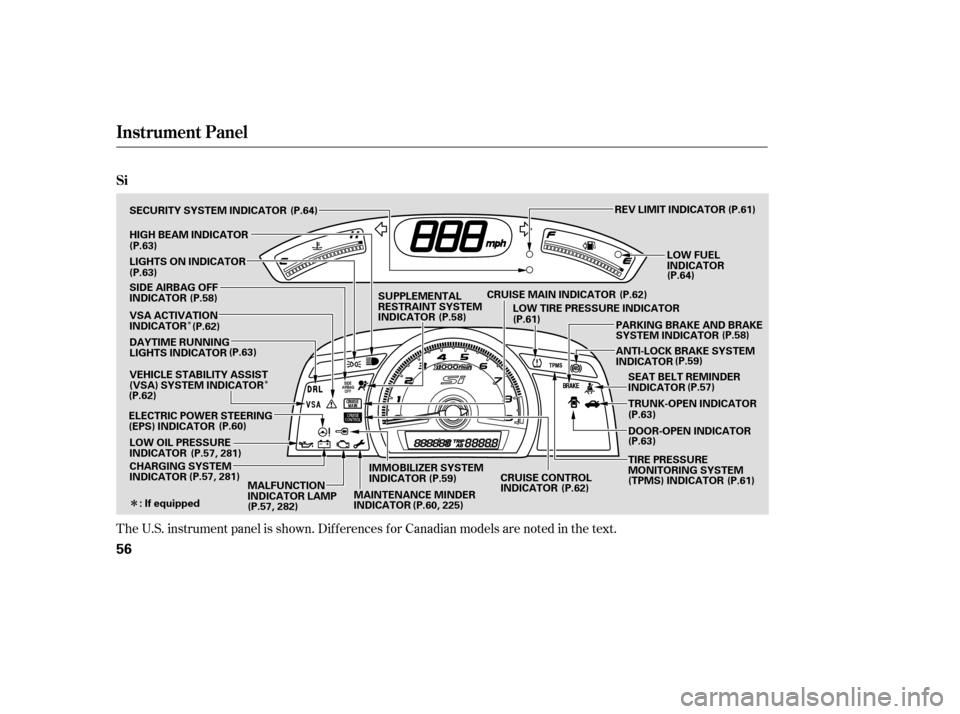
The U.S. instrument panel is shown. Dif f erences f or Canadian models are noted in the text.
Instrument Panel
Si
56
REV LIMIT INDICATOR
DOOR-OPEN INDICATOR
ANTI-LOCK BRAKE SYSTEM
INDICATOR
SEAT BELT REMINDER
INDICATOR
TRUNK-OPEN INDICATOR
CHARGING SYSTEM
INDICATOR
LOW OIL PRESSURE
INDICATOR
ELECTRIC POWER STEERING
(EPS) INDICATOR DAYTIME RUNNING
LIGHTS INDICATOR
SECURITY SYSTEM INDICATOR
LIGHTS ON INDICATOR
SUPPLEMENTAL
RESTRAINT SYSTEM
INDICATOR
HIGH BEAM INDICATOR
: If equipped PARKING BRAKE AND BRAKE
SYSTEM INDICATOR
LOW FUEL
INDICATOR
(P.63)
(P.63)
SIDE AIRBAG OFF
INDICATOR
(P.58)
VSA ACTIVATION
INDICATOR
(P.63)
VEHICLE STABILITY ASSIST
(VSA) SYSTEM INDICATOR
(P.62)
(P.60)
(P.57, 281)
(P.57, 281) (P.64)
(P.61)
(P.64)
CRUISE MAIN INDICATOR LOW TIRE PRESSURE INDICATOR
MALFUNCTION
INDICATOR LAMP IMMOBILIZER SYSTEM
INDICATOR
(P.62)
(P.62)
(P.61) (P.58)
(P.59) (P.57)
(P.63)
(P.63)
(P.57, 282) (P.58)
(P.61)
(P.62)
MAINTENANCE MINDER
INDICATOR (P.60, 225)(P.59)
CRUISE CONTROL
INDICATOR TIRE PRESSURE
MONITORING SYSTEM
(TPMS) INDICATOR
�����—�����—�
�
�y�
����
��������y���
�(�+���������y�������
�y
Page 61 of 303
�Î�Î
�Î
�Î
�Î
�Î �Î
�Î
�Î
�Î �Î�Î
To use the horn, press the center pad of the steering wheel.
If equipped.
Only on vehicles equipped with navigation system. Ref er to the navigati
on system manual.
1:2:3:
Controls Near the Steering Wheel
70
WINDSHIELD WIPERS/WASHERS
INSTRUMENT PANEL
BRIGHTNESS HEADLIGHTS/ TURN SIGNALS
HORN HEATED MIRRORS
AUDIO SYSTEM
Vehicle without navigation system is shown. REMOTE
AUDIO
CONTROLSPASSENGER’S AIRBAG OFF
INDICATOR
MIRROR CONTROLS
NAVIGATION SYSTEM
VOICE CONTROL
BUTTONS REAR WINDOW
DEFOGGER
ACCESSORY POWER
SOCKET
HAZARD WARNING
BUTTON
AUXILIARY INPUT JACK
STEERING WHEEL
ADJUSTMENTS CRUISE CONTROL
BUTTONS
(P.72)
(P.71)
(P.73)
(P.104)
(P.217) (P.177)(P.75) (P.182)
(P.178)(P.74)
(P.105)
(P.74) (P.119)
(P.29)
VEHICLE STABILITY
ASSIST (VSA) SYSTEM
OFF SWITCH (P.108)
1
2
2
2
2
3 2
2
�����—�����—�
�
�y�
����
������
�y���
�(�+���������y���������y
Page 67 of 303
Push the lever under the steering
column all the way down.Push the lever up to lock the
steering wheel in position.
Make sure you have securely
locked the steering wheel in place
by trying to move it up, down, in,
and out.
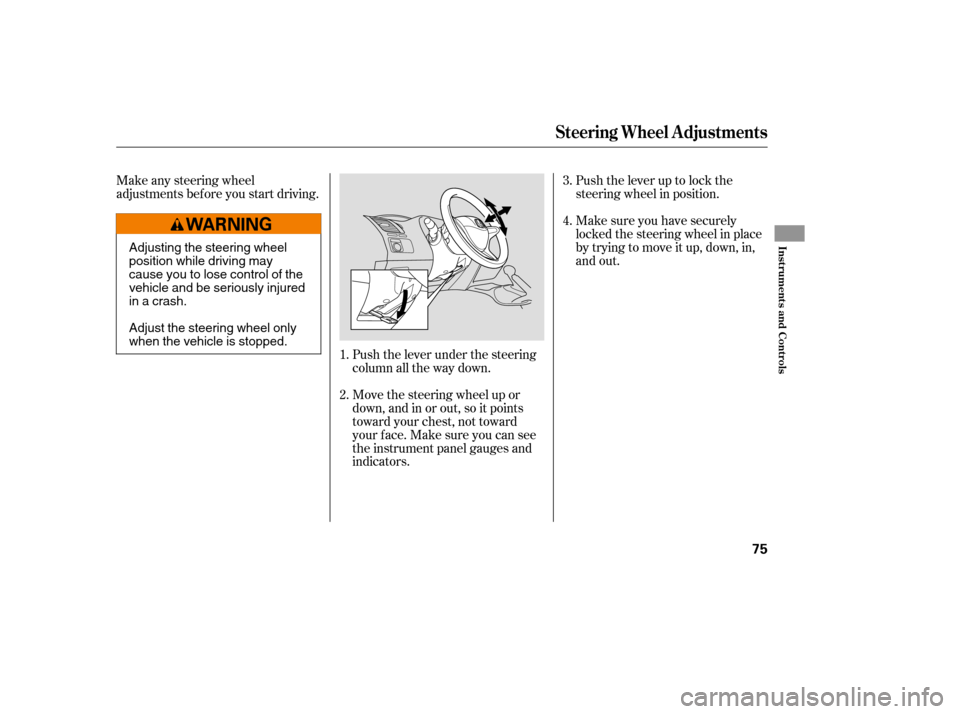
Make any steering wheel
adjustments before you start driving.
Move the steering wheel up or
down, and in or out, so it points
toward your chest, not toward
your f ace. Make sure you can see
the instrument panel gauges and
indicators.
1. 4.
3.
2.
Steering Wheel A djustments
Inst rument s and Cont rols
75
Adjusting the steering wheel
position while driving may
cause you to lose control of the
vehicle and be seriously injured
inacrash.
Adjust the steering wheel only
when the vehicle is stopped.
�����—�����—�
�
�y�
����
������
�y���
�(�+���������y���������y
Page 71 of 303
�µ
�µ
�µ
�µ If the f ront wheels are turned, the
anti-thef t lock may make it dif f icult
to turn the key. Firmly turn the
steering wheel to the lef t or right as
you turn the key.
You can
operate the audio system and the
accessory power sockets in this
position.
This is the normal key
position when driving. Several of the
indicators on the instrument panel
come on as a test when you turn the
ignition switch f rom the
ACCESSORY (I) to the ON (II)
position.
Use this position
only to start the engine. The switch
returns to the ON (II) position when
you let go of the key.
You can insert or
remove the key only in this position.
To turn the key, push it in slightly. If
your vehicle has an automatic
transmission, the shif t lever must
also be in park.
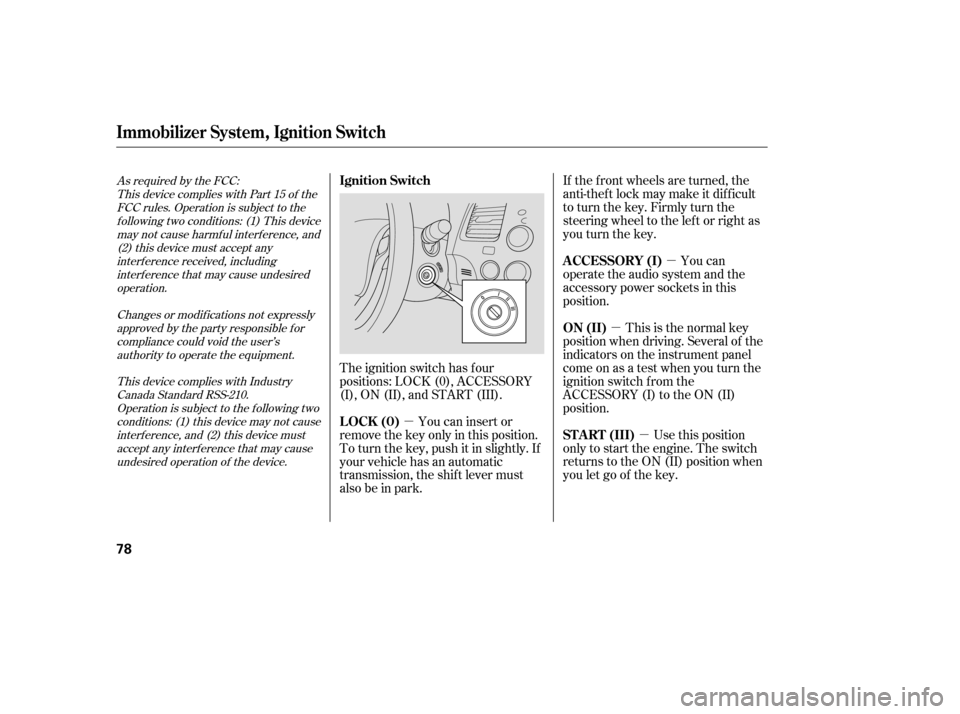
The ignition switch has f our
positions: LOCK (0), ACCESSORY
(I), ON (II), and START (III).
As required by the FCC:
This device complies with Part 15 of theFCC rules. Operation is subject to the
f ollowing two conditions: (1) This devicemay not cause harmf ul interf erence, and (2) this device must accept any
interf erence received, includinginterf erence that may cause undesiredoperation.
Changes or modif ications not expresslyapproved by the party responsible f or
compliance could void the user’sauthority to operate the equipment.
This device complies with IndustryCanada Standard RSS-210.Operation is subject to the f ollowing two
conditions: (1) this device may not causeinterf erence, and (2) this device mustaccept any interf erence that may cause
undesired operation of the device.
A CCESSORY (I)
ON (II)
ST A RT (III)
LOCK (0)
Ignition Switch
Immobilizer Syst em, Ignit ion Switch
78
�����—�����—�
�
�y�
����
��������y���
�(�+���������y���������y
Page 72 of 303
�µ
�µ
�µ
�µ If the f ront wheels are turned, the
anti-thef t lock may make it dif f icult
to turn the key. Firmly turn the
steering wheel to the lef t or right as
you turn the key.
You can
operate the audio system and the
accessory power sockets in this
position.
This is the normal key
position when driving. Several of the
indicators on the instrument panel
come on as a test when you turn the
ignition switch f rom the
ACCESSORY (I) to the ON (II)
position.
Use this position
only to start the engine. The switch
returns to the ON (II) position when
you let go of the key.
You can insert or
remove the key only in this position.
To turn the key, push it in slightly. If
your vehicle has an automatic
transmission, the shif t lever must
also be in park.
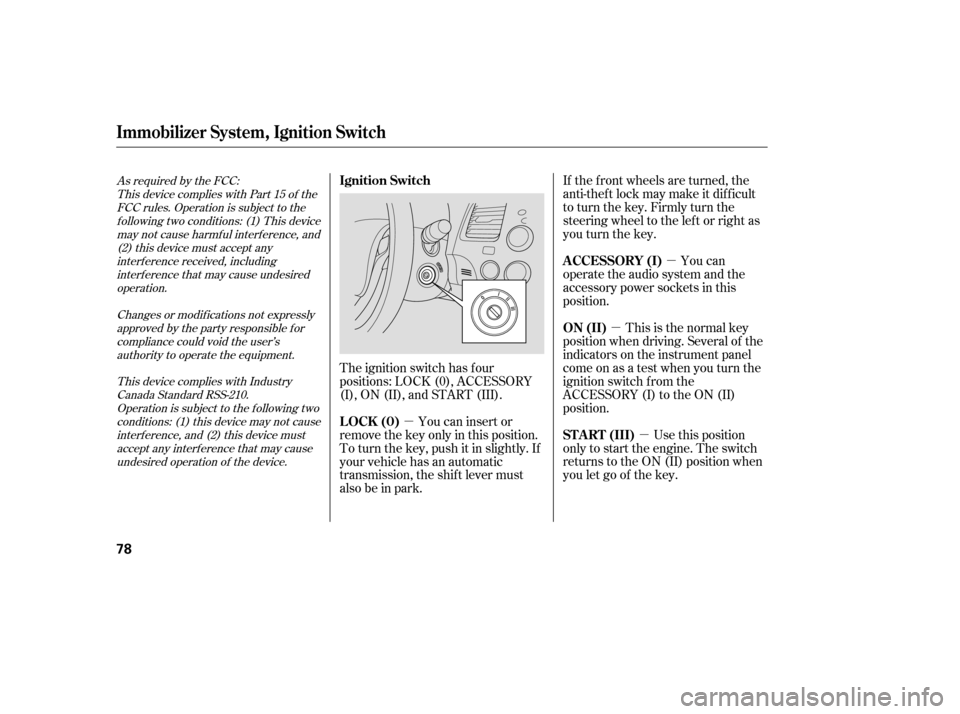
The ignition switch has f our
positions: LOCK (0), ACCESSORY
(I), ON (II), and START (III).
As required by the FCC:
This device complies with Part 15 of theFCC rules. Operation is subject to the
f ollowing two conditions: (1) This devicemay not cause harmf ul interf erence, and (2) this device must accept any
interf erence received, includinginterf erence that may cause undesiredoperation.
Changes or modif ications not expresslyapproved by the party responsible f or
compliance could void the user’sauthority to operate the equipment.
This device complies with IndustryCanada Standard RSS-210.Operation is subject to the f ollowing two
conditions: (1) this device may not causeinterf erence, and (2) this device mustaccept any interf erence that may cause
undesired operation of the device.
A CCESSORY (I)
ON (II)
ST A RT (III)
LOCK (0)
Ignition Switch
Immobilizer Syst em, Ignit ion Switch
78
�����—�����—�
�
�y�
����
��������y���
�(�+���������y���������y
Page 73 of 303
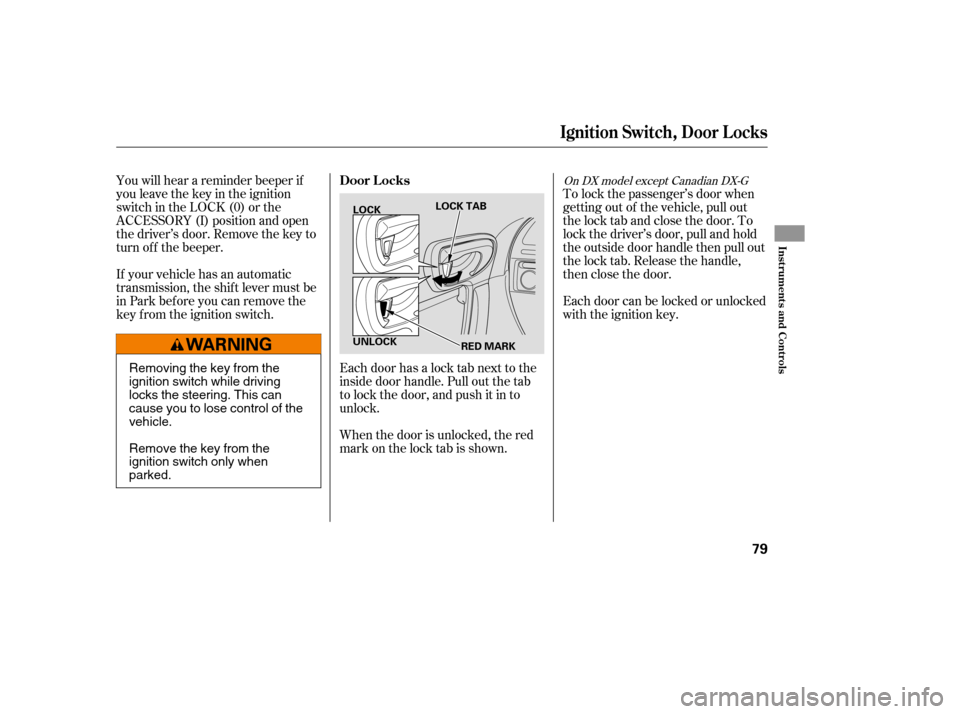
To lock the passenger’s door when
getting out of the vehicle, pull out
the lock tab and close the door. To
lock the driver’s door, pull and hold
the outside door handle then pull out
the lock tab. Release the handle,
then close the door.
Each door can be locked or unlocked
with the ignition key.
Each door has a lock tab next to the
inside door handle. Pull out the tab
to lock the door, and push it in to
unlock.
When the door is unlocked, the red
mark on the lock tab is shown.
You will hear a reminder beeper if
you leave the key in the ignition
switch in the LOCK (0) or the
ACCESSORY (I) position and open
thedriver’sdoor.Removethekeyto
turn of f the beeper.
If your vehicle has an automatic
transmission, the shif t lever must be
in Park bef ore you can remove the
key f rom the ignition switch.
On DX model except Canadian DX-GDoor L ocks
Ignit ion Swit ch, Door L ocks
Inst rument s and Cont rols
79
LOCK
UNLOCK LOCK TAB
RED MARK
Removing the key from the
ignition switch while driving
locks the steering. This can
cause you to lose control of thevehicle.
Remove the key from the
ignition switch only whenparked.
�����—�����—�
�
�y�
����
��������y���
�(�+���������y���������y
Page 74 of 303
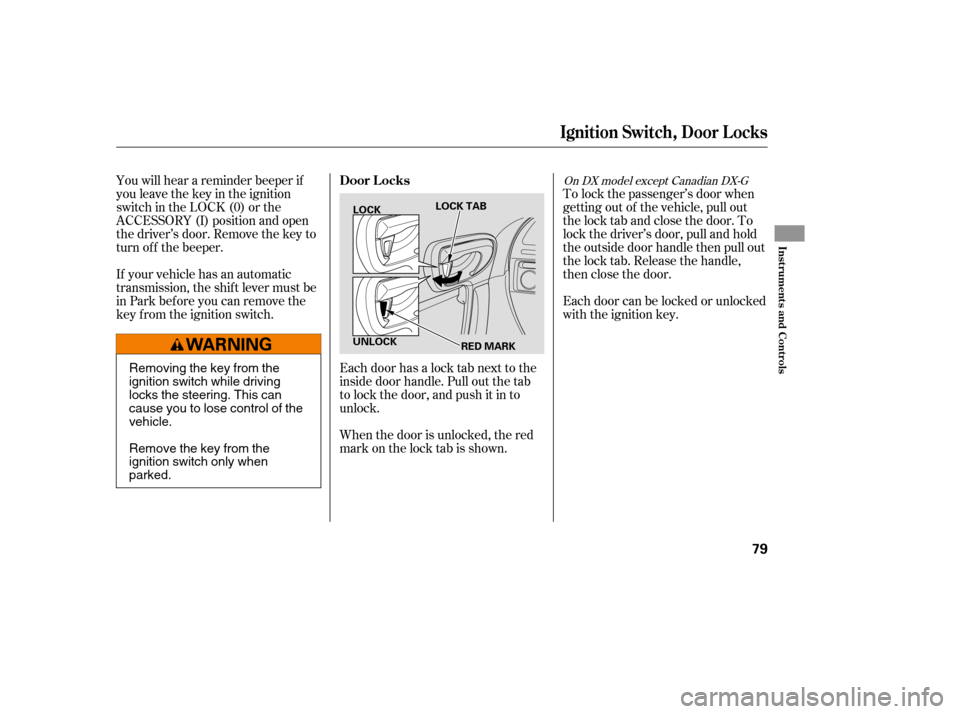
To lock the passenger’s door when
getting out of the vehicle, pull out
the lock tab and close the door. To
lock the driver’s door, pull and hold
the outside door handle then pull out
the lock tab. Release the handle,
then close the door.
Each door can be locked or unlocked
with the ignition key.
Each door has a lock tab next to the
inside door handle. Pull out the tab
to lock the door, and push it in to
unlock.
When the door is unlocked, the red
mark on the lock tab is shown.
You will hear a reminder beeper if
you leave the key in the ignition
switch in the LOCK (0) or the
ACCESSORY (I) position and open
thedriver’sdoor.Removethekeyto
turn of f the beeper.
If your vehicle has an automatic
transmission, the shif t lever must be
in Park bef ore you can remove the
key f rom the ignition switch.
On DX model except Canadian DX-GDoor L ocks
Ignit ion Swit ch, Door L ocks
Inst rument s and Cont rols
79
LOCK
UNLOCK LOCK TAB
RED MARK
Removing the key from the
ignition switch while driving
locks the steering. This can
cause you to lose control of thevehicle.
Remove the key from the
ignition switch only whenparked.
�����—�����—�
�
�y�
����
��������y���
�(�+���������y���������y
Page 163 of 303

�Û�Ý�´ �µ
�´�µ �´
�µ
Three controls f or the audio system
are mounted in the steering wheel
hub. These let you control basic
f unctions without removing your
hand f rom the wheel. The VOL button adjusts the volume
up ( ) or down ( ). Press the top
or bottom of the button, hold it until
the desired volume is reached, then
release it.
The MODE button changes the
mode. Pressing the button
repeatedly selects FM1, FM2, AM,
disc (if a disc is loaded), or a PC card
(if it is loaded). On models with
satellite radio system, you can also
select XM radio.
If you are listening to the radio, use
the CH button to change stations.
Each time you press and release the
top ( ) of the button, the system
goes to the next preset station on the
band you are listening to. Press and
releasethebottom( )togobackto
the previous station.
To activate the seek function, press
and hold the top ( ) or bottom ( )
of the CH button until you hear abeep. The system searches up or
down f rom the current f requency to
find a station with a strong signal.
If you are playing a disc, the system
skips to the beginning of the next
track (f ile in MP3 or WMA f ormat)
each time you press the top ( ) of
the CH button. Press the bottom
( ) to return to the beginning of the
current track or f ile. Press it twice to
return to the previous track or f ile.
You will see the track/f ile number
and the elapsed time. If the disc has
text data or is compressed in MP3 or
WMA, you can also see any other
inf ormation (track title, f ile name,
f older name, etc.).
If equipped
CONT INUED
Remote Audio Controls
Features
177
CH BUTTON MODE BUTTON
VOL BUTTON
�����—�����—�
�
�y�
�������������y���
�(�+���������y���
�����y