2008 CHEVROLET CORVETTE ECO mode
[x] Cancel search: ECO modePage 233 of 432
After a track has been deleted, the remaining tracks are
moved up the list. When another track is added to
the song list, the track is added to the end of the list.
To delete the entire song list, perform the following steps:
1. Turn the CD player on.
2. Press the
Rbutton to turn song list on.
S-LIST displays.
3. Press and hold this button for more than
four seconds. One beep sounds and SONGLIST
EMPTY displays indicating the song list has
been deleted.
If a CD is ejected, and the song list contains saved
tracks from that CD, those tracks are automatically
deleted from the song list. Any tracks saved to the song
list again are added to the bottom of the list.
To end song list mode, press the
Rbutton. One beep
sounds and S-LIST is removed from the display.
CD Messages
CHECK CD or CD READ ERROR:If this message
displays and/or the CD comes out, it could be for one of
the following reasons:
It is very hot. When the temperature returns to
normal, the CD should play.
You are driving on a very rough road. When the
road becomes smoother, the CD should play.
The CD is dirty, scratched, wet, or upside down.
The air is very humid. If so, wait about an hour
and try again.
There could have been a problem while burning
the CD.
The label could be caught in the CD player.
If the CD is not playing correctly, for any other reason,
try a known good CD.
If any error occurs repeatedly or if an error cannot be
corrected, contact your dealer/retailer. If the radio
displays an error message, write it down and provide it
to your dealer/retailer when reporting the problem.
3-97
Page 239 of 432
Navigation/Radio System
Your vehicle may have a navigation radio system.
The navigation system has built-in features intended to
minimize driver distraction. Technology alone, no
matter how advanced, can never replace your own
judgment. See the Navigation System manual for some
tips to help you reduce distractions while driving.
Theft-Deterrent Feature
THEFTLOCK®is designed to discourage theft of your
vehicle’s radio. The feature works automatically by
learning a portion of the Vehicle Identication Number
(VIN). If the radio is moved to a different vehicle, it
will not operate and LOCKED will appear on the display.
With THEFTLOCK
®activated, the radio will not
operate if stolen.
Your radio has a blinking indicator light located on the
upper left side of the radio. The indicator light is used
to show that the theft-deterrent feature mode is set.
The blinking indicator light will only ash when the
ignition is in the off position.
Audio Steering Wheel Controls
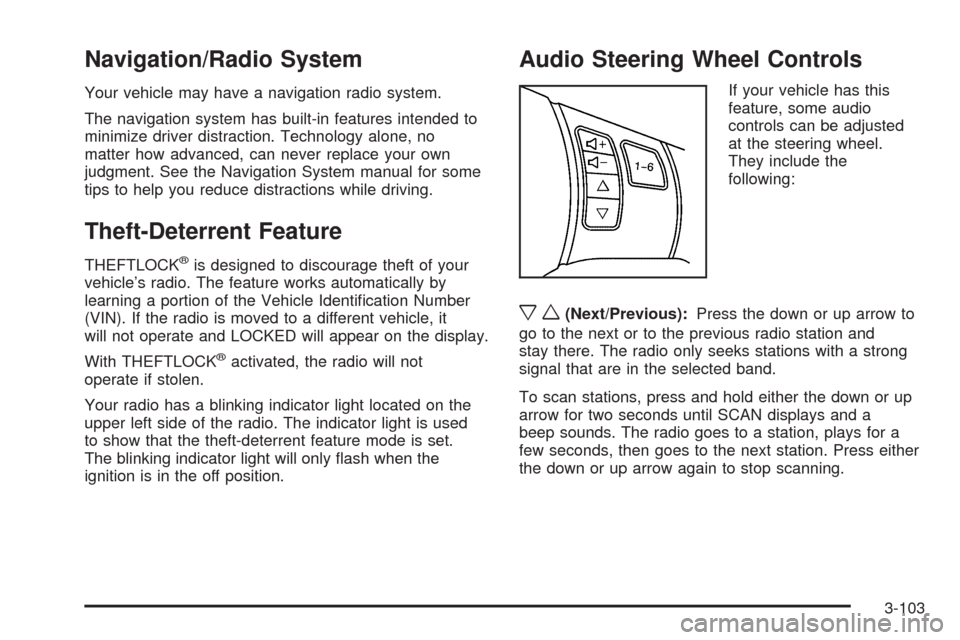
If your vehicle has this
feature, some audio
controls can be adjusted
at the steering wheel.
They include the
following:
xw(Next/Previous):Press the down or up arrow to
go to the next or to the previous radio station and
stay there. The radio only seeks stations with a strong
signal that are in the selected band.
To scan stations, press and hold either the down or up
arrow for two seconds until SCAN displays and a
beep sounds. The radio goes to a station, plays for a
few seconds, then goes to the next station. Press either
the down or up arrow again to stop scanning.
3-103
Page 249 of 432
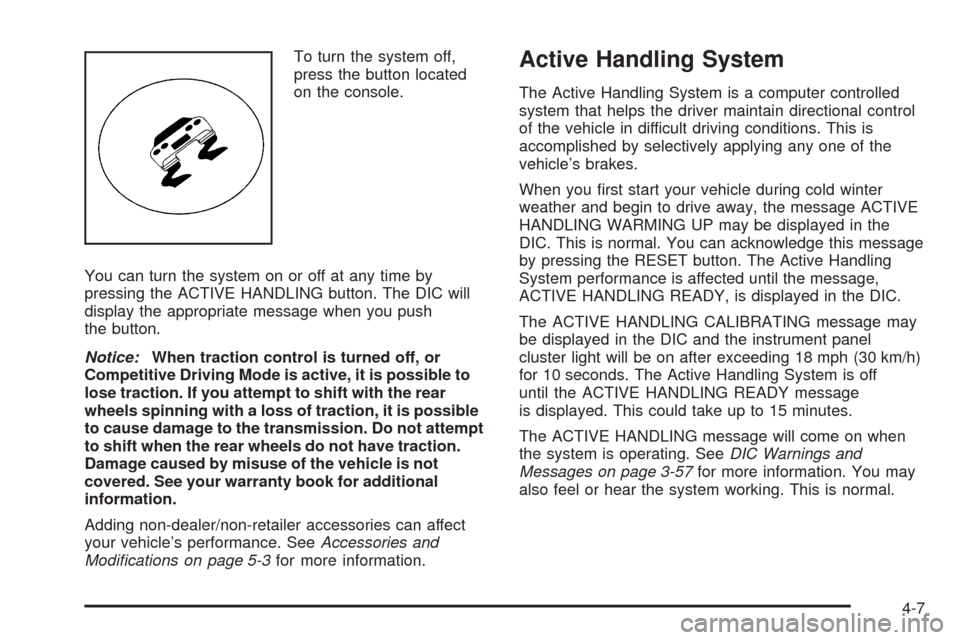
To turn the system off,
press the button located
on the console.
You can turn the system on or off at any time by
pressing the ACTIVE HANDLING button. The DIC will
display the appropriate message when you push
the button.
Notice:When traction control is turned off, or
Competitive Driving Mode is active, it is possible to
lose traction. If you attempt to shift with the rear
wheels spinning with a loss of traction, it is possible
to cause damage to the transmission. Do not attempt
to shift when the rear wheels do not have traction.
Damage caused by misuse of the vehicle is not
covered. See your warranty book for additional
information.
Adding non-dealer/non-retailer accessories can affect
your vehicle’s performance. SeeAccessories and
Modifications on page 5-3for more information.Active Handling System
The Active Handling System is a computer controlled
system that helps the driver maintain directional control
of the vehicle in difficult driving conditions. This is
accomplished by selectively applying any one of the
vehicle’s brakes.
When you rst start your vehicle during cold winter
weather and begin to drive away, the message ACTIVE
HANDLING WARMING UP may be displayed in the
DIC. This is normal. You can acknowledge this message
by pressing the RESET button. The Active Handling
System performance is affected until the message,
ACTIVE HANDLING READY, is displayed in the DIC.
The ACTIVE HANDLING CALIBRATING message may
be displayed in the DIC and the instrument panel
cluster light will be on after exceeding 18 mph (30 km/h)
for 10 seconds. The Active Handling System is off
until the ACTIVE HANDLING READY message
is displayed. This could take up to 15 minutes.
The ACTIVE HANDLING message will come on when
the system is operating. SeeDIC Warnings and
Messages on page 3-57for more information. You may
also feel or hear the system working. This is normal.
4-7
Page 250 of 432
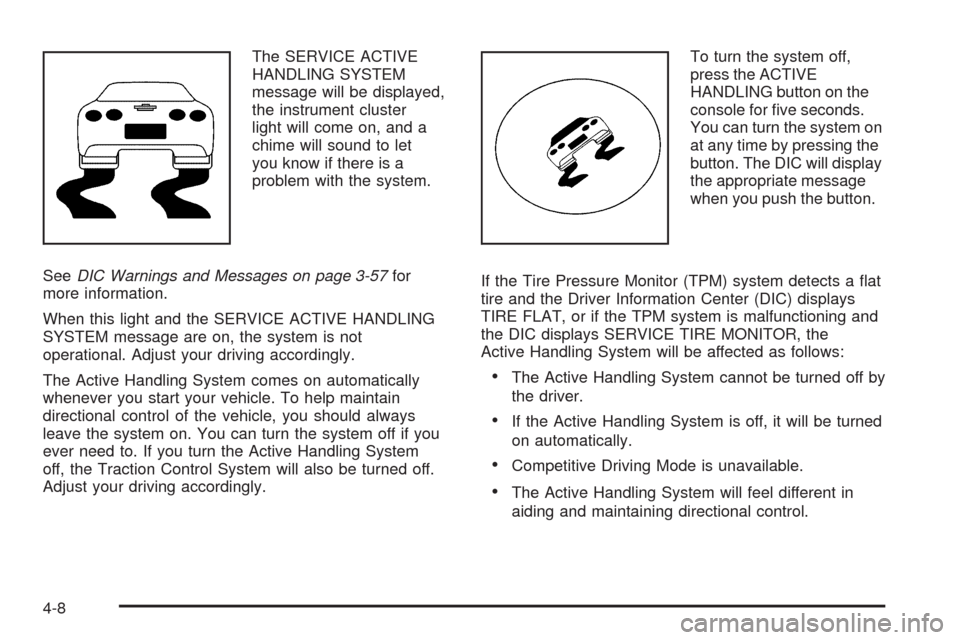
The SERVICE ACTIVE
HANDLING SYSTEM
message will be displayed,
the instrument cluster
light will come on, and a
chime will sound to let
you know if there is a
problem with the system.
SeeDIC Warnings and Messages on page 3-57for
more information.
When this light and the SERVICE ACTIVE HANDLING
SYSTEM message are on, the system is not
operational. Adjust your driving accordingly.
The Active Handling System comes on automatically
whenever you start your vehicle. To help maintain
directional control of the vehicle, you should always
leave the system on. You can turn the system off if you
ever need to. If you turn the Active Handling System
off, the Traction Control System will also be turned off.
Adjust your driving accordingly.To turn the system off,
press the ACTIVE
HANDLING button on the
console for ve seconds.
You can turn the system on
at any time by pressing the
button. The DIC will display
the appropriate message
when you push the button.
If the Tire Pressure Monitor (TPM) system detects a at
tire and the Driver Information Center (DIC) displays
TIRE FLAT, or if the TPM system is malfunctioning and
the DIC displays SERVICE TIRE MONITOR, the
Active Handling System will be affected as follows:
The Active Handling System cannot be turned off by
the driver.
If the Active Handling System is off, it will be turned
on automatically.
Competitive Driving Mode is unavailable.
The Active Handling System will feel different in
aiding and maintaining directional control.
4-8
Page 251 of 432
Competitive Driving Mode
The driver can select this optional handling mode by
pressing the ACTIVE HANDLING button on the
console two times within a ve second time period.
COMPETITIVE DRIVING MODE will be displayed in the
DIC. Competitive Driving Mode allows the driver to have
full control of the rear wheels while the Active Handling
System helps maintain directional control of the vehicle
by selective brake application. This involves less
intervention than with both the Active Handling System
and Traction Control Systems on. The instrument cluster
light will not be on. The Traction Control System will not
be operating. Adjust your driving accordingly.
When you press the ACTIVE HANDLING button again,
or press the Acc. button, the Active Handling and Traction
Control Systems will be on. The TRACTION SYSTEM
AND ACTIVE HANDLING-ON message will be displayed
temporarily in the DIC and a chime will be heard.Notice:When traction control is turned off, or
Competitive Driving Mode is active, it is possible to
lose traction. If you attempt to shift with the rear
wheels spinning with a loss of traction, it is possible
to cause damage to the transmission. Do not
attempt to shift when the rear wheels do not have
traction. Damage caused by misuse of the vehicle is
not covered. See your warranty book for additional
information.
Limited-Slip Rear Axle
Your limited-slip rear axle can give you additional
traction on snow, mud, ice, sand or gravel. It works like
a standard axle most of the time, but when one of
the rear wheels has no traction and the other does, this
feature will allow the wheel with traction to move the
vehicle.
4-9
Page 293 of 432
Changing Engine Oil and Filter
(Z06 Only)
Z06 models have a racetrack-ready dry sump engine
lubrication system. This high-performance system
operates differently than a standard engine lubrication
system and requires a special procedure when changing
the engine oil and lter. Follow this procedure closely
when changing the engine oil and lter.
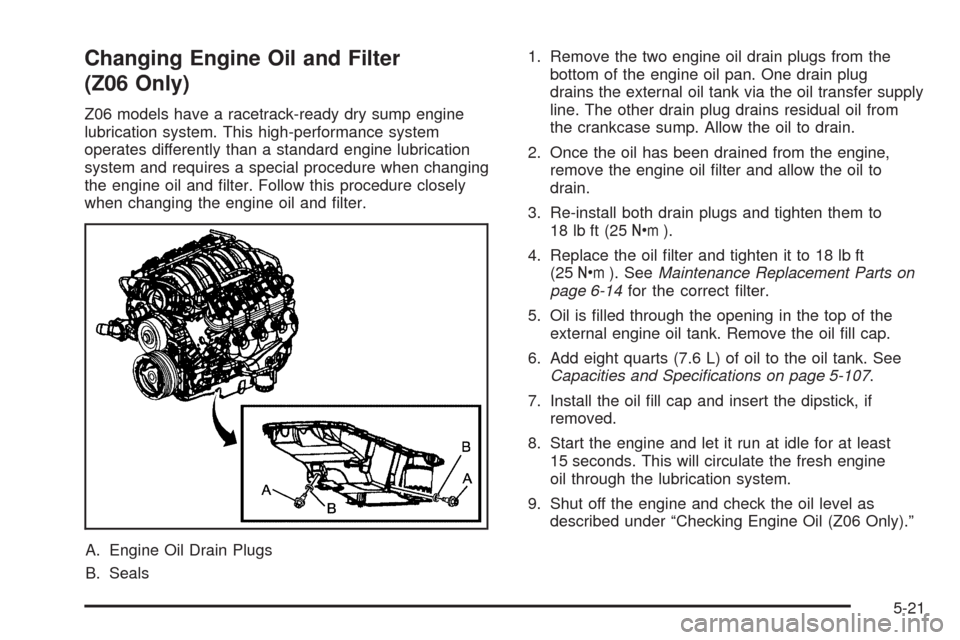
A. Engine Oil Drain Plugs
B. Seals1. Remove the two engine oil drain plugs from the
bottom of the engine oil pan. One drain plug
drains the external oil tank via the oil transfer supply
line. The other drain plug drains residual oil from
the crankcase sump. Allow the oil to drain.
2. Once the oil has been drained from the engine,
remove the engine oil lter and allow the oil to
drain.
3. Re-install both drain plugs and tighten them to
18 lb ft (25Y).
4. Replace the oil lter and tighten it to 18 lb ft
(25Y). SeeMaintenance Replacement Parts on
page 6-14for the correct lter.
5. Oil is lled through the opening in the top of the
external engine oil tank. Remove the oil ll cap.
6. Add eight quarts (7.6 L) of oil to the oil tank. See
Capacities and Specifications on page 5-107.
7. Install the oil ll cap and insert the dipstick, if
removed.
8. Start the engine and let it run at idle for at least
15 seconds. This will circulate the fresh engine
oil through the lubrication system.
9. Shut off the engine and check the oil level as
described under “Checking Engine Oil (Z06 Only).”
5-21
Page 295 of 432
Substitute Engine Oil: When adding oil to maintain
engine oil level, oil meeting GM Standard GM4718M
may not be available. You can add substitute oil
designated SAE 5W-30 with the starburst symbol at all
temperatures. Substitute oil not meeting GM Standard
GM4718M should not be used for an oil change.
Engine Oil Additives
Do not add anything to the oil. The recommended oils
with the starburst symbol that meet GM Standard
GM4718M are all you need for good performance and
engine protection.
Engine Oil Life System
When to Change Engine Oil
Your vehicle has a computer that lets you know when
to change the engine oil and lter. This is based on
engine revolutions and engine temperature, and not on
mileage. Based on driving conditions, the mileage at
which an oil change will be indicated can vary
considerably. For the oil life system to work properly,
you must reset the system every time the oil is changed.Z06 models have a racetrack-ready dry sump engine
lubrication system. This high-performance system
operates differently than a standard engine lubrication
system and requires a special procedure when changing
the engine oil and lter. SeeEngine Oil on page 5-17.
When the system has calculated that oil life has been
diminished, it will indicate that an oil change is necessary.
A CHANGE ENGINE OIL message will come on. Change
the oil as soon as possible within the next 600 miles
(1 000 km). It is possible that, if you are driving under the
best conditions, the oil life system might not indicate that
an oil change is necessary for over a year. However, the
engine oil and lter must be changed at least once a year
and at this time the system must be reset. Your dealer/
retailer has trained service people who will perform this
work using genuine parts and reset the system. It is also
important to check the oil regularly and keep it at the
proper level.
If the system is ever reset accidentally, you must
change the oil at 3,000 miles (5 000 km) since your
last oil change. Remember to reset the oil life system
whenever the oil is changed.
5-23
Page 335 of 432
Load Index:An assigned number ranging
from 1 to 279 that corresponds to the load
carrying capacity of a tire.
Maximum Ination Pressure
:The maximum air
pressure to which a cold tire can be inated.
The maximum air pressure is molded onto the
sidewall.
Maximum Load Rating
:The load rating for a tire
at the maximum permissible ination pressure
for that tire.
Maximum Loaded Vehicle Weight
:The sum of
curb weight, accessory weight, vehicle capacity
weight, and production options weight.
Normal Occupant Weight
:The number of
occupants a vehicle is designed to seat multiplied
by 150 lbs (68 kg). SeeLoading the Vehicle on
page 4-24.
Occupant Distribution
:Designated seating
positions.
Outward Facing Sidewall
:The side of an
asymmetrical tire that has a particular side that
faces outward when mounted on a vehicle.
The side of the tire that contains a whitewall, bears
white lettering, or bears manufacturer, brand,
and/or model name molding that is higher
or deeper than the same moldings on the other
sidewall of the tire.Passenger (P-Metric) Tire
:A tire used on
passenger cars and some light duty trucks and
multipurpose vehicles.
Recommended Ination Pressure
:Vehicle
manufacturer’s recommended tire ination
pressure as shown on the tire placard. See
Inflation - Tire Pressure on page 5-66andLoading
the Vehicle on page 4-24.
Radial Ply Tire
:A pneumatic tire in which the ply
cords that extend to the beads are laid at
90 degrees to the centerline of the tread.
Rim
:A metal support for a tire and upon which
the tire beads are seated.
Sidewall
:The portion of a tire between the tread
and the bead.
Speed Rating
:An alphanumeric code assigned to
a tire indicating the maximum speed at which a
tire can operate.
Traction
:The friction between the tire and the
road surface. The amount of grip provided.
Tread
:The portion of a tire that comes into
contact with the road.
5-63