2008 CHEVROLET CORVETTE ECO mode
[x] Cancel search: ECO modePage 172 of 432
Speedometer and Odometer
Your speedometer lets you see your speed in either
miles per hour (mph) or kilometers per hour (km/h).
For more information see “Personal Options” under
DIC Vehicle Personalization on page 3-75.
To read the odometer with the ignition off, turn on the
parking lamps.
If your vehicle needs a new odometer installed, the
mileage total of the new odometer will be set to
the original miles (kilometers) of the old odometer.
See your dealer/retailer if the odometer must be
replaced in your vehicle.
Tachometer
The tachometer displays the engine speed in thousands
of revolutions per minute (rpm).
Notice:Fuel will shut off at about 6500 rpm for the
base model and 7000 rpm for the Z06 model. If you
continue to drive your vehicle at the fuel shut off rpm,
you could damage your engine. Be sure to operate
your vehicle below the fuel shut off rpm or reduce
your rpm quickly when the fuel shuts off.
Safety Belt Reminders
Safety Belt Reminder Light
When the engine is started, a chime will come on for
several seconds to remind people to fasten their safety
belts, unless the driver’s safety belt is already buckled.
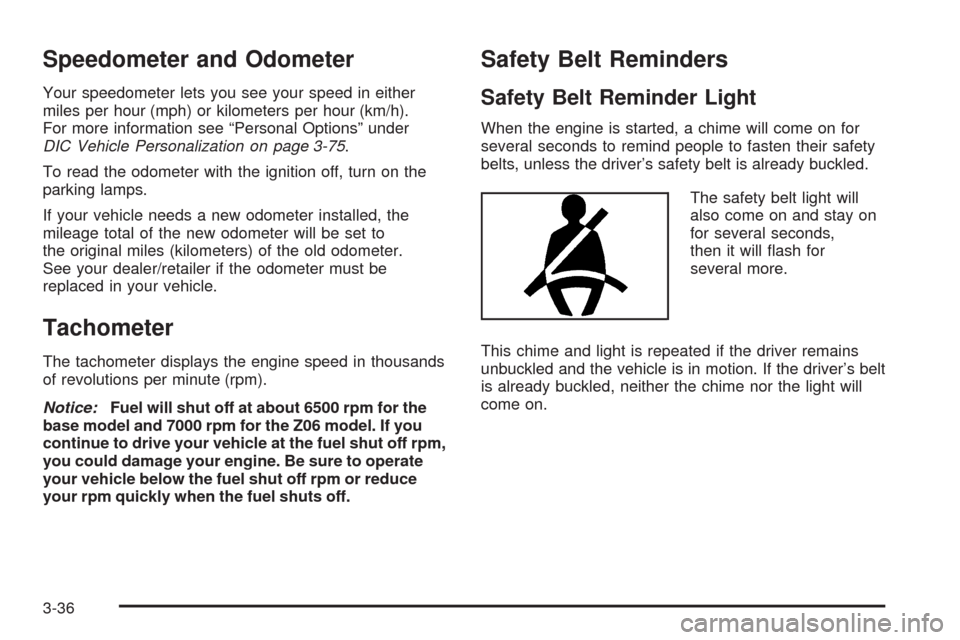
The safety belt light will
also come on and stay on
for several seconds,
then it will ash for
several more.
This chime and light is repeated if the driver remains
unbuckled and the vehicle is in motion. If the driver’s belt
is already buckled, neither the chime nor the light will
come on.
3-36
Page 183 of 432
Emissions Inspection and
Maintenance Programs
Some state/provincial and local governments have or
might begin programs to inspect the emission control
equipment on your vehicle. Failure to pass this
inspection could prevent you from getting a vehicle
registration.
Here are some things you need to know to help your
vehicle pass an inspection:
Your vehicle will not pass this inspection if the check
engine light is on or not working properly.
To perform a check engine light bulb check with the
keyless ignition, make sure the transmitter fob is in the
passenger compartment. SeeIgnition Positions on
page 2-22. Press the bottom of the Acc. button on
the instrument panel and hold the button down
for ve seconds. The instrument panel, including the
check engine light, will light up and the ignition will
be on, but the engine will not start — if you press the
bottom of the Acc. button only briey, less than
ve seconds, the accessory power mode will be turned
on, but not the ignition. After the bulb check, be sure
to press and release the Acc. button again to turn
the ignition off and avoid draining the vehicle’s battery.Your vehicle will not pass this inspection if the OBD
(on-board diagnostic) system determines that critical
emission control systems have not been completely
diagnosed by the system. The vehicle would be
considered not ready for inspection. This can happen
if you have recently replaced the battery or if the battery
has run down. The diagnostic system is designed to
evaluate critical emission control systems during normal
driving. This may take several days of routine driving.
If you have done this and your vehicle still does not pass
the inspection for lack of OBD system readiness, your
dealer/retailer can prepare the vehicle for inspection.
3-47
Page 188 of 432
DIC Operation and Displays
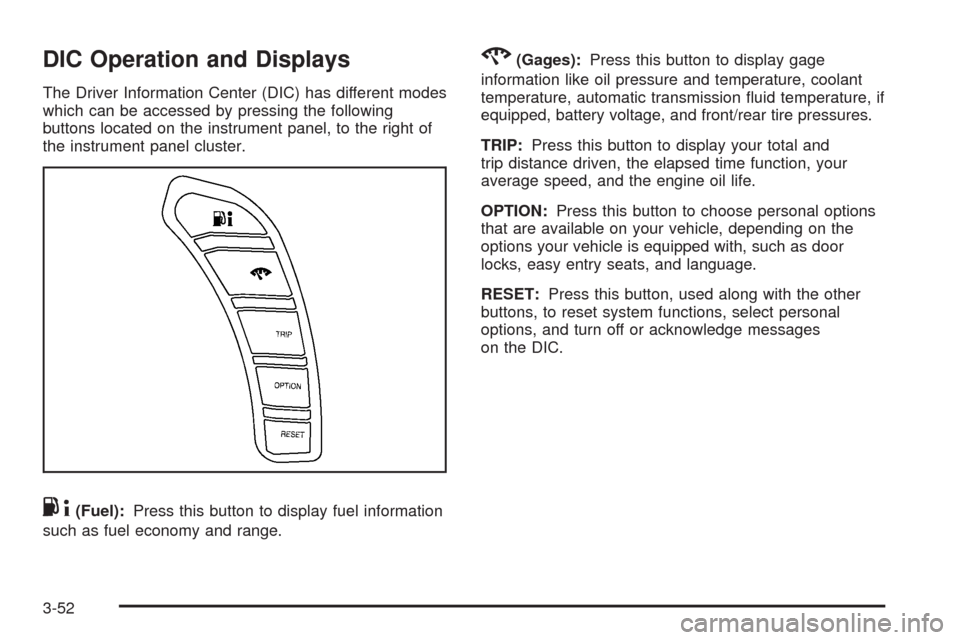
The Driver Information Center (DIC) has different modes
which can be accessed by pressing the following
buttons located on the instrument panel, to the right of
the instrument panel cluster.
.4(Fuel):Press this button to display fuel information
such as fuel economy and range.
2(Gages):Press this button to display gage
information like oil pressure and temperature, coolant
temperature, automatic transmission uid temperature, if
equipped, battery voltage, and front/rear tire pressures.
TRIP:Press this button to display your total and
trip distance driven, the elapsed time function, your
average speed, and the engine oil life.
OPTION:Press this button to choose personal options
that are available on your vehicle, depending on the
options your vehicle is equipped with, such as door
locks, easy entry seats, and language.
RESET:Press this button, used along with the other
buttons, to reset system functions, select personal
options, and turn off or acknowledge messages
on the DIC.
3-52
Page 189 of 432
FUEL Button
The fuel button displays average fuel economy and
instantaneous fuel economy, calculated for your specic
driving conditions, and range information.
Average Fuel Economy:The average fuel economy is
viewed as a long-term approximation of your overall
driving conditions. You should reset the average
fuel economy display every time you refuel. If you press
the RESET button in this mode while you are driving,
the system will reset this display and begin guring fuel
economy from that point in time.
Press the fuel button to display average fuel economy,
such as:
AVERAGE FUEL ECONOMY 20.1 MPG or
AVERAGE FUEL ECONOMY 11.7 L/100 km
Instantaneous Fuel Economy:Instantaneous fuel
economy reects only the fuel economy that the vehicle
has right now and will change frequently as driving
conditions change. Unlike average fuel economy, this
menu item cannot be reset.
Press the fuel button again to display instantaneous
fuel economy, such as:
INSTANT FUEL ECONOMY 20.1 MPG or
INSTANT FUEL ECONOMY 11.7 L/100 kmFuel Range:The range calculates the remaining
distance you can drive without refueling. It is based on
fuel economy and the fuel remaining in the tank.
Press the fuel button again to display the range,
such as:
RANGE 30 MI or
RANGE 48 km
If the LOW FUEL warning is displayed or if RANGE
is less than 40 miles (64 km), the display will read
RANGE LOW.
The fuel economy data used to determine fuel range is
an average of recent driving conditions. As your
driving conditions change, this data is gradually updated
automatically.
If the vehicle has been idling for a long time, the range
displayed on the DIC could be abnormally low.
The vehicle must be driven 5-10 miles (8-16 km) to
get an accurate reading.
3-53
Page 197 of 432
To acknowledge the message, press the RESET button.
The message reappears every 10 minutes until this
condition changes.
CLOSE TRUNK TO MOVE TOP
This message displays and a chime sounds if the trunk
is open while you are trying to operate the convertible
top. Make sure the trunk is closed before operating the
convertible top. SeeConvertible Top (Manual) on
page 2-62orConvertible Top (Power) on page 2-68.
COMPETITIVE DRIVING MODE
This message displays and a short chime sounds
when the Competitive Driving mode is selected.
The instrument panel cluster light will not be on
when the Competitive Driving mode is selected.
The Traction Control System (TCS) will not be operating
while in the Competitive Driving mode. Adjust your
driving accordingly. SeeRacing or Other Competitive
Driving on page 4-15for more information.
COOLANT OVER TEMPERATURE
This message displays and a chime sounds if the engine
coolant exceeds 255°F (124°C). If you have been
operating your vehicle under normal driving conditions,
pull off the road, stop your vehicle, and turn off the
engine as soon as possible.
You can monitor the coolant temperature with the gages
button on the DIC or the engine coolant temperature
gage on the instrument panel cluster. SeeEngine
Overheating on page 5-31,DIC Operation and Displays
on page 3-52, andEngine Coolant Temperature Gage
on page 3-44.
To acknowledge the message, press the RESET button.
The message reappears and a chime sounds every
minute until this condition changes. If you do not press
the RESET button, the message remains on until the
condition changes.
3-61
Page 206 of 432
SHIFT TO PARK
If your vehicle has an automatic transmission, this
message displays if the vehicle is not in PARK (P) when
the engine is being turned off. The vehicle will be in
ACCESSORY Once the shift lever is moved to
PARK (P), the vehicle will turn off.
The vehicle will remain in ACCESSORY, without the
20 minute time-out period, until the shift lever is moved
to PARK (P) or until the driver presses the pushbutton
to restart the vehicle. SeeIgnition Positions on
page 2-22for more information.
SHIFT TO PARK OR SET PARK BRAKE
FOR TOP
If your vehicle has an automatic transmission, this
message displays and a chime sounds if you try to
operate the power convertible top without rst shifting
into PARK (P) or setting the parking brake. Either
shift the vehicle into PARK (P) or set the parking brake
before trying to operate the power convertible top.
SeeConvertible Top (Manual) on page 2-62or
Convertible Top (Power) on page 2-68for more
information.
SHOCKS INOPERATIVE
This message displays when a malfunction is present in
the Selective Ride Control system which is causing
the shocks to be in their full soft mode. This is a warning
to the driver that the vehicle handling may be affected.
Have your vehicle serviced by your dealer/retailer
as soon as possible.
To acknowledge the message, press the RESET button.
The message reappears every 10 minutes until this
condition changes.
TIRE FLAT
{CAUTION:
When the LOW TIRE PRESSURE or TIRE FLAT
message is displayed on the Driver Information
Center, your vehicle’s handling capabilities will
be reduced during severe maneuvers. If you
drive too fast, you could lose control of your
vehicle. You or others could be injured. Do not
drive over 55 mph (90 km/h) when the LOW
TIRE PRESSURE or TIRE FLAT message is
displayed. Drive cautiously and check your tire
pressures as soon as you can.
3-70
Page 209 of 432

TRACTION SYSTEM – ON
This message displays and a single, quick tone sounds
when the Traction Control System (TCS) is turned
on by pressing the Active Handling System button on
the console. This message automatically clears from the
DIC display on its own. SeeTraction Control System
(TCS) on page 4-6for more information.
TRANSMISSION HOT IDLE ENGINE
This message displays and four chimes sound if the
transmission uid temperature rises above 270°F
(132°C) or rises rapidly. The transmission may shift
gears or apply the torque converter clutch to reduce the
uid temperature. Driving aggressively or driving on
long hills can cause the transmission uid temperature
to be higher than normal. If this message appears,
you may continue to drive at a slower speed. Monitor
the transmission uid temperature and allow it to cool
to at least 230°F (110°C). The transmission uid
temperature can be monitored with the gages button on
the DIC. SeeDIC Operation and Displays on page 3-52
andAutomatic Transmission Fluid on page 5-27.
Also check the engine coolant temperature. If it is also
hot, seeEngine Overheating on page 5-31.
If this message is displayed during normal vehicle
operation on at roads, your vehicle may need service.
See your dealer/retailer for an inspection.If driving in a performance or competitive manner,
the use of (S) Sport Automatic Mode or (S) Sport
Manual Paddle Shift gear selection is recommended.
SeeAutomatic Transmission Operation on page 2-26
for more information.
To acknowledge the message, press the RESET button.
The message reappears every 10 minutes until this
condition changes. If you do not press the RESET
button, the message remains on the display until the
condition changes.TURN SIGNAL ON
This message displays and a chime sounds if a turn
signal is left on for three-quarters of a mile (1.2 km).
Move the turn signal/multifunction lever to the off
position.
To acknowledge this message, press the RESET
button.
UNLATCH HEADER TO MOVE TOP
This message displays and a chime sounds if you try to
lower the convertible top without rst unlocking the
top. Move the latch handle to unlock the convertible top.
SeeConvertible Top (Manual) on page 2-62or
Convertible Top (Power) on page 2-68.
3-73
Page 212 of 432
Entering the Personal Options Menu
To enter the personal options menu, use the following
steps:
1. If you have an automatic transmission vehicle,
turn the vehicle on with the shift lever in PARK (P).
If you have a manual transmission vehicle, turn
the vehicle on with the parking brake set.
To avoid excessive drain on the battery, it is
recommended that the headlamps are turned off.
2. Press the OPTION button and you will enter the
PERSONAL OPTIONS menu.
The DIC will display the current driver
number (1 or 2) for a few seconds and then will
display instructions on which buttons to use
for setting the personalizations. The RESET button
is used to select a setting for a particular feature.
The OPTION button is used to move to the
next feature.
3. Press the OPTION button while the instruction
screen is displayed to enter the rst personalization
menu item.
4. Once you have cycled through all of the personal
options, pressing the OPTION button a nal time
exits the personal options menu. In addition,
if no button is pressed within 45 seconds, the DIC
will exit the personal options menu.
Personal Options
The following options are available for programming:
Display Units:This option allows you to choose
the measurement units.
Press the OPTION button until DISPLAY UNITS appears
on the display, then press the RESET button to scroll
through the following modes:
ENGLISH (default)
METRIC
If you choose ENGLISH, all information will be displayed
in English units.
If you choose METRIC, all information will be displayed
in metric units.
When the mode you want is selected, press the
OPTION button to set your choice and advance to the
next personal option.
Auto Memory Recall (Automatic Transmission only):
If your automatic transmission vehicle has the memory
package, you may have this option. This option
allows the driver’s seat, the telescopic steering column,
if your vehicle has this feature, and the outside
rearview mirrors to automatically move to the current
driver’s set position when the engine starts.
3-76