2008 CHEVROLET CORVETTE brake
[x] Cancel search: brakePage 86 of 432
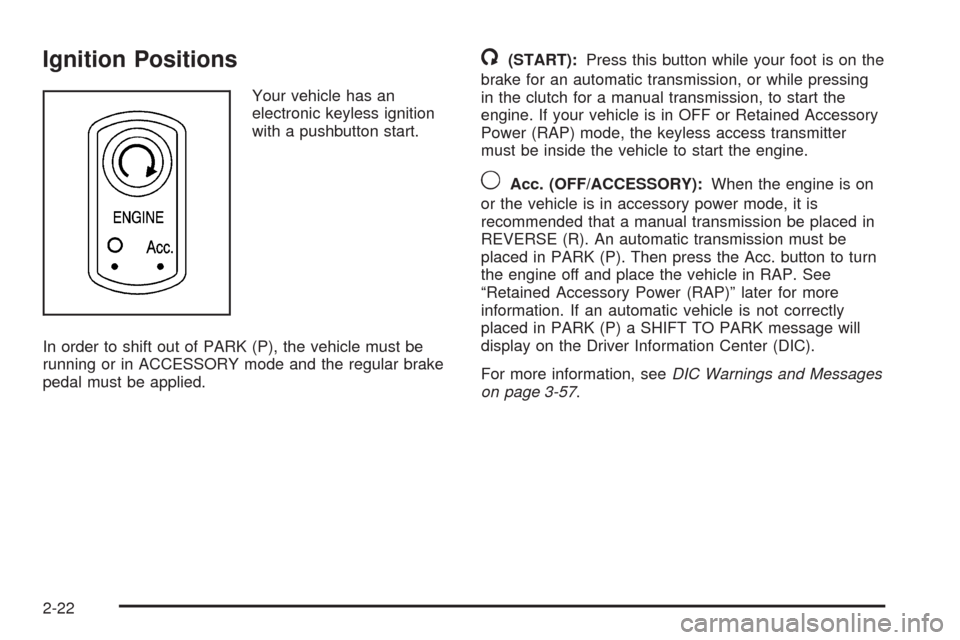
Ignition Positions
Your vehicle has an
electronic keyless ignition
with a pushbutton start.
In order to shift out of PARK (P), the vehicle must be
running or in ACCESSORY mode and the regular brake
pedal must be applied.
/(START):Press this button while your foot is on the
brake for an automatic transmission, or while pressing
in the clutch for a manual transmission, to start the
engine. If your vehicle is in OFF or Retained Accessory
Power (RAP) mode, the keyless access transmitter
must be inside the vehicle to start the engine.
9Acc. (OFF/ACCESSORY):When the engine is on
or the vehicle is in accessory power mode, it is
recommended that a manual transmission be placed in
REVERSE (R). An automatic transmission must be
placed in PARK (P). Then press the Acc. button to turn
the engine off and place the vehicle in RAP. See
“Retained Accessory Power (RAP)” later for more
information. If an automatic vehicle is not correctly
placed in PARK (P) a SHIFT TO PARK message will
display on the Driver Information Center (DIC).
For more information, seeDIC Warnings and Messages
on page 3-57.
2-22
Page 88 of 432
To start your vehicle, do the following:
1. For an automatic transmission, with your foot on the
brake pedal, press the START button located on
the instrument panel. For a manual transmission,
while pressing in the clutch, press the START
button.
If there is not a keyless access transmitter in the
vehicle or if there is something causing interference
with it, the DIC will display NO FOBS DETECTED.
SeeDIC Warnings and Messages on page 3-57
for more information.
2. When the engine begins cranking, let go of the
button and the engine cranks automatically until
it starts. If the battery in the keyless access
transmitter is weak, the DIC displays FOB
BATTERY LOW. You can still drive the vehicle.
See “Battery Replacement” underKeyless Access
System Operation on page 2-6for more information.
If the fob battery is dead, you need to insert the
fob into the fob slot to enable engine starting.
See “No Fobs Detected” underDIC Warnings and
Messages on page 3-57.3. Do not race the engine immediately after starting it.
Operate the engine and transmission gently until
the oil warms up and lubricates all moving parts.
4. If the engine does not start and no DIC message is
displayed, wait 15 seconds before trying again to let
the cranking motor cool down.
If the engine does not start after 5-10 seconds,
especially in very cold weather (below 0°F or−18°C),
it could be ooded with too much gasoline. Try
pushing the accelerator pedal all the way to the oor
while cranking for up to 15 seconds maximum. Wait
at least 15 seconds between each try, to allow the
cranking motor to cool down. When the engine starts,
let go of the accelerator. If the vehicle starts briey
but then stops again, do the same thing. This clears
the extra gasoline from the engine.
Notice:Cranking the engine for long periods of
time, by pressing the START button immediately
after cranking has ended, can overheat and damage
the cranking motor, and drain the battery. Wait at
least 15 seconds between each try, to allow the
cranking motor to cool down.
2-24
Page 89 of 432
Your vehicle has a Computer-Controlled Cranking
System. This feature assists in starting the engine and
protects components. Once cranking has been
initiated, the engine continues cranking for a few
seconds or until the vehicle starts. If the engine does
not start, cranking automatically stops after 15 seconds
to prevent cranking motor damage. To prevent gear
damage, this system also prevents cranking if the
engine is already running.
Notice:The engine is designed to work with the
electronics in the vehicle. If electrical parts or
accessories are added, you could change the way
the engine operates. Before adding electrical
equipment, check with your dealer/retailer. If you
do not, the engine might not perform properly.
Any resulting damage would not be covered by the
vehicle warranty.Stopping Your Engine
If your vehicle has an automatic transmission, move the
shift lever to PARK (P) and press and hold the Acc.
(Off/Accessory) button, located on the instrument panel,
until the engine shuts off. If the shift lever is not in
PARK (P), the engine shuts off and the vehicle goes
into the Accessory Mode. The DIC displays SHIFT TO
PARK. Once the shifter is moved to PARK (P), the
vehicle turns off. If your vehicle has a manual
transmission, it is recommended that you move the
shift lever to REVERSE (R) and set the parking
brake after you turn off the engine by pressing the
Acc. (Off/Accessory) button.
If the keyless access transmitter is not detected inside
the vehicle when it is turned to off, the DIC displays
NO FOB – OFF OR RUN?.
SeeDIC Warnings and Messages on page 3-57for
more information.
2-25
Page 90 of 432
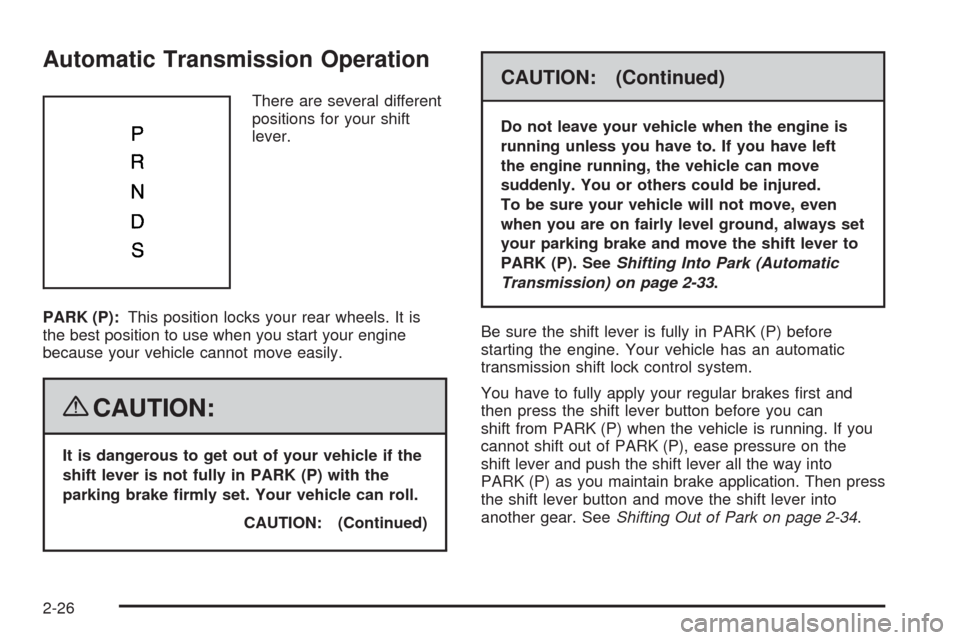
Automatic Transmission Operation
There are several different
positions for your shift
lever.
PARK (P):This position locks your rear wheels. It is
the best position to use when you start your engine
because your vehicle cannot move easily.
{CAUTION:
It is dangerous to get out of your vehicle if the
shift lever is not fully in PARK (P) with the
parking brake rmly set. Your vehicle can roll.
CAUTION: (Continued)
CAUTION: (Continued)
Do not leave your vehicle when the engine is
running unless you have to. If you have left
the engine running, the vehicle can move
suddenly. You or others could be injured.
To be sure your vehicle will not move, even
when you are on fairly level ground, always set
your parking brake and move the shift lever to
PARK (P). SeeShifting Into Park (Automatic
Transmission) on page 2-33.
Be sure the shift lever is fully in PARK (P) before
starting the engine. Your vehicle has an automatic
transmission shift lock control system.
You have to fully apply your regular brakes rst and
then press the shift lever button before you can
shift from PARK (P) when the vehicle is running. If you
cannot shift out of PARK (P), ease pressure on the
shift lever and push the shift lever all the way into
PARK (P) as you maintain brake application. Then press
the shift lever button and move the shift lever into
another gear. SeeShifting Out of Park on page 2-34.
2-26
Page 91 of 432
REVERSE (R):Use this gear to back up.
Notice:Shifting to R (Reverse) while the vehicle is
moving forward could damage the transmission.
The repairs would not be covered by the vehicle
warranty. Shift to R (Reverse) only after the vehicle
is stopped.
To rock your vehicle back and forth to get out of snow,
ice, or sand without damaging your transmission,
seeIf Your Vehicle is Stuck in Sand, Mud, Ice, or Snow
on page 4-23.
NEUTRAL (N):In this position, your engine does not
connect with the wheels. To restart when you are
already moving, use NEUTRAL (N) only. If your vehicle
needs towing, seeTowing Your Vehicle on page 4-29.
{CAUTION:
Shifting into a drive gear while the engine is
running at high speed is dangerous. Unless
your foot is rmly on the brake pedal, the
vehicle could move very rapidly. You could
lose control and hit people or objects. Do not
shift into a drive gear while the engine is
running at high speed.Notice:Shifting out of P (Park) or N (Neutral) with
the engine running at high speed may damage
the transmission. The repairs would not be covered
by the vehicle warranty. Be sure the engine is
not running at high speed when shifting the vehicle.
DRIVE (D):This position is for normal driving.
It provides the best fuel economy for your vehicle.
If you need more power for passing, and you are:
Going less than about 35 mph (56 km/h), push the
accelerator pedal about halfway down.
Going about 35 mph (56 km/h) or more, push the
accelerator all the way down.
Downshifting the transmission in slippery road conditions
could result in skidding, see “Skidding” underLoss of
Control on page 4-13.
SPORT MODE (S):When in SPORT MODE (S), the
transmission will work as an automatic until you use the
Manual Paddle Shift Controls, which activates the
driver manual gear selection. See Manual Paddle Shift
later in this section. While in automatic SPORT
MODE (S), the transmission computer determines when
the vehicle is being driven in a competitive manner
and will select and hold the transmission in lower gears
and have more noticeable upshifts for sportier vehicle
performance.
2-27
Page 94 of 432
Manual Transmission Operation
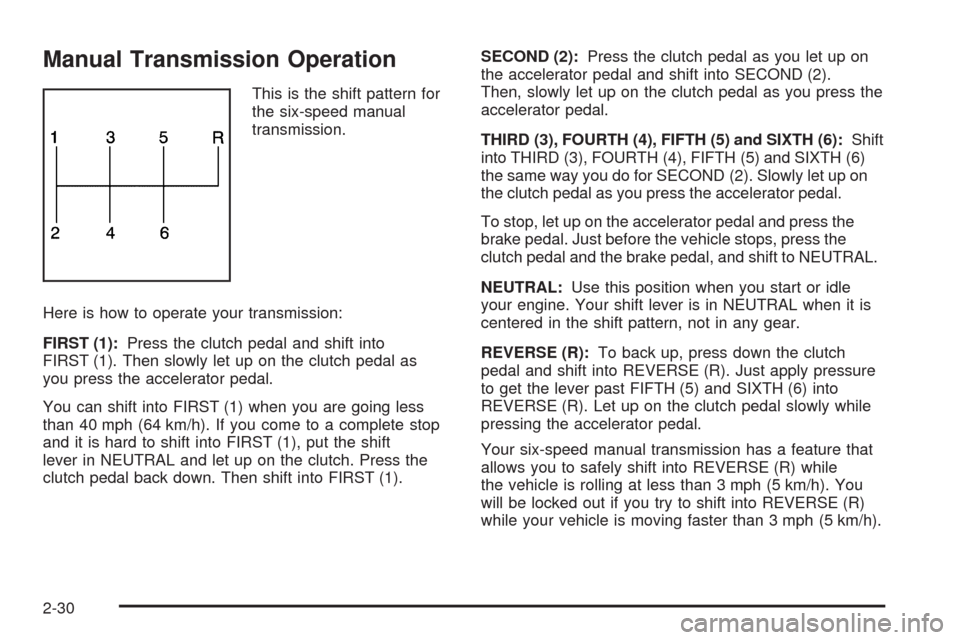
This is the shift pattern for
the six-speed manual
transmission.
Here is how to operate your transmission:
FIRST (1):Press the clutch pedal and shift into
FIRST (1). Then slowly let up on the clutch pedal as
you press the accelerator pedal.
You can shift into FIRST (1) when you are going less
than 40 mph (64 km/h). If you come to a complete stop
and it is hard to shift into FIRST (1), put the shift
lever in NEUTRAL and let up on the clutch. Press the
clutch pedal back down. Then shift into FIRST (1).SECOND (2):Press the clutch pedal as you let up on
the accelerator pedal and shift into SECOND (2).
Then, slowly let up on the clutch pedal as you press the
accelerator pedal.
THIRD (3), FOURTH (4), FIFTH (5) and SIXTH (6):Shift
into THIRD (3), FOURTH (4), FIFTH (5) and SIXTH (6)
the same way you do for SECOND (2). Slowly let up on
the clutch pedal as you press the accelerator pedal.
To stop, let up on the accelerator pedal and press the
brake pedal. Just before the vehicle stops, press the
clutch pedal and the brake pedal, and shift to NEUTRAL.
NEUTRAL:Use this position when you start or idle
your engine. Your shift lever is in NEUTRAL when it is
centered in the shift pattern, not in any gear.
REVERSE (R):To back up, press down the clutch
pedal and shift into REVERSE (R). Just apply pressure
to get the lever past FIFTH (5) and SIXTH (6) into
REVERSE (R). Let up on the clutch pedal slowly while
pressing the accelerator pedal.
Your six-speed manual transmission has a feature that
allows you to safely shift into REVERSE (R) while
the vehicle is rolling at less than 3 mph (5 km/h). You
will be locked out if you try to shift into REVERSE (R)
while your vehicle is moving faster than 3 mph (5 km/h).
2-30
Page 96 of 432

Downshifting (Manual Transmission)
Do not downshift into the gear shown below at a speed
greater than shown in the table:
FIRST (1) 50 mph (80 km/h)
SECOND (2) 74 mph (119 km/h)
THIRD (3) 101 mph (163 km/h)
FOURTH (4) 130 mph (209 km/h)
Notice:If you skip more than one gear when you
downshift, or if you race the engine when you
release the clutch pedal while downshifting, you
could damage the engine, clutch, driveshaft or the
transmission. Do not skip gears or race the
engine when downshifting.
The six-speed transmission has a spring that centers
the shift lever near THIRD (3) and FOURTH (4).
This spring helps you know which gear you are in when
you are shifting. Be careful when shifting from
FIRST (1) to SECOND (2) or downshifting from
SIXTH (6) to FIFTH (5). The spring will try to pull the
shift lever toward FOURTH (4) and THIRD (3).
Make sure you move the lever into SECOND (2) or
FIFTH (5). If you let the shift lever move in the direction
of the pulling, you may end up shifting from FIRST (1)
to FOURTH (4) or from SIXTH (6) to THIRD (3).
Parking Brake
The parking brake lever is located to the right of the
center console.
To set the parking brake, hold the brake pedal down.
Pull the parking brake lever up. If the ignition is on, the
brake system warning light will come on.
To release the parking brake, hold the brake pedal
down. Then push the release button in as you move the
parking brake lever all the way down.
Notice:Driving with the parking brake on can
overheat the brake system and cause premature
wear or damage to brake system parts. Make sure
that the parking brake is fully released and the brake
warning light is off before driving.
2-32
Page 97 of 432
Shifting Into Park
(Automatic Transmission)
{CAUTION:
It can be dangerous to get out of your vehicle
if the shift lever is not fully in PARK (P) with
the parking brake rmly set. Your vehicle can
roll. If you have left the engine running, the
vehicle can move suddenly. You or others
could be injured. To be sure your vehicle will
not move, even when you are on fairly level
ground, use the steps that follow.
1. Hold the brake pedal down with your right foot and
set the parking brake.
SeeParking Brake on page 2-32for more
information.
2. Move the shift lever into PARK (P) by holding in the
button on the lever and pushing the lever all the
way toward the front of the vehicle.
3. Press the Acc. button (ignition switch) to turn the
engine off.
Leaving Your Vehicle With the Engine
Running (Automatic Transmission)
{CAUTION:
It can be dangerous to leave the vehicle with
the engine running. The vehicle could move
suddenly if the shift lever is not fully in
P (Park) with the parking brake rmly set. And,
if you leave the vehicle with the engine
running, it could overheat and even catch re.
You or others could be injured. Do not leave
the vehicle with the engine running.
If you have to leave your vehicle with the engine
running, be sure your vehicle is in PARK (P) and your
parking brake is rmly set before you leave it. After you
have moved the shift lever into PARK (P), hold down
the regular brake pedal. See if you can move the
shift lever away from PARK (P) without rst pulling it
toward you. If you can, it means that the shift lever was
not fully locked into PARK (P).
2-33